Connect Odoo to your approved French platform.
Keep the platform you chose.
Send compliant electronic invoices, track every lifecycle status, and pull inbound bills back into Odoo, all through the approved platform your business already works with. No lock in to a single provider.
Built on the AFNOR XP Z12-013 standard interface. Extends standard Odoo Accounting. Multi company ready.
How an invoice travels
Statuses travel back the same way and land on the invoice, from received through to paid.
One standard interface, your choice of platform
The French e-invoicing reform makes structured electronic invoicing and status reporting mandatory for business to business transactions. Every company has to route its invoices through an approved platform, a Plateforme Agréée.
Most Odoo connectors tie you to one provider. This one does the opposite. It speaks the AFNOR XP Z12-013 standard interface, the common language that approved platforms expose, so you connect Odoo to the platform you already selected and keep your commercial relationship exactly where it is.
Bring your own approved platform. We handle the Odoo side.
Four things that set it apart
Compliance is the floor. These are the reasons teams pick this connector over a single provider integration.
Vendor independent
Built on the AFNOR XP Z12-013 standard API rather than one proprietary integration, so your approved platform stays your choice, today and when you switch later.
Full lifecycle, not just sending
The reform is about the whole journey of an invoice, from submission through to cash collection. This connector records every mandatory status and lets you emit the statuses that belong to you, such as a refusal or a payment confirmation, directly from the invoice.
Inbound and outbound in one place
Outgoing customer invoices leave Odoo as structured documents. Incoming supplier invoices are retrieved automatically and land as draft vendor bills, already decoded, ready for you to review and post.
Works with the French annuaire
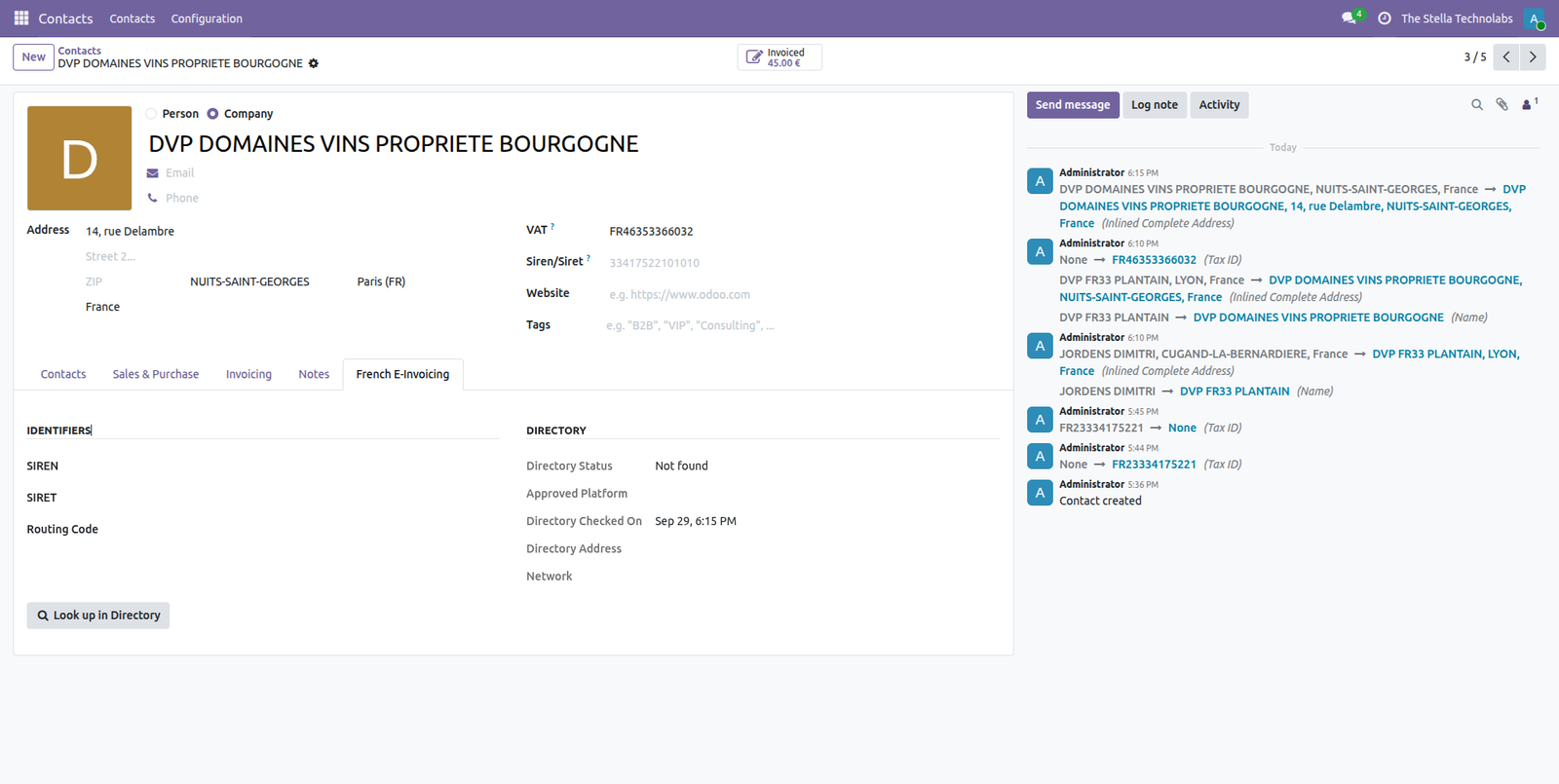
Look up a trading partner by SIREN or SIRET straight from the contact form and store the routing details the reform requires, so your invoices reach the right destination.
Everything the reform asks of you
Each one sits inside the accounting screens your team already uses, not in a separate app.
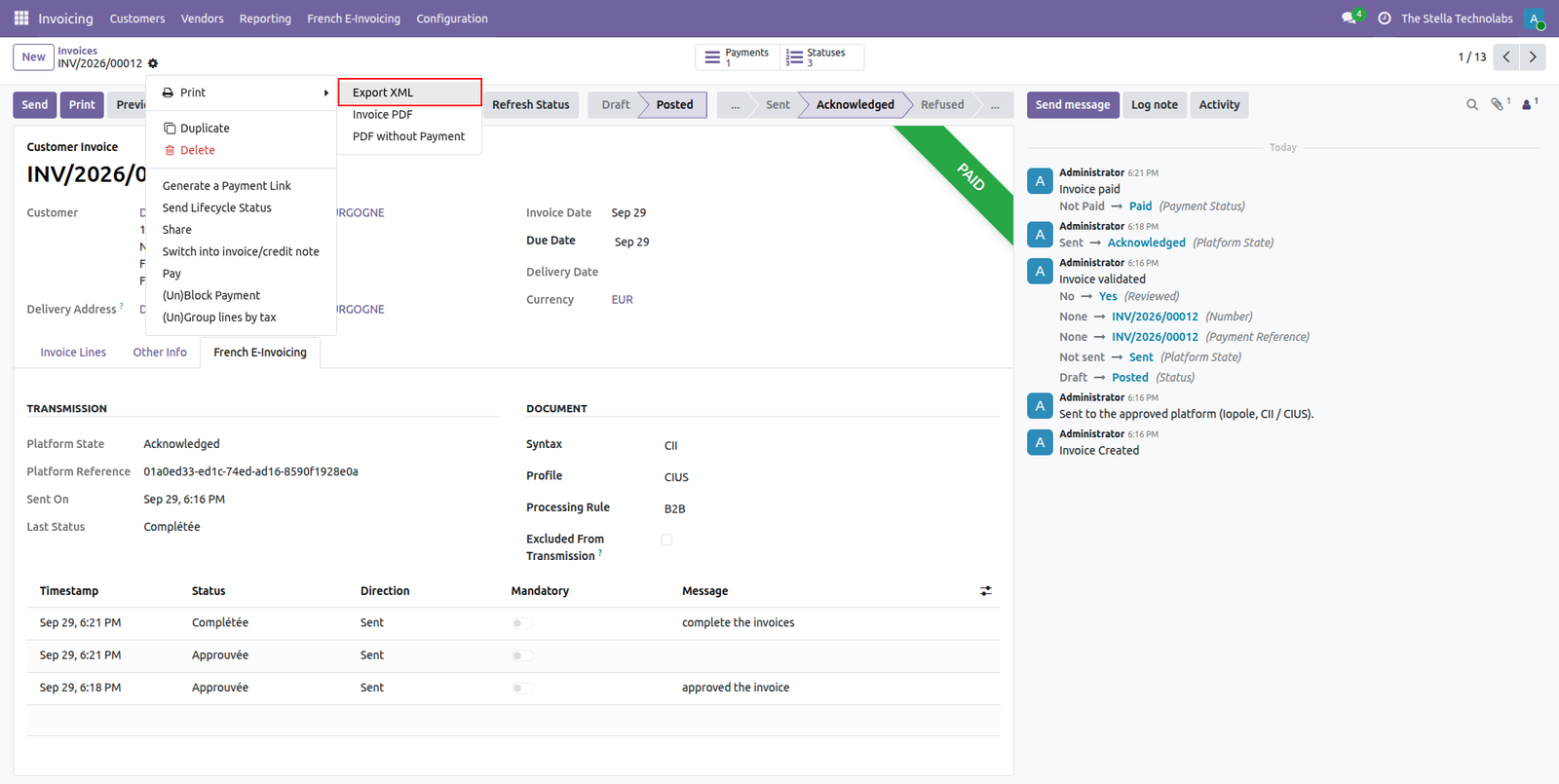
Send to your approved platform
One click sends a customer invoice to your platform as a structured document. Choose the syntax and profile per company, or send automatically when an invoice is posted.
Lifecycle status tracking
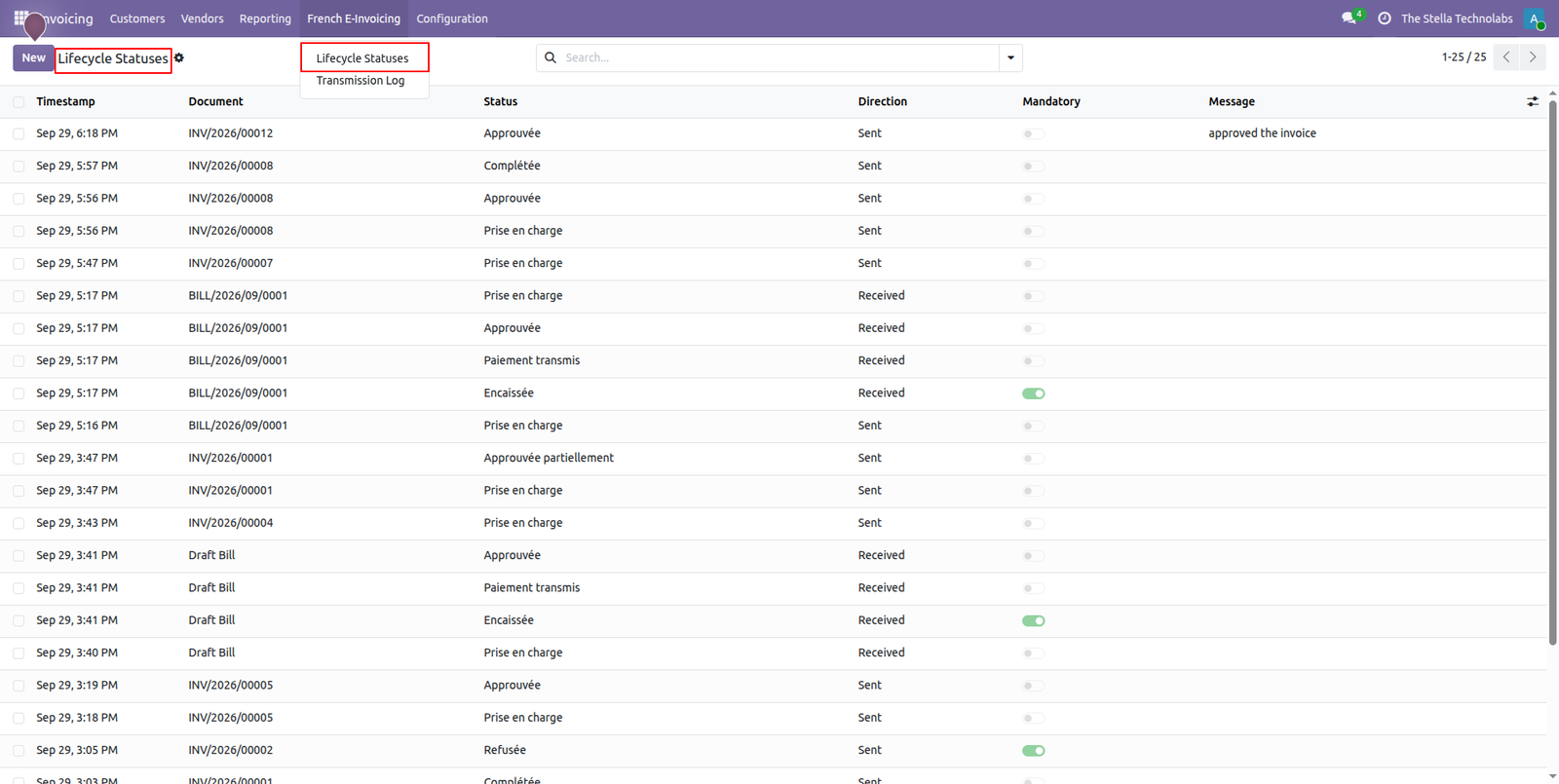
Every status the platform reports is recorded against the invoice with its date and label, so you always know whether a document was received, approved, rejected, or paid.
Emit the statuses that are yours
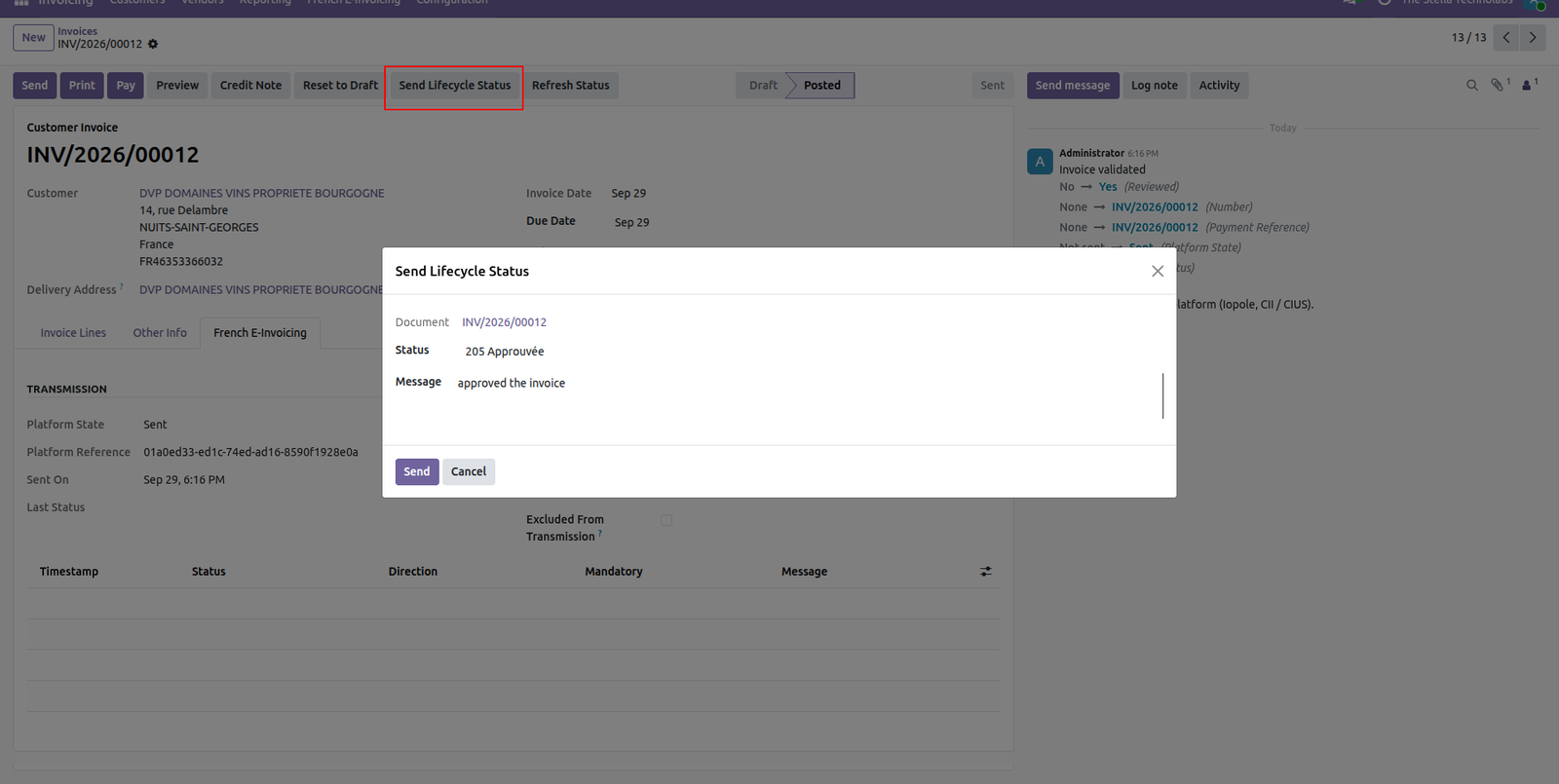
When your business needs to declare a refusal, a dispute, a partial approval, or a payment, a guided wizard captures the right reason code and the payment details the standard requires, then transmits it for you.
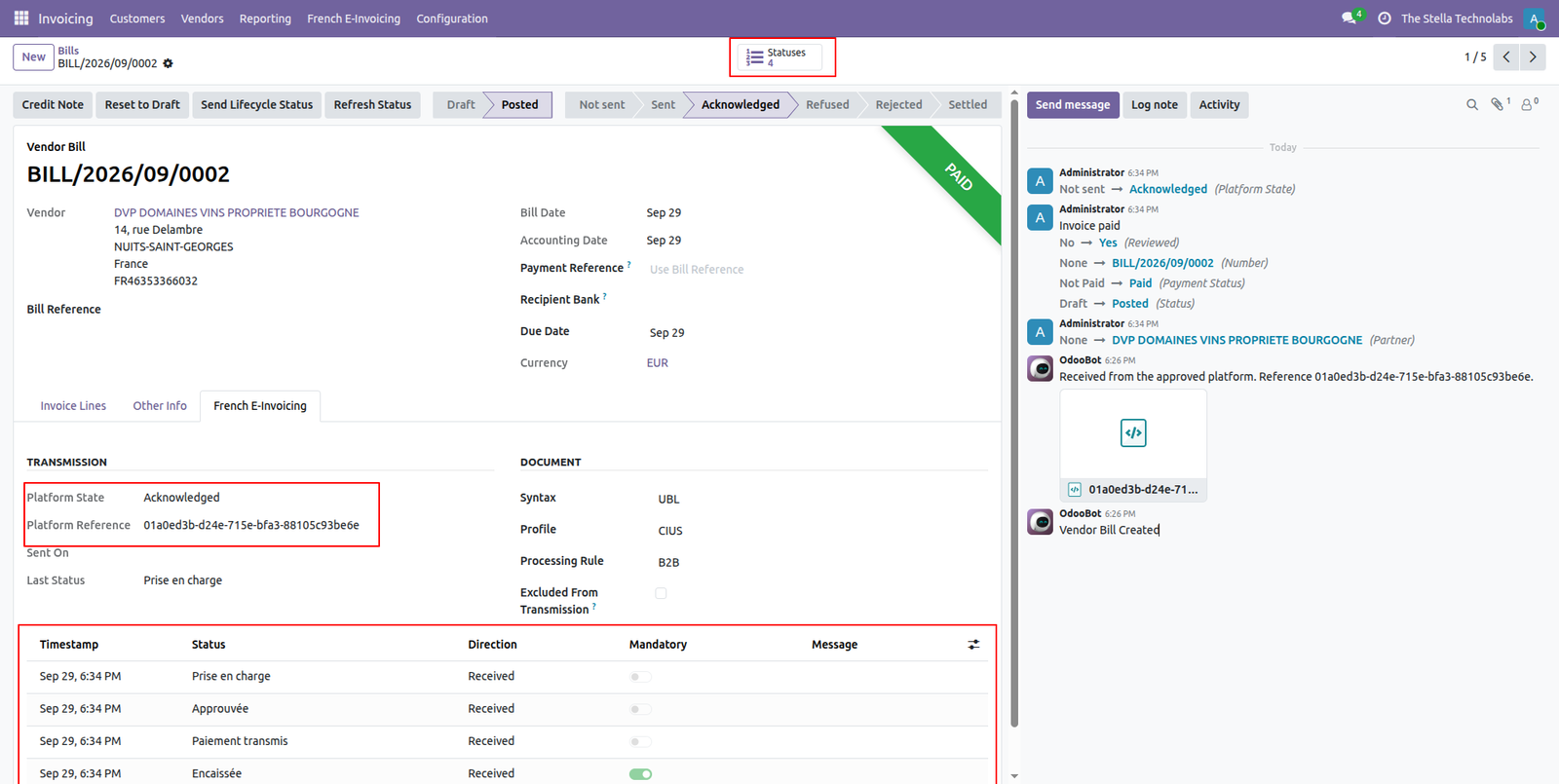
Inbound bills, decoded automatically
A scheduled retrieval pulls supplier documents from your platform and creates draft vendor bills in Odoo, with the structured data already read in, whether the document arrives as a structured file or an embedded hybrid invoice.
Partner directory lookup
Search the French directory by company number from the contact record and save the matched identifiers and routing information in one step.
Connection test and transmission log
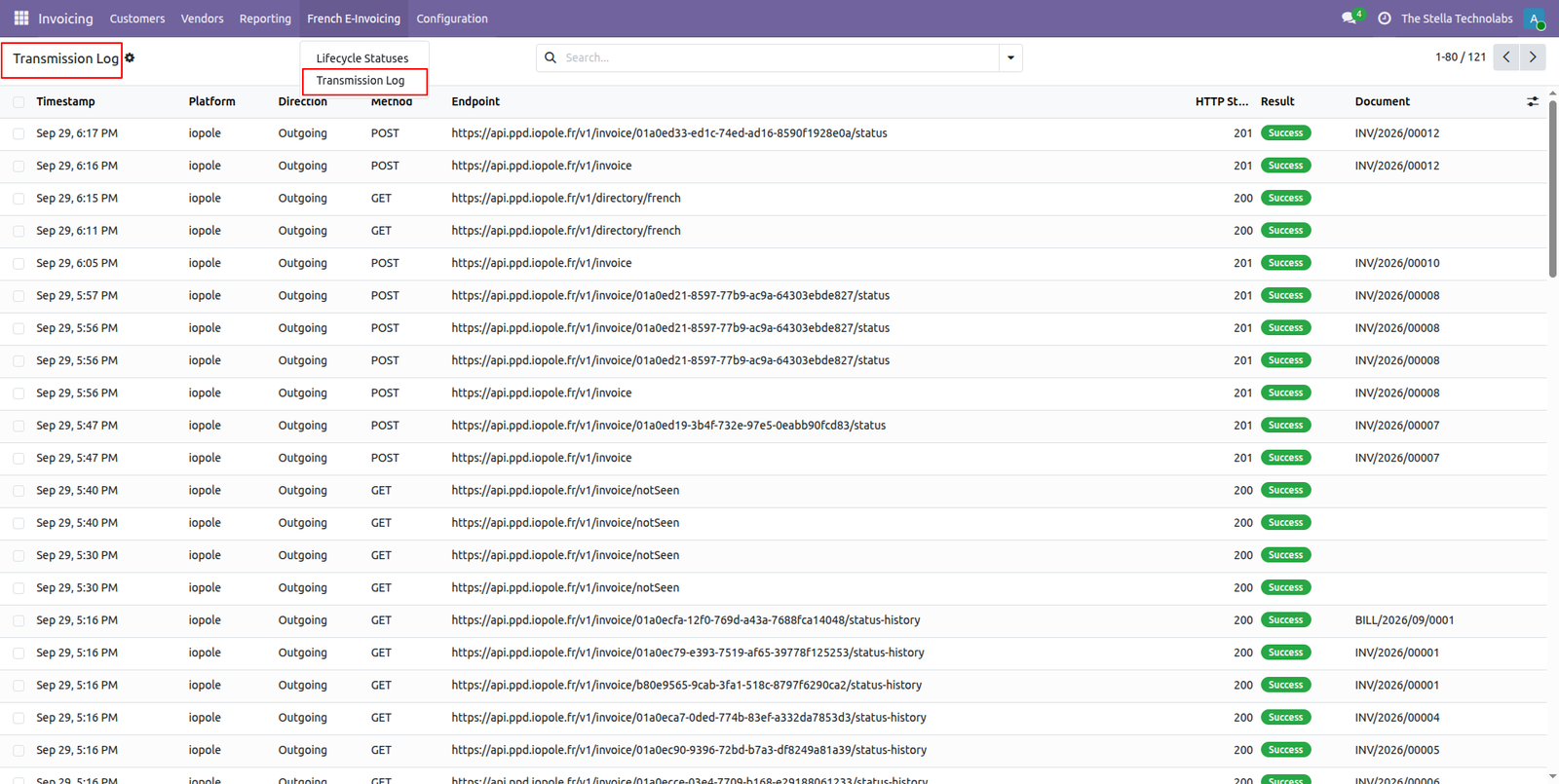
A built in health check confirms your credentials work before you go live, and a transmission log keeps a clear record of every exchange for audit and support.
Multi company ready
Each company configures its own platform, credentials, and environment, so a group with several legal entities runs them side by side.
Four screens that carry the whole flow
Configuration, sending, status tracking and inbound bills, all inside the accounting screens your team already opens every day.
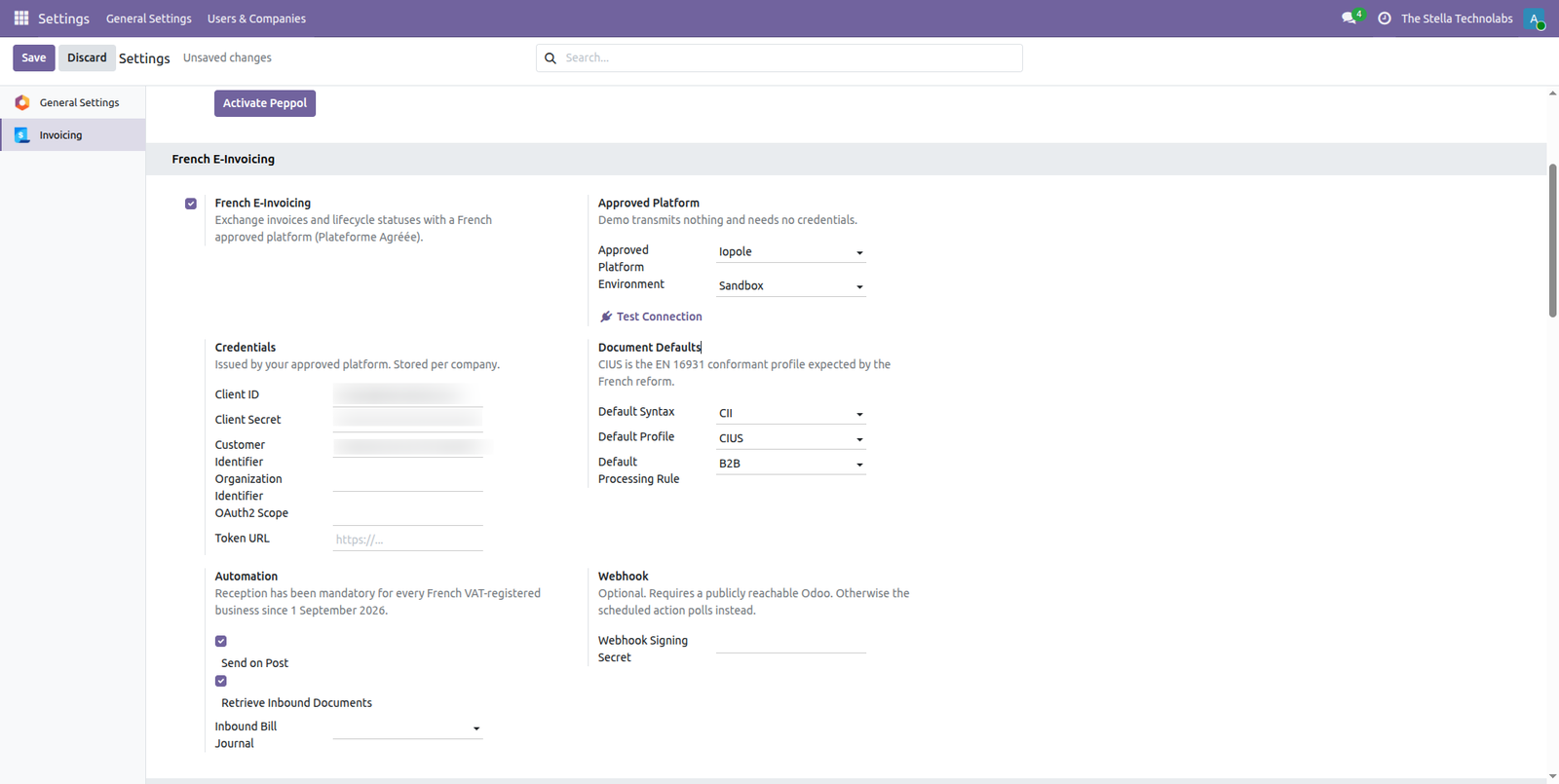
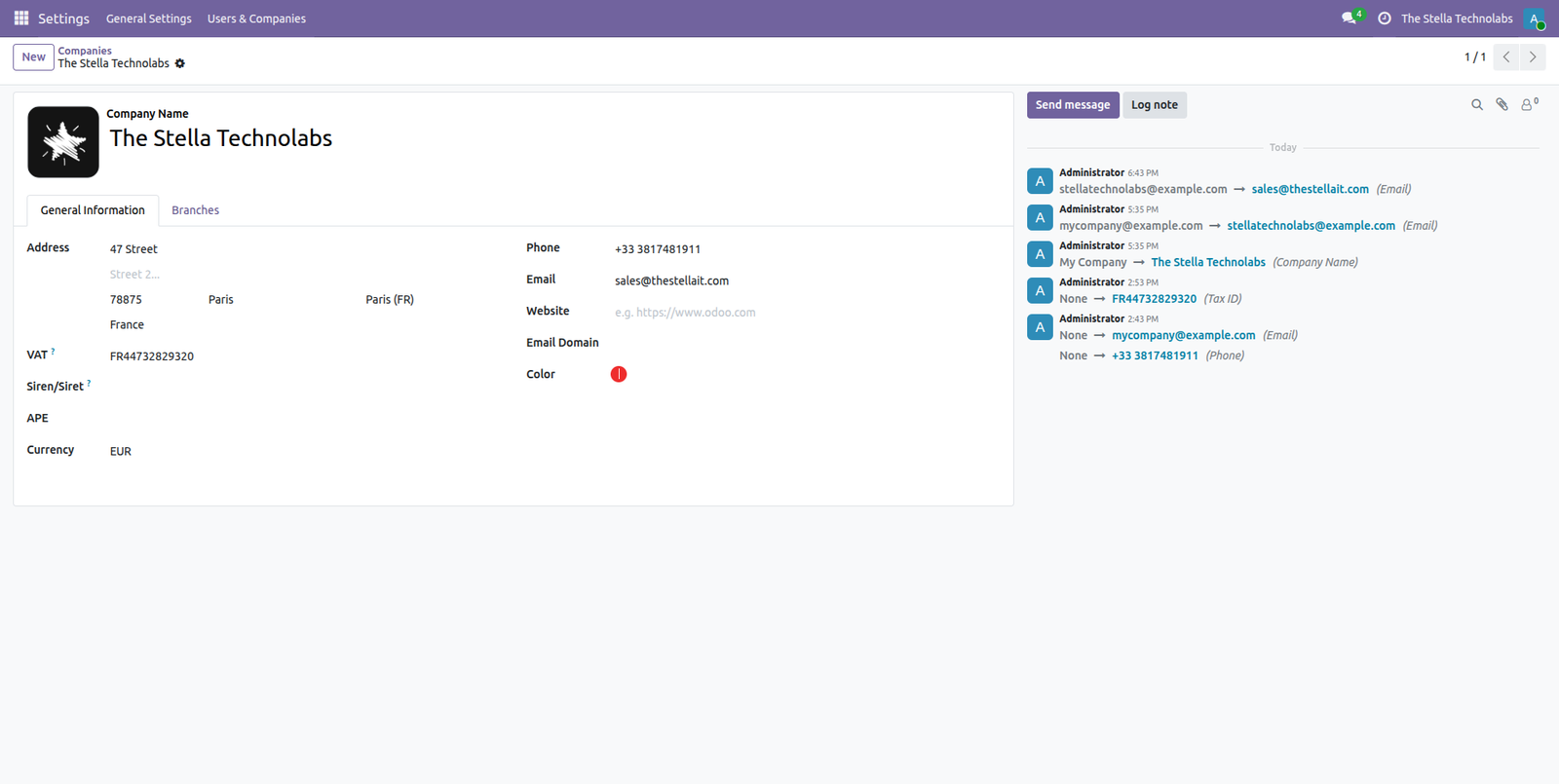
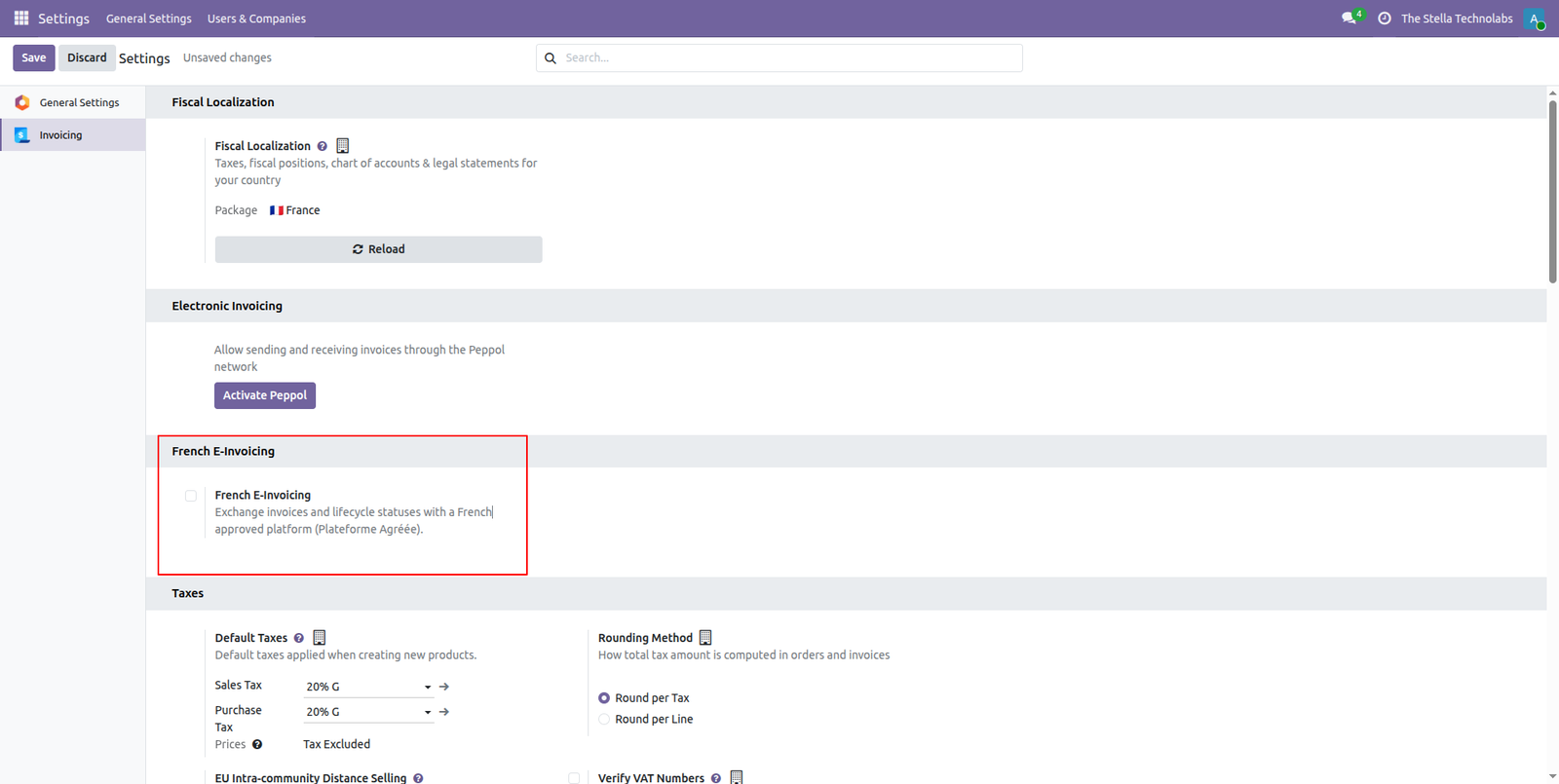
One settings page, and your platform is connected
Pick the approved platform you already work with, choose sandbox or production, and paste the credentials it issued you. Press Test Connection before anything real goes out. Syntax, profile and processing rule are set per company, and invoices can go automatically the moment they are posted.
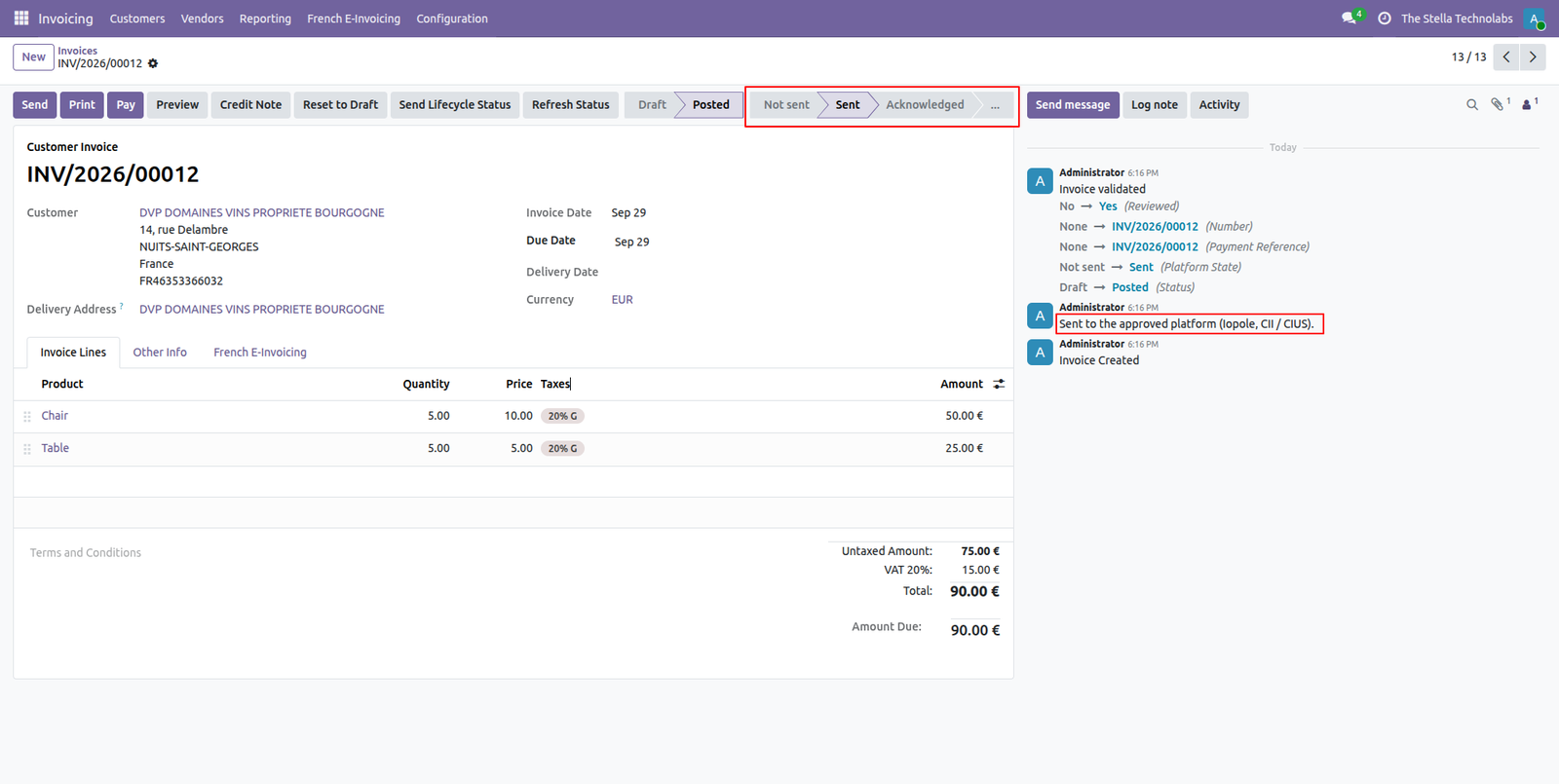
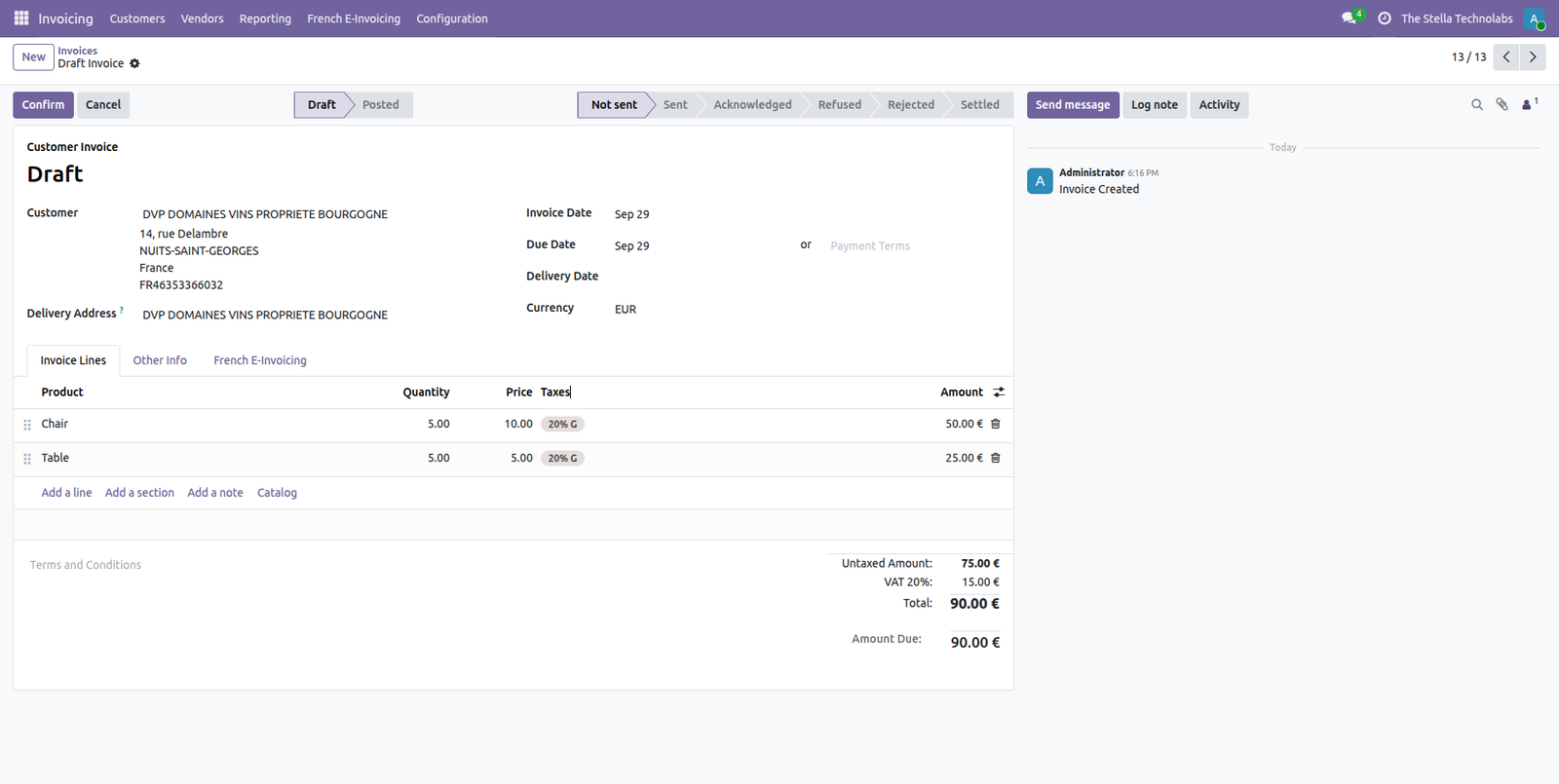
Send from the invoice your team already posted
There is no second app and no parallel workflow. Post the customer invoice as usual and press Send. The structured document goes to your platform, and the status bar across the top moves from Not sent to Sent to Acknowledged as the platform reports back.
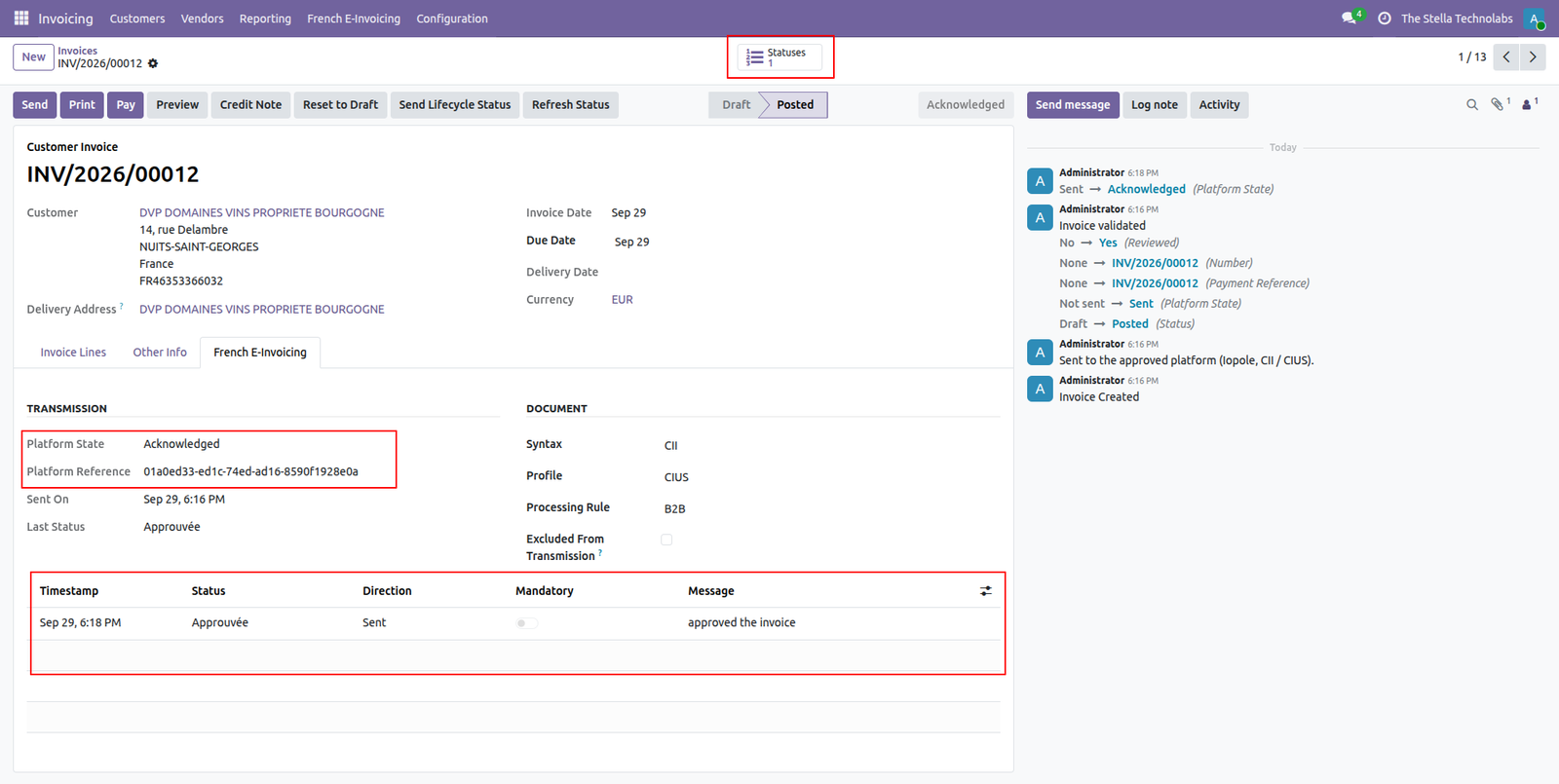
Every status recorded on the document itself
Each invoice carries a French e-invoicing tab holding the platform state, the platform reference, the syntax and profile that were used, and a dated timeline of every status the platform has reported, in the official French wording.
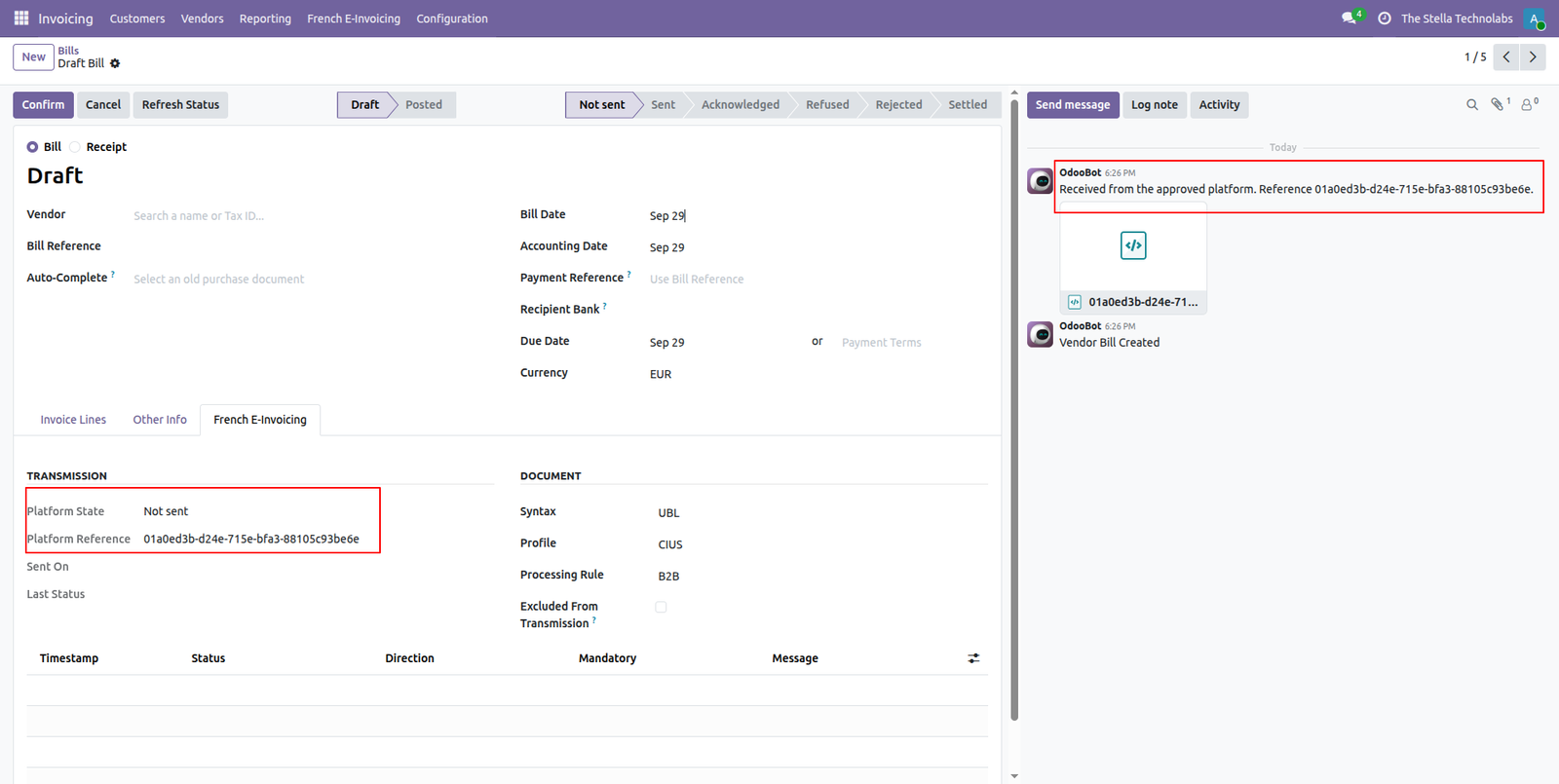
Supplier bills arrive already decoded
A scheduled retrieval pulls inbound documents from your platform and creates draft vendor bills with the structured file attached and the data already read in. Your team reviews and posts. Nothing is keyed in twice.
From submission through to cash
The reform tracks an invoice far beyond the moment it is sent. Each stage is recorded against the document in Odoo with its date and label.
It sits inside the accounting you have
The connector plugs into standard Odoo Accounting. Customer invoices and vendor bills stay where your team already works. The French e-invoicing details sit in their own tab on each document, and configuration lives in Accounting settings.
A clean platform layer sits underneath. An approved platform is reached through a swappable adapter, so support for additional platforms can be added without touching the way you work. A demo mode lets you explore everything safely with no transmission at all.
Connect through the standard, or an adapter
AFNOR XP Z12-013 standard API
The standard interface published for approved platforms. If your platform exposes it, you connect through it.
Iopole
A ready to use adapter for the Iopole approved platform, sandbox and production.
Demo mode
A no transmission mode for configuration, training, and evaluation.
A closer look
Click any screen to open it full size.
French companies running on Odoo
French companies running their accounting in Odoo that need to meet the e-invoicing reform and want to keep the approved platform they have chosen rather than migrate to whatever a single connector happens to support.
Compatibility. This module extends standard Odoo Accounting and the built in electronic invoice builders. It does not replace or debrand any native feature. It adds the French approved platform connection on top of the accounting you already use.
Questions we get asked
Do I have to change my approved platform to use this?
No. That is the point of the connector. It speaks the AFNOR XP Z12-013 standard interface that approved platforms expose, so you connect Odoo to the Plateforme Agréée you already selected and keep your commercial relationship exactly where it is.
Which platforms can it connect to?
Any approved platform that exposes the AFNOR XP Z12-013 standard API, plus a ready to use adapter for Iopole in sandbox and production. A demo mode is also included for configuration, training, and evaluation, with no transmission at all.
Does it handle incoming supplier invoices as well as outgoing ones?
Yes. A scheduled retrieval pulls supplier documents from your platform and creates draft vendor bills in Odoo with the structured data already read in, whether the document arrives as a structured file or an embedded hybrid invoice. You review and post as usual.
Can I declare a refusal or a payment back to the platform?
Yes. A guided wizard captures the right reason code and the payment details the standard requires for a refusal, a dispute, a partial approval, or a payment, then transmits the status for you from the invoice itself.
Does it work for a group with several legal entities?
Yes. Each company configures its own platform, credentials, and environment, so a group with several legal entities runs them side by side.
Does it replace anything in standard Odoo Accounting?
No. It extends standard Odoo Accounting and the built in electronic invoice builders. It does not replace or debrand any native feature. It adds the French approved platform connection on top of the accounting you already use.
How do I know my setup works before going live?
A built in connection test confirms your credentials work before you go live, and a transmission log keeps a clear record of every exchange for audit and support.
Ready to connect Odoo to your platform?
Tell us which approved platform you work with and we will walk you through the setup, the lifecycle statuses, and the inbound flow on your own data.