2BA keeps the product data. Odoo uses it where you quote and buy.
Find the right article while you write the quote or the purchase order, order in the supplier's real units, see your own net price and the wholesaler's stock, and add the installation hours from the time standards.
Article data that never reaches the order
Installers and technical wholesalers already keep their article data in 2BA. The trouble starts when that data has to reach the quote and the purchase order: prices per 100 or per 1000, articles sold per reel or box, discount groups, expired articles and labour hours all end up typed by hand.
This module brings 2BA into Odoo where the work happens. Choose the suppliers you buy from, and their articles load in the background into a lean table. An Odoo product is created only when you use an article or a rule asks for it, so a catalogue of hundreds of thousands of articles stays fast. Every night only what changed in 2BA is read again.
Why this module
Big catalogues stay fast
Articles live in their own table, not in your product list. A product is created only when you actually use the article.
Prices you can trust on the order
Supplier units, minimums, order steps, discount groups, future prices and your own net price are all worked out for you.
Built for installers
Labour hours from the Techniek Nederland time standards show on every quotation line, and one click adds the labour line at your hourly rate.
What is inside
Safe 2BA sign in
Sign in with your 2BA user once. Odoo keeps only the 2BA session, never your password, and never retries a refused sign in, so 2BA never locks your account.
Choose your suppliers
The 2BA supplier list arrives with GLN numbers and is matched to your Odoo vendors. Switch on the wholesalers and manufacturers you buy from; their articles load in the background.
Nightly updates
Every night only what changed in 2BA is read again: new articles, new prices and expired articles. Prices of linked products follow on their own.
Selection profile files
Very large assortments load from the ETIM xChange file of a 2BA selection profile, zipped or not, with no webservice calls.
Add from 2BA
One click on a quotation or purchase order opens a search over your 2BA articles by description, article number, GTIN, ETIM class or feature, and adds the lines you tick.
2BA Unifeed too
Prefer 2BA's own search? Open Unifeed from the order and the articles you send back land on the order, with time standards when you have them.
Units done right
Price per 100 or per 1000, sold per reel, box or bundle, used per metre or piece: the connector works out the price per Odoo unit and creates the packaging unit for you.
Minimums and steps
Purchase lines below the supplier's minimum or off its order step are flagged, and one click rounds them up.
Discount groups
Your discount per group of each supplier is loaded from 2BA or typed by you, and every vendor price uses it. Your own changes are kept.
Future prices
Announced price changes become dated vendor prices, so Odoo switches to the new price on the day without anyone touching it.
Your net price
Ask the 2BA Online Condition Server for your own net price on a purchase line or quotation, including project conditions, and use it on the order.
Wholesaler stock
See whether the wholesaler has the article in stock, and how many, right on the purchase line.
ETIM features
ETIM class and features on every linked product, searchable from the product list, and optionally shown as product attributes that never create variants.
Images and datasheets
The product picture, datasheets, manuals and certificates arrive as product documents, with descriptions in the languages you have installed.
Expired articles
An article that is expired in 2BA is marked on the product, the quotation and the purchase order, with its successor one click away.
Labour hours on the quote
With the Techniek Nederland time standards, every quotation line shows its installation hours and one click adds the labour line at your hourly rate.
Your edits are kept
Change a name, sales price, image or category yourself and that field is no longer updated from 2BA, until you untick it.
Dashboard and jobs
Price changes, linked products and jobs per connection with trends and the latest activity, a job queue with retry, a request log and a Mock mode for demos and training.
What moves from 2BA to Odoo
| From 2BA | In Odoo | When | What it carries |
|---|---|---|---|
| Supplier list | 2BA suppliers matched to vendors by GLN | When you sign in, and nightly | Name and GLN; last publication and last price change |
| Supplier articles | Article table | When you switch a supplier on, then only changes nightly | Article number, GTIN, manufacturer and code; order unit, minimum, step, price per quantity, discount group; status and successor |
| Article you use | Product with vendor price | When added to an order, created from the list or by a rule | Price per order unit in the supplier's packaging unit; discount group, lead time, minimum |
| Product details | ETIM class and features, documents, descriptions | When the product is linked, then nightly | ETIM features with units; picture, datasheets, manuals, certificates; descriptions per installed language |
| Future prices | Dated vendor prices | Nightly | New price from its start date |
| Discount groups | Discount per supplier group | When a supplier loads | Your percentage per group; your own changes stay |
| Net price (Online Condition Server) | Net price on the purchase line or quotation | When you click | Basic, action or project condition |
| Supplier stock | Stock note on the purchase line | When you click | In stock or not, and the quantity |
| Time standards | Labour hours on products and quotations | With the product, or from Unifeed | Hours per unit |
| Selection profile file (ETIM xChange) | Article table | When you upload it | Every article of every supplier in the file, with ETIM features |
How it compares
| Basic 2BA product sync | This module | |
|---|---|---|
| Editions | Sometimes Enterprise only | Community and Enterprise |
| Extra apps you must install | Sometimes Website and eCommerce | None beyond Purchase and Sales |
| Loading a supplier's assortment | Only products you already have, one by one by barcode | The whole assortment, by webservice or selection profile file |
| ETIM features | Written as product attributes | Own searchable table; attributes only if you want, never variants |
Search from the order, supplier units and steps, net prices, wholesaler stock, future prices, labour hours, expired articles with successors and a demo mode are all in the same module.
A closer look
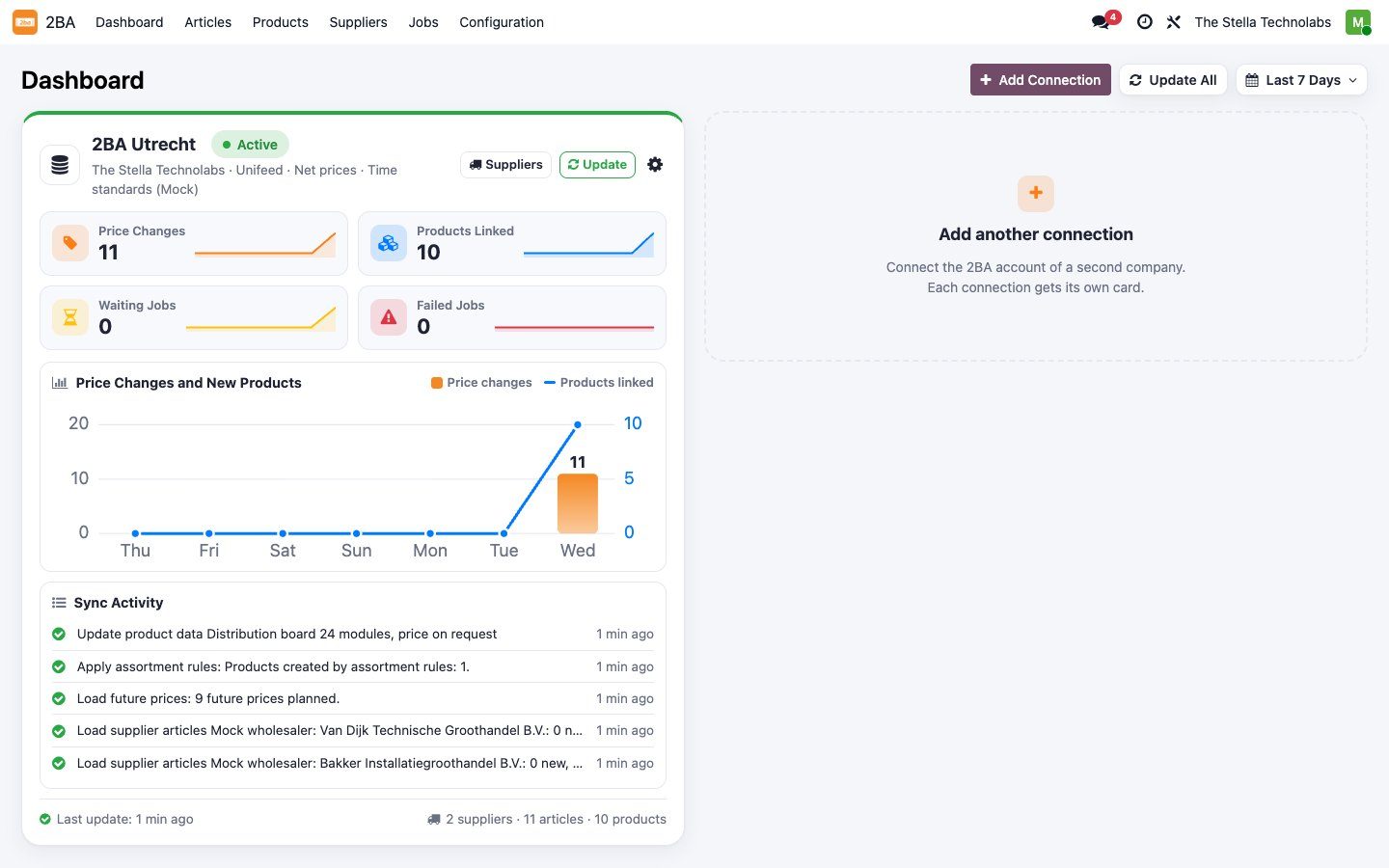
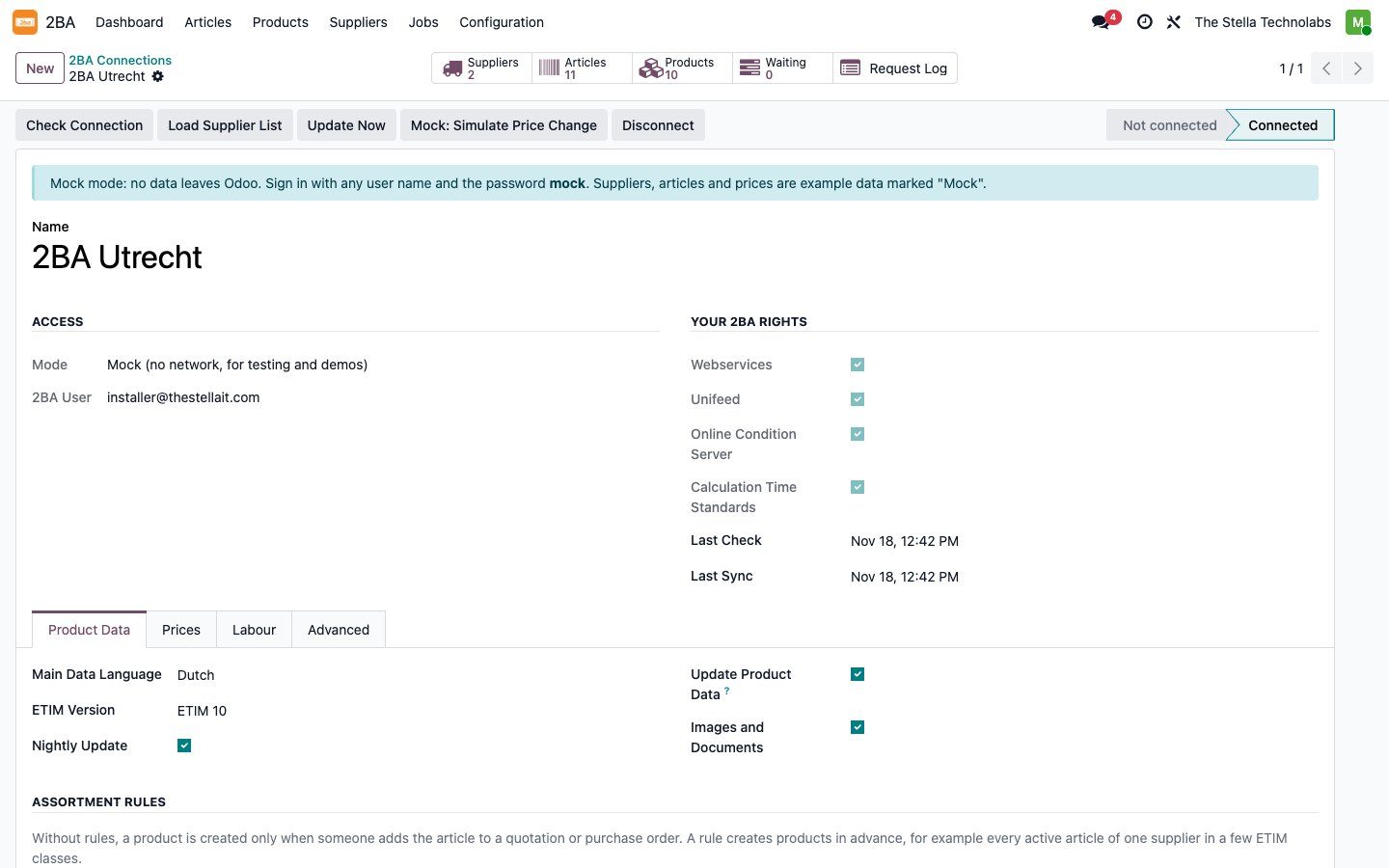
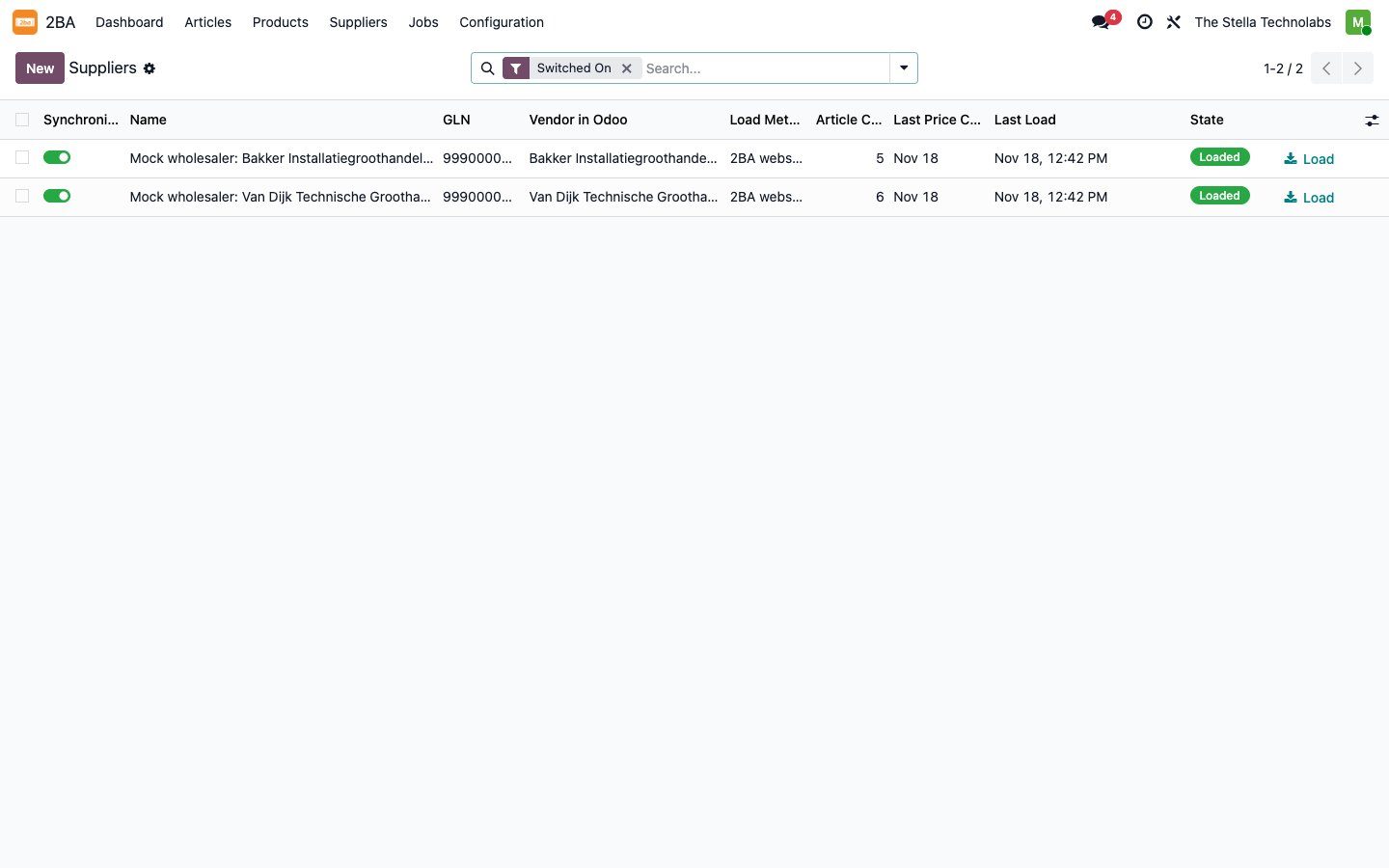
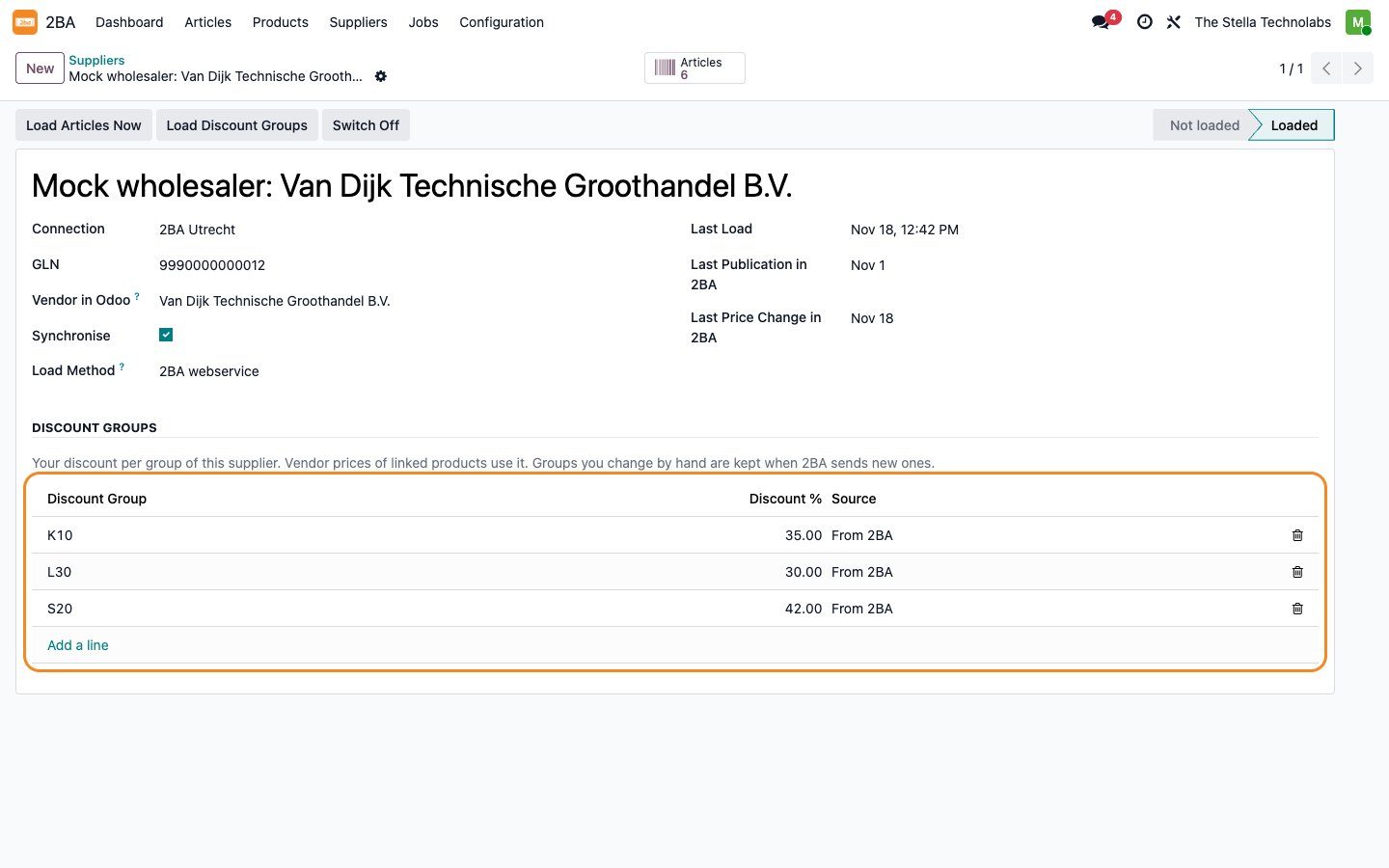
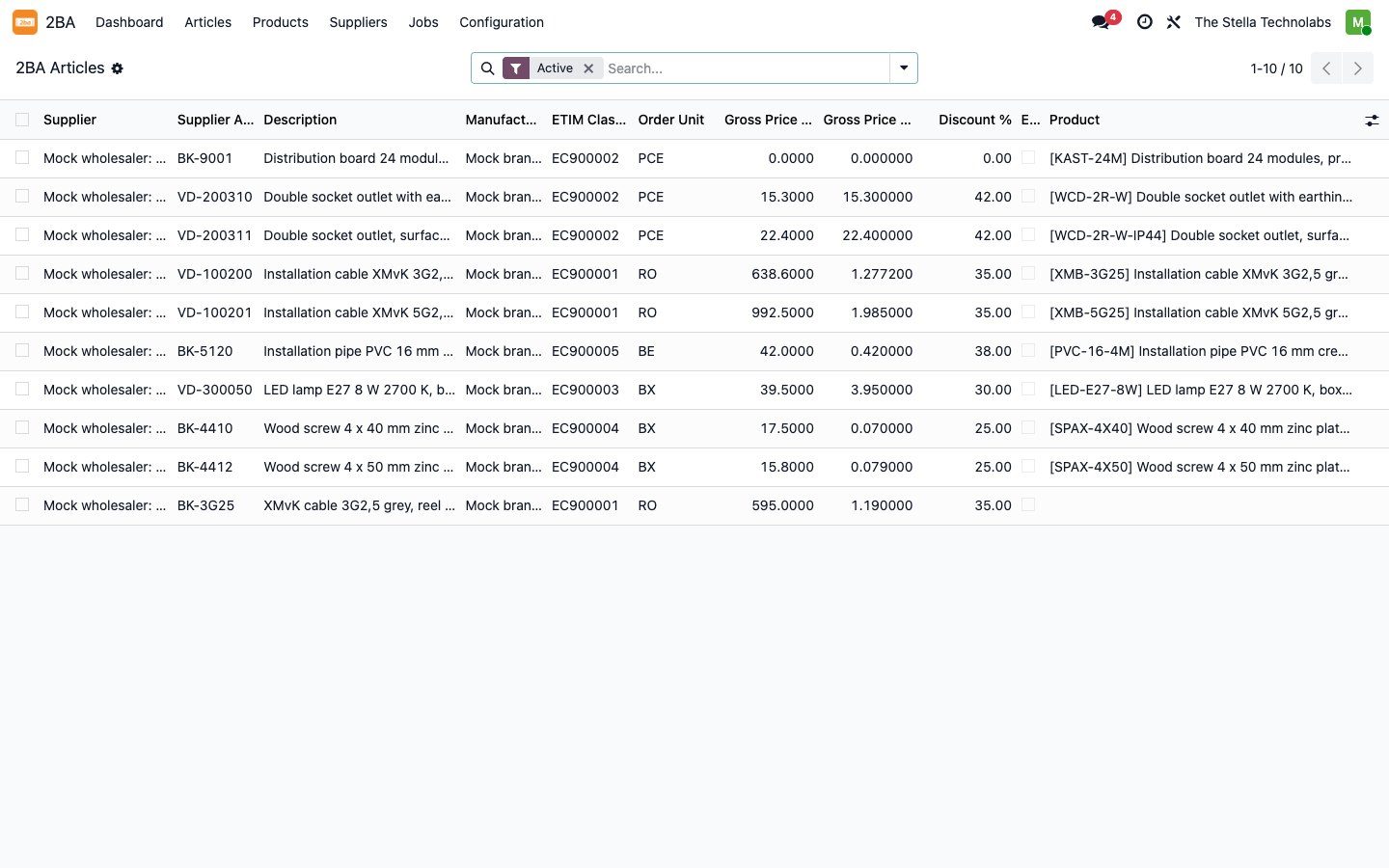
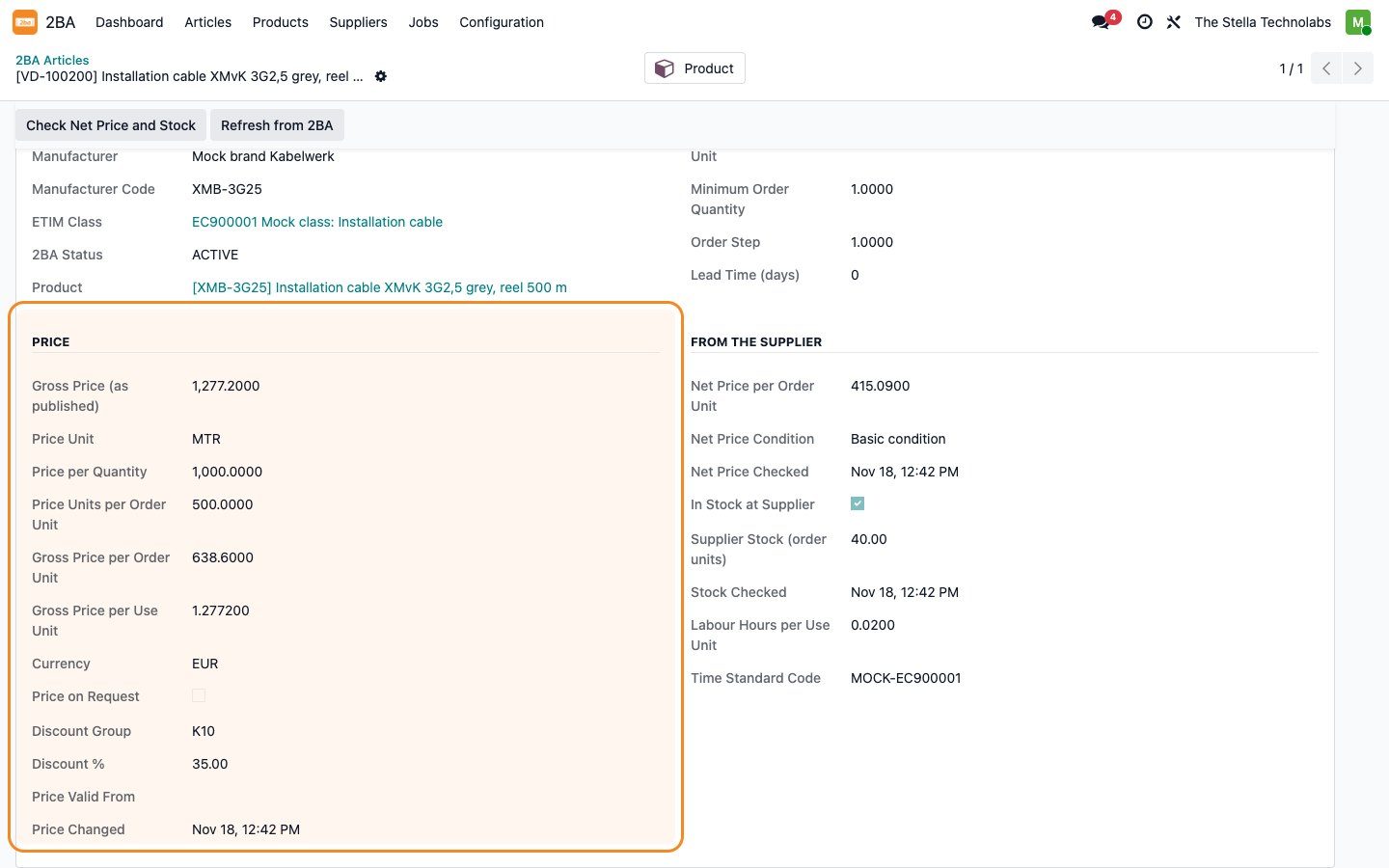
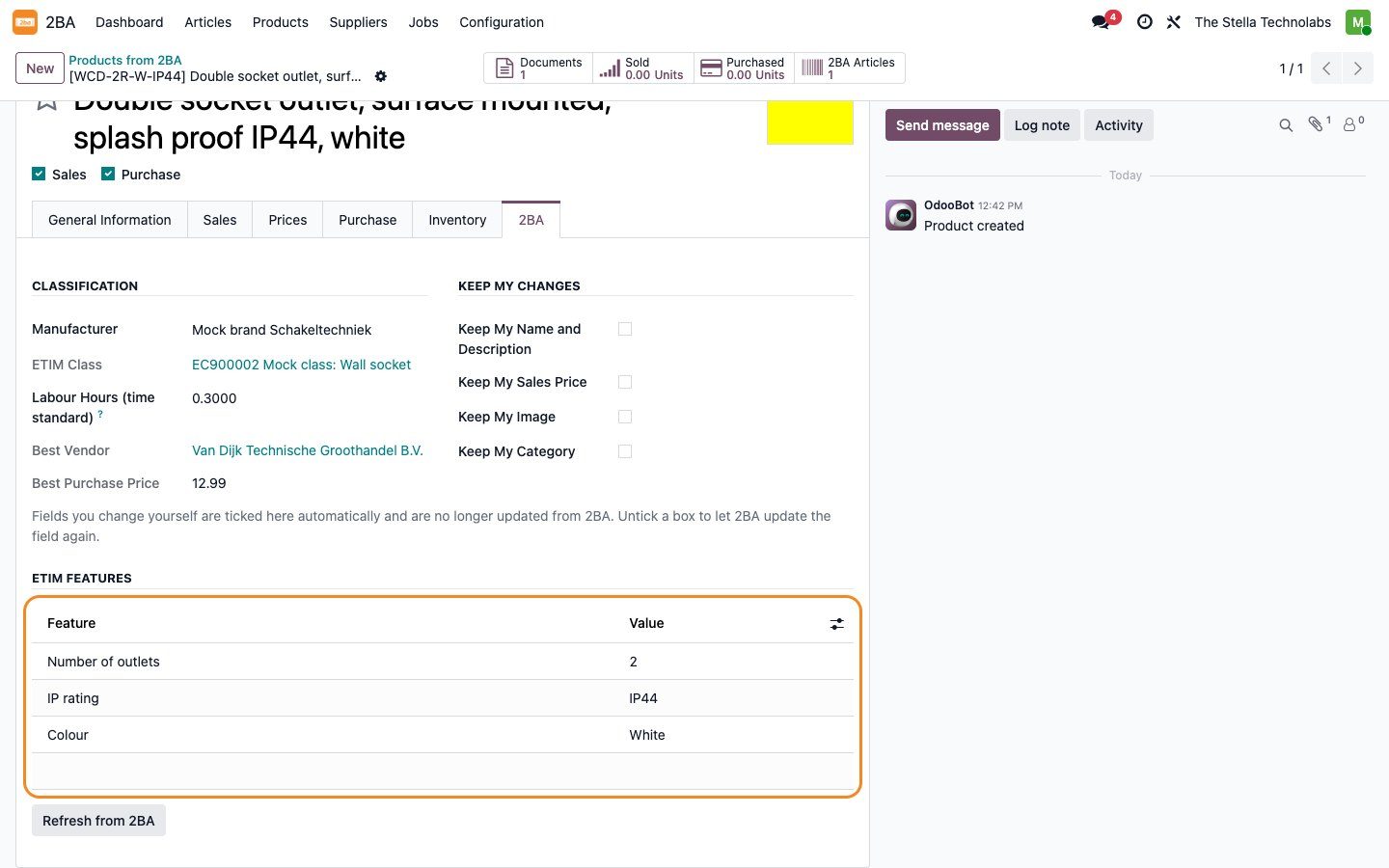
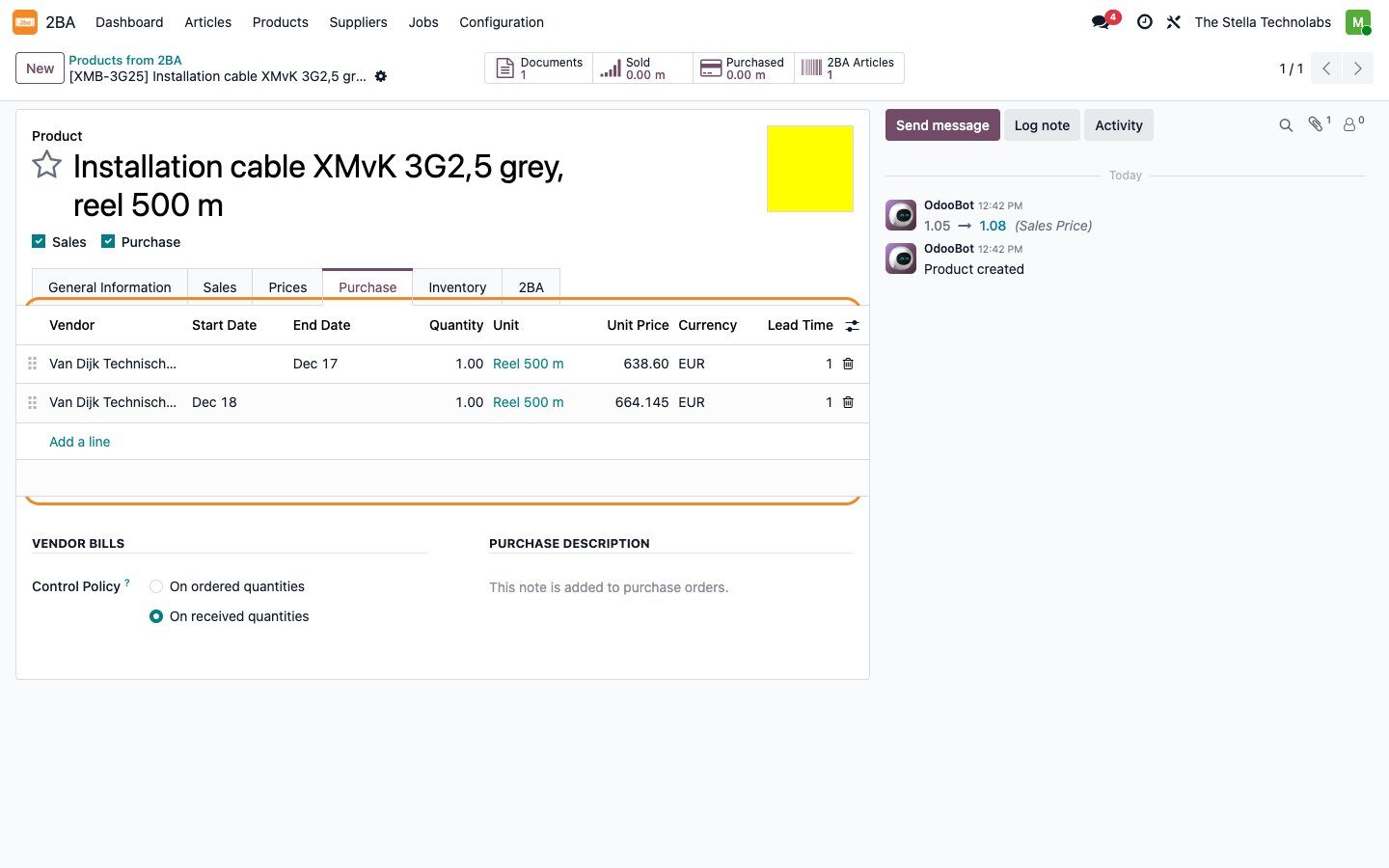
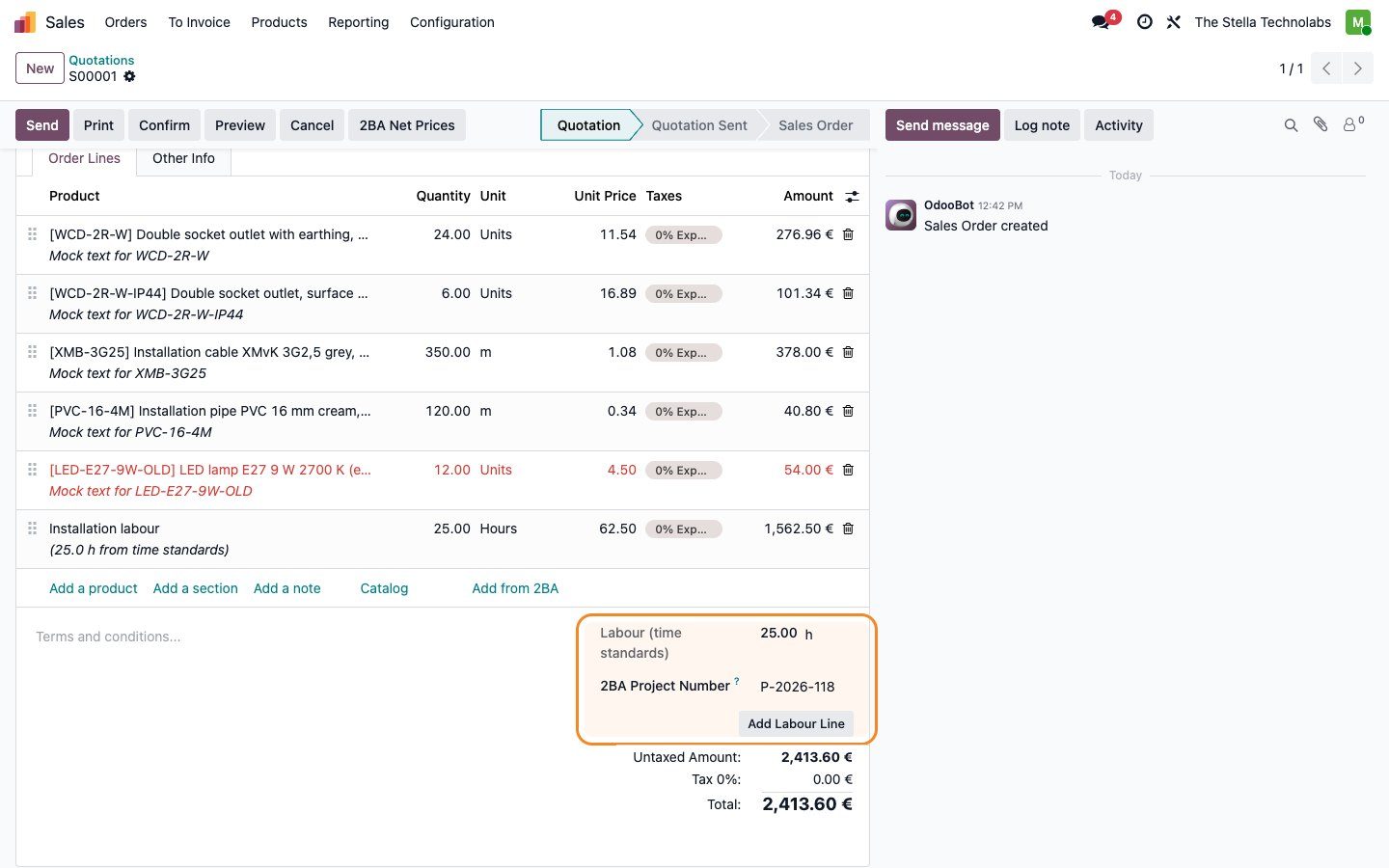
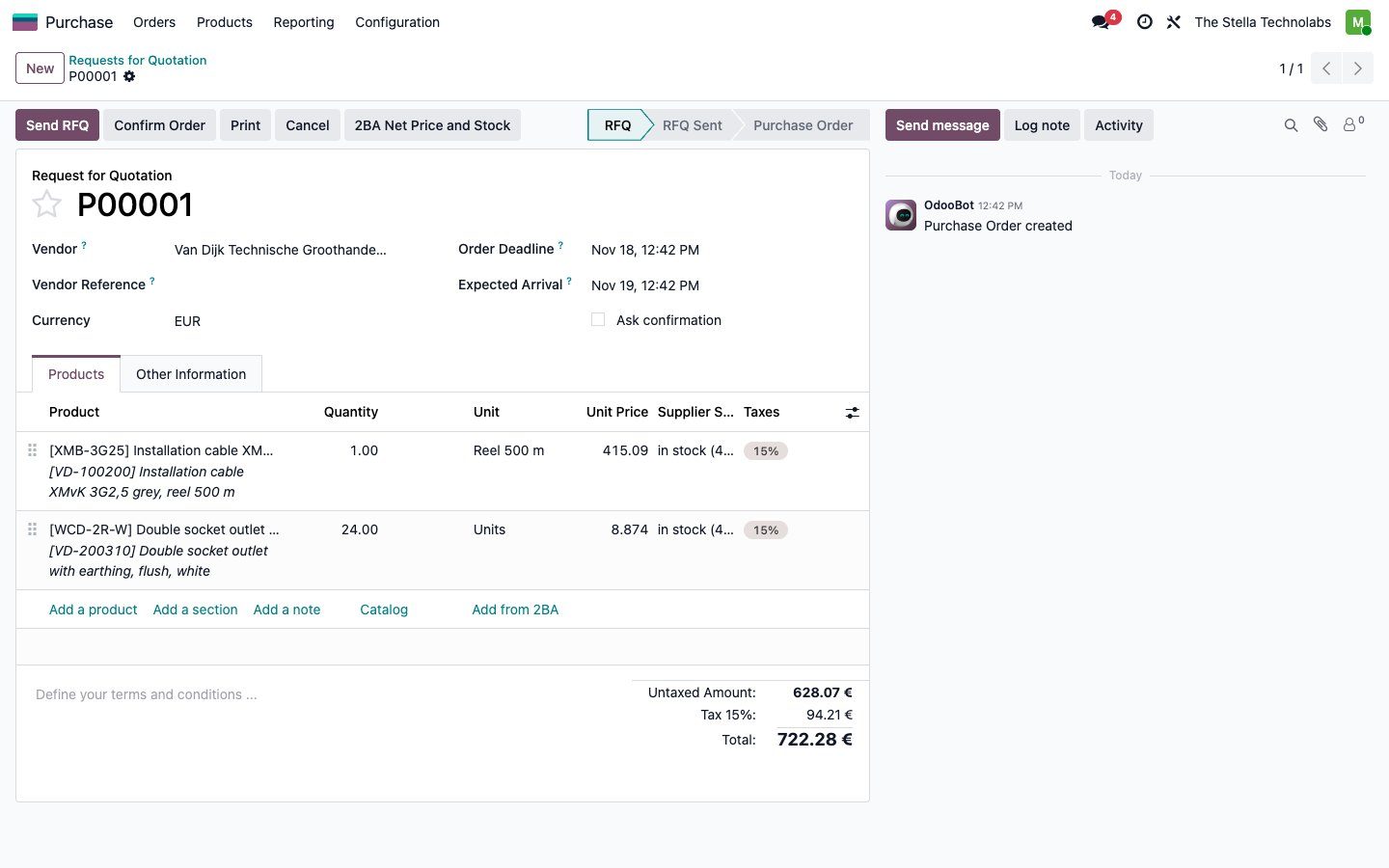
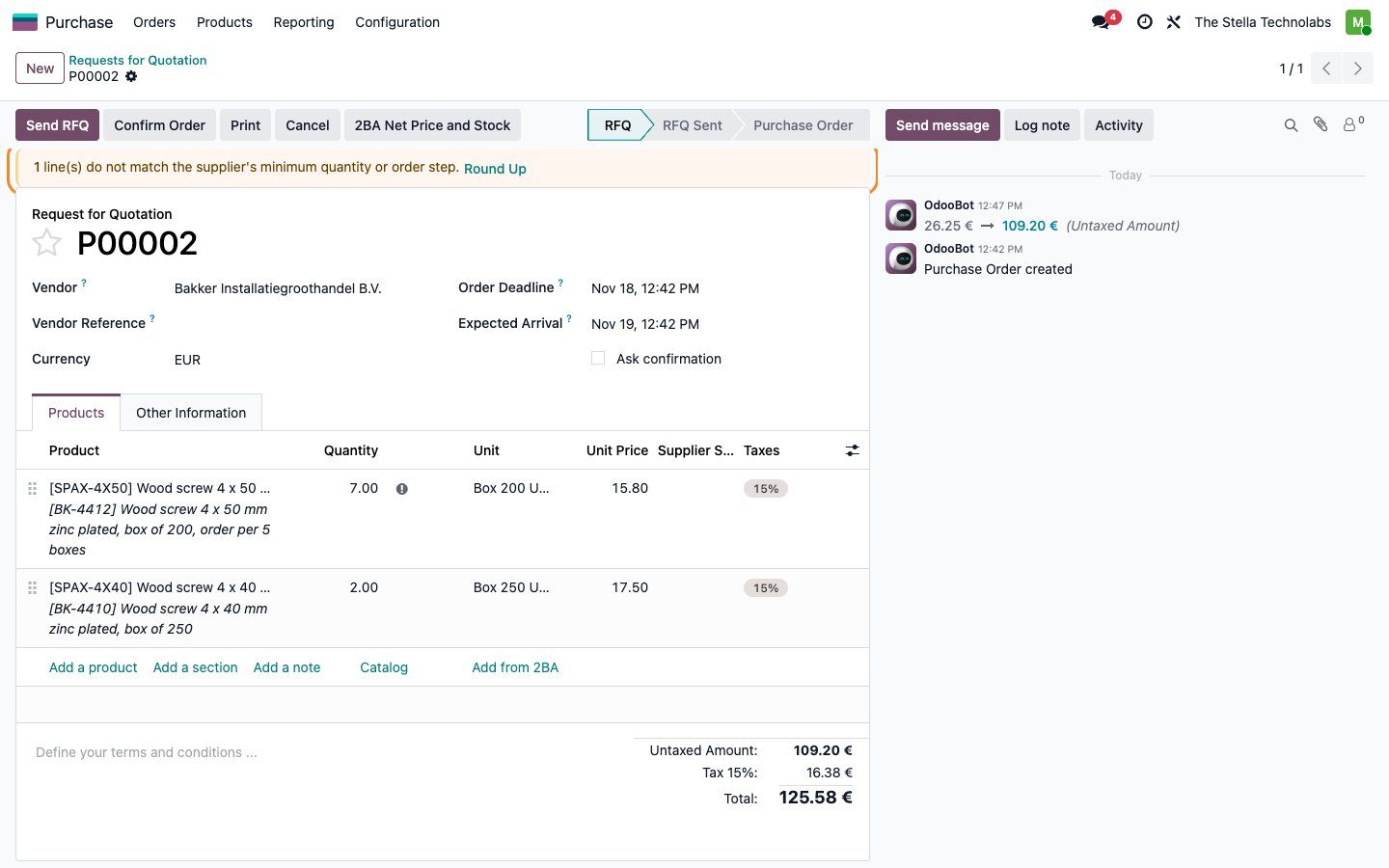
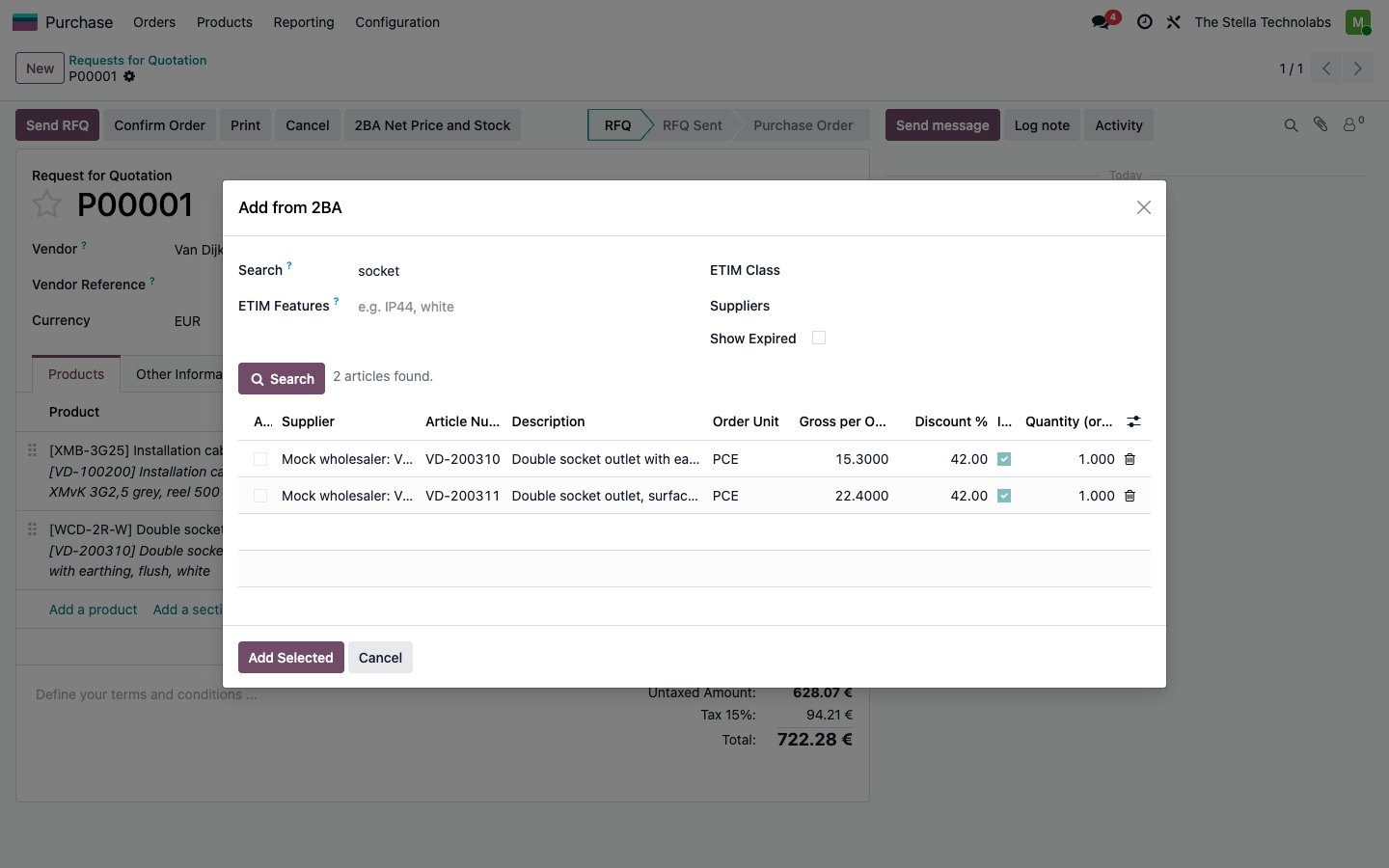
Taken on Odoo Enterprise in Mock mode; suppliers and articles marked "Mock" are example data.
Who it is for
Installers and technical wholesalers who already use 2BA and want its article data, prices and time standards in their Odoo quotations and purchase orders. Wholesalers can also load the assortments of their manufacturers the same way.
Tested on the standard, unmodified editions of Odoo Community and Enterprise. It depends on the standard Purchase and Sales modules. If your purchasing, sales, product or a related module (such as a customised vendor price list, changed units of measure or another product data importer) has been changed by another developer, contact us before buying. You need an active 2BA subscription with webservice access and a client ID and secret for the connector. Net prices need the 2BA Online Condition Server and labour hours need the Techniek Nederland time standards subscription; without them those features stay hidden. Runs on Odoo.sh and your own server; Odoo Online does not allow custom modules. 2BA, Unifeed, ETIM and Techniek Nederland are trademarks of their owners. This module is not made or endorsed by them.
Ready to bring 2BA into your orders
Need help with the 2BA client ID, choosing suppliers or setting up your first assortment? Our team is happy to help before and after purchase.
Questions, answered
What do I need from 2BA?
An active 2BA subscription with webservice access, a 2BA user, and a client ID and secret for the connector. Net prices need the Online Condition Server, labour hours the time standards subscription.
Does it import all 2BA articles as products?
No. Articles of the suppliers you choose are kept in a lean table. A product is created when you use the article, create it from the list, or an assortment rule asks for it.
How large can my assortment be?
Hundreds of thousands of articles. They load in pages in the background, big suppliers continue where they stopped, and only changes are read every night.
Is my 2BA password stored?
No. It is sent to 2BA once to start a session and then cleared. Odoo keeps the session only. You can also sign in on the 2BA website instead.
Which ETIM version does it use?
ETIM 10 or ETIM Dynamic, your choice per connection.
Can I keep my own product names and prices?
Yes. Any name, sales price, image or category you change yourself is no longer updated from 2BA, until you untick it on the product.
How are sales prices set?
Your choice: leave them alone, use the 2BA gross price, or the purchase price plus your margin.
Does it work for wholesalers too?
Yes. Wholesalers load the assortments of their manufacturers the same way, with ETIM data, documents and prices.
Does it work on Community?
Yes, everything. It depends on Purchase and Sales only.
Can I try it without a 2BA account?
Yes. Mock mode connects to built in example suppliers and articles, so you can test the flow and train your team first.