Your team talks on 3CX. Odoo remembers every call.
Callers are named from your Odoo contacts and leads on every 3CX phone and app, the right record opens when the phone rings, and missed calls turn into call back tasks that close themselves.
The phone rings and nobody knows who it is
When the phone rings, your team should know who is calling and what that customer has open. After the call, nobody should have to type a note by hand, and a missed call should never be forgotten.
This module connects the 3CX phone system you already run to Odoo. 3CX asks Odoo who is calling and shows the name on desk phones, the 3CX app and the Web Client. One click opens the caller in Odoo. Every call and chat lands on the customer, and every missed call becomes one call back task that closes itself as soon as anyone calls the number back.
Why this module
Know the caller before you answer
Contact or lead name and company on every 3CX phone and app, with the open ticket or opportunity one click away.
Nothing slips through
Missed calls, and calls taken only by voicemail, become call back tasks for the right person, and close on their own once the customer is called back.
Works with the 3CX you have
Hosted by 3CX, self hosted or on premise, with a 3CX PRO or 3CX AI licence. Set up in a few minutes from the 3CX Admin Console.
What is inside
Caller names from Odoo
When the phone rings, 3CX asks Odoo who is calling and shows the contact or lead name and company on desk phones, the 3CX app and the Web Client.
Screen pop to the right record
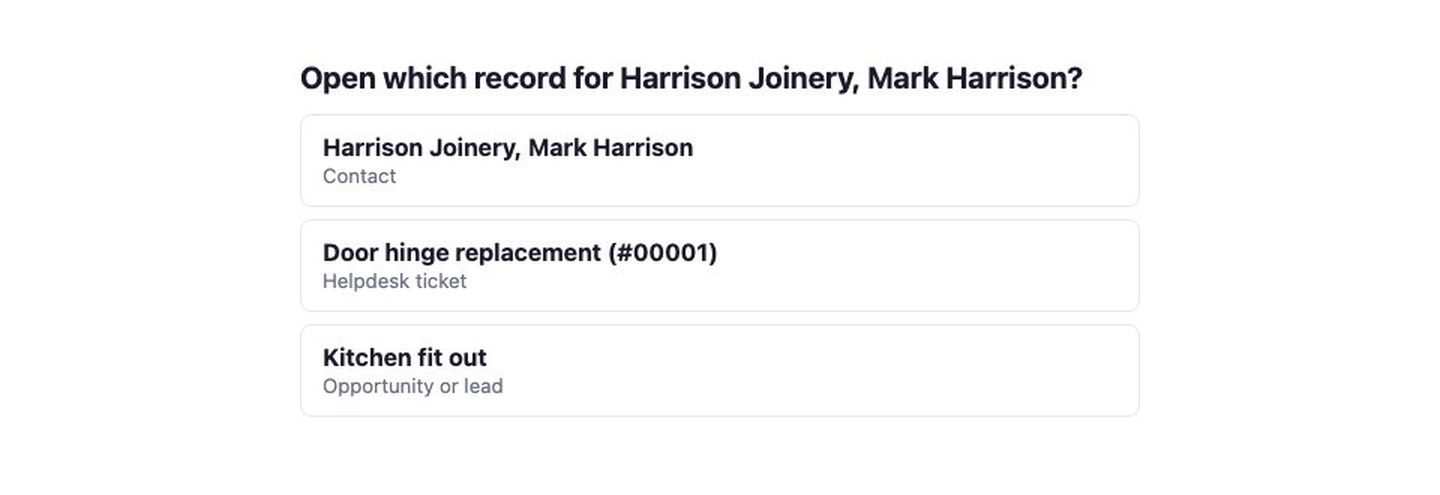
One click opens the caller in Odoo. If the customer has an open helpdesk ticket or opportunity, you choose it straight away instead of hunting for it.
Number matching that works
Local, international and formatted numbers all find the same contact. Exact matches come first, and contacts of other companies stay private.
Every call on the customer
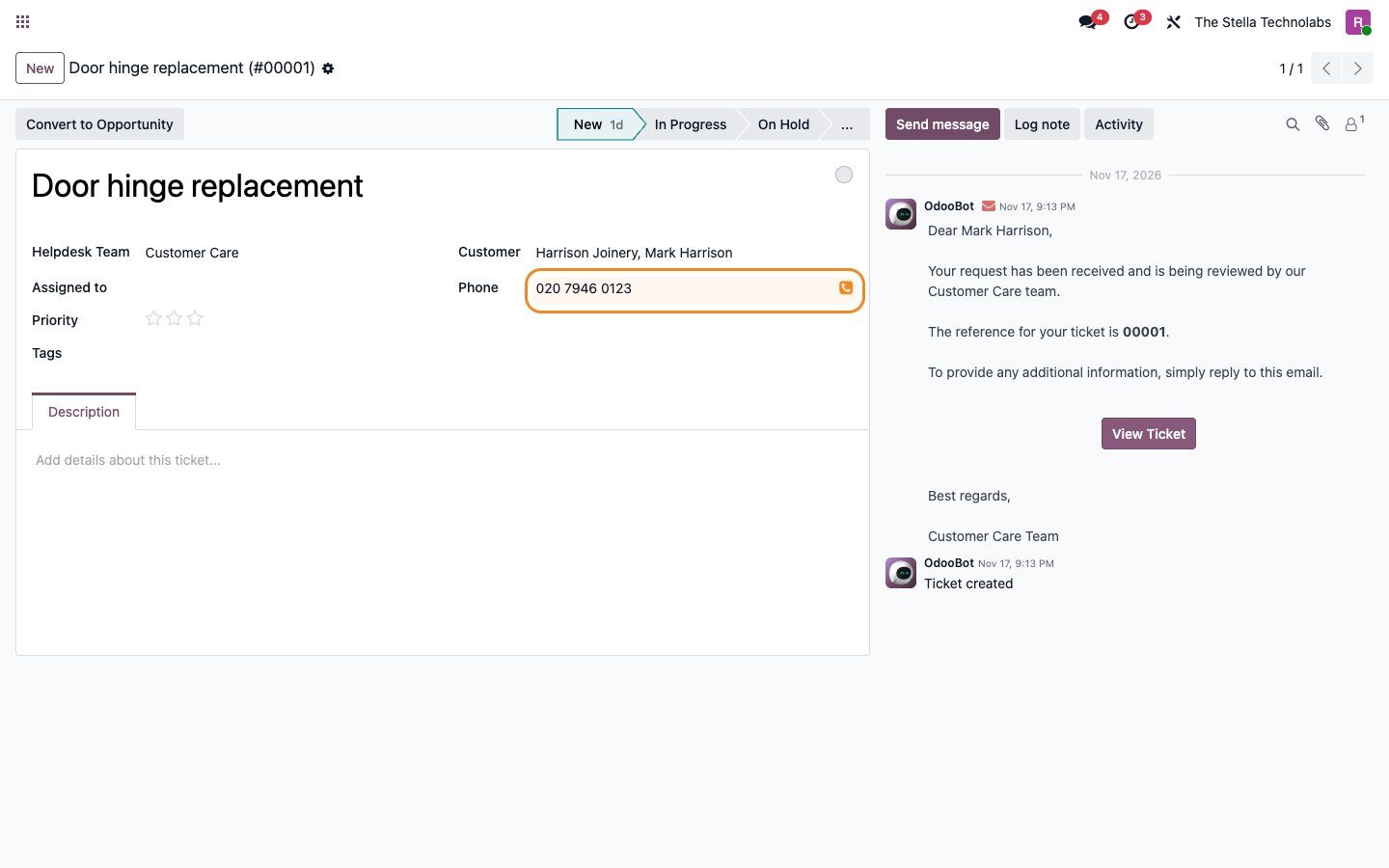
Direction, agent, queue, talk time, waiting time and result for every call, plus a note in the chatter of the contact, lead or ticket.
Missed calls become call backs
One call back task per number for the queue owner, the record owner or the agent. It closes itself as soon as anyone calls the number back.
Voicemail is not an answer
3CX reports a call taken by voicemail as answered. Set a short talk time limit and those calls are treated as missed, so nobody is forgotten.
Chats logged too
Live chat, SMS and WhatsApp conversations handled in 3CX are saved with the full transcript on the matching contact.
Click to dial
Dial any phone number in Odoo on your own 3CX extension. On 3CX AI your phone rings first through the Call Control API; on 3CX PRO it dials through the 3CX Click2Call extension or app.
Live caller card
On 3CX AI, a card pops up in Odoo while your phone rings, with open tickets, open opportunities, overdue invoices and the last call.
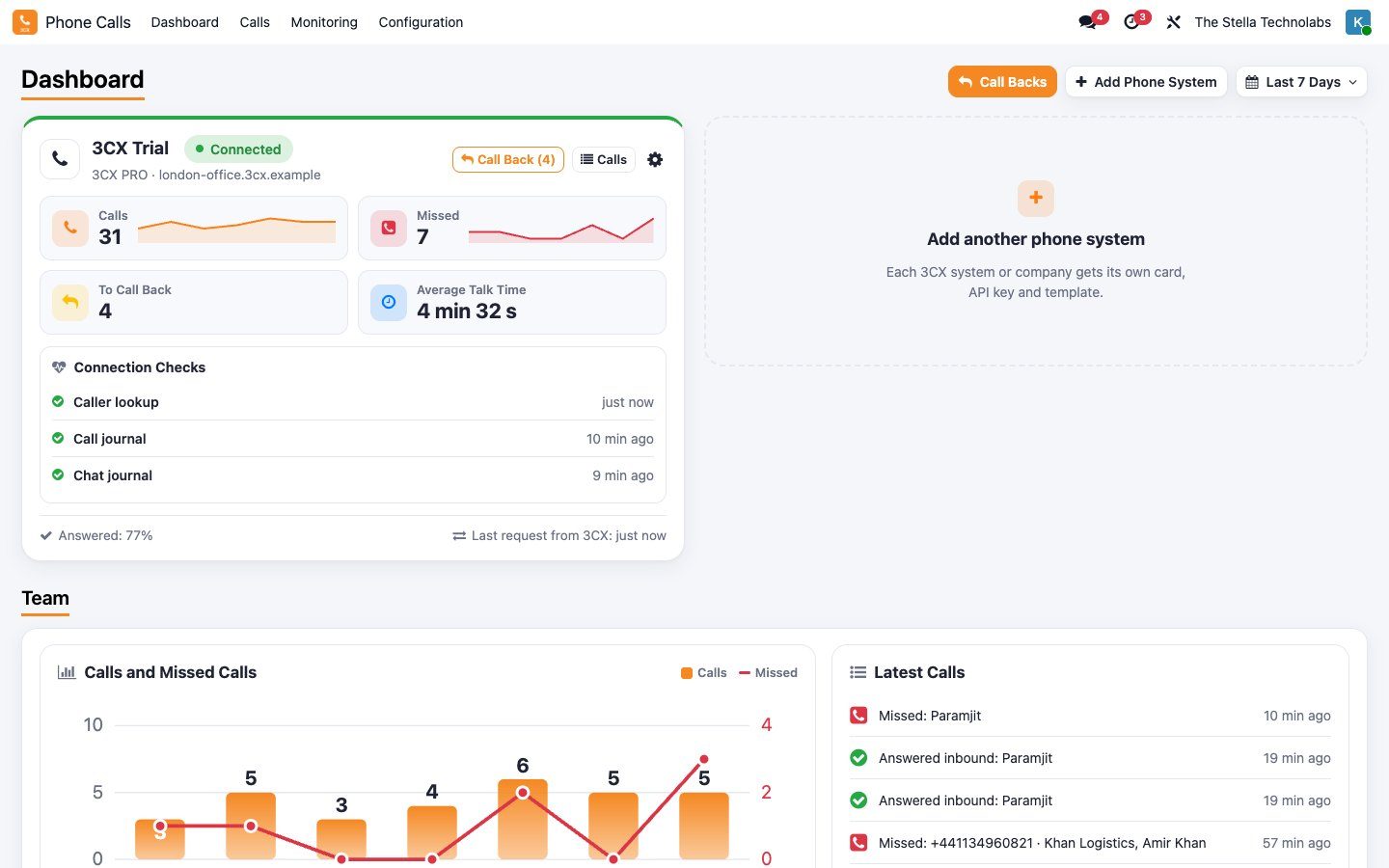
Phone calls dashboard
Calls, missed calls, call backs and talk time per phone system, with the team view by agent and by queue.
Safe by design
API key shown once and stored as a fingerprint, key rotation with a grace day, rate limits, an optional allowed IP list and a request log with keys hidden.
Simulator mode
Try lookups, calls, missed calls and dialling inside Odoo before you connect your phone system.
Which 3CX edition
| Feature | 3CX PRO | 3CX AI |
|---|---|---|
| Caller names and screen pop | Yes | Yes |
| Contact search from the 3CX Web Client | Yes | Yes |
| Call journal and missed call backs | Yes | Yes |
| Live chat, SMS and WhatsApp journal | Yes | Yes |
| Click to dial | Through the 3CX Click2Call extension or app | Rings your own phone first through the Call Control API |
| Live caller card in Odoo while ringing | No | Yes |
| 3CX call summary, transcription and recording link | No | Yes, when enabled in 3CX |
| Import extensions from 3CX | No, map them by hand | Yes |
What lands in Odoo
| 3CX event | In Odoo | Follow up |
|---|---|---|
| Incoming call rings | Caller looked up in contacts, then leads | Screen pop link opens the contact, open ticket or opportunity |
| Answered call ends | Call record with agent, queue, talk and wait time | Note on the contact, lead or ticket; open call backs for the number close |
| Missed or voicemail call | Call record marked missed | One call back task for the queue owner, record owner or agent |
| Outbound call dialled from a record | Call linked to the record you dialled from | Note on that record |
| Chat dealt with | Chat record with the full transcript | Note on the matching contact |
| Unknown caller answered | Nothing, a new contact or a new lead | Your choice in the settings |
How it connects
Create the API key in Odoo
Generate the key and download the template.
Add the template in 3CX
Open the 3CX Admin Console under Integrations and CRM and add the template.
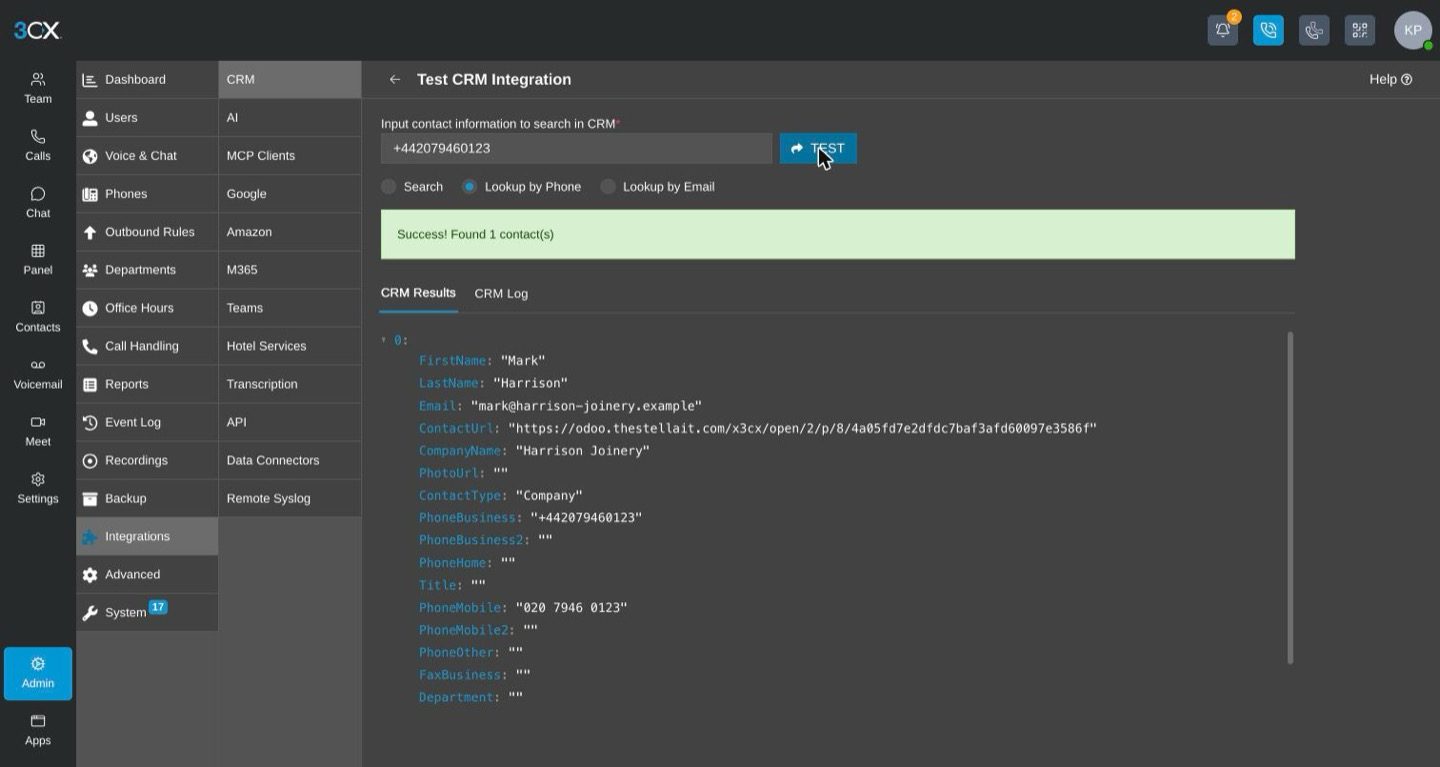
Paste the key and press Test
The test looks up a contact and confirms the connection both ways.
Map your users to extensions
Match Odoo users to their 3CX extensions, or import them from 3CX on a 3CX AI licence.
A closer look
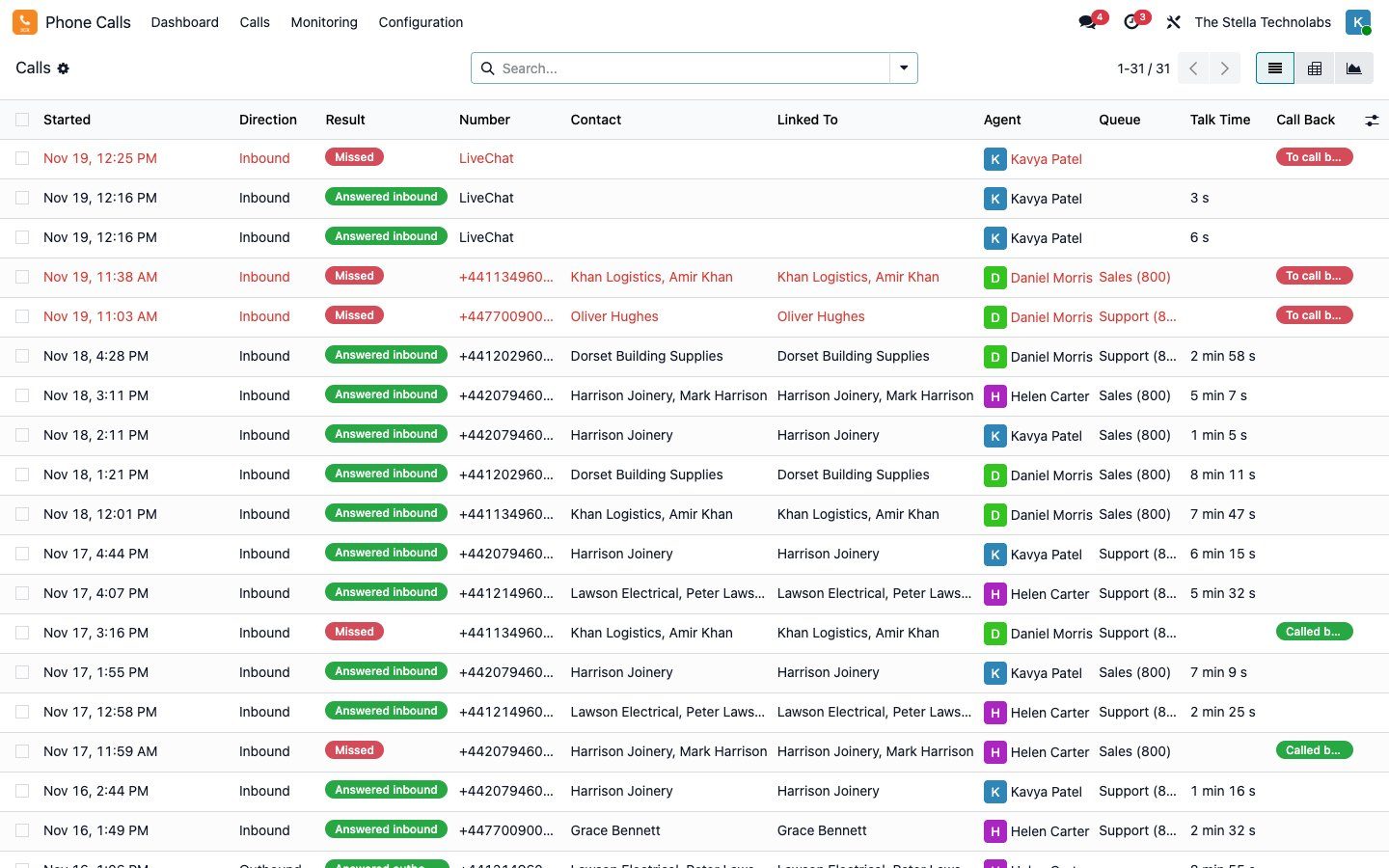
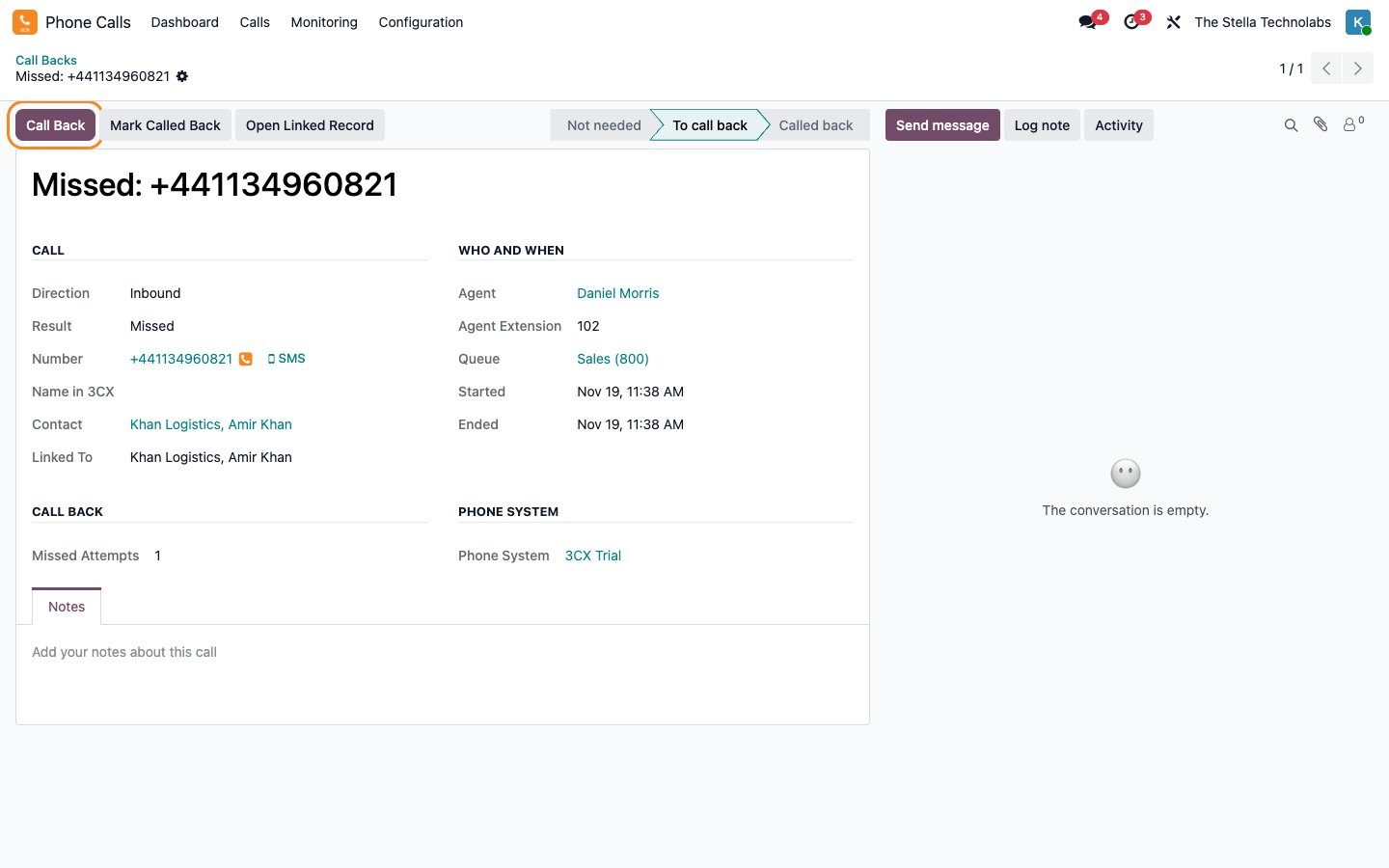
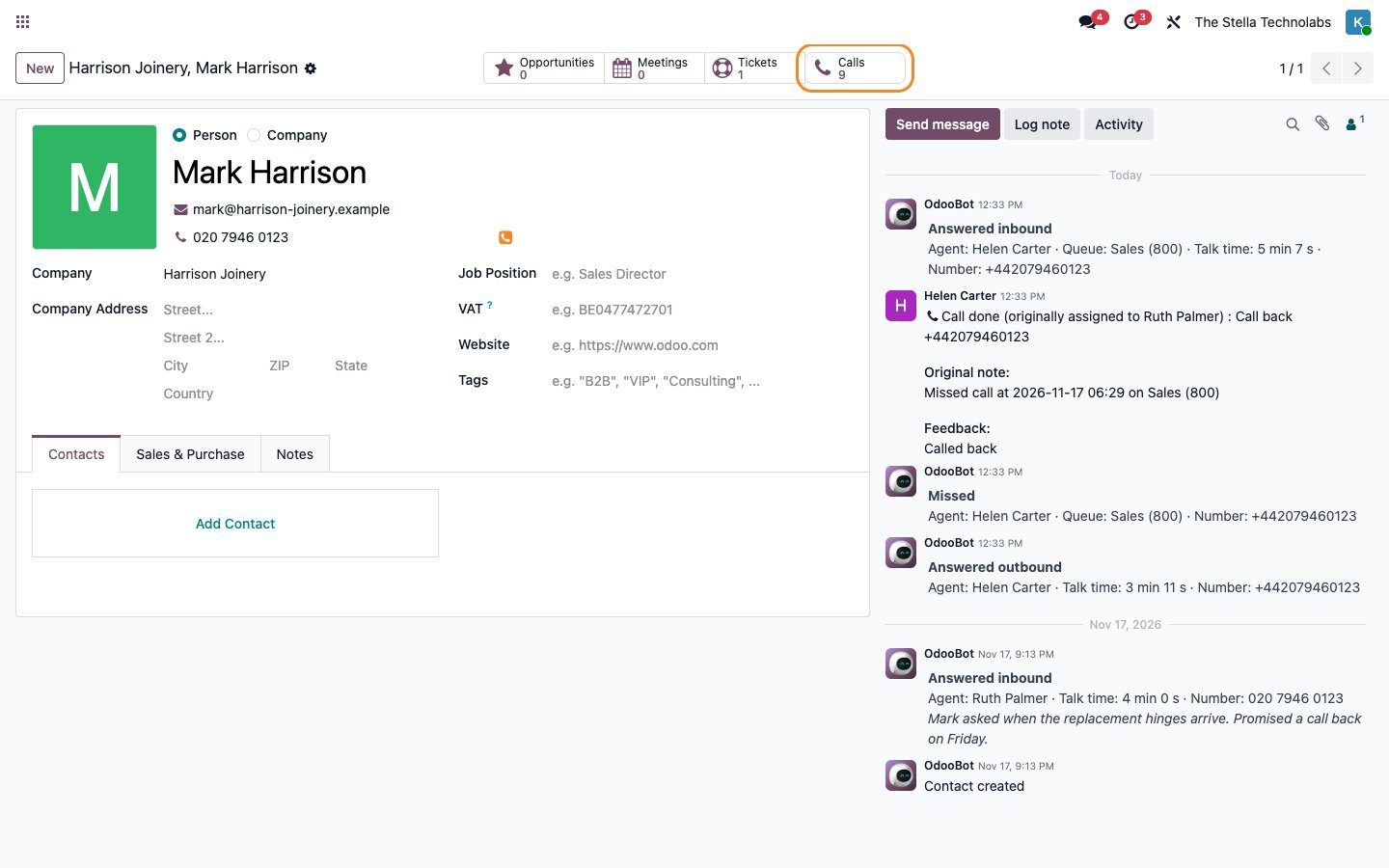
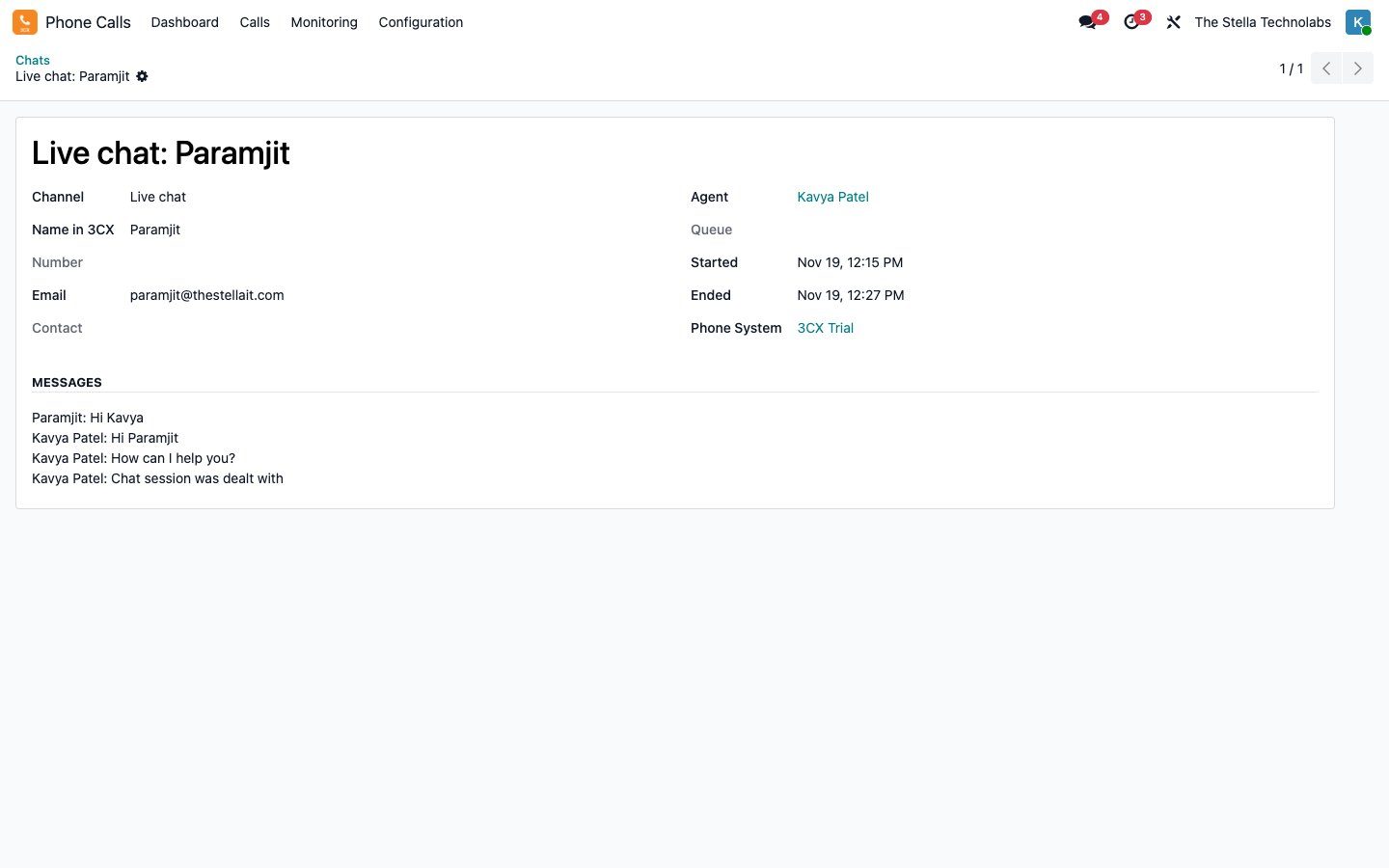
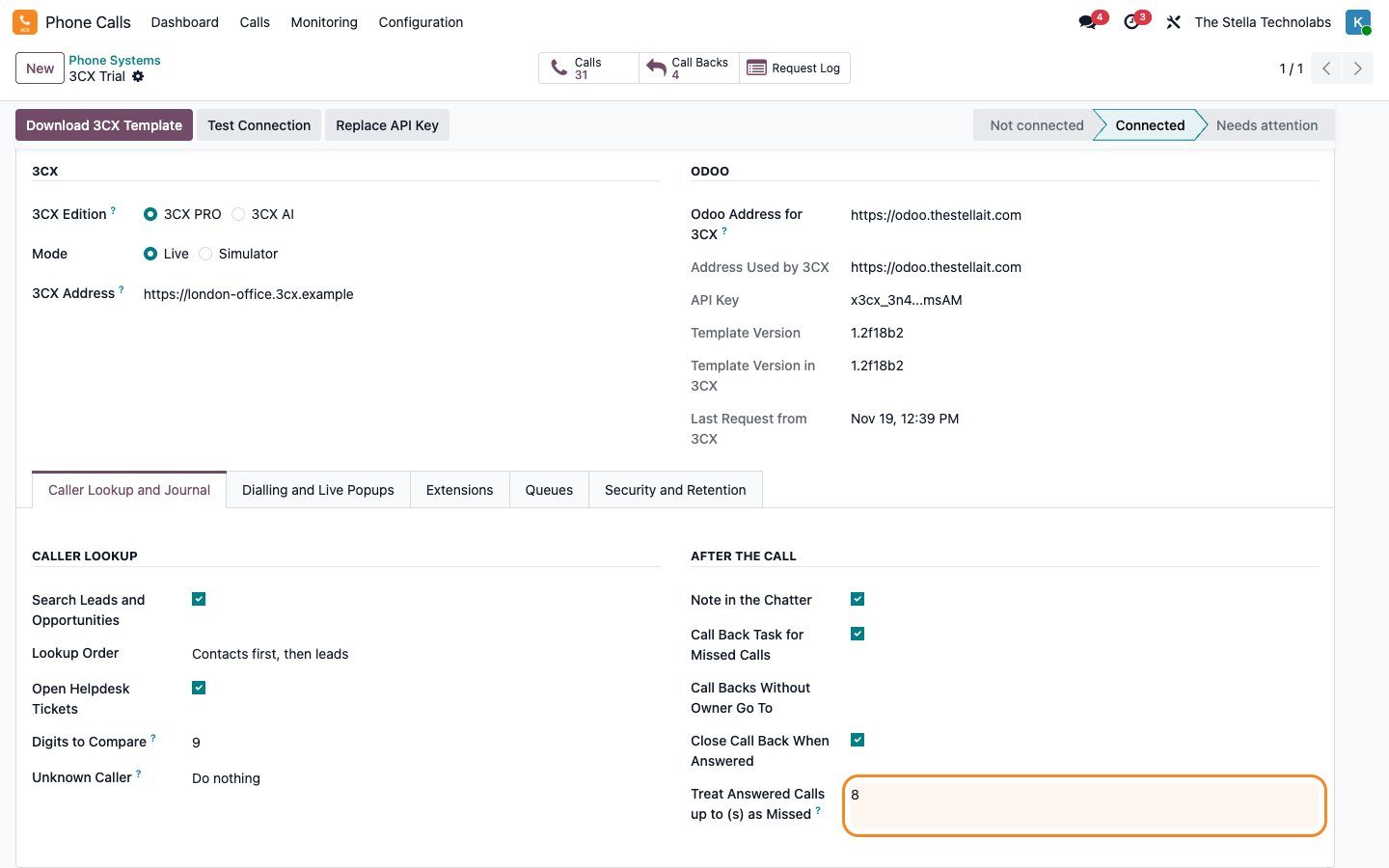
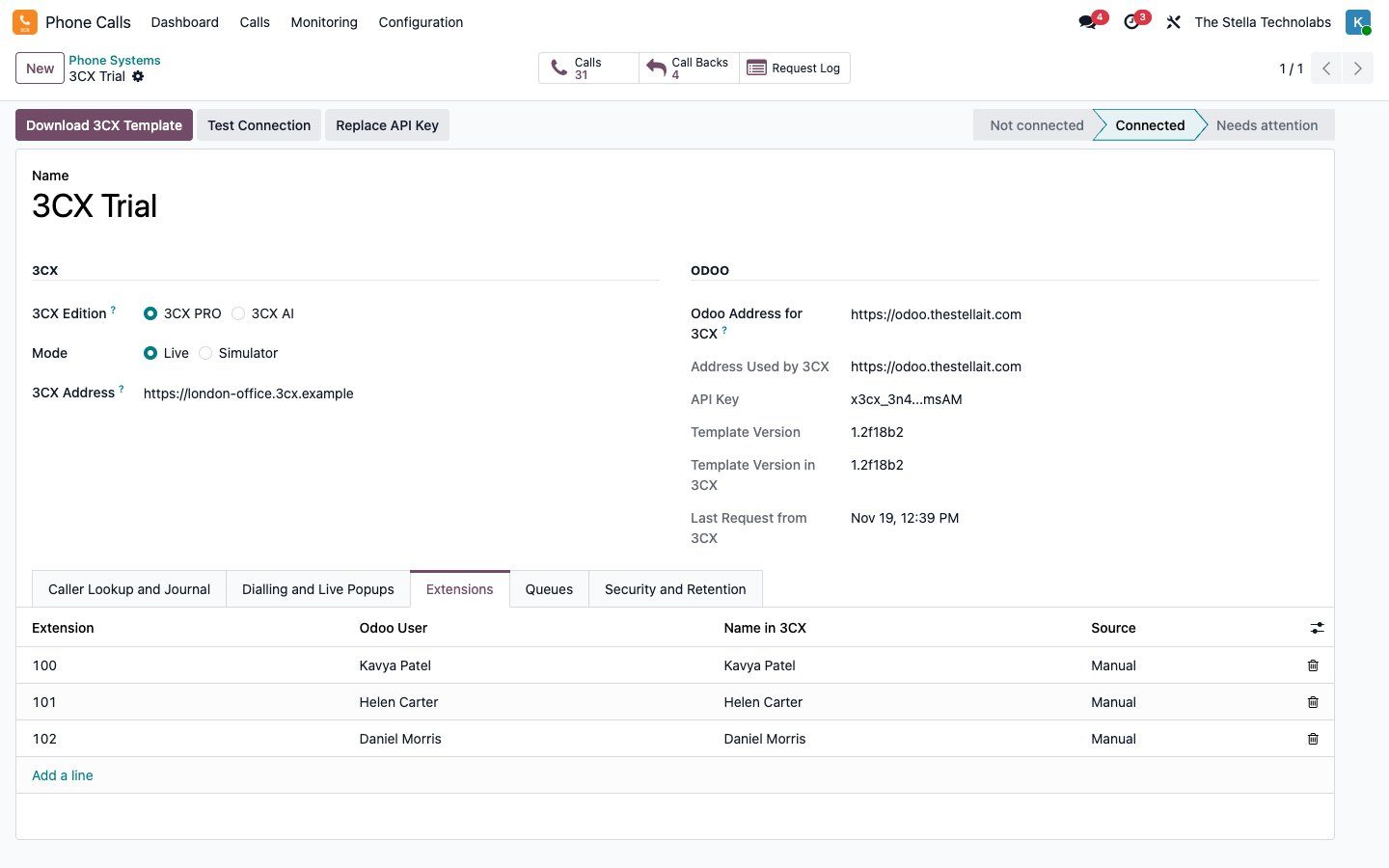
Taken on Odoo Enterprise connected to a hosted 3CX system.
Who it is for
Sales, support and service teams that run 3CX and want every call and chat in Odoo, with caller names on the phone and no missed call left without a follow up.
Tested on the standard, unmodified editions of Odoo Community and Enterprise. It depends on the standard Discuss and phone validation modules. If your contact forms, phone fields or a related module (such as a custom phone widget, a changed contact form or another telephony app) has been changed by another developer, contact us before buying. Runs on Odoo.sh and your own server; Odoo Online does not allow custom modules. 3CX must reach Odoo over HTTPS at a public address, and the CRM integration needs a 3CX PRO or 3CX AI licence. 3CX and WhatsApp are trademarks of their owners. This module is not made or endorsed by them.
Ready to put every call into Odoo
Questions about your 3CX edition, hosting or setup? Our team is happy to help before and after purchase, and replies within one business day.
Questions, answered
Which 3CX versions are supported?
Hosted by 3CX, self hosted or on premise, with a 3CX PRO or 3CX AI licence. The CRM integration that names callers and logs calls needs PRO or AI.
How do I connect 3CX?
Create the API key in Odoo, download the template, add it in the 3CX Admin Console under Integrations and CRM, paste the key and press Test. The setup takes a few minutes.
Does Odoo need to be reachable from the internet?
Yes. 3CX calls Odoo over HTTPS when the phone rings and when a call ends, so Odoo must have a public address. Odoo.sh and most hosted servers already have one.
Does it replace the Odoo Phone app on Enterprise?
No, it sits next to it. Each user chooses whether phone links dial with 3CX or with the Odoo Phone app.
Are recordings stored in Odoo?
No. Odoo keeps the 3CX link to the recording, visible to phone managers and the agent of the call, so storage stays in 3CX.
Does it work on Community?
Yes. It only needs the standard Contacts and phone validation features. CRM, Helpdesk and Invoicing are used automatically when installed.