Odoo keeps the people. Brevo and Mailchimp send the email.
The right people reach every list with real sales data, nobody who opted out anywhere is emailed again, and you see exactly what will be sent before it goes. One module for both providers.
Your people live in Odoo. Your email goes out elsewhere.
Your customers live in Odoo: what they bought, who looks after them, which lists they joined and which they left. Your newsletters go out from Brevo or Mailchimp. When the two drift apart, people who unsubscribed get emailed again and segments are built on stale data.
This module keeps Odoo as the place for people and their choices. Contacts, mailing lists and consent flow to Brevo, Mailchimp or both. Opt outs, spam reports and hard bounces come back and are respected on every connection. Campaign results and each person's opens and clicks land on the contact, and with Sales installed your products, orders and abandoned carts power the provider automations too.
One source of truth for who may be emailed
Both providers, one module
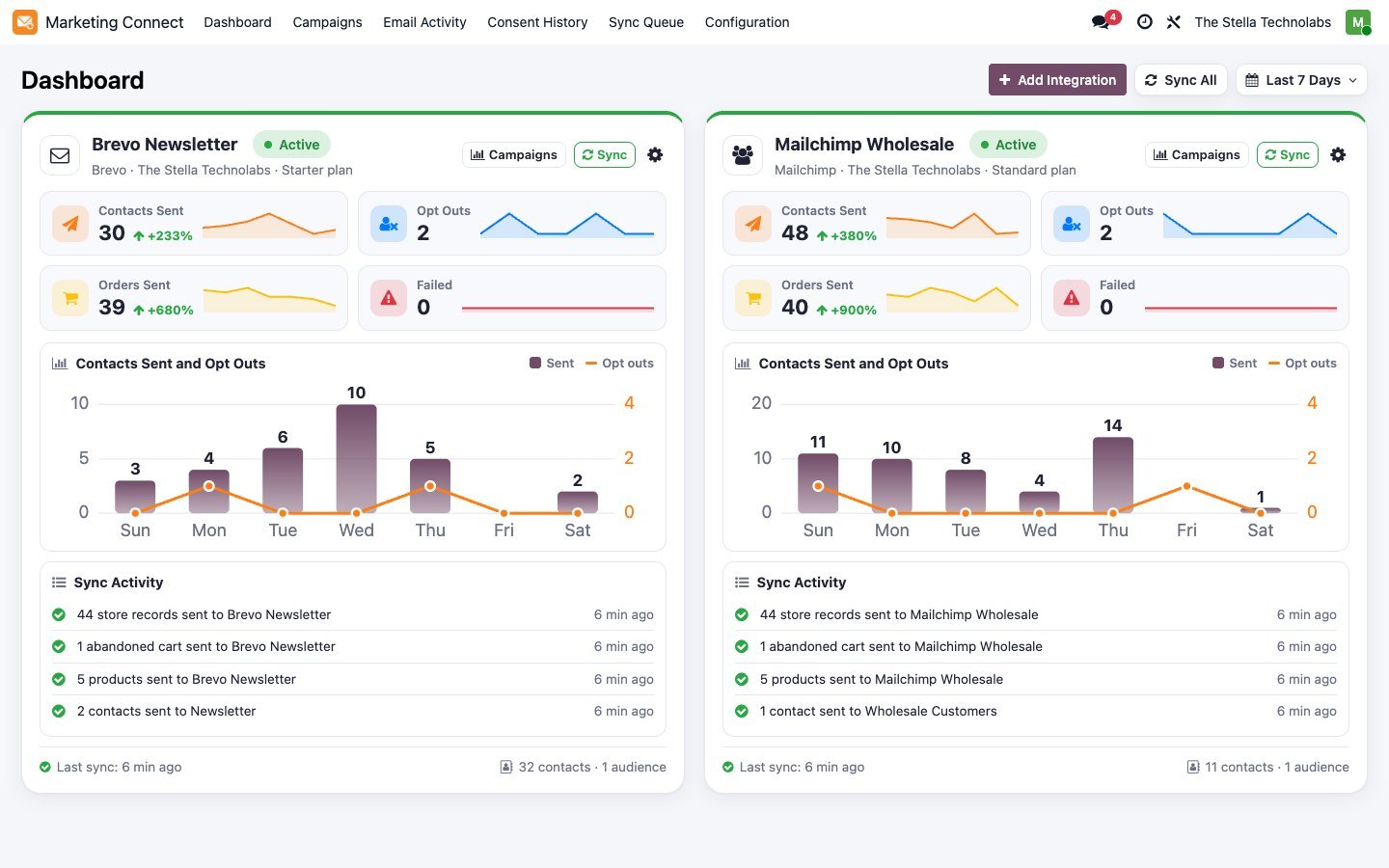
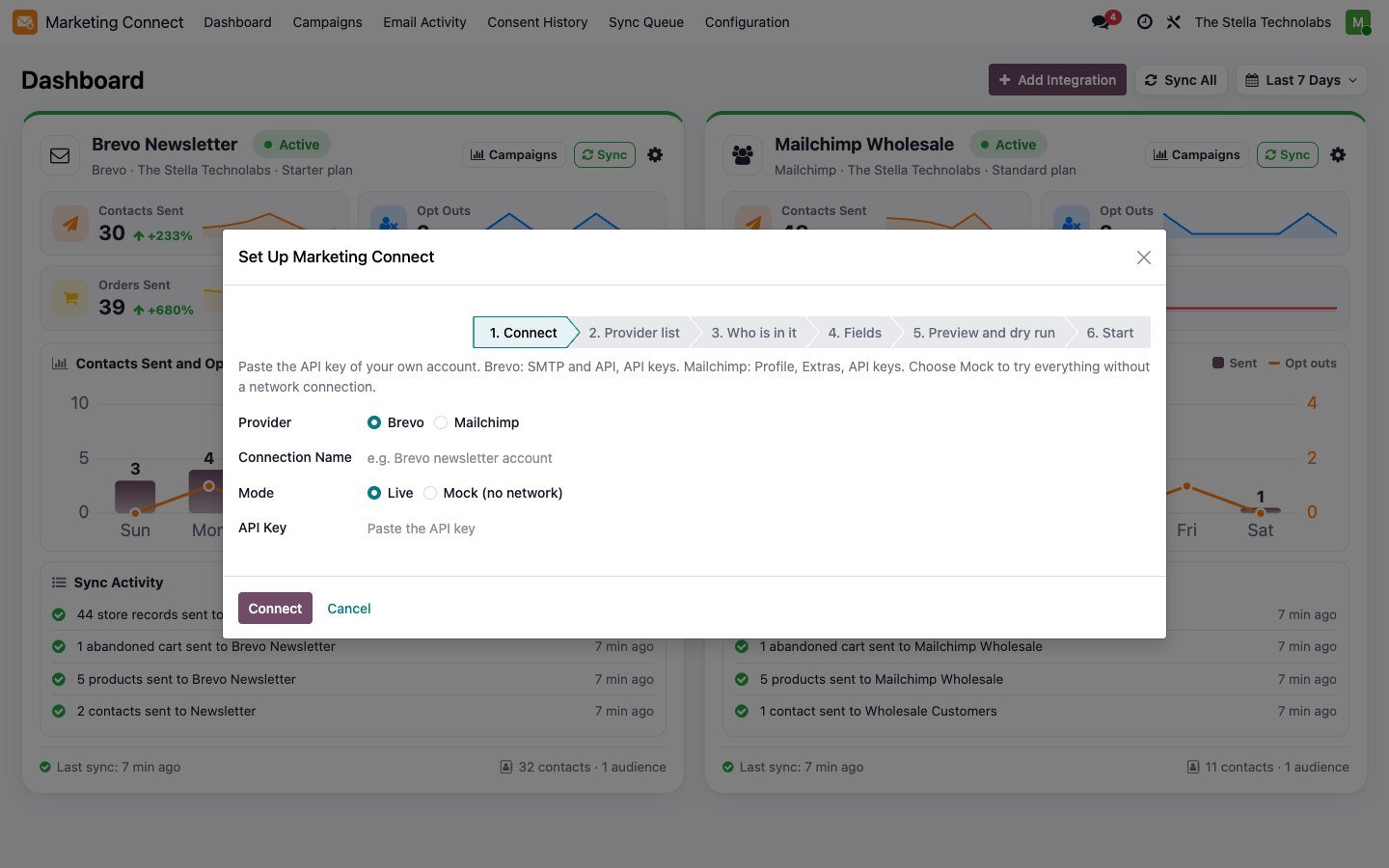
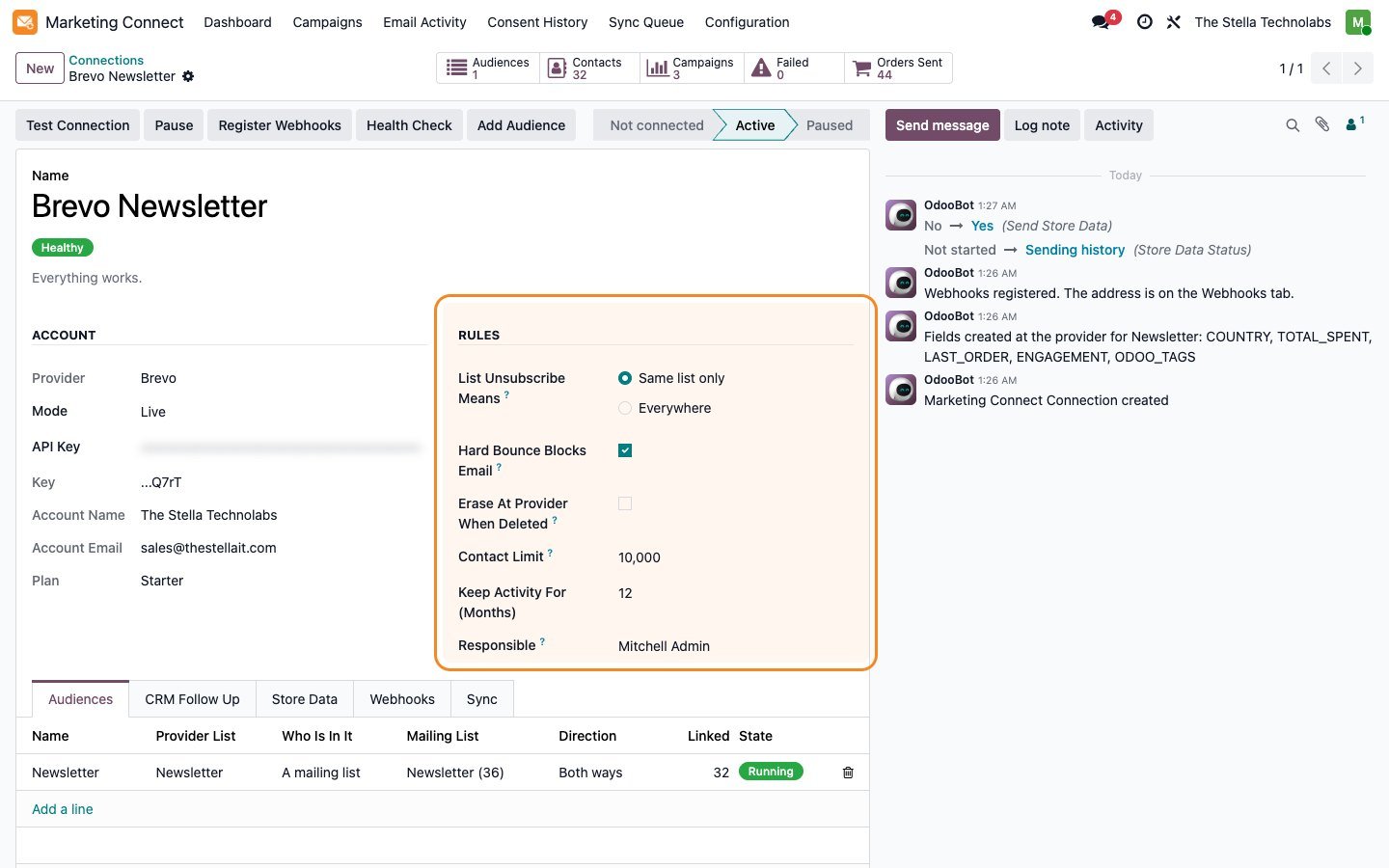
Connect Brevo, Mailchimp or both, several accounts of each, per company. Every connection gets its own card, its own rules and its own audiences.
An opt out is final
An unsubscribe, spam report or hard bounce on either side reaches Odoo and every other connection. The sync never subscribes anyone again.
Nothing leaves before you look
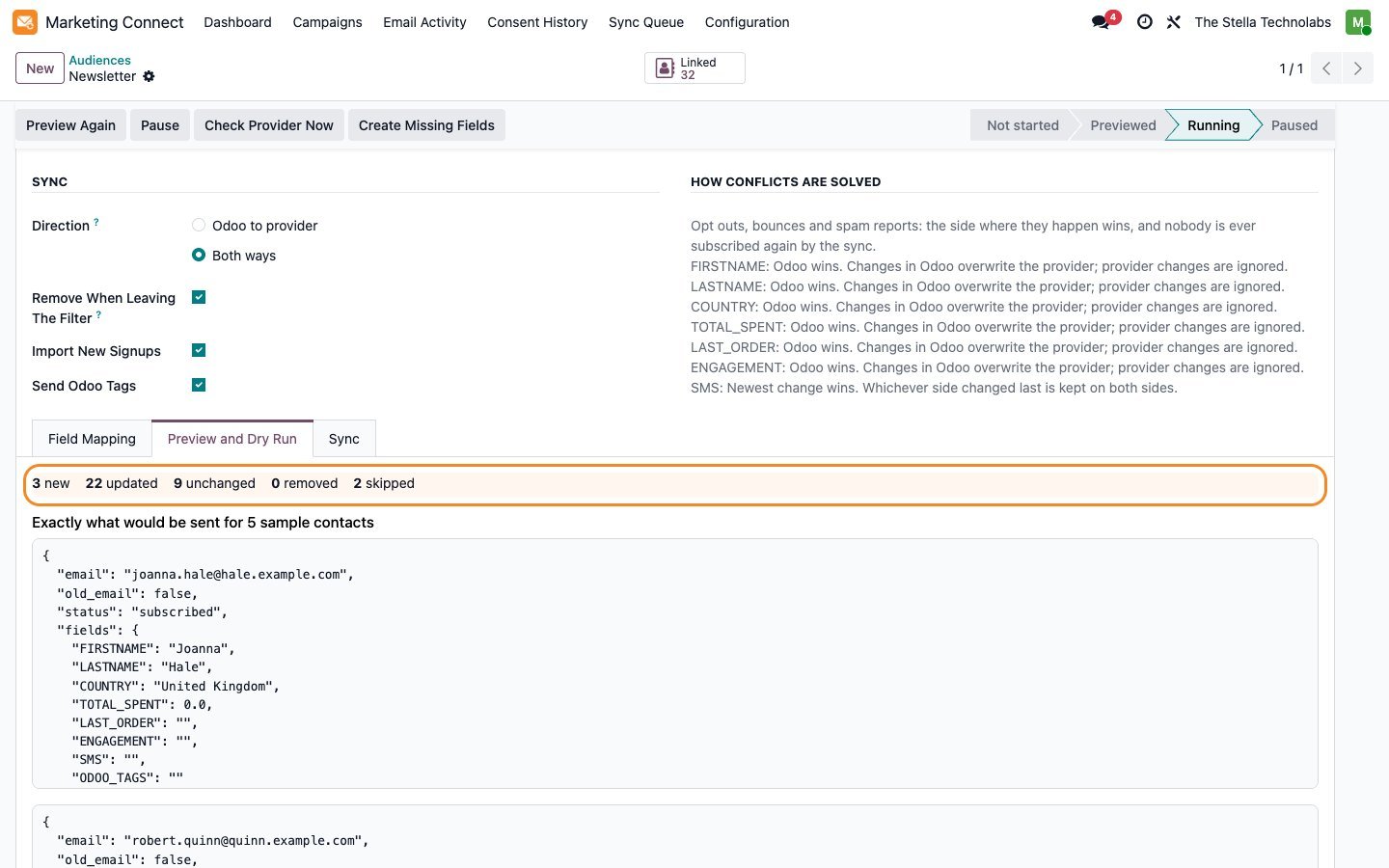
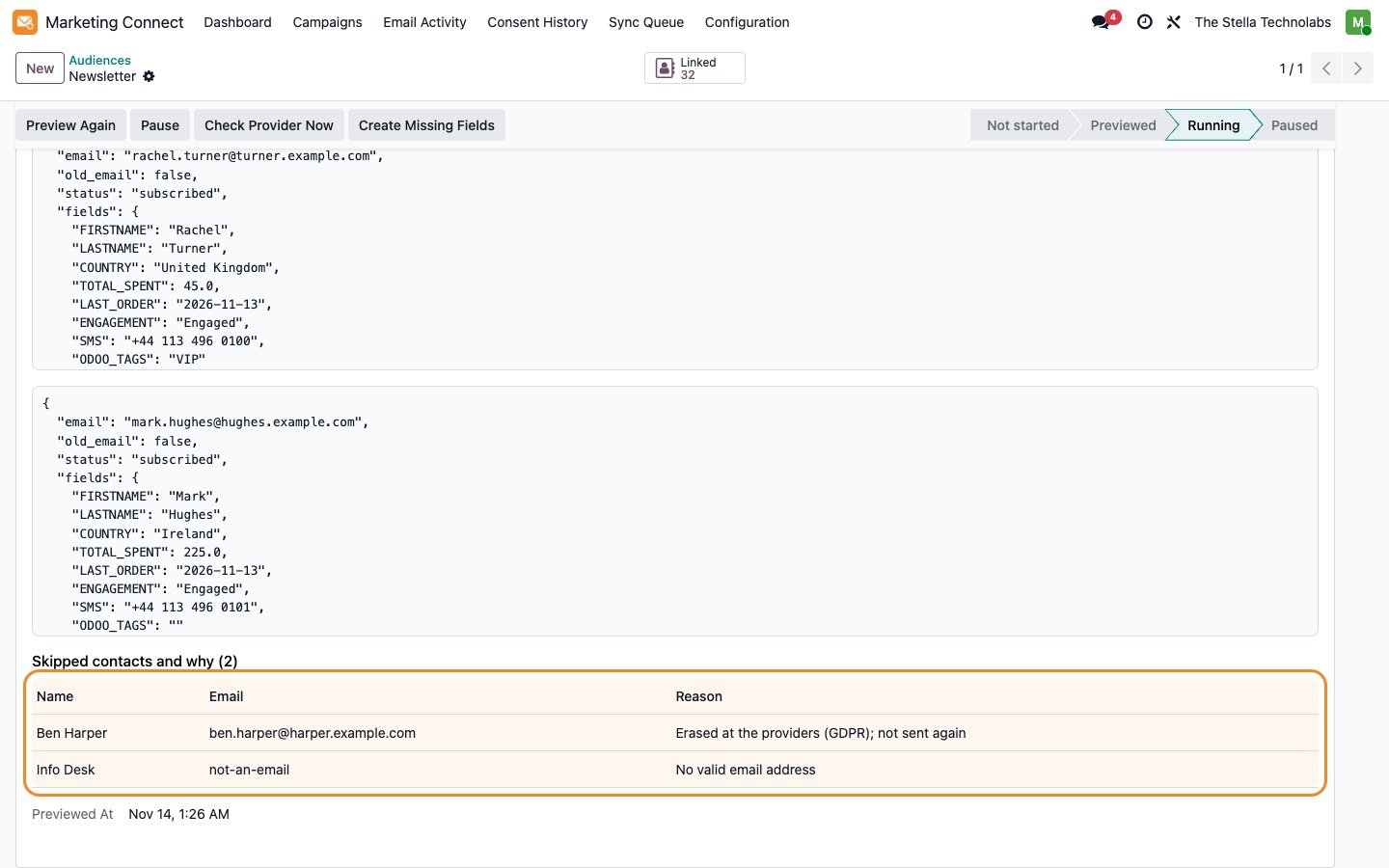
The first sync of every audience needs a preview: how many contacts are new, updated, unchanged, removed or skipped, with the reason for every skip.
Everything the module does
Each item below is a capability of the published module.
Preview before anything is sent
See the counts, the exact data for five sample contacts, and every skipped contact with the reason.
Lists that update themselves
Feed an audience from a mailing list, a filter on contacts or a filter on mailing contacts. People join and leave as your Odoo data changes.
Customer value fields
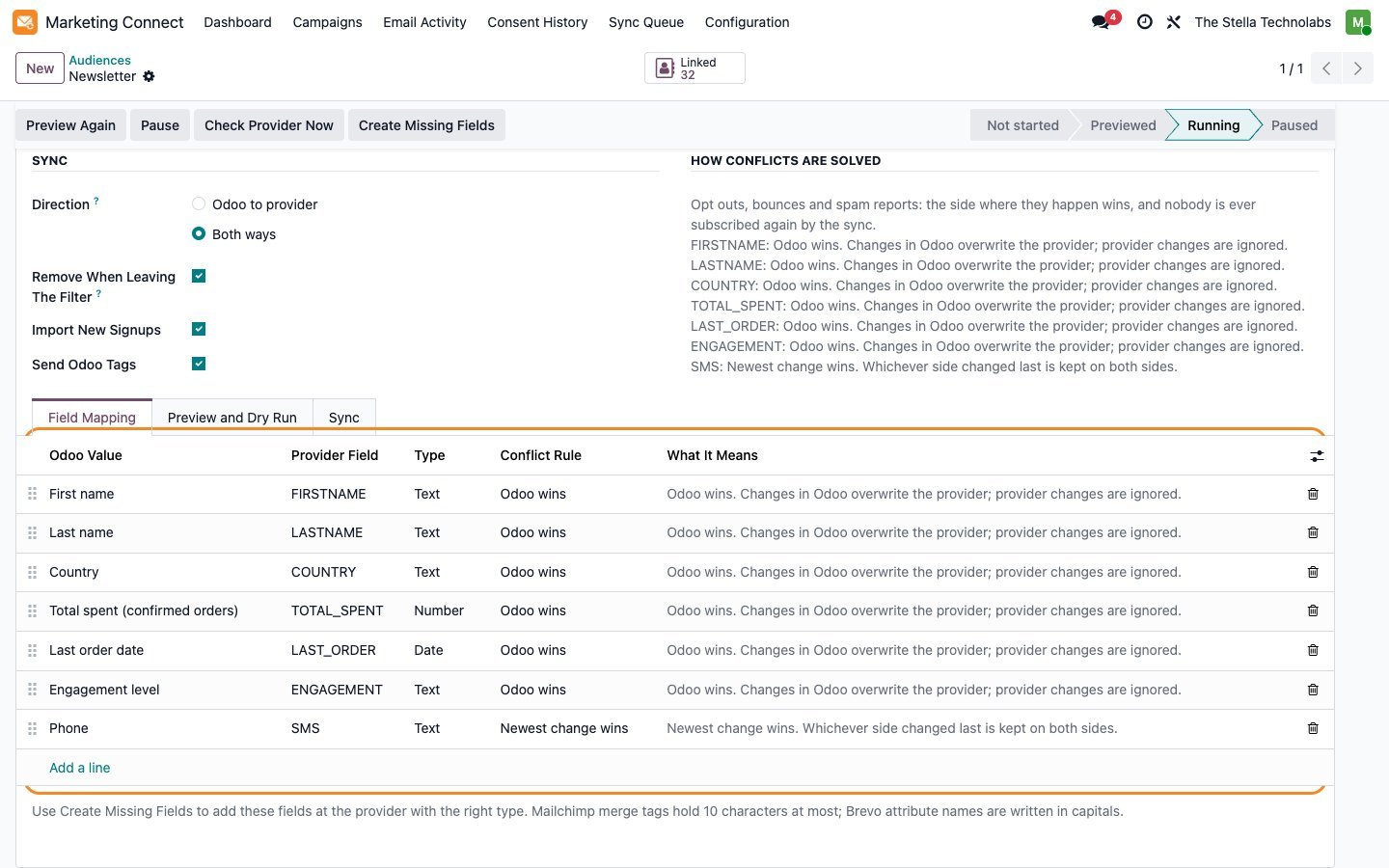
Send total spent, order count, last order date, salesperson, country and Odoo tags so you can segment in Brevo or Mailchimp on real sales data.
Consent history and erasure
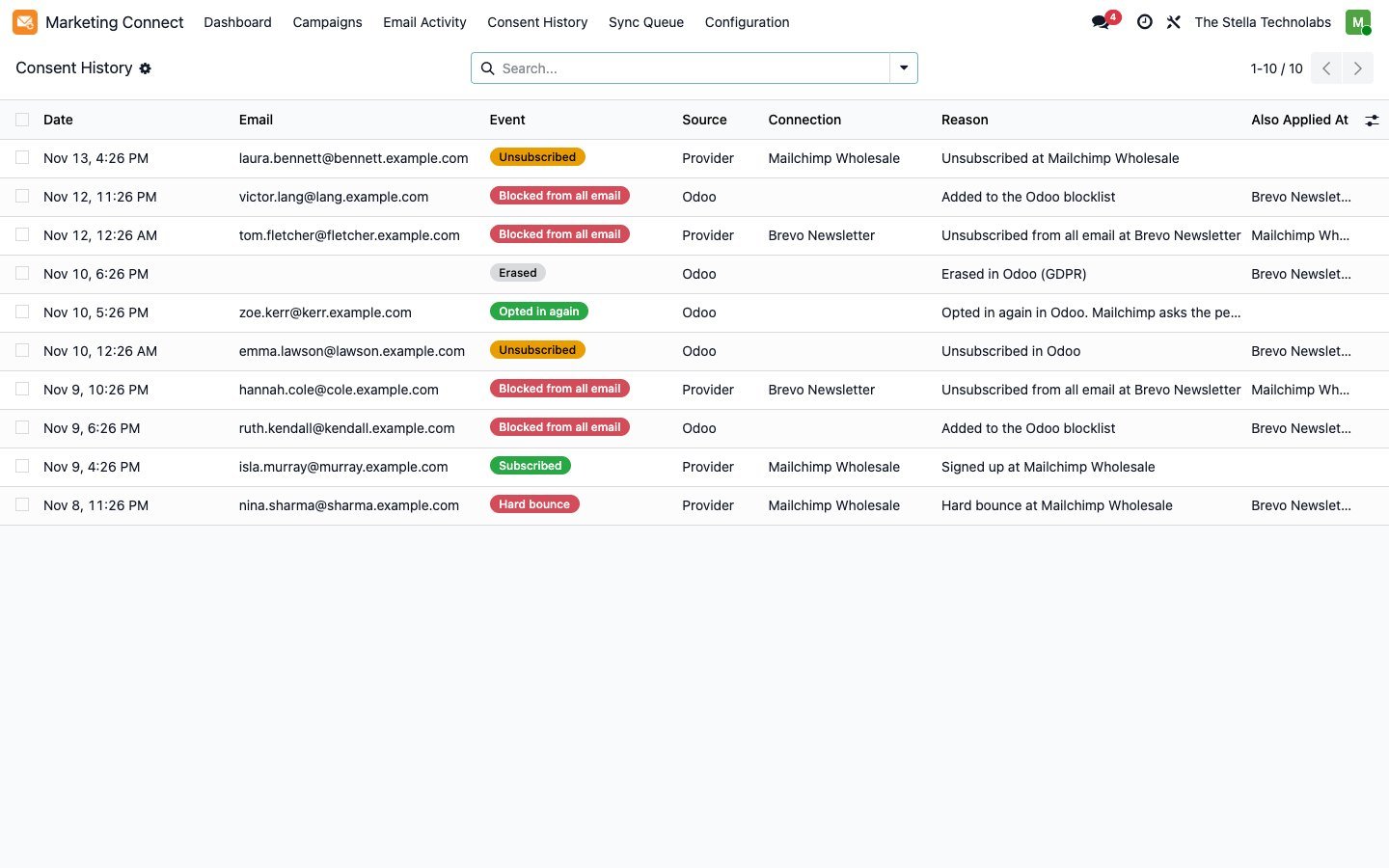
Every opt out, block, signup and erasure is logged with where it came from and why. Erase a person at the providers when they ask, and keep only a hash.
Engagement back in Odoo
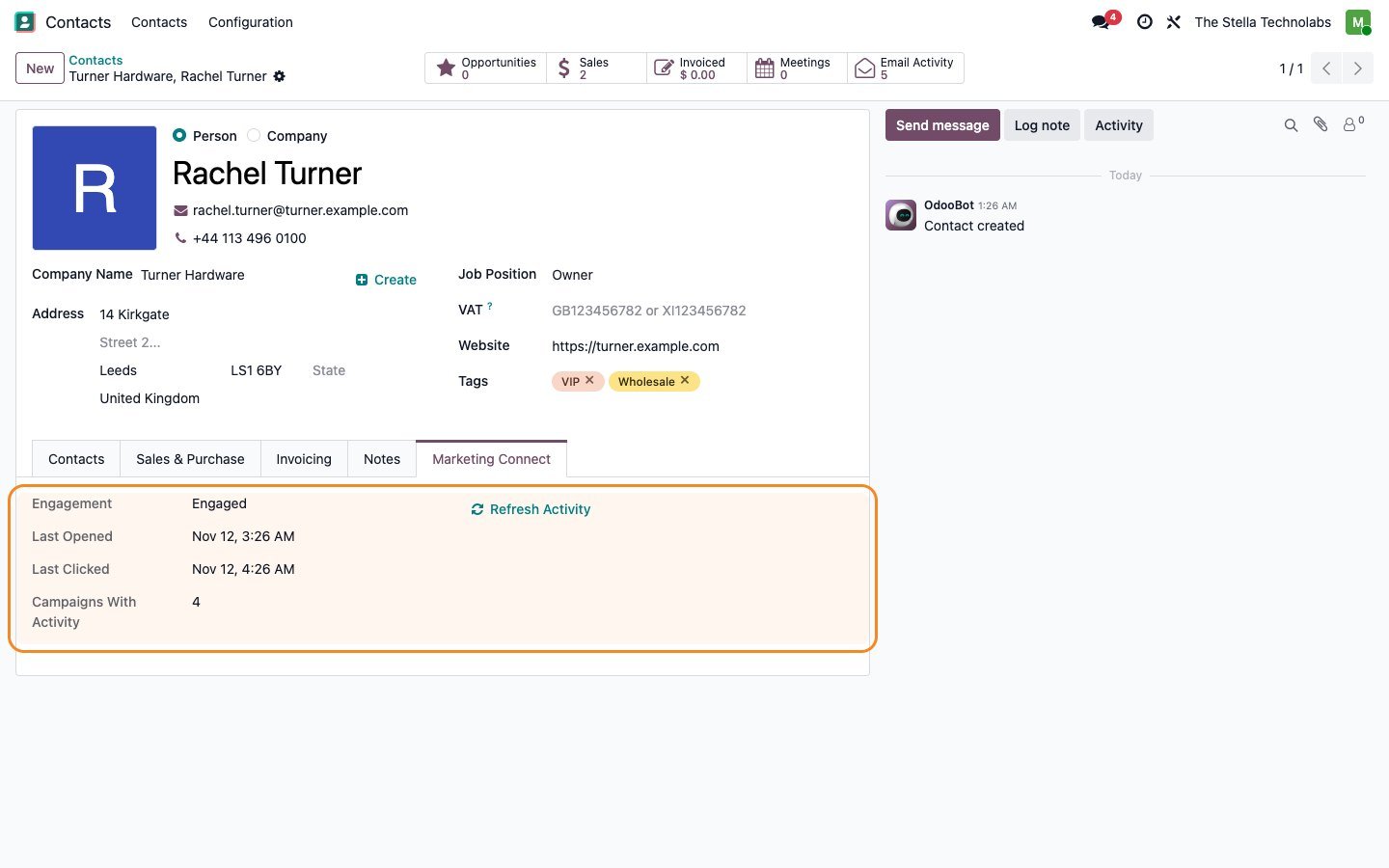
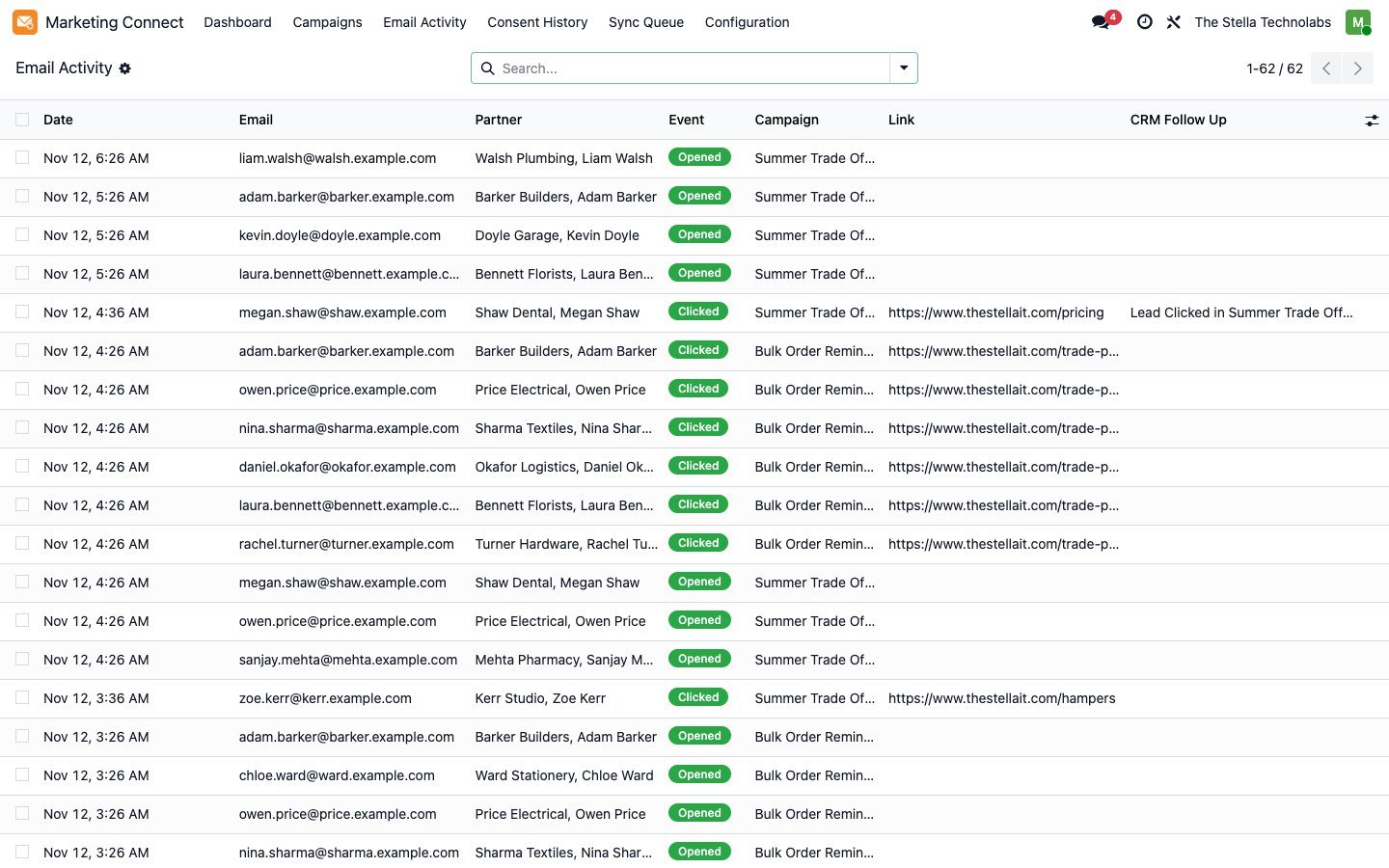
Campaign results and each person's opens and clicks come back to the contact: last opened, last clicked and an engagement level you can filter on.
Clicks become CRM follow ups
When CRM is installed, a click on a campaign or link can create a lead or add an activity to the open opportunity, once per person per campaign.
Abandoned carts that respect consent
Website carts of subscribed people reach Brevo or Mailchimp with a link back to the same cart. When the cart is bought, the reminder is cancelled.
Store data for recommendations
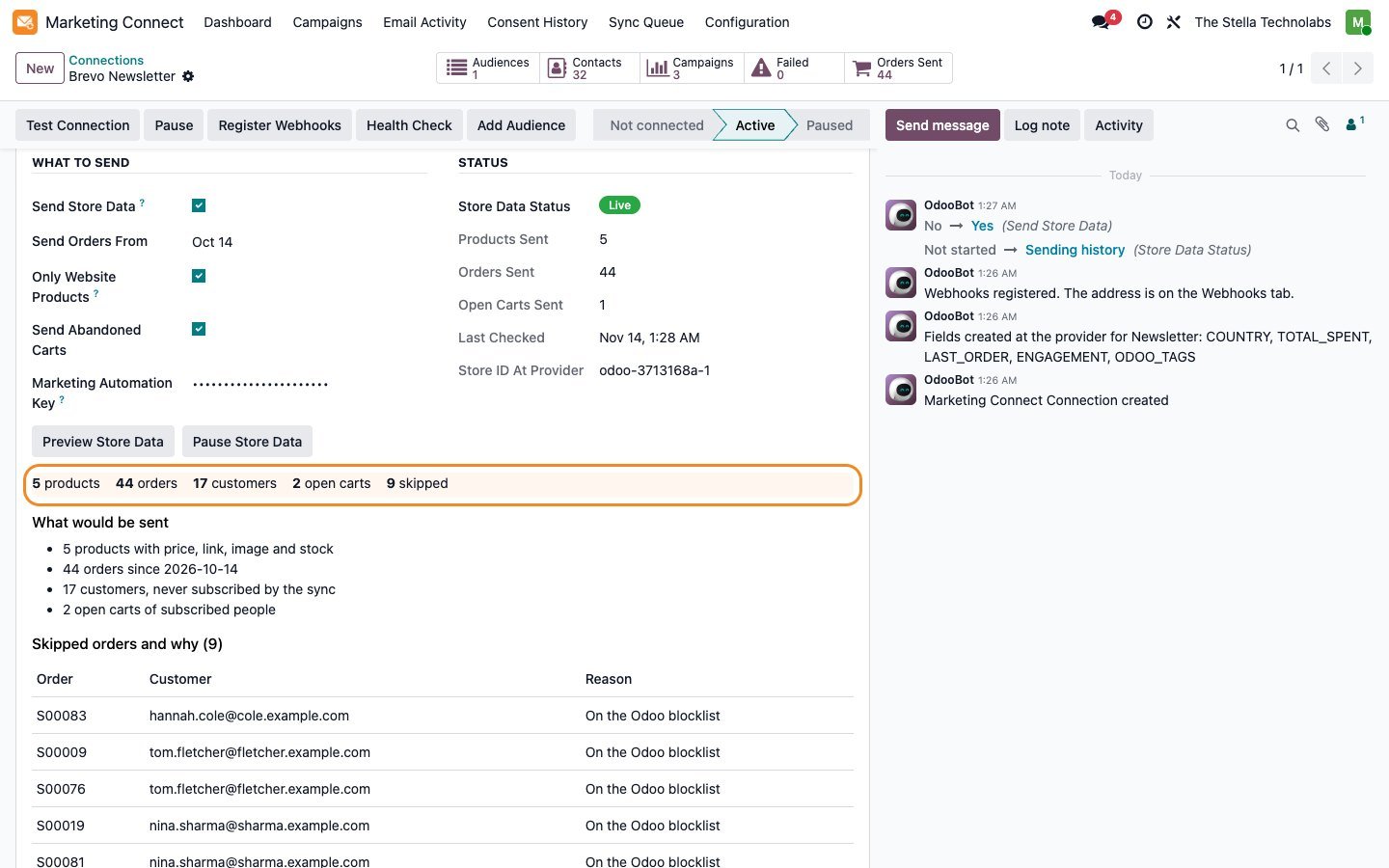
Products with price, link, image and stock, and every order with its lines, so the provider can recommend products and follow up on purchases.
Revenue per campaign
Orders carry the campaign that brought the visitor, so you see which email paid. History goes in without starting a single automation.
Health check in plain words
Each connection is checked every six hours. Problems show on the card with one sentence on what to do, such as an expired Mailchimp key.
What moves, when and by which rule
| Record | Direction | When | Rule |
|---|---|---|---|
| Contact details | Odoo to provider, or both ways per field | Within two minutes of a change | Odoo wins by default; set a field to "newest change wins" when both sides edit it |
| List membership | Follows the audience direction | Within two minutes, filters checked every 30 minutes | Membership follows Odoo; consent follows the consent rules |
| New signups at the provider | Provider to Odoo | Webhook in real time, plus a check every 30 minutes | Matched by email to a contact, or added as a new mailing contact |
| Opt outs, blocks and bounces | Both ways | Webhook in real time, plus a check every 30 minutes | An opt out always wins and is never undone by the sync |
| Odoo tags | Odoo to provider | With the contact | Mailchimp tags, or a Brevo multiple choice attribute |
| Campaigns and results | Provider to Odoo | Every hour | Sent, delivered, opens, clicks, bounces and unsubscribes per campaign |
| Products | Odoo to provider | Within five minutes of a change | Price, link, image, stock and category |
| Confirmed and cancelled orders | Odoo to provider | Within five minutes, history from a start date | Lines, totals, tax, shipping, discounts and the campaign; history never starts automations |
| Abandoned website carts | Odoo to provider | After the website abandoned cart delay | Only for subscribed people; removed when bought or emptied |
| Opens and clicks per person | Provider to Odoo | Every hour and by webhook | Stored per person and campaign |
Consent rules, both directions
An opt out from any side is final until the person opts in again themselves.
When it happens at Brevo or Mailchimp
| Event at the provider | In Odoo | At your other connections |
|---|---|---|
| Unsubscribe from one list | Opted out of the linked mailing list | Your choice per connection: same list only, or everywhere |
| Unsubscribe from all email (Brevo) | Added to the Odoo blocklist | Blocked or unsubscribed on every connection |
| Spam report | Added to the Odoo blocklist | Blocked everywhere |
| Hard bounce | Bounce counted and, by default, blocklisted | Unsubscribed everywhere |
| Soft bounce | Recorded as activity only | Nothing changes |
When it happens in Odoo
| Event in Odoo | At Brevo and Mailchimp |
|---|---|
| A contact opts out of a mailing list | Unsubscribed in the linked Brevo list or Mailchimp audience |
| An email is added to the Odoo blocklist | Blocked in Brevo; unsubscribed in every linked Mailchimp audience |
| An email is removed from the Odoo blocklist | Not pushed as a subscription; Mailchimp asks the person to confirm by email first |
| A contact is deleted | Removed from the list, or erased at the provider when erasure is switched on |
Built in safeguards
| Situation | What the module does |
|---|---|
| An API key is revoked or expires | The connection pauses itself, the card turns red and the responsible user gets an activity with the fix |
| A Mailchimp key will expire soon | Reminders 30 days and 7 days before the date you entered |
| Brevo or Mailchimp limits requests | The queue waits and tries again at 1, 5, 15, 60 and 240 minutes; nothing is lost |
| One contact in a batch is rejected | Only that contact fails, with the provider message in plain words |
| The contact limit of your plan is near | New contacts stop at the limit you set; updates and opt outs keep flowing |
| A webhook arrives that is not signed by the provider | It is stored as rejected and never processed |
| Years of old orders are sent | They go in as history; no automation starts |
| Odoo already sends order confirmations | Provider order emails stay off by default, so customers never get two receipts |
| Odoo was offline when something changed | The check every 30 minutes picks up whatever a webhook missed |
Its own app, next to Email Marketing
It installs as its own app, Marketing Connect, next to Odoo Email Marketing, and uses its mailing lists, mailing contacts, opt outs and blocklist. Sales data, abandoned carts and CRM follow ups appear when the Sales, eCommerce and CRM apps are installed.
A closer look
Click any screen to open it full size.
Businesses that keep their customers in Odoo
Businesses that keep their customers in Odoo and send newsletters and automations from Brevo, Mailchimp or both, and want one source of truth for who may be emailed.
Tested on the standard, unmodified editions of Odoo Community and Enterprise. It depends on the standard Email Marketing module and installs as its own app, Marketing Connect. Store data uses the standard Sales app when it is installed; abandoned carts, product links and images use the standard eCommerce app. If your email marketing, contacts or a related module (such as a customised mailing list, opt out or blocklist flow) has been changed by another developer, contact us before buying. You need a Brevo or Mailchimp account and an API key from it. Real time webhooks need Odoo on a public HTTPS address; without one, changes are checked every 30 minutes. Runs on Odoo.sh and your own server; Odoo Online does not allow custom modules. Brevo and Mailchimp are trademarks of their respective owners. This module is made by The Stella Technolabs and is not made or endorsed by Brevo or Mailchimp.
Ready to keep Odoo and your email in step?
Need help with your API key, field mapping or the first sync? Our team answers.
Questions, answered
Does it replace Odoo Email Marketing?
No. It installs as its own app called Marketing Connect next to Email Marketing, and uses its mailing lists, mailing contacts, opt outs and blocklist.
What do I need from Brevo or Mailchimp?
An API key. In Brevo: SMTP and API, API keys. In Mailchimp: Profile, Extras, API keys. Paste it into the setup wizard and click Test.
Will a starter Brevo or Mailchimp plan work?
Yes. Set the contact limit to your plan so Odoo never pushes you over it.
Can someone be emailed again after opting out?
Not by the sync. An opt out on any side is final until the person opts in again themselves.
Does it need webhooks?
Webhooks make opt outs arrive in seconds and need a public HTTPS address. Without them a check every 30 minutes keeps both sides in step.
Can I use Brevo and Mailchimp at the same time?
Yes, and several accounts of each. An opt out in one can stop email in all of them, your choice.
Does it work on Community?
Yes. It depends only on Email Marketing. Sales and CRM features appear when those apps are installed.
Will customers get two receipts?
No. Brevo and Mailchimp order emails stay off unless you switch them on; Odoo keeps sending its own.
Can I try it without an account?
Yes. Mock mode connects to a built in practice provider, so you can train your team and test your setup first.