One module for the counter and the web shop.
Take Clover card payments at the Point of Sale and online on your website, invoices and payment links. One Clover ledger, a daily match, and never a card charged twice.
Simple at the till, messy in the books
A card payment should be simple at the till and simple in the books. In practice the network drops, a card covers only part of the bill, the customer adds a tip on the device, and at the end of the day the session does not match what the card provider recorded.
This module takes Clover card payments at the Odoo Point of Sale counter and online on your website, invoices and payment links. Every payment carries its own reference, so a lost answer is looked up at Clover instead of charging the card again. Tips and surcharges land on the order, counter and online payments sit in one Clover ledger, and every night Odoo compares its payments with what Clover recorded.
Why this module
Never charged twice
If the answer is lost, Odoo asks Clover for the payment by its reference instead of charging the card again.
Sessions that close clean
Partial approvals, tips and card surcharges are booked on the order, so the order and the session match the card.
Counter and online in one place
Point of Sale, website, invoice and payment link payments in one Clover ledger, checked against Clover every night.
What is inside
Pay at the counter
The Point of Sale sends the amount to your Clover device through Clover's cloud. The card brand, last four digits and approval code come back to the order.
Pay online
Website orders, invoices and payment links are paid on Clover's secure Hosted Checkout page with 3D Secure. A signed webhook confirms the payment in Odoo.
Partial approvals
When the card covers only part of the amount, the line is reduced to what Clover approved and the cashier collects the rest another way.
Tips on the device
The customer picks the tip on the Clover screen. Odoo books it on your tip product, so the order and the session match the card.
Card surcharges
A surcharge added by Clover lands on the order as your surcharge product, so the session closes without a difference.
Voids and refunds
Refunds are linked to the original card payment: a void inside 25 minutes, a refund after. Online payments can be refunded in full or in part from Odoo.
Never charged twice
Every payment carries its own reference. If the answer is lost, Odoo looks the payment up at Clover instead of charging the card again.
Offline approvals
Payments approved by the device while offline are flagged for review and cleared once Clover confirms them.
One Clover ledger
Counter and online payments, declines, voids and refunds in one list, with tips, surcharges and the card used.
Daily match
Every night Odoo compares its payments with what Clover recorded and lists each difference, such as a payment typed on the device.
Connect with Clover
Sign in to your Clover merchant account from Odoo. The sign in renews itself and your devices are read from Clover.
Built in simulator
Train staff and test every flow, including declines, partial approvals and lost answers, without a device or a Clover account.
Counter and online
| Topic | Point of Sale | Online |
|---|---|---|
| How the customer pays | Taps, inserts or swipes on the Clover device | On Clover's Hosted Checkout page |
| Card numbers in Odoo | Never | Never |
| Confirmation | Answer from the device, looked up again if lost | Signed webhook, a check on return and a check every six hours |
| Tips and surcharges | Booked on the order | Not used |
| Partial approval | Line reduced, rest collected another way | Not used |
| Refunds | Void inside 25 minutes, refund after | Full or partial refund from Odoo |
| Setup | Connect with Clover, then pick the device | Merchant ID, private key and webhook secret |
What happens when
| Situation | What Odoo does |
|---|---|
| The card is declined | The cashier sees the reason and can try again with a new reference |
| Clover approves only part of the amount | The line is reduced to the approved amount and the rest stays to pay |
| The network drops during the payment | Odoo asks Clover for the payment by its reference and never charges twice |
| The device approves offline | The payment is flagged for review until the daily match finds it at Clover |
| A payment was typed on the device | The daily match lists it as taken on Clover but not recorded in Odoo |
| The sign in to Clover expires | Odoo renews it on its own and warns the managers if it cannot |
A closer look
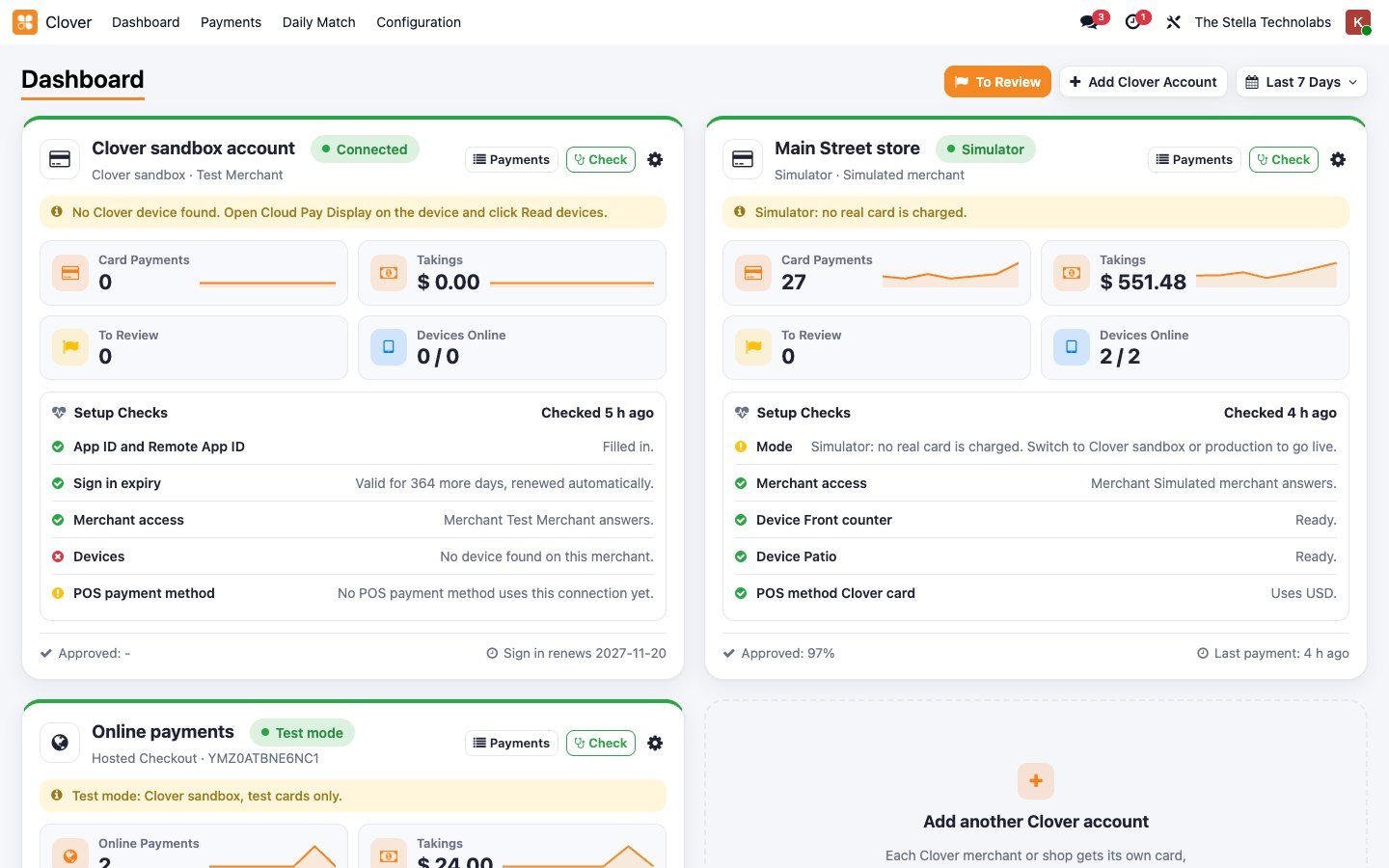
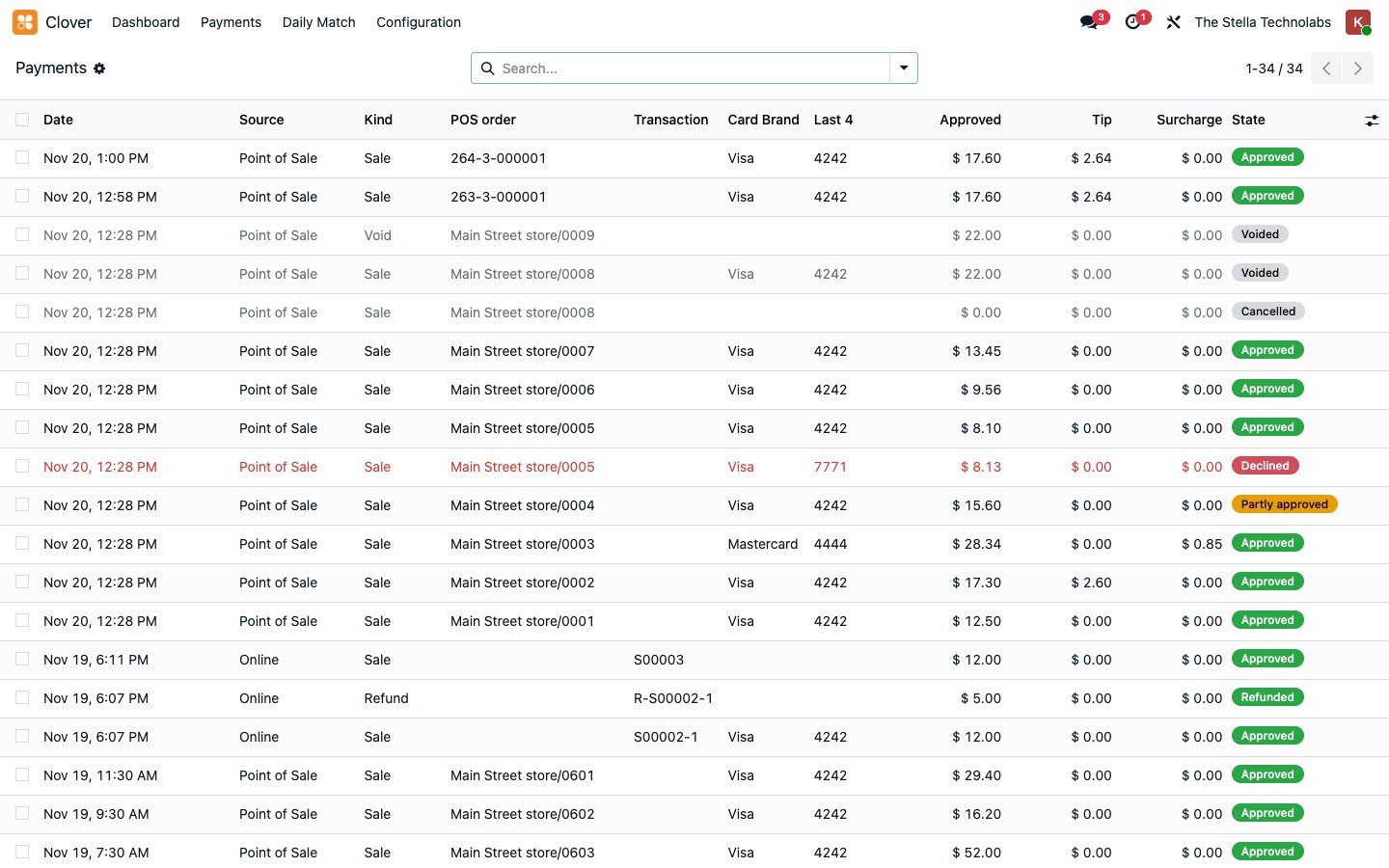
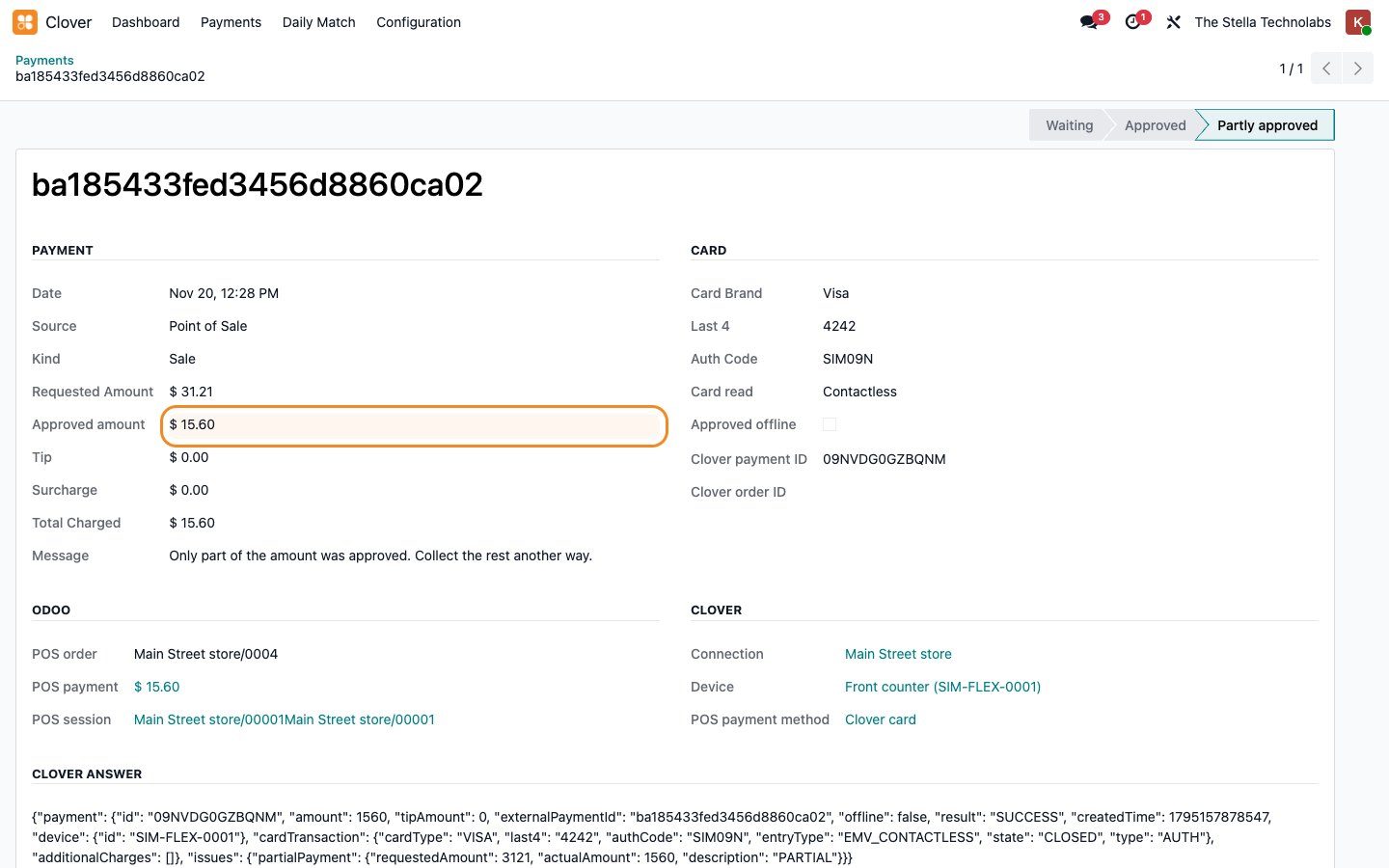
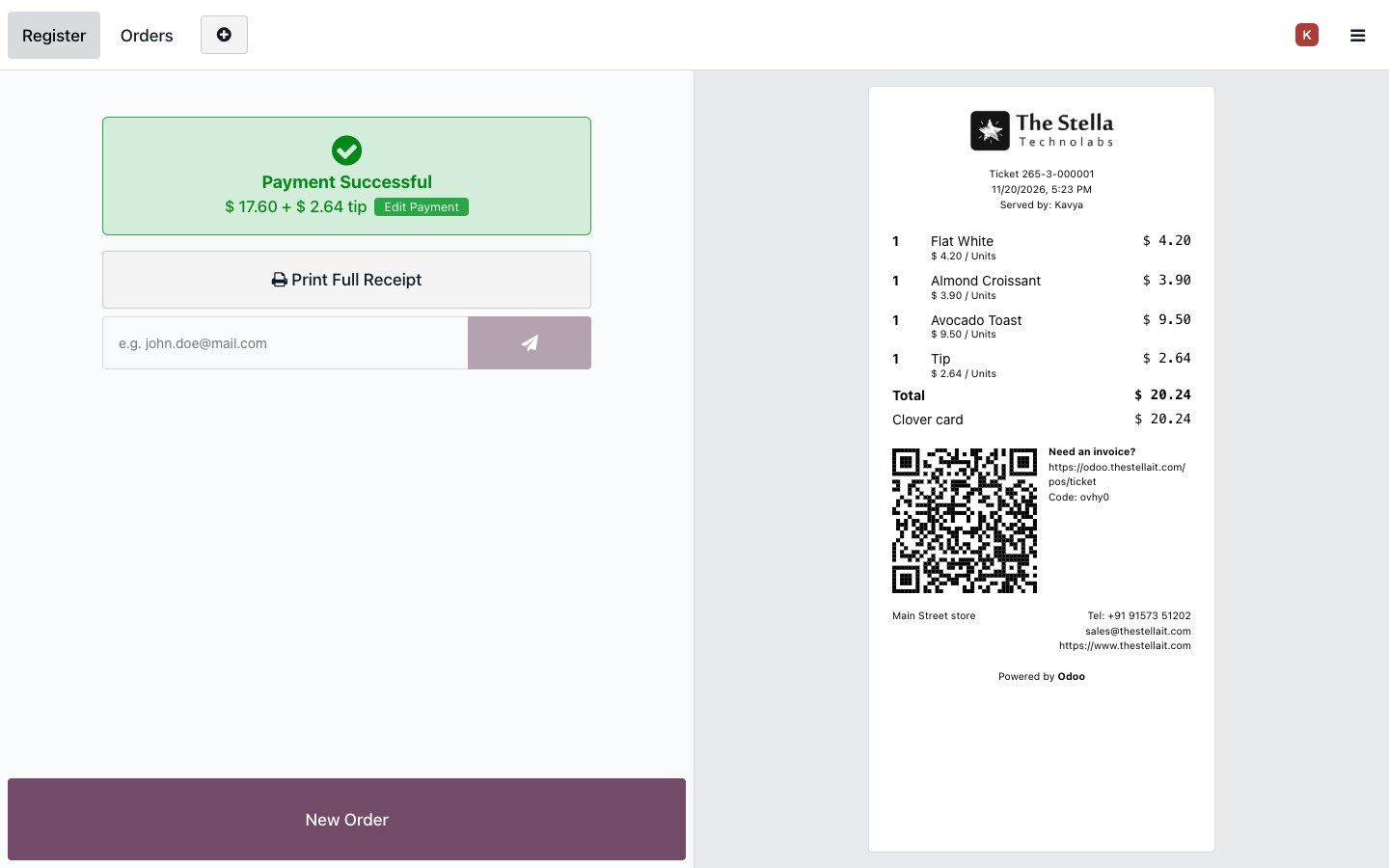
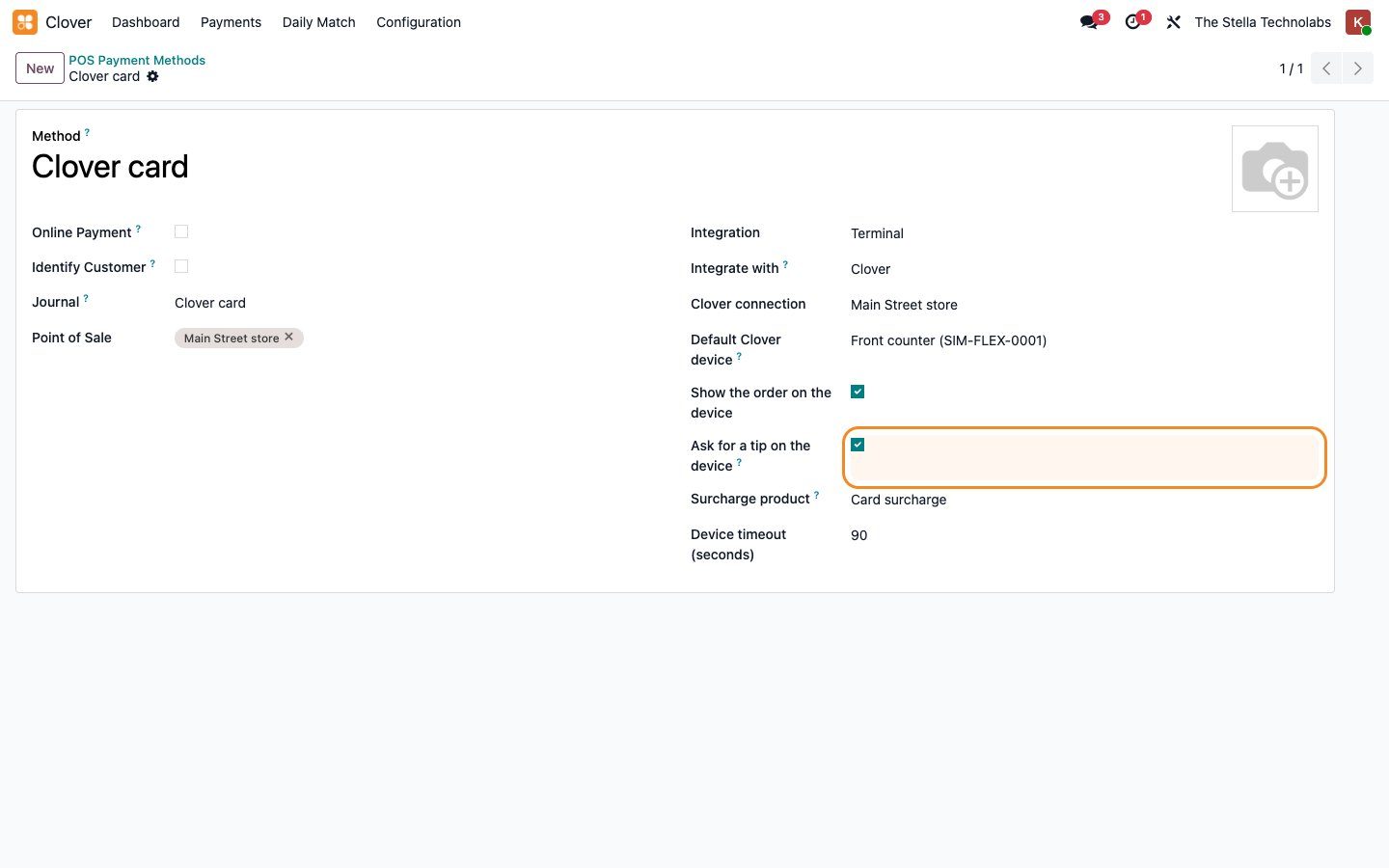
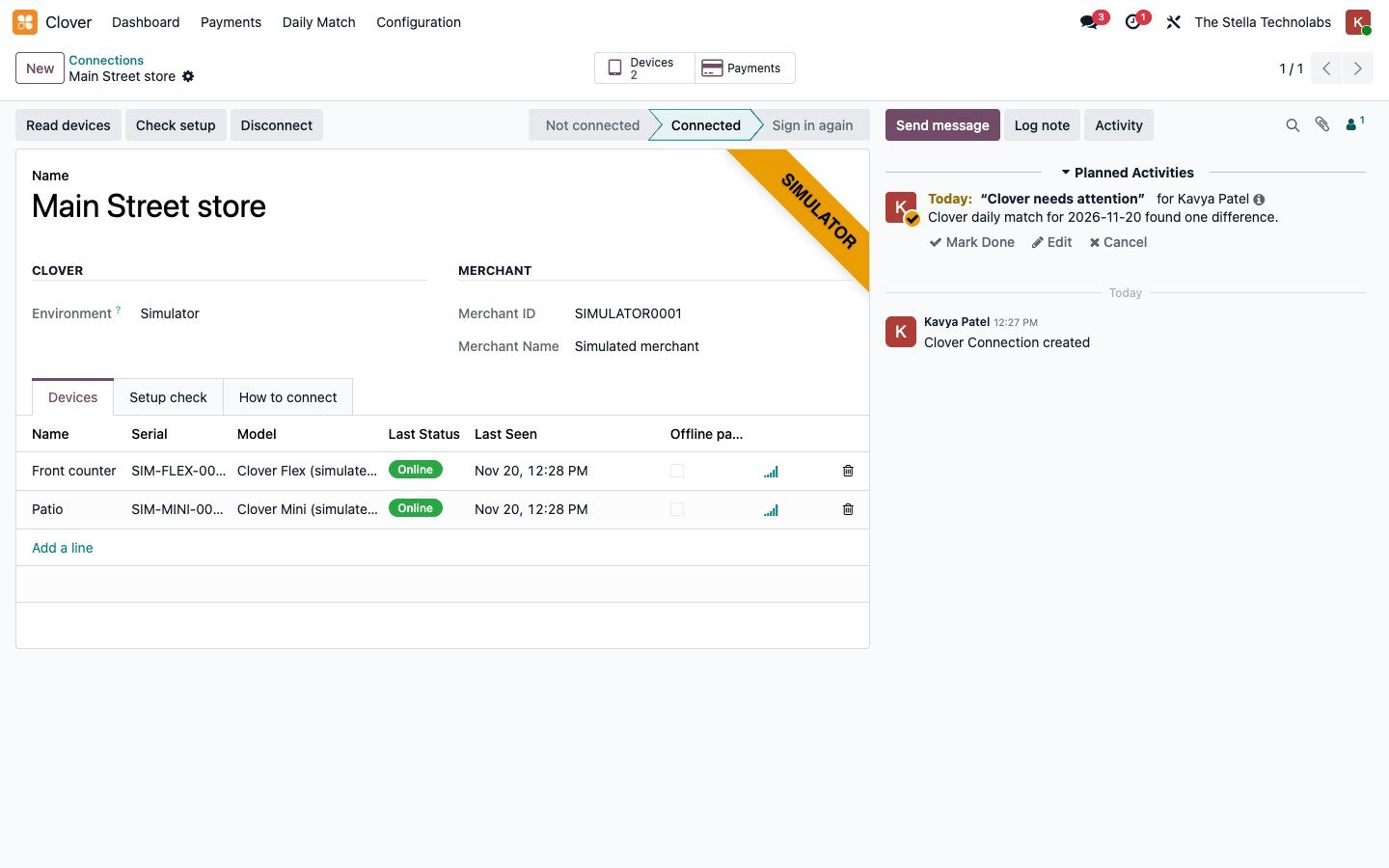
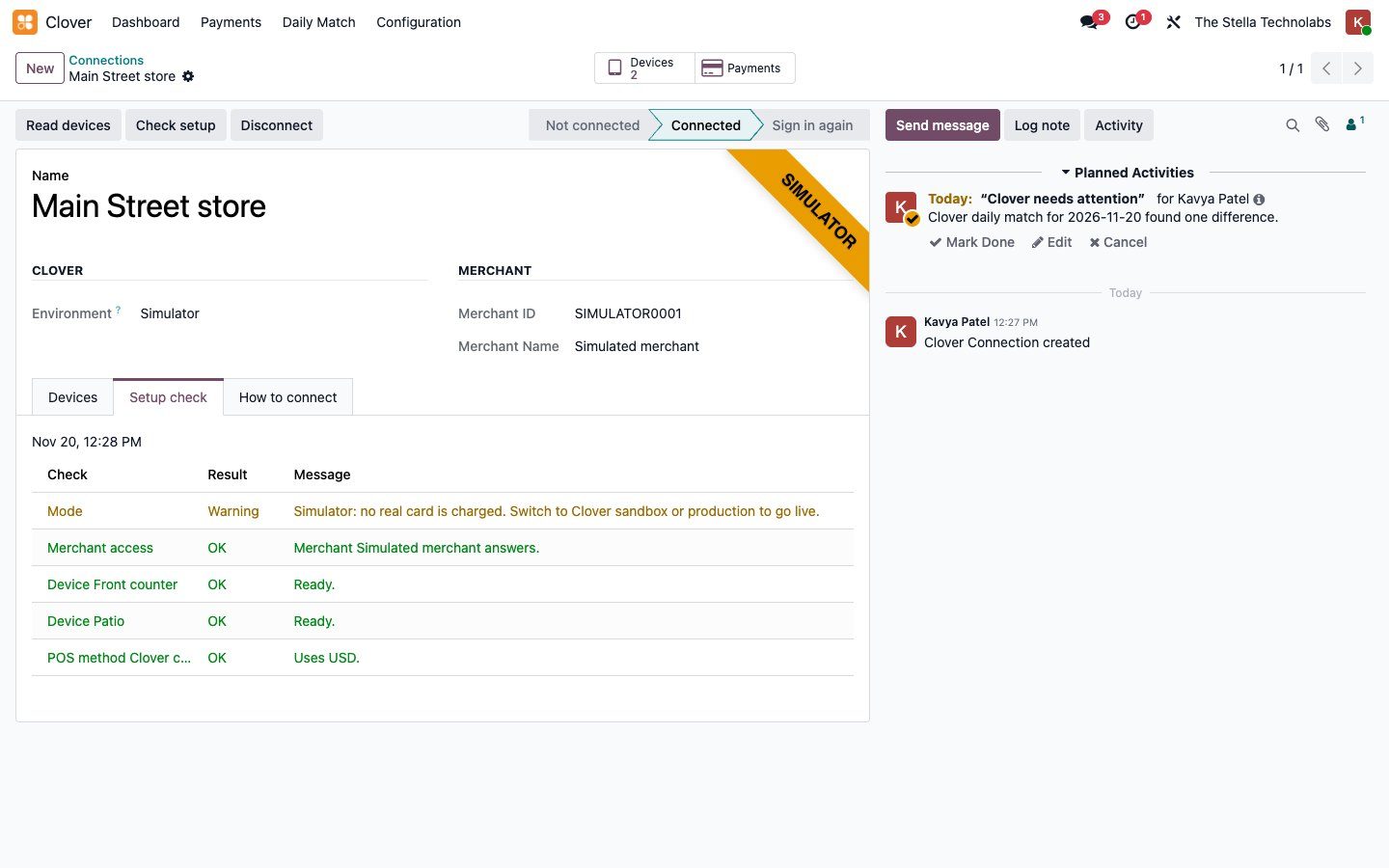
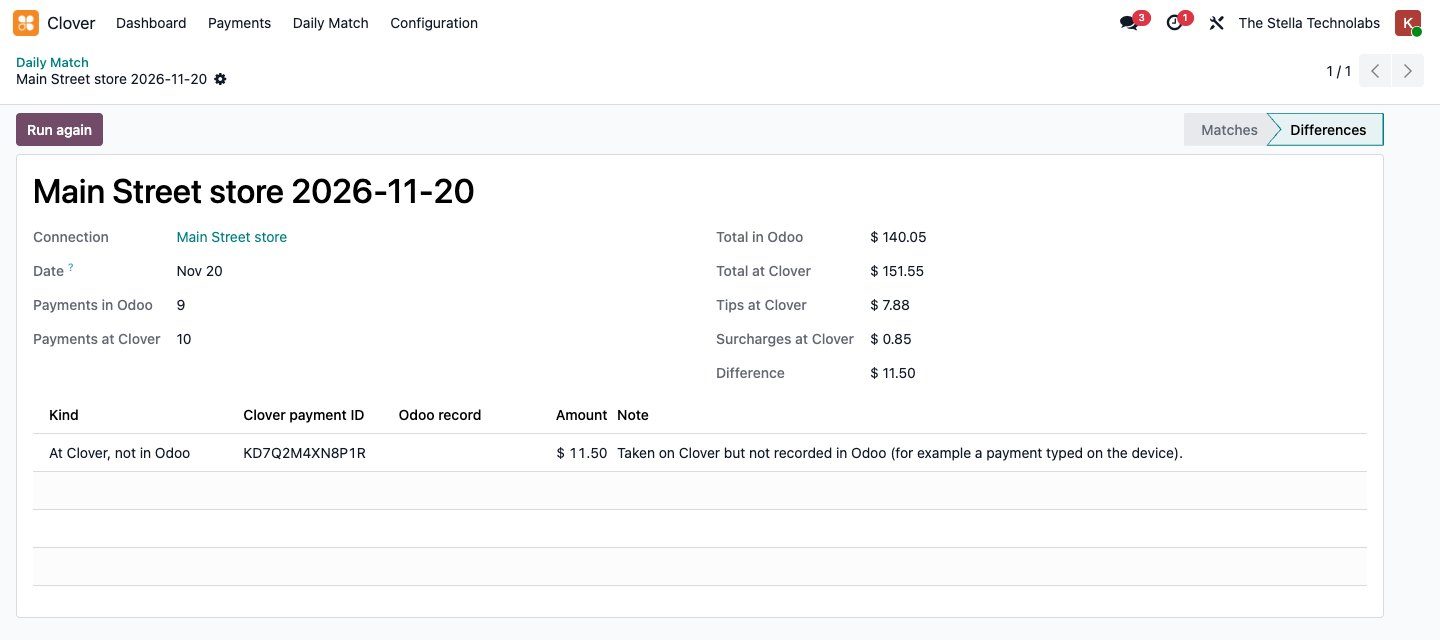
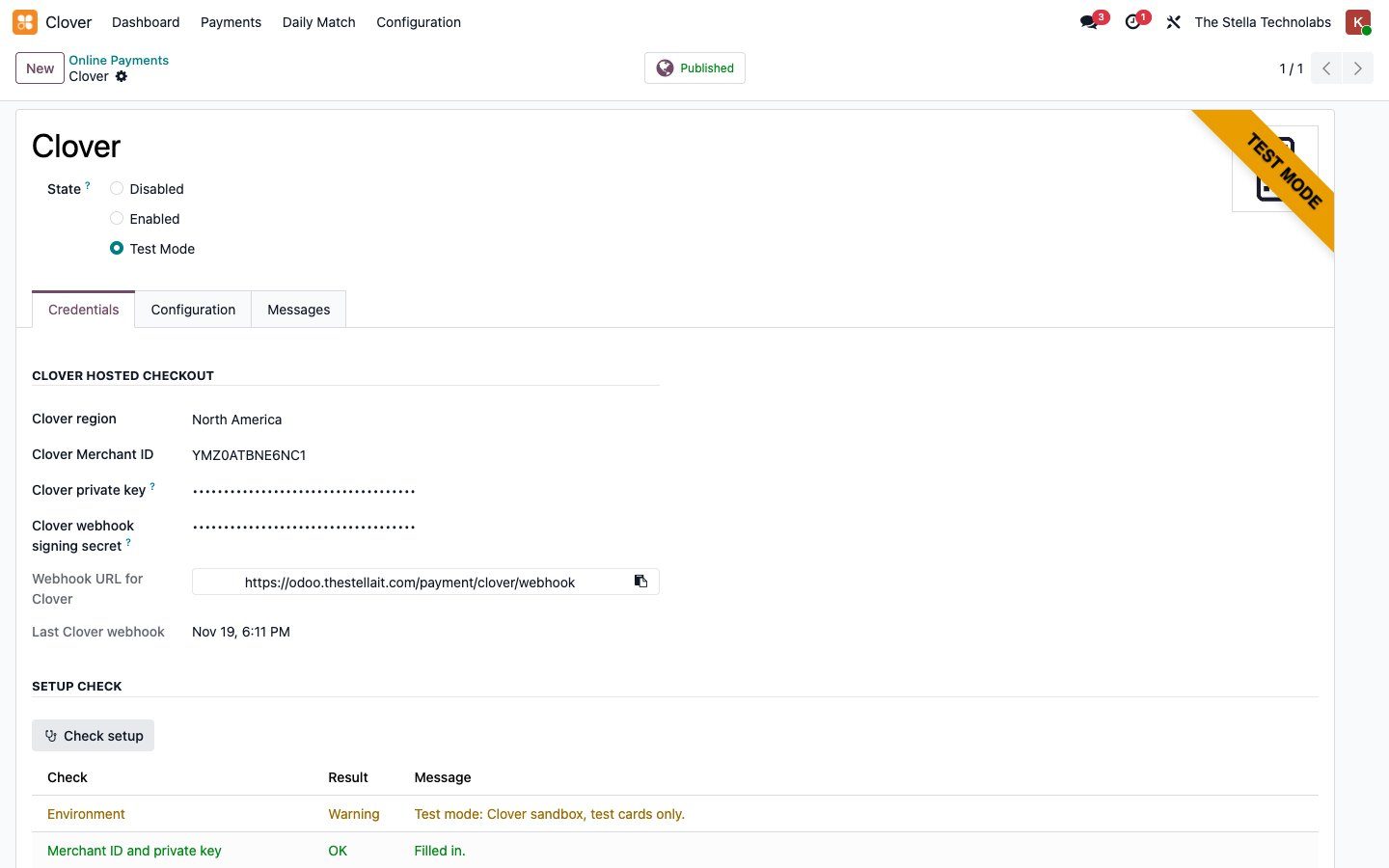
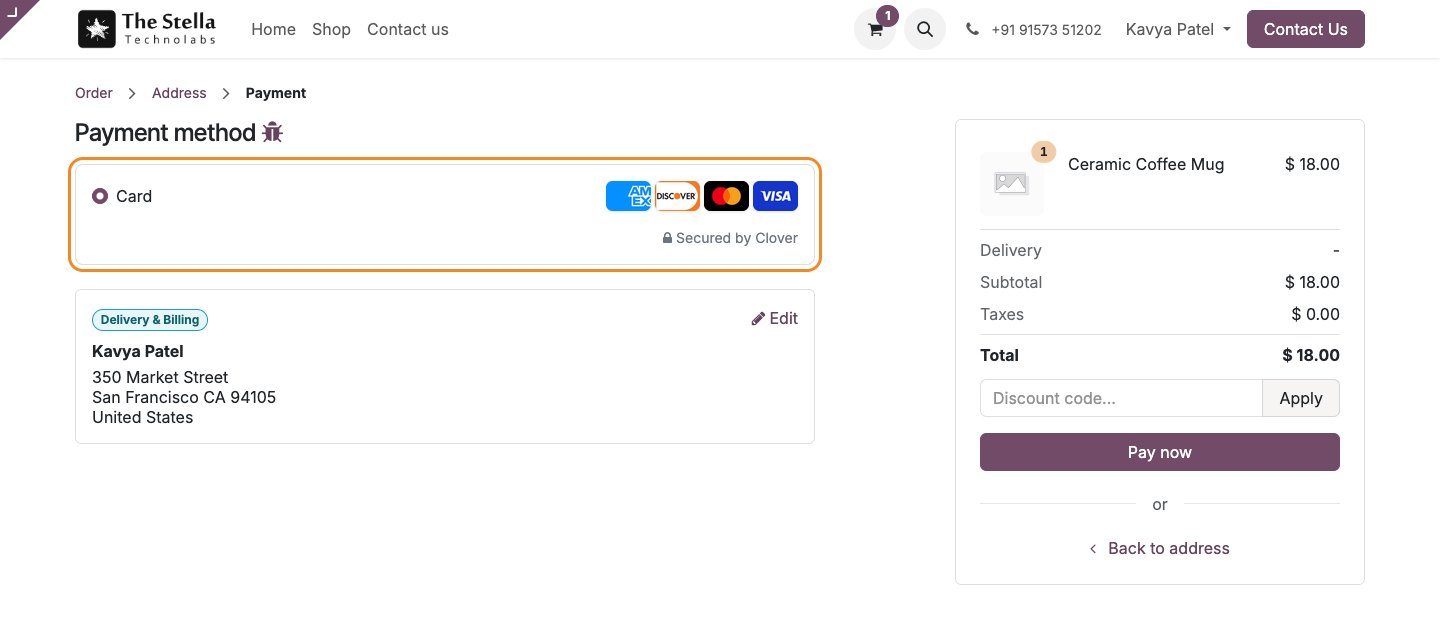
Taken on Odoo Enterprise with the Clover sandbox and the built in simulator.
Who it is for
Businesses in North America and Europe that take cards on Clover devices and want the counter, the web shop and the books to agree without manual checking.
Tested on the standard, unmodified editions of Odoo Community and Enterprise. It depends on the standard Point of Sale and Payment Account modules. If your Point of Sale payment screen, checkout or a related module (such as a custom payment screen, a changed checkout or another payment terminal module) has been changed by another developer, contact us before buying. Runs on Odoo.sh and your own server; Odoo Online does not allow custom modules. You need a Clover merchant account in North America or Europe, and devices that take payments through Clover's cloud Pay Display connection. Clover is a trademark of its owner. This module is not made or endorsed by them.
Ready to take Clover payments in Odoo
Questions about your Clover account, devices or setup? Our team is happy to help before and after purchase, and replies within one business day.
Questions, answered
Which Clover devices work?
Clover devices that take payments through Clover's cloud Pay Display connection, such as Clover Flex, Clover Mini and Clover Station.
Which countries are supported?
Clover merchants in North America and Europe. You pick the region on the connection and on the online payment provider.
Do card numbers reach Odoo?
No. Cards are read by the Clover device or entered on Clover's own page. Odoo keeps only the card brand, the last four digits and the approval code.
Can I try it before going live?
Yes. The built in simulator answers like a real device, and you can connect a Clover sandbox account to test with test cards.
What if the connection drops during a payment?
Press Retry. Odoo asks Clover for the same payment by its reference, so the card is never charged twice.
Does it work on Community?
Yes. It needs the standard Point of Sale and online payment features. Website checkout uses eCommerce when it is installed.