Build. Bill. Bank on it.
The end-to-end construction ERP your quantity surveyors, site engineers, and finance team already wish they had. Purpose-built for GCC residential developers. Bilingual Arabic and English by default.
From the first BOQ line to the final handover certificate - one connected system, three modular products, zero Excel dependency.
Built for FIDIC contracts | UAE / KSA / Qatar / Oman VAT-aware | Community and Enterprise
Why residential construction is still stuck in Excel and WhatsApp
The typical GCC residential developer runs their AED 20 million villa compound out of a shared drive full of Excel BOQs, a WhatsApp group for the site engineers, a folder of PDFs for IPCs waiting to be signed, and an accountant who re-types everything into their accounting system at month end.
Nothing is linked. Quantities do not flow. Approvals sit in inboxes. Owners phone the sales office asking when their villa will be ready and the answer is a guess. The consultant issues revision 3 drawings and half the BOQ needs re-measuring by hand.
This suite replaces every one of those touch-points with one connected workflow, natively inside Odoo, tuned for GCC residential from day one.
Three modules. One connected workflow.
The core carries the whole job from tender to handover. Add the portal when clients and subcontractors should work online, and the AI assistant when you want drawings counted, rates suggested and letters drafted for you.
Construction & BOQ Suite
Estimate, build, bill and hand over in one system
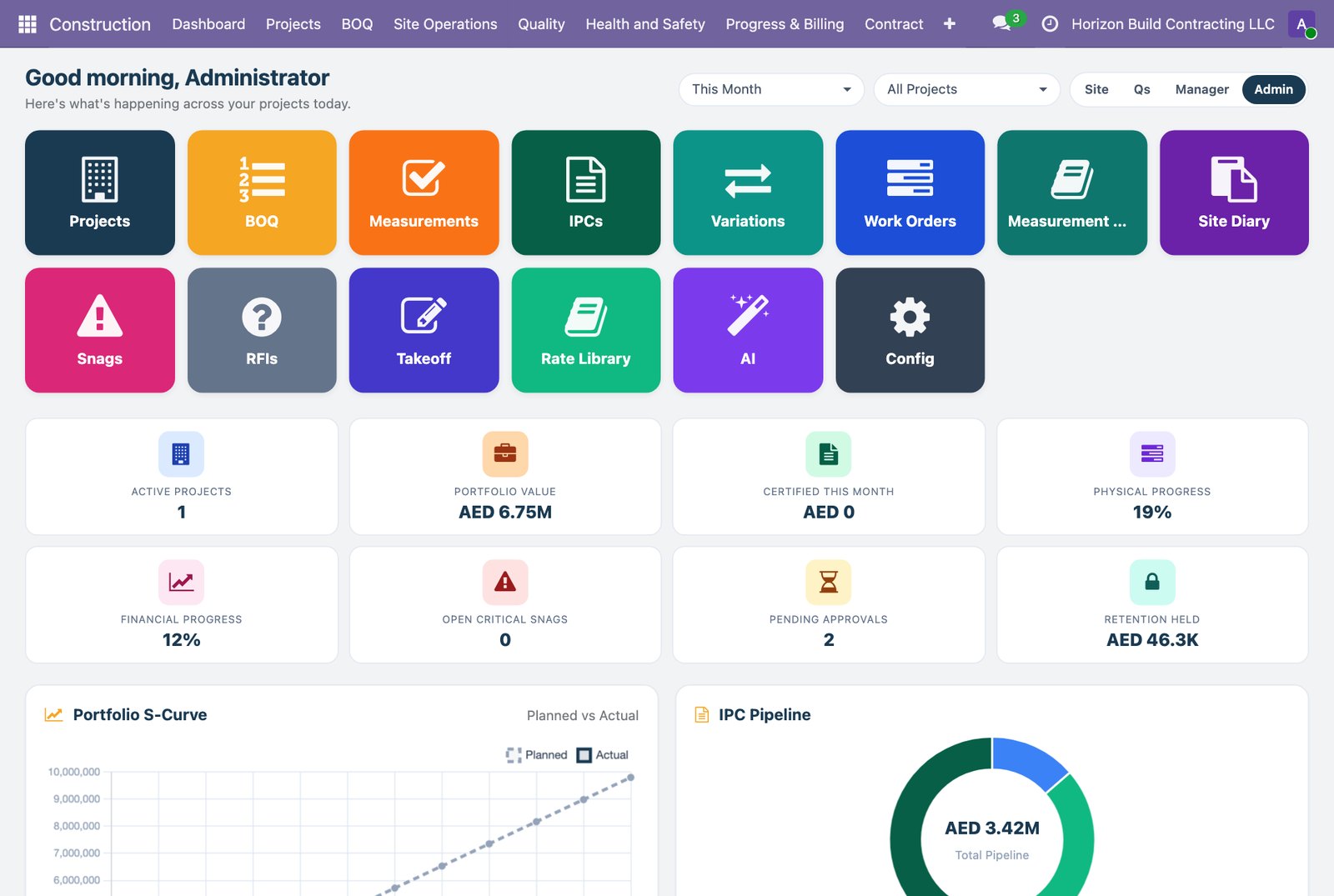
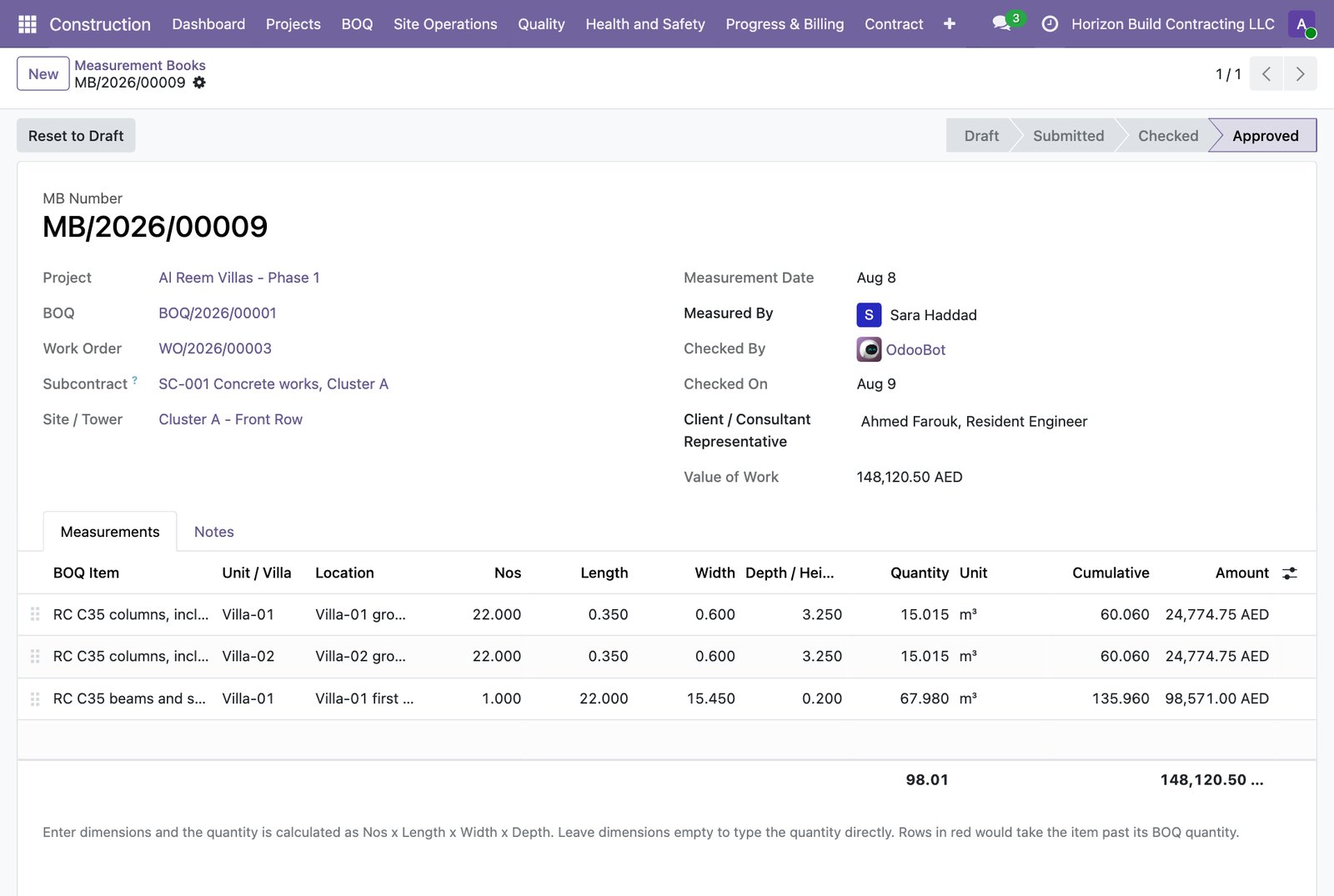
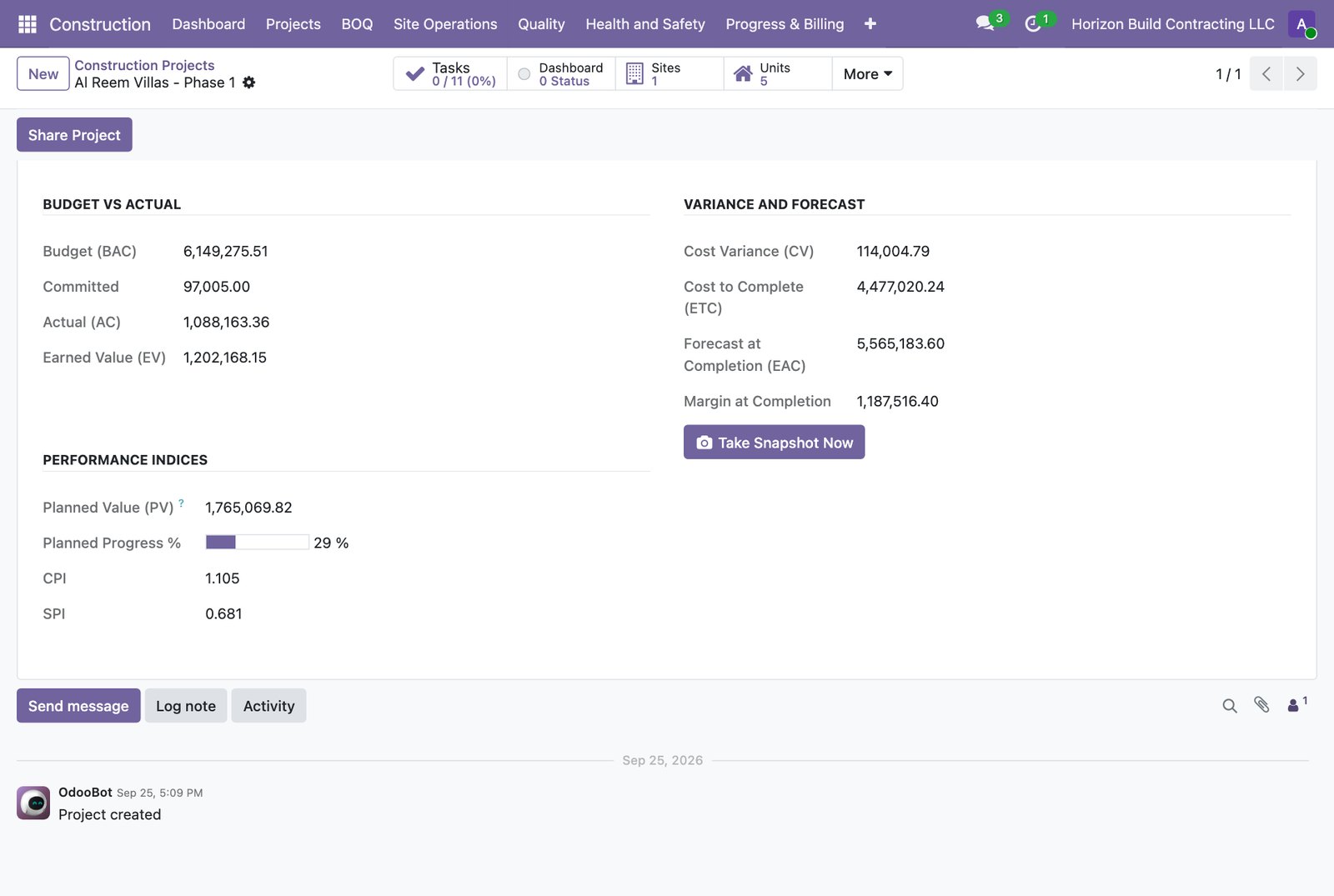
Tender comparison and award. Priced Bills of Quantities with first-principles rate analysis and a master rate library. Work orders, muster roll, daily diary, snags, RFIs and drawing register. Quality inspections, material tests, permits to work and HSE statistics. Measurement books, bilingual Interim Payment Certificates, variation orders, EOT claims, retention and advance recovery. Job costing with earned value and a cash flow forecast.
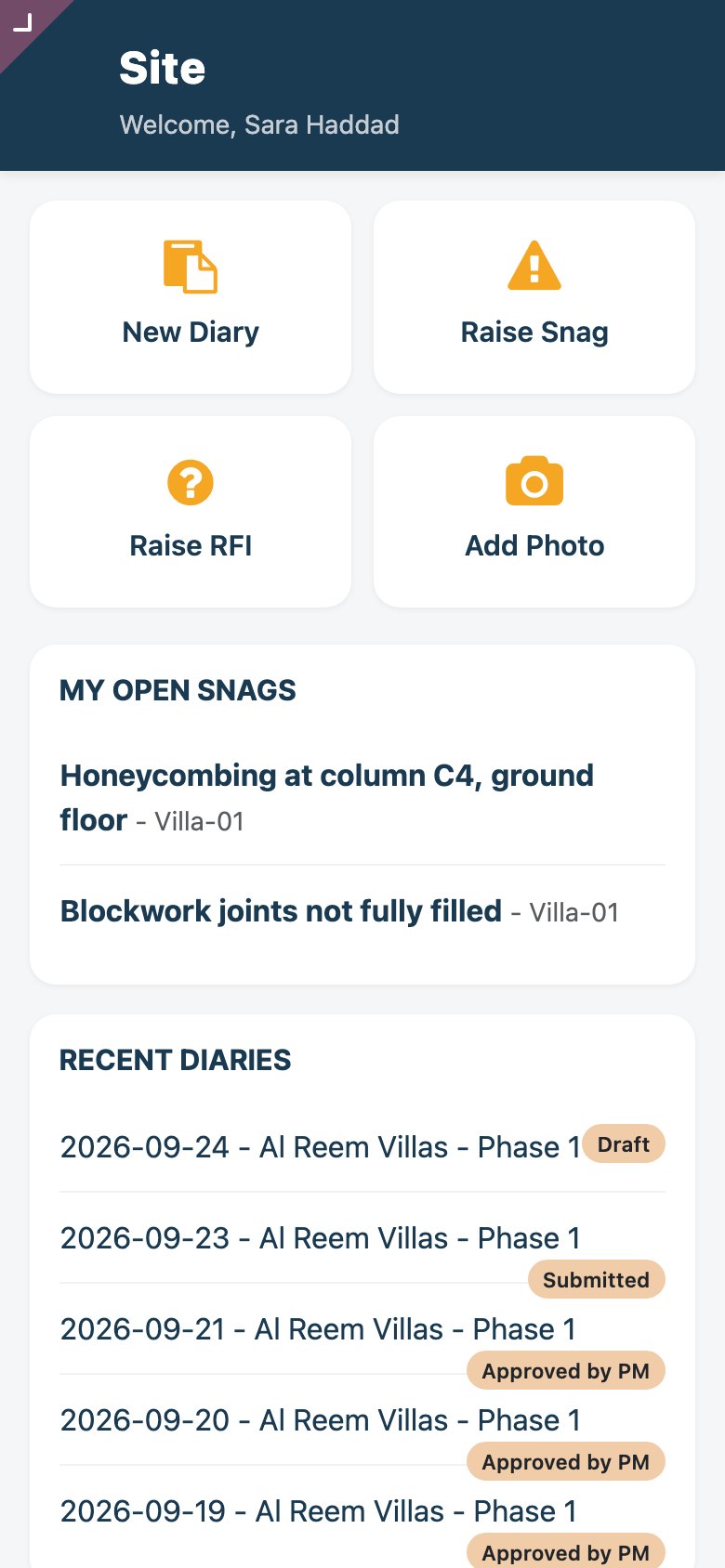
- Site app on the phone: diary, snags, RFIs and photos
- PDF takeoff measurements linked to BOQ lines
- Every PDF in English and Arabic, VAT-aware for UAE, KSA, Qatar, Oman, Bahrain and Kuwait
Owner & Subcontractor Portal
Clients sign online, subcontractors submit their own measurements
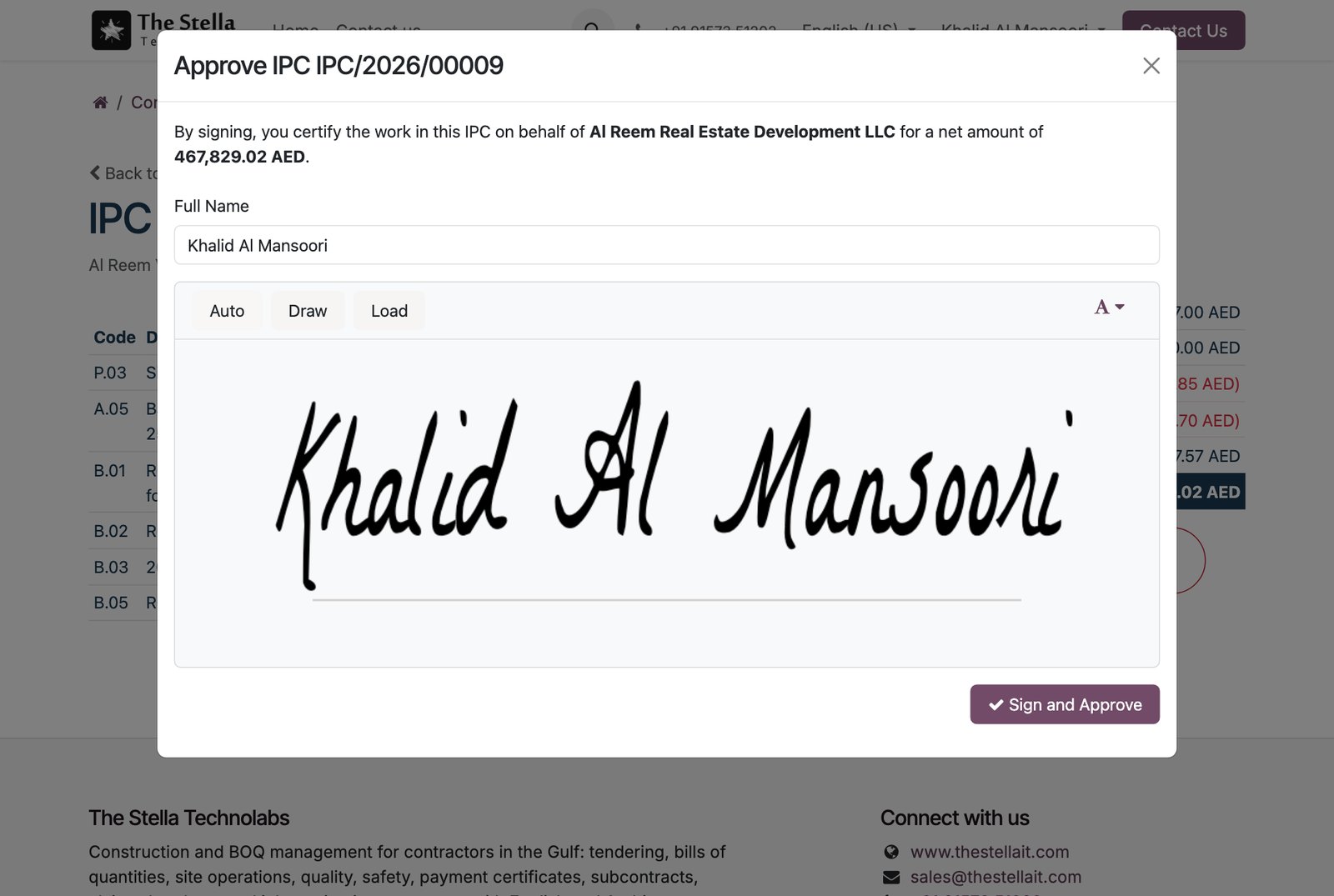
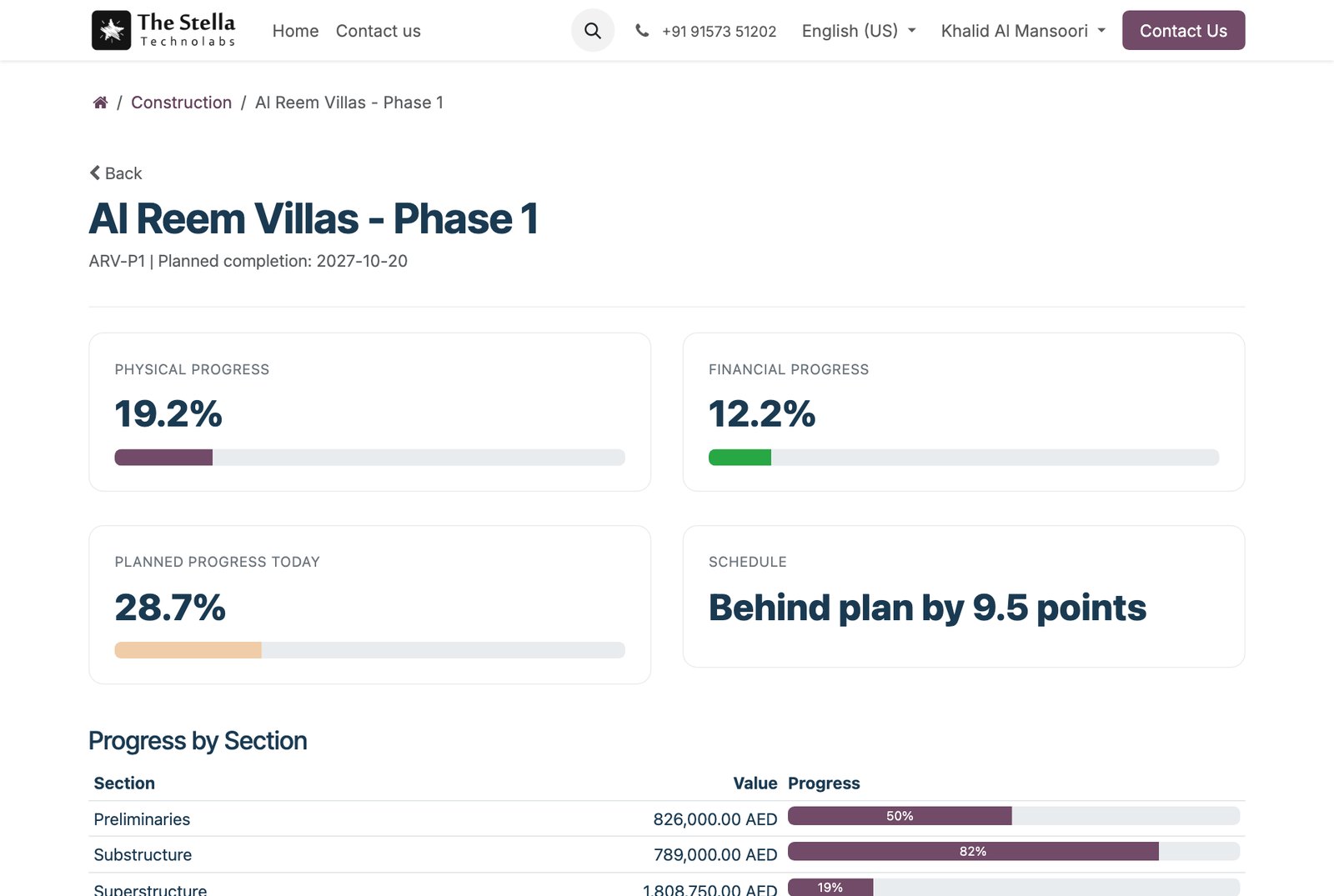
Clients follow live physical, financial and planned progress by BOQ section, review Interim Payment Certificates and variation orders, and approve them with a drawn e-signature that prints on the PDF. Subcontractors see their scope at the agreed subcontract rates, their measurement books and certificates, and submit measurements for checking.
- Owner portal at /my/construction
- E-signature stored and printed on the IPC and VO PDF
- Subcontractors see agreed rates, never the client rates
Construction AI Assistant
Counts drawings, suggests rates, drafts contract letters
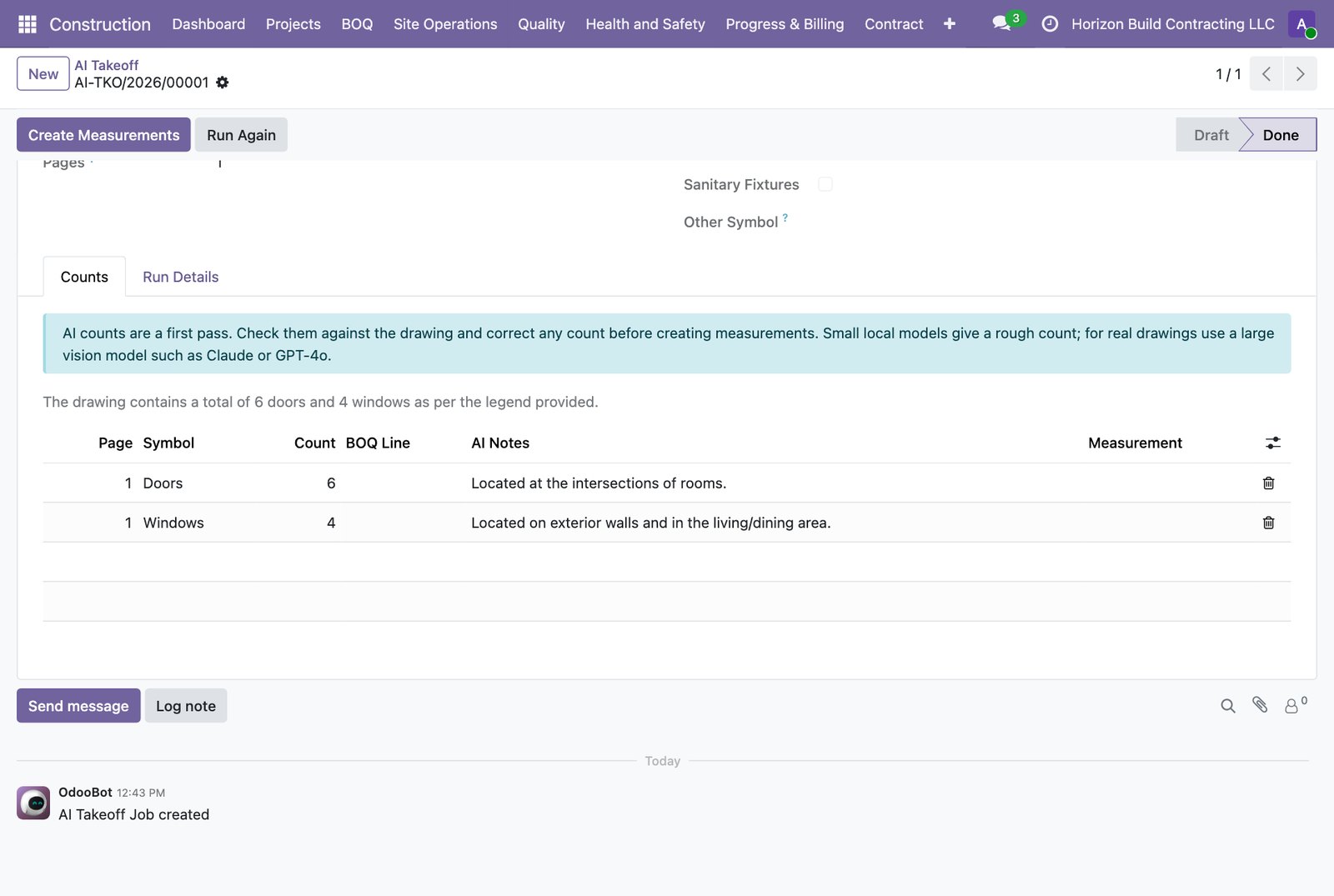
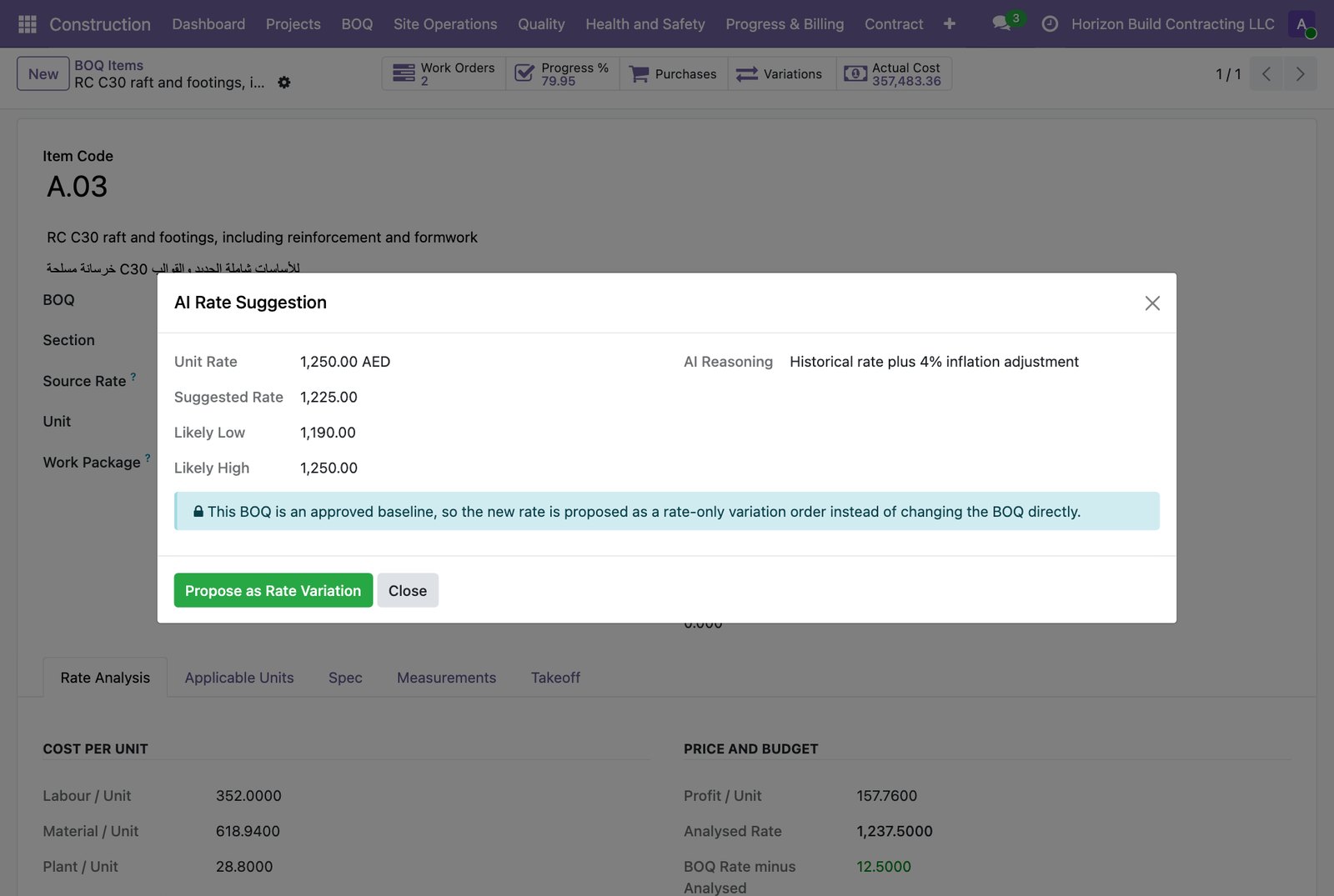
AI takeoff counts doors, windows, outlets and fixtures on your drawing sheets and turns reviewed counts into takeoff measurements. Unit rates suggested from your own past projects, proposed as a rate-only variation when the BOQ is locked. Variation notices and claims drafted with the clauses of your project contract. Consumption alerts when requisitions outrun progress.
- OpenAI, Anthropic Claude or a local Ollama model
- Fully on-premise option: nothing leaves your server
- Every prompt and answer logged for audit
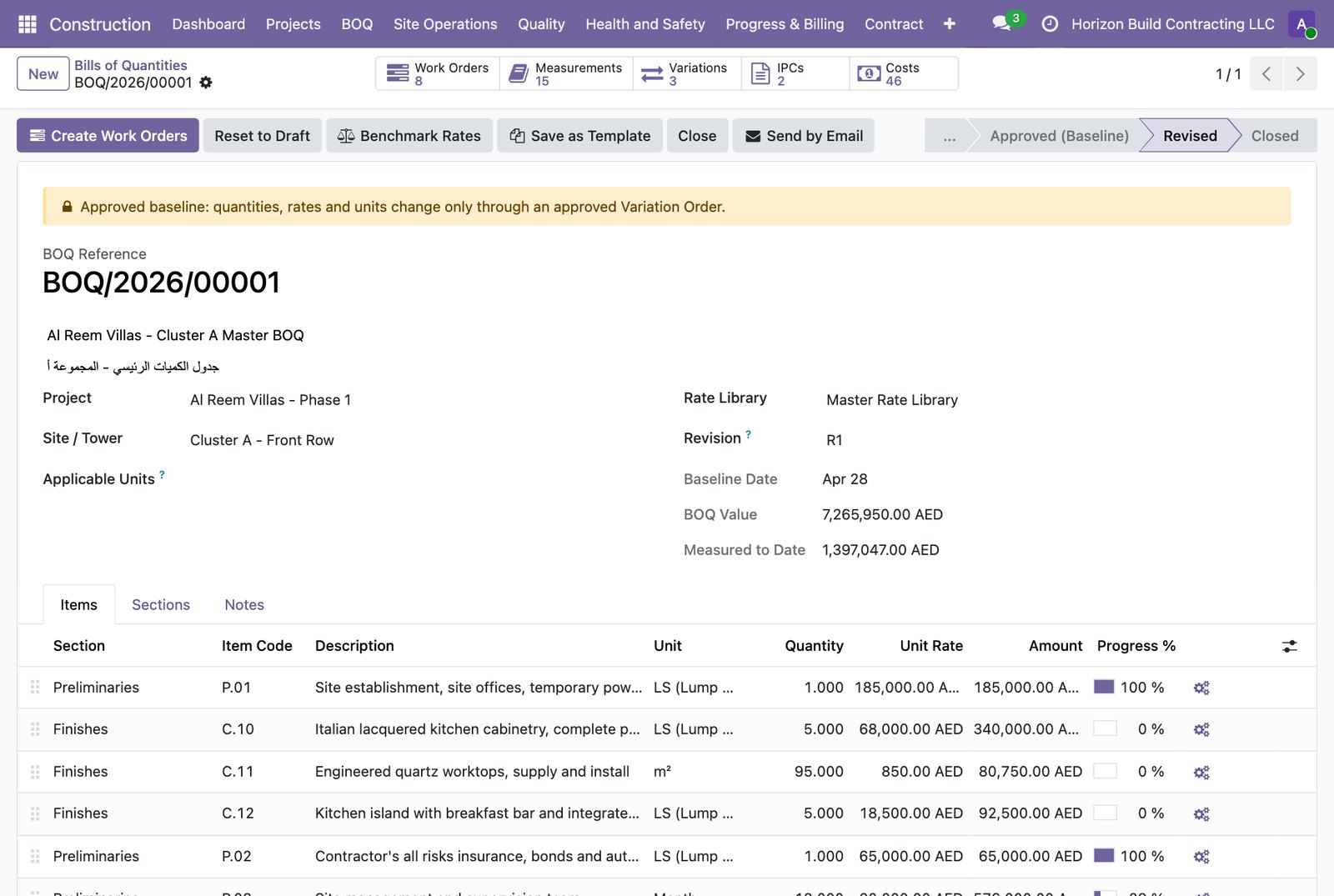
Screens from a live demo project
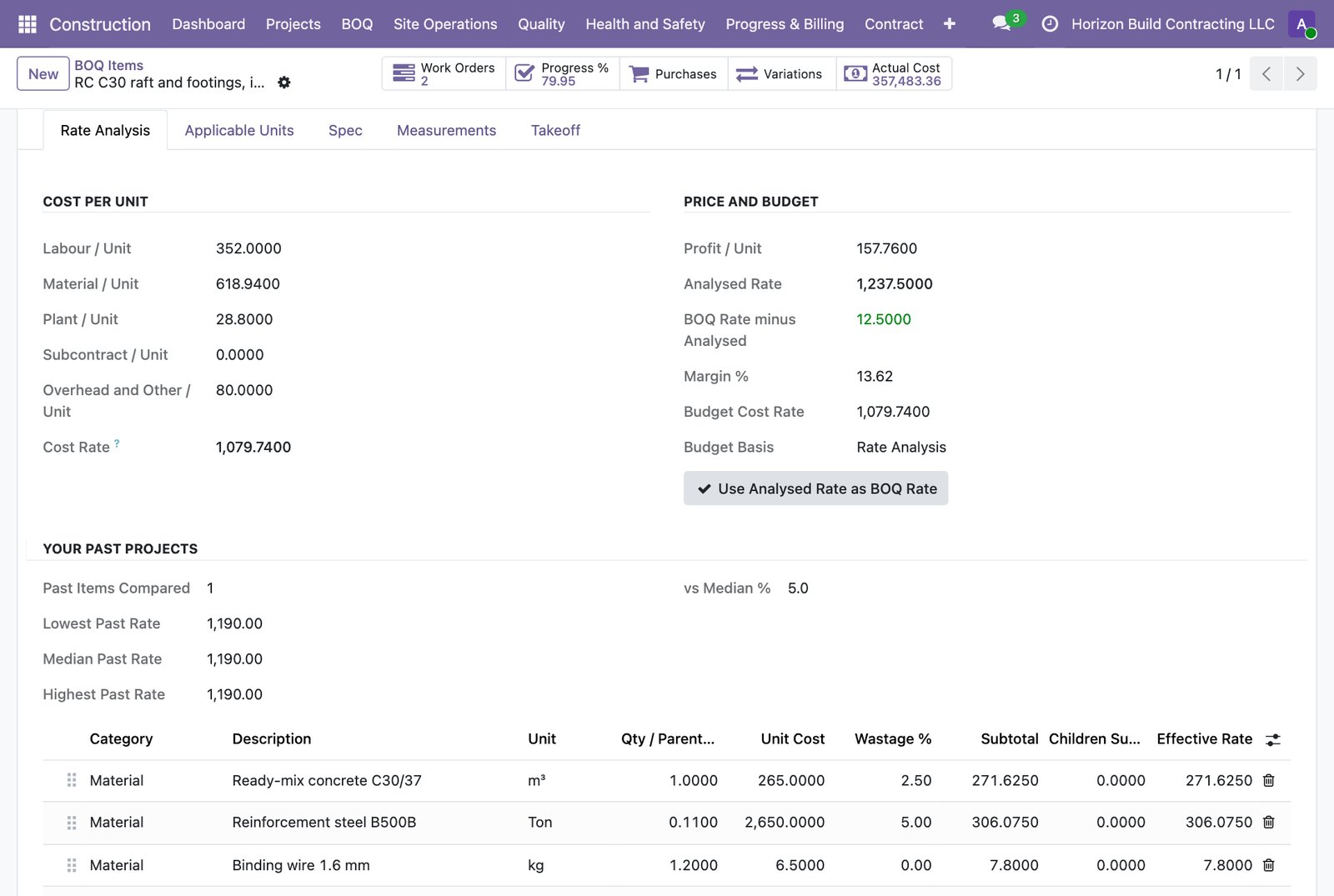
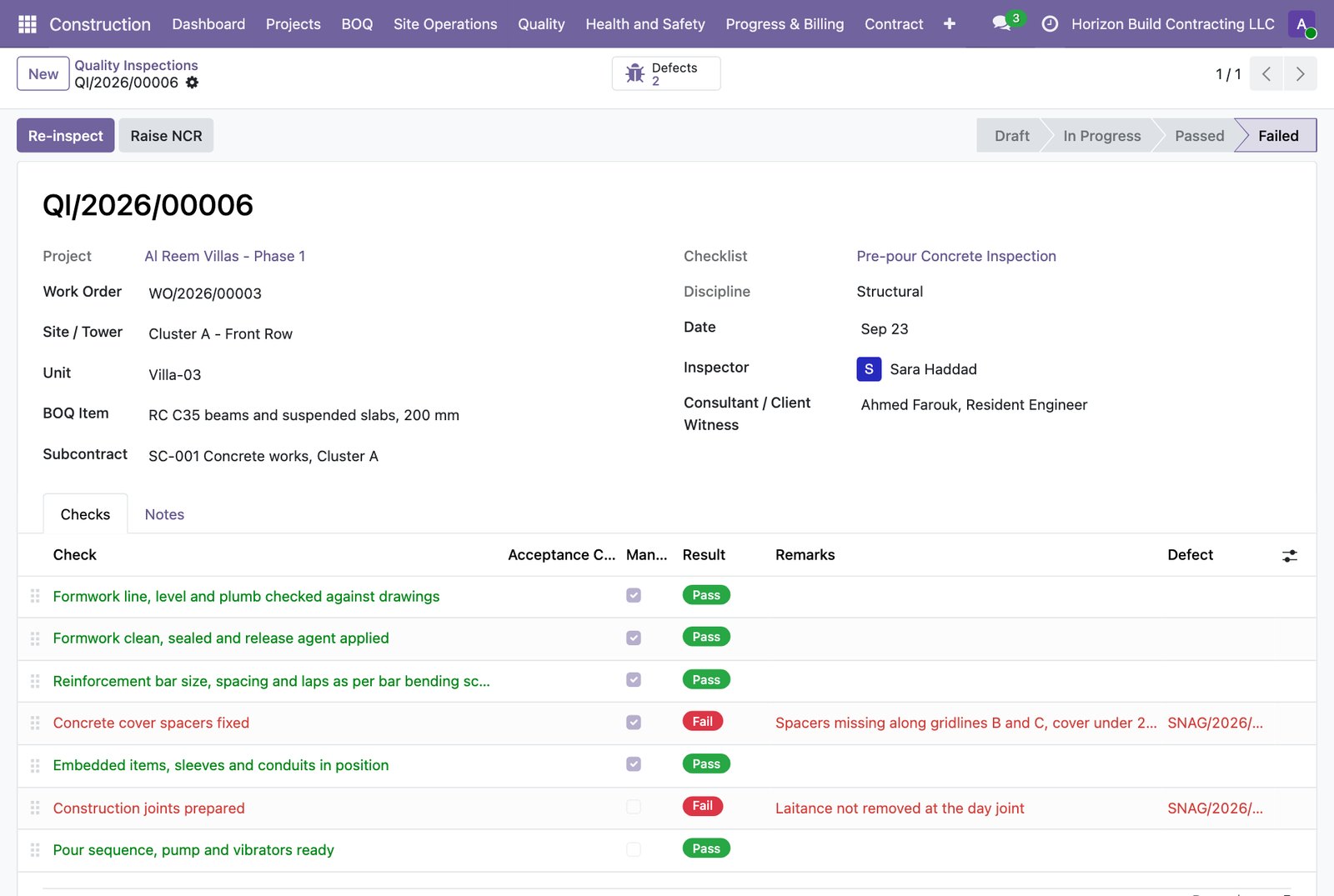
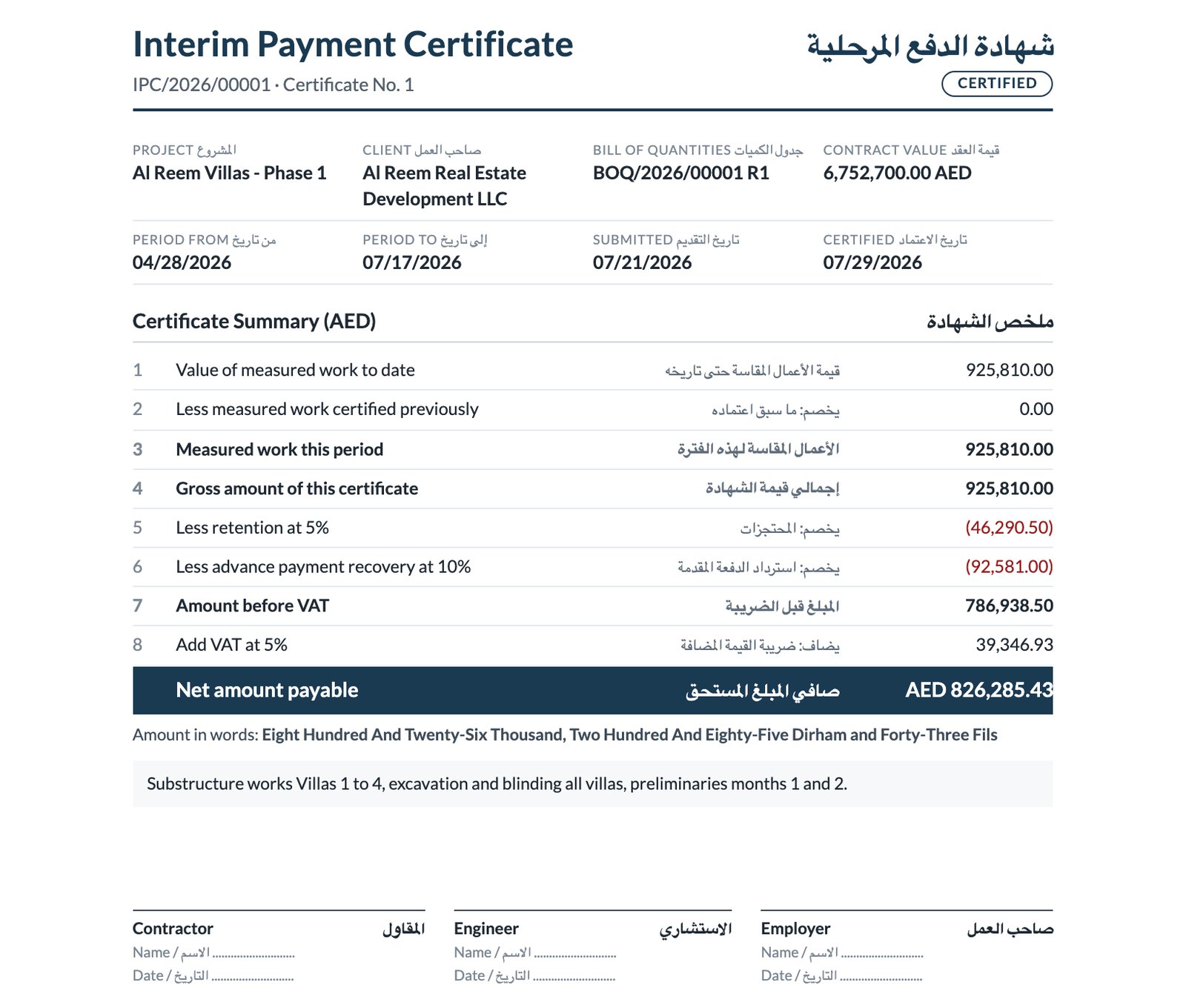
Al Reem Villas, an eighteen-month villa compound in Abu Dhabi, month five. Every screen below is the product as shipped, not a mock-up.
What it costs
Simple. One time license fee. No subscription. No per user pricing.
Construction & BOQ Suite
The core. Everything from tender to handover.
Owner & Subcontractor Portal
Add on
Construction AI Assistant
Add on
One time license. No monthly fees. No per user charge. Compare to Procore (annual enterprise pricing), Buildertrend (monthly subscription), or CONSTRA (over $3,000 with fewer features).
Book a DemoHow teams use it on day one
Three real moments in a residential project - and how the suite turns each one into a five-minute task instead of a three-hour scramble.
Site engineer with a phone in one hand
Morning on site
The engineer opens the /site app on their phone. Records a toolbox talk on scaffold safety with 8 attendee names. Captures 12 geotagged photos of the slab pour. Notices honeycombing on a column - raises a snag with severity Major, assigns it to the concrete subcontractor, due in 3 days, two photos attached. At 18:00 submits the daily diary: weather clear, 81 workers on site, 2 material deliveries. The project manager approves from the office in 30 seconds.
Quantity surveyor preparing the first payment certificate
First IPC, done properly
The QS opens BOQ line A.03 (RC C30 in foundations) and reviews the 8-line rate buildup: cement, aggregate, sand, steel, labour, plant, overhead, profit. Rate rolls up correctly. Creates IPC No. 1 for the period. One click loads progress measurements and every submitted measurement flows in. Retention 5%, advance recovery 10%, UAE VAT 5%, net payable computed. Prints the bilingual certificate in FIDIC Red Book format. One more click and a draft invoice sits in accounting waiting for the finance team.
Owner requested a kitchen upgrade across all 5 villas
Variation approved in two minutes
The developer opens /my/construction on their phone. Sees live progress: 22% physical, 4% financial. Spots Variation Order VO/2026/00001 waiting for approval: Italian lacquered cabinetry, quartz counters, breakfast bar across 5 villas. Reads the 3 scope lines, sees the total value, sees the 21-day EOT claim attached. Taps Approve. Done. The QS is notified immediately, the BOQ baseline is updated, and the extra scope flows into the next IPC automatically.
Built for three profiles
Residential Developers
You buy land, design villas or towers, hire contractors, and sell or rent the units. You need visibility on progress, a clean audit trail for IPC and VO approvals, and a professional portal for your owners.
General Contractors
You bid on tenders, sign FIDIC contracts, and build. Your QS team lives in BOQs, rate buildups, IPCs, and Variation Orders. Your site engineers need to stop drowning in paper diaries.
Subcontractors
You get assigned a slice of the BOQ - concrete, MEP, finishes, landscaping. You need to see your scope, track your progress, and know when the next payment is coming.
Not just another construction module
The Odoo App Store has dozens of construction modules. None ship all of this together, in one connected workflow, tuned for the GCC market.
| Feature | This Suite | CONSTRA | tk_construction | nthub |
|---|---|---|---|---|
| Multi-level project / site / unit hierarchy | ||||
| First-principles rate buildup | ||||
| Master Rate Library (versioned, regional) | ||||
| FIDIC Red Book bilingual IPC certificate | ||||
| Variation Orders with EOT and FIDIC clauses | Partial | |||
| Mobile site app (diary, snags, geotagged photos) | ||||
| Owner and Subcontractor self-service portals | ||||
| Drawing takeoff pushed to BOQ quantities, with AI symbol counting | ||||
| AI rate suggestion and claim drafting | ||||
| Arabic and English on every document |
The best commercial tools outside Odoo - Procore, Buildertrend, RIB CostX, RIB Candy - each solve part of this problem. None combine estimation, execution, billing, and portals in one Odoo-native, GCC-tuned product at this price point.
Specs and compatibility
Frequently asked questions
What does the full suite cost?
The core module, Construction and BOQ Suite, is $399. The Owner and Subcontractor Portal adds $99 and the Construction AI Assistant adds $149. All three together come to $647. This is a one time license fee, not a subscription. There is no per user charge and no annual renewal.
Do I need all three modules?
Does it work with vanilla Odoo?
Is Arabic support actually built in, or just a flag?
Does the AI module send my data to OpenAI?
Do I need to sign up for anything to use the AI features?
Can I use this for infrastructure or hospital projects?
Which contract forms are supported?
Can I take quantities off my drawings?
Can subcontractors submit their own progress claims?
We already use a construction tool. Can we migrate?
Ready to build the last construction workflow you will ever set up?
Book a live demo and we will walk you through the suite using your own project data, or one of our GCC residential demo compounds.