Let Customers Choose When Their Order Arrives
Star Delivery Scheduler adds an interactive delivery date and time slot picker to your Odoo eCommerce checkout. Reduce missed deliveries, eliminate scheduling conflicts, and delight customers with full delivery control.
How It Works
A seamless 5-step flow from shop to doorstep - no friction, no missed windows.
Configure
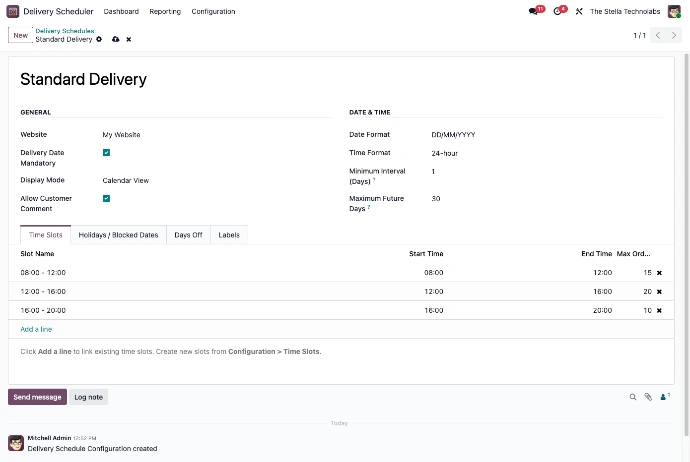
Set time slots, holidays and day-offs in the Odoo backend once. The checkout calendar auto-reflects your schedule.
Shop
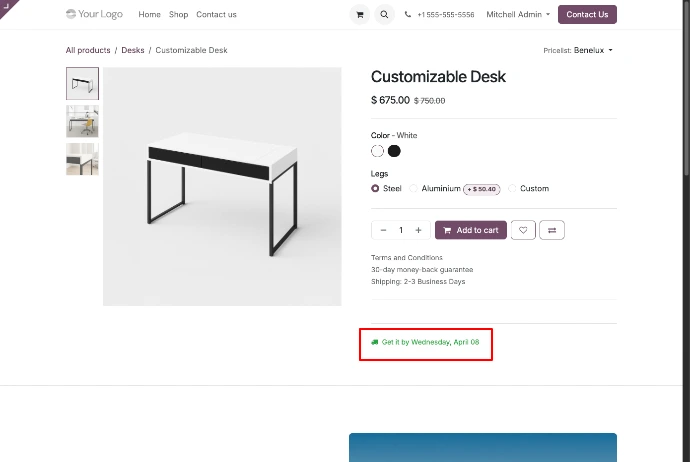
Customers see a "Get It By" delivery estimate directly on product pages based on lead times.
Choose a Date
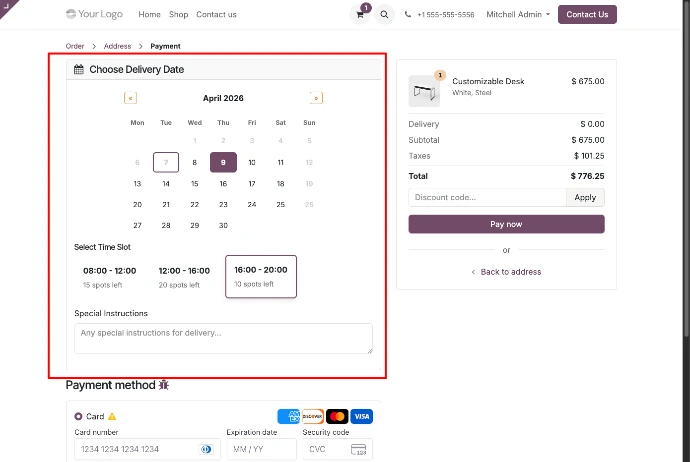
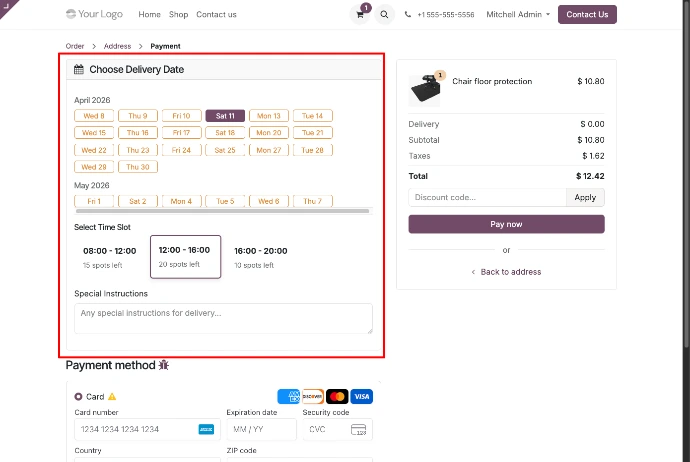
An interactive calendar and time slot picker appear at checkout - only valid dates are selectable.
Pay
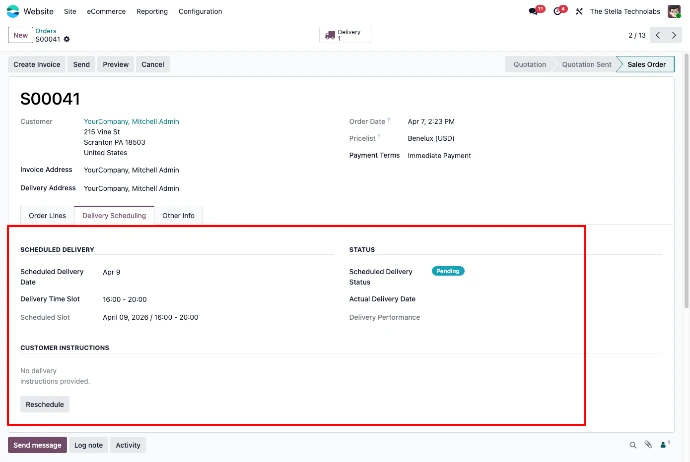
Delivery date and time slot are saved on the sale order. Email reminders go out automatically before the delivery.
Deliver
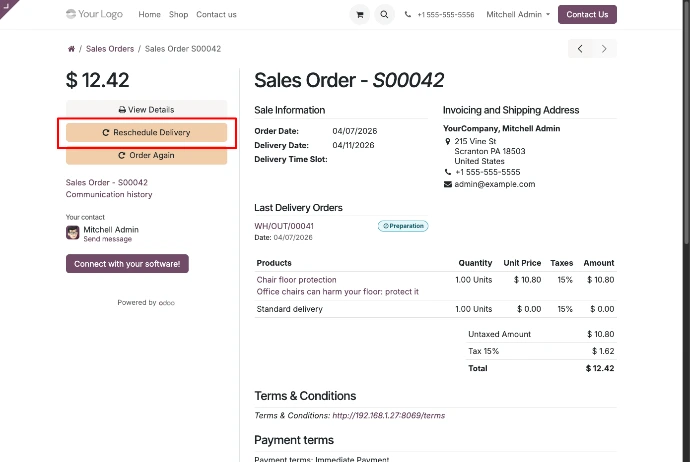
Your team tracks all deliveries on a dedicated dashboard. Customers can reschedule from the portal if needed.
Key Features
Everything you need for smart delivery scheduling - built natively into Odoo.
Month-view calendar at checkout. Unavailable dates are greyed out automatically. One-click date selection with no confusion.
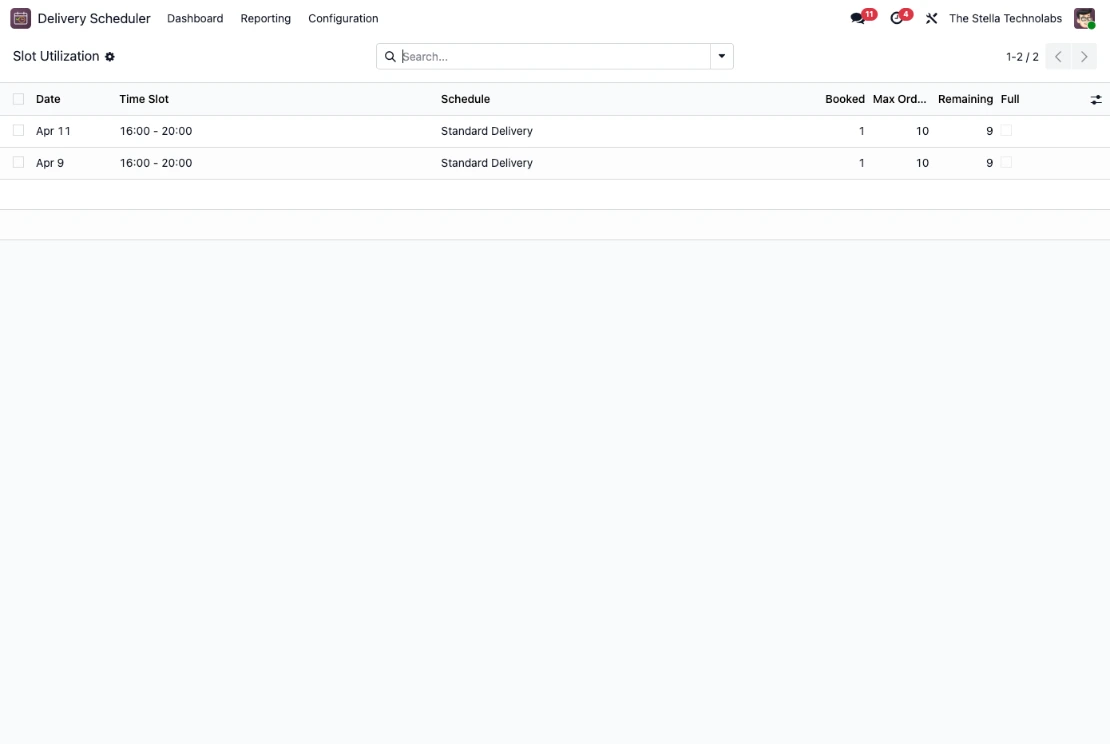
Define multiple time windows with capacity limits per slot to prevent overbooking and keep operations predictable.
Show the earliest possible delivery date on product pages based on lead times and your configured schedule.
Block single dates, date ranges, or recurring annual holidays. All blocked dates are automatically excluded from availability.
Custom OWL calendar and list views with a stats bar, colour-coded delivery badges, and a day-detail popup for operations teams.
Email notifications sent to customers before their delivery. Configurable reminder window in hours to suit your workflow.
Backend wizard with reason tracking, customer portal self-service reschedule, and full chatter logging for every change.
Set lead days per product or per category. When a cart has multiple items, the longest lead time automatically sets the earliest date.
See exactly which slots are filling up, with booked order details and remaining capacity shown at a glance.
Screenshots
See the Scheduler in Motion
A full walkthrough of the checkout date picker, time slot selection, and the operations dashboard.
Ready to Streamline Your Deliveries?
Get Star Delivery Scheduler for your Odoo 18 or 19 store today and give customers the scheduling experience they deserve.
Contact Us to Get Started