DOT Oman, Fully Inside Odoo
Stop switching between systems. Create DOT shipments, sync inventory, and track delivery status, all without leaving Odoo.
The daily pain of disconnected systems
Entering the same order into DOT manually after confirming it in Odoo, every single time.
Checking DOT's portal every hour to see if a shipment status changed, hoping nothing slipped through.
Updating product stock in Odoo by hand after every DOT warehouse sync, a process nobody enjoys.
There's a better way.
How It Works
From install to live in minutes, a seamless setup with powerful automation built in.
Install
Install from the Odoo App Store in one click. A DOT Oman carrier is created automatically, nothing to configure from scratch.
Connect
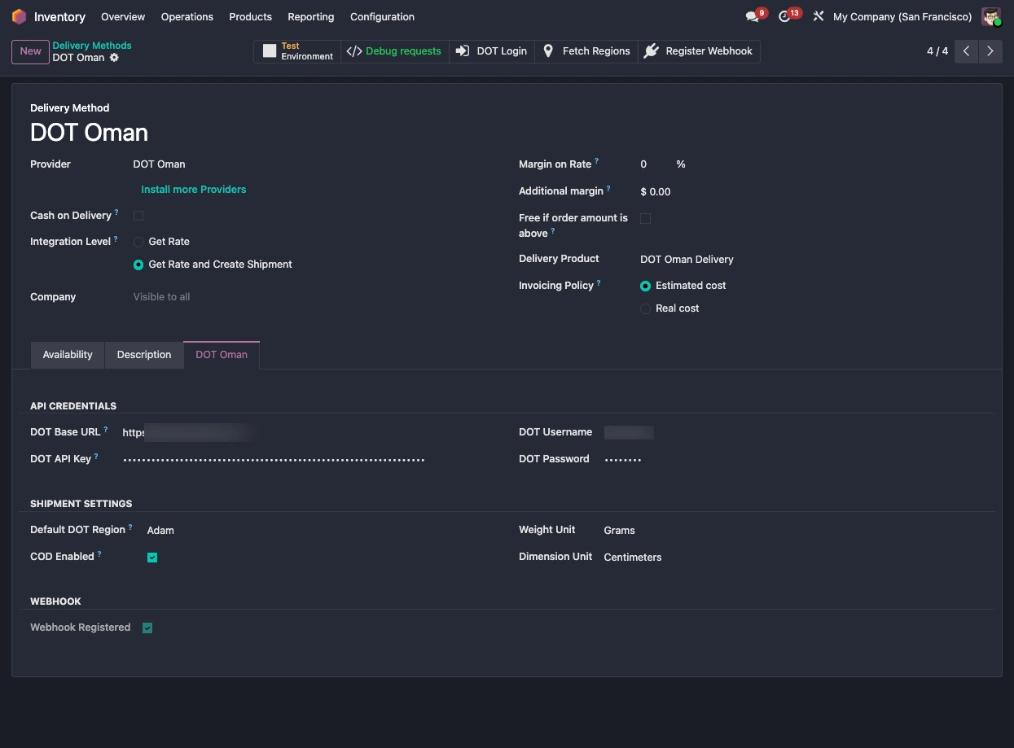
Enter your DOT API credentials in a dedicated tab. Hit DOT Login, the Bearer token is fetched and saved automatically.
Sync Regions
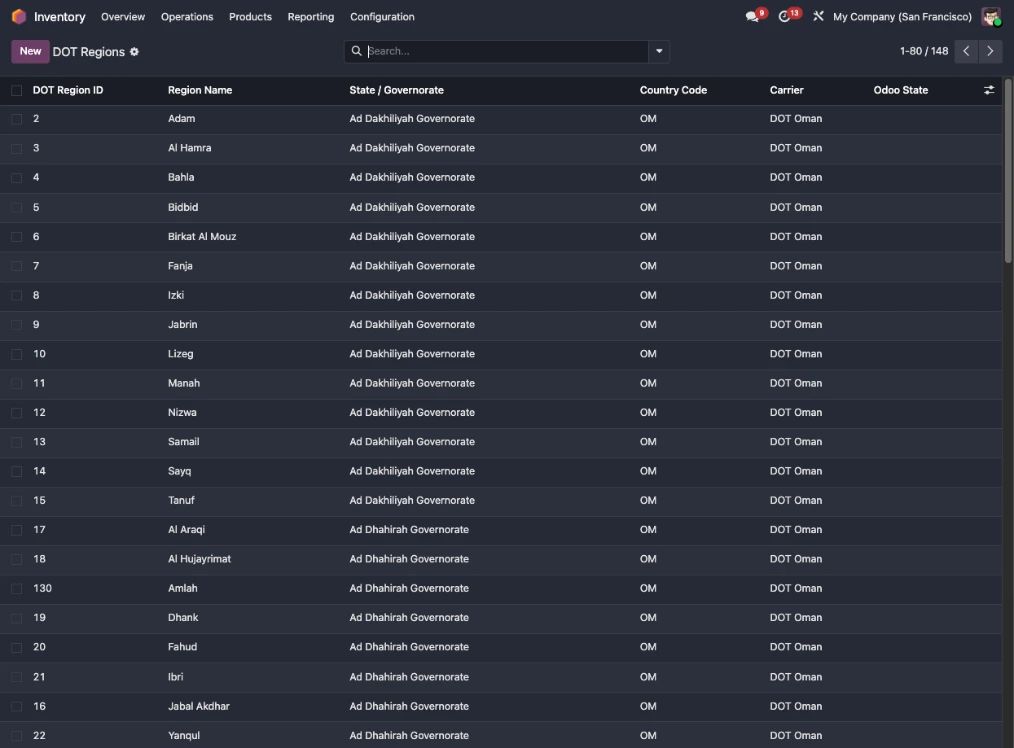
Click Fetch Regions. All 148 DOT Oman delivery zones are imported and mapped to Odoo states instantly.
Import Products & Stock
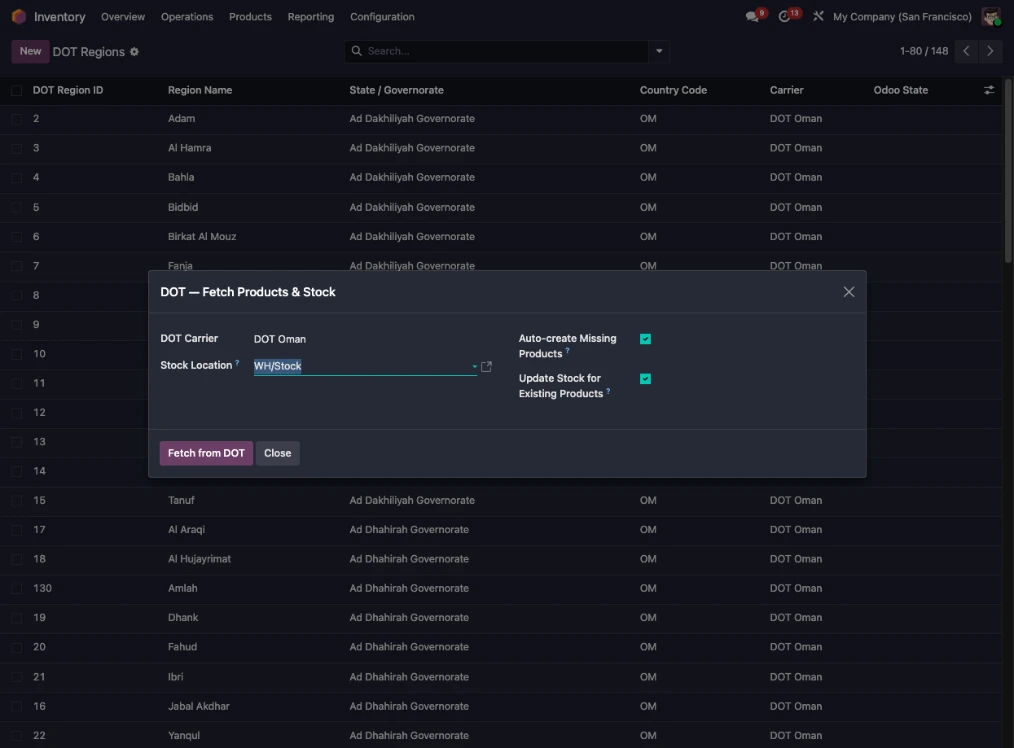
Run the stock sync wizard to pull your DOT product catalog into Odoo. Missing products are auto-created, zero manual entry.
Ship & Track
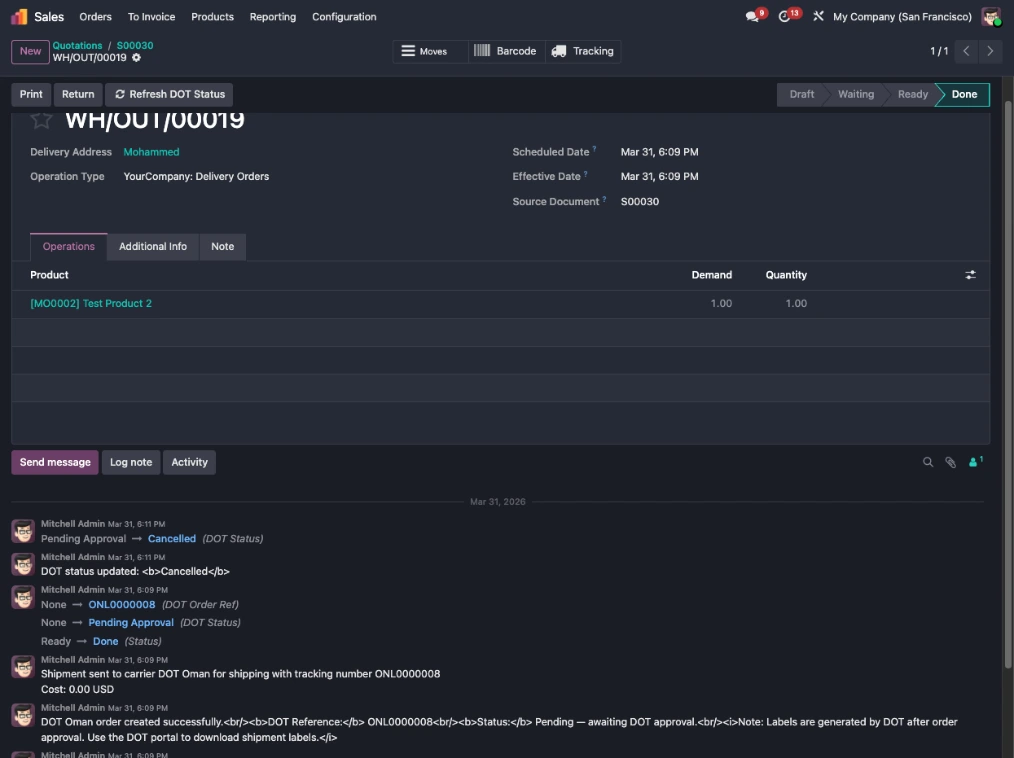
Validate a delivery in Odoo, the order is created on DOT instantly. Status updates flow back via webhook. No portal needed.
Key Features
Everything you need to run DOT Oman shipping natively inside Odoo.
Enter username and password once. The module calls DOT's login API, retrieves a fresh Bearer token, and saves it, no copy-pasting.
DOT Oman regions synced from the API. The system matches the customer's state or city to the correct DOT region automatically.
Fetch your entire DOT product catalog with one button. Missing products are auto-created with full details via native inventory adjustment.
Validate a delivery in Odoo — the order is sent to DOT in real-time. DOT reference stored on the picking, always traceable.
Register your Odoo URL as a DOT webhook in one click. Every status change, picked up, in transit, delivered, updates automatically.
Cancel a DOT order from the Odoo delivery form before collection. The cancellation hits DOT's API and the picking updates immediately.
Two built-in cron jobs: status refresh every 2 hours, stock sync every 6 hours. Enable or disable independently, fully background.
API key, credentials, regions, COD toggle, weight unit, webhook status, everything in a single dedicated tab on the carrier form.
What DOT's API Supports and What It Doesn't
DOT Oman's merchant API has a defined scope. Here's exactly what is and isn't available so you know what to expect.
Available via API
- Create delivery orders
- Cancel orders (before collection)
- Check order status by reference
- Fetch product catalog
- Fetch product stock quantities
- Fetch delivery regions
- Login and token generation
- Webhook registration
Not Available via API
- Push stock from Odoo to DOT (read-only sync)
- Shipping label/PDF via API (download from portal)
- Real-time shipment rates (fixed price used)
- Merchant-side order approval (done by DOT ops)
- Return order creation via API
- Multi-parcel or repack via API
Screenshots
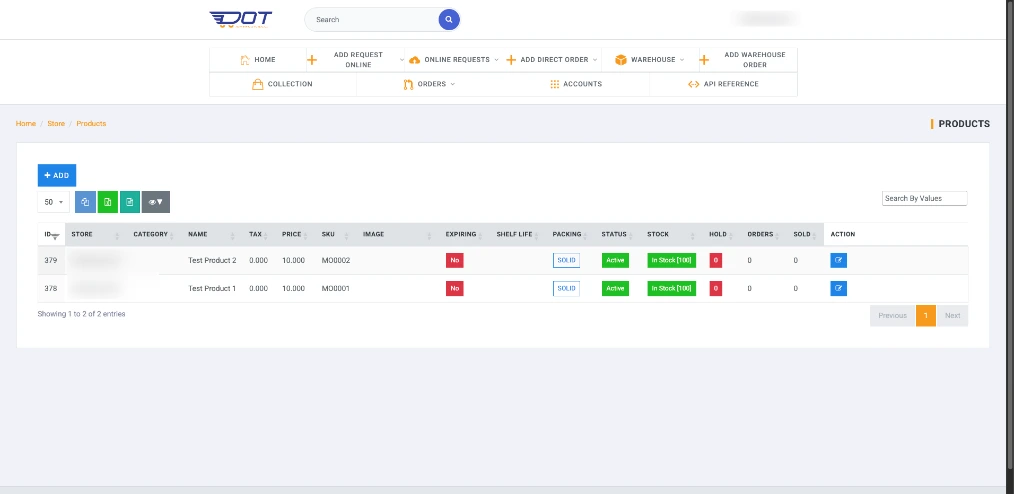
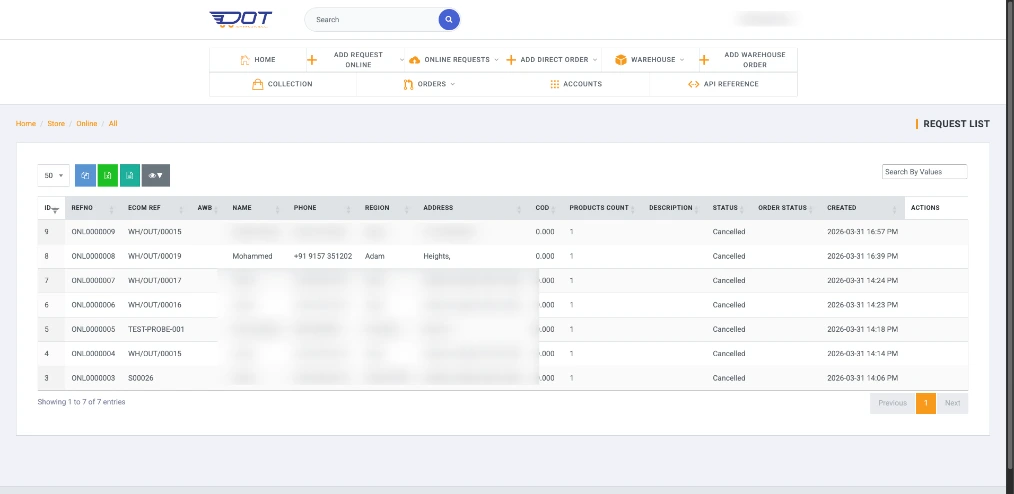
See the DOT Oman Integration in Motion
A walkthrough of shipment creation, live webhook status updates, and stock sync running end to end inside Odoo.
Ready to Connect Odoo with DOT Oman?
Get the module or reach out to our team for a live demo, custom setup, or integration into your existing Odoo instance.