Magento sells. Odoo runs the business. Same numbers on both.
Orders, invoices and credit memos arrive matching Magento to the cent. Stock, shipments and products go back to your store. Nothing is installed on Magento.
Magento sells. Odoo keeps the books.
Magento is where you sell. Odoo is where you keep stock, send invoices and close the books. When the two disagree, someone spends the week fixing totals, taxes and refunds by hand.
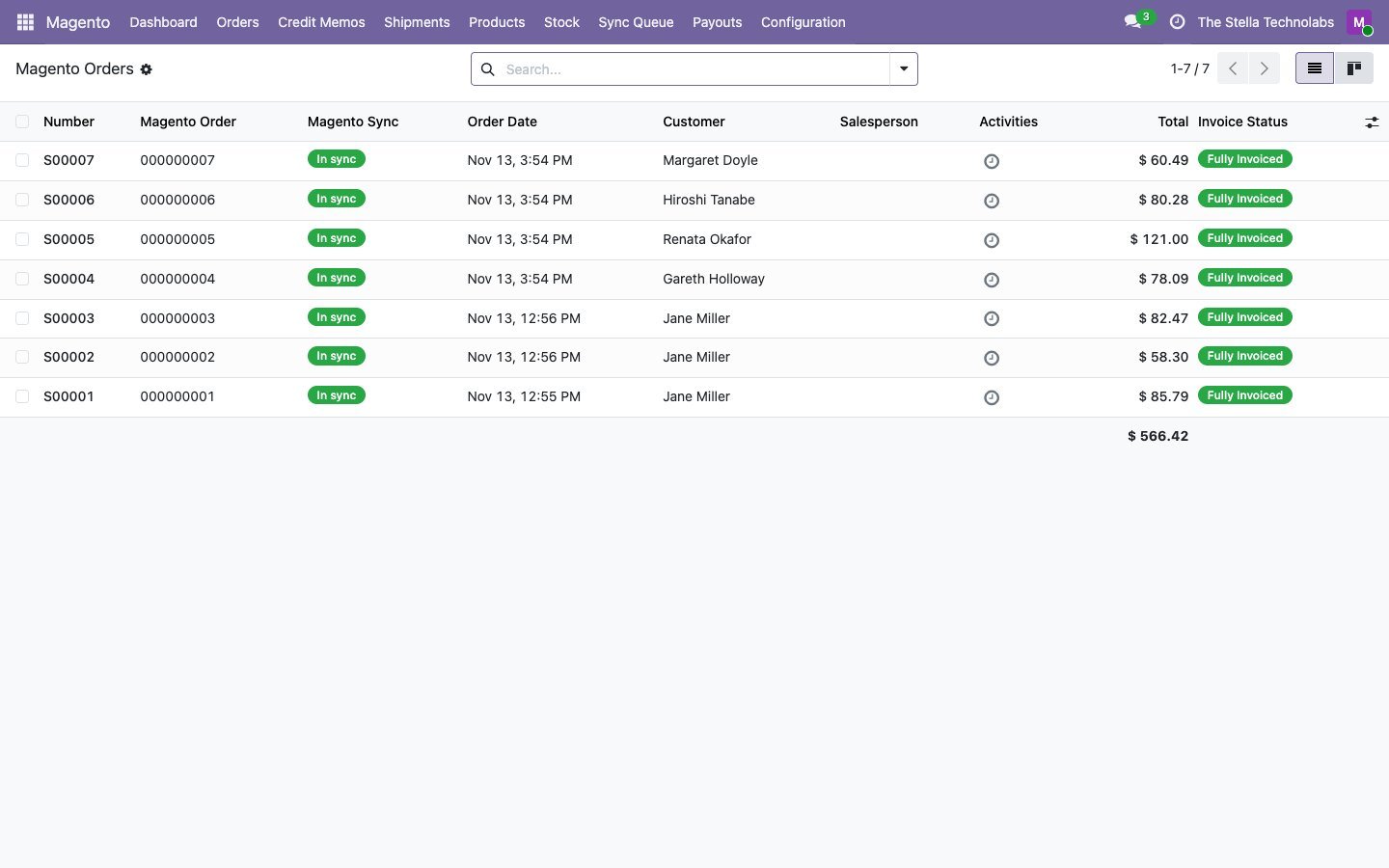
This connector keeps them in step. Every Magento order becomes a confirmed sale order with its invoice and payment, checked against Magento before it is posted. Credit memos come back as credit notes. Odoo sends stock per inventory source, creates the shipment with tracking, and keeps your products in sync. There is no Magento extension, patch or Composer package to install.
Nothing on Magento, and books that agree
Nothing on Magento
No extension, patch or Composer package. Odoo checks Magento every two minutes and sweeps every night, on Open Source, Mage-OS and Adobe Commerce alike.
Ties to the cent
Before an invoice is posted it is compared with Magento. A one cent rounding moves onto the tax line; a real difference waits with both totals, and nothing is created.
Taxes never invented
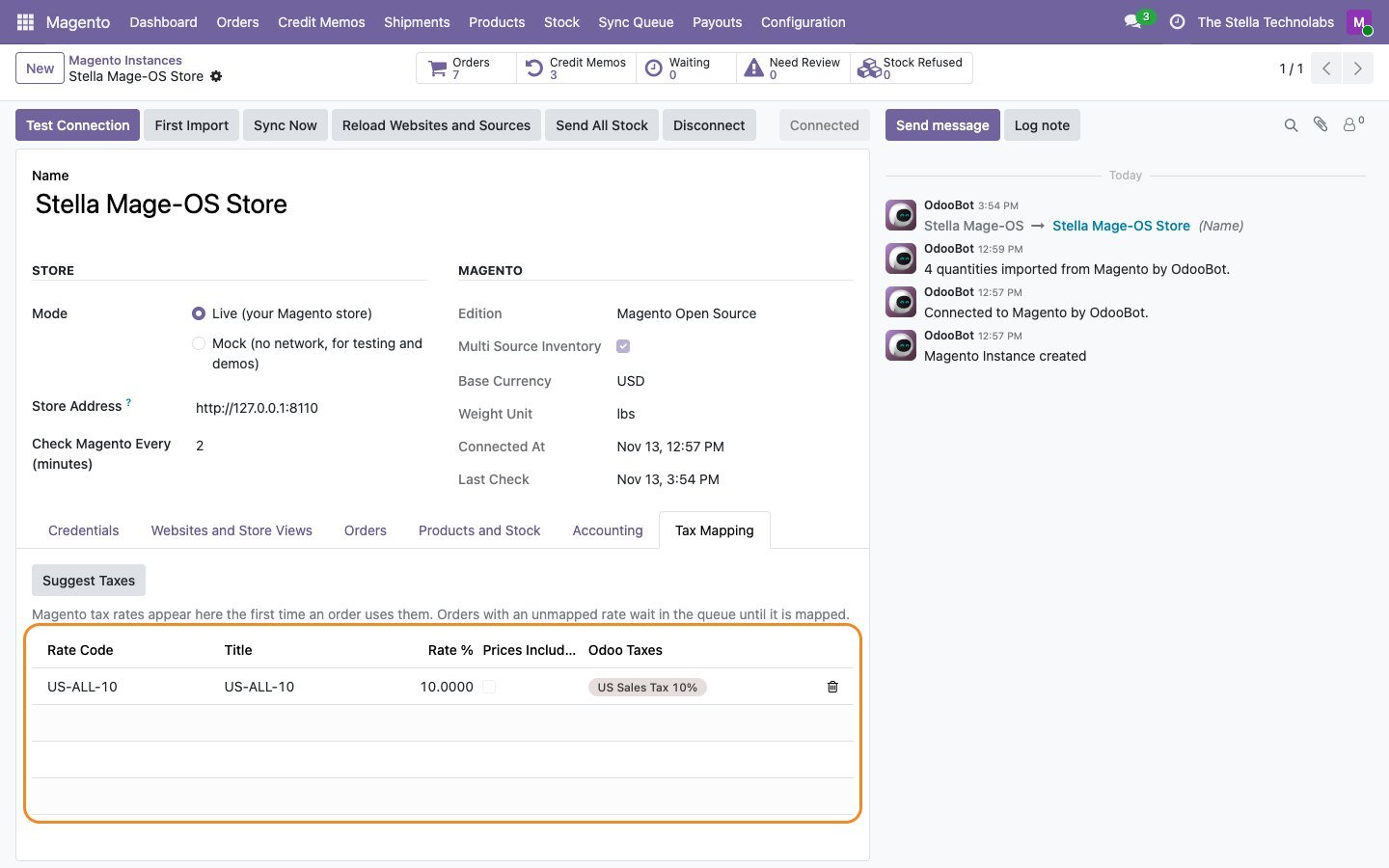
Each Magento tax rate code is mapped to an Odoo tax once, with a suggestion. An unknown rate holds the order instead of creating a stray tax that breaks your tax report.
One module, nothing else to buy
One price covers everything on this page, on Community and Enterprise.
Everything the connector does
Each item below is a capability of the published module.
Secure sign in
Requests are signed with the four values of a Magento integration, the way Adobe recommends. No admin password, no two factor trouble, no Bearer setting to switch back on.
Orders, invoiced
Every Magento order becomes a confirmed sale order with its invoice and payment. Configurable and bundle lines are expanded; coupons, shipping and taxes sit on their own lines.
Two way credit memos
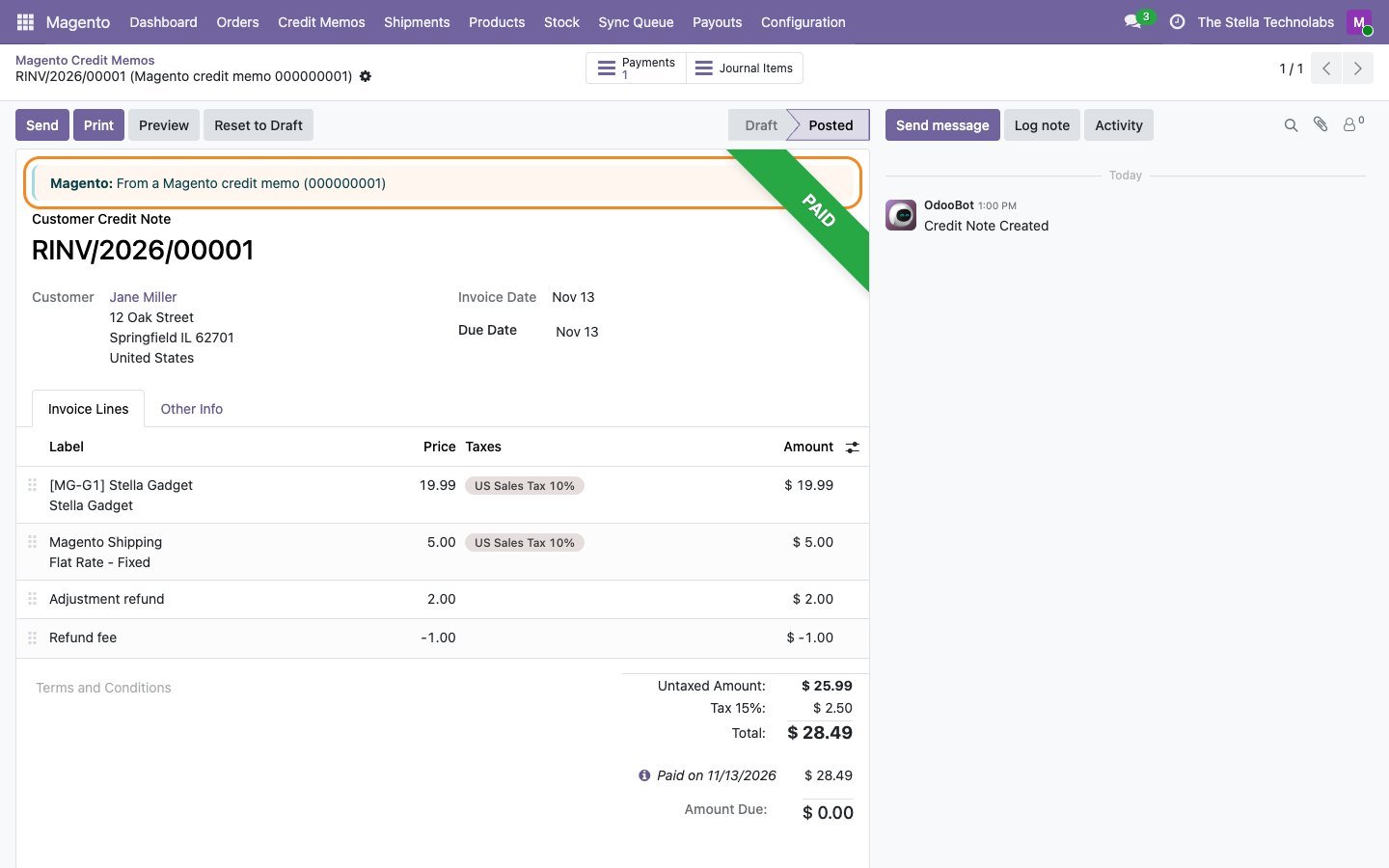
Magento credit memos become credit notes with refunded shipping, adjustment refund and fee, the refund payment and the return. Odoo credit notes can become Magento credit memos.
Shipment tracking
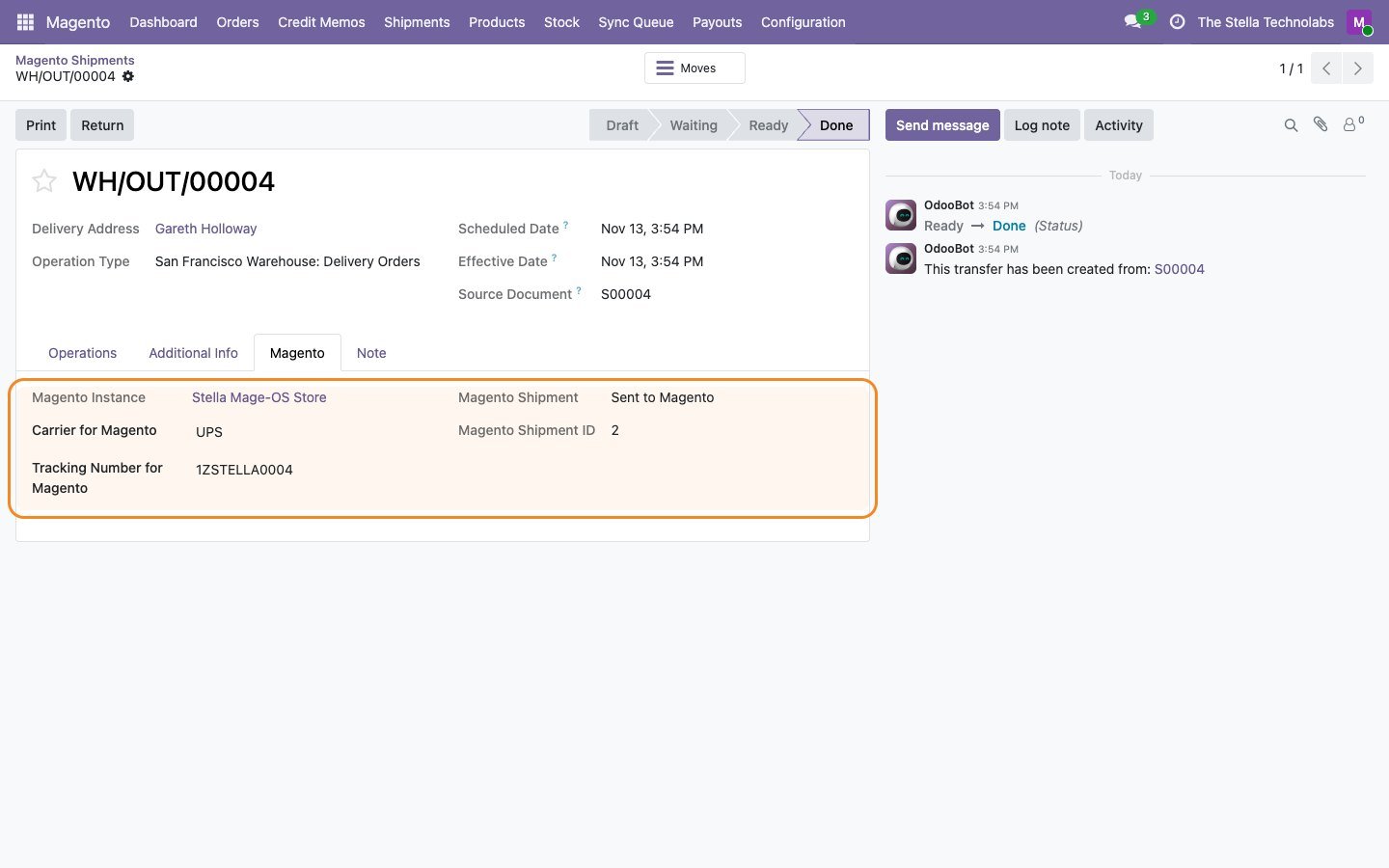
Validating the Odoo delivery creates the Magento shipment with carrier and tracking, from the right inventory source, and Magento emails the customer if you want.
Offline payments
A bank transfer, check or cash on delivery paid in Odoo creates the Magento invoice, so the order leaves pending and the customer is told.
Stock per source
The available quantity of your Odoo warehouses is sent per Magento inventory source, in small batches, with your own unshipped Magento orders counted once, never twice.
Products both ways
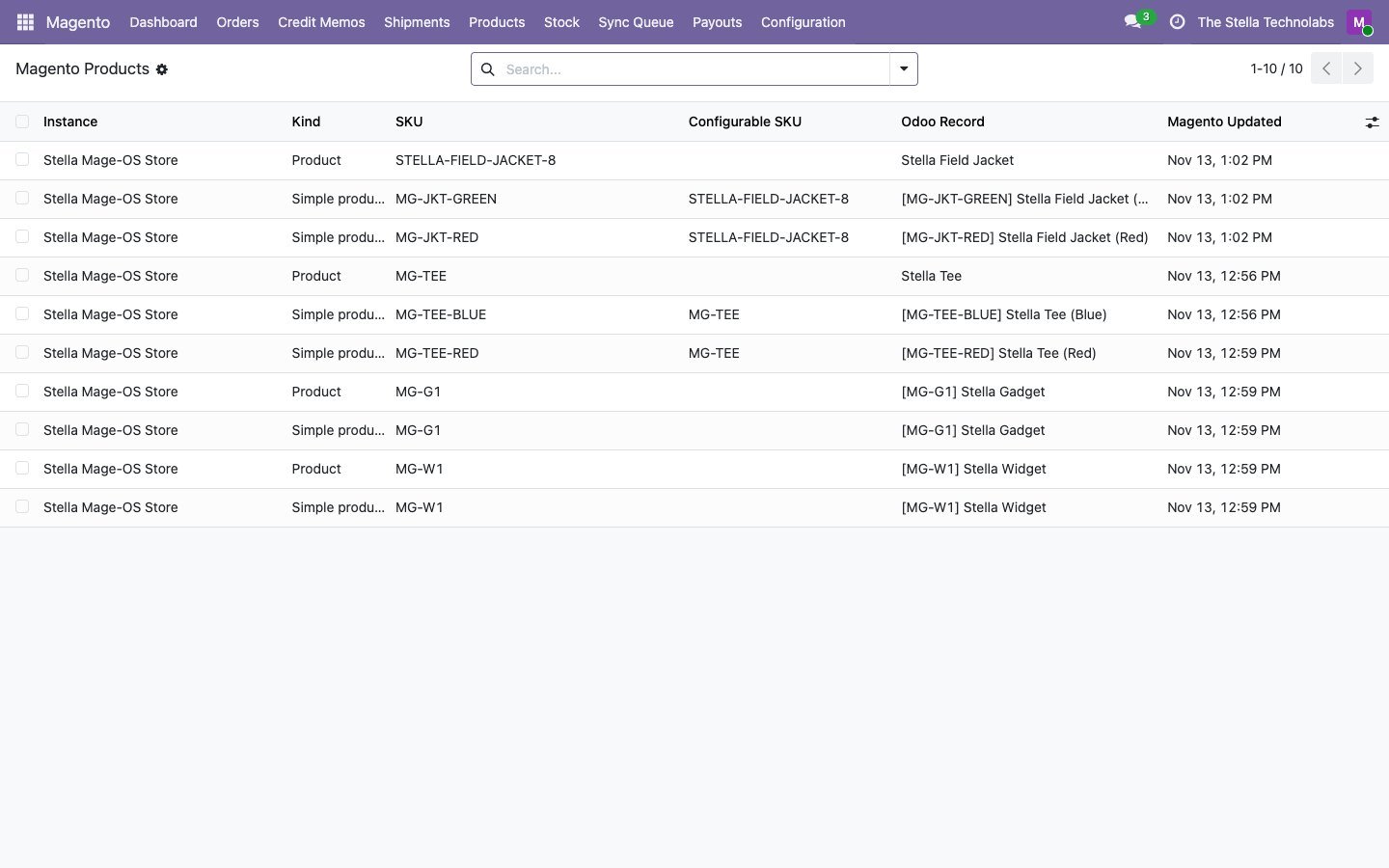
Simple and configurable products matched by SKU, with options, categories, images, website prices and translations per store view. Choose Magento or Odoo as the master.
Bundles and grouped products
Odoo combo products become Magento bundles with one option per combo choice, and a grouped product lists the products you pick. Their orders import and expand correctly.
Group tier prices
Link a Magento customer group to an Odoo price list. Its prices and quantity breaks become tier prices in Magento, and new customers of the group get the price list in Odoo.
Field mapping without code
Copy any Magento attribute or order field into an Odoo field, and Odoo product fields into Magento attributes. Pick the attribute and the field; nothing to break on upgrades.
Store credit and gift cards
Adobe Commerce store credit, gift cards and reward points used on an order are booked as their own payment lines against liability accounts.
Base currency ties
Orders placed in a display currency are booked at the rate Magento used, so revenue in Odoo matches the Magento base currency report.
Payouts reconciled
Stripe payouts, PayPal transactions and Braintree disbursements become bank statement lines matched to the order payments, with fees and disputes on their own accounts.
Permission check
Test Connection lists every Magento permission the integration is missing and where to tick it, before the first sync runs.
Dashboard per store
Orders, credit memos, queued and failed items per store with trends, a chart and the latest activity, plus Review and Retry when something waits.
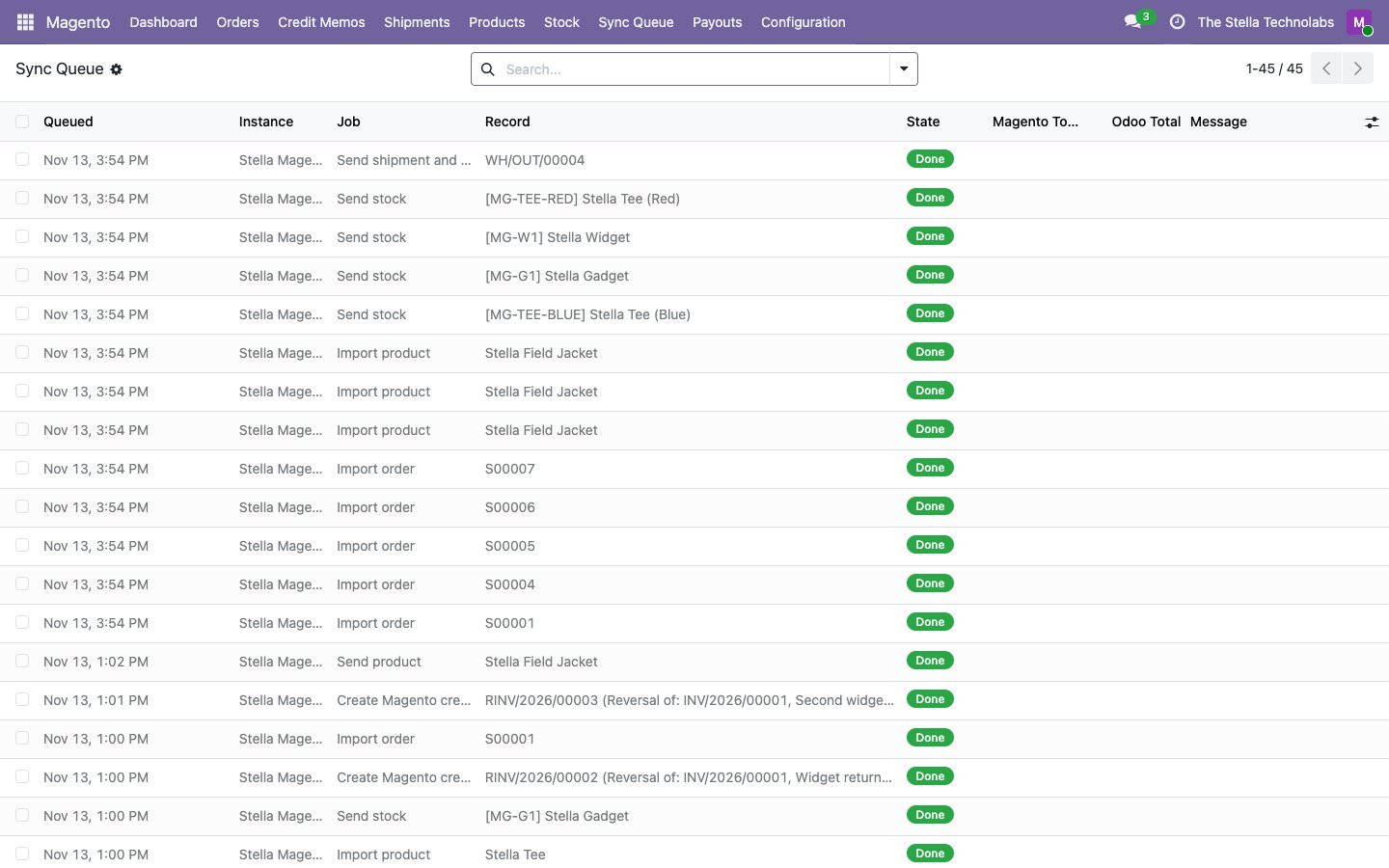
Queue, retry and mock mode
Every exchange is logged with the request and the answer, and can be retried or skipped. Mock mode runs without a store for demos and training.
Both directions, and what moves each way
From Magento to Odoo
| Magento | Odoo | When |
|---|---|---|
| Order (processing or complete; pending optional) | Confirmed sale order with customer, lines at Magento prices, taxes per rate code, coupon and shipping | Every two minutes, plus a nightly sweep |
| Invoiced order | Posted invoice and payment, total checked against Magento first | When Magento has the order paid (your choice) |
| Credit memo | Credit note and refund payment, open delivery reduced, shipped items received back | Every two minutes |
| Cancelled order | Cancelled sale order (after invoicing the credit memo is booked instead) | Every two minutes |
| Shipment made in Magento (optional) | Validated delivery with tracking | Every two minutes |
| Product created or changed | Product with variants, categories and main image | Every two minutes |
| Customer groups | Groups linked to price lists | When the store connects |
| Mapped attributes and order fields | The Odoo fields you choose | With the product, order or customer |
| Stripe, PayPal and Braintree payouts | Bank statement lines matched to order payments | Every 6 hours |
From Odoo to Magento
| Odoo | Magento | When |
|---|---|---|
| Stock | Source quantity per SKU | After stock moves, and nightly |
| Validated delivery | Shipment with carrier and tracking from the source that shipped | When the delivery is validated |
| Payment of an offline order | Invoice, order leaves pending | When the Odoo invoice is paid |
| Product (when Odoo is the master) | Simple, configurable, bundle or grouped product | When the product changes |
| Price list of a customer group | Tier prices of that group | With the product |
| Credit note (optional) | Credit memo | When a manager clicks Refund in Magento |
| Cancelled sale order (optional) | Cancelled order, only if not invoiced or shipped in Magento | When the order is cancelled |
Built in safeguards
| Situation | What the connector does |
|---|---|
| An order would total differently in Odoo | Nothing is created. It waits in the queue with both totals and a message on what to check. |
| A Magento tax rate has no Odoo tax yet | The order waits; the rate appears in Tax Mapping with a suggestion. Map it and retry. |
| An order has a product Odoo does not know | The product is imported from Magento, or the order waits, as you choose. |
| A refunded item was never shipped | The open delivery is reduced so it is not shipped by mistake. |
| A new store is connected | Send Stock stays off until you have imported Magento quantities, so an empty warehouse never empties your store. |
| A credit note is more than Magento can still refund | Nothing is refunded. It waits for review with both amounts. |
| The integration lacks a permission | Test Connection names the missing permission and where to tick it. |
| Magento slows down or blocks requests | The connector waits and tries again in smaller batches; nothing is lost. |
| The same order arrives twice | It is recognised and updated, never created twice. |
How it compares
| This connector | Typical Magento connector | |
|---|---|---|
| Price, with every module it needs | $199, one module | About $229 to $668 for the full featured ones, because most need a base module |
| Something to install on Magento | Nothing | An API module, a patch, or a third party webhook extension |
| Magento credit memos become Odoo credit notes | Yes, with shipping, adjustments, refund payment and return | Imported without detail, only sent one way, or not yet available |
| Order totals checked before posting | Yes; a difference waits with both totals | Mismatches listed after the order is created, or an adjustment line added |
| Taxes never created silently | Yes; an unknown rate holds the order | Three create taxes automatically |
| Sign in without the admin password | Yes, signed integration requests | Admin password, or the Bearer setting switched on |
| Stripe, PayPal and Braintree payouts as bank statement lines | Yes | Not stated |
| Tier prices per customer group | Yes | Not stated |
| Field mapping without writing code | Yes | Mapping with Python scripts, or not stated |
Typical Magento connector: what the seven Magento connectors on the Odoo Apps Store state on their own listings, read in November 2026. "Not stated" means the listing does not mention it.
A closer look
Click any screen to open it full size.
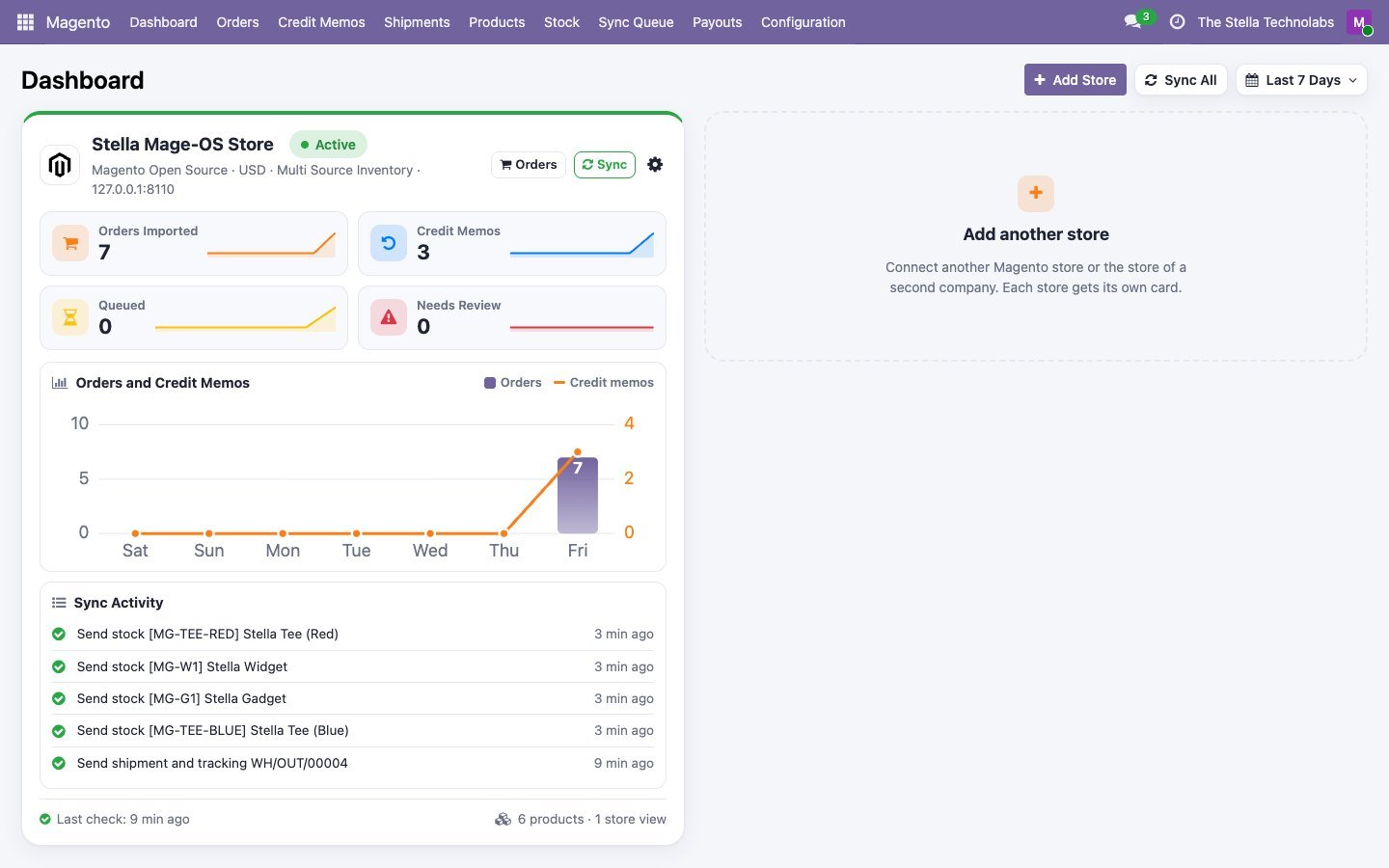
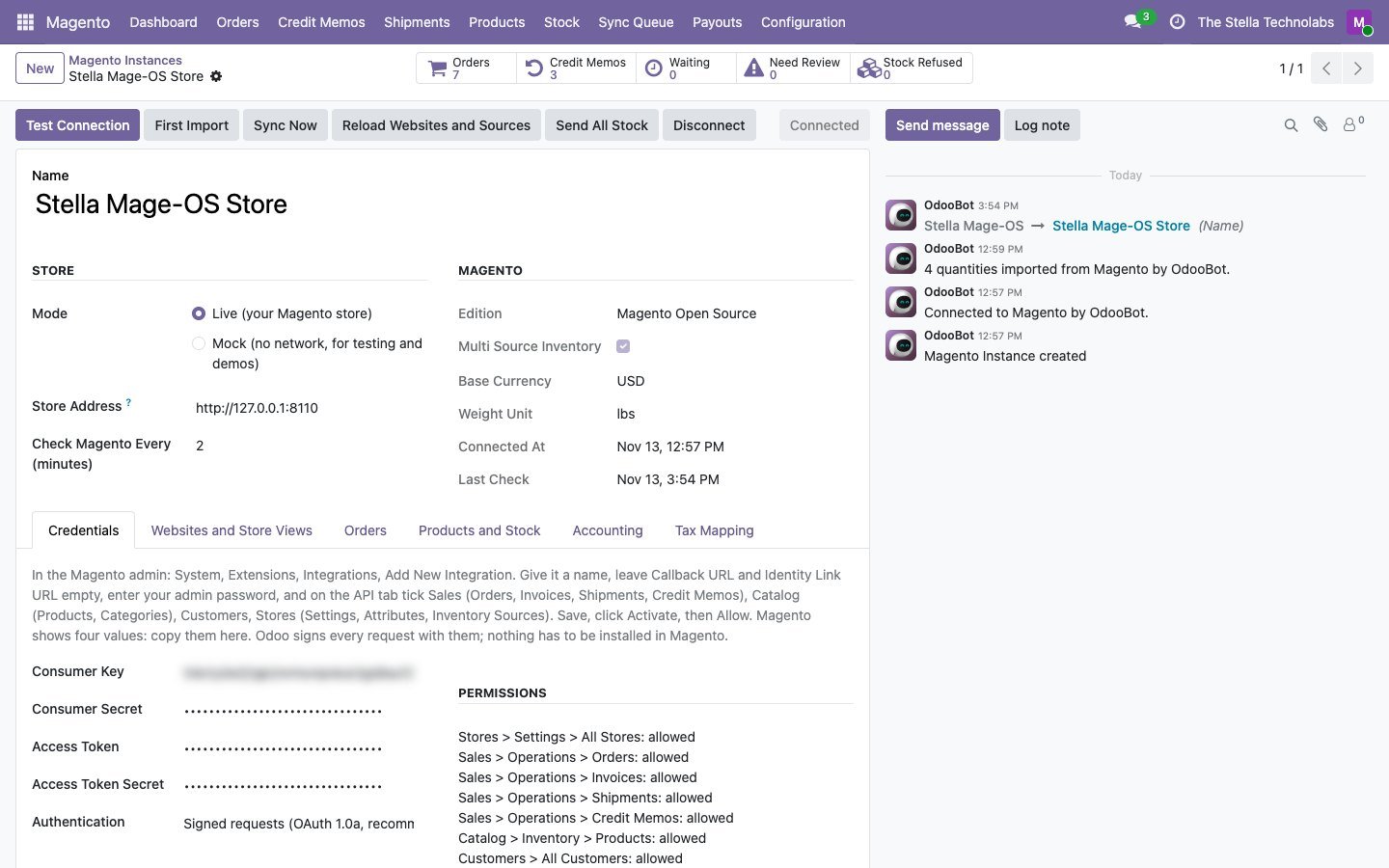
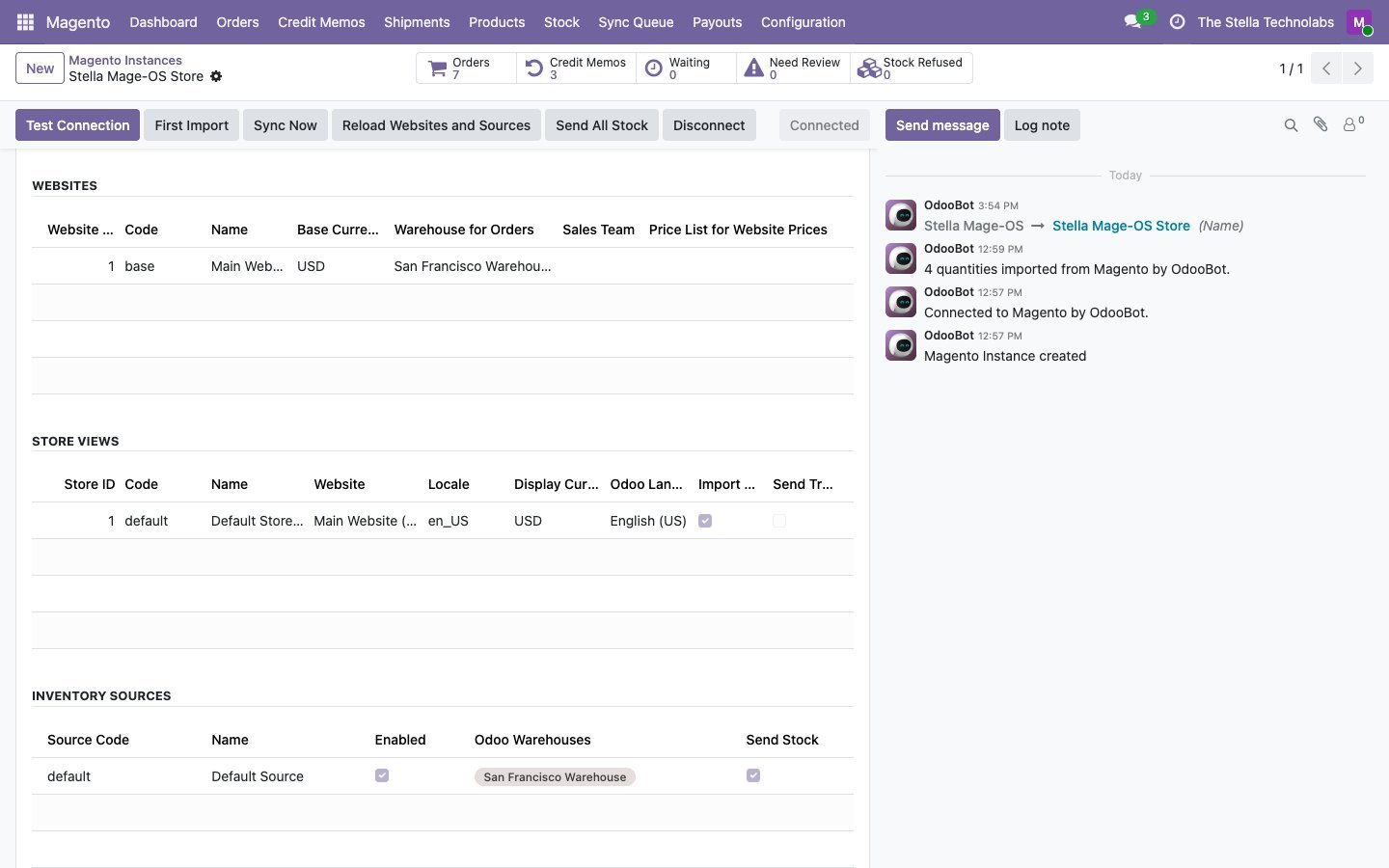
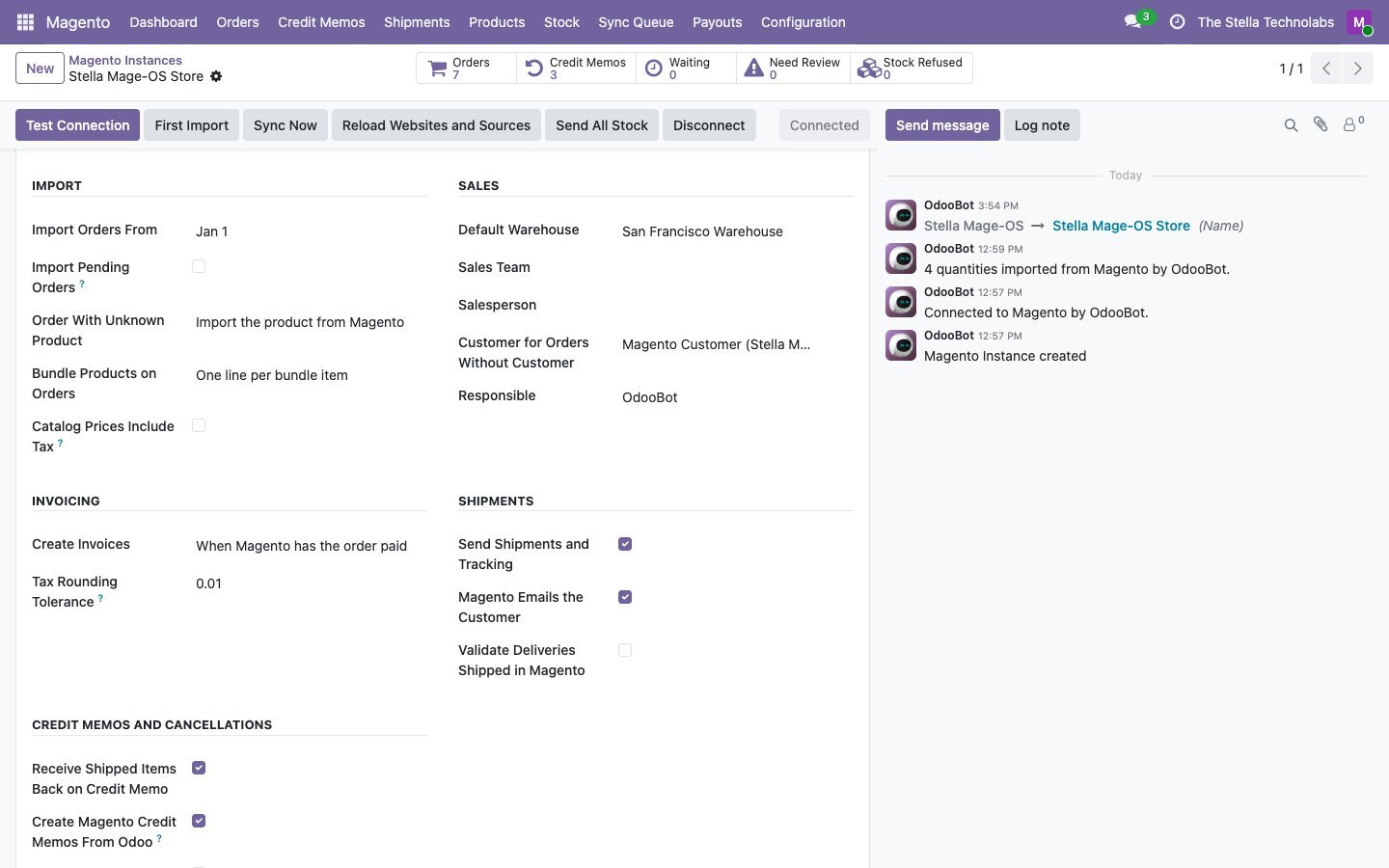
Merchants on Magento, running on Odoo
Merchants who sell on Magento Open Source, Mage-OS or Adobe Commerce and run stock, invoicing and accounting in Odoo, with one store or several, and want both systems to show the same numbers without exports or manual entry.
Tested on the standard, unmodified editions of Odoo Community and Enterprise. It depends on the standard Sales and Inventory modules. If your sales, inventory, accounting or a related module (such as a customised order flow, changed tax setup or another eCommerce connector) has been changed by another developer, contact us before buying. You need a Magento 2 store (Magento Open Source, Mage-OS or Adobe Commerce, self hosted or on Adobe Commerce Cloud) and an integration created in its admin; nothing is installed on Magento. Runs on Odoo.sh and your own server; Odoo Online does not allow custom modules. Magento and Adobe Commerce are trademarks of Adobe. This module is made by The Stella Technolabs and is not made or endorsed by Adobe.
Ready to tie Magento and Odoo together?
Need help creating the Magento integration, mapping taxes or connecting your first store? Our team answers.
Questions, answered
What do I need on the Magento side?
An integration: System, Extensions, Integrations, Add New Integration, tick the resources, save and Activate. Paste its consumer key and secret and access token and secret into Odoo and click Test Connection.
Do I have to install anything on Magento?
No. There is no extension, patch or Composer package. Odoo uses the standard Magento REST API with a signed integration.
How quickly do orders arrive?
Odoo checks Magento every two minutes (you can choose 1 to 60) and sweeps every night to catch anything missed. Magento never waits for Odoo at checkout.
Does it work with Multi Source Inventory?
Yes. Each source is linked to one or more Odoo warehouses; stock is sent per source and shipments come from the source that shipped. Stores without MSI work too.
Which editions does it support?
Magento Open Source, Mage-OS and Adobe Commerce, self hosted or on Adobe Commerce Cloud. Store credit, gift cards and reward points apply to Adobe Commerce.
Can I connect more than one store?
Yes, several stores per company, each with its own websites, store views, warehouses, journals and settings.
Does it import my old orders?
Yes. The first import reads products and orders from a date you choose.
Does it work on Community?
Yes, everything including payout matching. It depends on Sales and Inventory only.
Can I try it without a store?
Yes. Mock mode connects to a built in practice store, so you can train your team and test your setup first.