Move Odoo files to the cloud. Keep readable copies where your team works.
Offload attachments to Amazon S3 or any S3 compatible bucket to shrink your Odoo storage, and mirror readable copies into Google Drive, OneDrive or SharePoint folders per record. Rules decide what goes where, a safe queue does the work, and you can migrate both directions.
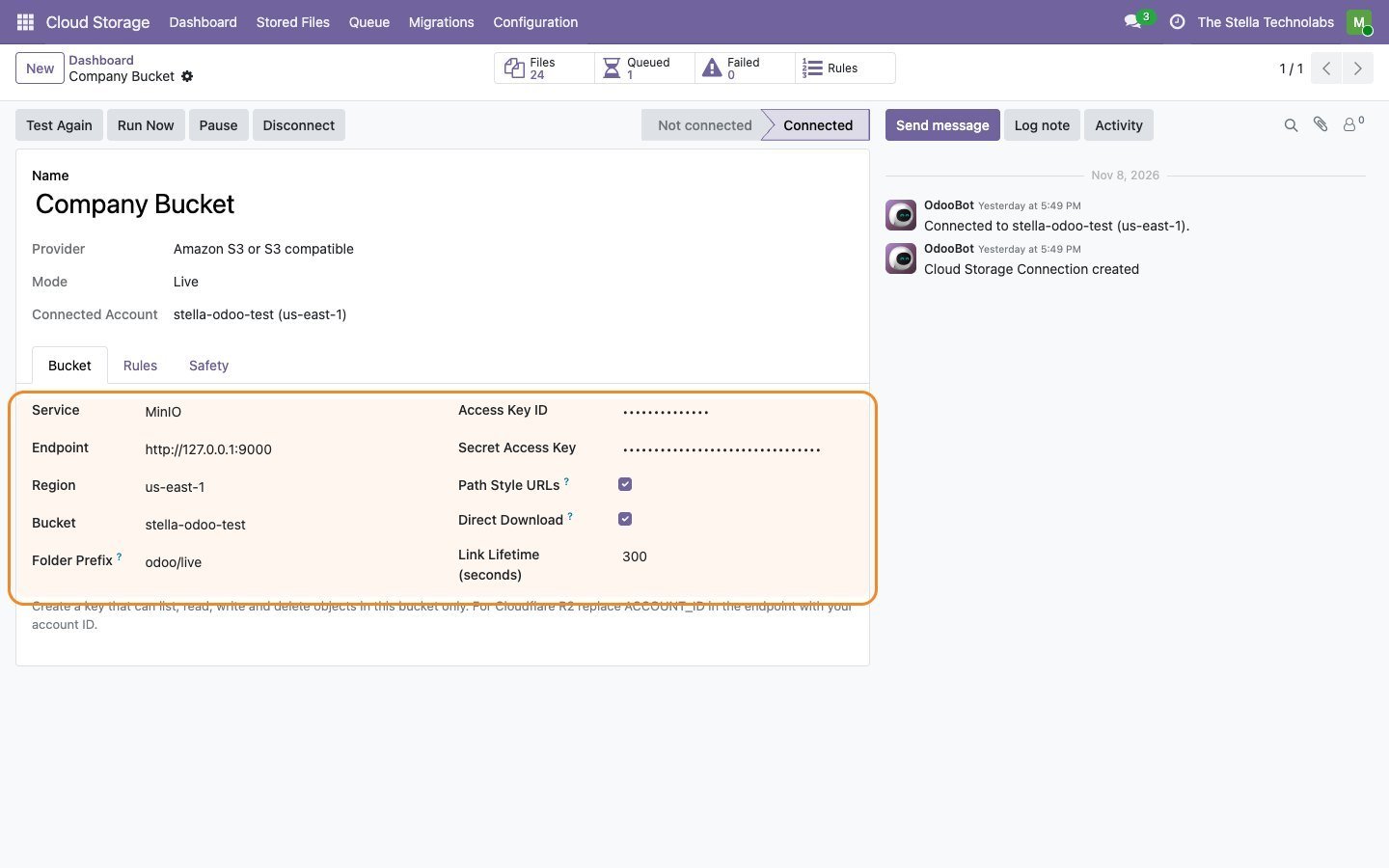
Amazon S3 and S3 compatible buckets for object storage; Google Drive, OneDrive and SharePoint for readable folders.
A filestore that grows, and files nobody can browse
Odoo keeps every attachment in its own filestore, and over time that gets large, slow to back up and expensive to host. At the same time your team often wants the actual files somewhere they can browse them, like a Drive or SharePoint folder.
This module does both. It offloads attachments to object storage so Odoo stays lean and still serves every file, and it mirrors readable copies into cloud folders organised by record. You choose which files go where with rules, and a queue moves them safely in the background, with retries and a clear record of anything that needs attention.
Three providers, one place
Three providers, one place
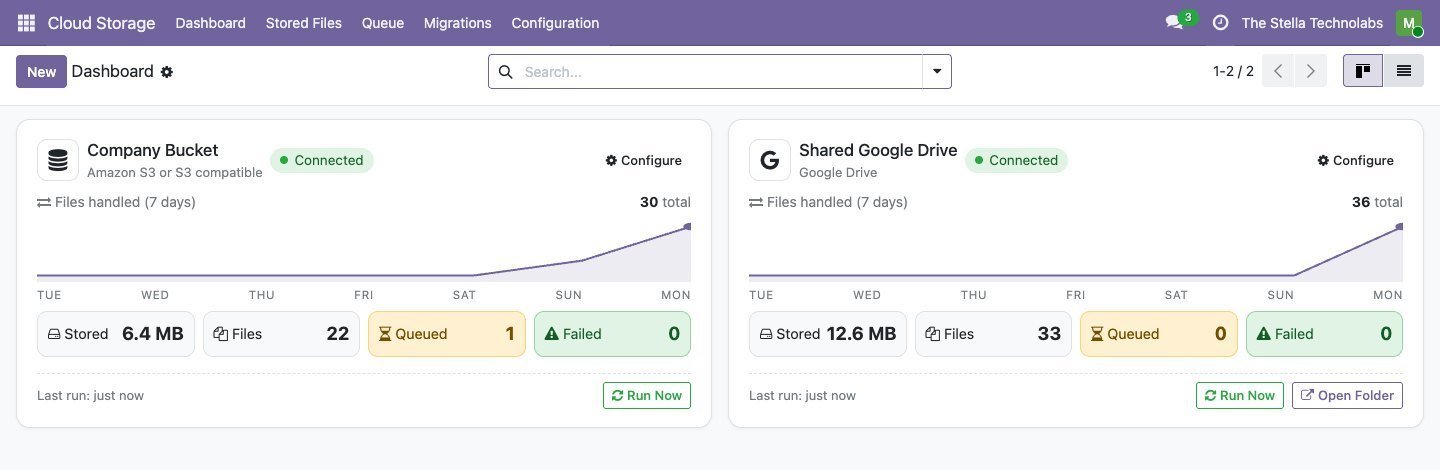
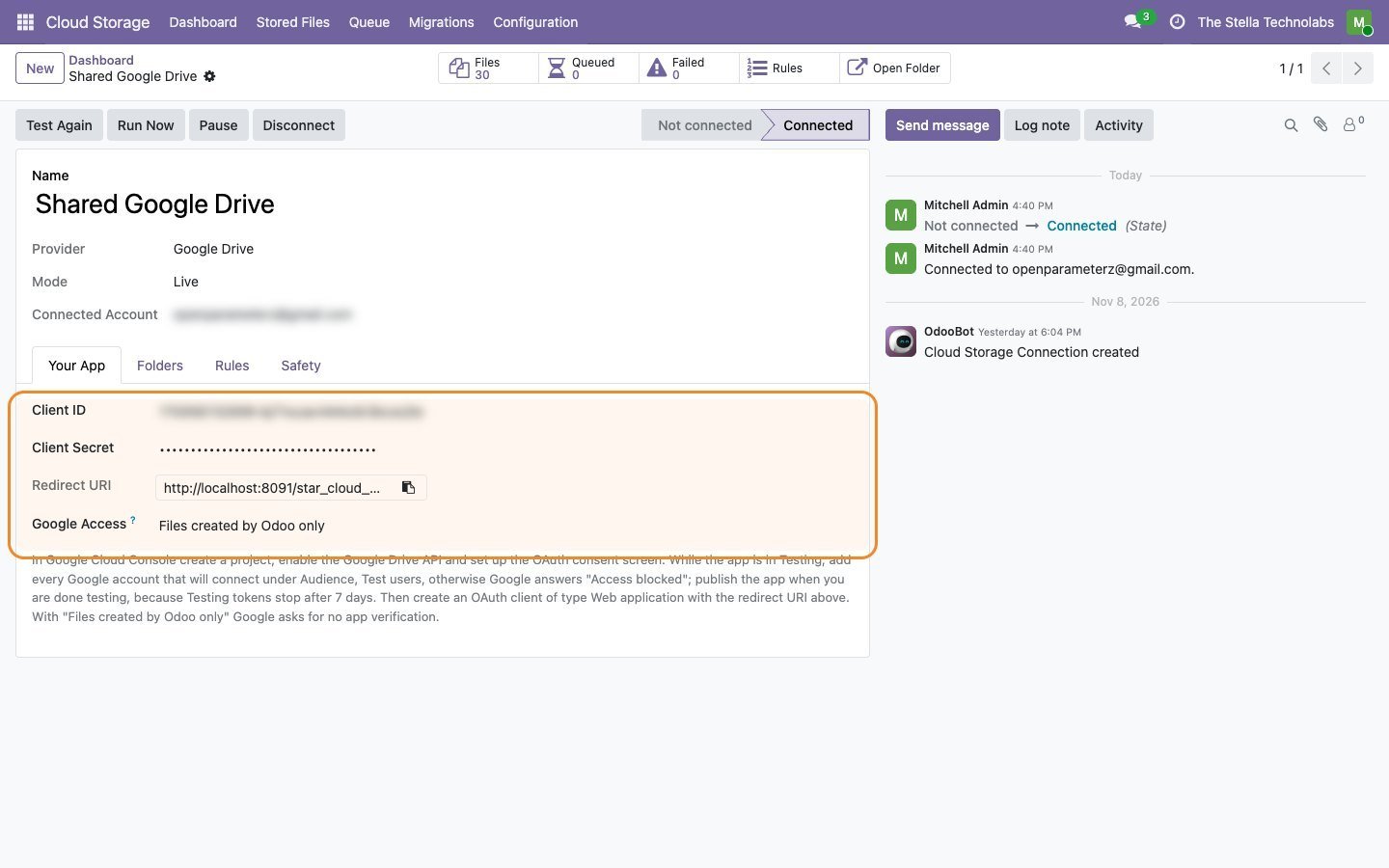
Amazon S3 and S3 compatible buckets for object storage; Google Drive, OneDrive and SharePoint for readable folders. Set each one up once and manage them from a single dashboard.
Offload or mirror, your choice
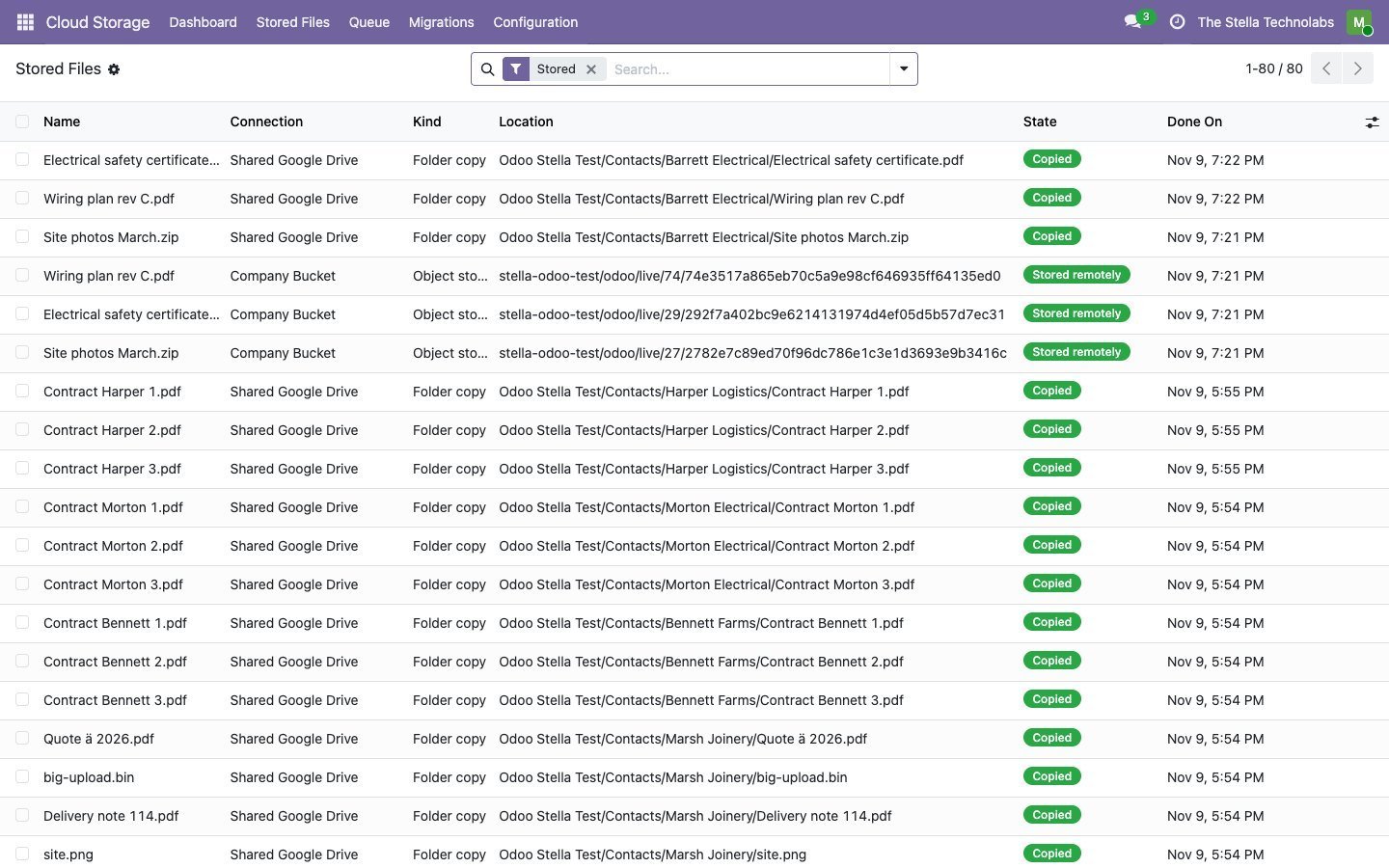
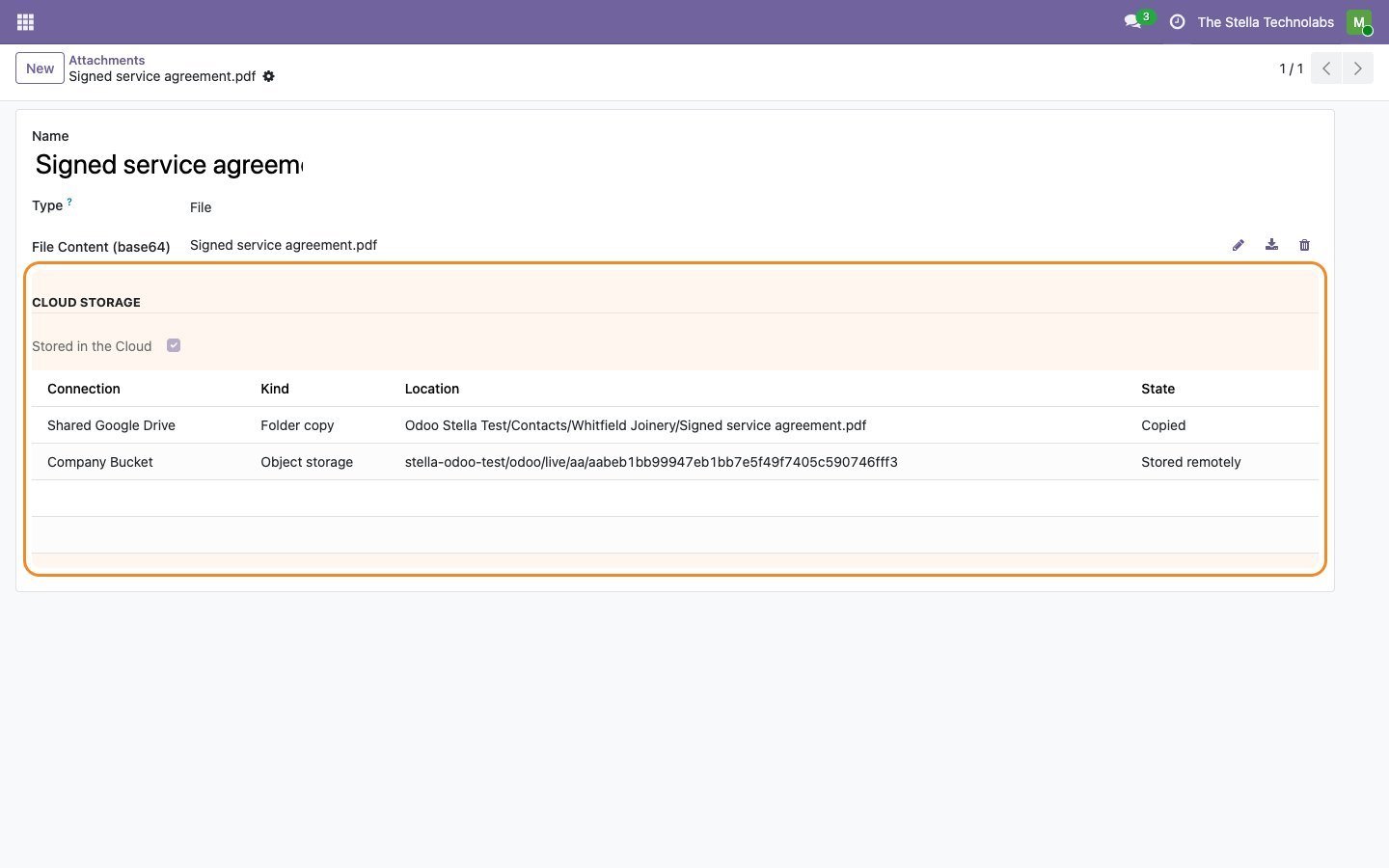
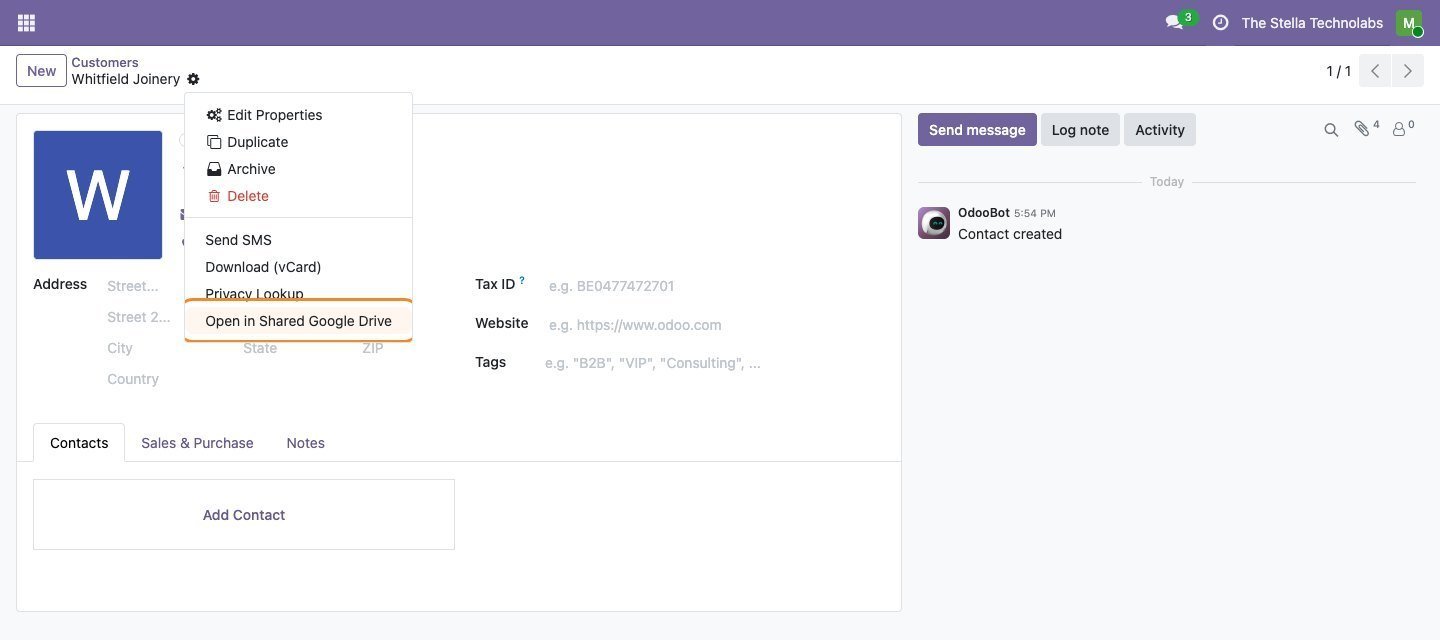
Offload moves the file out of Odoo to the bucket to save space, with Odoo still serving it. Mirror keeps a browsable copy in a Drive or SharePoint folder per record, so people can open files where they already work.
Rules, not guesswork
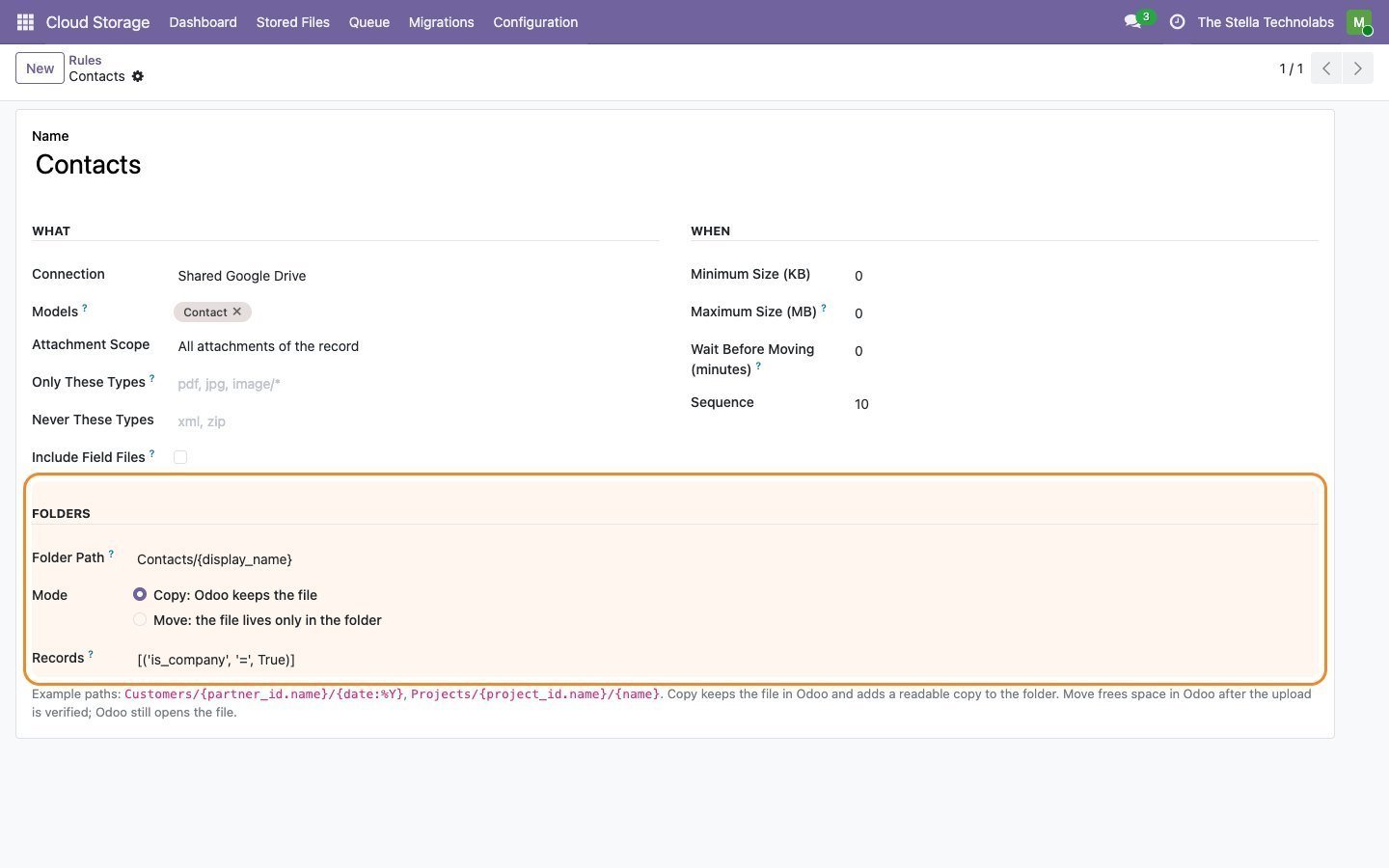
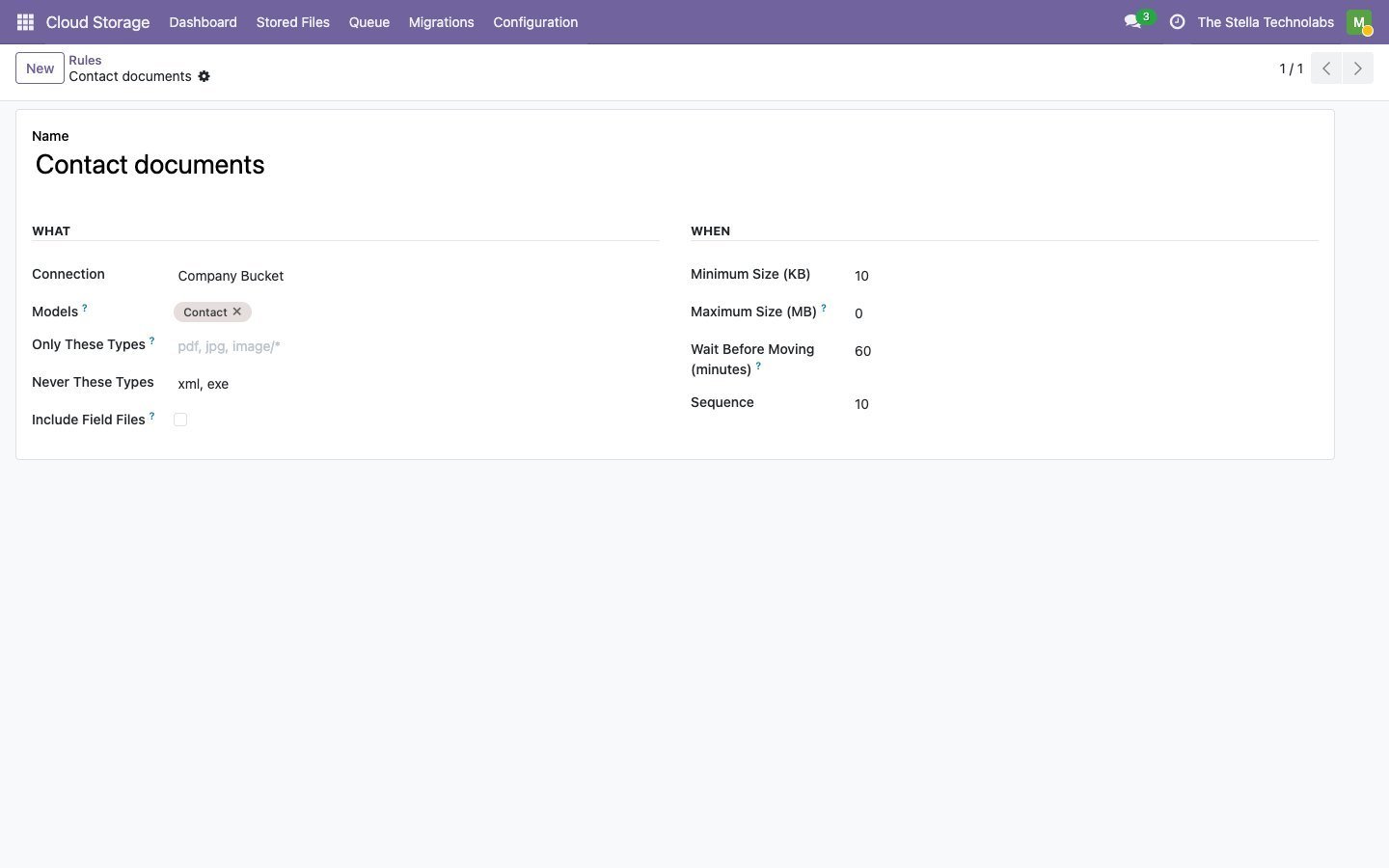
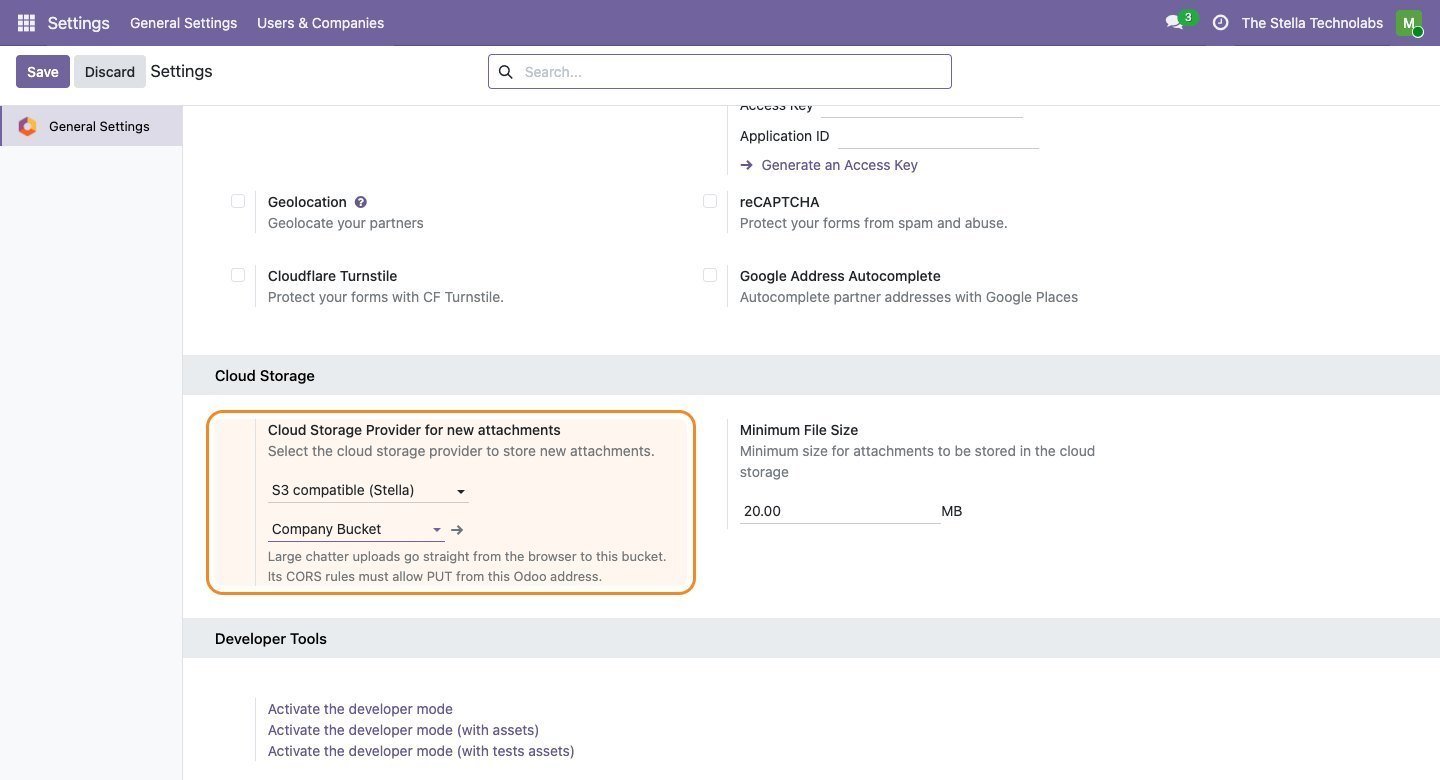
Decide what goes to the cloud by model, by a record filter and by a minimum size, so only the files you mean to move are moved.
Safe by design
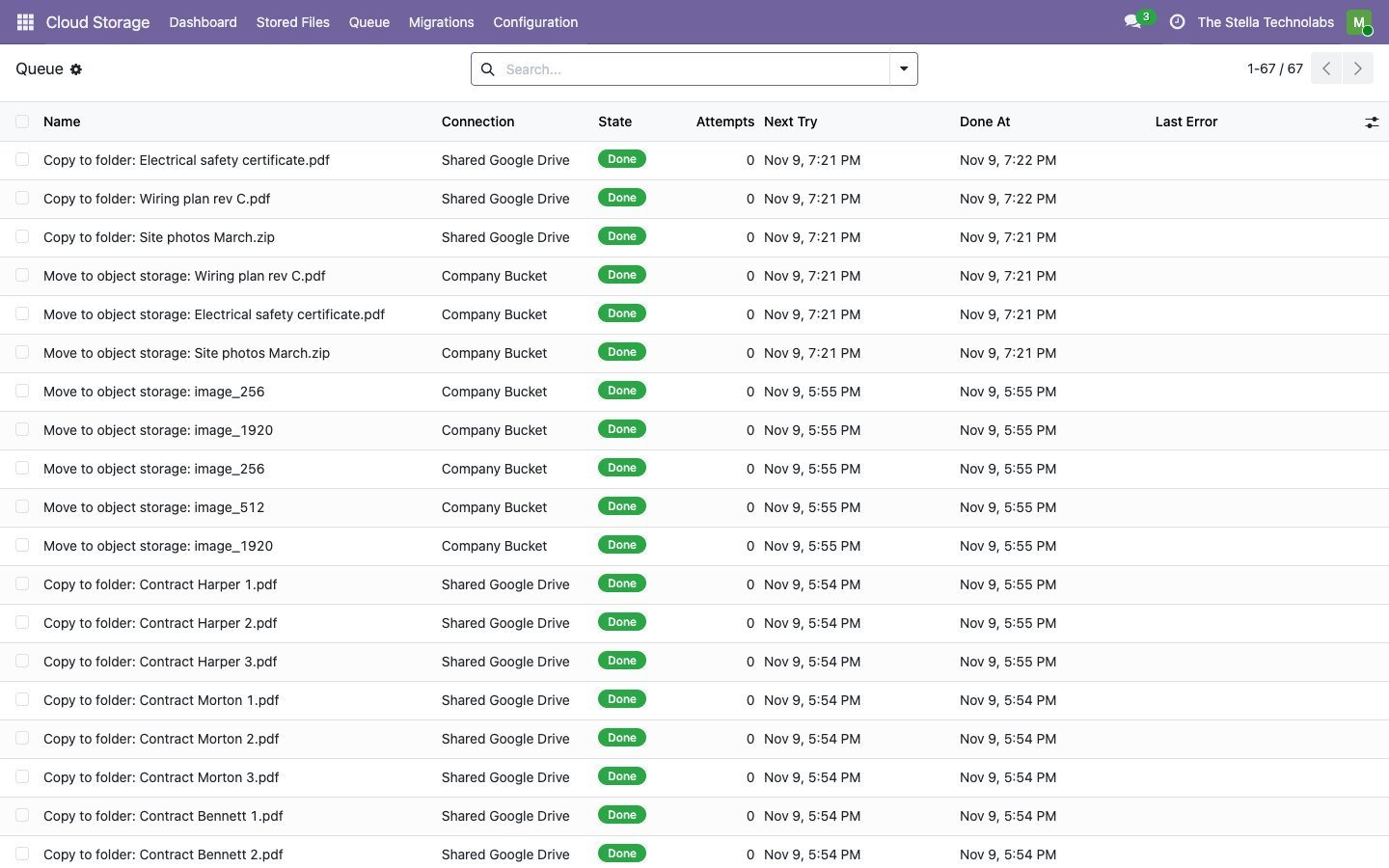
Every move runs through a queue with retries, a failed list you can act on, and a mock mode that runs the whole flow with no network so you can try it first.
Everything the module does
Each item below is a capability of the published module.
Offload to S3
Move attachments to Amazon S3 or any S3 compatible bucket. Odoo keeps a reference and still serves the file, so your users notice nothing except a smaller, faster Odoo.
Mirror to Drive, OneDrive and SharePoint
Keep a readable copy of a record's files in a cloud folder, organised per record, so your team can browse and open them outside Odoo.
Rules that target the right files
Per backend rules by model, record filter and minimum size decide exactly what is offloaded or mirrored. System files like themes and web assets are left alone.
Two way migration
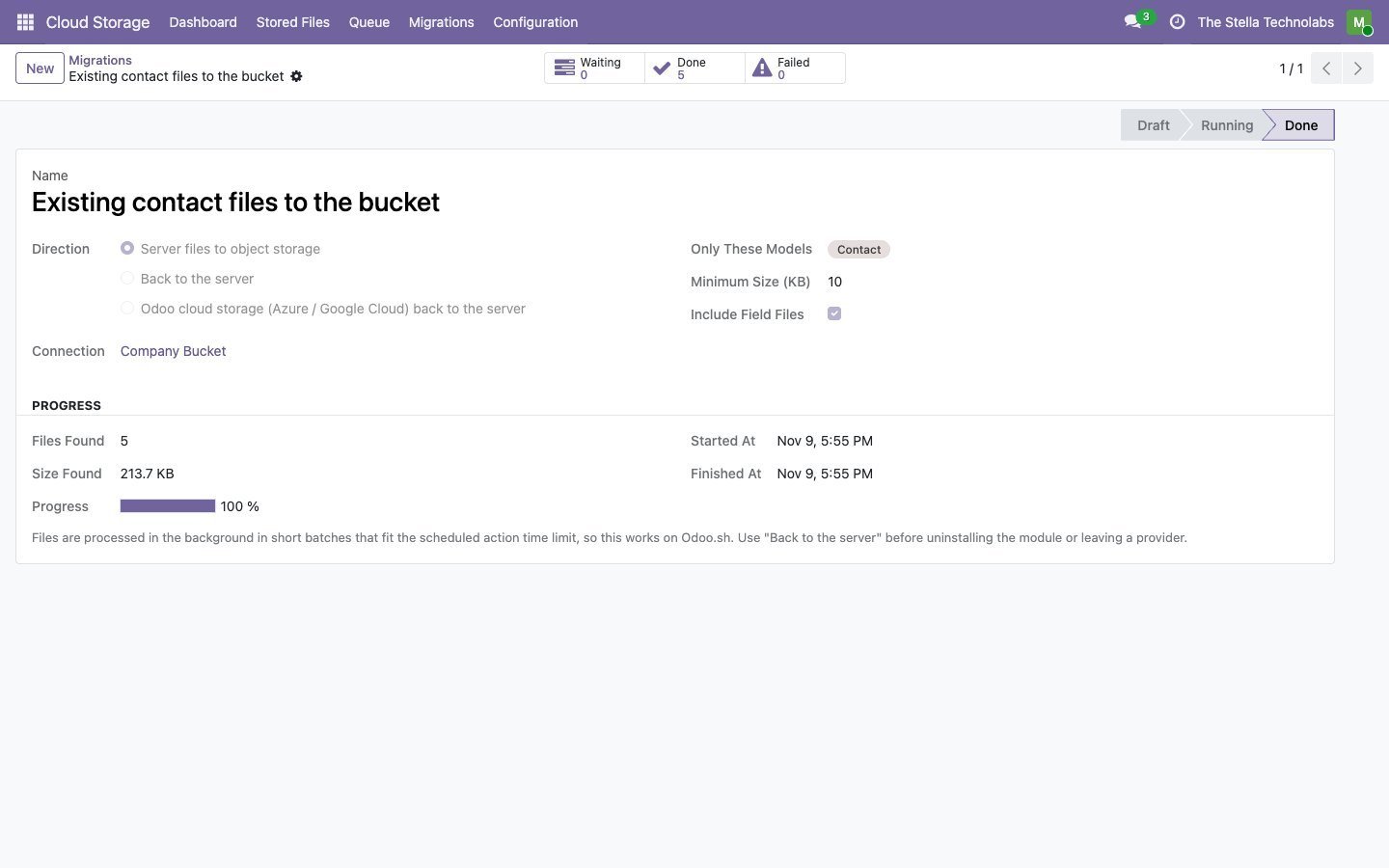
Move your existing attachments into the cloud in the background, and bring them back when you need to, with a progress count so you always know where a run is.
A safe queue
Moves run as jobs with retries, a next attempt time and the last error kept on the record. A failed job can be retried in one click.
Per backend dashboard
Each connection shows its own card with a seven day activity view and tiles for stored size, file count, queued and failed, plus a Run Now action.
Mock mode for a safe start
A no network mock mode runs the full flow without touching a provider, so you can configure and rehearse before going live.
Multi company and secure
Each company configures its own backends and credentials, held with admin only access, so a group with several entities runs them side by side.
Object storage, and readable folders
Object storage
- Amazon S3
- Any S3 compatible bucket
- Offloads attachments out of Odoo
- Odoo keeps a reference and still serves the file
Readable folders
- Google Drive
- OneDrive
- SharePoint
- A browsable copy of a record's files, organised per record
A Cloud Storage area in Odoo, and nothing else changes
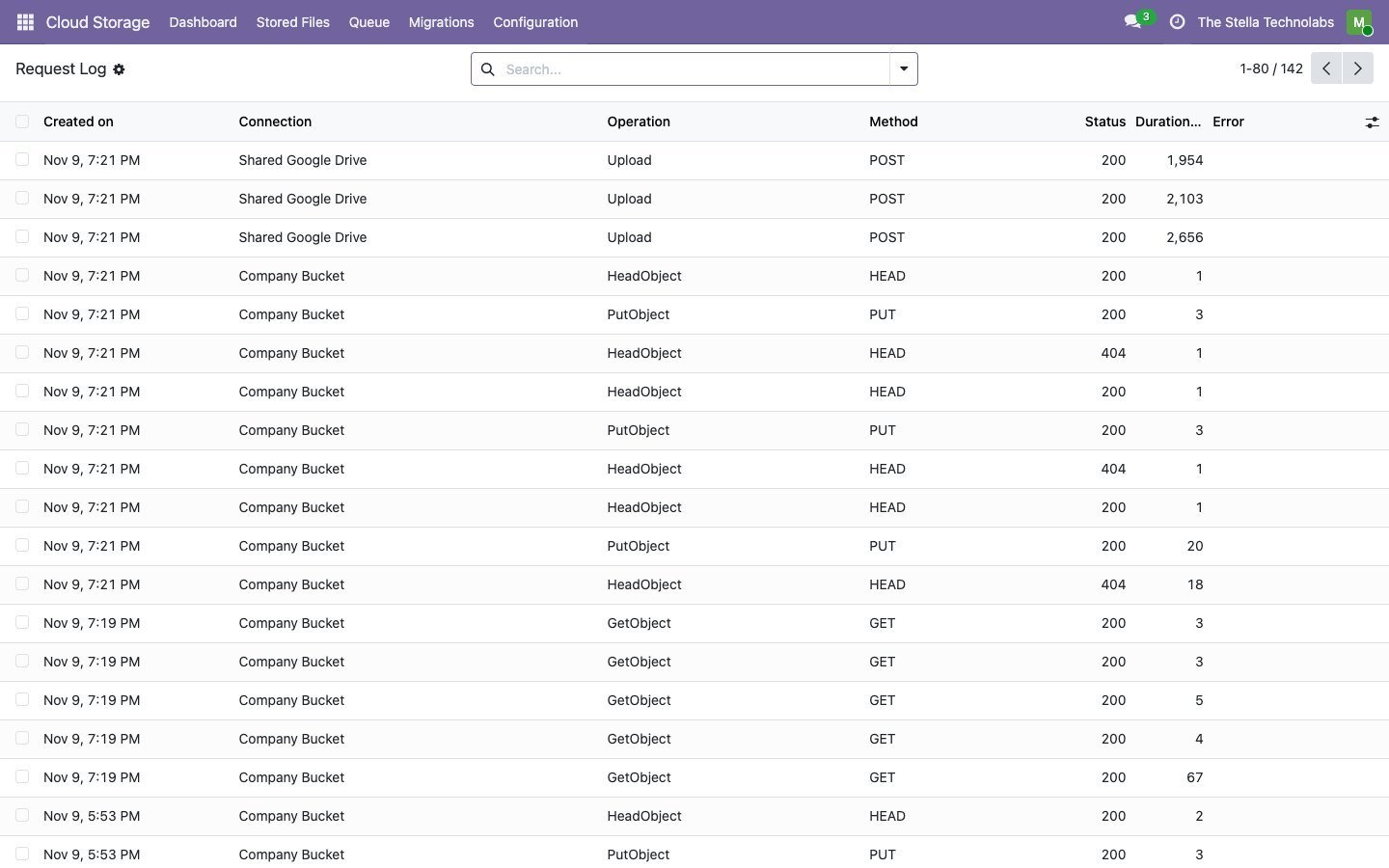
The module adds a Cloud Storage area to Odoo where you define the backends, write the rules, run migrations and watch the queue. Attachments stay exactly where your users expect them in Odoo; what changes is where the bytes live and whether a readable copy also sits in a cloud folder. Nothing about how your team adds or opens a file changes.
A closer look
Click any screen to open it full size.
Teams with a filestore that has outgrown Odoo
Teams whose Odoo filestore has grown large and slow, and teams that want their documents browsable in Drive or SharePoint, who want both handled from inside Odoo with clear rules and a safe, retrying queue rather than a manual export.
This module extends standard Odoo attachment storage. It does not replace or debrand any native feature and it leaves system files untouched. Amazon S3, Google Drive, OneDrive and SharePoint are trademarks of their respective owners, and this module is not made or endorsed by Amazon, Google or Microsoft.
Ready to shrink your Odoo filestore?
Get it on the Odoo Apps Store, or talk to us first about your providers, rules and migration.
Questions, answered
What is the difference between offload and mirror?
Offload moves the file out of Odoo to the bucket to save space, with Odoo still serving it. Mirror keeps a browsable copy of a record's files in a Drive or SharePoint folder, so people can open them where they already work. You can use either, or both.
Which providers can I connect?
Amazon S3 and any S3 compatible bucket for object storage, and Google Drive, OneDrive and SharePoint for readable folders. Each is set up once and managed from a single dashboard.
How do I control which files move?
Per backend rules by model, by a record filter and by a minimum size decide exactly what is offloaded or mirrored. System files such as themes and web assets are left alone.
Can I move existing attachments, and undo it?
Yes, both directions. Existing attachments migrate in the background with a progress count, and you can bring them back when you need to.
What happens if a move fails?
Moves run as jobs with retries, a next attempt time and the last error kept on the record. Failed jobs appear in a list and can be retried in one click.
Can I try it without touching a real provider?
Yes. A no network mock mode runs the full flow without touching a provider, so you can configure and rehearse before going live.