One group, many companies, one payment step.
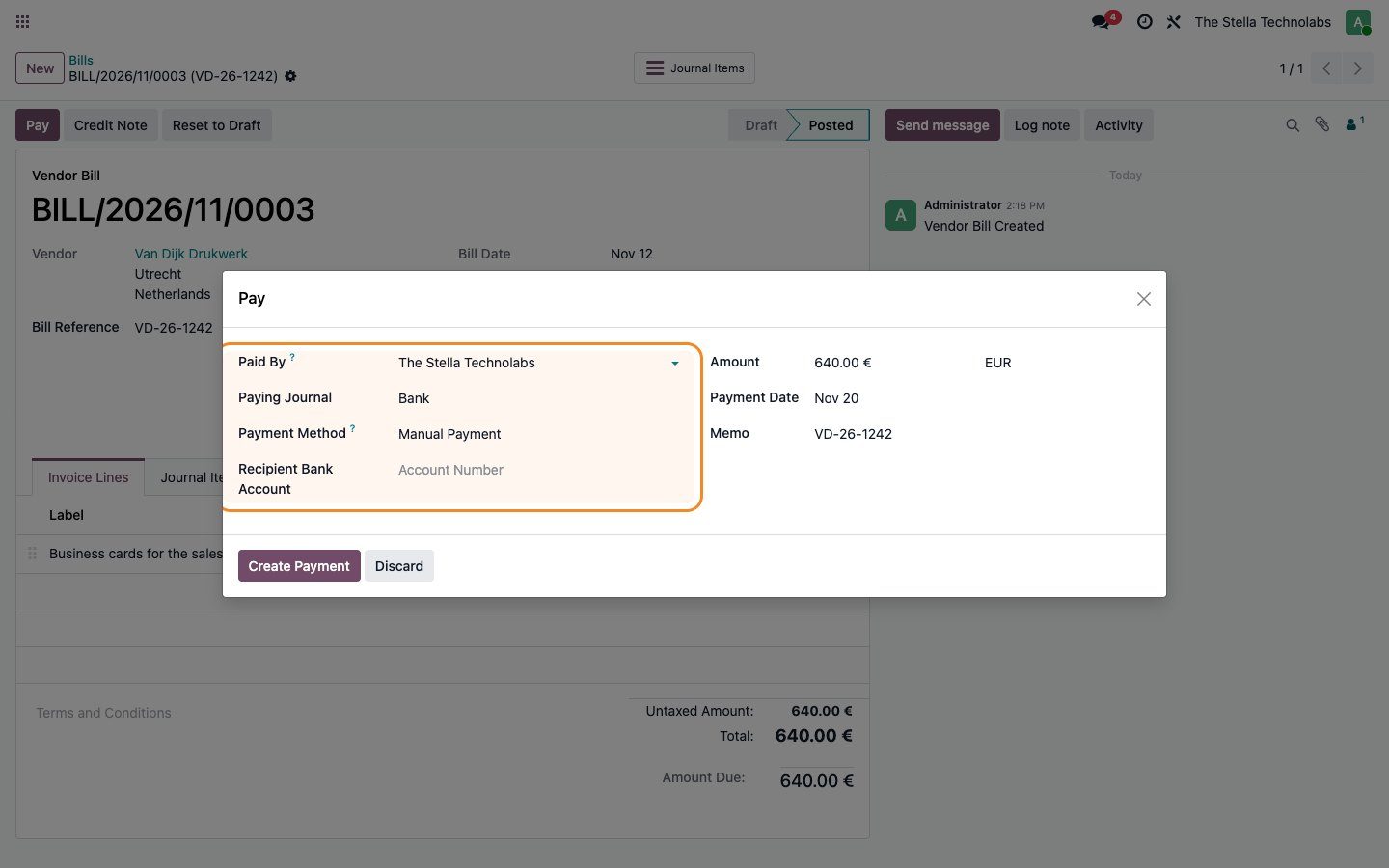
When one company of your group pays a bill or collects an invoice that belongs to another, choose the paying company in Register Payment. Both companies get their entries, the document is reconciled at once, and a live who owes whom view tells you what to settle.
Money rarely moves the way the books are split
In a group of companies, money rarely moves the way the books are split. The holding company pays a supplier of a sister company, a customer pays into the wrong bank, cash is moved to cover a shortfall. Each time, someone has to post manual entries in two companies and hope both sides match.
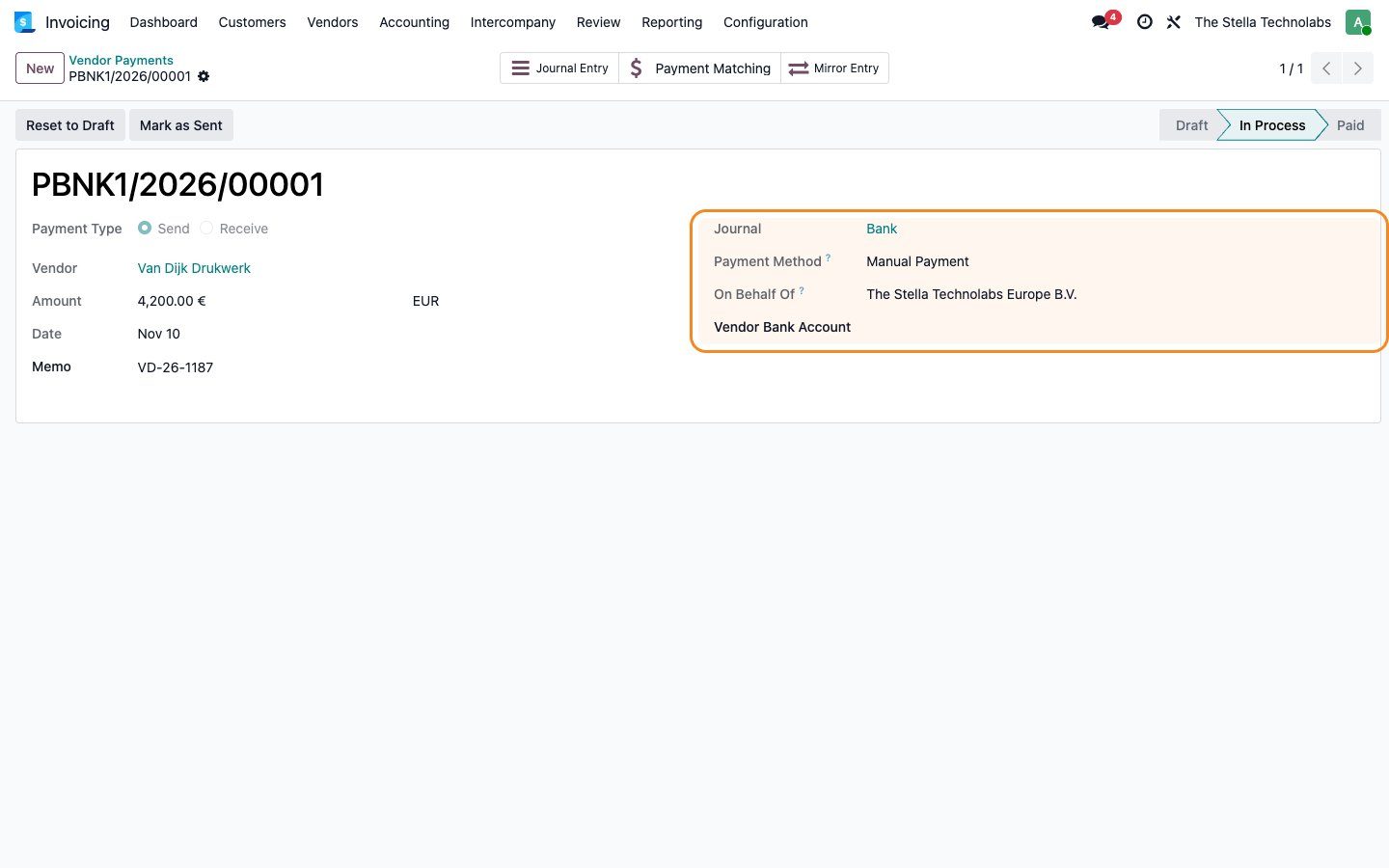
This module does those steps inside the screens your accountants already use. Pick the paying company in the normal Register Payment window. The payment is posted from that company's bank, the due to and due from entries are posted in both companies through accounts you set once per company pair, and the bill or invoice is reconciled straight away, partial amounts included.
Why this module
No more manual entries in two companies
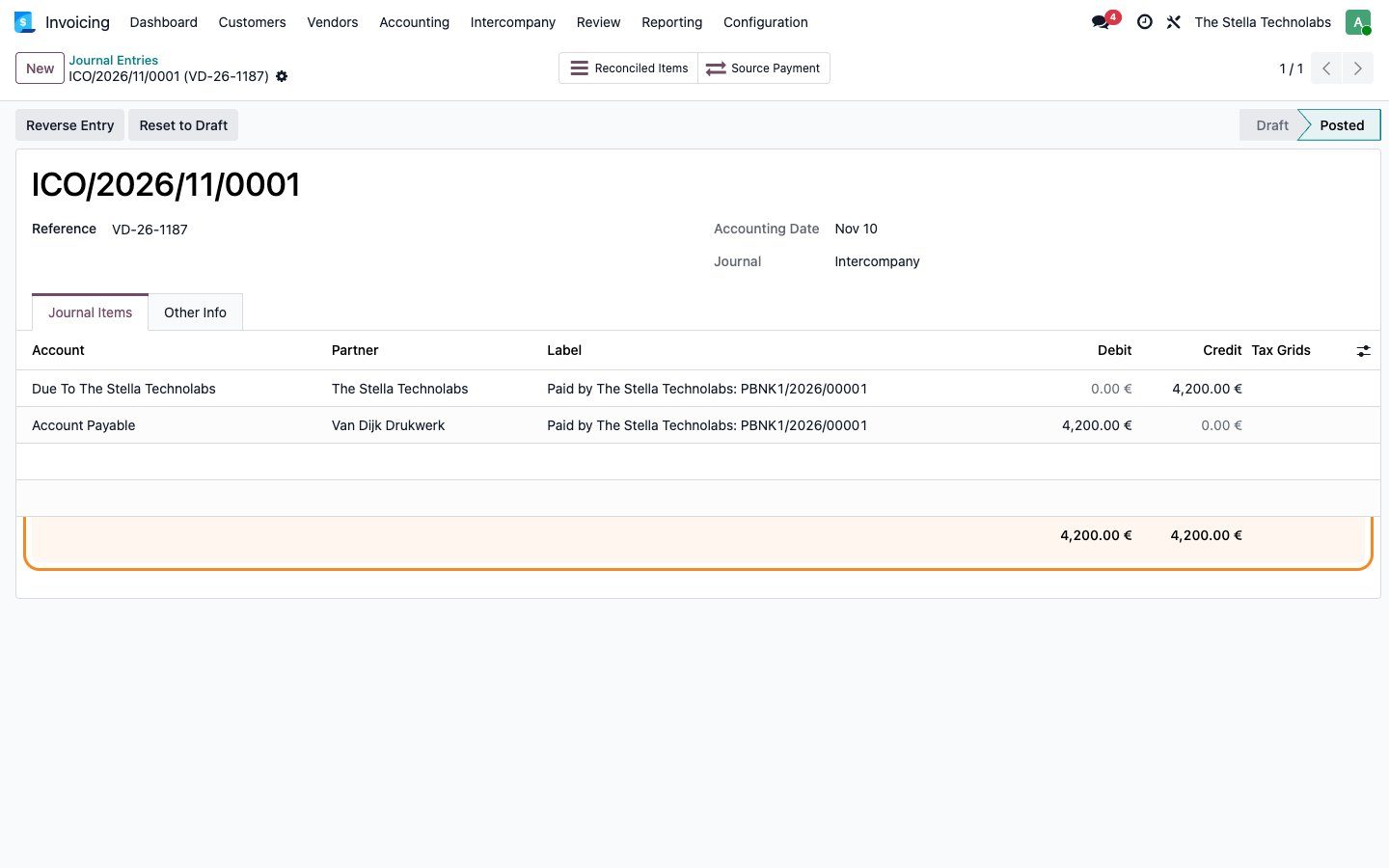
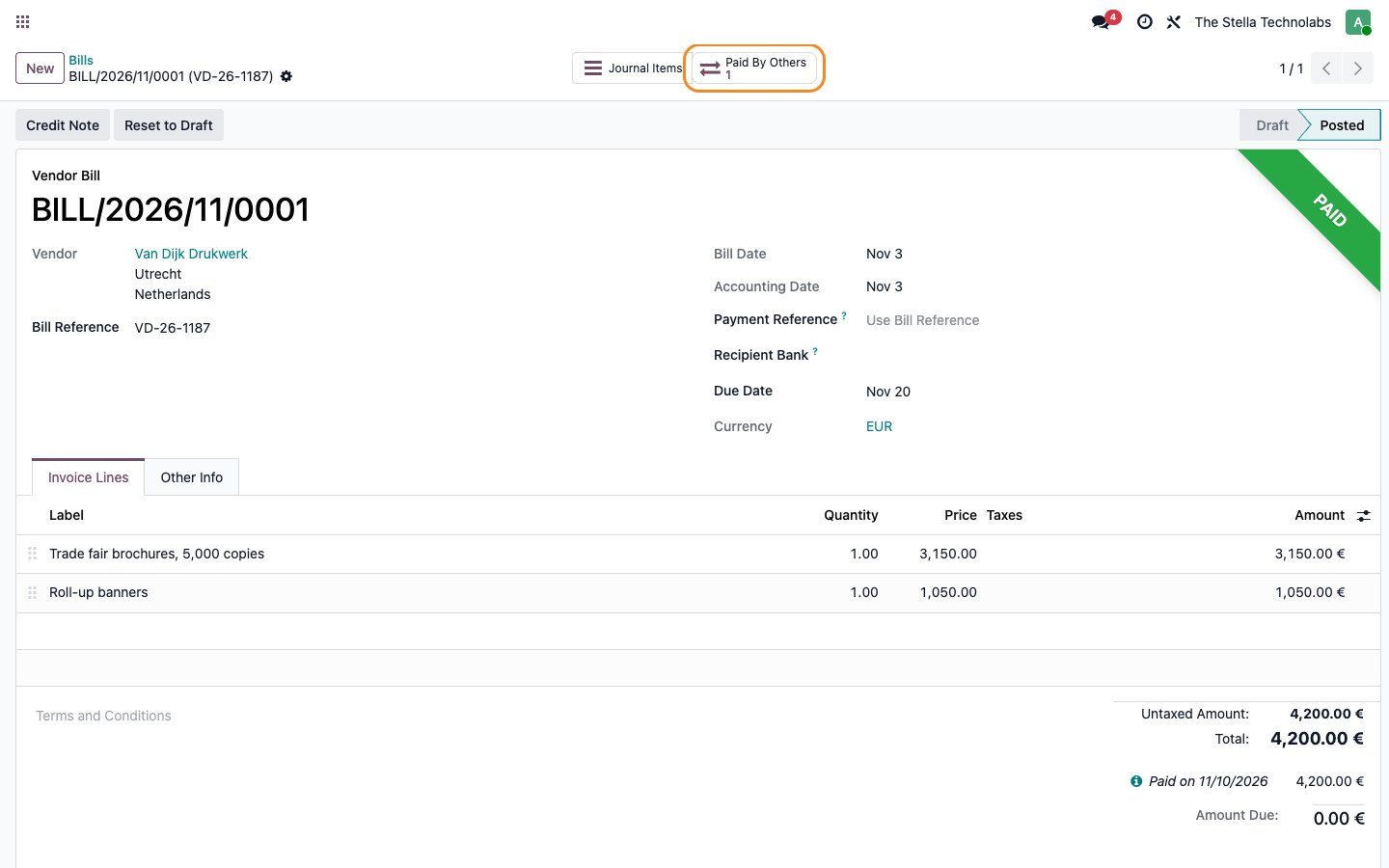
The mirror entry in the other company is posted and reconciled for you. Your team works from the bill or invoice, as usual.
Always know who owes whom
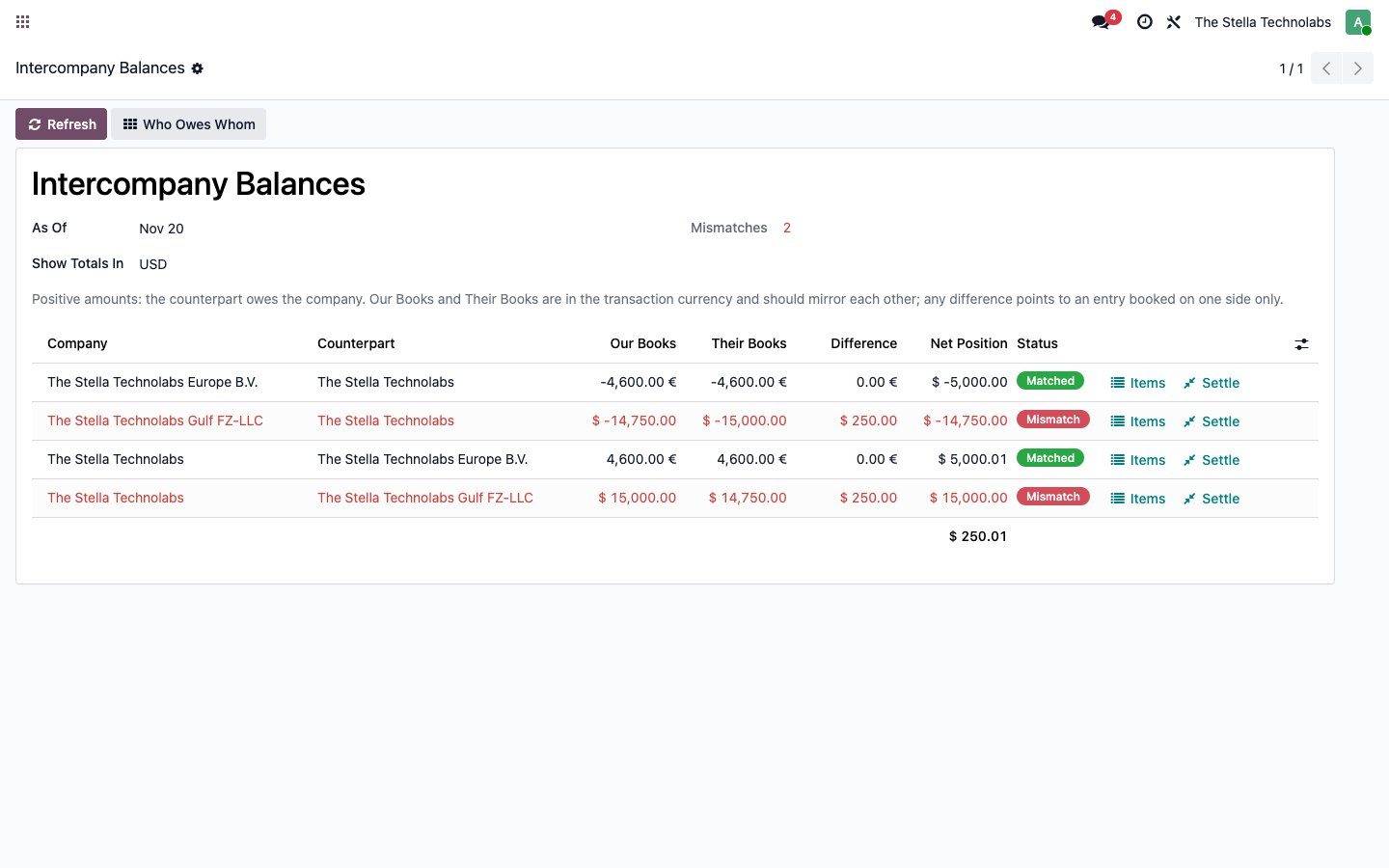
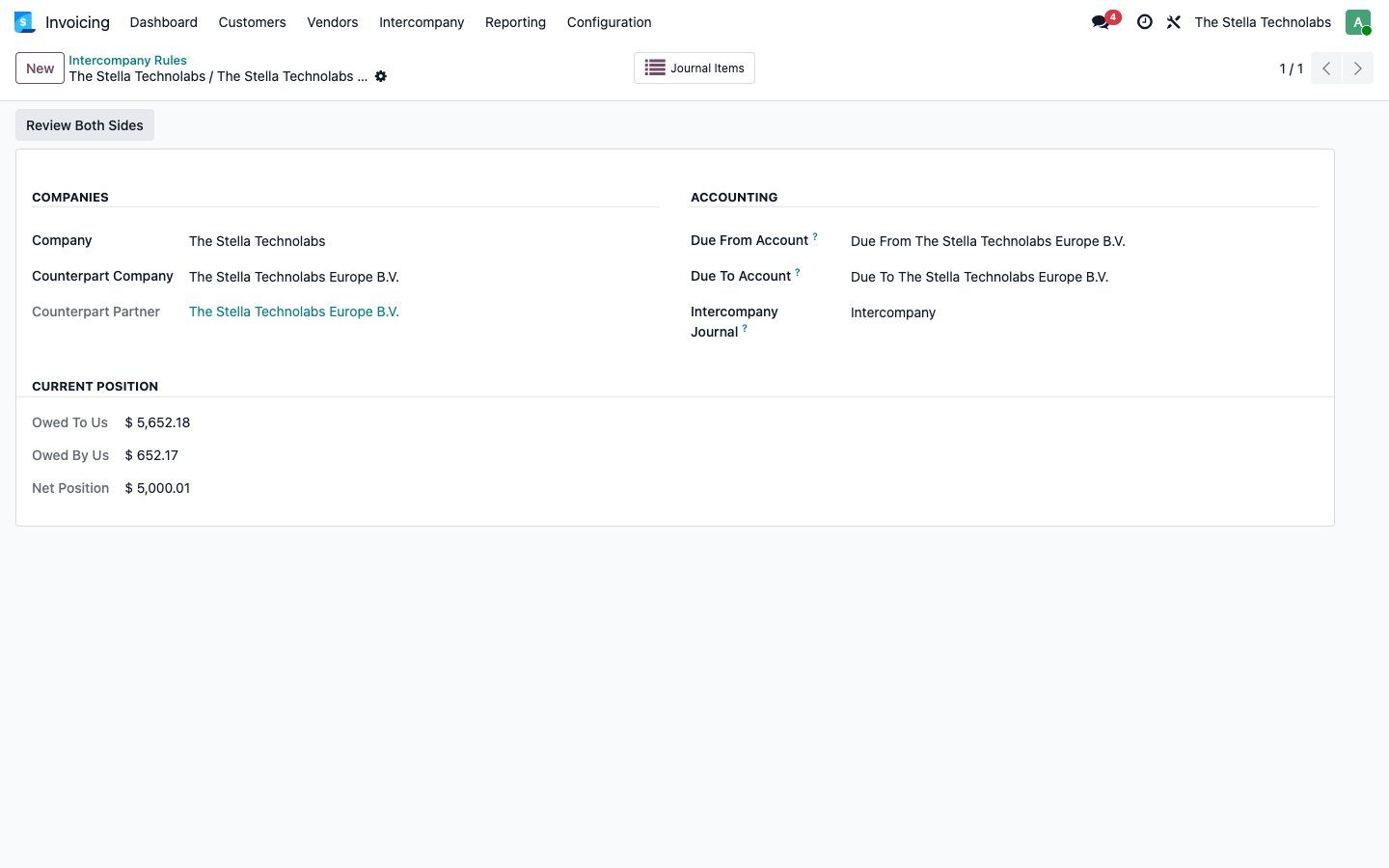
Balances per company pair and currency as of any date, with a flag when something was booked on one side only.
Safe by design
Lock dates of both companies are checked first, users must be allowed in both companies, and a mirror follows its payment when that is reset or cancelled.
What is inside
Pay on behalf
Pay one or many bills of another company from your own bank with the normal Register Payment button. Partial amounts are fine.
Collect on behalf
A customer of one company pays into the bank of another. The invoice is marked paid and both companies record who owes whom.
On behalf of any payment
Set the On Behalf Of company on any payment, with the open amount ready to match in the other company.
Mirror entries
The other company gets its entry in an Intercompany journal and the bill or invoice is reconciled straight away. No manual journal entry.
One step setup
Pick or create the due from and due to accounts and the journal for both companies of a pair in one window.
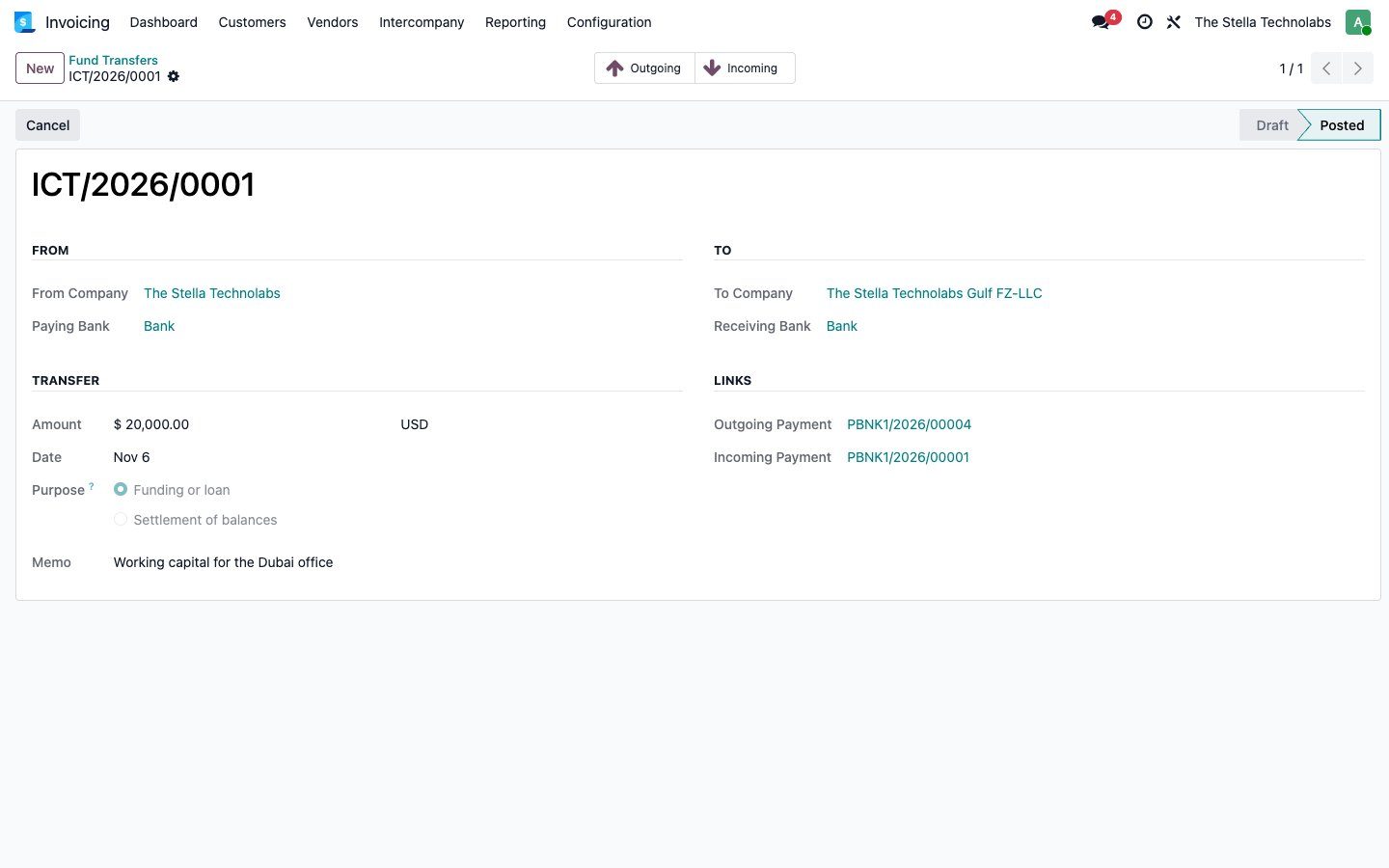
Fund transfers
Move money between companies: the outgoing and incoming payments, both banks and both balances in one record, ready for bank reconciliation.
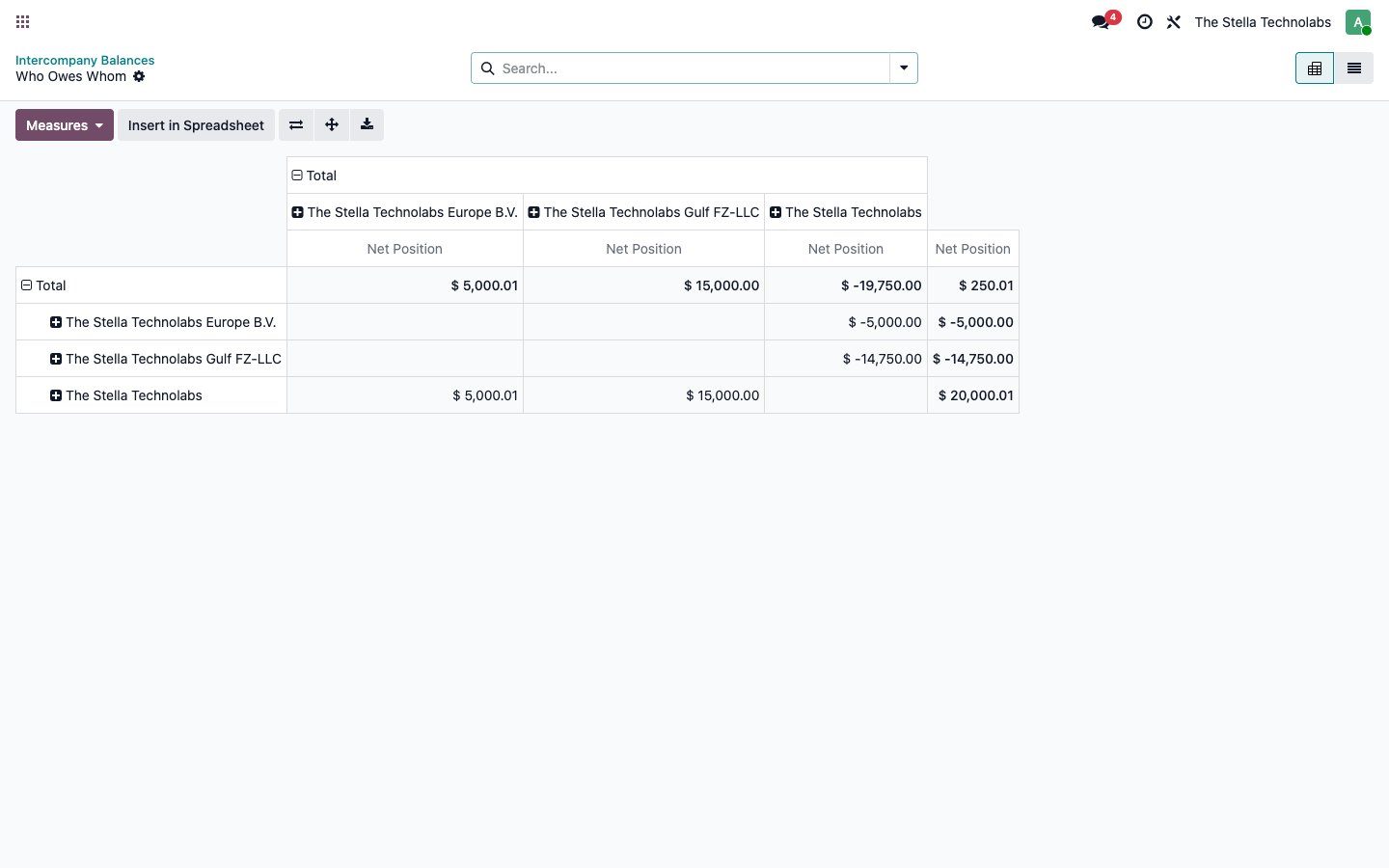
Who owes whom
Balances per company pair and currency as of any date, a matrix view, and a mismatch flag when something was booked on one side only.
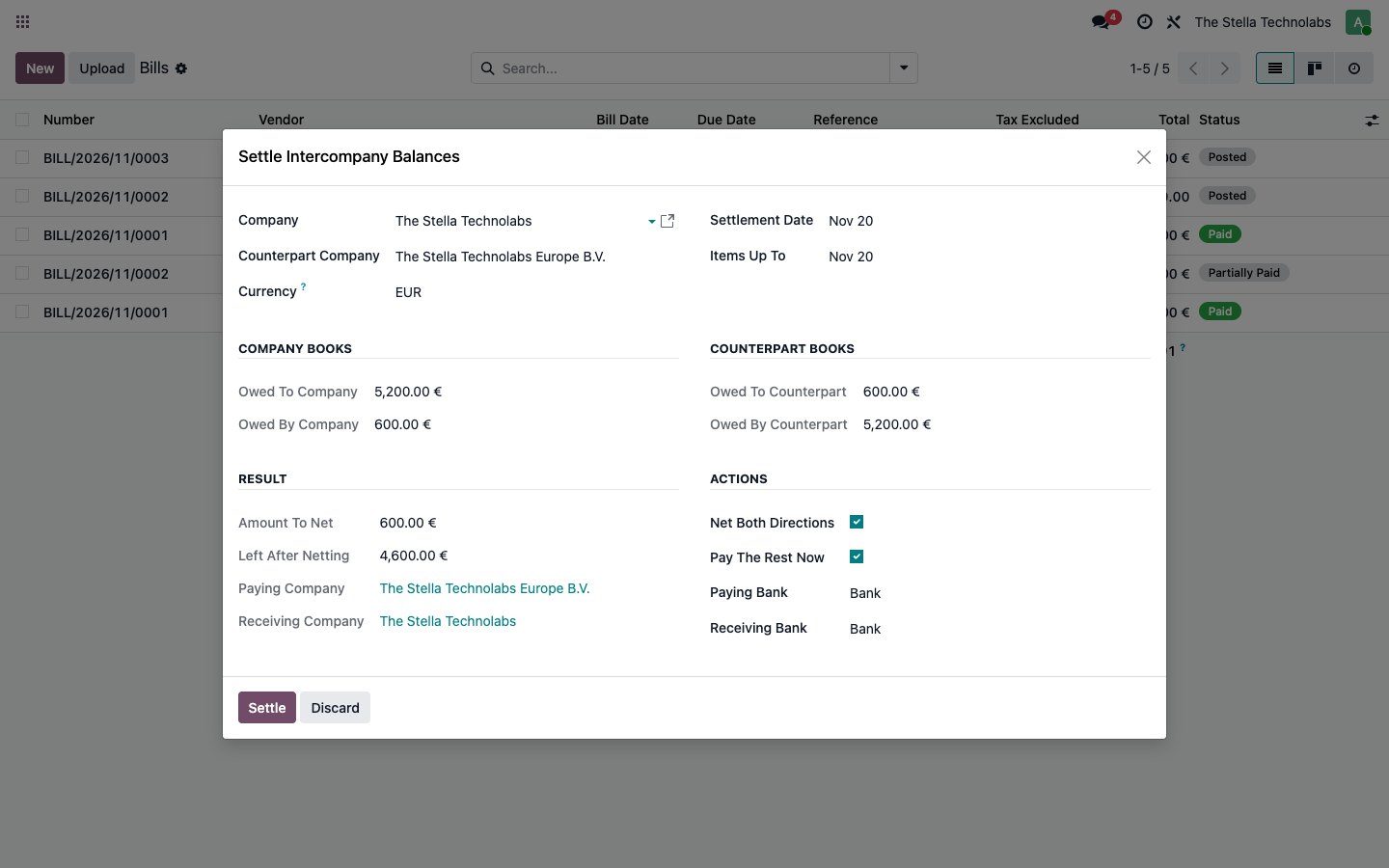
Settle and net
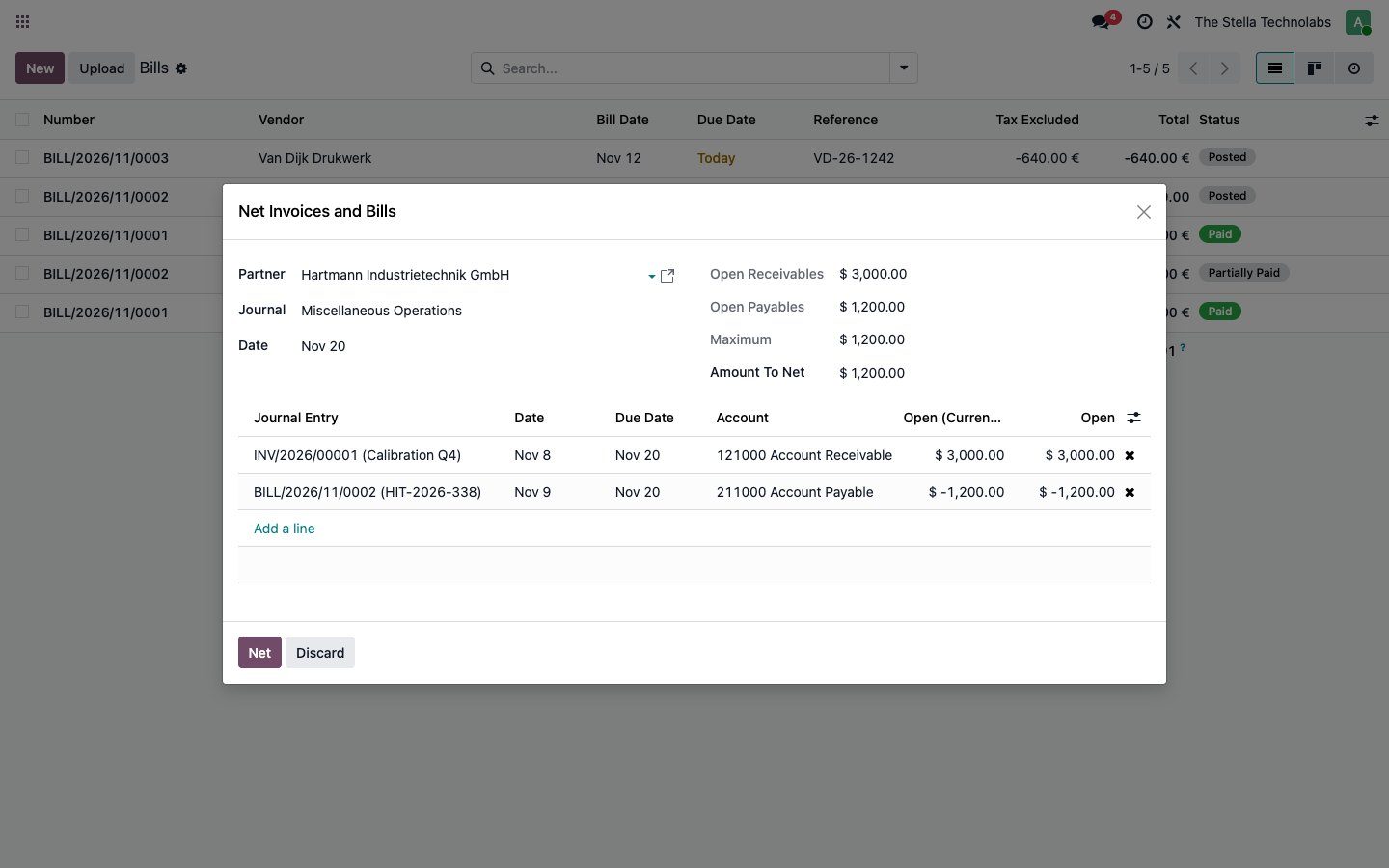
Net what two companies owe each other and pay the rest in the same step. Every intercompany item ends up reconciled.
Receivable and payable netting
A partner who is both customer and vendor: offset open invoices and bills, fully or partly, once the netting agreement is recorded.
Several currencies
Each intercompany item keeps its transaction currency. Settlement clears in that currency and Odoo posts the exchange difference.
What gets posted
Company A pays or receives for Company B.
| Operation | Entries |
|---|---|
| A pays a bill of B | A: due from B against the bank. B: the bill against due to A, reconciled |
| A collects an invoice of B | A: the bank against due to B. B: due from A against the invoice, reconciled |
| A funds B | A: due from B against the bank. B: the bank against due to A |
| Settlement | Each company nets its due to against its due from; the rest is paid with a settlement transfer |
| Receivable and payable netting | One entry offsets the receivable and payable of the same partner, both sides reconciled |
Due from and due to accounts are current asset and current liability accounts per company pair, so sister companies never appear in customer follow-up.
A closer look
Who it is for
Groups that run several companies in one Odoo database: holding and sister companies that pay suppliers, collect from customers or move cash for each other, and the accountants who have to keep both sets of books in step.
Tested on the standard, unmodified editions of Odoo Community and Enterprise. It depends on the standard Invoicing (account) module. If your accounting setup or any related module (such as payment, reconciliation or multi company access rules) has been altered by another developer, the intercompany payments, balances and netting may not render or work as expected. Contact us before buying if you run a heavily customised Odoo. Runs on Odoo.sh and your own server; Odoo Online does not allow custom modules. Odoo is a trademark of Odoo S.A. This module is not made or endorsed by Odoo S.A.
Ready to settle across your group
Questions about intercompany accounting in your group, a special account plan or a consolidation process? Our team is happy to help before and after purchase.
Questions, answered
Does Odoo do this already?
No. Odoo Enterprise mirrors intercompany invoices and orders, not payments. Branches of one company can share a bank, separate companies cannot.
Which accounts does it use?
A due from and a due to account per company pair, of current asset and current liability type, so sister companies never appear in customer follow-up.
What about different currencies?
Each intercompany item keeps its transaction currency. Settlement clears in that currency and Odoo posts the exchange difference.
Can a user pay for a company they cannot open?
No. The user must be allowed in both companies, the same rule Odoo applies everywhere else.
What if the other company has closed the period?
The payment is refused with a message naming the company and its lock date, before anything is posted.
What happens if a payment is reset or cancelled?
Its mirror follows. Mirror entries cannot be edited on their own.
Does it work with batch payments?
Yes. Payments made on behalf are normal payments of the paying company, so they can go into an Enterprise batch payment.
Does it work on Community?
Yes, on Community and Enterprise. It depends only on the standard Invoicing module.