Turn your Odoo store into a thriving multi-vendor marketplace
Let vendors sign up, list their products and get paid, while you stay in full control of approvals, commissions, payouts and compliance. One complete suite, built and supported by The Stella Technolabs.
Runs on Odoo Community and Enterprise. Six modules in one suite. Vendor self sign up, Stripe payouts and EU DAC7 reporting.
One suite for the whole marketplace
Most teams stitch a marketplace together from half finished add ons. This suite covers the full journey, from the day a vendor applies to the day they are paid, all inside Odoo.
Everything in one place
Onboarding, commissions, approvals, order splitting, payouts, compliance and seller plans work together out of the box. No glue code, no guesswork.
A portal vendors enjoy
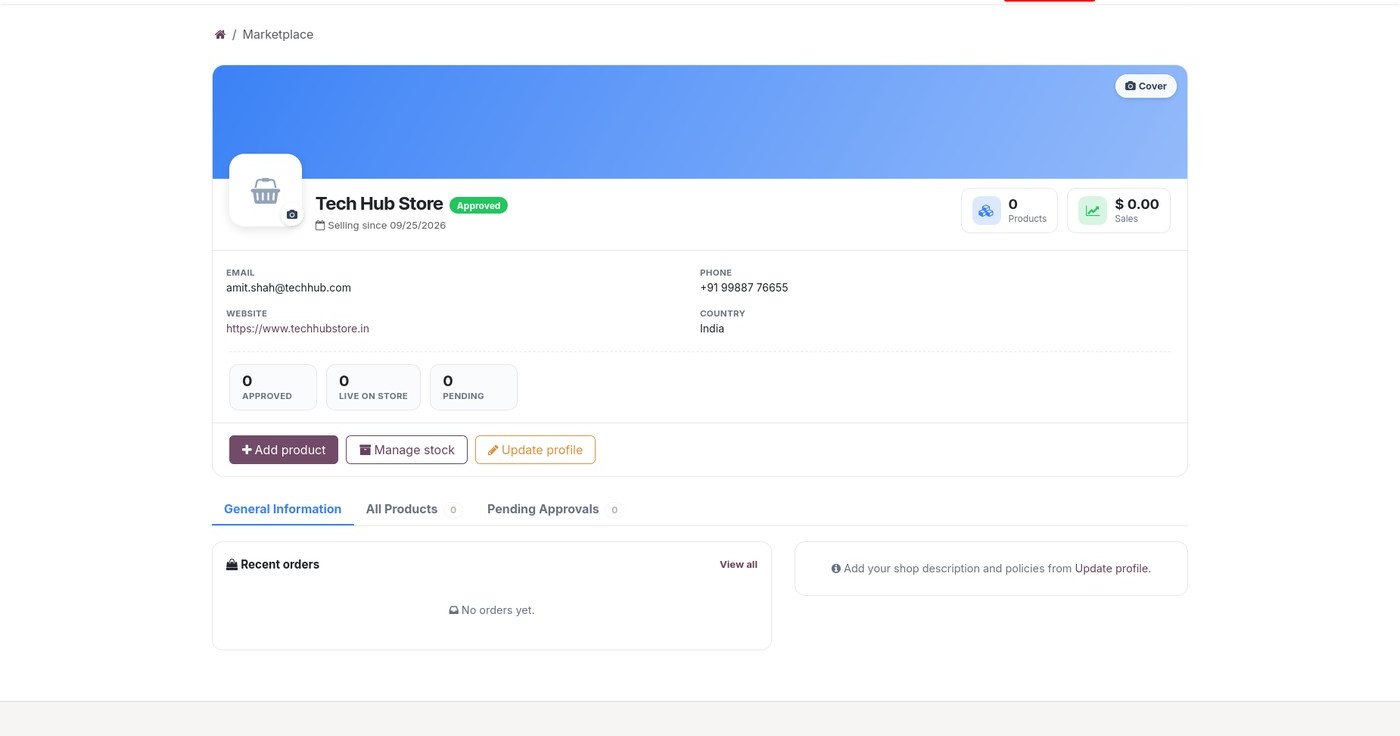
Sellers get a clean, modern cockpit to list products, manage stock, track orders and request payouts, with a guided flow that needs no training.
Built for Odoo, tailored by Stella
Designed to fit the way Odoo already works, with a redesigned marketplace experience and the personal support of The Stella Technolabs behind it.
Six modules that work as one
Start with the core engine and add only the packs you need. Each one installs cleanly and lights up without extra setup.
Marketplace Core
The operator command center that powers it all.
- Vendor onboarding and approval
- Flexible commission rules
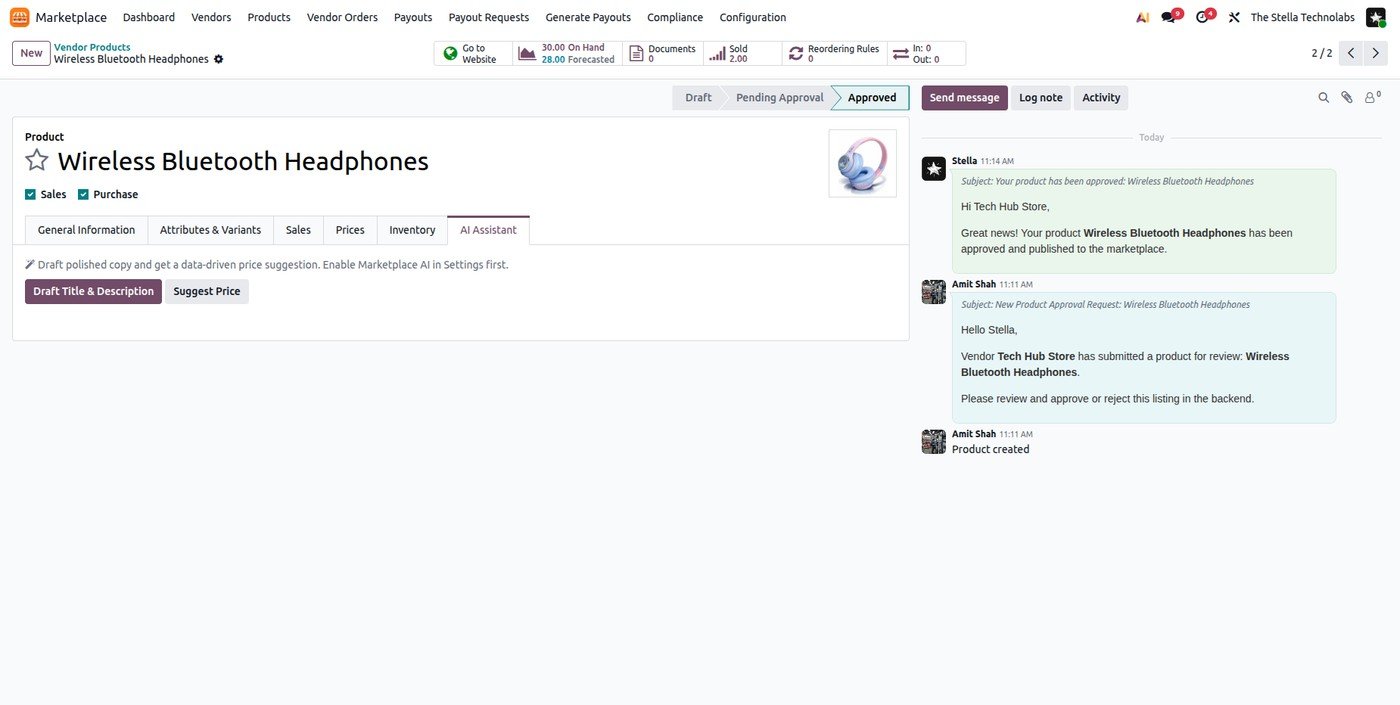
- Product review and approval
- Automatic order splitting per vendor
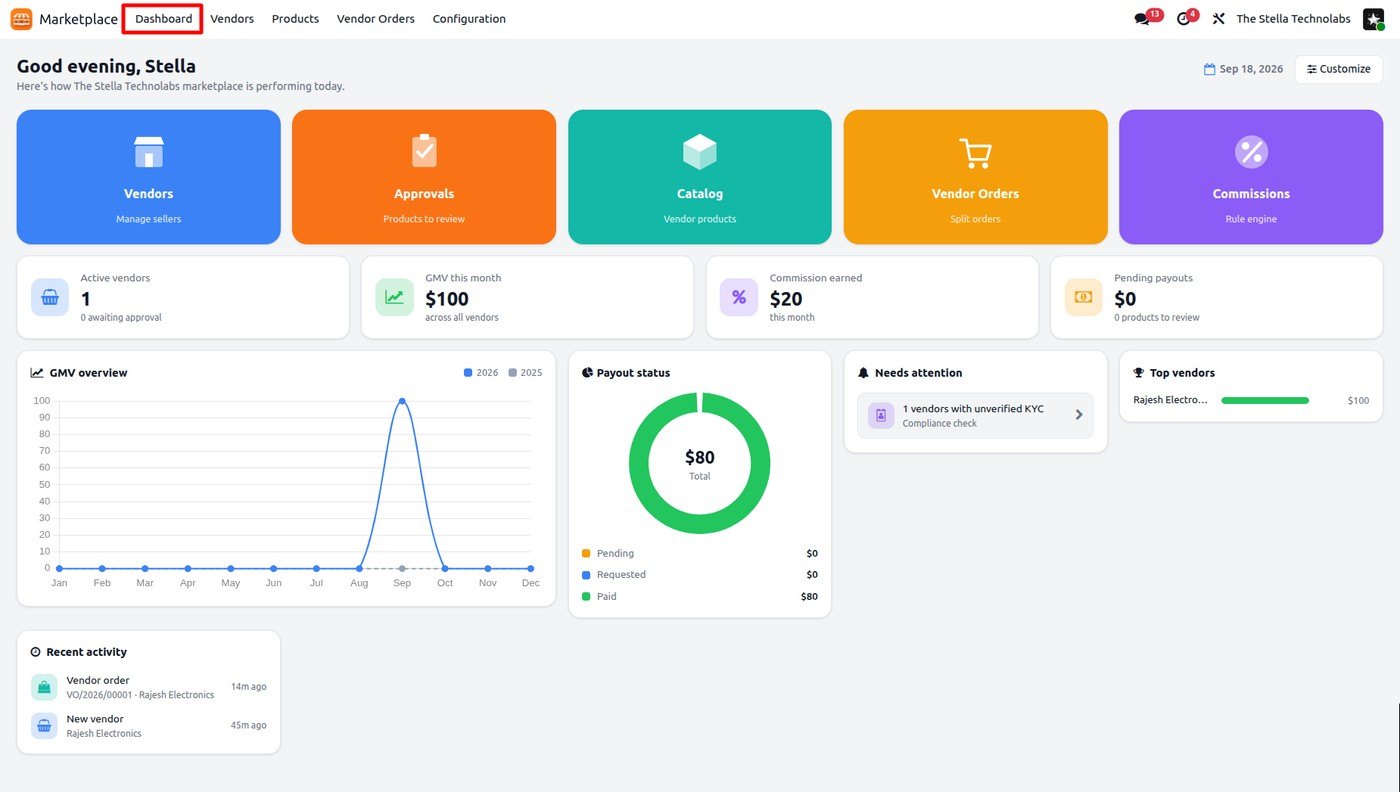
- Live operator dashboard
Vendor Website and Portal
Self service for sellers, a storefront for shoppers.
- Vendor self sign up
- Login opens only after approval
- Rich seller dashboard
- Product, stock and profile management
- Orders and payout requests
Payouts
Settle vendors accurately, your way.
- Manual or Stripe Connect settlement
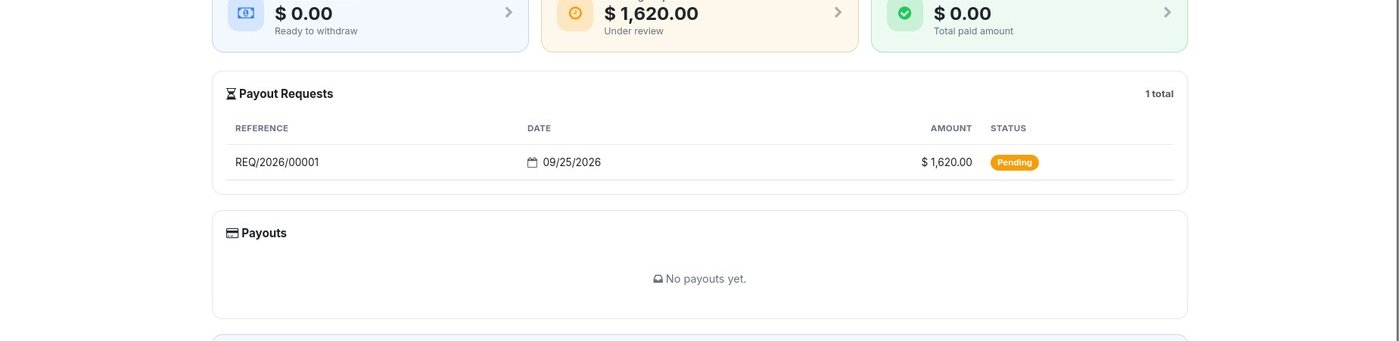
- Full, partial or custom payout requests
- Clear payout and request history
- Minimum payout and hold rules
Compliance
Reporting duties handled, not improvised.
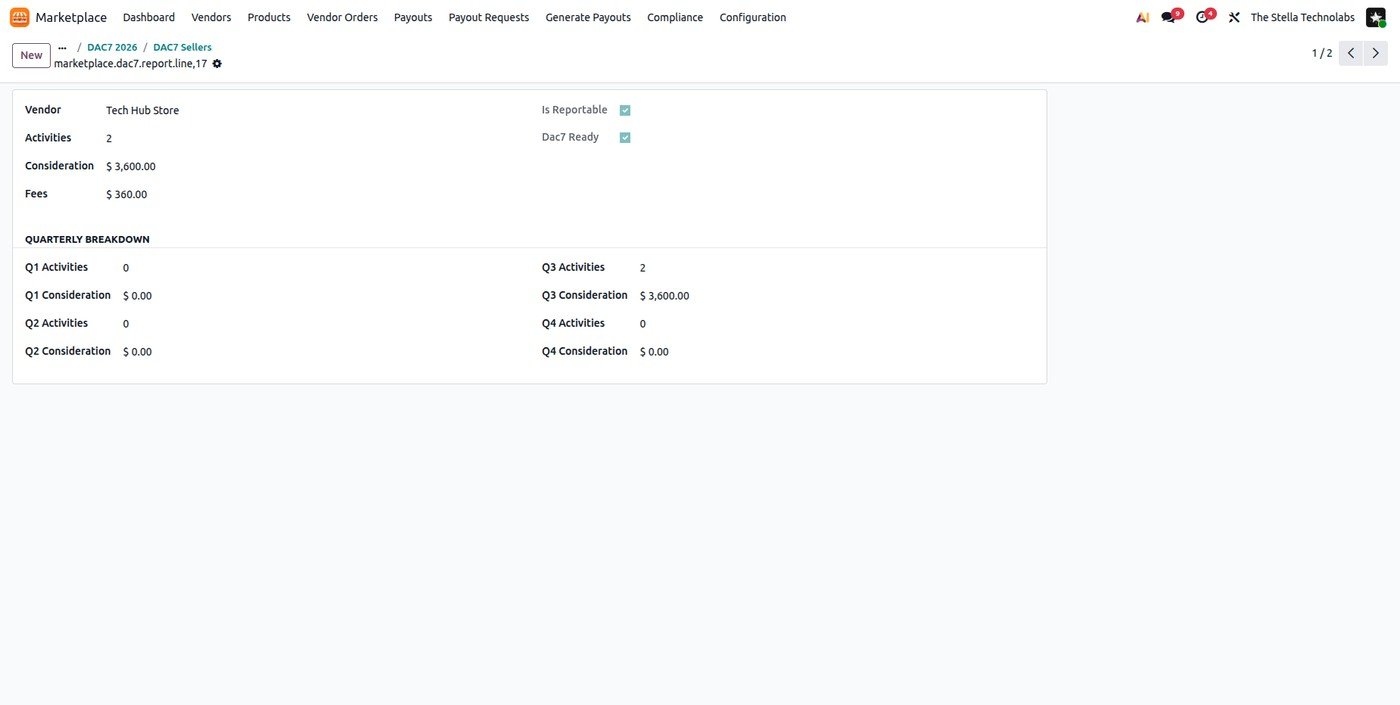
- EU DAC7 seller reporting
- Data readiness checks per vendor
- Report generation and export
- Deemed supplier VAT flagging
AI Assistant
Bring your own key. Off until you switch it on.
- Draft listing titles and descriptions
- Smart price suggestions
- Vendor risk scoring
- Every figure computed in Odoo
Seller Subscriptions
Turn seller memberships into recurring income.
- Membership plans with recurring fees
- Tiered commission by plan
- Product limits per plan
- Automatic renewal and expiry
A vendor experience sellers actually want
From the first application to the first payout, vendors move through a guided, modern flow that feels nothing like a generic back office.
Apply in minutes
Sellers choose a vendor account on your site and submit a short application with their shop details.
Get approved
You review the application and verify the vendor. Login opens only once the account is approved.
List and manage
A rich dashboard lets vendors add products with images, set stock, update their shop profile and submit listings for approval.
Sell and get paid
Vendors see which products sold, track orders and request a full, partial or custom payout, with a clear history of every request.
Full control for operators
You decide who sells, at what commission and when they are paid. The core engine keeps every order, split and payout accurate.
- Approve vendors and listings with a clear review flow.
- Set commission by product, category, vendor or plan.
- Split each order per vendor automatically.
- Generate payouts manually or through Stripe Connect.
- Produce EU DAC7 reports and flag deemed supplier VAT.
A closer look
Click any screen to open it full size.
Built for the marketplaces you want to launch
Whatever you sell and wherever your vendors are, the suite adapts to your model.
Retail and goods
Many sellers, one storefront, one checkout.
Services and pros
List services alongside physical products.
Niche and local
Curated communities and regional sellers.
Scaling platforms
Grow from a handful of vendors to many.
Ready to launch your marketplace?
Tell us about your model and we will walk you through the suite, set up a tailored demo and plan your rollout. The Stella Technolabs builds and supports it end to end.
Questions, answered
Which Odoo editions does it work with?
The suite runs on Odoo Community and Enterprise. We confirm the right fit for your setup during the demo.
Can vendors register themselves?
Yes. Sellers apply from your website and their login opens only after you approve the account, so you stay in control of who can sell.
How do payouts work?
You can settle vendors manually or through Stripe Connect. Vendors can request a full, partial or custom amount, and everyone sees a clear history of requests and payments.
Is it ready for EU reporting?
The Compliance module structures EU DAC7 seller reporting and flags deemed supplier VAT. We always recommend confirming thresholds and treatment with your tax adviser before filing.
Do I have to take the whole suite?
No. Start with the core engine and add only the packs you need, when you need them.
Who builds and supports it?
The Stella Technolabs. We build the suite, tailor it to your marketplace and support you through launch and beyond.