A one page checkout that still guides the customer
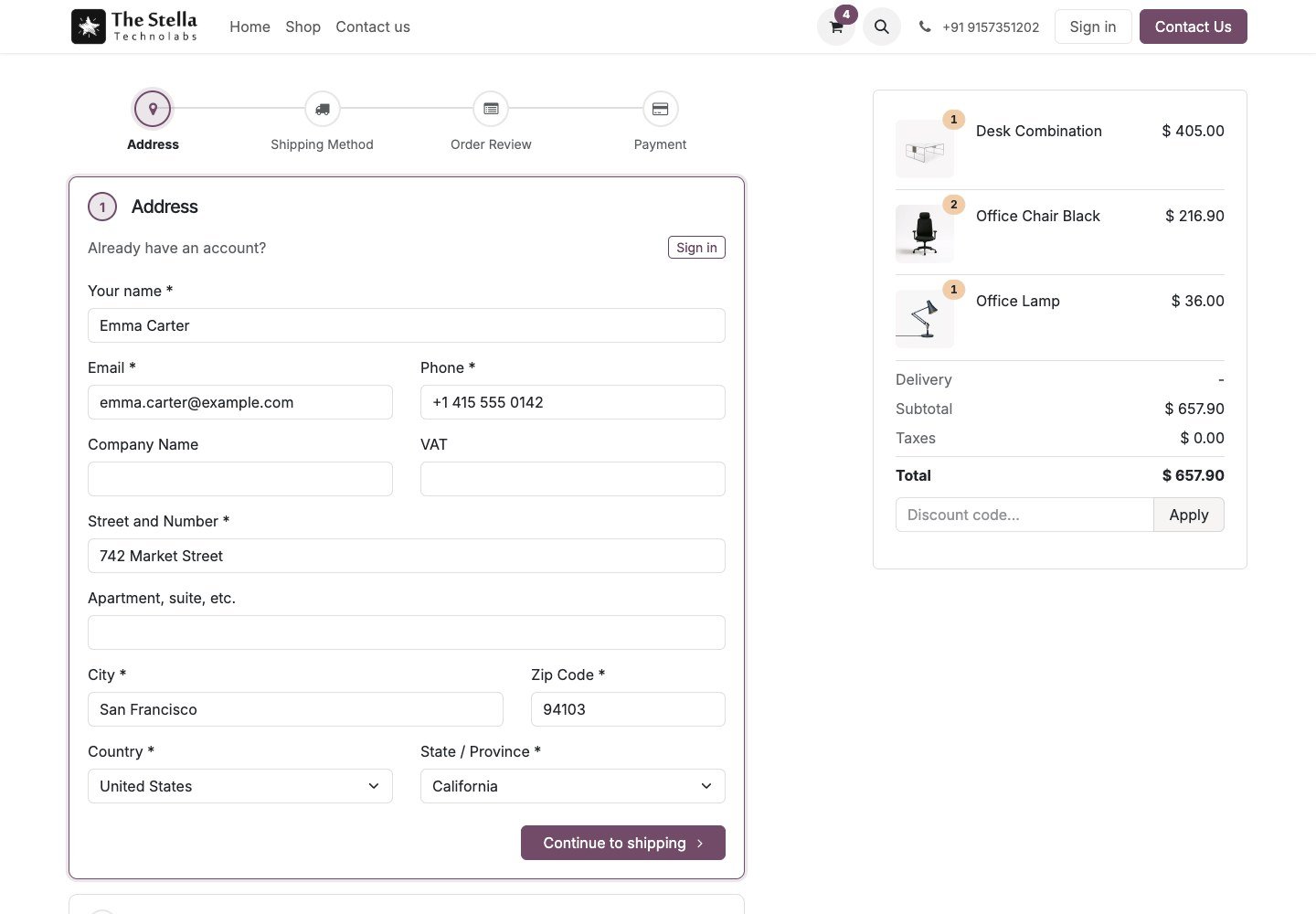
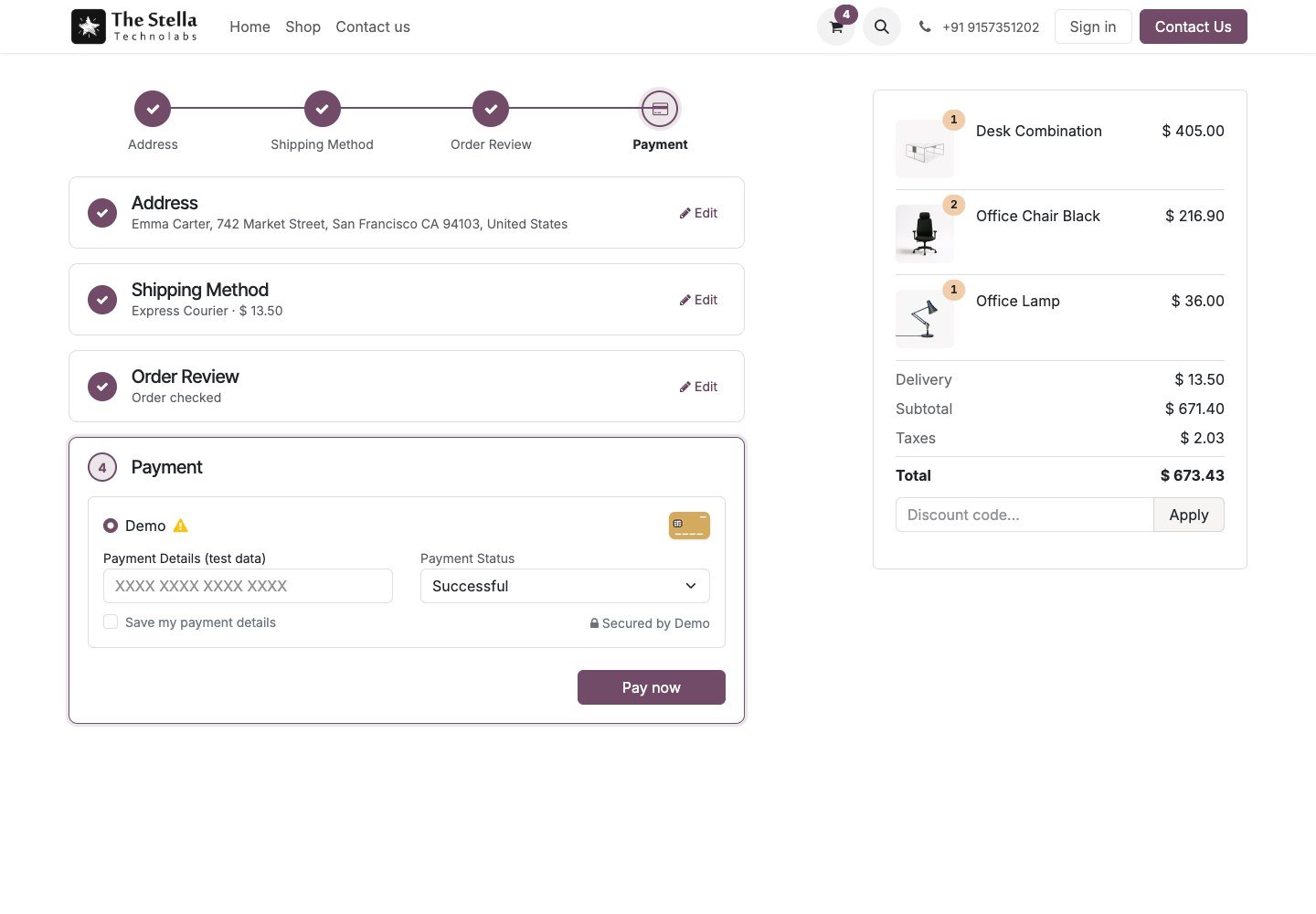
Replace the multi page checkout with a single page that guides the customer. Address, shipping method, order review and payment sit on one page as numbered steps, with a progress bar, and finished steps fold into a one line summary with an edit link.
Four guided steps on one page, a progress bar, live shipping rates and pickup points, and every payment provider working as before.
One page, four guided steps
The page reuses your shop address, delivery and payment logic, so providers, carriers, live rates and pickup points keep working exactly as before.
Guided, not sprawling
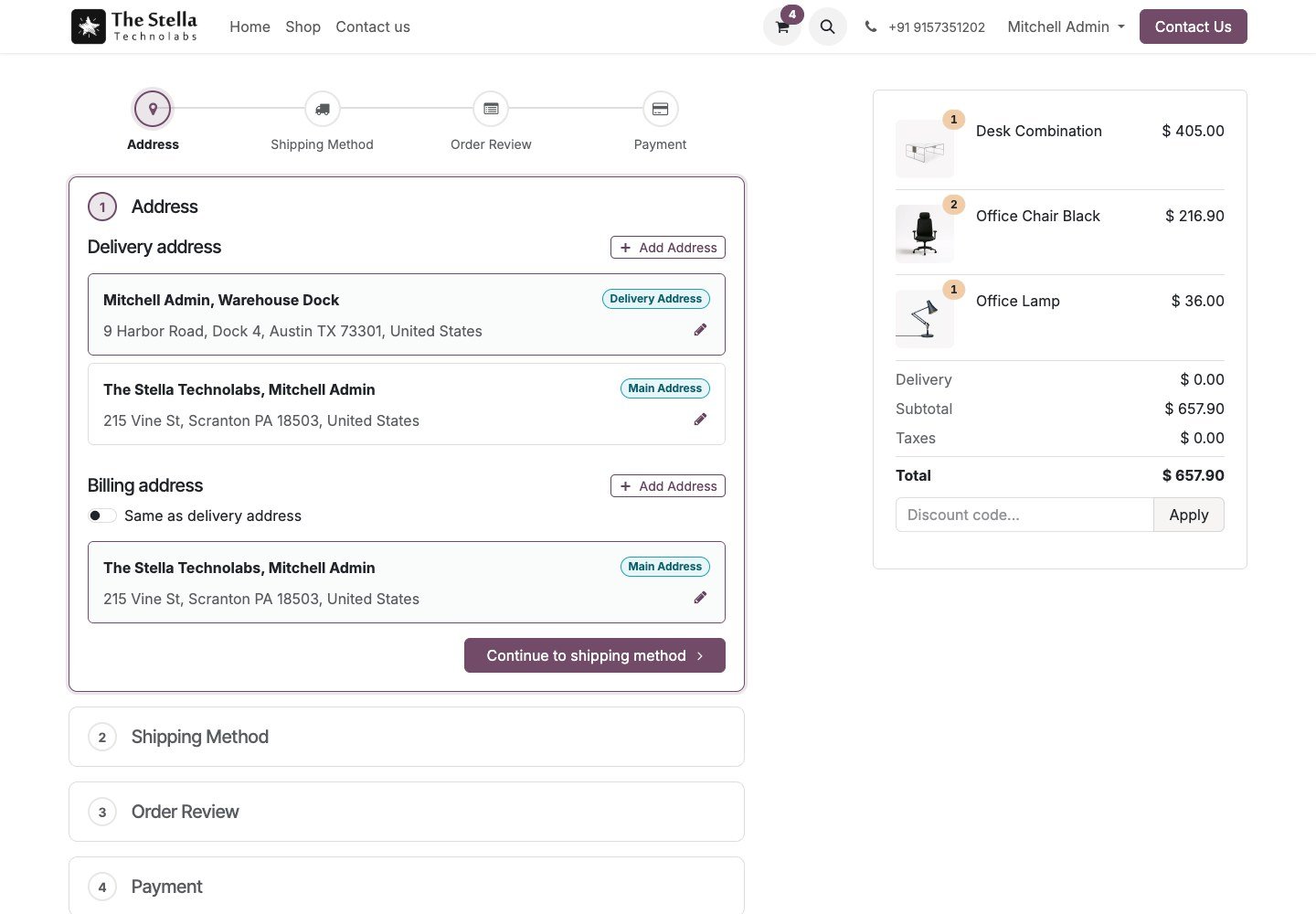
Address, shipping method, order review and payment sit on one page as numbered steps, with a progress bar at the top.
Finished steps fold away
Each finished step collapses into a short summary such as the chosen address or carrier, with an edit link, so the page stays short.
Your providers, untouched
The standard payment form sits in the last step, so every installed payment provider and saved card keeps working.
Everything the app does
Every capability below is in the published app, nothing added.
Four steps on one page
Address, shipping method, order review and payment as numbered steps, with a progress bar that lets the customer jump back to any finished step.
Collapsing summaries
Finished steps collapse into a short summary such as the chosen address or carrier, so nothing is ever hidden and the page stays short.
Addresses without leaving
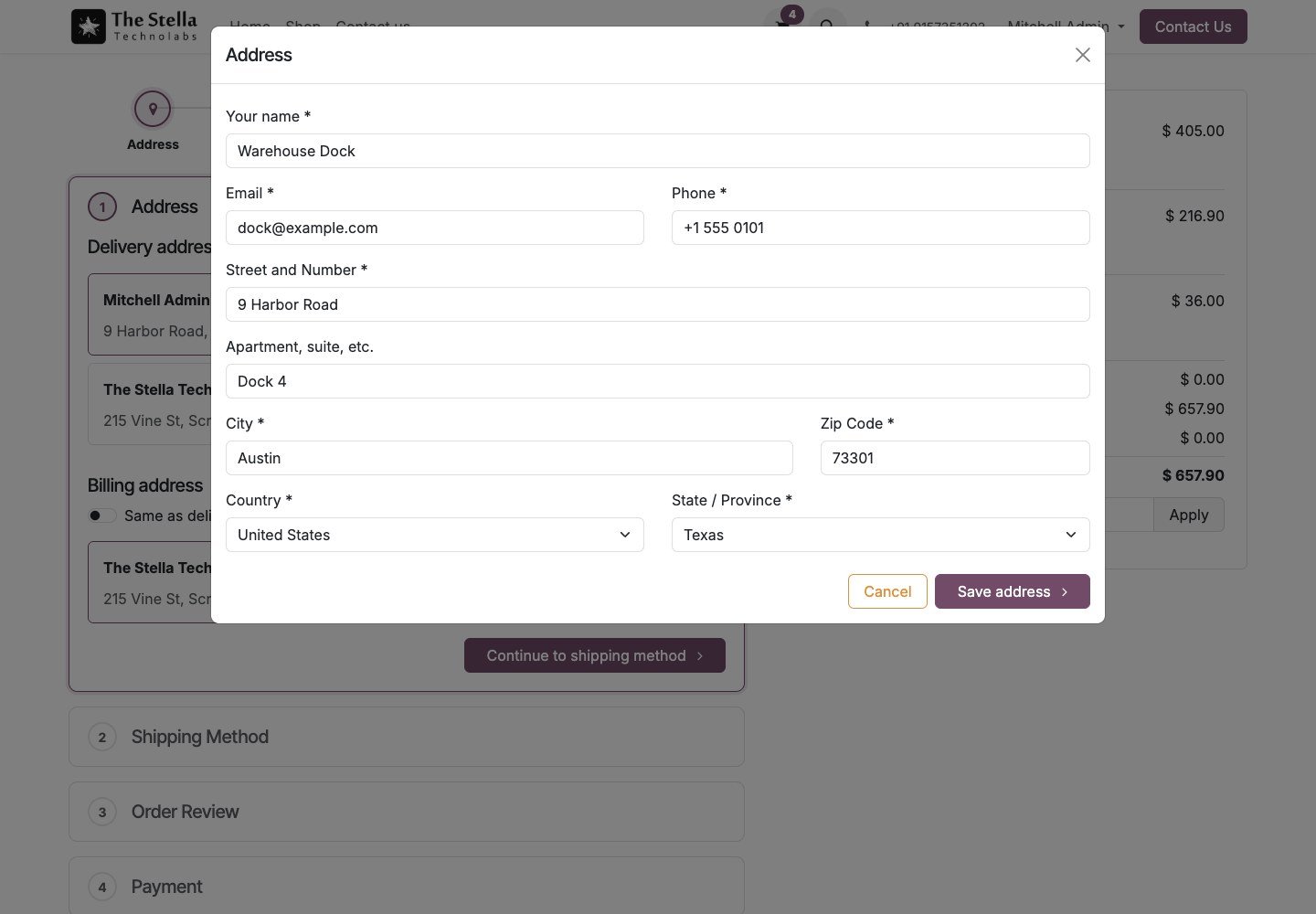
Add and edit addresses in a popup without leaving the page, and guests enter their address directly in the first step.
Live rates and pickup points
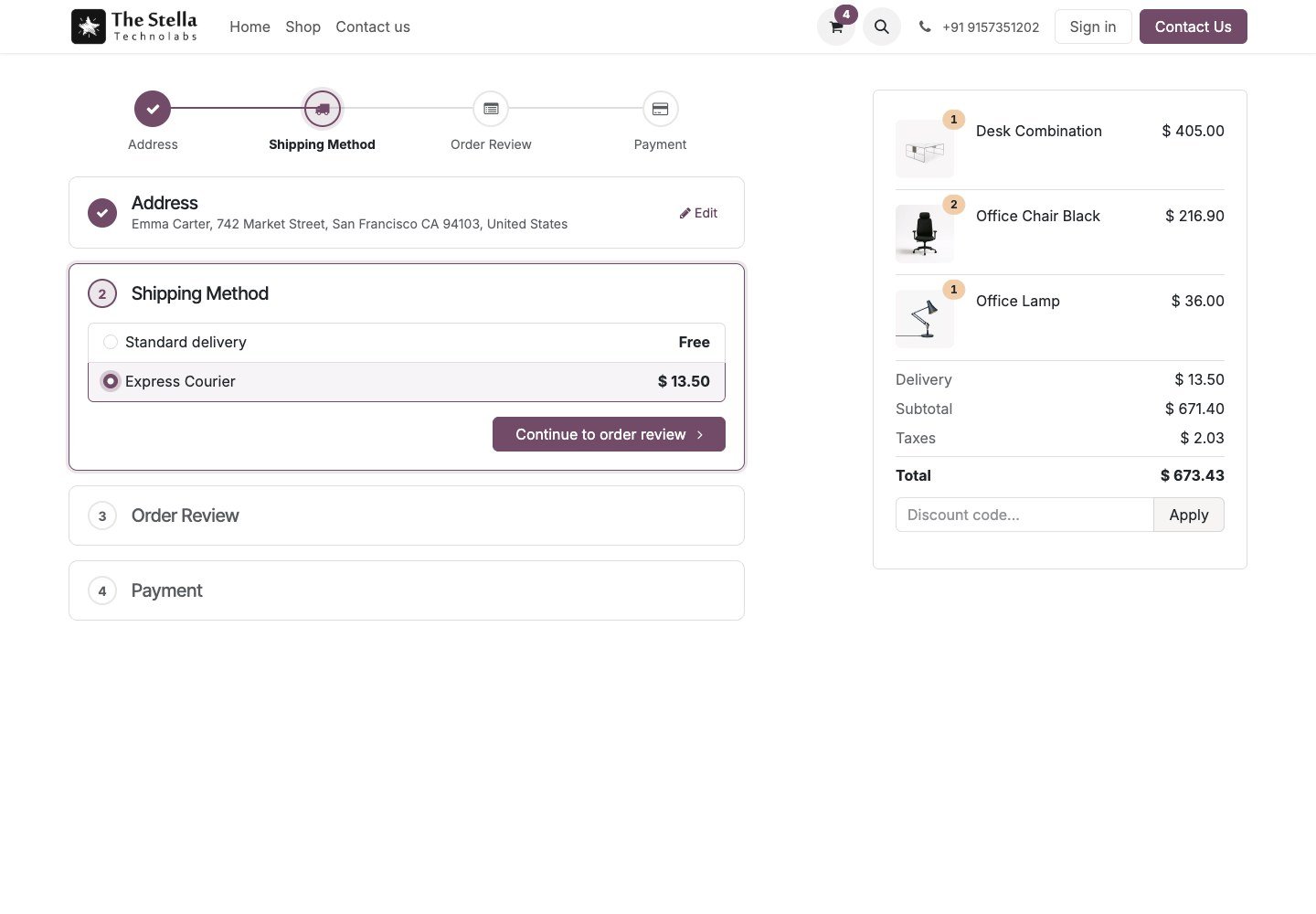
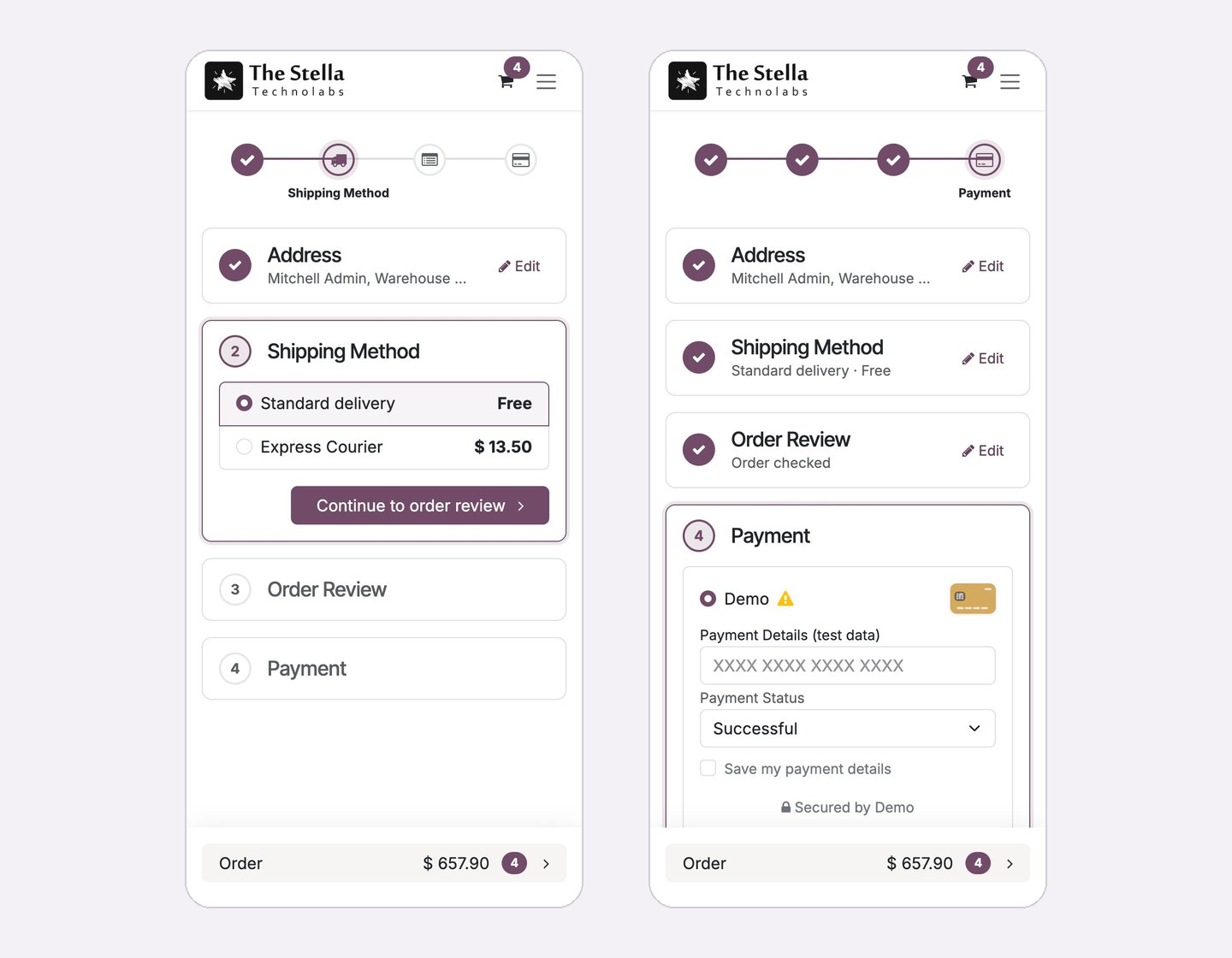
Live shipping rates and pickup points, with the order total updating as the customer chooses a carrier.
Payment that never goes stale
The standard payment form in the last step, always prepared with the final order total, so totals never go stale.
Fits every shop and phone
Service only orders skip the shipping step, it works with the extra info step and the terms checkbox, follows your theme and adapts to phones, with a setting per website.
From cart to paid, on one page
The customer moves down a single page, and each step reuses your shop logic underneath.
Enter the address
Guests enter their address in the first step, and signed in customers pick from their saved addresses.
Choose shipping
Live rates and pickup points appear, and the order total updates as a carrier is chosen.
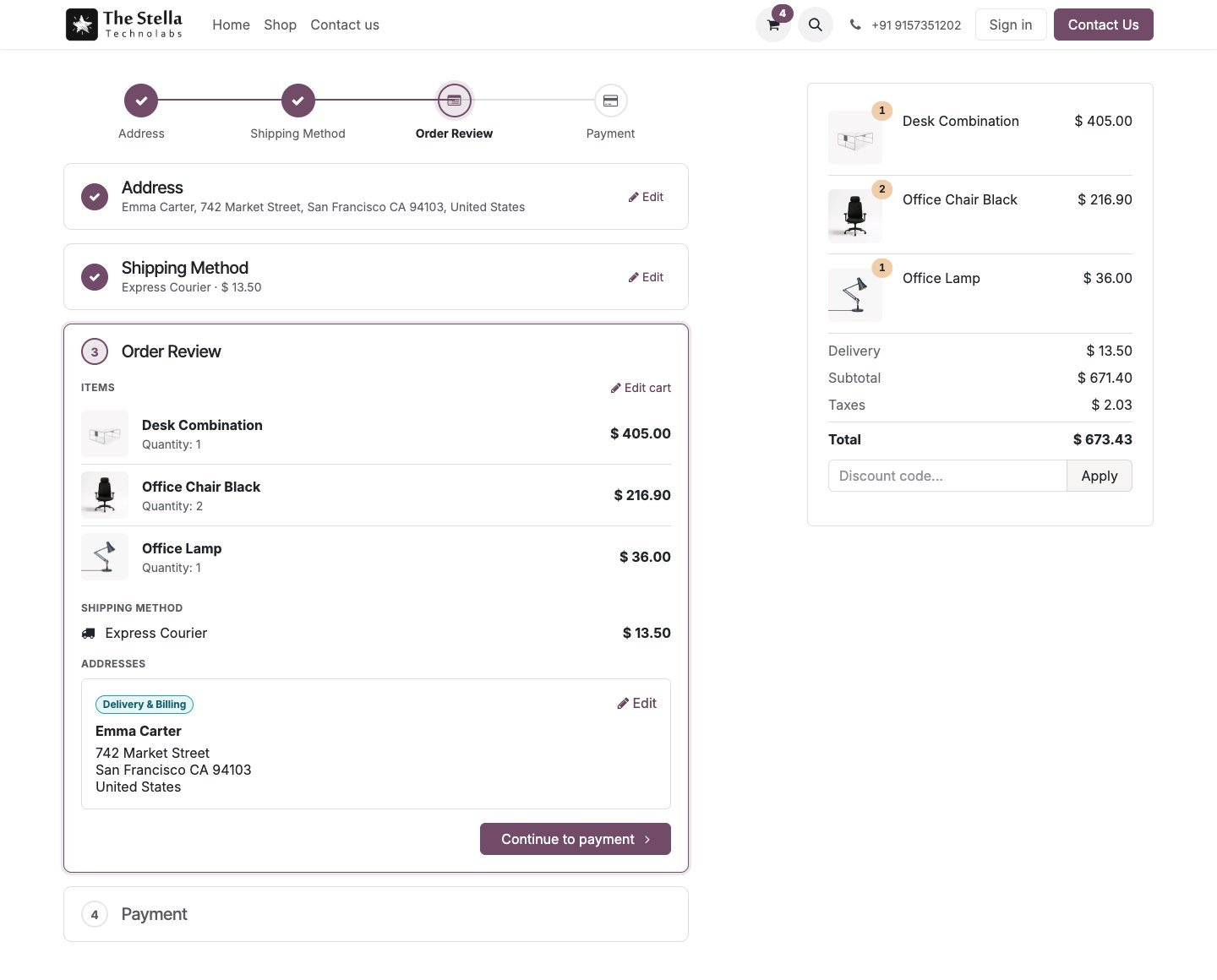
Review the order
The order review shows items, shipping method and addresses before paying.
Pay in place
The standard payment form, prepared with the final total, sits in the last step so every provider and saved card works.
Your checkout logic, kept intact
Nothing about your payment, delivery or address setup has to change.
- Keep every installed payment provider and saved card working.
- Keep live shipping rates and pickup points exactly as before.
- Skip the shipping step automatically for service only orders.
- Keep the extra info step and the terms and conditions checkbox.
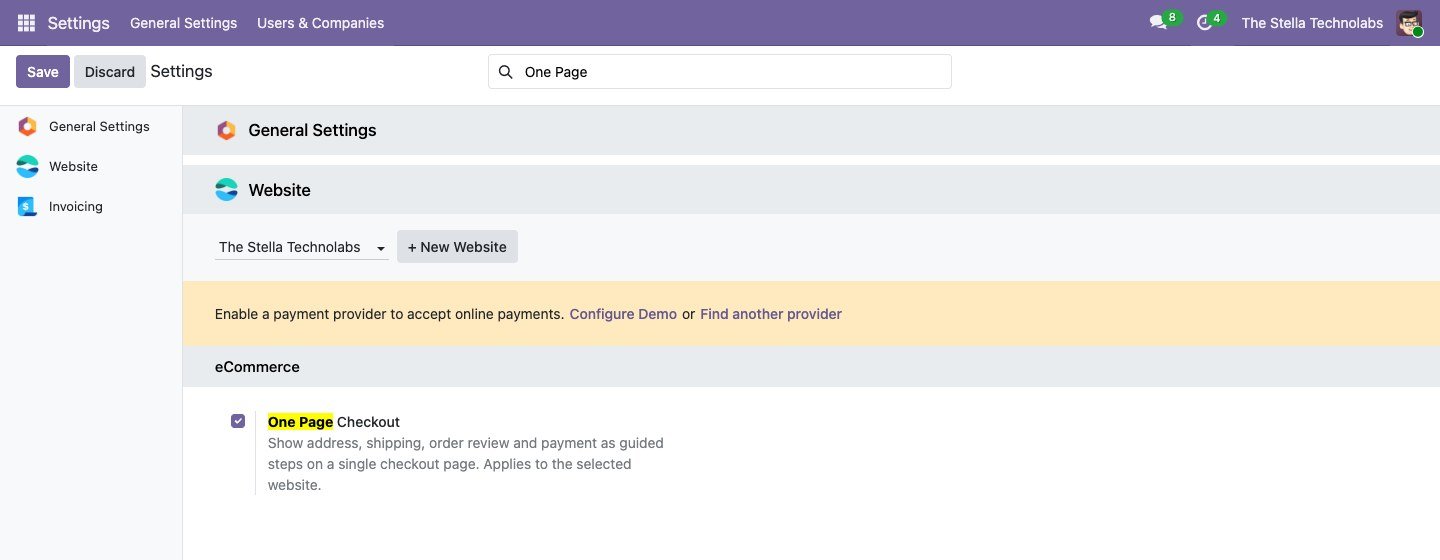
- Switch the one page checkout on or off per website.
A closer look
Click any screen to open it full size.
For any Odoo shop that wants a faster checkout
Wherever a shorter, clearer checkout can lift completion.
High volume stores
Shorten a busy checkout without losing any step.
Mobile first shops
Give phone shoppers a single, guided page with the total pinned.
Service and mixed carts
Skip shipping for service only orders automatically.
Guided One Page Checkout extends standard Odoo eCommerce. It does not replace or debrand any native feature. It lays your address, delivery and payment steps on one guided page on top of the checkout logic you already use.
Ready to simplify your checkout?
Tell us about your shop and we will show you the app, set up a tailored demo and plan your rollout.
Questions, answered
Will my payment providers still work?
Yes. The standard payment form sits in the last step, so every installed payment provider and saved card keeps working exactly as before.
Do live shipping rates and pickup points still work?
Yes. Live rates and pickup points work, and the order total updates as the customer chooses a carrier.
What about service only orders?
The shipping step is skipped automatically when an order has no delivery.
Can I switch it per website?
Yes. There is a setting per website, so you can turn the one page checkout on or off for each shop.
Does it work on phones?
Yes. It follows your theme and adapts to phones, with the order total pinned at the bottom.