Void the whole order, keep the books honest.
Void a whole Point of Sale order in one tap with a single reason. The guest is not charged, the lines leave the receipt, and your inventory and cost of goods still reflect what actually left the kitchen.
The food left the kitchen, the guest did not pay
A dish comes back, an order was keyed wrong, a tray hits the floor. The guest should not pay for it, but the food has still left the kitchen. Remove the lines from the order and your stock and cost of goods are wrong. Charge for them and the guest is unhappy.
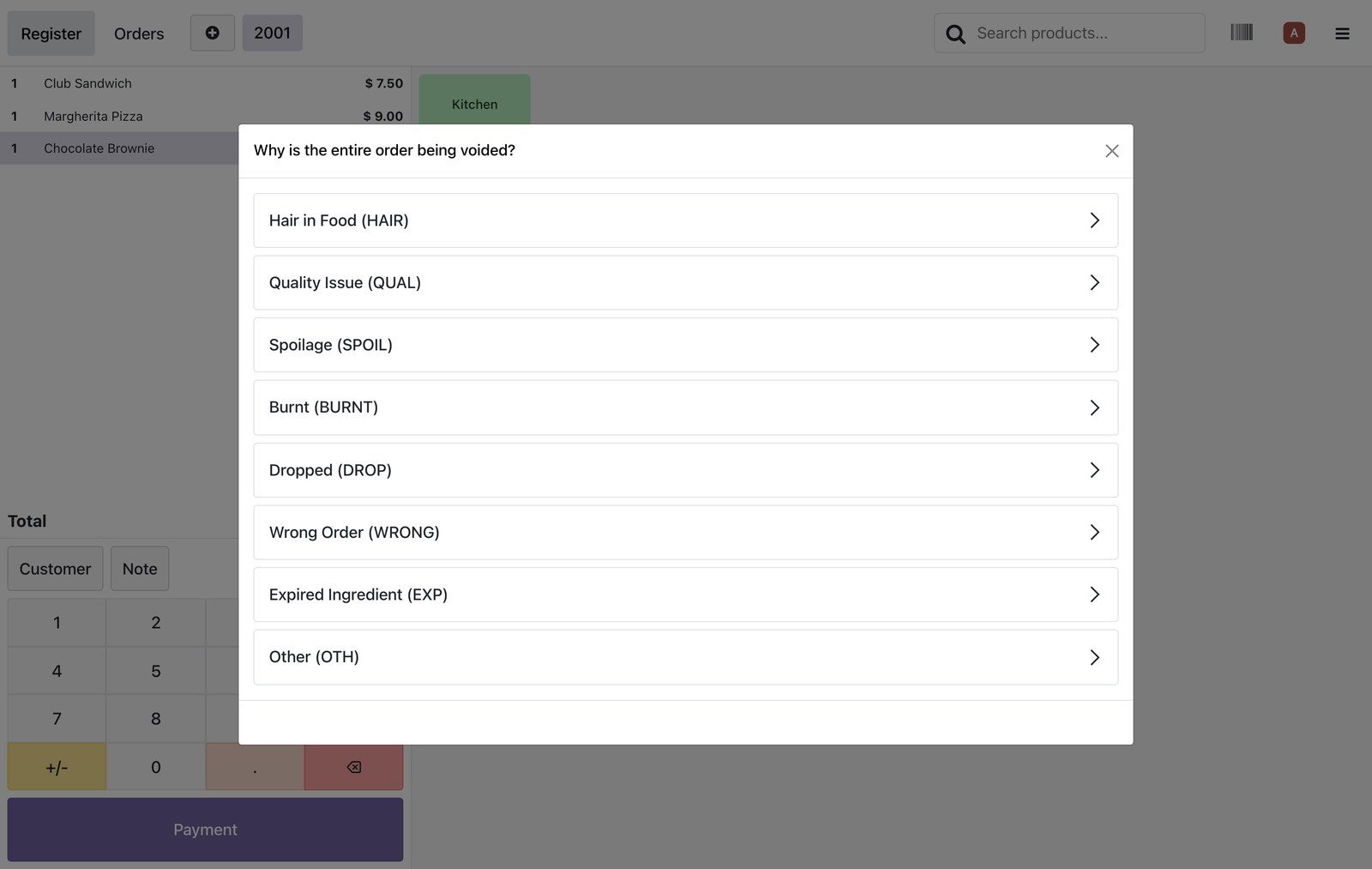
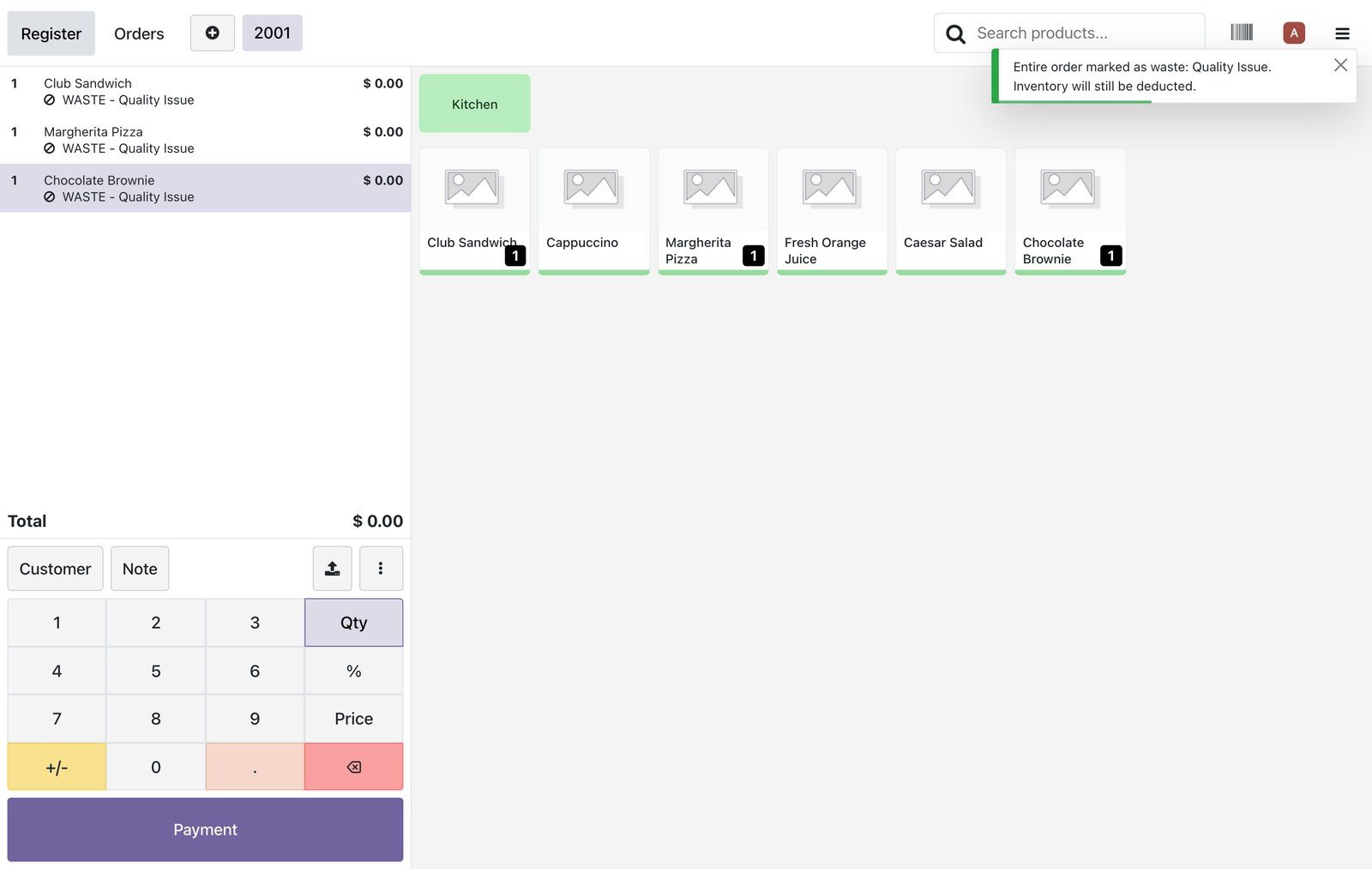
This module adds a Void Entire Order button to the Point of Sale. Press it, pick one reason, and every line on the open order is voided at once. The order total drops to zero and the lines leave the customer receipt, while the stock move and the waste reason are still recorded for each line. Every void is logged for daily review and reporting.
Why this module
Fast on the floor
One tap and one reason voids the whole order. Pressed by mistake? Tap again to restore it to its original prices.
Honest stock and cost of goods
The stock move still goes through on every voided line, so inventory and cost of goods reflect what actually left the kitchen.
Nothing written off without a cause
Every void needs a reason from a list you manage, and the Waste Analysis shows where your losses come from.
What is inside
Void Entire Order
Press Void Entire Order, pick one reason, and every line on the open order is voided at once. The order total drops to zero.
Hidden from receipt
Voided lines are hidden from the printed and customer receipt, so the guest is never charged for what they did not get.
Stock still deducted
The stock move still goes through on every voided line, so inventory and cost of goods reflect what actually left the kitchen.
Mandatory reason
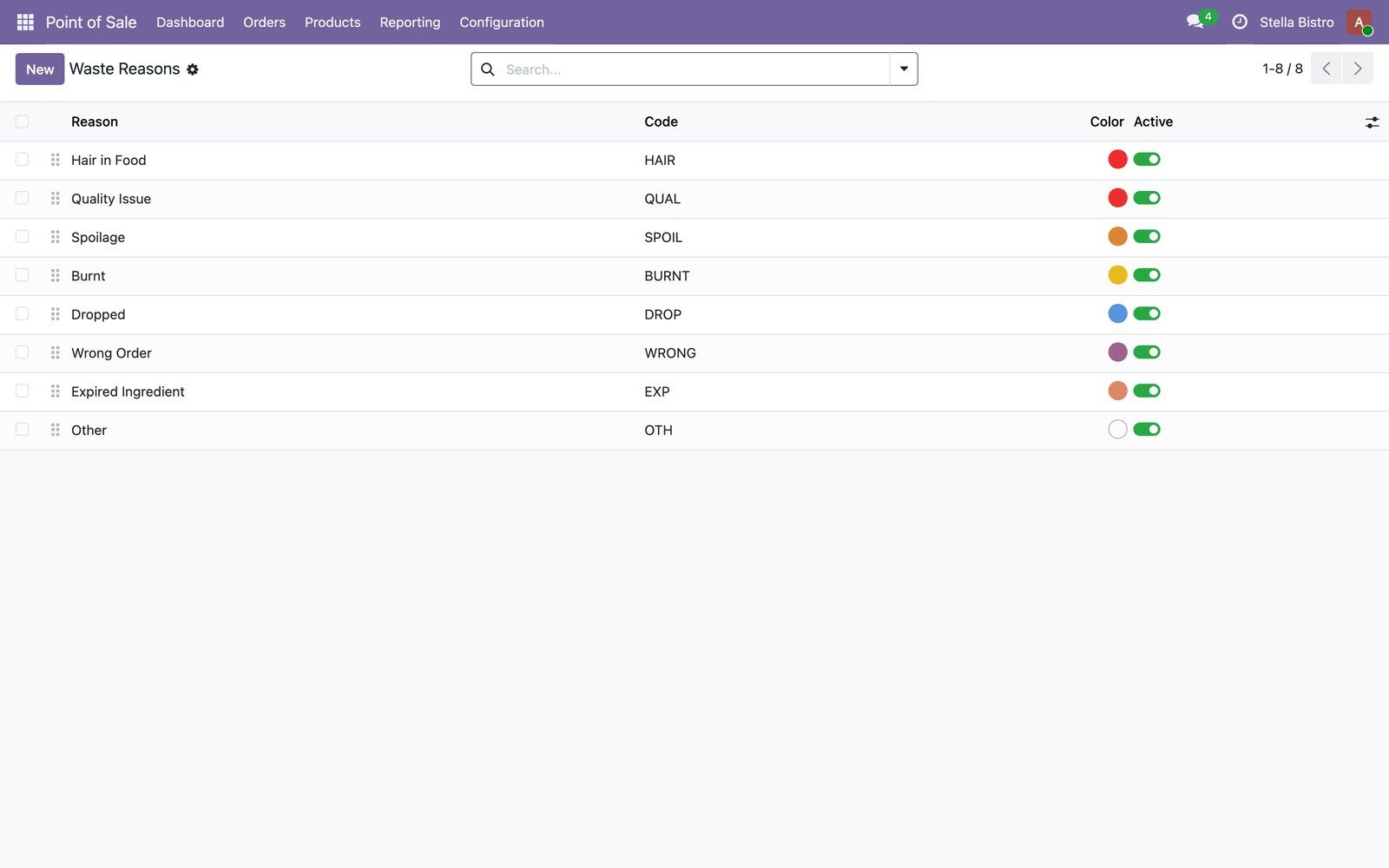
Every void needs a reason from an admin managed list, so nothing is written off without a clear, reportable cause.
One tap restore
Tap again to restore the whole order to its original prices in one move.
Waste Analysis
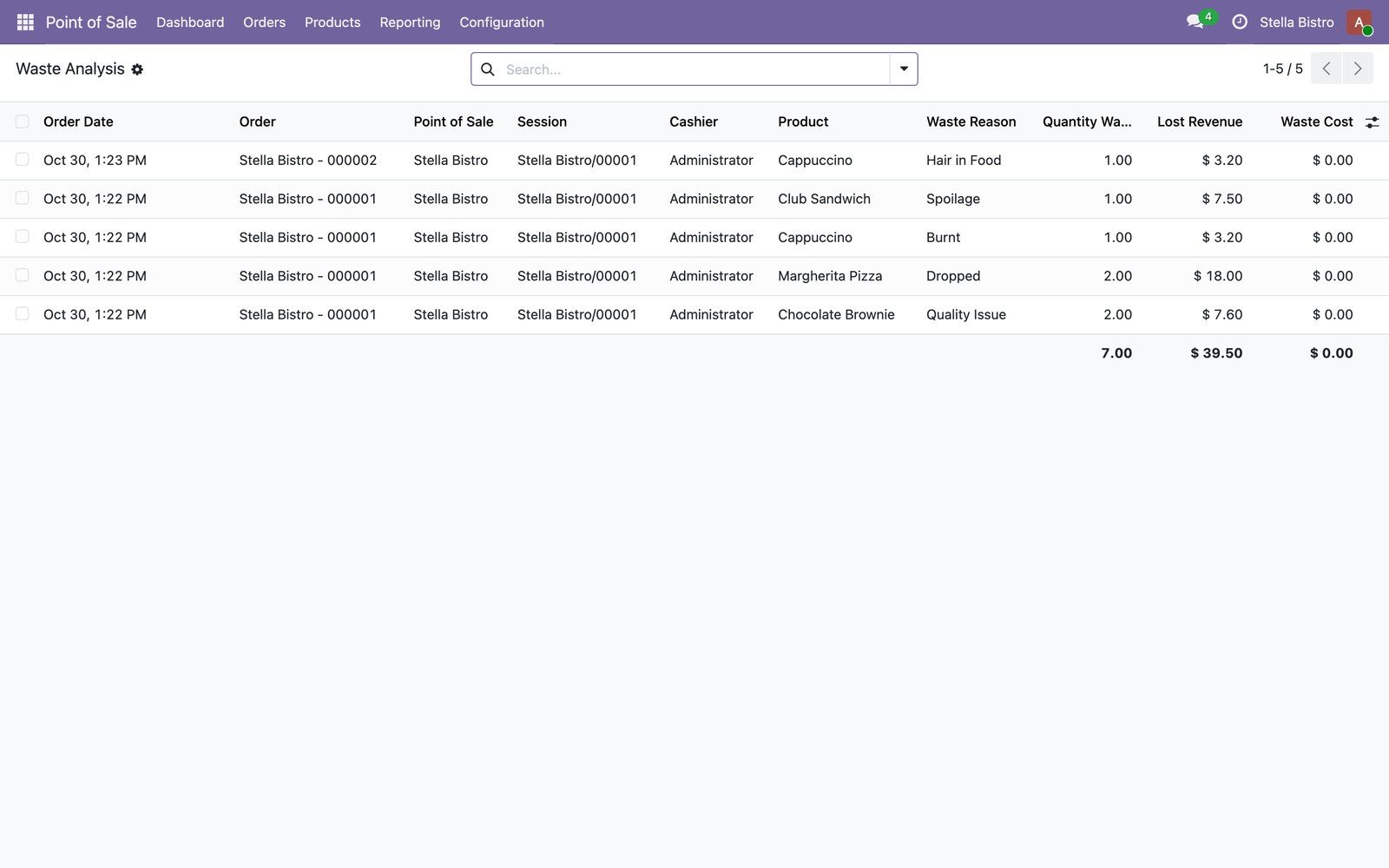
A full Waste Analysis view totals quantity, cost and lost revenue by reason, point of sale, session, cashier, product or period.
Access by role
Void and waste controls are set per point of sale using the standard Employees in POS access levels, from manager to all staff.
No extra modules
A self contained toolkit that needs no other paid app. Install it, enable it in any Point of Sale, and go.
What every void records
| What | How it is handled |
|---|---|
| The customer bill | Voided lines are hidden from the printed and customer receipt, so they are not charged |
| Stock | The stock move still goes through for each line |
| Cost of goods sold | Reflects what actually left the kitchen |
| Reason | Mandatory, picked from a list you manage |
| Reporting | Quantity, cost and lost revenue, grouped by reason, point of sale, session, cashier, product or period |
Ready made waste reasons
Add, rename or archive reasons to match your kitchen. Each reason can also carry a short code for back office reports.
Who it is for
Restaurants, cafes and bars that need to void a whole order quickly on the floor, without charging the guest and without losing track of the stock and cost that went into it.
Tested on the standard, unmodified editions of Odoo Community and Enterprise. It depends on the standard Point of Sale and Employees in POS modules. If your Point of Sale or any related module (such as a custom product screen, a modified order line model, or another waste or void app) has been altered by another developer, the void and waste controls may not render or work as expected. Contact us before buying if you run a heavily customised Odoo. This app voids the whole order in one tap. Do not install it together with our separate POS Waste and Void Management app, which voids single lines; the two share the same waste engine. The Void and Waste controls appear in any Point of Sale and respect the Employees in POS access levels you configure. Enable Waste Management from the Point of Sale settings after install. Runs on Odoo.sh and your own server; Odoo Online does not allow custom modules. Odoo is a trademark of Odoo S.A. This module is not made or endorsed by Odoo S.A.
Ready to void cleanly on the floor
Questions before you buy, or help setting it up on your floor? Our team is happy to help before and after purchase.
Questions, answered
Is the guest charged for a voided order?
No. The order total drops to zero and the voided lines are hidden from the printed and customer receipt.
Does my stock still go down?
Yes. The stock move still goes through on every voided line, so inventory and cost of goods reflect what actually left the kitchen.
What if someone presses it by mistake?
Tap the button again to restore the whole order to its original prices.
Can staff void without a reason?
No. Every void needs a reason from the list you manage under the Point of Sale configuration.
Who can use the button?
You choose per point of sale, using the standard Employees in POS access levels: manager, cashier, minimal or all employees.
Where do I see what was voided?
In the Waste Analysis, with quantity, cost and lost revenue by reason, point of sale, session, cashier, product or period.
How do I turn it on?
Enable Waste Management in the Point of Sale settings after install, and choose who may use it.
Does it work on Community?
Yes, on Community and Enterprise. It depends on the standard Point of Sale and Employees in POS modules.