One yearly number, a fair target for everyone.
Plan the year of sales quotas from one number and follow every salesperson against your real season, not a straight line. Approve and lock the plan, record every change with a date and a reason, and see the gap to close.
A yearly figure divided by twelve
Most sales targets are a yearly figure divided by twelve. Then a quiet first quarter looks like a crisis, a new hire carries a full target from day one, and every mid year change ends up in a spreadsheet nobody trusts.
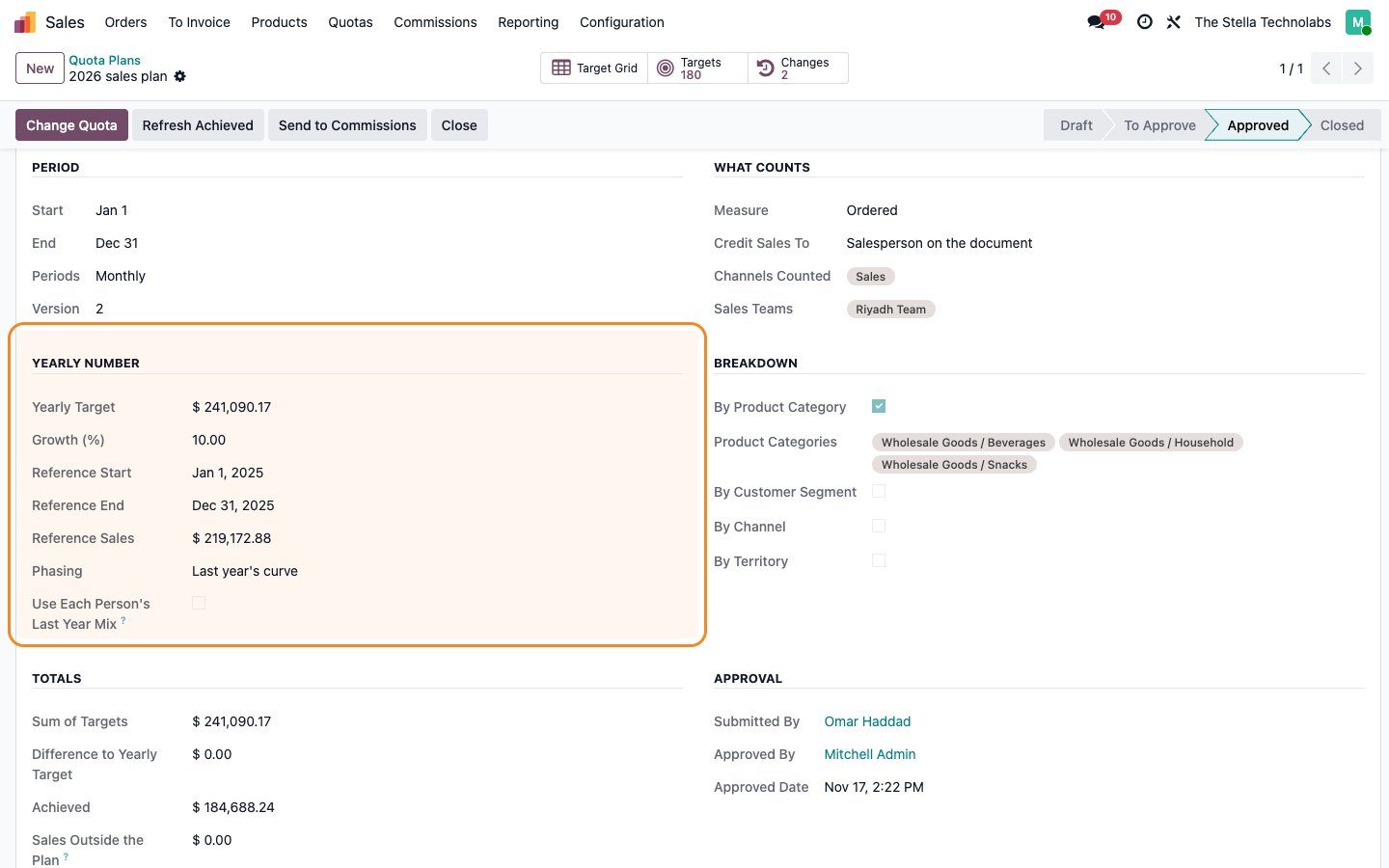
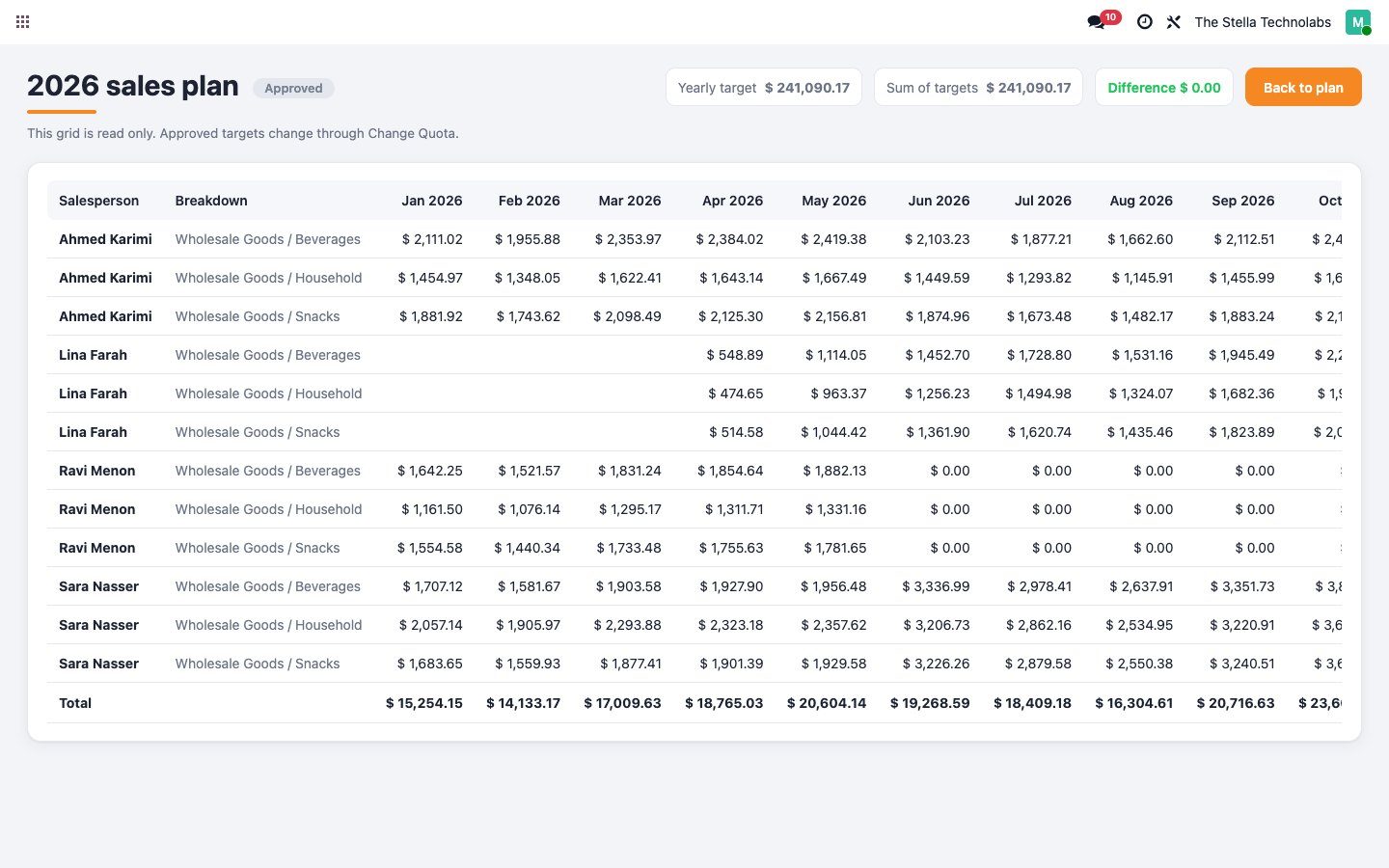
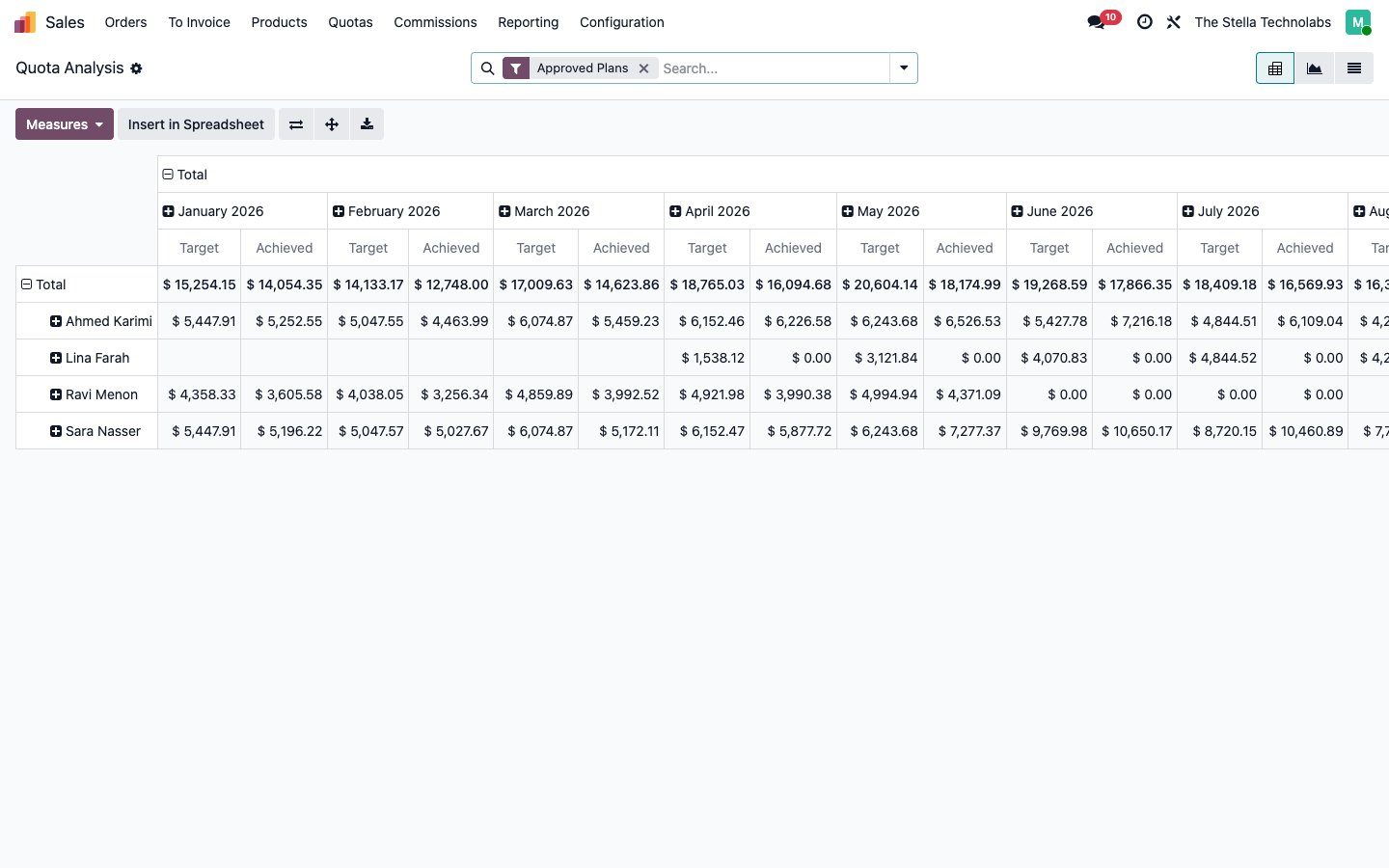
This module plans the whole year from one number. It splits that number by last year's season, growth, personal shares and a ramp for new hires, down to each salesperson and month, and optionally by product category, customer tag, channel and territory. The grid always adds up, goes through approval and is locked. During the year, everyone sees how they pace against the real season and how much of what is left their pipeline already covers.
Why this module
Targets that follow your season
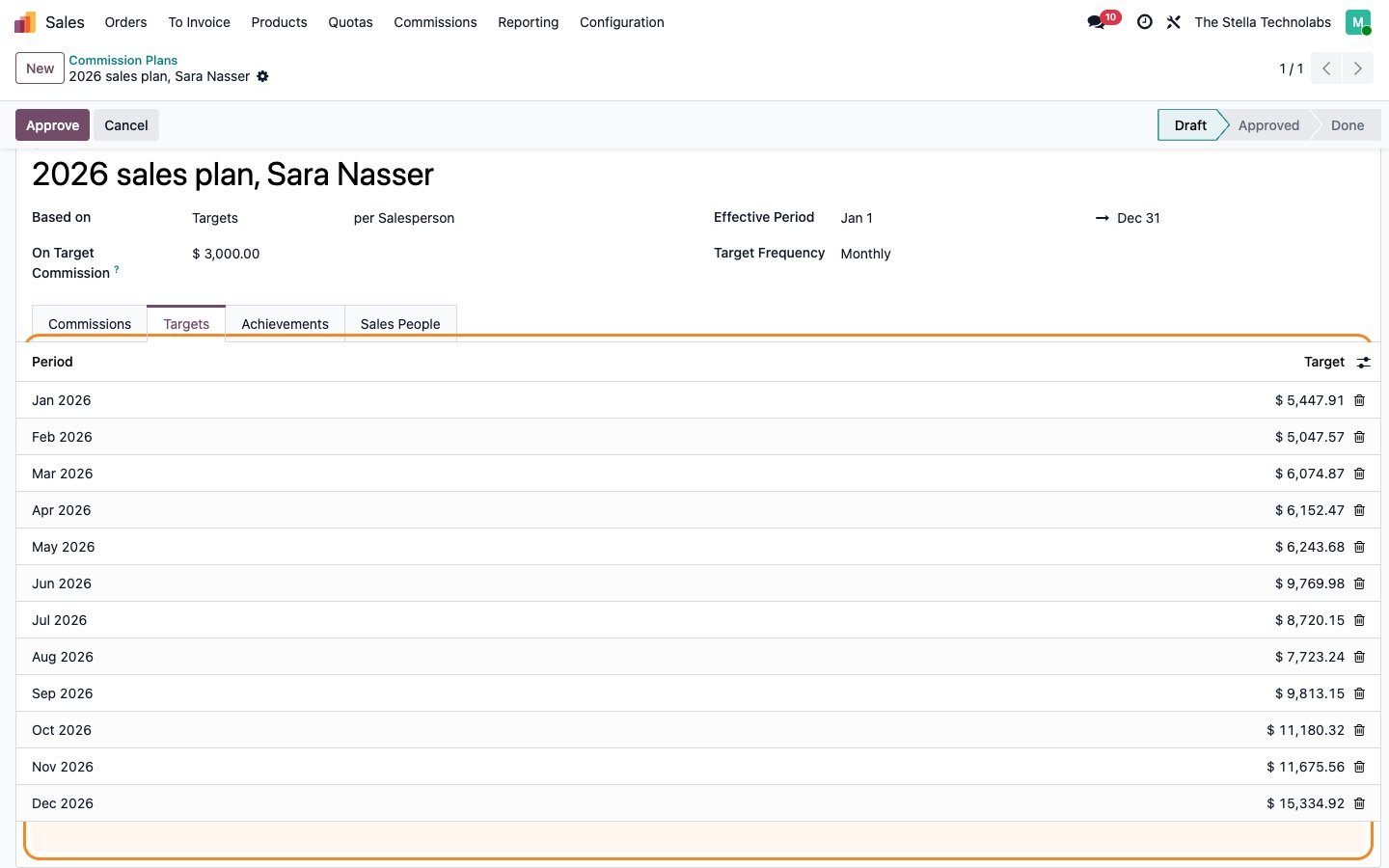
A December heavy business gets December heavy targets, and pace is measured against that curve, so nobody is judged against a straight line.
A plan everyone signs off
The grid always equals the yearly number, team leaders submit, an administrator approves, and the targets are locked.
Changes that stay fair
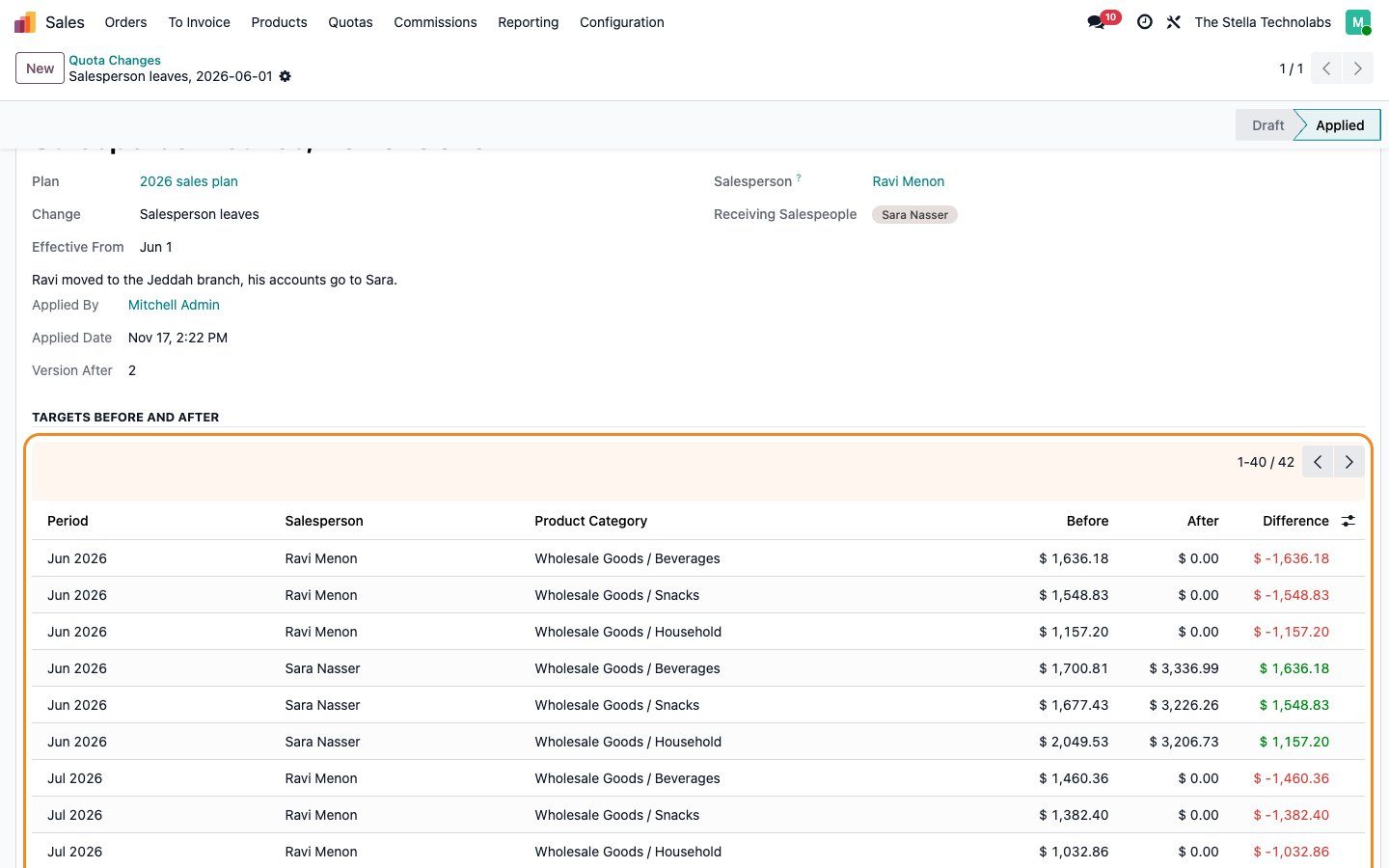
Leavers, joiners and customers who change owner are recorded with a date and a reason. Past months never change.
What is inside
Seasonal phasing
Split the yearly number by last year's monthly sales, flat by days or your own curve.
Shares and new hire ramp
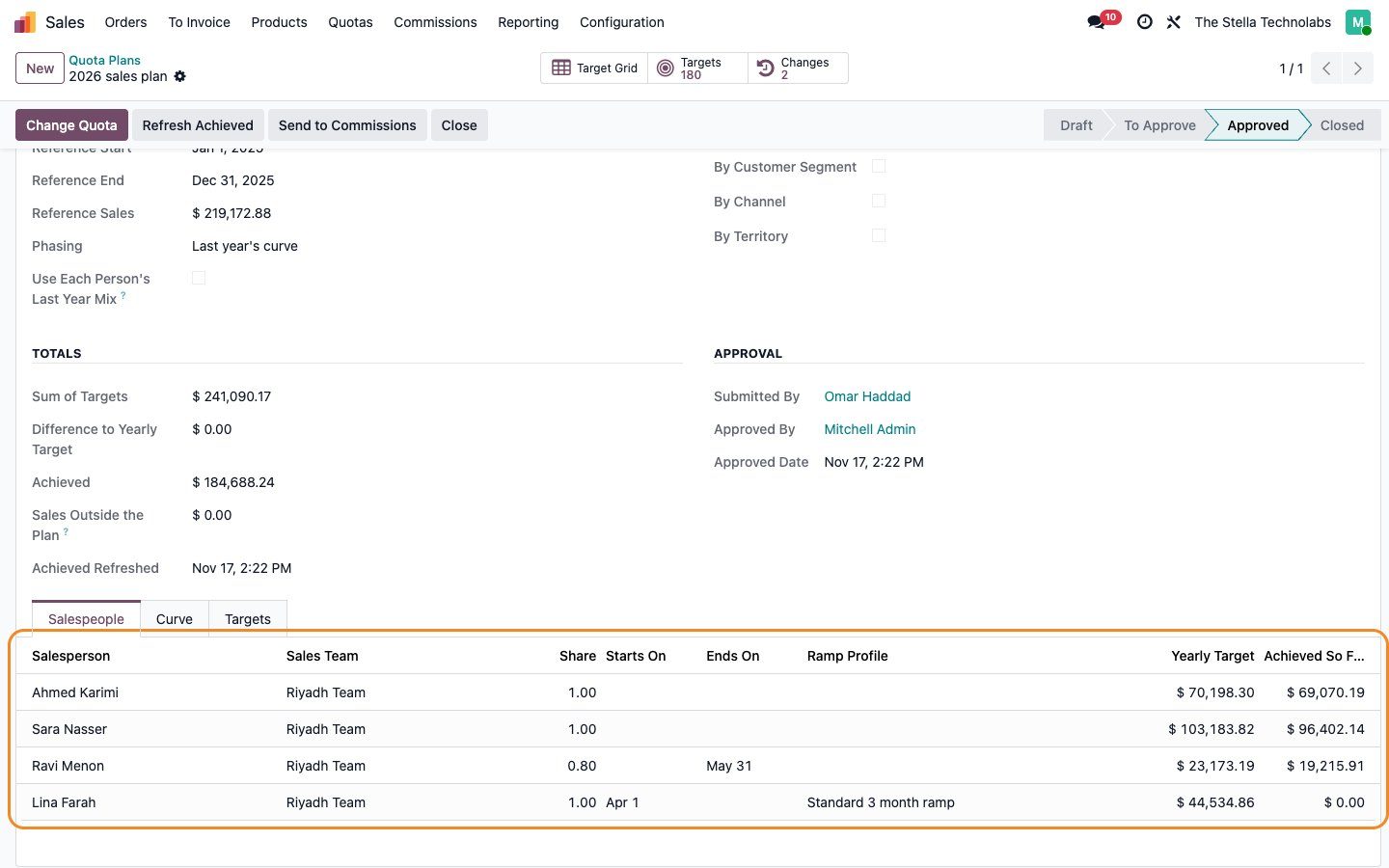
Give each salesperson a share, start and end dates, and a ramp such as 25, 50 and 75 percent for the first months. The others pick up the rest.
Breakdowns that fit
Optional targets by product category, customer tag, channel and country or state, built from each person's own mix.
Approve and lock
The grid always adds up to the yearly number. Team leaders submit, an administrator approves or refuses with a reason, then targets are locked.
Dated changes
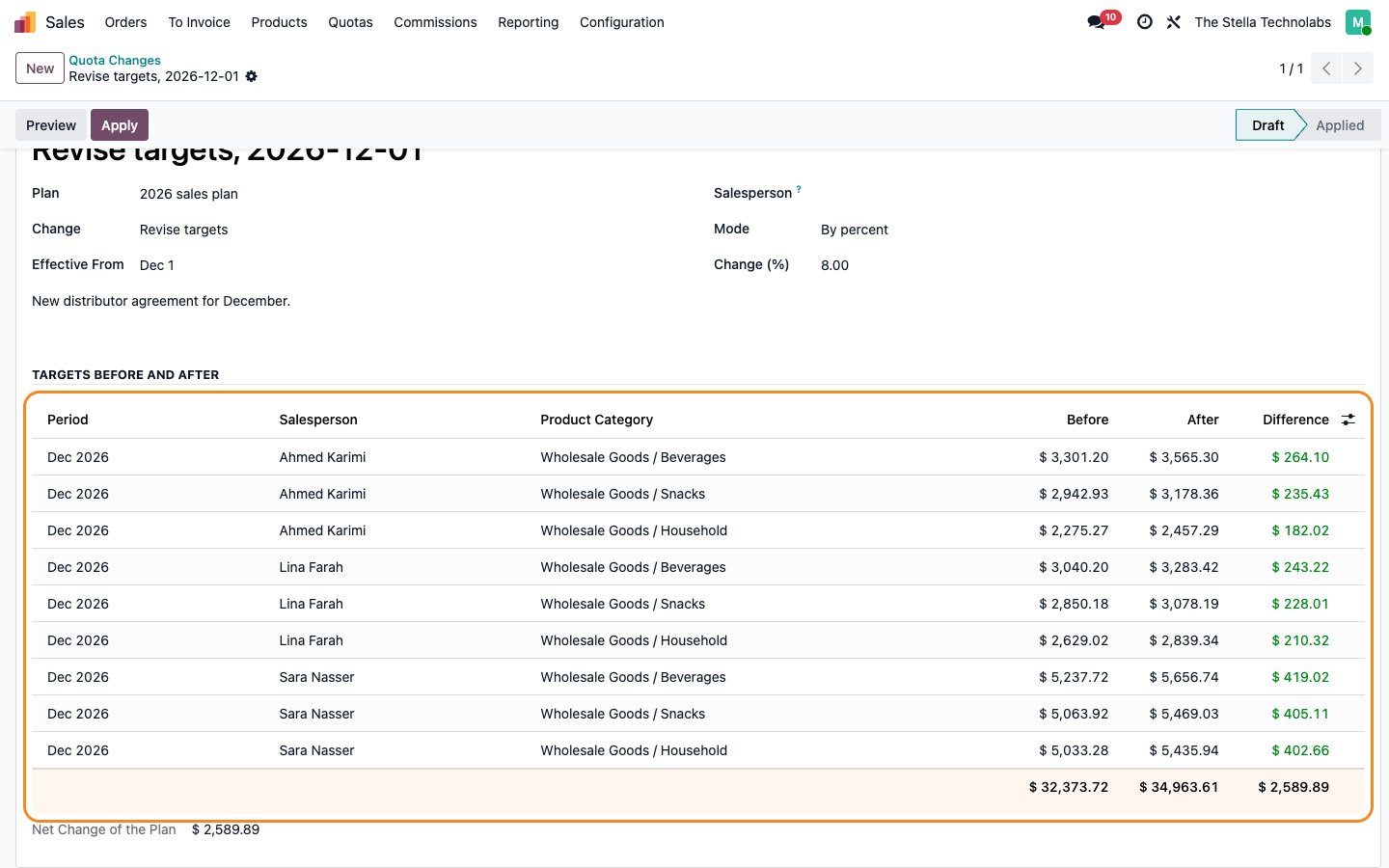
Revise targets, record a salesperson who leaves or joins, or move customers to another owner. Each change has a preview, a reason and a new plan version.
Seasonal pacing
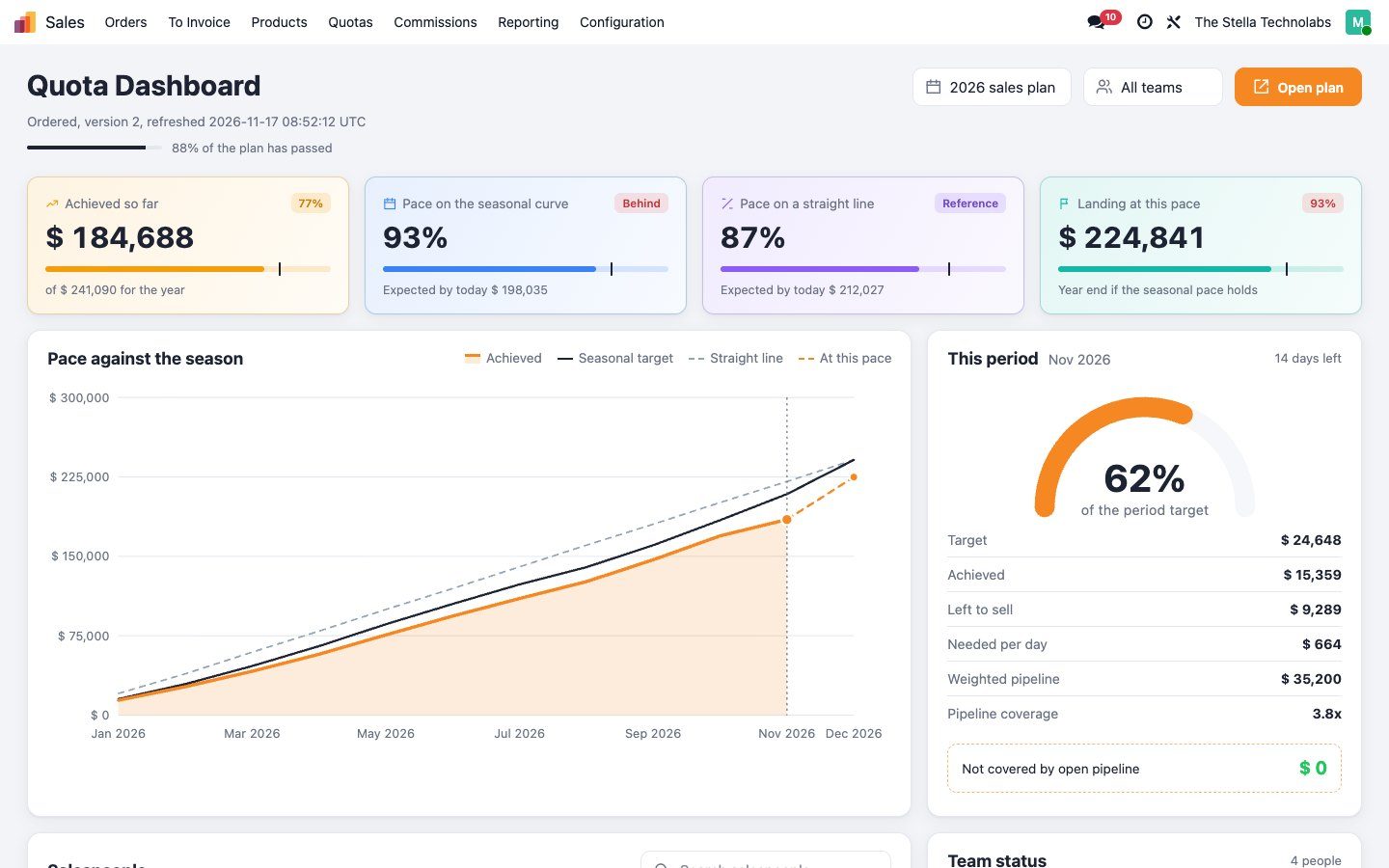
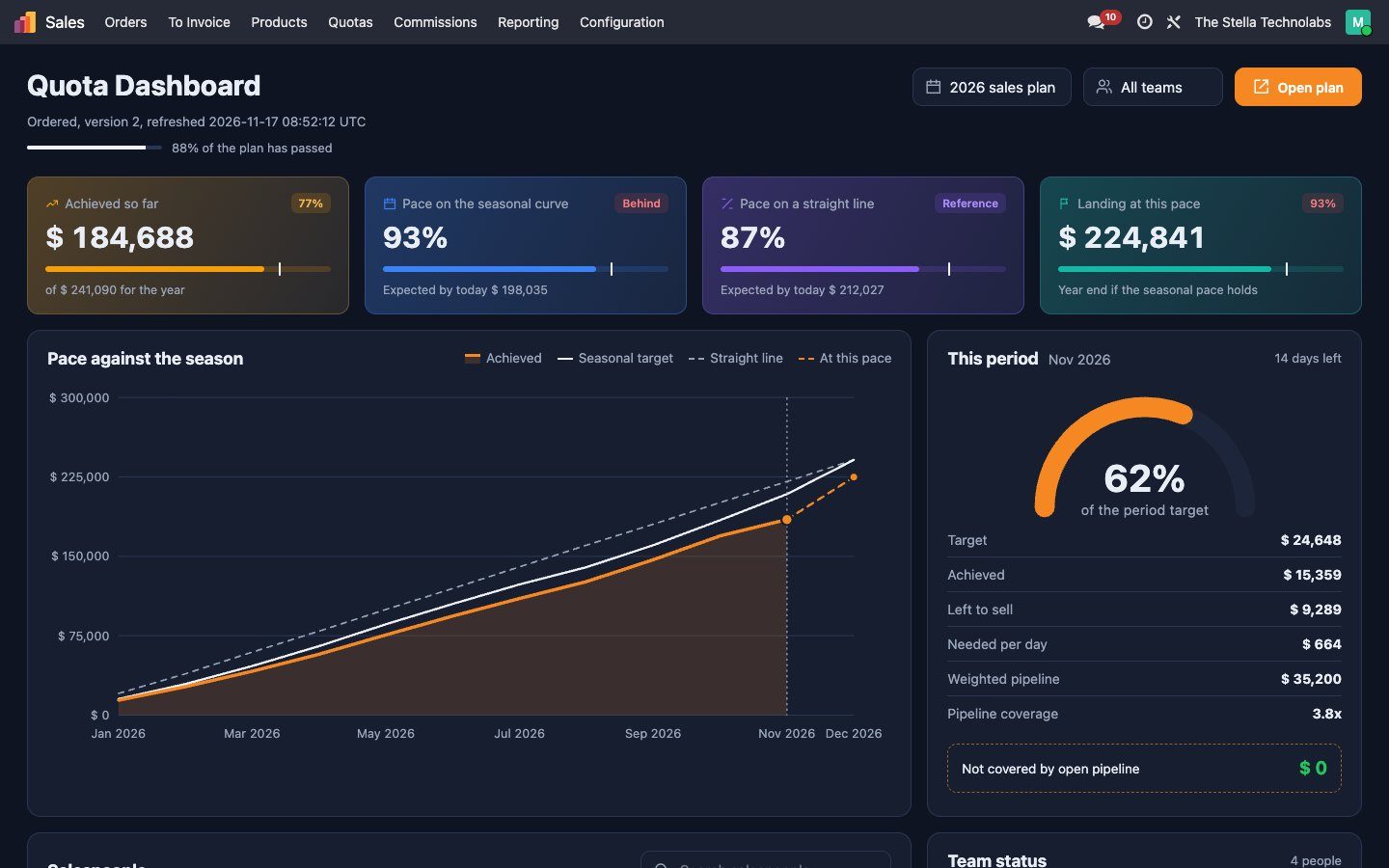
Pace is measured against the plan's own curve, with the straight line shown for reference, so a quiet first quarter no longer looks like a crisis.
Pipeline coverage
With CRM, open opportunities closing in the current period are weighted by probability and compared with what is still to sell, with the gap to close.
Dashboard and My Quota
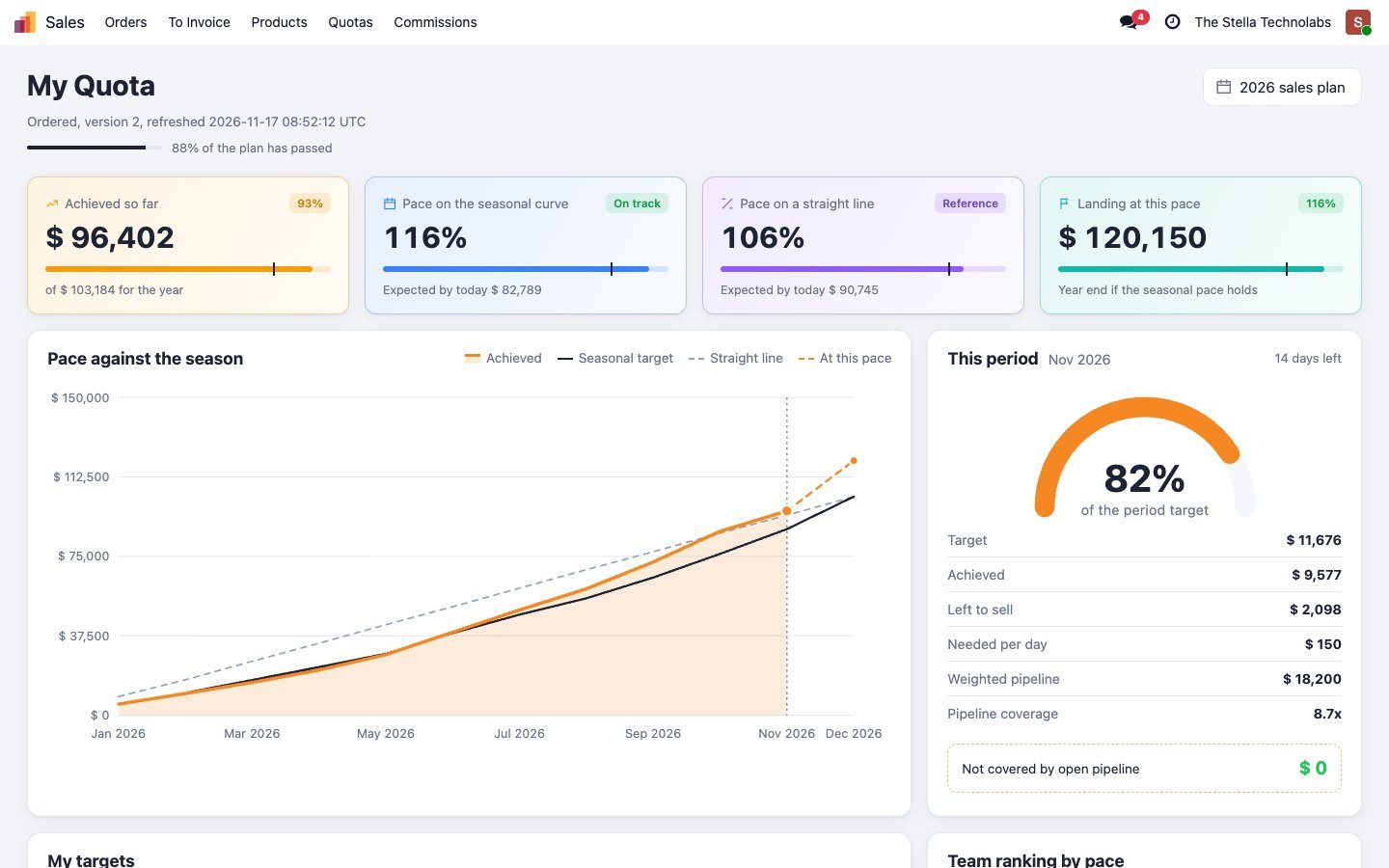
A dashboard for managers with pace, coverage, status and trends, and a My Quota page for each salesperson with an optional ranking without amounts.
Commissions hand-off
On Enterprise, send the approved targets to Odoo Commissions as one plan per salesperson. Later changes update those plans for you.
Weekly snapshots and digest
Weekly snapshots, at risk activities for team leaders and a weekly or monthly digest keep the plan in front of the people who own it.
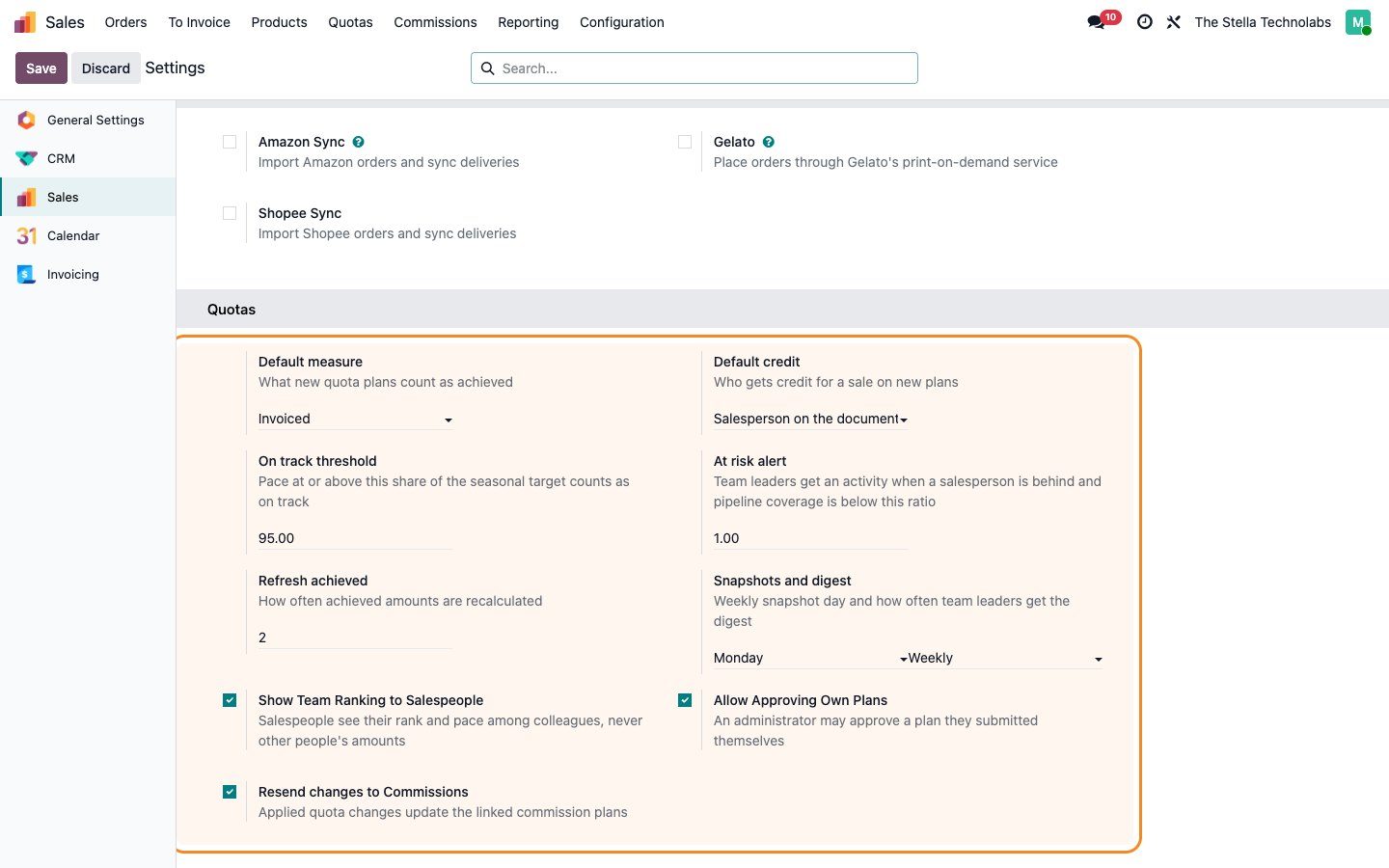
What counts as achieved
Pick the measure per plan; every currency is converted at the document date.
| Measure | How it is counted |
|---|---|
| Ordered | Confirmed sales orders on the order date, untaxed, down payments left out |
| Invoiced | Posted customer invoices on the invoice date, credit notes deducted |
| Paid | Invoices counted on the payment date, partial payments pro rata |
| Margin | Sales order margin, when Margins in Sales Orders is installed |
| Point of Sale and Website | Counted as their own channels when those apps are installed, never twice |
Changes during the year
Past months never change; the month of the change is split by days.
| Change | What happens |
|---|---|
| Revise targets | Raise or lower the remaining targets by a percent or an amount, for one salesperson or everyone |
| Salesperson leaves | The remaining targets and the customers move to one or more colleagues |
| Salesperson joins | The new person takes a share with an optional ramp, the others give up the same amount |
| Customers move | Customers change owner from a date and take their share of last year's sales with them |
A closer look
Who it is for
Sales managers and team leaders who set yearly targets for a team, want them to follow the real shape of the year, and need a plan that stays fair when people join, leave or swap customers.
Tested on the standard, unmodified editions of Odoo Community and Enterprise. It depends on the standard Sales module, and uses CRM, Point of Sale, eCommerce, Margins in Sales Orders and Odoo Commissions when they are installed. Sending targets to Odoo Commissions needs Enterprise. If your Sales app or a related module (such as sales order, invoice, Point of Sale or CRM opportunity workflows) has been changed by another developer, the quota planner and dashboards may not show or work as expected, so contact us before buying. Runs on Odoo.sh and your own server; Odoo Online does not allow custom modules. Odoo is a trademark of Odoo S.A. This module is not made or endorsed by Odoo S.A.
Ready to plan a fairer year
Questions about planning quotas in your company, a custom measure or a different breakdown? Our team is happy to help before and after purchase.
Questions, answered
Does it calculate commission?
No, it plans and tracks quotas. On Enterprise it sends the targets to Odoo Commissions, which keeps calculating the payout.
Do I need CRM, Point of Sale or eCommerce?
Only Sales is required. Pipeline coverage appears when CRM is installed, and Point of Sale and Website sales count as channels when those apps are installed.
What happens to past months when a target changes?
They stay as they were. The month in which the change takes effect is split by days, and every change keeps its date, reason and plan version.
Can salespeople see each other's targets?
No. Each salesperson sees their own targets. If you switch on the ranking, they see rank and pace only, never amounts.
How is the seasonal curve built?
From last year's sales of the same measure and channels, month by month. You can also split flat by days or type your own curve.
Does it work with several companies and currencies?
Yes. Each company has its own plans, users only see their companies, and sales in other currencies are converted at the document date.