The courses you already have, tracked in Odoo.
Bring the training packages you already bought or built into Odoo eLearning. They play inside your courses, every attempt is tracked, and results complete the lesson for you. No server folders, no outside record store, no hosting limits to change.
Courses you own, nowhere to run them
Many companies already own training courses made in Articulate, iSpring, Captivate or another authoring tool. Odoo eLearning is a good home for courses, but on its own it cannot play these packages or record how each learner did.
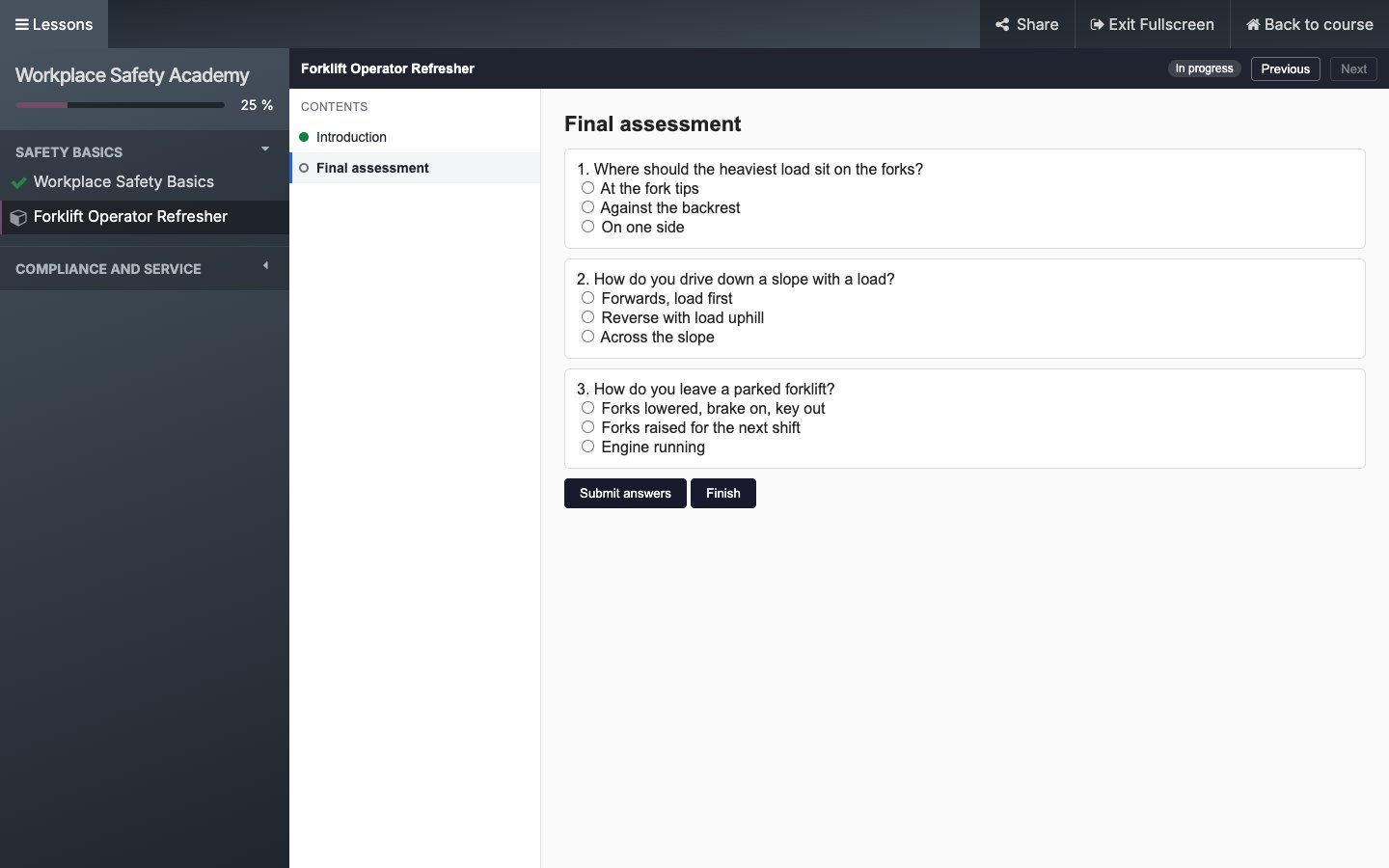
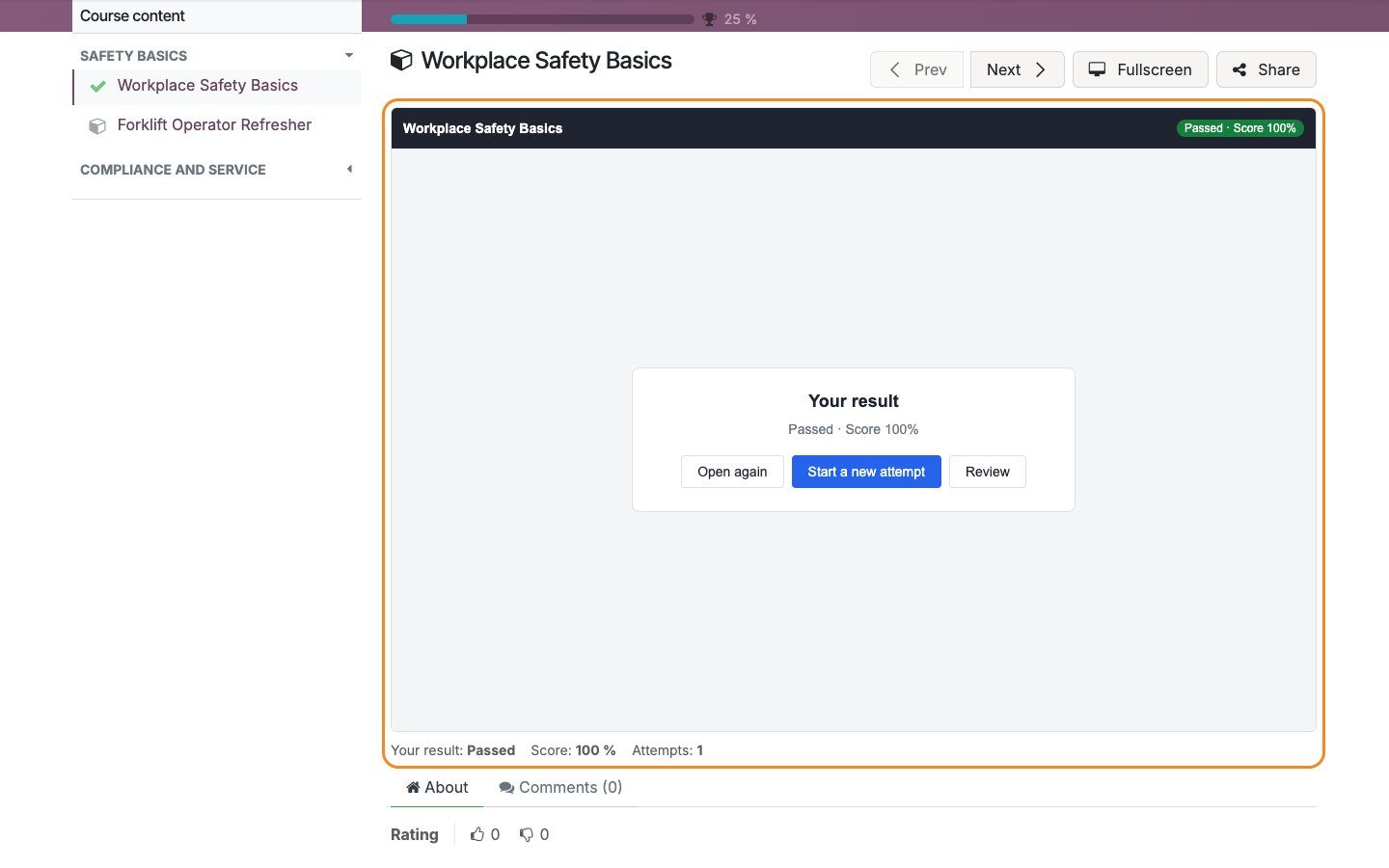
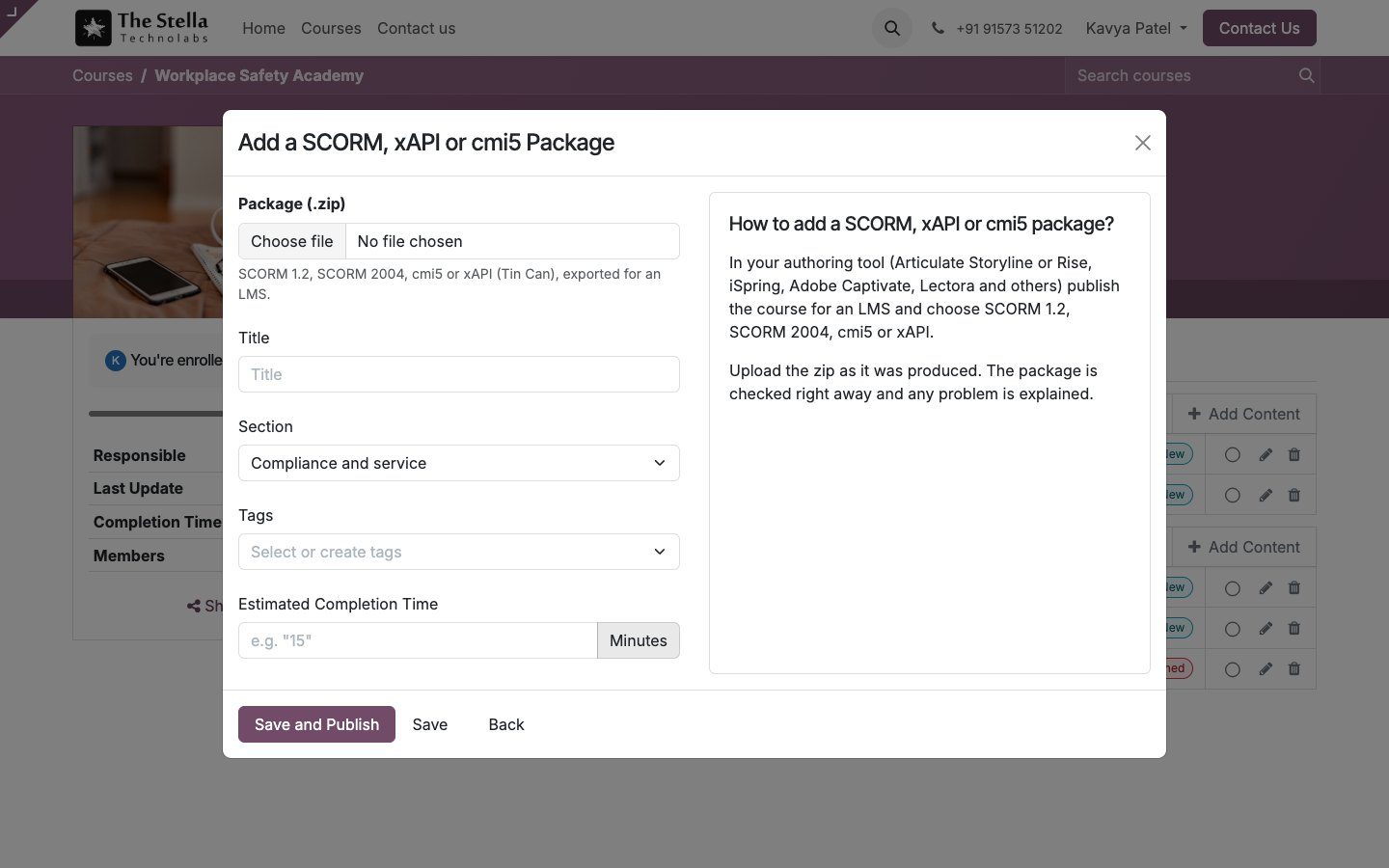
This module adds a new lesson type for SCORM 1.1, SCORM 1.2, SCORM 2004, cmi5 and xAPI (Tin Can). Upload the zip, and the course plays in the course page and the full screen player. Every attempt is recorded, and when the learner completes, passes or reaches your minimum score, Odoo marks the lesson done, so course progress, emails and karma follow as usual. Package files are stored as Odoo attachments, so nothing is written to the server disk.
Why this module
One app for every standard
SCORM, cmi5 and xAPI in one lesson type, detected automatically from the package, sitting in normal Odoo courses next to videos, documents and quizzes.
Nothing extra to run
Results from cmi5 and xAPI content go to a record store inside Odoo. No outside subscription and no data leaving your database.
Built for real packages
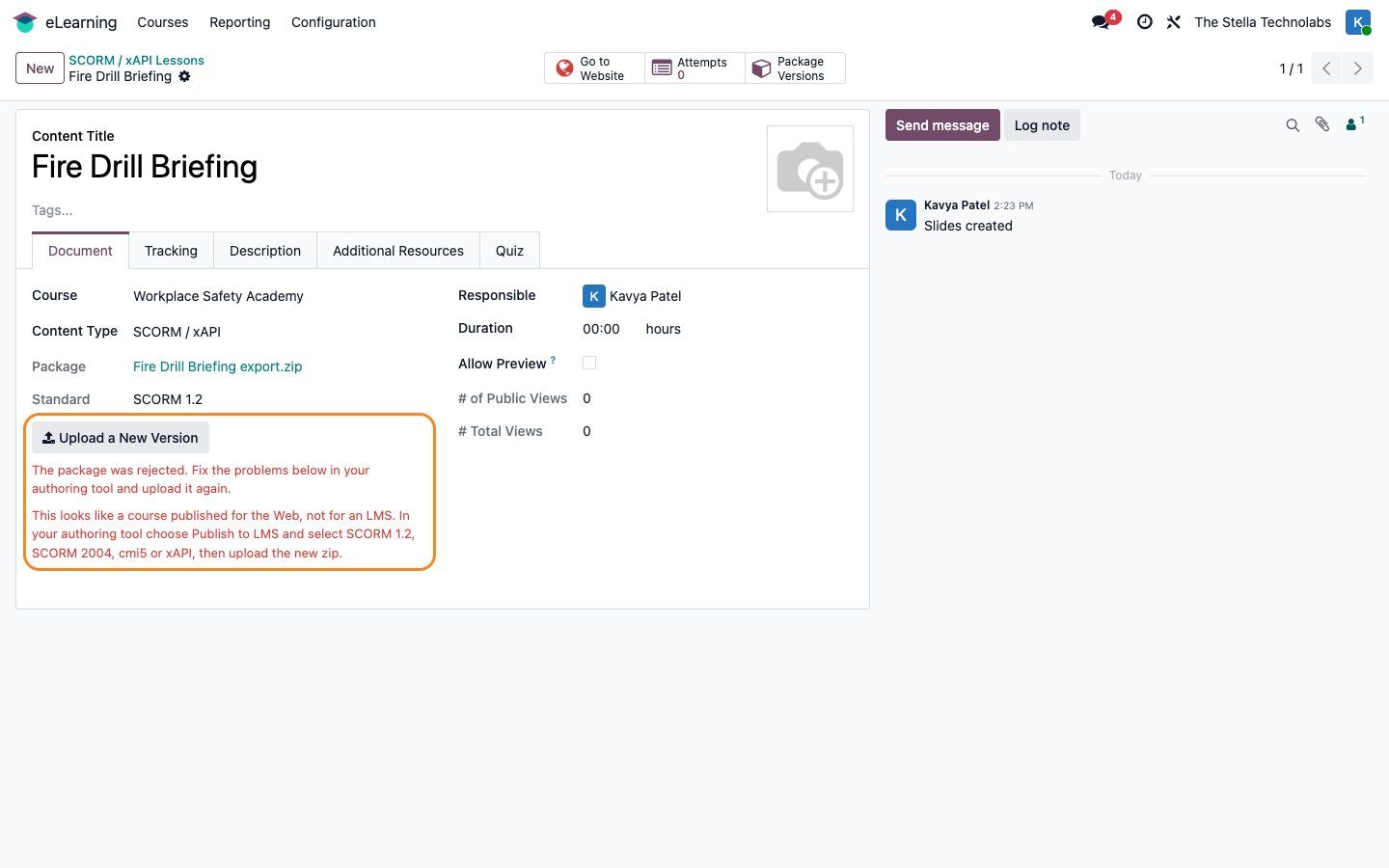
Large video courses upload in pieces, progress survives network drops, and a rejected zip comes with a plain message saying what to fix.
What is inside
Every standard, one app
SCORM 1.1, SCORM 1.2, SCORM 2004 (2nd, 3rd and 4th edition), cmi5 and xAPI (Tin Can) in the same lesson type, detected automatically from the package.
Built-in learning record store
cmi5 and xAPI content reports to a record store inside Odoo. No outside subscription and no data leaving your database.
Package check on upload
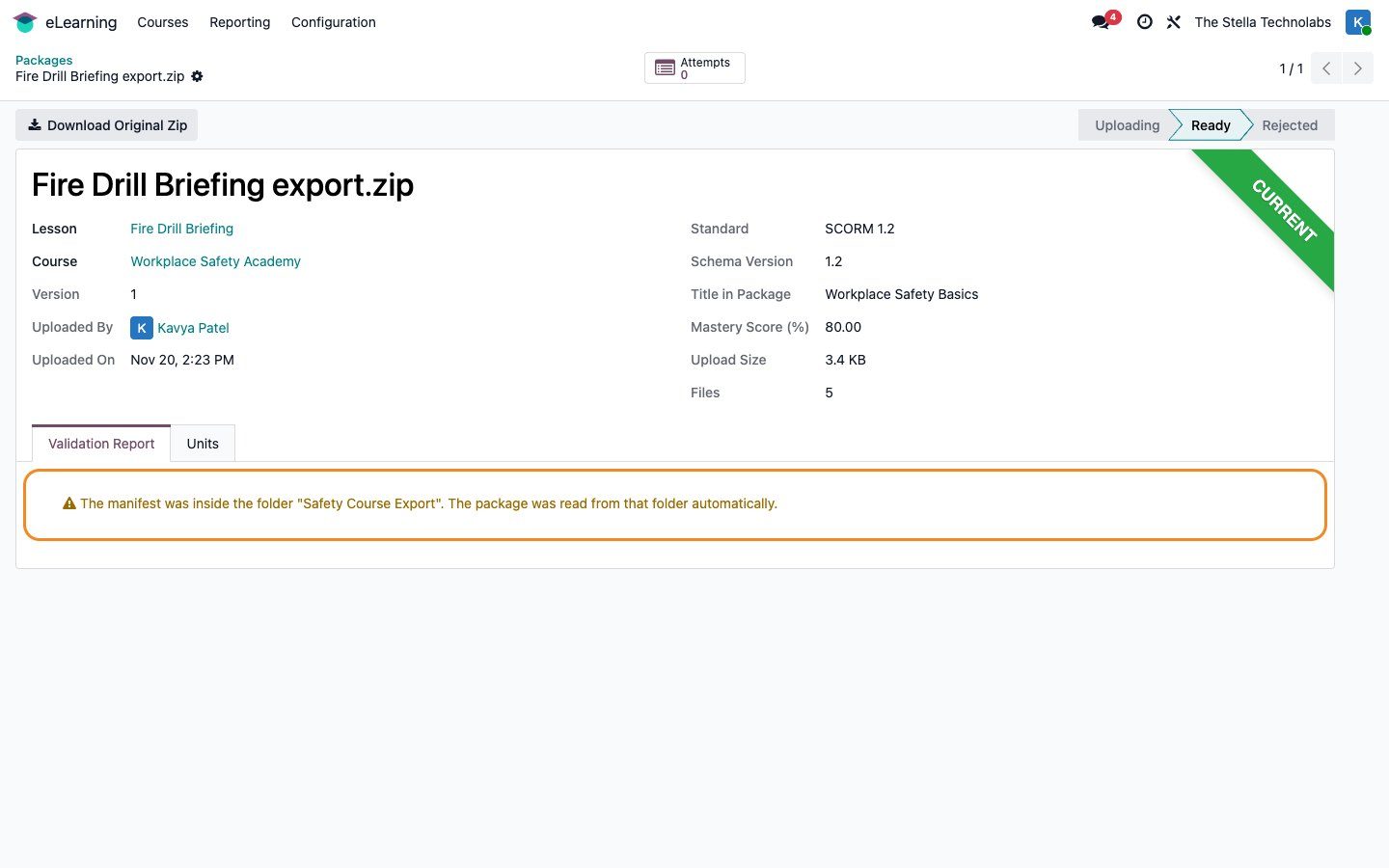
Every zip is checked before it goes live. Wrong exports, missing launch files and broken package files get a plain message telling you what to change.
Large packages welcome
Video heavy courses upload in pieces, so packages of hundreds of megabytes go through without touching server or proxy limits.
Works on Odoo.sh
Package files are stored as Odoo attachments and streamed from there. Nothing is written to the server disk, and external attachment storage works too.
Resume where they stopped
Bookmarks and progress come back at the next launch. Saves survive network drops, closed tabs and a second open window.
SCORM 2004 sequencing
Multi unit courses follow their own rules: forced order, locked or skipped units, attempt limits, shared objectives and roll-up of results across units, with a contents panel and navigation.
Lesson done automatically
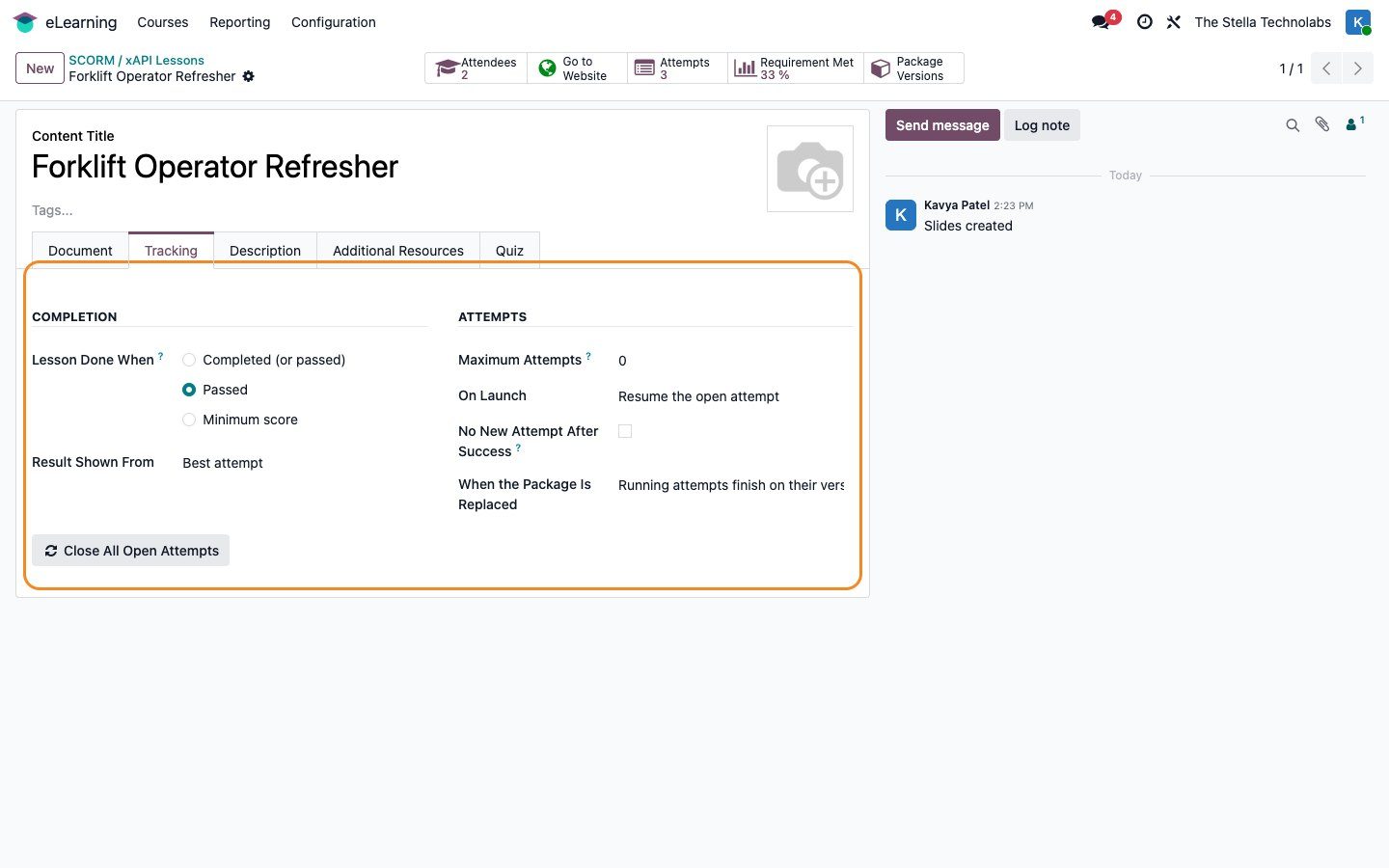
Choose completed, passed or a minimum score. When the learner reaches it, Odoo marks the lesson done and course progress, emails and karma follow.
Attempt rules
Limit attempts, resume or start fresh, stop new attempts after success, set a minimum time, and count the best, last, first or average attempt.
Reports and question analysis
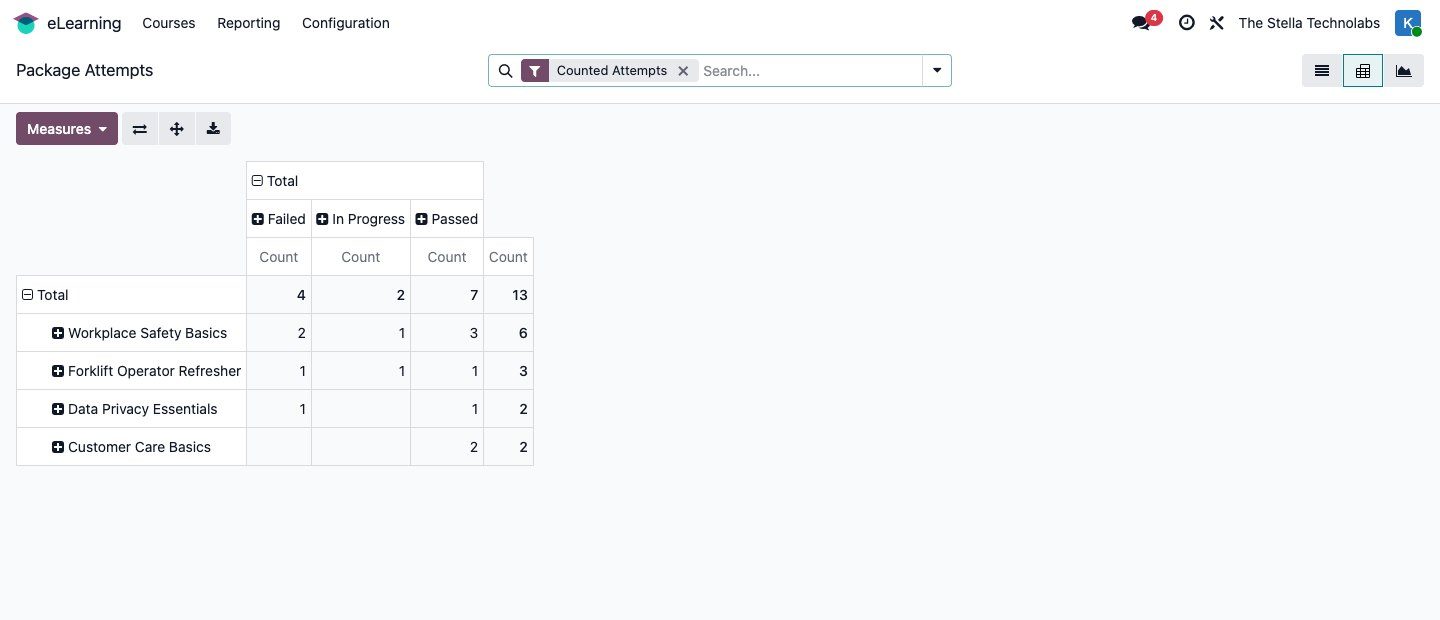
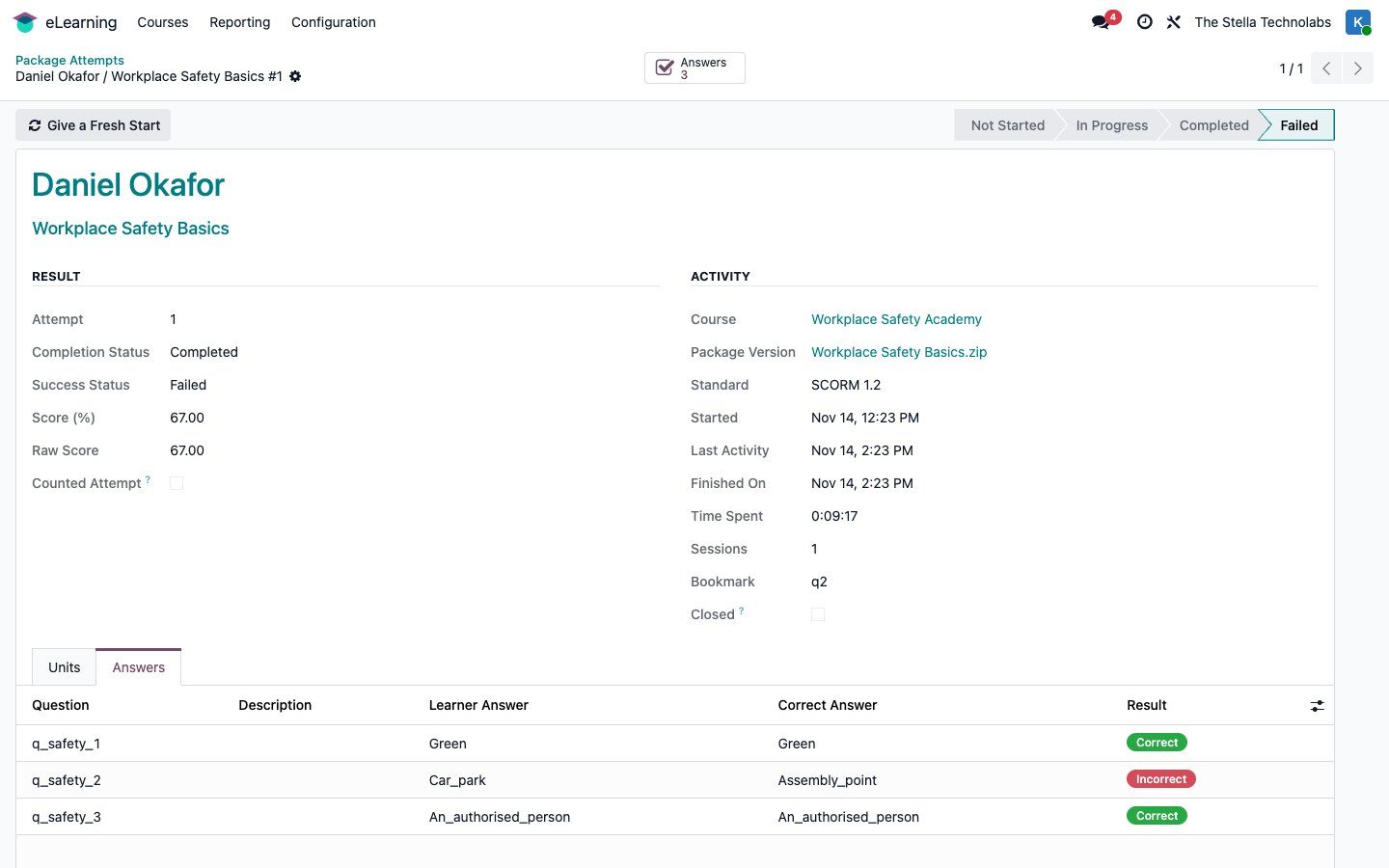
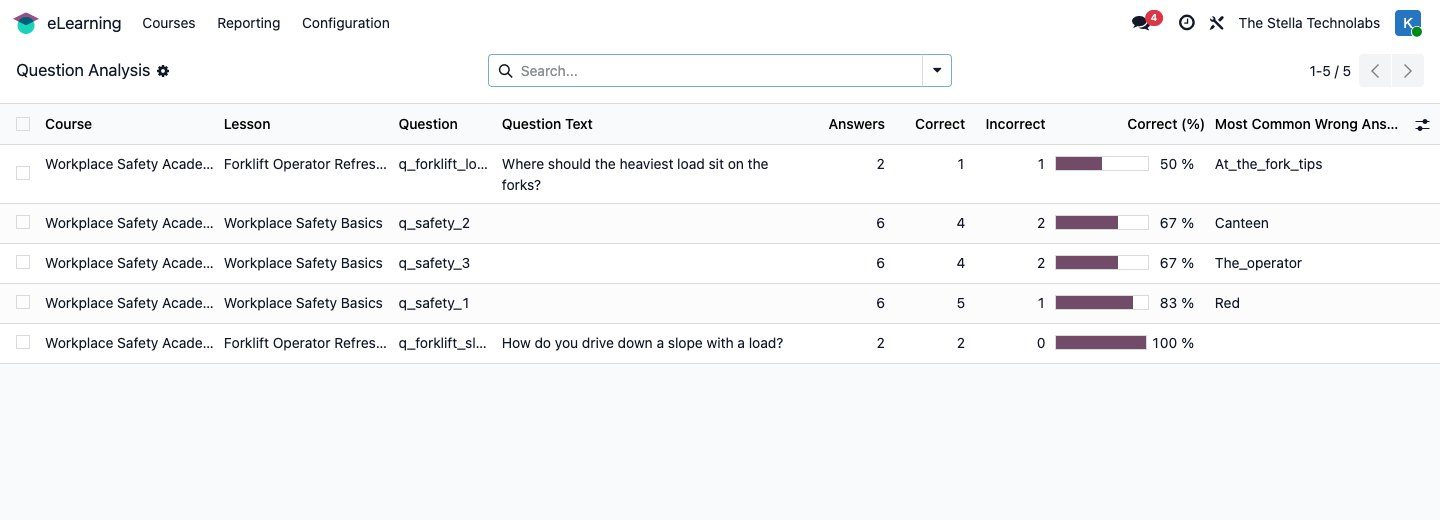
Every attempt with score, time and answers, in list, pivot and graph views, plus a question view showing what learners get wrong.
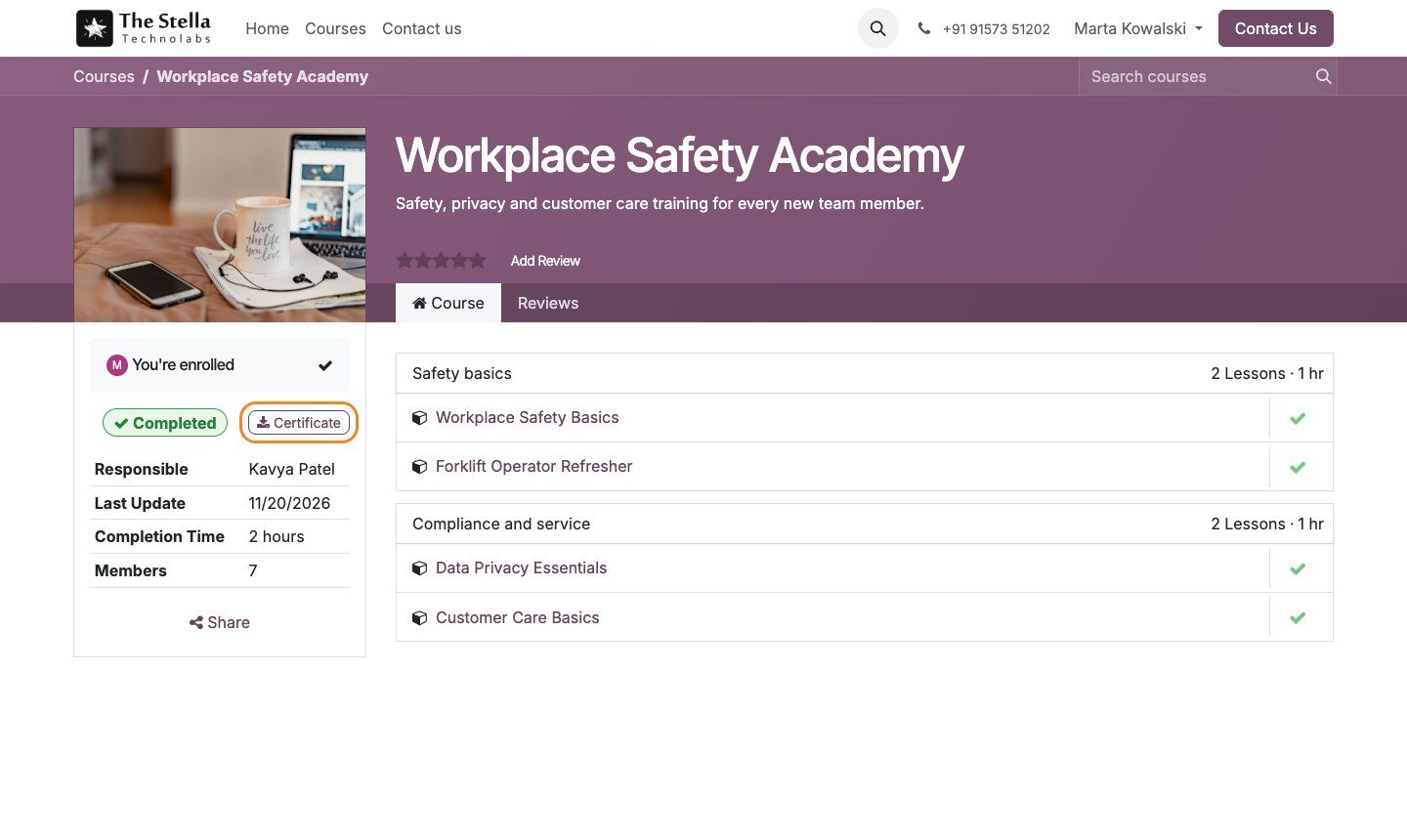
Completion certificates
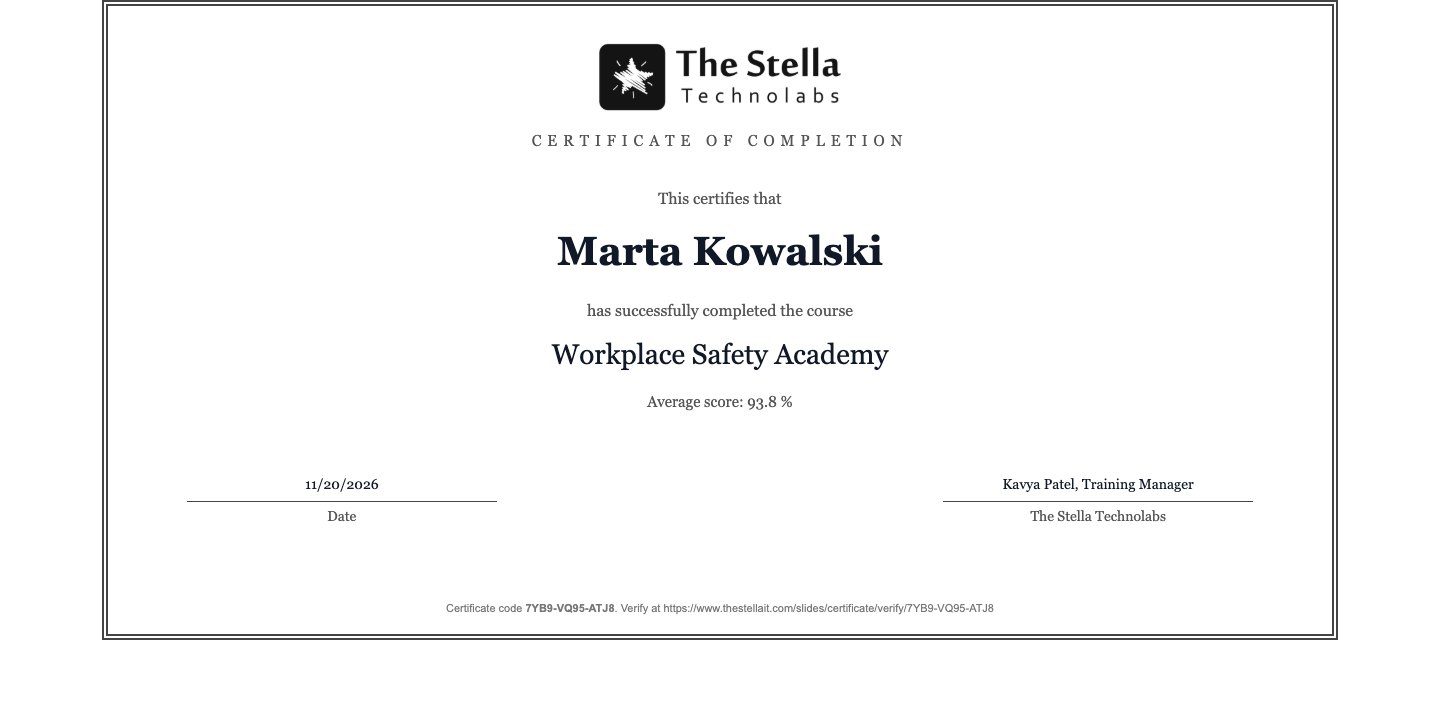
A PDF certificate for each learner who finishes the course, with a QR code and a verification page anyone can open.
Compliance training
Assign courses to user groups or contact tags, set deadlines, send reminders and overdue notices, and renew certificates every few months.
Odoo as your record store
Outside tools send xAPI results to Odoo with their own keys, and every result can be forwarded to your company record store with automatic retries.
Results by email
Course responsibles receive every learner result in Excel each week or month, or download it any time from the course.
Ready in six languages
English, French, German, Spanish, Dutch and Arabic included.
Paid content stays protected
Package files are only served to enrolled learners and course staff, inside a sealed frame that cannot take over your website.
What is tracked
Per standard, out of the box.
| Standard | Recorded for every attempt | Lesson done when |
|---|---|---|
| SCORM 1.2 | Status, score, mastery score, bookmark, saved progress data, time, objectives, answers | Completed or passed, or the minimum score |
| SCORM 2004 | Completion and success status, scaled score, progress, completion threshold, passing score, objectives, answers, navigation requests | Completed, passed or minimum score, rolled up across units |
| cmi5 | Launch data, initialized, completed, passed, failed, terminated, abandoned and satisfied statements, score, duration | The completion rule set in each unit, or your own rule |
| xAPI (Tin Can) | Statements, completion, success, score, answers, state and profile documents | Completed, passed or minimum score |
| SCORM 1.1 | Same data as SCORM 1.2 | Completed or passed, or the minimum score |
Built for reliability
Common problems with SCORM apps, and what happens here.
| Common problem | In this app |
|---|---|
| Package saved to a server folder | Stored as attachments, streamed with video seeking and browser caching |
| Upload fails above a proxy or server size limit | Sent in 8 MB pieces with automatic retries |
| Progress lost when the network drops | Kept in the browser and sent again as soon as the connection is back |
| Two open windows overwrite each other | One window holds the attempt; the other asks before taking over |
| Only the first unit of a course plays | Every unit plays, with contents and navigation |
| Long saved progress data is cut off | Kept in full, up to 64 KB per unit |
| A failed quiz still marks the lesson done | A failed result never completes the lesson |
| Reloading the page says the lesson is open elsewhere | The same tab picks up where it was |
| A rejected zip with no explanation | A list of findings with the fix to apply in the authoring tool |
A closer look
Who it is for
Companies and training teams that already run Odoo, own SCORM, cmi5 or xAPI courses, and want them inside Odoo eLearning with real tracking, mandatory training deadlines and certificates, instead of in a separate learning system.
Tested on the standard, unmodified editions of Odoo Community and Enterprise. It depends on the standard eLearning module. If your eLearning pages or a related module (such as a custom lesson player, a changed course page or another SCORM app) has been changed by another developer, the package player and tracking may not show or work as expected, so contact us before buying. Runs on Odoo.sh and your own server; Odoo Online does not allow custom modules. SCORM is a trademark of the Advanced Distributed Learning Initiative. Articulate, Storyline, Rise, iSpring, Adobe Captivate, Lectora, Elucidat, Camtasia, H5P and Excel are trademarks of their owners. This module is not made or endorsed by them.
Ready to track the courses you own
Have a package that gives you trouble? Send it to us and we look at it with you. Our team is happy to help before and after purchase, and we reply within one business day.
Questions, answered
Which authoring tools are supported?
Any tool that publishes SCORM 1.2, SCORM 2004, cmi5 or xAPI for a learning system: Articulate Storyline and Rise, iSpring Suite, Adobe Captivate, Lectora, Elucidat, Camtasia, H5P exports and others.
Does it run on Odoo.sh and Odoo Online?
It runs on Odoo.sh and on any self hosted Odoo, because nothing is written outside the database and filestore. Odoo Online does not accept third party apps.
Do I need an outside learning record store?
No. cmi5 and xAPI content reports to the record store built into the app. If you already have one, Odoo can forward every result to it.
Can it handle mandatory training?
Yes. Assign a course to user groups or contact tags, give a deadline in days, and Odoo sends reminders, lists overdue learners and asks for recertification when certificates expire.
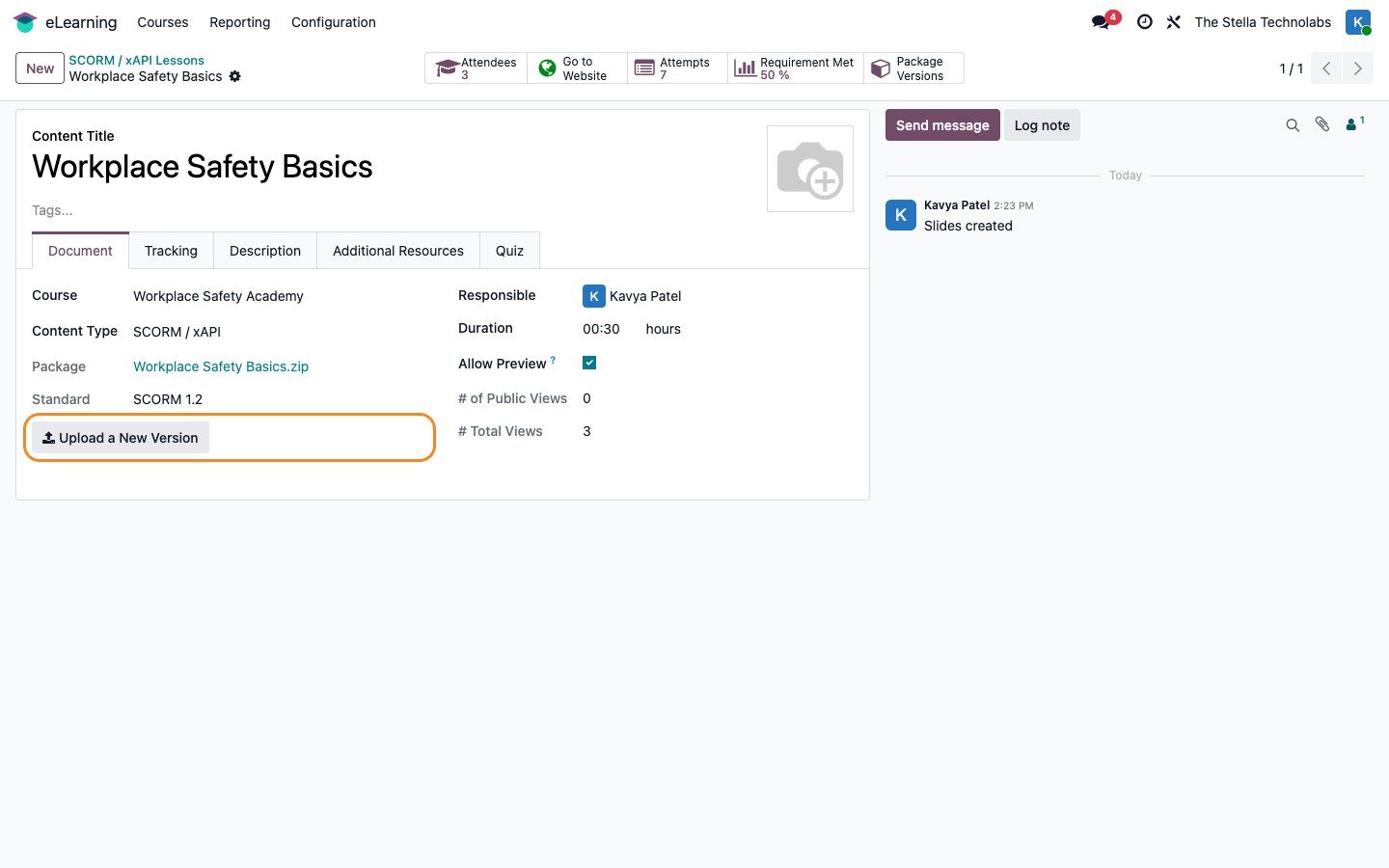
What happens when I replace a package?
The new zip becomes a new version of the lesson. You choose whether running attempts finish on their version or everybody restarts on the new one. History is kept.
Can visitors try a lesson before enrolling?
Yes, when the lesson is marked as a preview. It plays normally but nothing is recorded until the visitor joins the course.
Is it a separate eLearning system?
No. Lessons sit in normal Odoo courses next to videos, documents and quizzes, and use Odoo enrollment, progress, karma and badges.