Every search, a result.
Stop losing shoppers to a search bar that returns nothing. Instant results as they type, typo tolerance, synonyms, voice search and a no results page that still sells.
Shoppers who search already know what they want
Shoppers who search usually know what they want. When the search bar misses a typo, does not know your customers' words for things, or shows an empty page, they leave.
Smart Website Search replaces the standard shop search with an instant dropdown that shows product images, prices and stock, forgives spelling mistakes, understands the words your customers actually use, and turns an empty result into a page of popular products and categories. It runs on a proper full text index inside your own database, with no outside search service to pay for or connect.
Two add-ons build on it. Smart Website Search Pro gives you control over what search shows, plus analytics on how search performs. Smart POS Search brings the same typo tolerance and synonyms to your cashiers at the register.
Why this suite
Shoppers find what they came for
Typos, other names for a product, a size or a colour in the search: the right products still come up, as they type.
No dead ends
When a search really has no match, shoppers see suggestions, popular products, top categories and a way to contact you, not an empty page.
Runs inside your Odoo
Search runs on an index in your own database. Nothing to sign up for and no data sent to an outside search service.
What is inside the base module
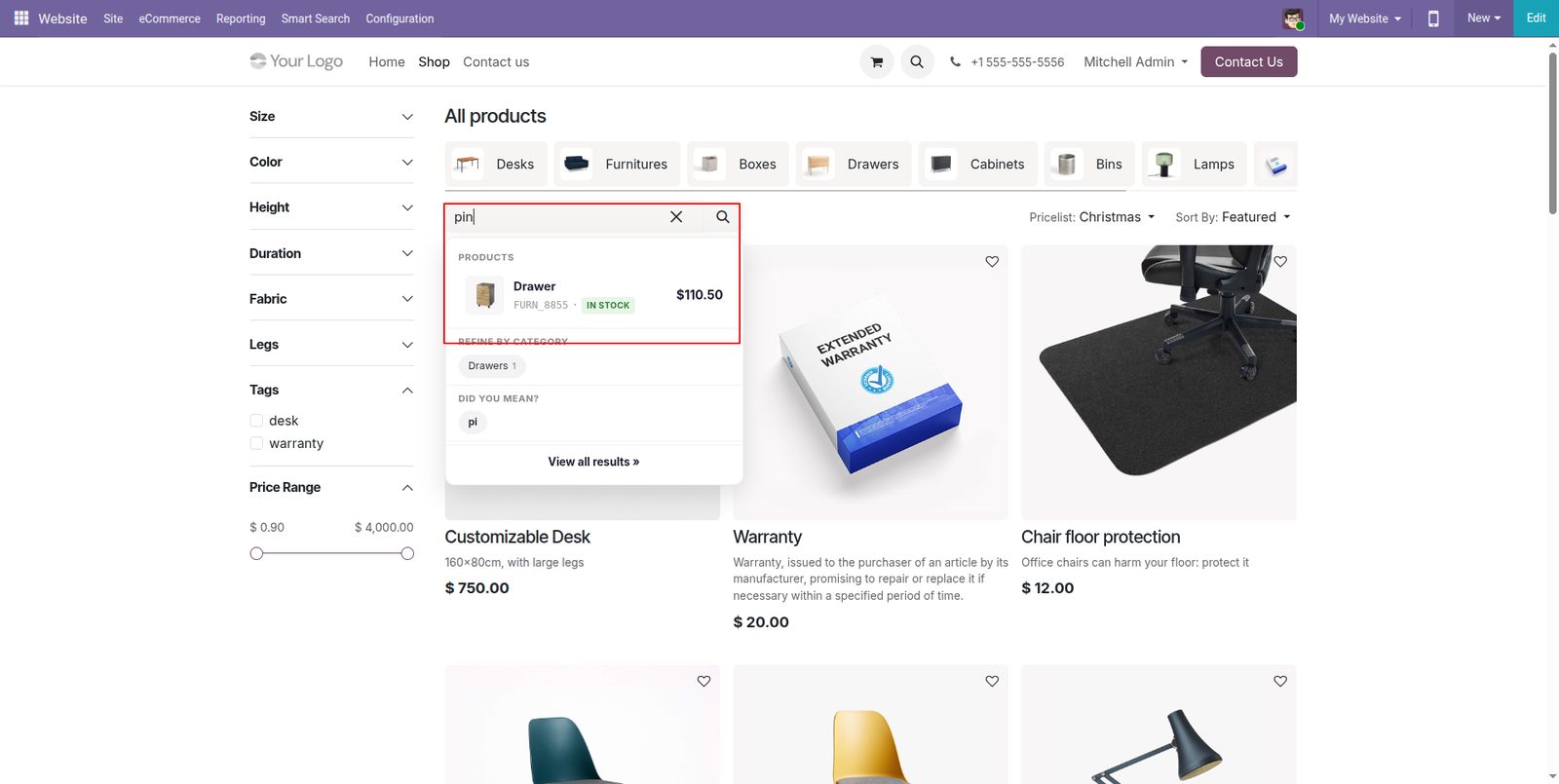
Instant dropdown
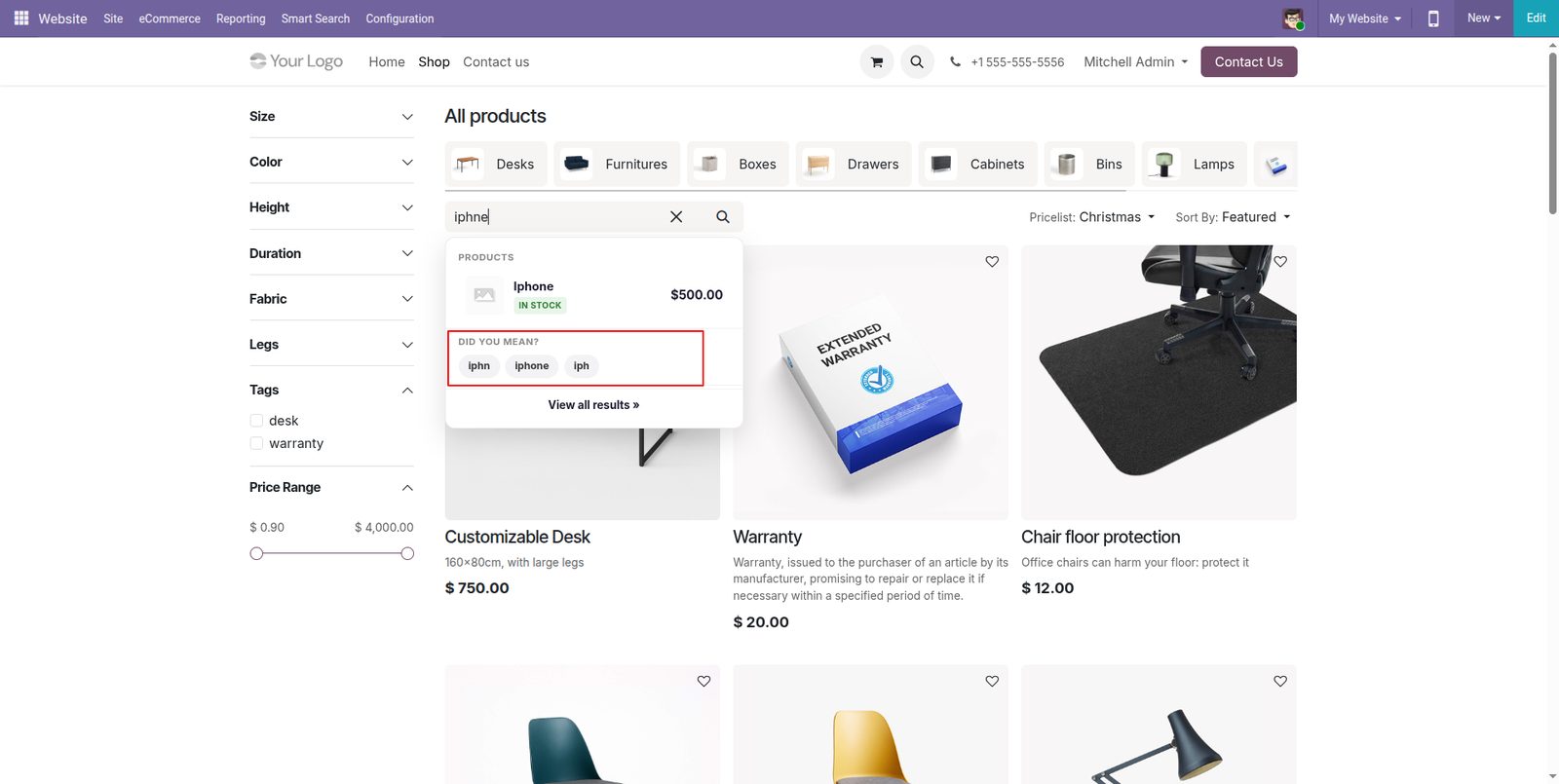
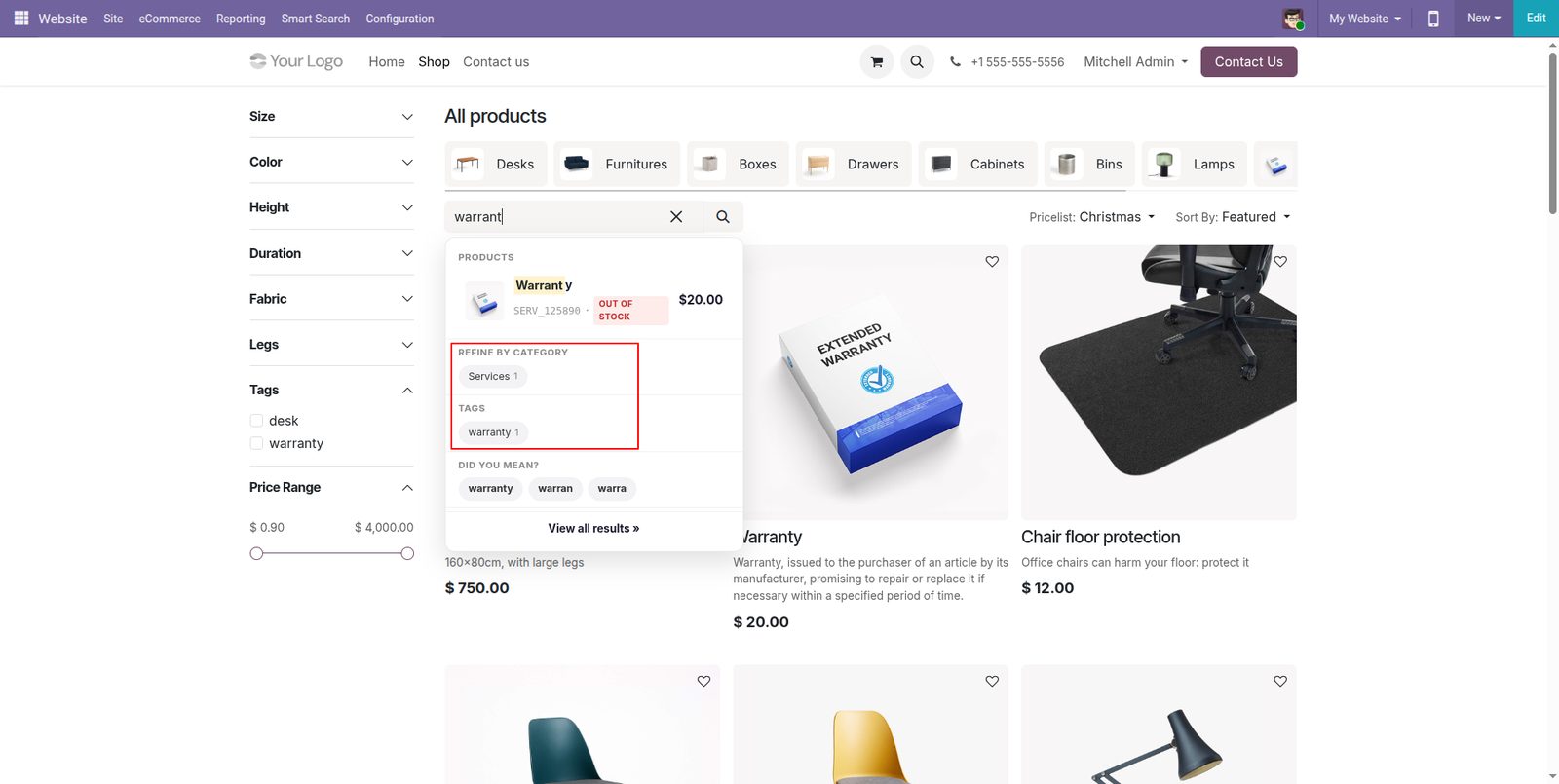
Suggestions appear as the shopper types, with product image, name, price and a stock badge. One click goes straight to the product page.
Typo tolerance
"iphne" finds "iPhone" and "blutooth" finds "Bluetooth". You set how strict the matching is.
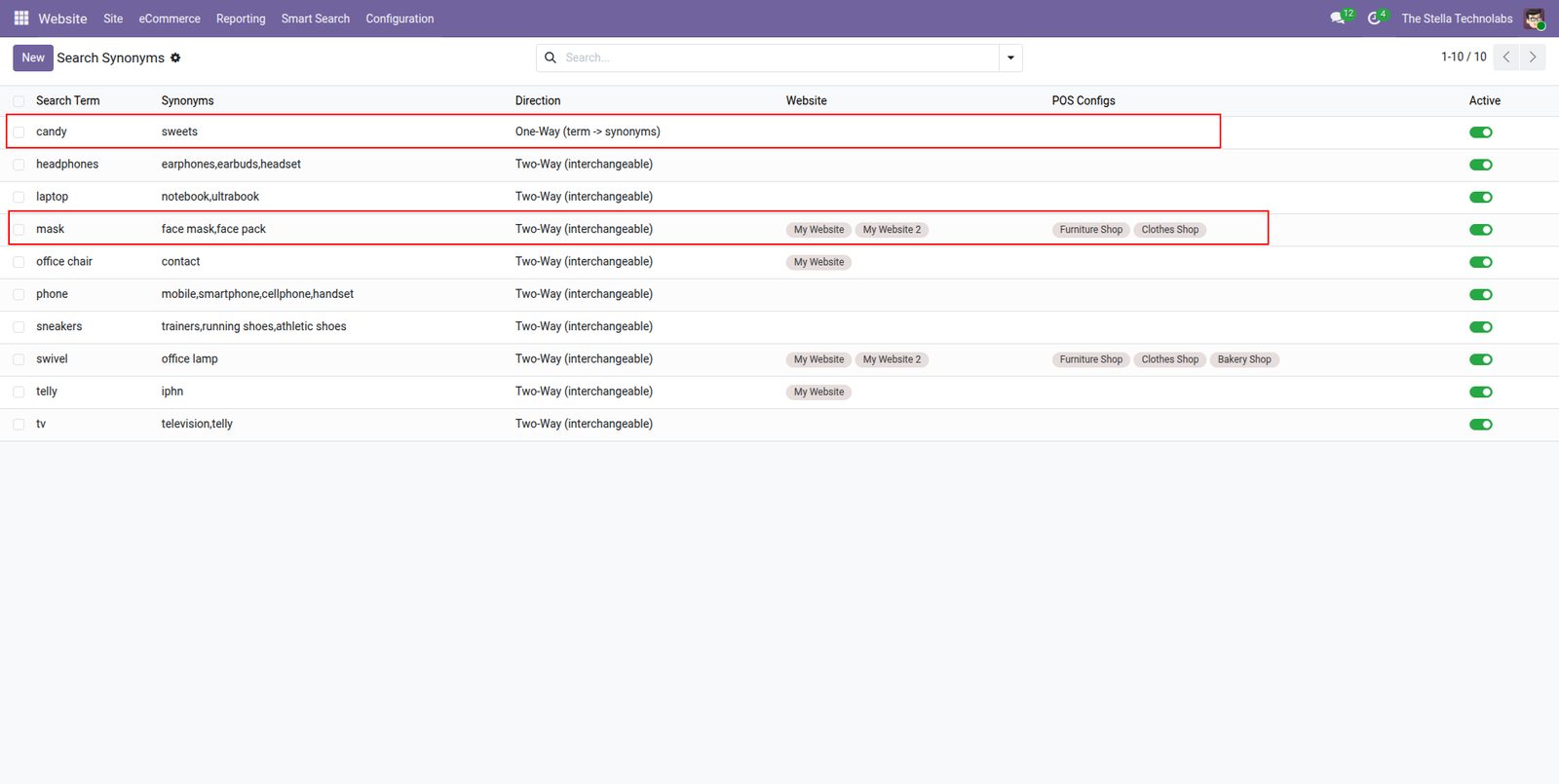
Smart synonyms
Map your customers' words to your products, so searching "swivel" returns your "Office Chair". Rules can work one way or both ways, and can be set per website.
Variant search
Search "red large t-shirt" or "32 inch monitor". Colour, size and other variant values are part of the search.
Weighted ranking
Set how much the product name, SKU, barcode, description, tags and variant values count. Exact SKU or barcode matches rank first, which suits trade customers re-ordering and in store kiosks.
Did you mean
When a search finds few or no results, shoppers are offered similar searches that found products for other shoppers on your store.
No results page that converts
An empty search no longer ends the visit. Shoppers see popular products, top categories and a contact button.
Recent and trending searches
An empty search bar shows the shopper's own recent searches and what is trending across the store this week.
Refine inside the dropdown
Category and tag chips with live product counts let shoppers narrow the results without leaving the suggestions.
Voice search
A microphone button in the search bar lets shoppers tap and talk, using the speech recognition built into their browser.
Multi website, multi language, pricelist aware
Each website has its own search settings, search works in the language of the website, and prices in the dropdown follow the shopper's active pricelist.
Search log
Every search is recorded with its result count and click, and searches that found nothing get their own list, so you know what shoppers could not find.
The two add-ons
Smart Website Search Pro
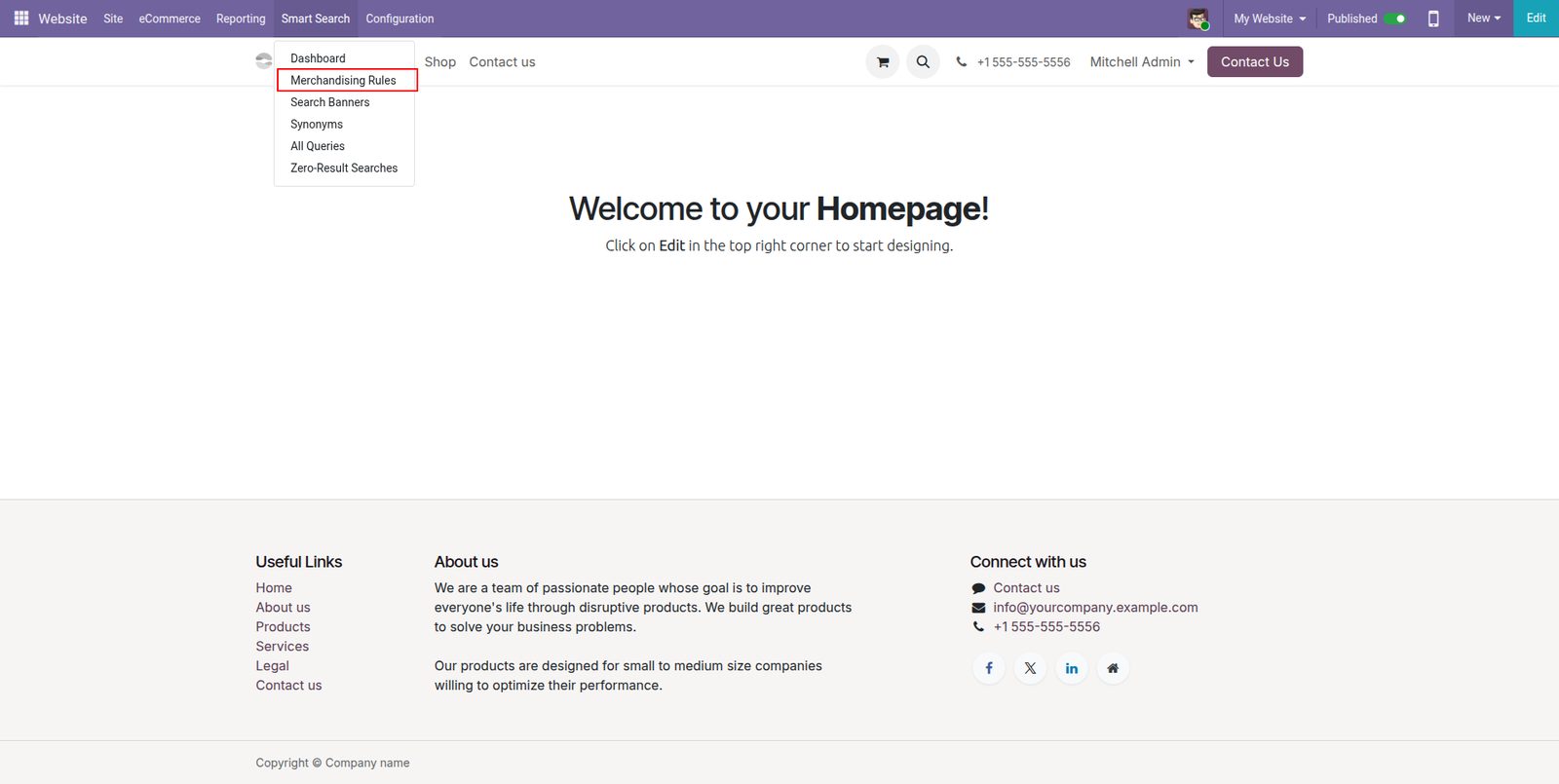
- Boost or bury chosen products for chosen searches
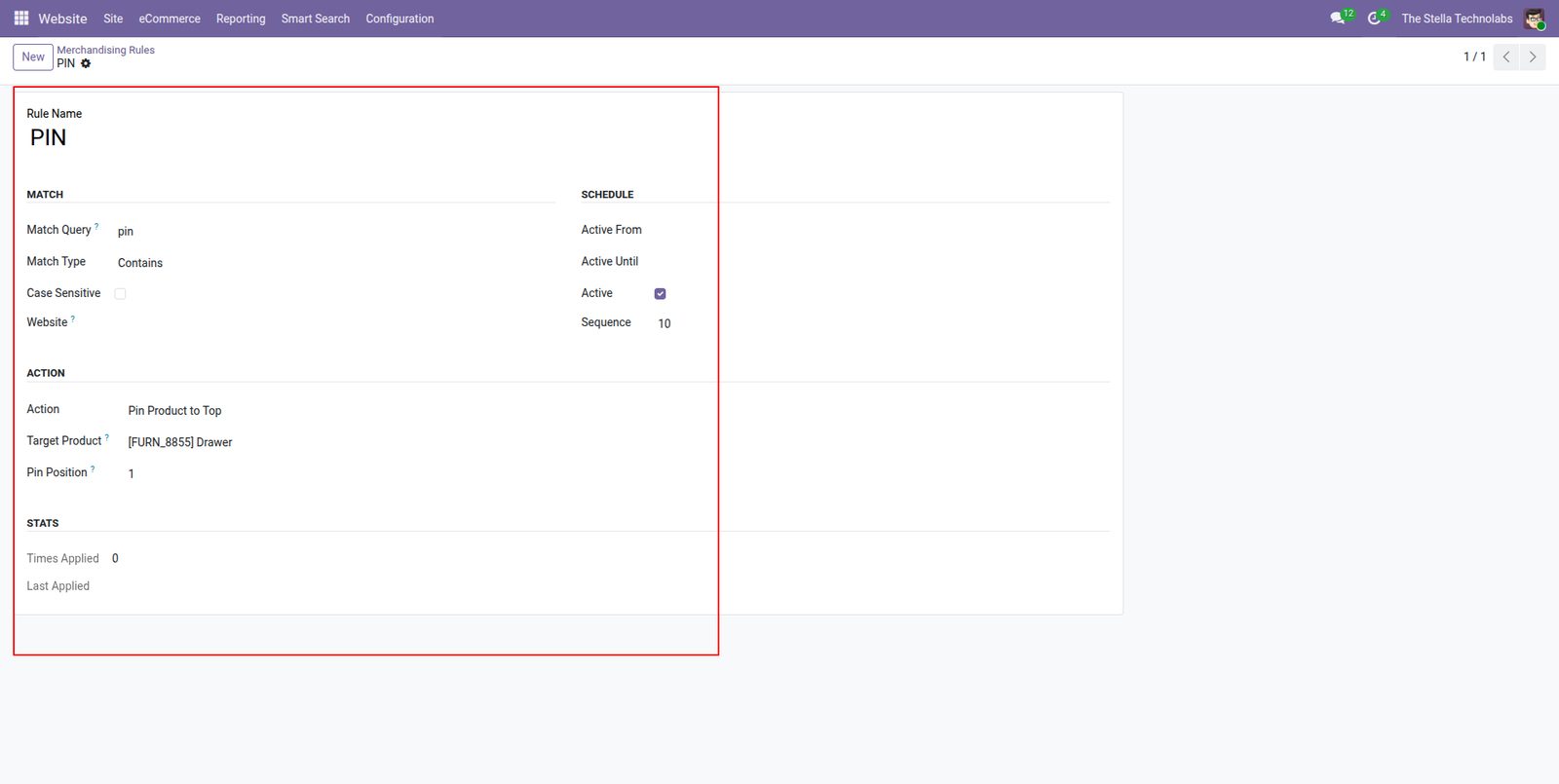
- Pin a product to the first position for a search
- Show a promotional banner inside the search dropdown, with title, subtitle, button, image and your colours
- Send a search straight to a page, so "shipping" goes to your shipping policy
- Match a search exactly, when it contains a word, when it starts with a word, or by a pattern
- Give any rule a start and end date, an order and an on and off switch
- Analytics: searches, results, clicks, add to cart and the revenue that came from search
- Top searches, top clicked products, and a zero result list with one click promote to synonym
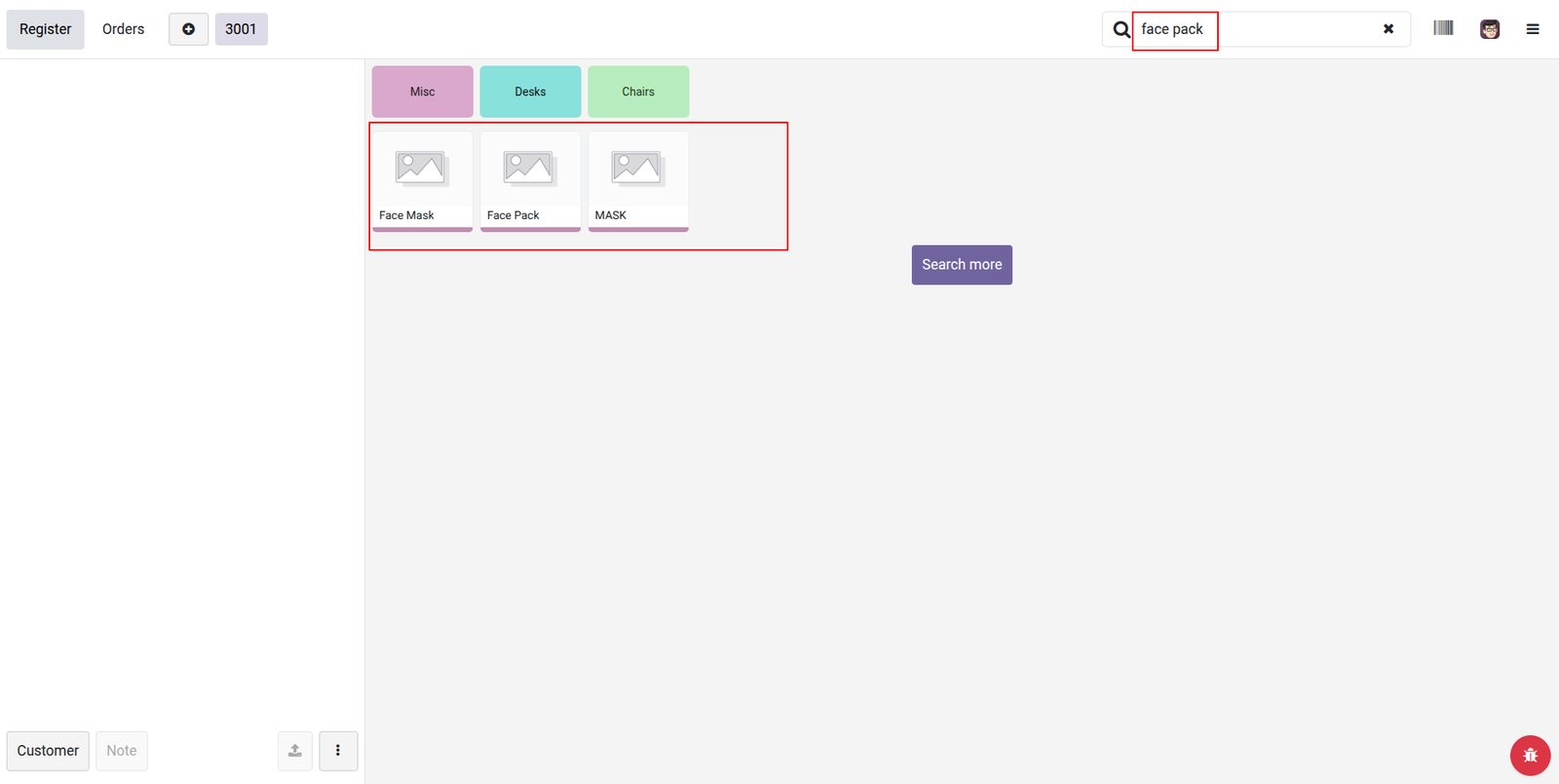
Smart POS Search
- A cashier types "iphne" and the POS finds the iPhone
- Matching runs inside the POS itself, so it keeps working when the network is slow
- Uses the same synonym list as Smart Website Search, so you maintain one list
- Exact SKU and barcode matches always rank first, which suits scanned items
- Matches variant SKUs and barcodes too, so the right variant comes up first
- Cashiers keep using the search box they already know, with no training
- A synonym rule set for one website still applies in POS sessions linked to that website
What you get
| Module | Price | What it adds | Needs |
|---|---|---|---|
| Smart Website Search | $49 | Instant dropdown, typo tolerance, synonyms, variant search, weighted ranking, did you mean, no results page, recent and trending searches, refine chips, voice search, search log | Standard eCommerce |
| Smart Website Search Pro | $80 | Boost, bury, pin, banner and redirect rules, scheduled rules, analytics dashboard, zero result list with one click synonyms | Smart Website Search |
| Smart POS Search | $20 | Typo tolerance, shared synonyms, SKU and barcode first and variant search in the POS | Smart Website Search and Point of Sale |
Start with Smart Website Search. Add Pro when you want to steer results and measure search, and POS when your cashiers should search the same smart way.
How it works
Install the base module
Install Smart Website Search and open its settings under Website configuration.
Tune the matching
Set how much each field counts, how strict typo matching is, and which dropdown options to show.
Add your synonyms
Add synonyms for the words your customers use.
Add Pro or POS
Add Pro to create boost, pin, banner and redirect rules and follow the dashboard, or add POS to bring the same search to the register.
A closer look
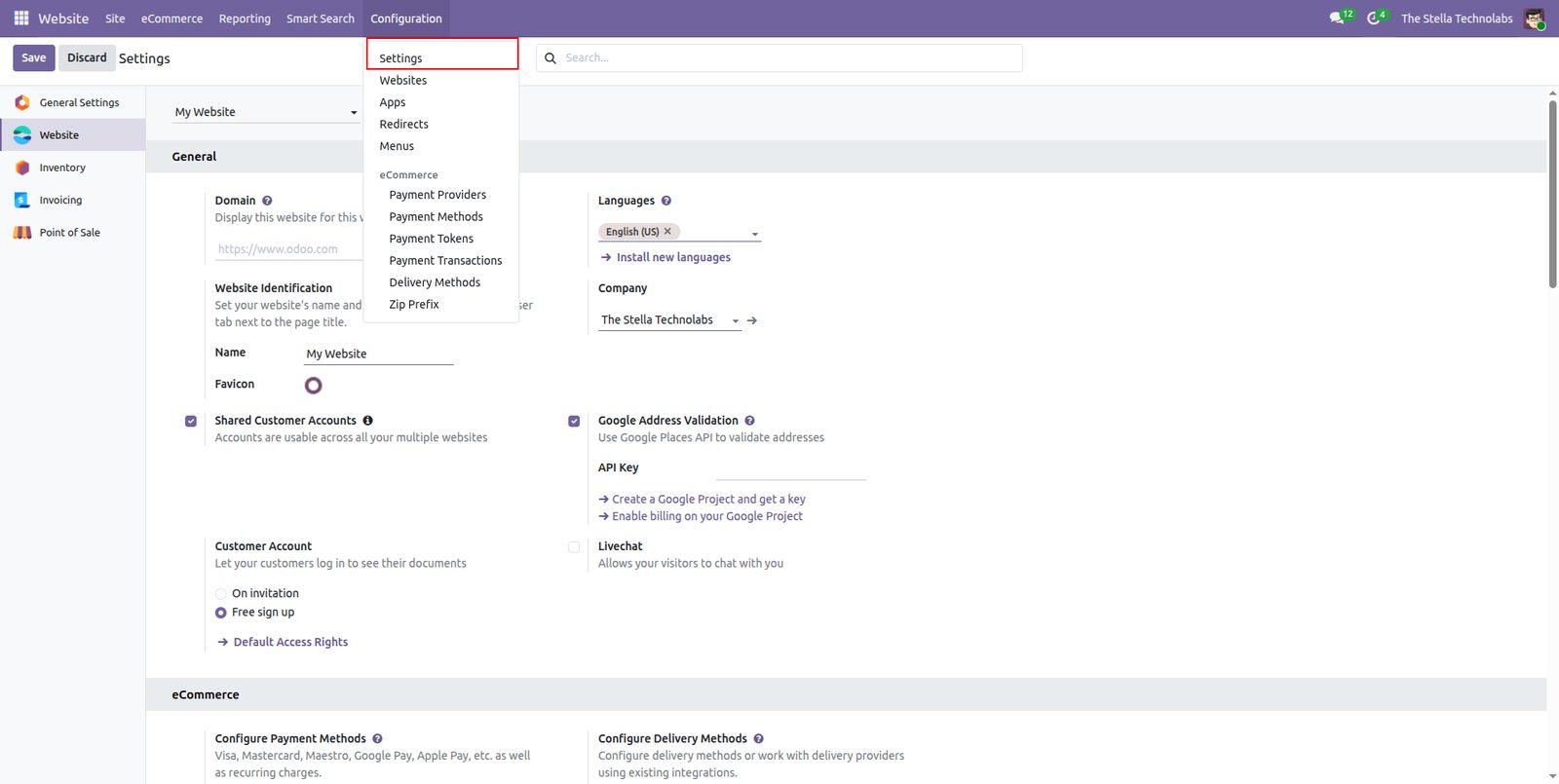
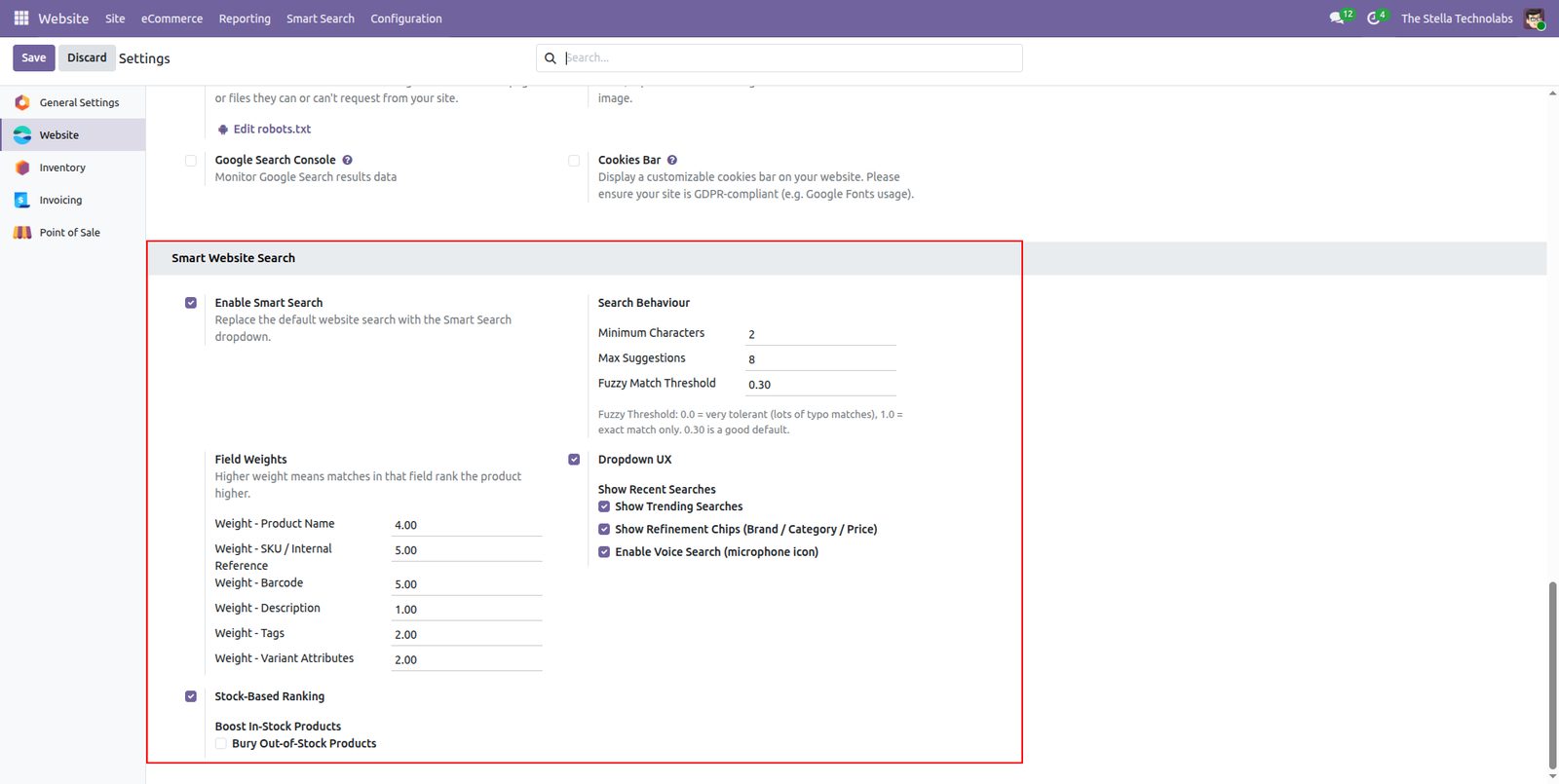
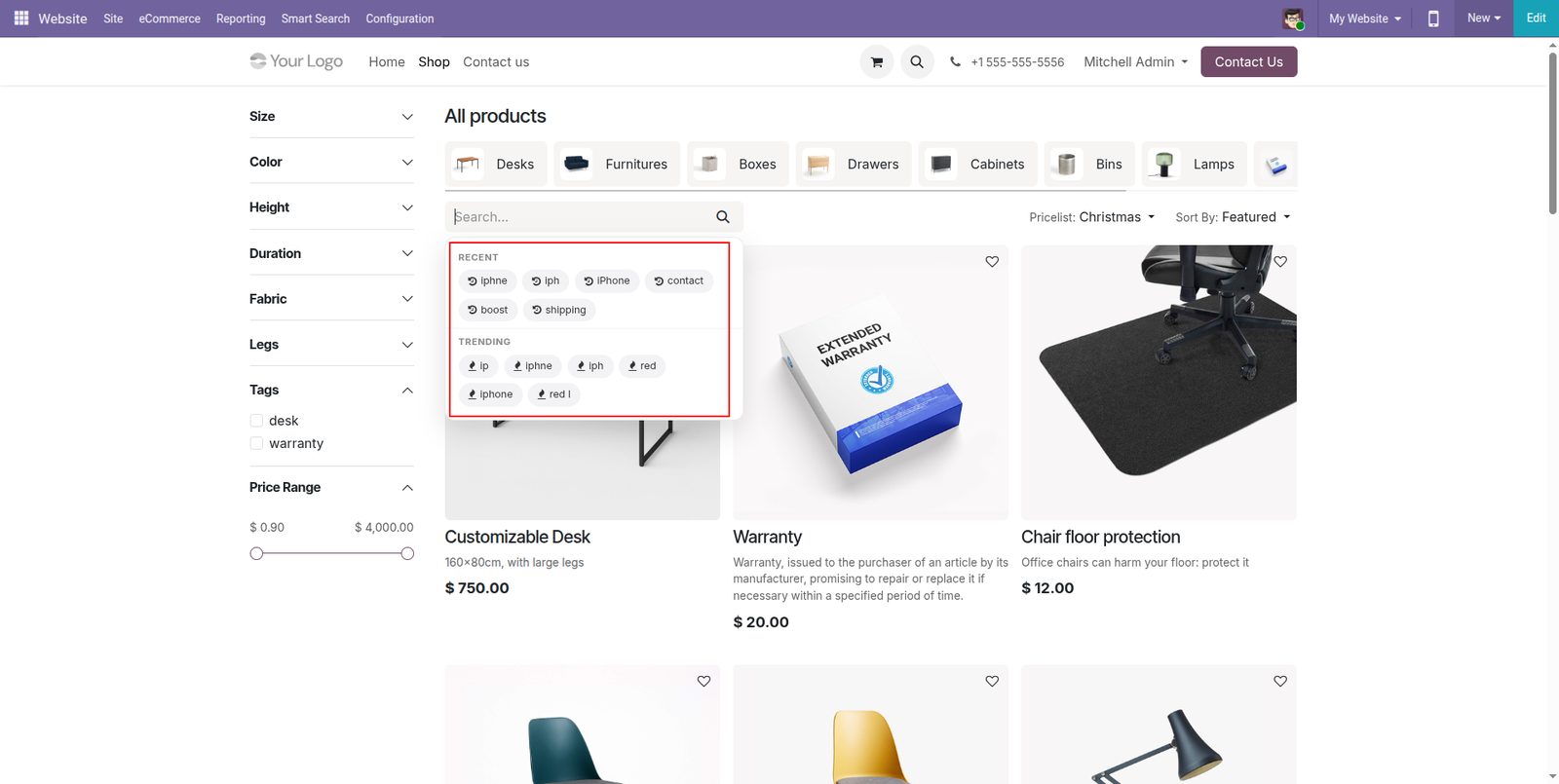
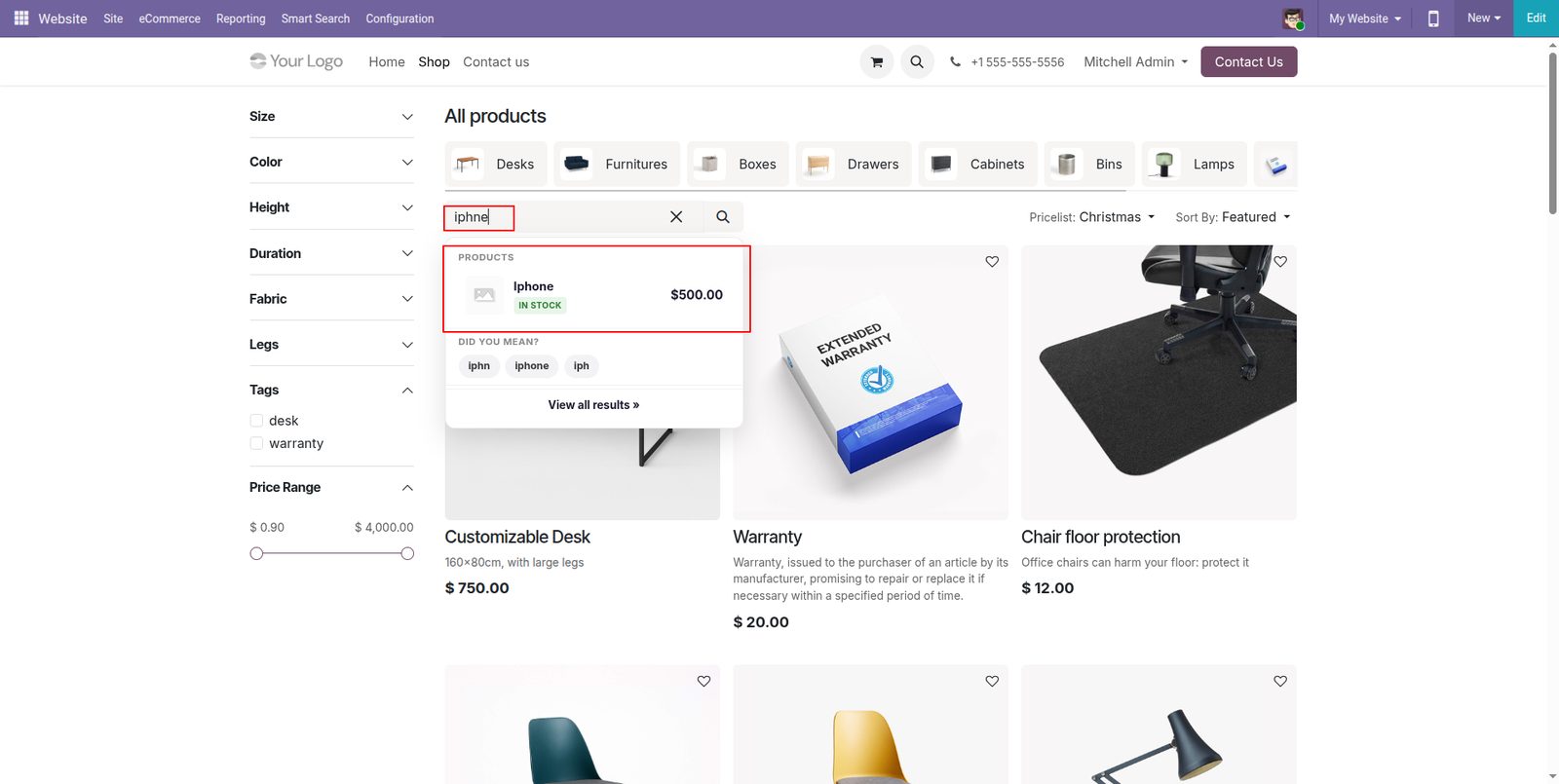

Six screens from the base module, then four from Pro and two from the POS add-on.
Who it is for
Online shops with a catalogue large enough that search matters, stores with many variants, trade sellers whose customers search by SKU or barcode, and retailers who sell both online and at the counter and want one synonym list for both.
Tested on the standard, unmodified editions of Odoo Community and Enterprise. Smart Website Search depends on the standard eCommerce module. Smart Website Search Pro requires Smart Website Search. Smart POS Search depends on the standard Point of Sale module and on Smart Website Search, whose synonym list it reuses. If your products, website, header search bar or POS product search have been customised, or you run another search module, please test on a staging copy first: a heavily changed search bar may need a small template adjustment. Runs on Odoo.sh and your own server; Odoo Online does not allow custom modules. Odoo is a trademark of Odoo S.A. These modules are not made or endorsed by Odoo S.A.
Ready to make every search find something
Questions about setup, tuning search for your catalogue, or whether this fits your shop? Our team is happy to help before and after purchase.
Questions, answered
Which modules do I need?
Smart Website Search is the base and works on its own. Pro and POS are add-ons, and both need the base installed first.
Do I need an outside search service?
No. Search runs on a full text index inside your own Odoo database. Nothing to sign up for and no outside service to connect.
Can I control what search shows for a particular word?
Yes, with Pro. Boost, bury or pin products, show a banner, or send the search to a page, and schedule any rule for a set period.
How do I find out what shoppers could not find?
The base module keeps a list of searches that returned nothing. Pro adds a dashboard with that list and a one click button to turn a missed search into a synonym.
Does it work with several websites and languages?
Yes. Each website has its own search settings and synonyms, search follows the website language, and prices follow the shopper's pricelist.
Will my cashiers need training for the POS add-on?
No. They keep using the same search box. Typo tolerance and synonyms work in the background, and keep working once the session has started, even when the connection drops.
Does it work on Community?
Yes, on Community and Enterprise. The base module needs standard eCommerce, and the POS add-on also needs Point of Sale.