Help shoppers buy the right size the first time
Add smart, per product size charts to your eCommerce product pages. Build a reusable size guide once, then show it as a popup or an inline block, with a measurement table, a find my size fit finder, cm to inch conversion and optional international size columns.
Reusable charts, popup or inline, a find my size finder, cm and inch, international size columns, fit feedback and return reduction analytics.
One size guide, the whole range
Charts are assigned per product or automatically by category, so a single guide can cover a whole range and shoppers always see the right one.
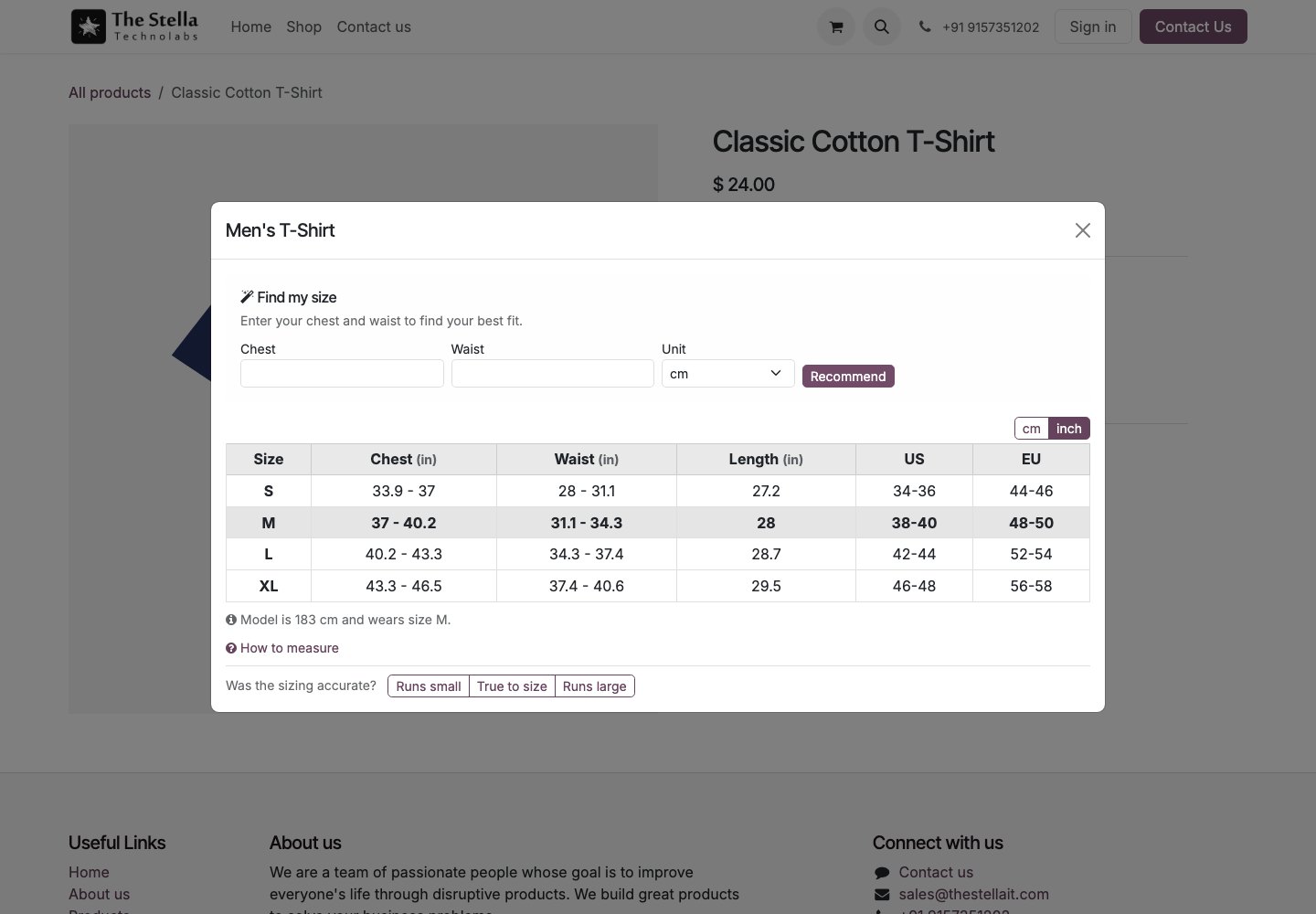
A clear measurement table
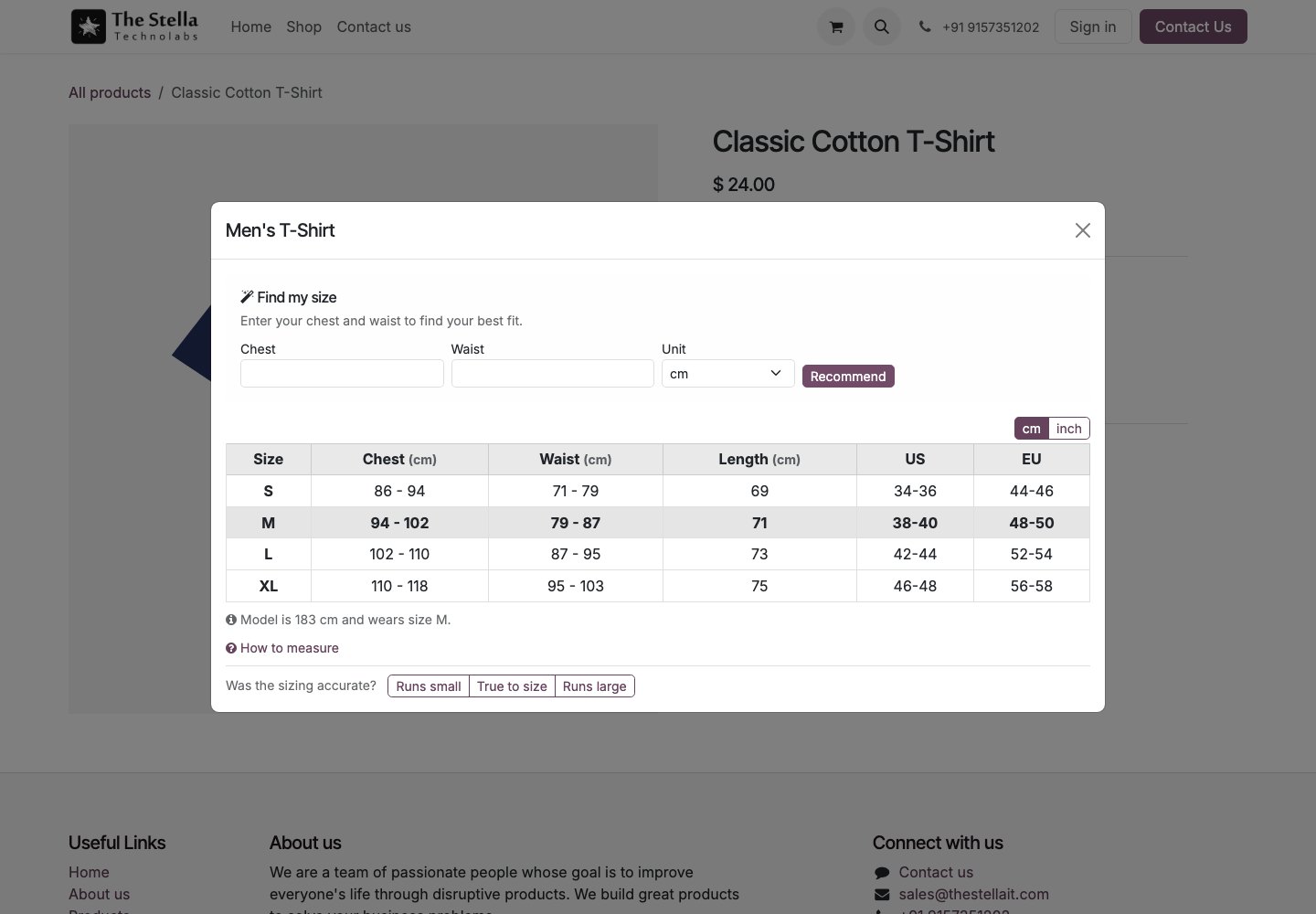
Show a measurement table with as many size rows and columns as you need, as a popup or an inline block that follows your theme.
A find my size finder
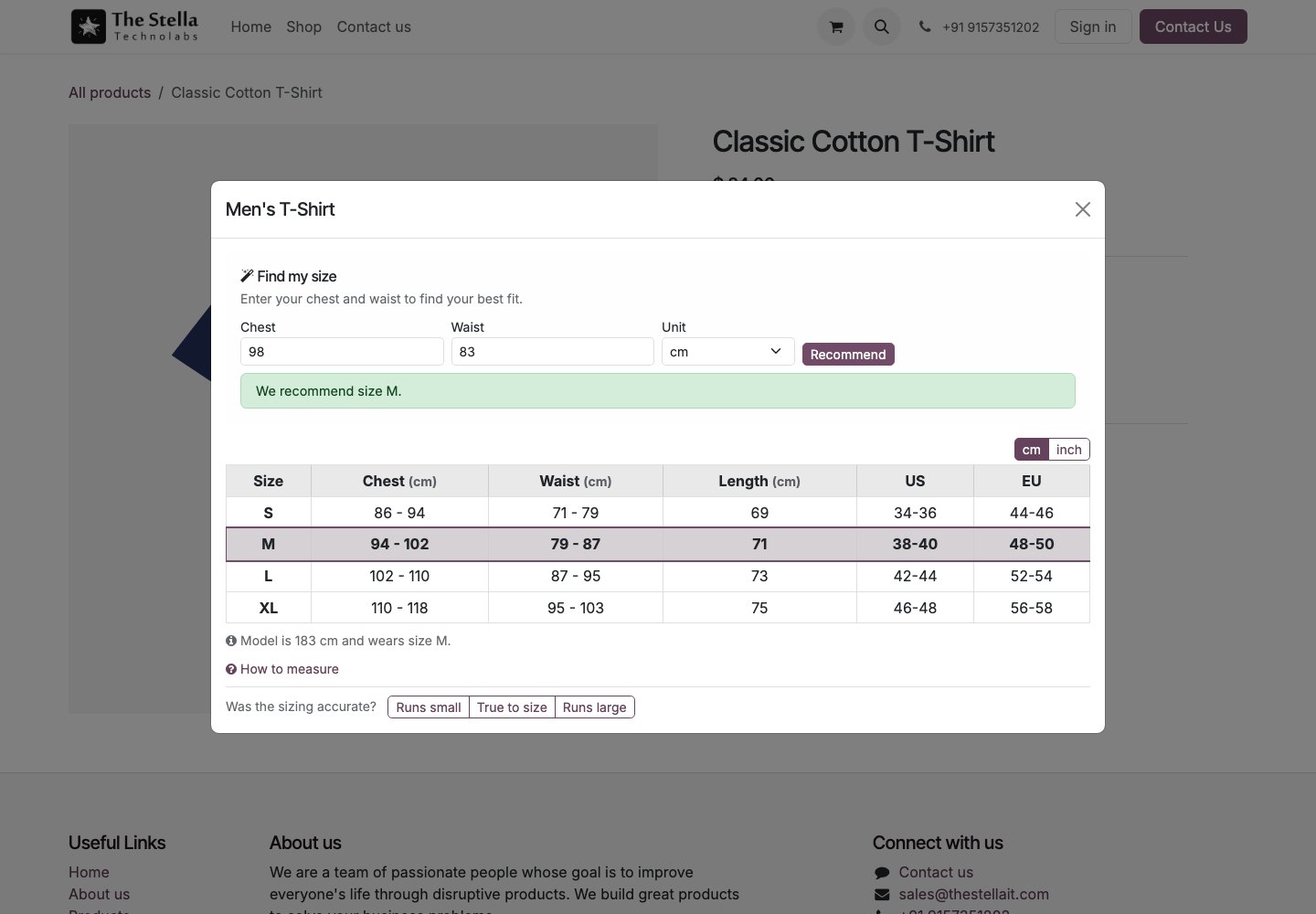
The shopper enters a few measurements and gets a recommended size instantly, with the recommended row highlighted.
Fit feedback that pays off
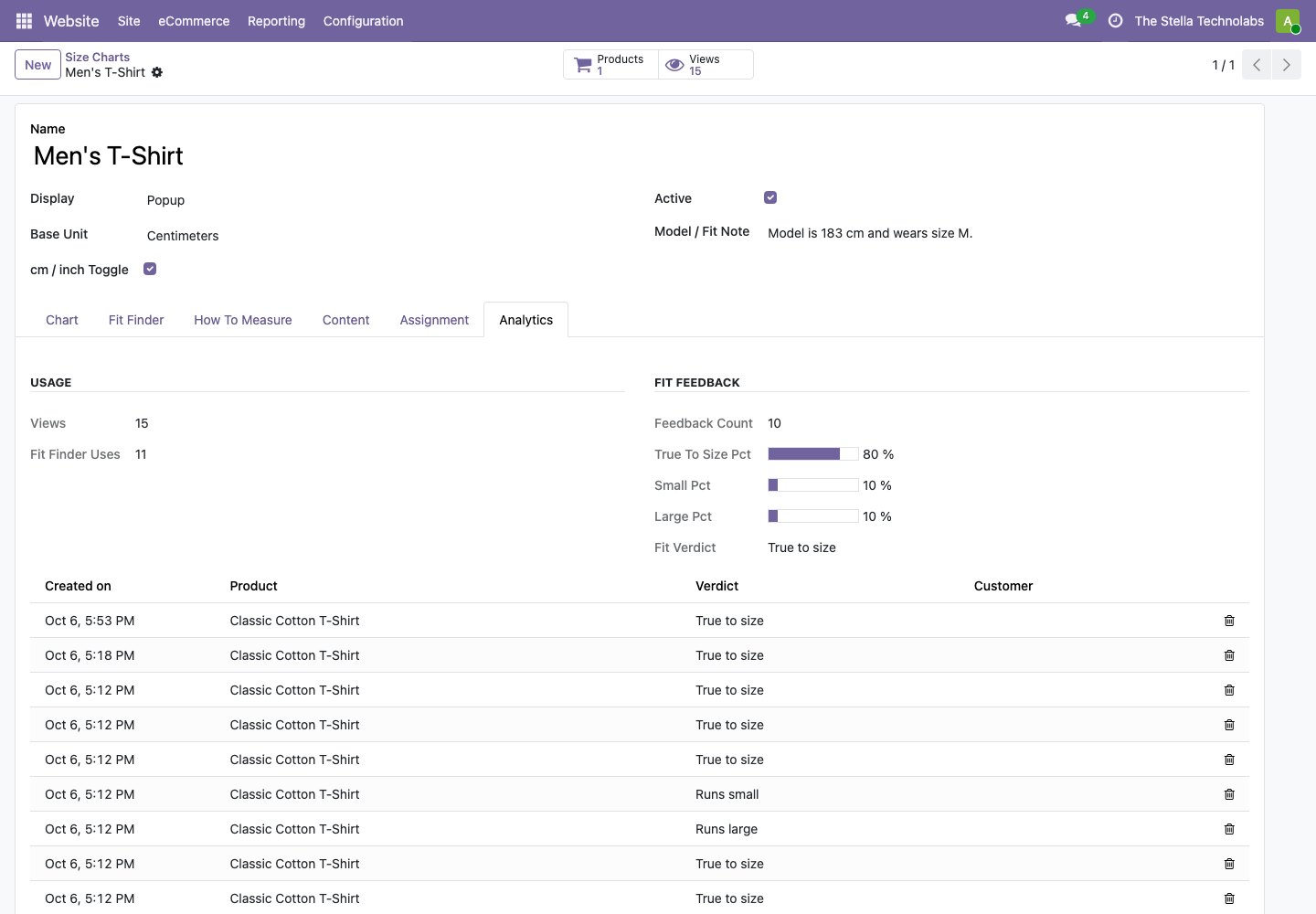
Shoppers leave quick fit feedback, which turns into a true to size badge and real return reduction analytics in the backend.
Everything the app does
Every capability below is in the published app, nothing added.
Reusable size charts
Create a chart once and share it across many products, with as many size rows and columns as you need.
Popup or inline
Show the chart as a popup or an inline block on the product page, following your website theme.
Find my size
The shopper enters a few measurements and instantly gets a recommended size, with the recommended row highlighted.
cm to inch and size systems
One click cm to inch conversion on the whole table, and international size system columns such as US, UK and EU side by side.
How to measure and fit notes
A how to measure guide with an image and rich text, and a model and fit note such as the model height and the size worn.
Fit feedback and analytics
Fit feedback buttons for runs small, true to size and runs large, a true to size badge once enough shoppers respond, and usage analytics for views, finder uses and a fit verdict per chart.
From one chart to the right size
Build the guide once, assign it broadly, and let shoppers find their size on the page.
Build the chart
Create a reusable size chart with your measurement rows, columns and a how to measure guide.
Assign it
Assign the chart to a product, or automatically by eCommerce category so it covers a whole range.
Shoppers find their size
On the product page shoppers open the chart, use find my size and see a recommended size.
Learn from feedback
Fit feedback turns into a true to size badge and return reduction analytics in the backend.
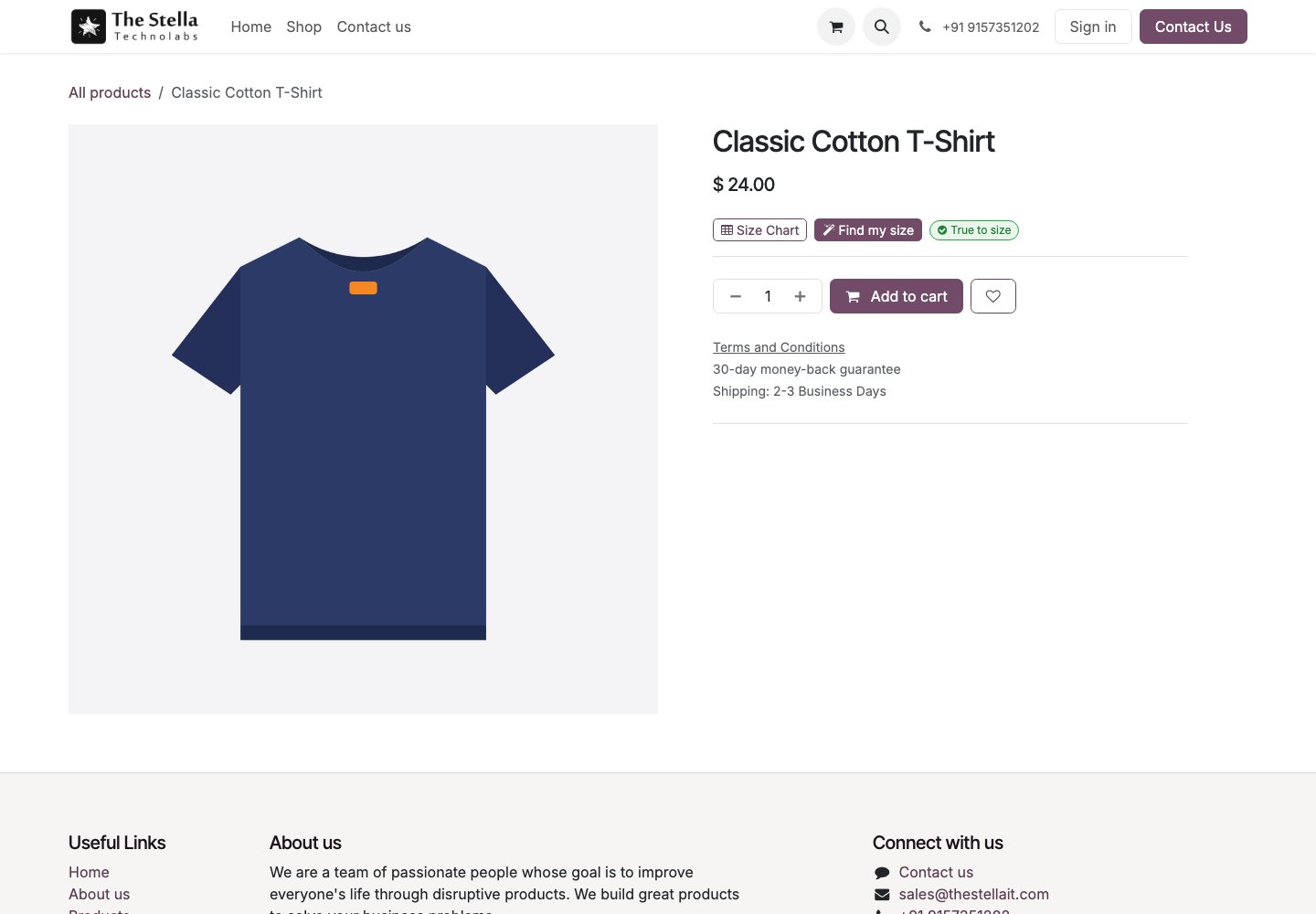
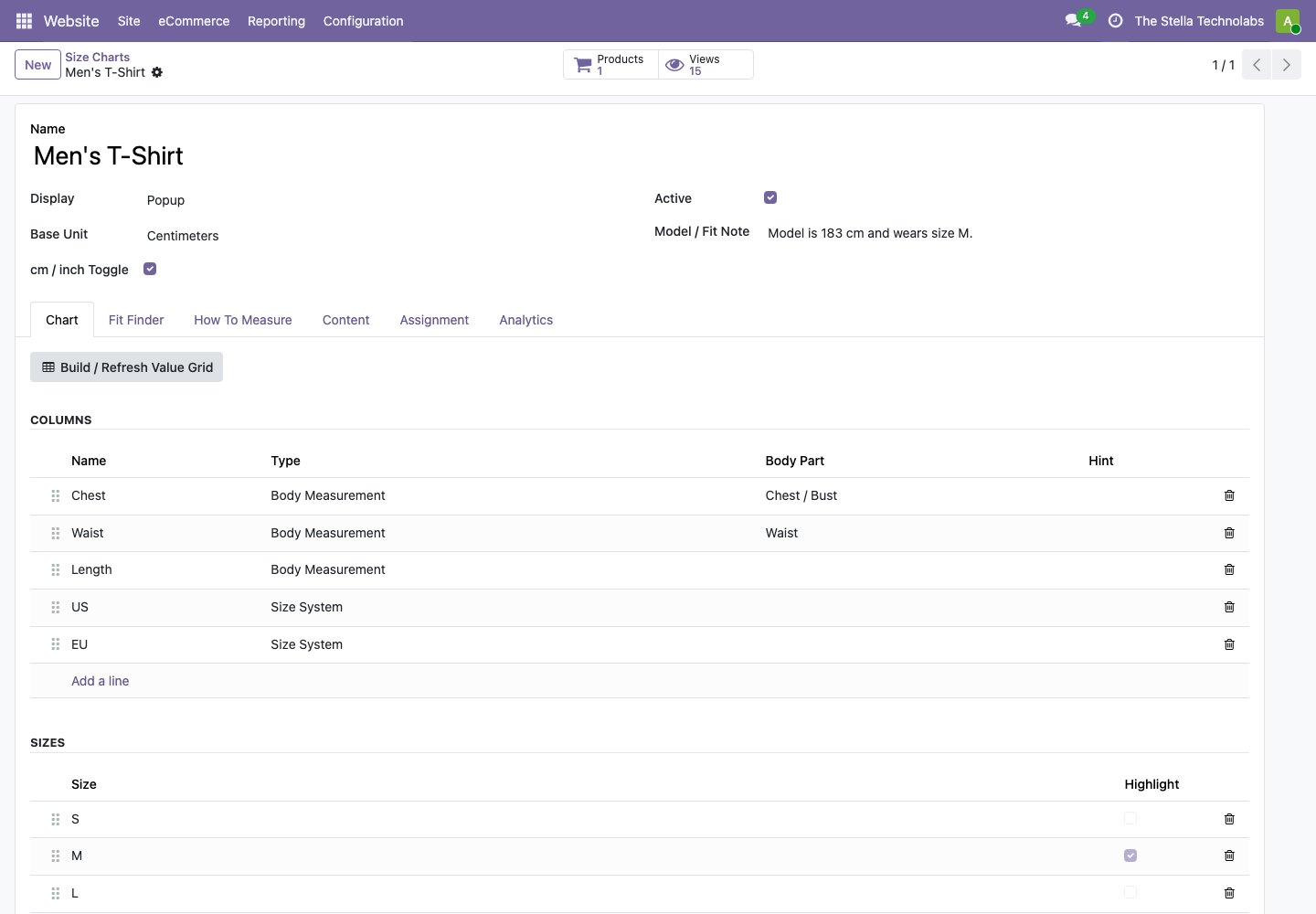
Build and measure in one place
The chart builder and the analytics live together, so you can see what is working.
- Build a chart once and reuse it across many products.
- Assign charts automatically by category, with a manual chart per product.
- Highlight a recommended size row for shoppers.
- Show international size systems such as US, UK and EU side by side.
- Track chart views, finder uses and a fit verdict per chart.
For any store where size decides the sale
Wherever a wrong size means a return, a good chart earns its place.
Fashion and apparel
Give clothing shoppers a clear table and an instant size recommendation.
Footwear
Show international size systems side by side for shoes.
Sports and gear
Help buyers of gear and equipment pick the right fit first time.
Smart Size Chart and Fit Finder extends standard Odoo eCommerce. It does not replace or debrand any native feature. It adds size charts, a fit finder and fit analytics on top of the product pages you already use.
Ready to cut size returns?
Tell us about your catalogue and we will show you the app, set up a tailored demo and plan your rollout.
Questions, answered
How are charts assigned to products?
Automatically by eCommerce category, so one chart can cover a whole range, with the option of a manual chart per product.
What is find my size?
The shopper enters a few measurements and the app instantly recommends a size and highlights the matching row in the table.
Can shoppers switch units and size systems?
Yes. One click converts the whole table from cm to inch, and international size system columns such as US, UK and EU can sit side by side.
Where does the true to size badge come from?
From fit feedback. Shoppers say whether an item runs small, true to size or runs large, and a true to size badge shows once enough of them respond.
Does it work across several websites?
Yes. It works for single and multi website setups.