Buy used items, resell at a real margin.
One trade-in app for your back office, with add-ons for your website and your counter. Price items from your own grid and condition questions, check the seller, inspect fairly, pay in store credit with a bonus or by bank transfer, and stock them at the price you paid.
Good business, until the price is a guess
Buying second-hand goods from your customers is good business, until the price depends on who is at the desk, nobody checks the seller, and the stock lands in your books at the wrong value.
Trade-In and Buyback is the engine. It holds your price grid, condition questions, seller checks, inspection, store credit, stock and accounting, and it works on its own in the back office. Add Website Trade-In and Buyback to take trade-ins online, and POS Trade-In and Buyback to buy at the counter. Both add-ons use the same settings, so you set everything up once.
Why this suite
Fair, consistent offers
The price comes from your grid and your questions, not a guess. Each step of the offer is shown, so staff and customers can see how it was reached.
Store credit that brings customers back
Pay into the customer's eWallet with a bonus percentage, so the value is spent in your shop. Bank transfers get a draft seller bill instead.
Clean stock and clean books
Items are received at the final price with the grade, serial and buy-in price on the lot, so your resale margin is right from day one.
What is inside the base app
Trade-ins dashboard
Work to do at a glance, a trend chart of trade-ins and value bought, the split by channel and status, store credit outstanding and a searchable list of the latest trade-ins.
Your own price grid
A buy-in price per product, a percentage per grade from A to D, value lost per year by category, caps per item and rounding you choose.
Condition questions
Yes or no questions per category, each with a fixed or percentage deduction. The same questions are used everywhere you buy.
Inspection and fair revisions
Confirm the grade and answers when the item arrives. If the offer changes, send it with the reason and let the customer accept or get the item back in their portal.
Store credit with a bonus
Pay into the customer's eWallet with a bonus percentage, or create a draft seller bill for a bank transfer.
Stock at the price paid
Items are received at the final price with grade, serial and buy-in price on the lot.
Hold period
Keep bought items in a separate hold location for the days you set before they can be sold. A daily job releases them.
Seller checks
ID by category with only the last 4 characters stored, daily and monthly limits, repeat seller alerts, blocked serials and IMEIs, and a manager PIN above an amount you set.
Margin VAT scheme
For second-hand goods, VAT on the margin over the buy-in price is listed per invoice line and posted per period in one journal entry.
Customer portal
Every trade-in and the store credit balance in the customer's portal.
Which module does what
| Module | Price | What it adds | Needs |
|---|---|---|---|
| Trade-In and Buyback | $99 | Back office trade-ins, dashboard, price grid, condition questions, seller checks, inspection, store credit, stock, accounting and margin VAT | Standard Inventory and Loyalty |
| Website Trade-In and Buyback | $49 | A Sell to us page with instant offers, a basket with photos, drop-off or posted hand-over and the customer portal | Trade-In and Buyback, plus standard eCommerce and eCommerce Loyalty |
| POS Trade-In and Buyback | $49 | A Trade-in button at the counter, trade-in and sale on one ticket, cash or store credit payout and the signed receipt | Trade-In and Buyback, plus standard Point of Sale and Point of Sale Loyalty |
Start with the base app. Add the website, the counter, or both, when you want to buy there. Prices, questions, seller checks and the wallet are set up once in the base app and shared by every channel.
On your website, and at the counter
Website add-on
- A trade-in page per website with search and categories, showing only the items you accept
- Grade, age and condition questions update the instant offer as the customer answers
- Several items per trade-in, with serial numbers and up to five photos each
- Customers pick a store or post the item with a packing slip and a carrier return label
- No account needed to trade in; the payout email invites them to create one
- Revised offers are accepted or declined in the portal
- Store credit goes to the eWallet and is applied at checkout
- Each website has its own page text, drop-off stores, carrier and payout options
The online request journey
| Status | What happens |
|---|---|
| Awaiting item | The customer accepted the instant offer; a receipt is waiting and an email explains the hand-over |
| Received | The item arrived; your team checks grade and answers |
| Revised offer sent | The offer changed; the customer sees why and decides in the portal |
| Paid | Credit or bill created, item in stock at the final price |
| Returned | The customer declined; a return delivery is created |
Counter add-on
- A Trade-in button on the order screen opens your trade-in catalogue
- Tap the condition and answer the questions; the offer shows each step as a line
- Items the customer sells are negative lines on the same order as what they buy
- Pay out as cash, or add credit plus bonus to the eWallet
- Staff can change the price with a saved reason, with a manager PIN above your threshold
- Seller ID by category, with limits, repeat sellers and blocked serials checked
- The item is received into the shop's warehouse at the buy-in price
- Counter sales of margin scheme items are listed and posted per period
What gets recorded
| Record | What it holds |
|---|---|
| Trade-in | Seller, ID type and last 4, items, answers, quoted and final prices, revision reason, payout and status (and, at the counter, overrides with reasons and the POS order) |
| Receipt | The item received into stock at the final price, in the hold location when a hold applies |
| Lot or serial | Grade, buy-in price, hold date and trade-in reference |
| eWallet | Store credit and bonus with a history line per trade-in |
| Journal entries | Purchase of used goods against the store credit liability, and the bonus as an expense |
| Seller bill | A draft bill for bank transfer payouts, ready for your accountant |
| Margin register | Sale price, buy-in price, margin and VAT on margin for each margin scheme sale |
The trade-in is the purchase document. No purchase orders or vendor bills are needed.
A closer look
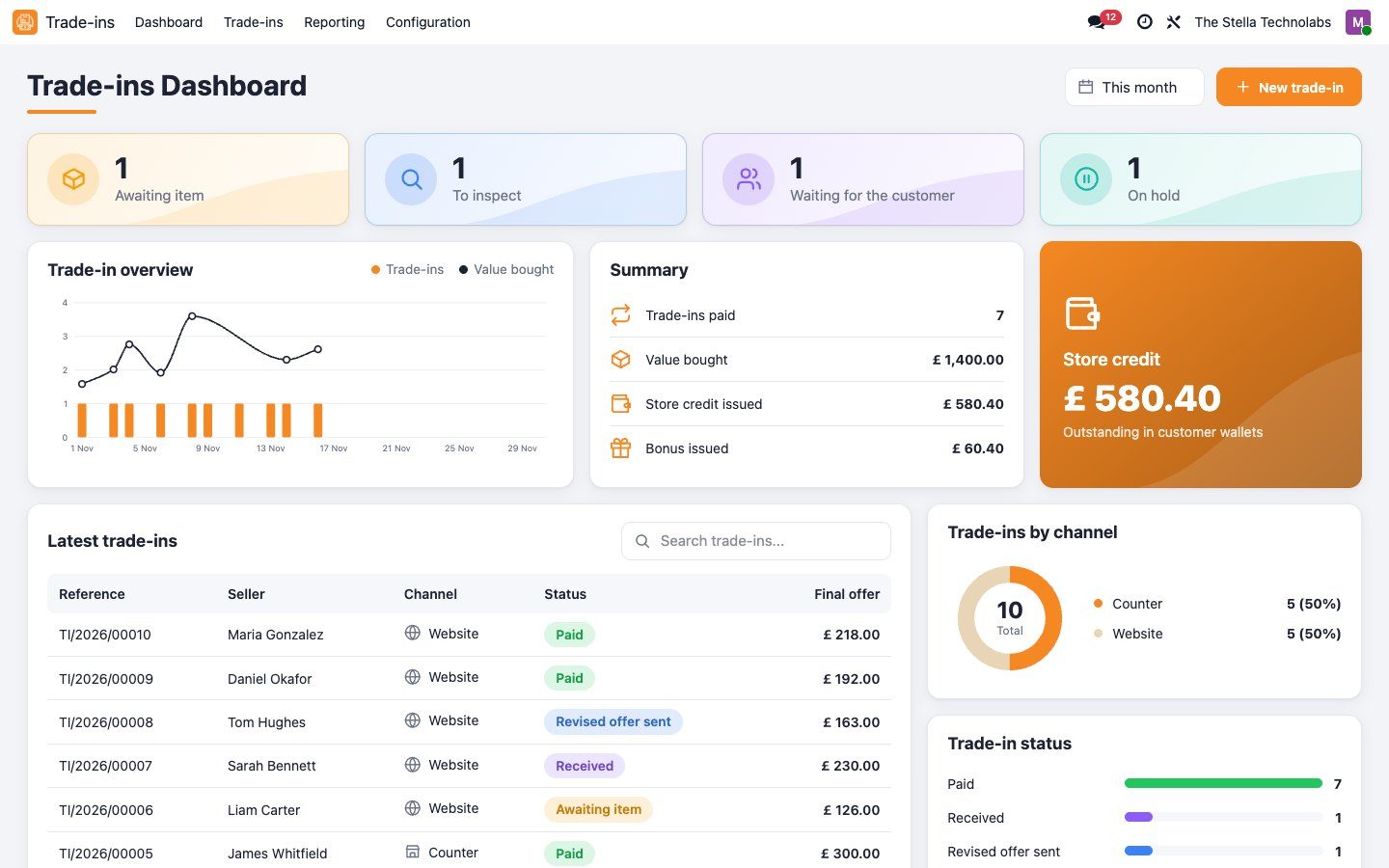
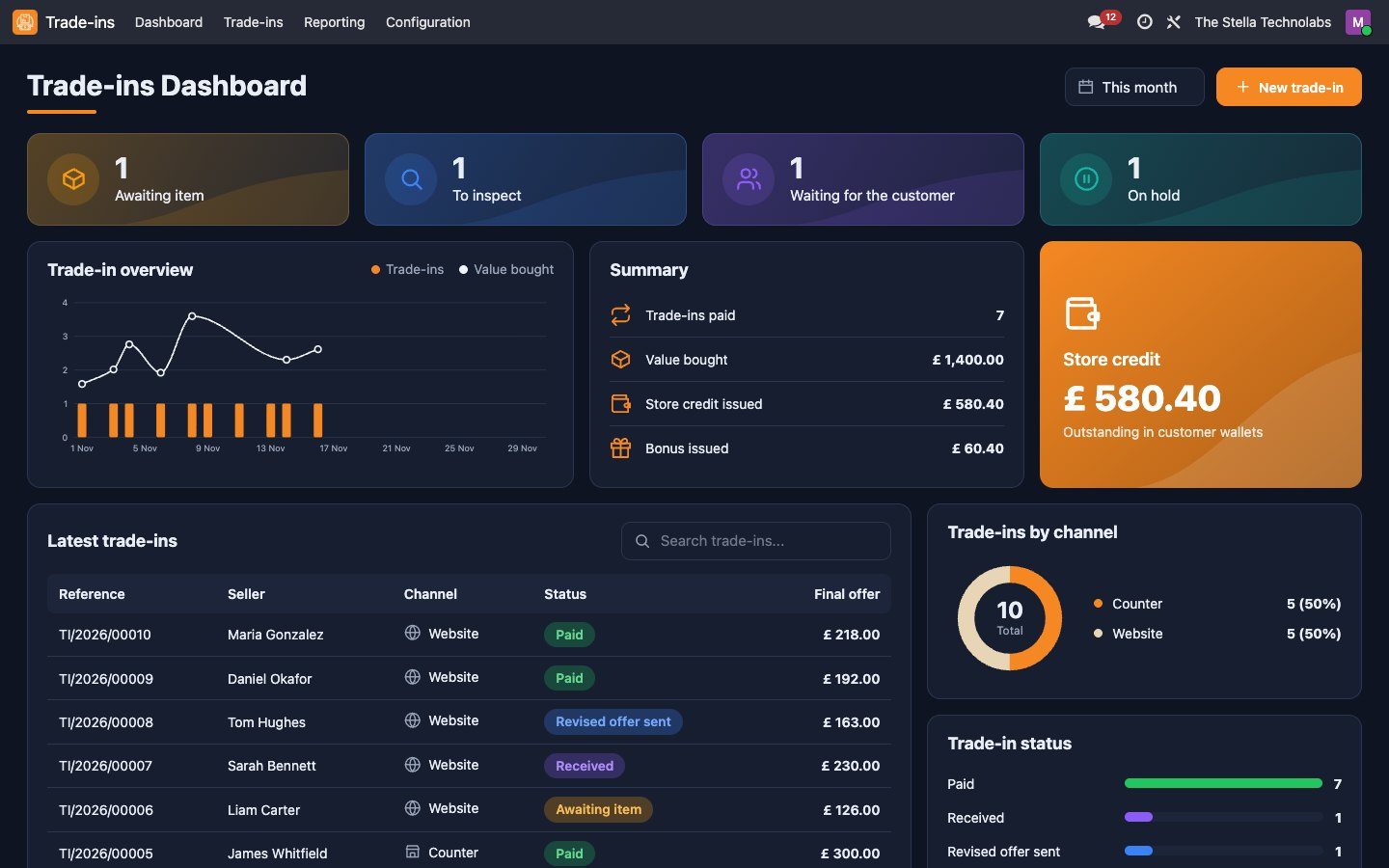
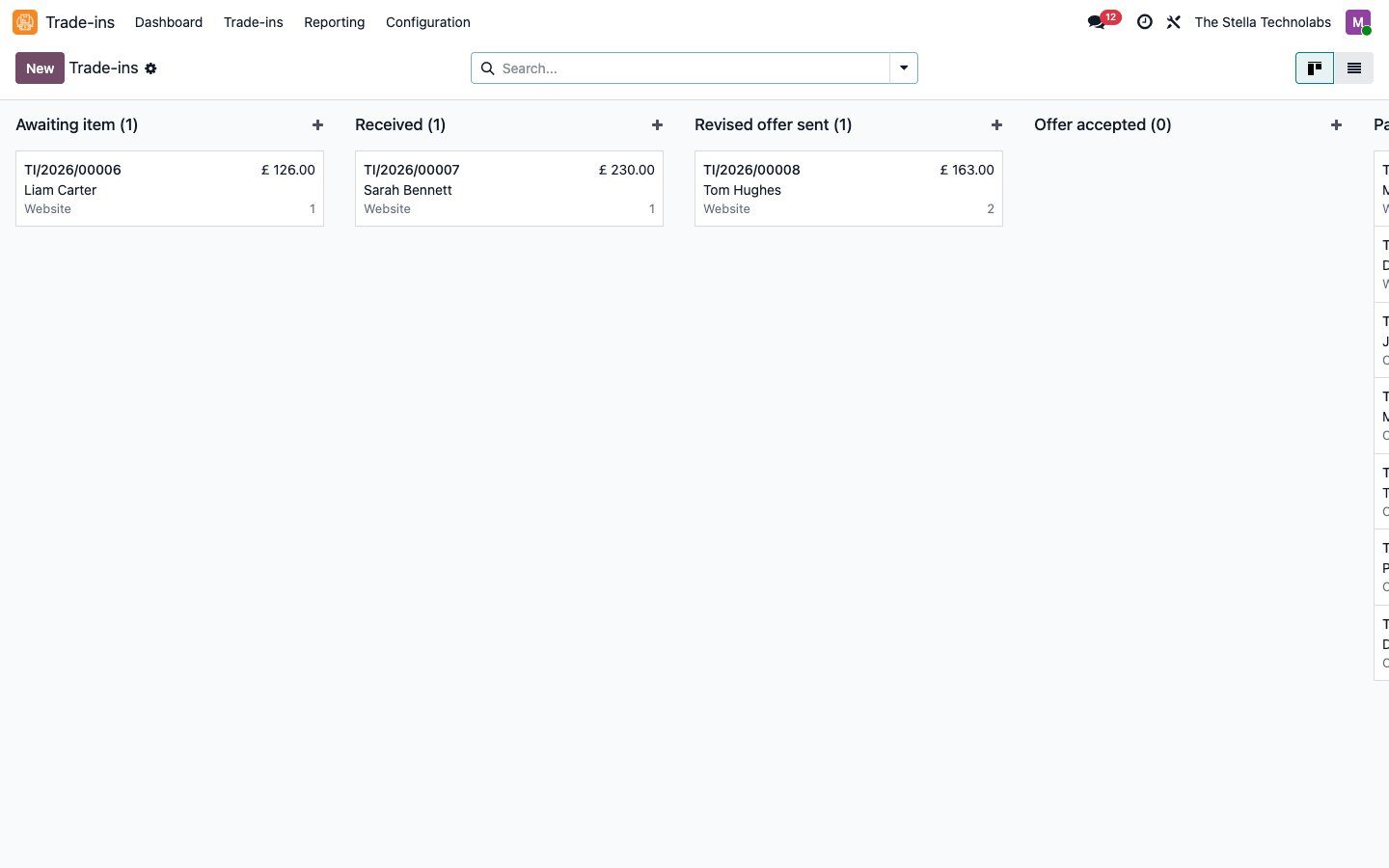
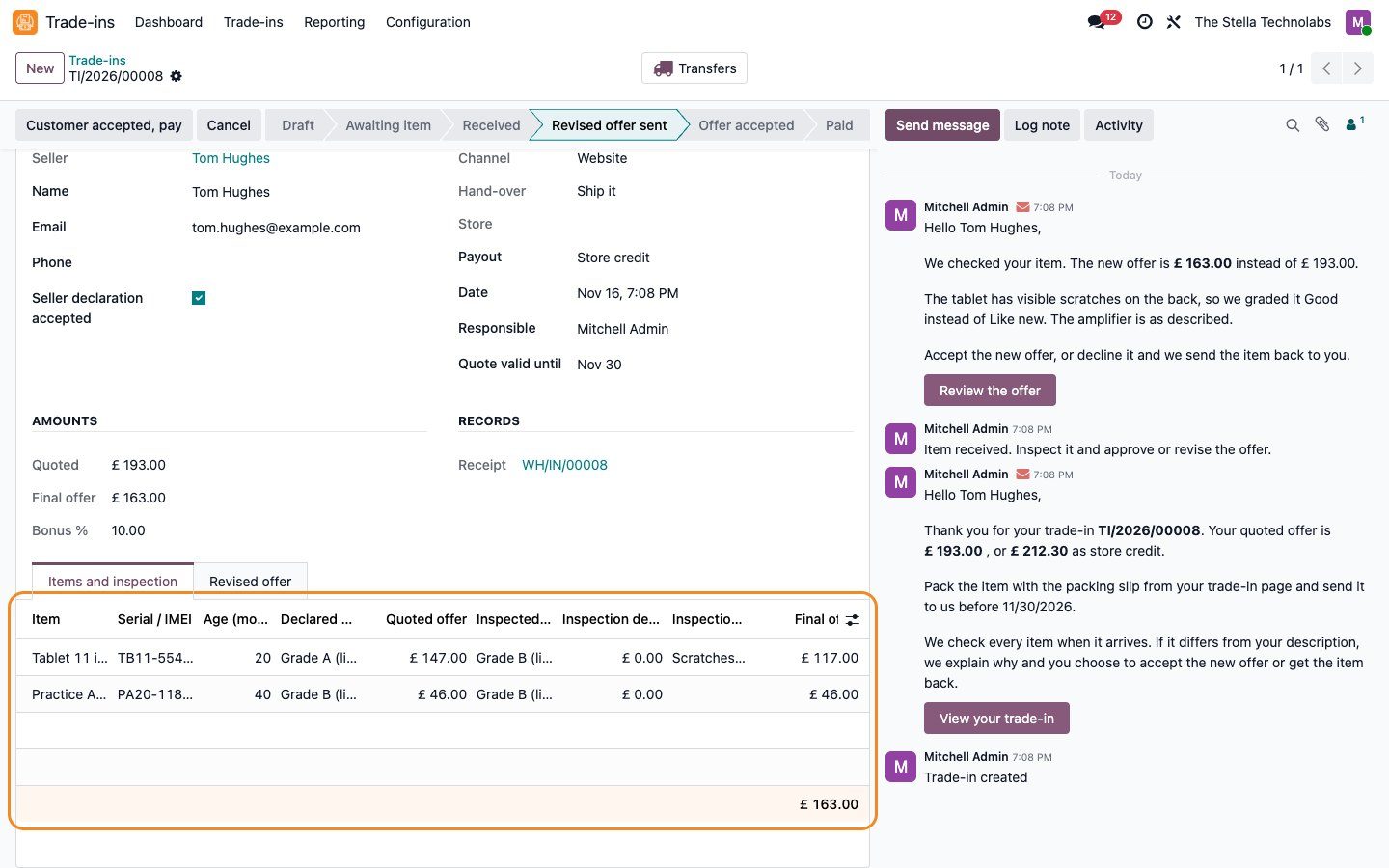
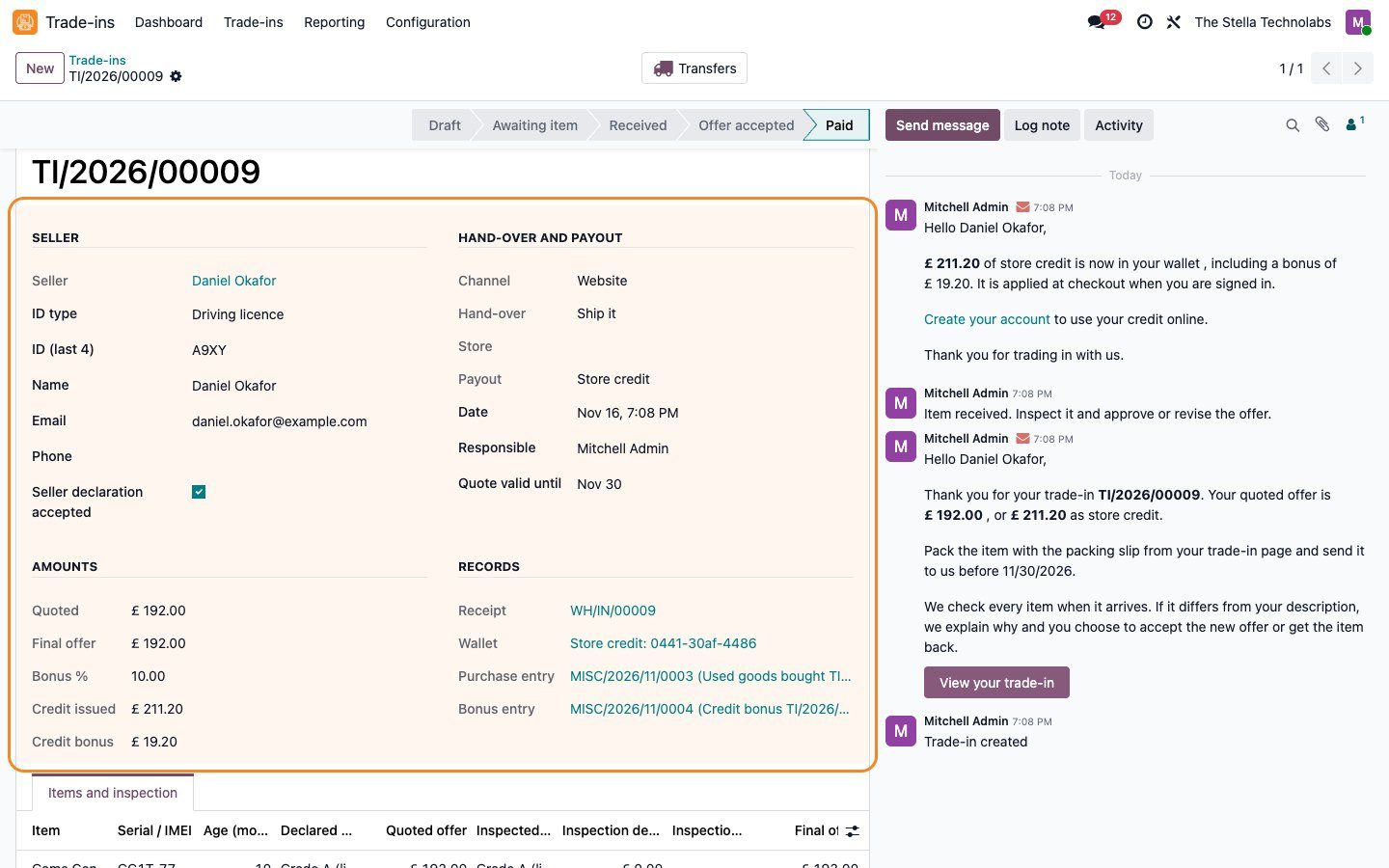
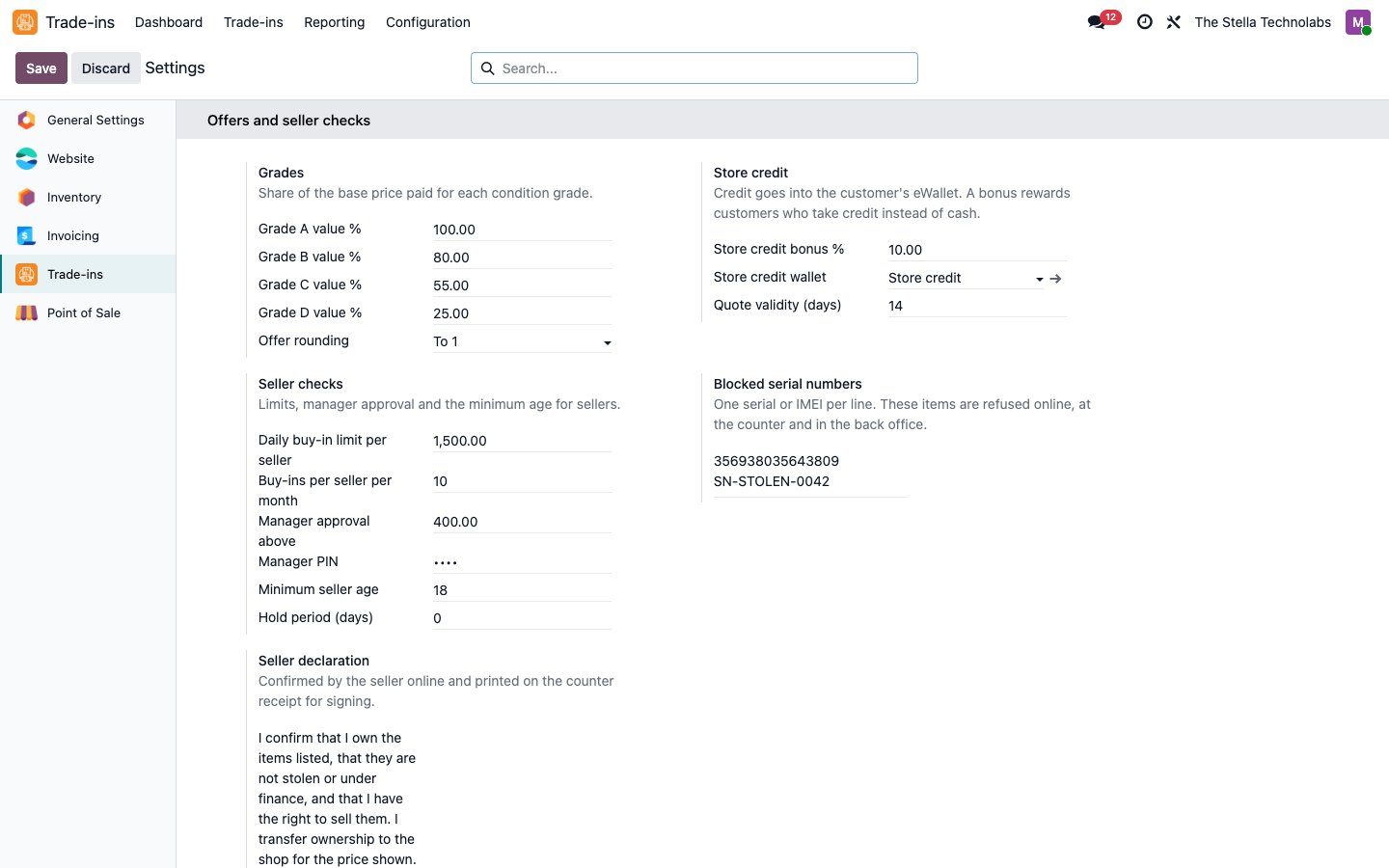
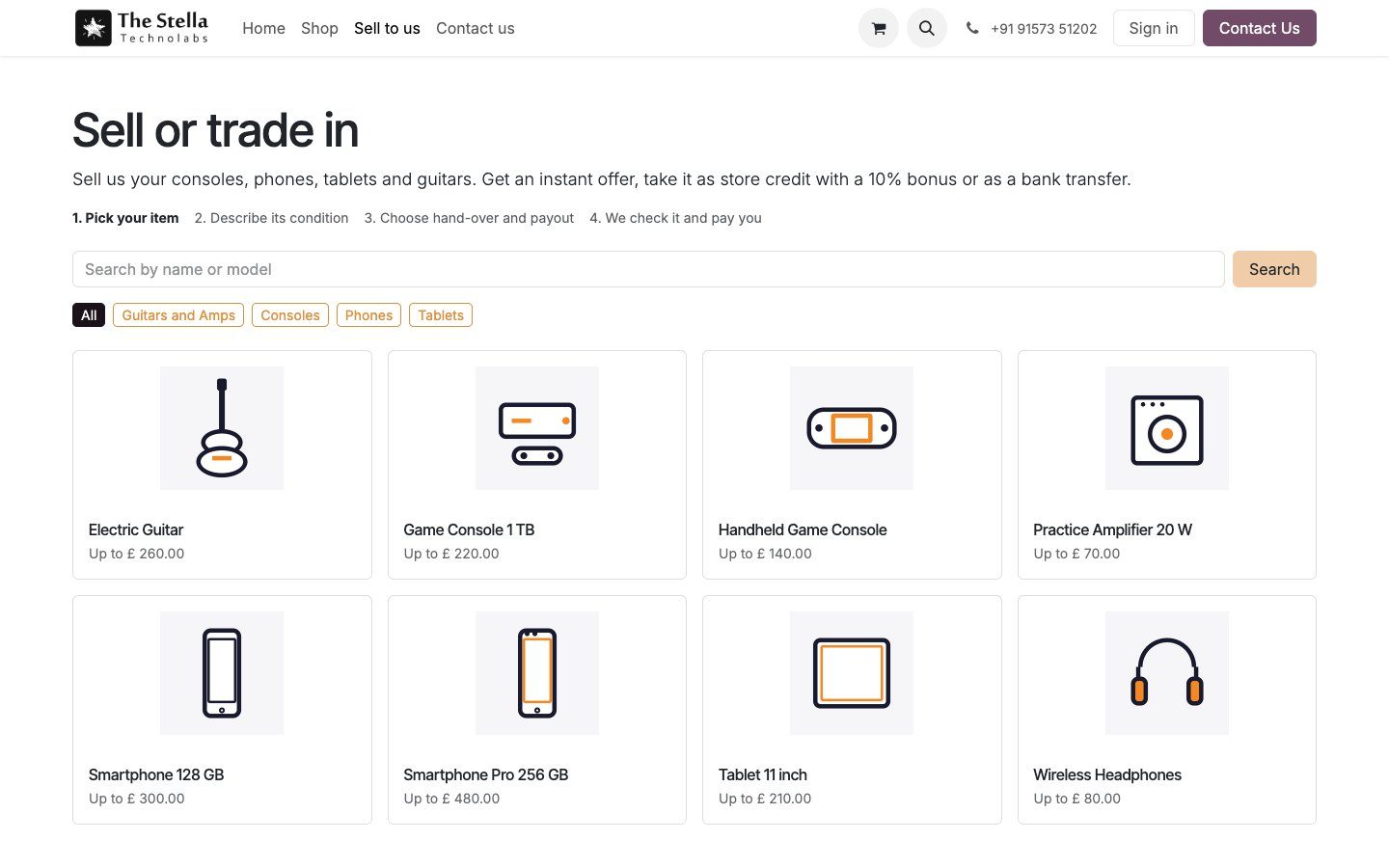
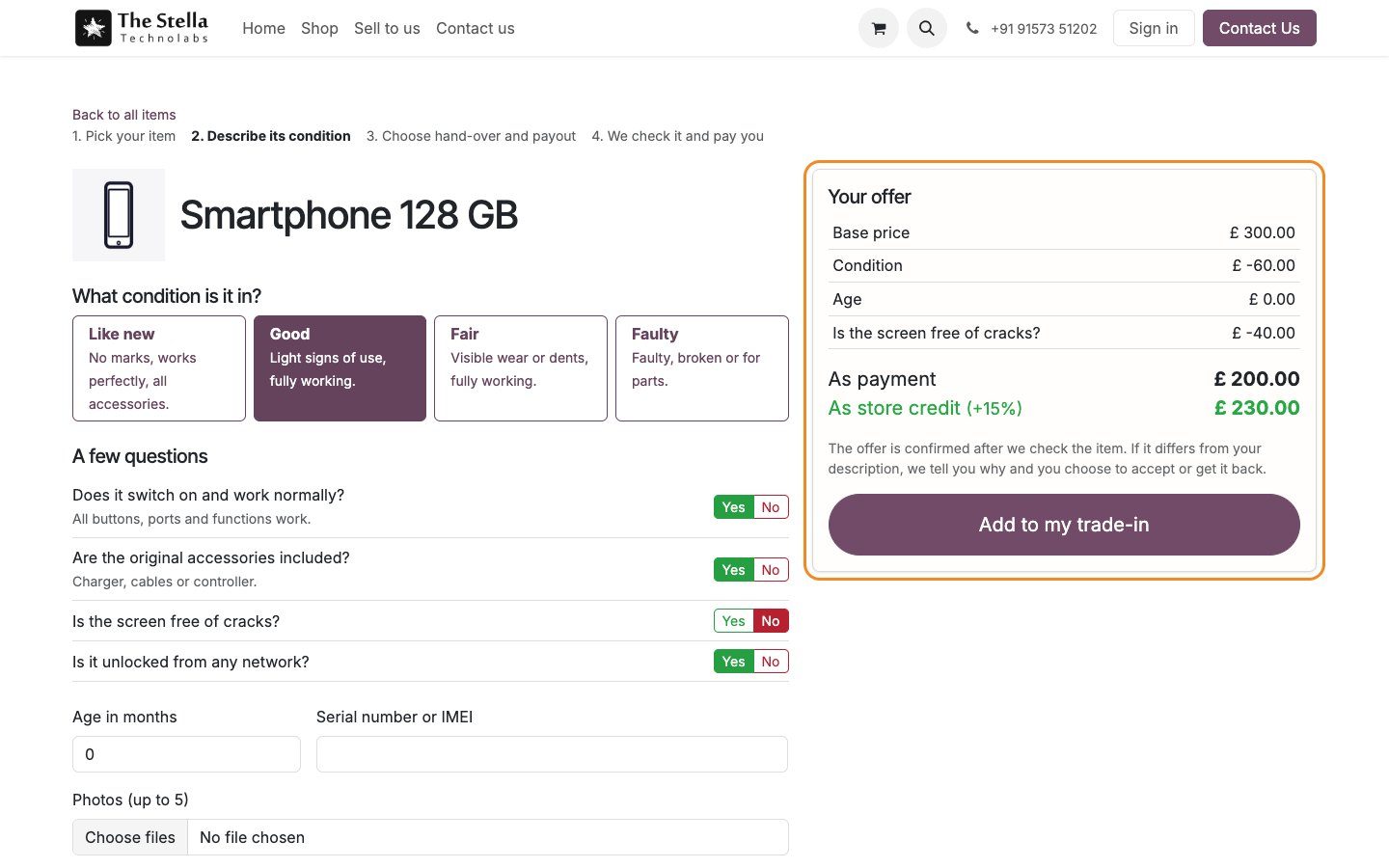
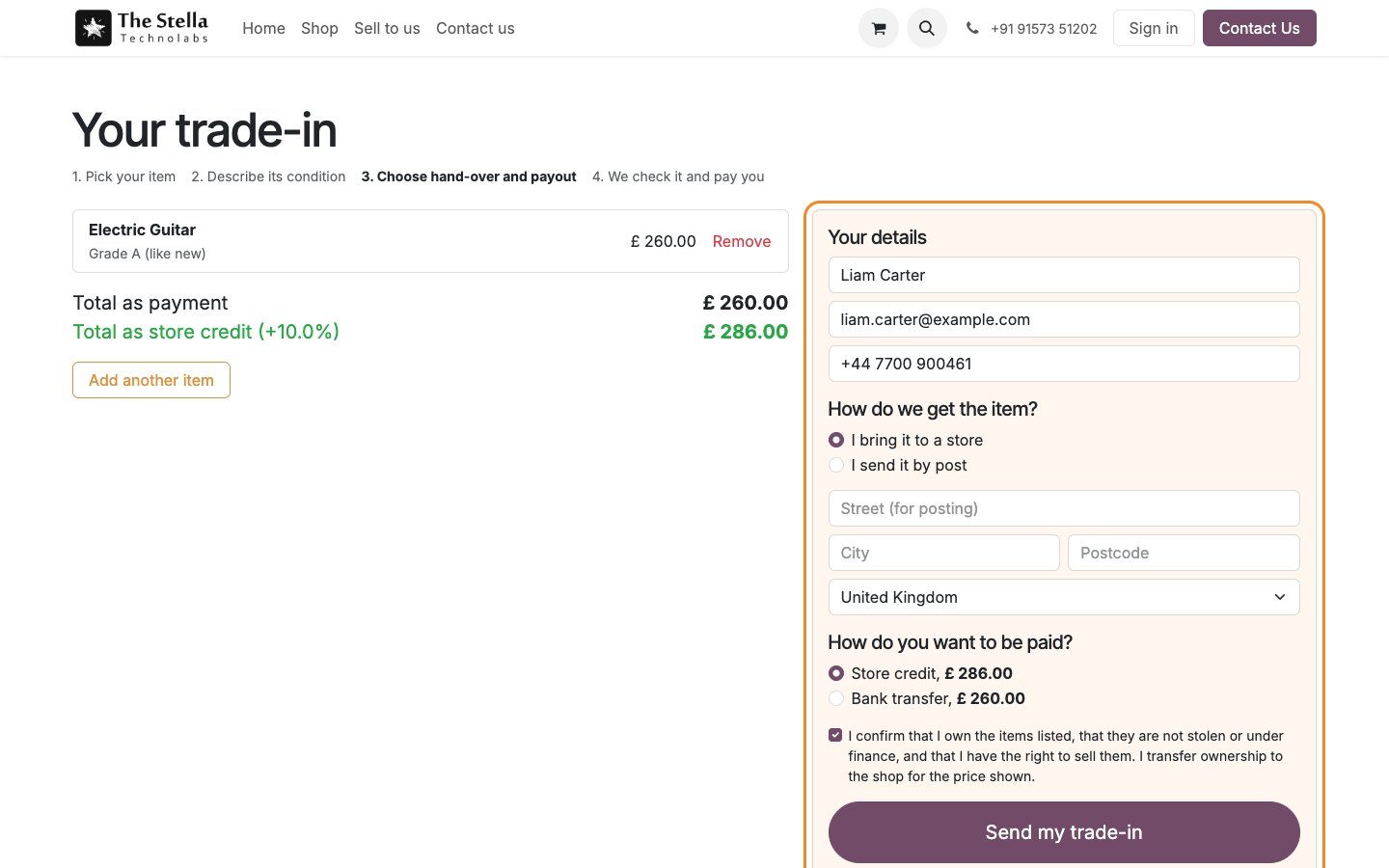
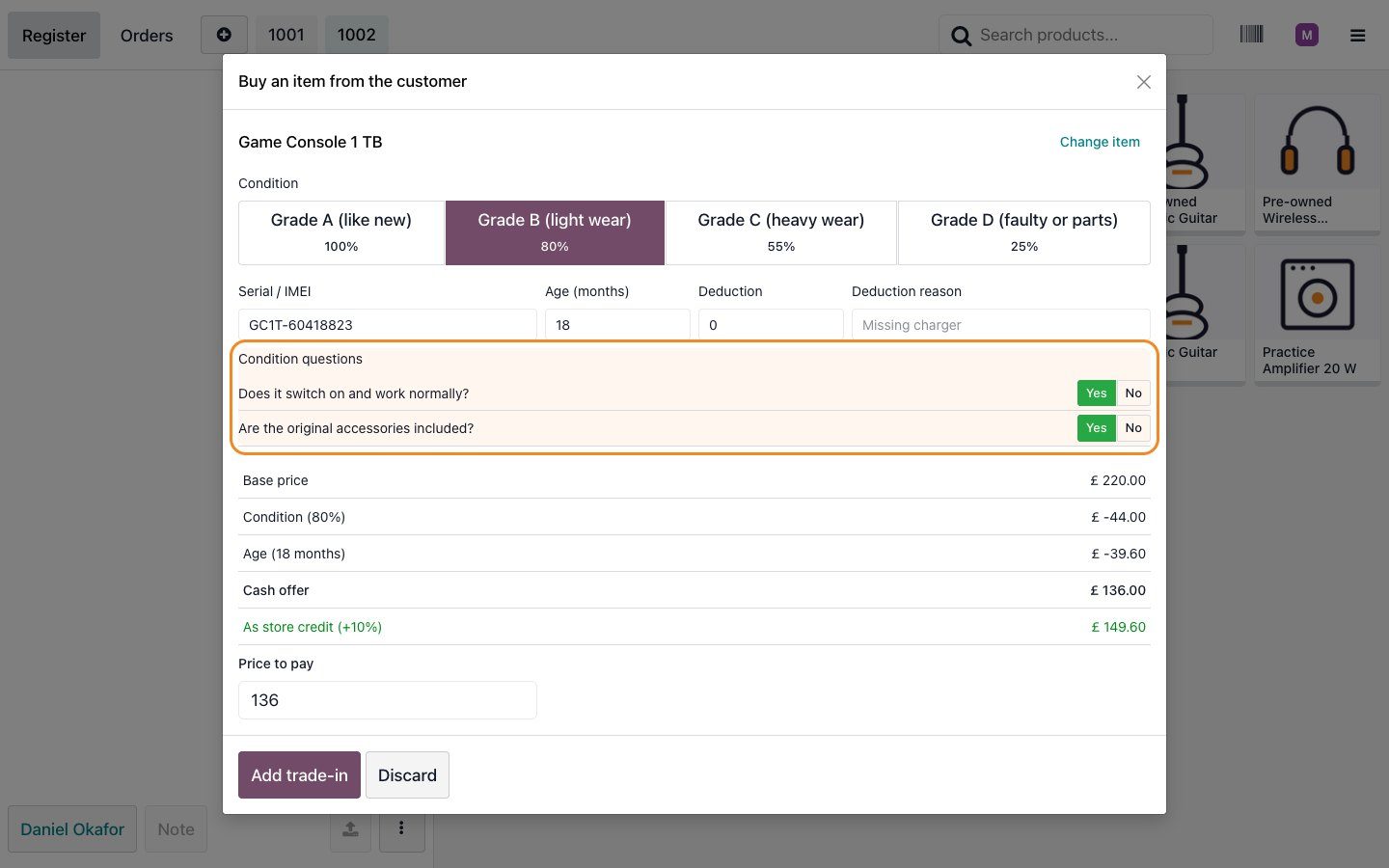
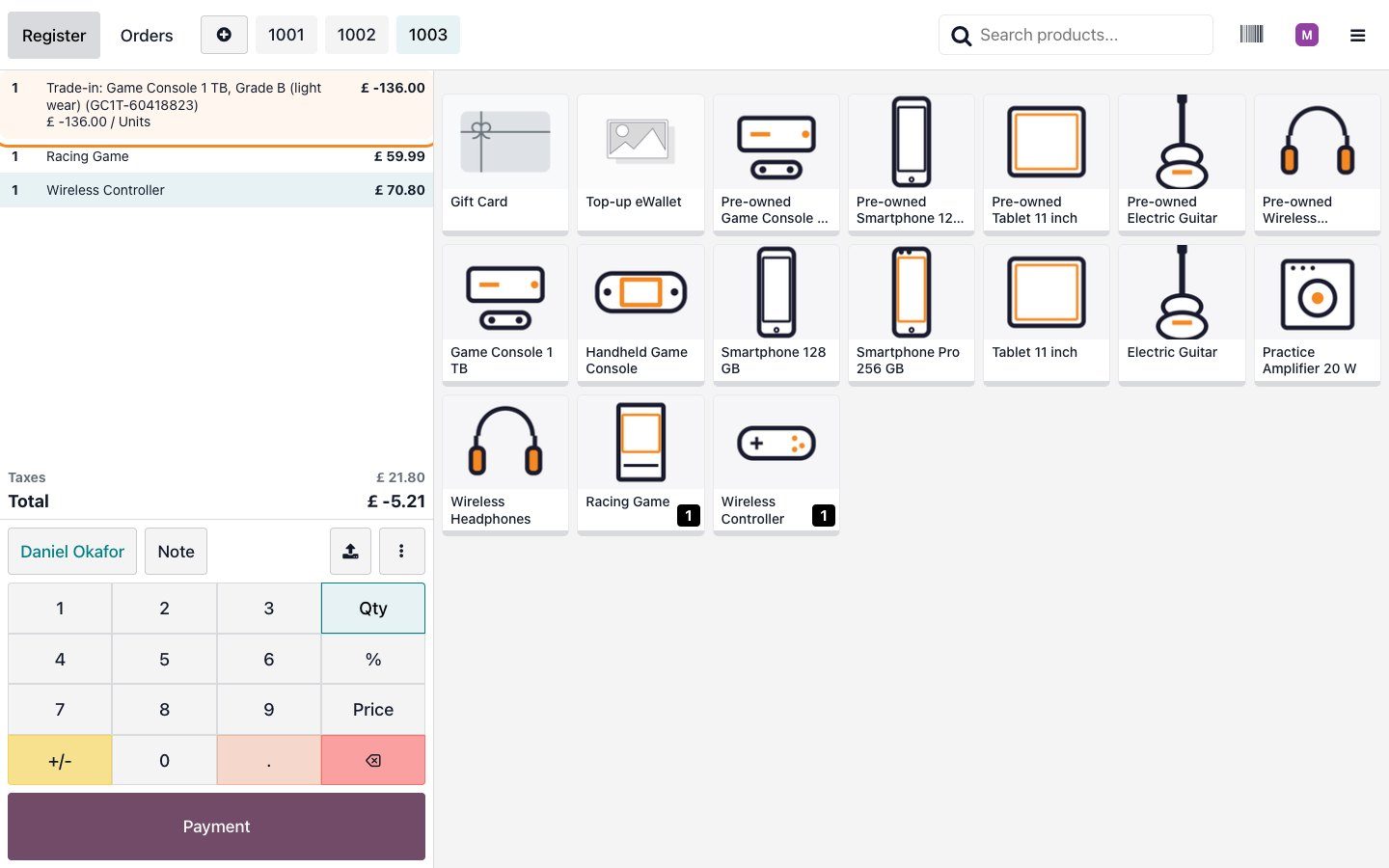
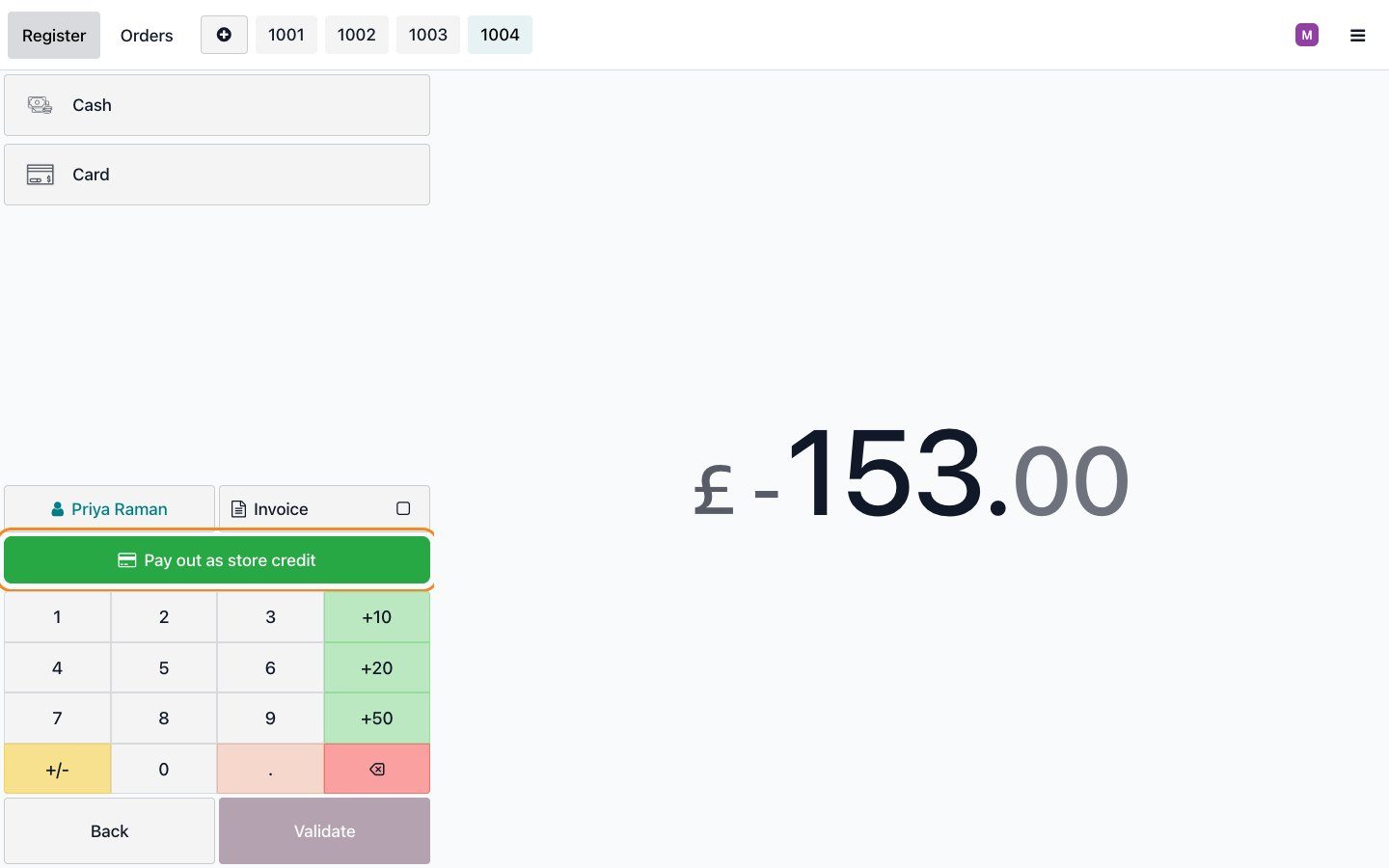
Six screens from the base app, then three from the website add-on and three from the counter add-on.
Who it is for
Shops that buy used goods from their customers and resell them: phones and electronics, games, music gear, sports gear, books and other pre-owned or refurbished stock, whether you buy in the back office, online, at the counter, or in all three.
Tested on the standard, unmodified editions of Odoo Community and Enterprise. Trade-In and Buyback depends on the standard Inventory and Loyalty (eWallet) modules. Website Trade-In and Buyback depends on Trade-In and Buyback and the standard eCommerce and eCommerce Loyalty modules. POS Trade-In and Buyback depends on Trade-In and Buyback and the standard Point of Sale and Point of Sale Loyalty modules. If your Inventory, Loyalty, website, checkout, customer portal or Point of Sale screens, or any related module (such as another eWallet or gift card app, a changed stock valuation, a custom portal layout, a changed checkout, a custom payment screen or changed POS receipts), has been altered by another developer, the trade-in records, pages, wallet payout and receipt section may not render or work as expected. Contact us before buying if you run a heavily customised Odoo. Runs on Odoo.sh and your own server; Odoo Online does not allow custom modules. Odoo is a trademark of Odoo S.A. These modules are not made or endorsed by Odoo S.A.
Ready to buy back at a real margin
Need help setting up grades, prices, questions, store credit, labels, the counter or margin VAT? Our team is happy to help before and after purchase.
Questions, answered
Do I need the website or counter add-ons?
No. Trade-ins can be entered in the back office with Trade-In and Buyback alone. Add the website or counter add-on when you want to buy there; they use the settings and questions you set in the base app.
Can I buy an add-on without the base app?
No. Website Trade-In and Buyback and POS Trade-In and Buyback both need Trade-In and Buyback, which holds the prices, questions, seller checks and accounting. It is installed together with either add-on.
Do I need purchase orders or vendor bills?
No. The trade-in is the purchase document. Stock and accounting entries are created from it, and bank transfers get a draft seller bill.
How is the offer calculated?
Base price per item, a percentage per grade, value lost per year by category, question deductions, caps and rounding. Each step is shown.
Where does the store credit go?
Into the customer's eWallet, the standard Odoo wallet used at the till and in eCommerce. Pick your own eWallet program in Settings, or one is created for you.
Can I keep items before selling them?
Yes. Set a hold period and items go to a hold location until the date passes or you release them.
Do website customers need an account?
No. Guests can trade in. Credit is tied to their contact, and the payout email invites them to create an account to spend it online.
Can I print return labels for posted trade-ins?
Yes, when a carrier connector that supports return labels is installed. Otherwise customers download a packing slip.
Can a customer trade in and buy at the same time at the counter?
Yes, with the POS add-on. Trade-in lines and products sit on one ticket; the customer pays or receives the difference.
Can staff change the calculated price?
Yes, with a reason that is saved on the trade-in. Above your threshold a manager PIN is needed.
Which warehouse receives counter trade-ins?
The warehouse of the shop's Point of Sale, so each store sees its own bought stock.
Does it support several companies and websites?
Yes. Settings, questions, limits and trade-ins are kept per company, and each website has its own catalogue page text, hand-over and payout options.
Does it work on Community?
Yes, on Community and Enterprise. All three modules build on standard Odoo apps only.