Your ERP, your brand.
Show your own brand across your Odoo instance from one simple Settings page: your word in the address bar, your name in the browser tab, your favicon, and Powered by your brand on login, portal and emails.
Your ERP should carry your name, not theirs
When your team, your customers and your partners open your ERP, they should see your brand, not someone else's.
White Label Branding lets you rebrand your own Odoo instance from one clean Settings page. Turn on one master switch, type your brand name, and choose exactly which places carry it: the address bar, the browser tab, the favicon, the Powered by line on the login screen, customer portal and outgoing emails, and the top right user menu. Every setting is stored per company, so each company in a multi company database can carry its own brand.
Two small add-ons carry the same brand further: one onto your Point of Sale receipts, one onto your public website.
Why this suite
One page, no digging
One master switch and a clean Settings page. Nobody has to hunt through technical system settings to change a brand name.
Every place the name shows up
Address bar, browser tab, favicon, login screen, customer portal, email footer and the user menu, all handled from the same page.
Safe to install and remove
No core files are touched. The module hooks into checked points of the standard screens, so it installs and uninstalls cleanly.
What is inside the base module
Custom backend address
Replace the "odoo" word in the backend address bar with your own word, so the address reads /yourbrand/ instead. Direct links, refreshes and bookmarks keep working, and no restart is needed.
Browser tab title
Show your brand name in the browser tab instead of "Odoo", so bookmarks and open tabs look like your own product.
Custom favicon
Upload your own favicon from Settings and it appears in the browser tab of the backend.
Login screen and customer portal
Hide the "Powered by Odoo" line on the login screen and customer portal, or replace it with "Powered by your brand".
Email footer
Outgoing notification emails carry your brand in the footer instead of "Powered by Odoo".
Cleaner user menu
Remove the Odoo.com account, documentation and support links from the top right user menu, for a cleaner branded look.
Per company branding
Every branding setting is stored per company, so a multi company database can carry a different brand for each company.
One master switch
When the switch is off, nothing is changed. When it is on, you choose exactly which branding you want.
The two add-ons
Point of Sale add-on
- Put your brand on every receipt
- The Powered by line at the bottom of printed and digital receipts shows your brand name
- Uses the same brand name you set in the base module
- Enable white label once in Settings and the POS follows
- Each company keeps its own brand
- Your brand reaches the POS through the standard company data, so the session loads as it does out of the box
Website add-on
- Carry your brand onto your public website
- Every web page includes a hidden site generator label in its page source
- Search engines and anyone viewing the source can read that label
- With this add-on, the label shows your brand name instead of the default
- Uses the per company brand name from the base module
- Makes no layout or theme changes
What you get
| Module | Price | What it brands | Needs |
|---|---|---|---|
| White Label Branding | $24.99 | Backend address word, browser tab title, backend favicon, Powered by line on login screen, customer portal and outgoing emails, top right user menu links | Nothing else from us |
| White Label Branding: Point of Sale | $10 | Powered by line on printed and digital POS receipts | White Label Branding and Point of Sale |
| White Label Branding: Website | $10 | The site generator label in the page source of every website page | White Label Branding and Website |
Start with the base module. Add the Point of Sale or Website add-on only if you run those apps and want your brand there too.
How it works
Install and open Settings
Install White Label Branding and open its page in Settings.
Turn on the master switch
Turn it on and type your brand name.
Choose your branding
Address bar word, browser tab title, favicon, Powered by line, and the user menu links.
Add an add-on if you need one
Add the Point of Sale or Website add-on for your receipts or your public site. They follow the same switch.
A closer look
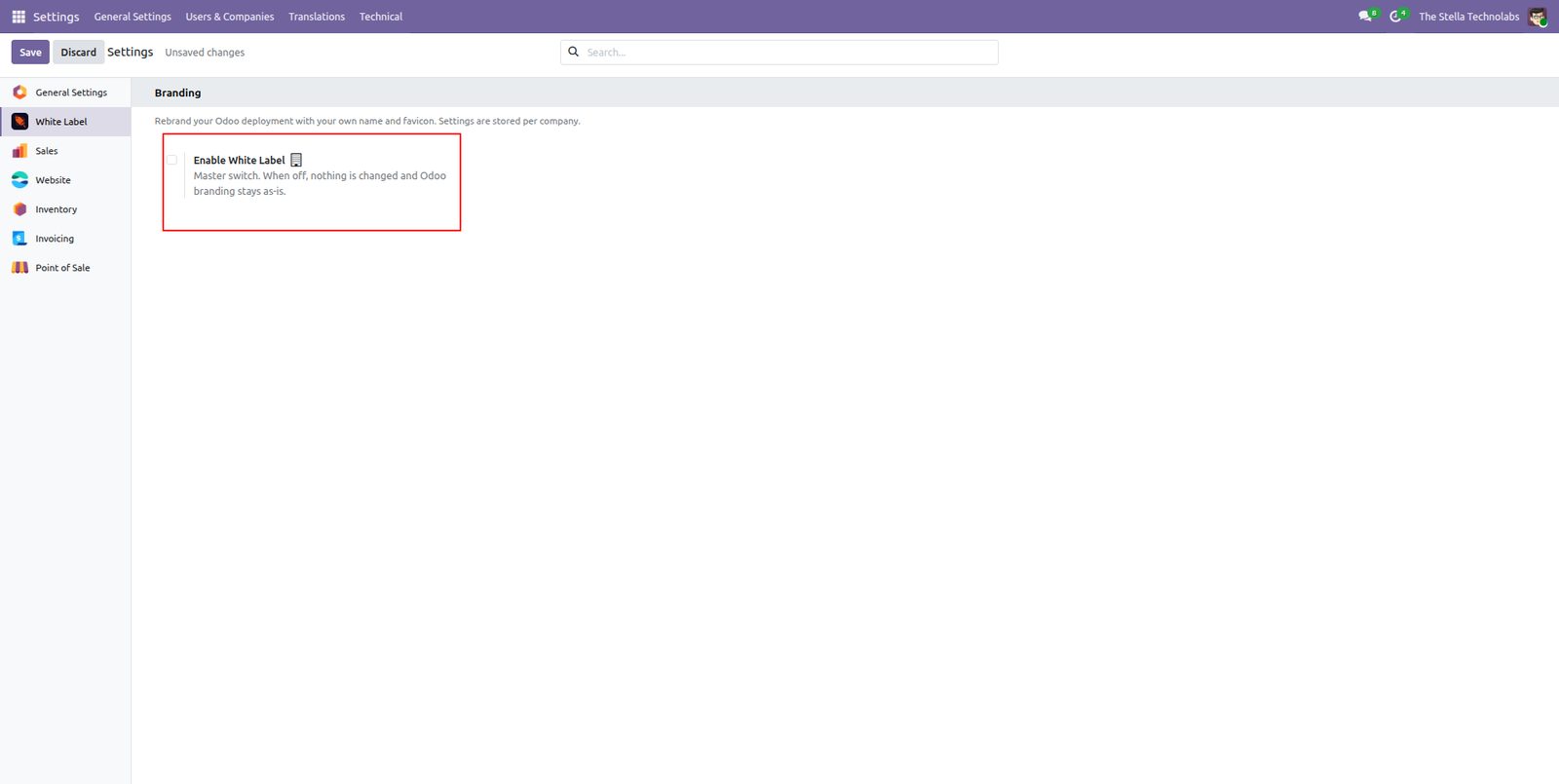
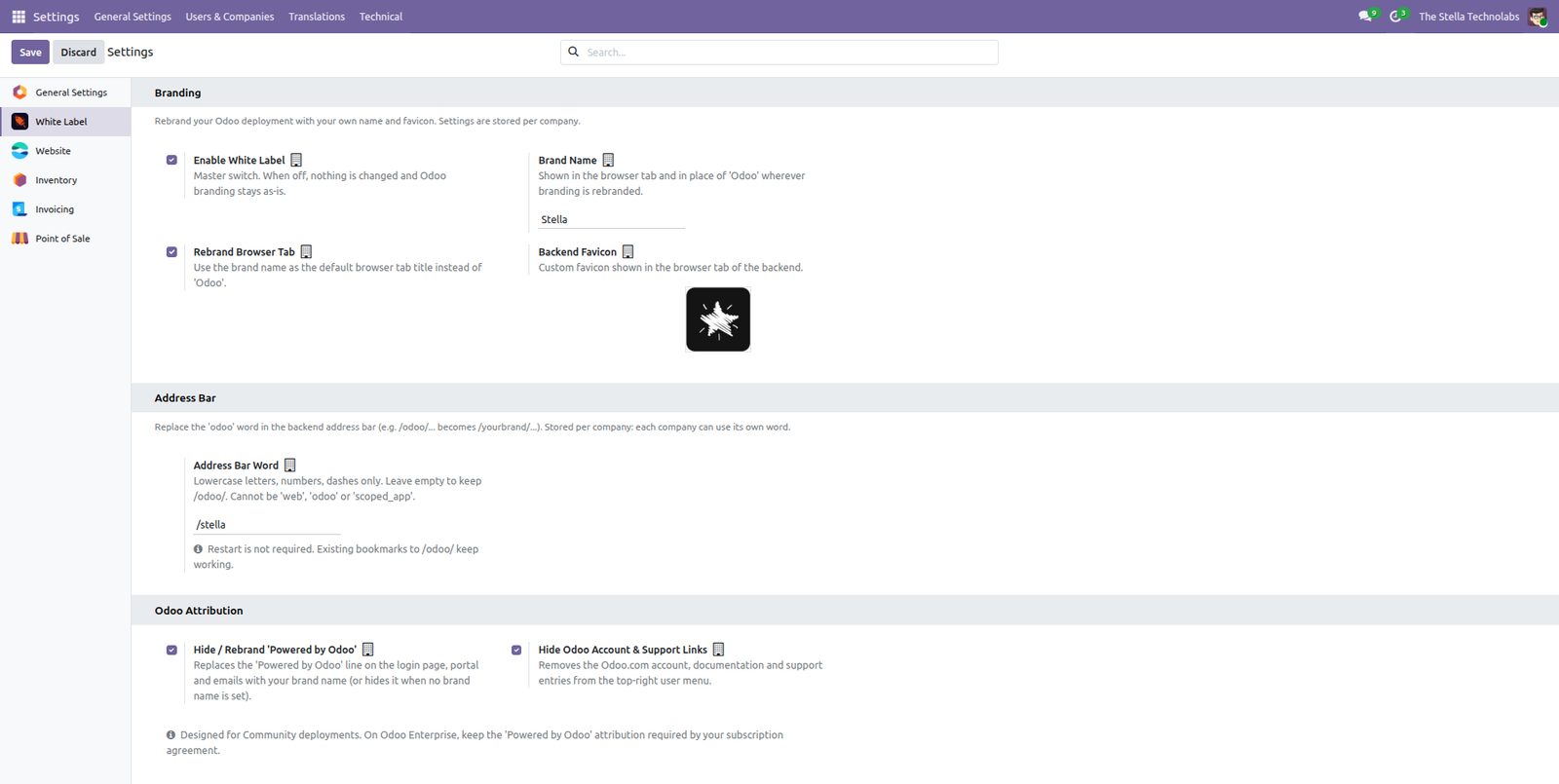
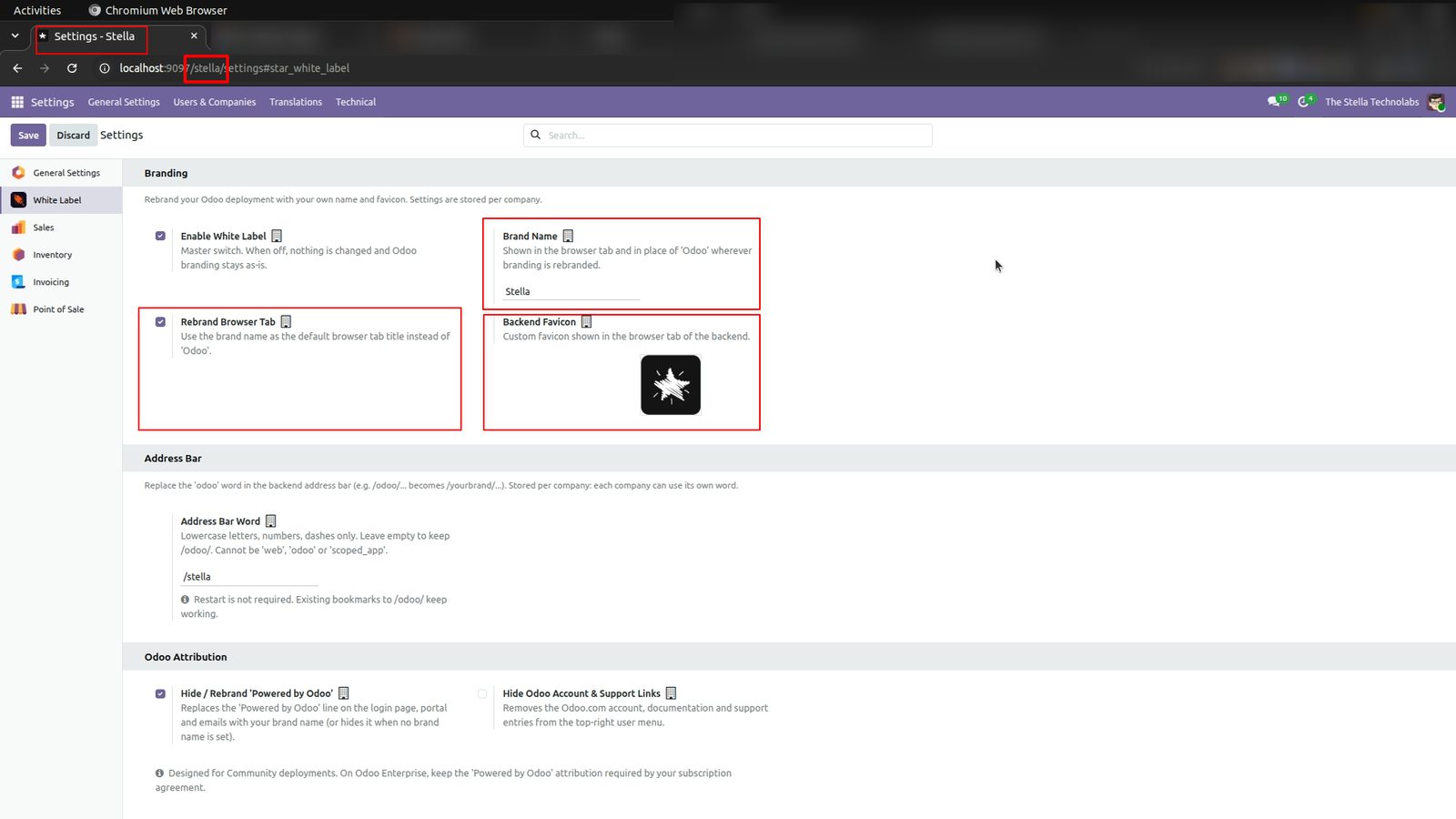
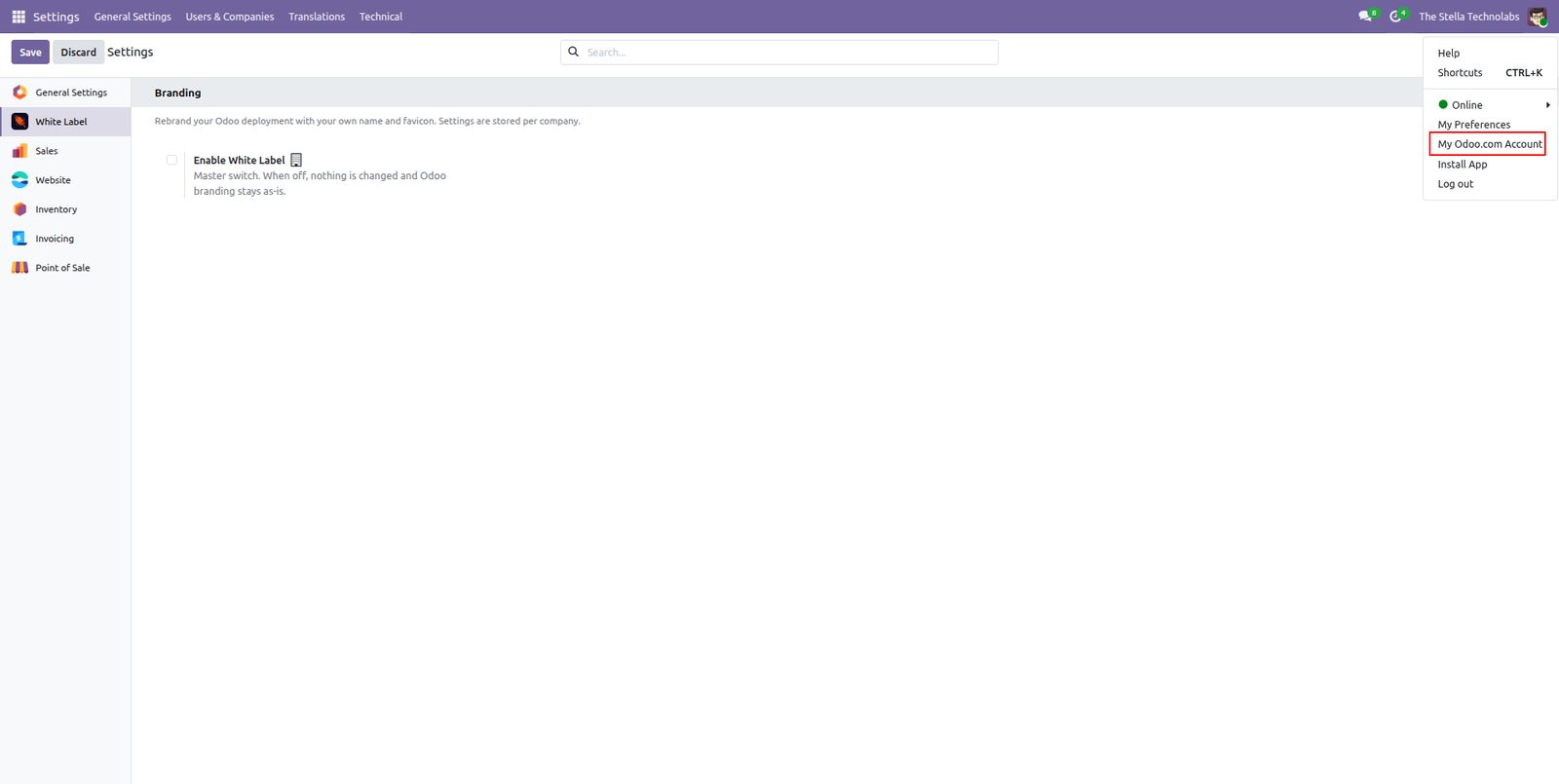
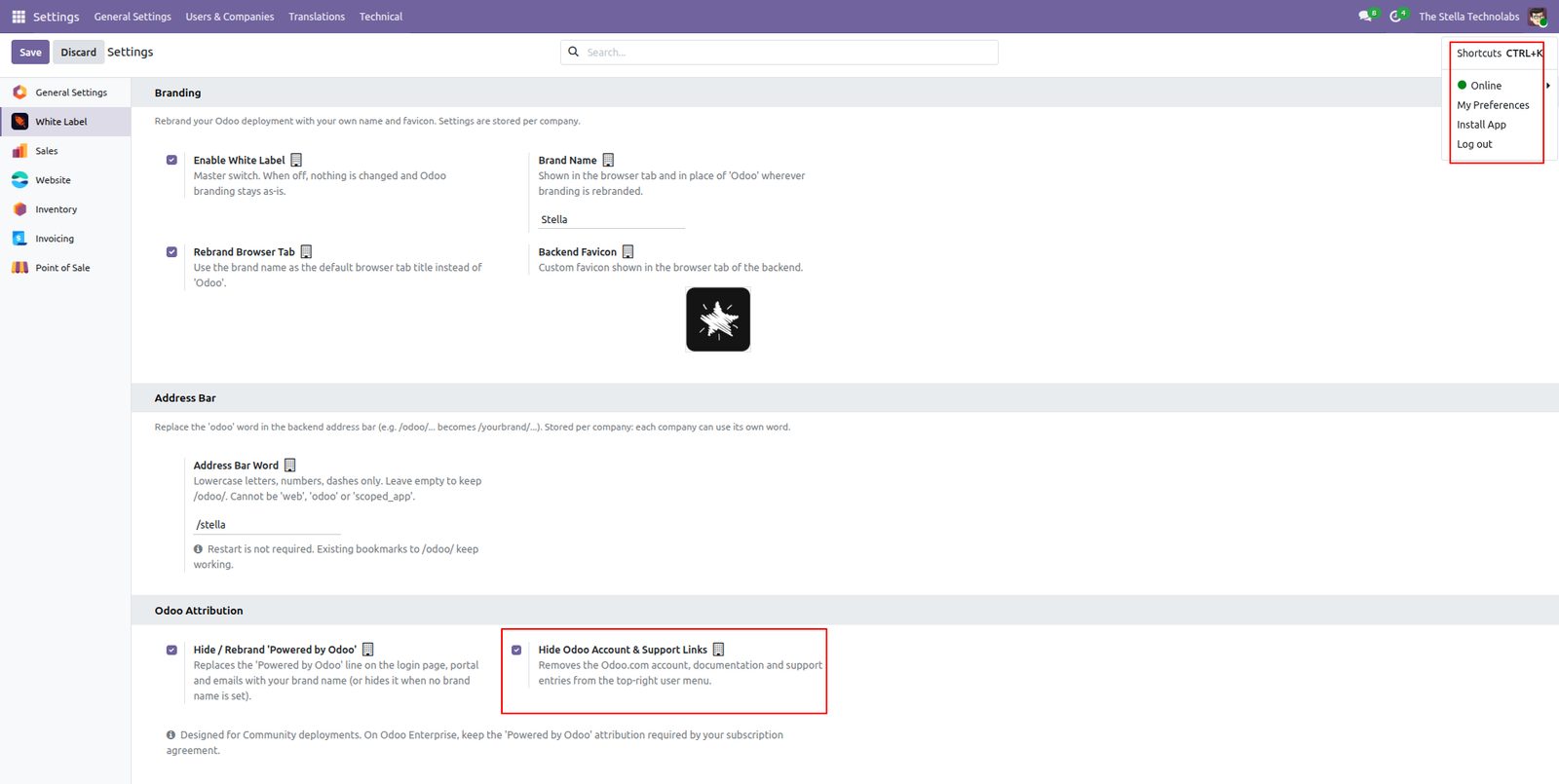
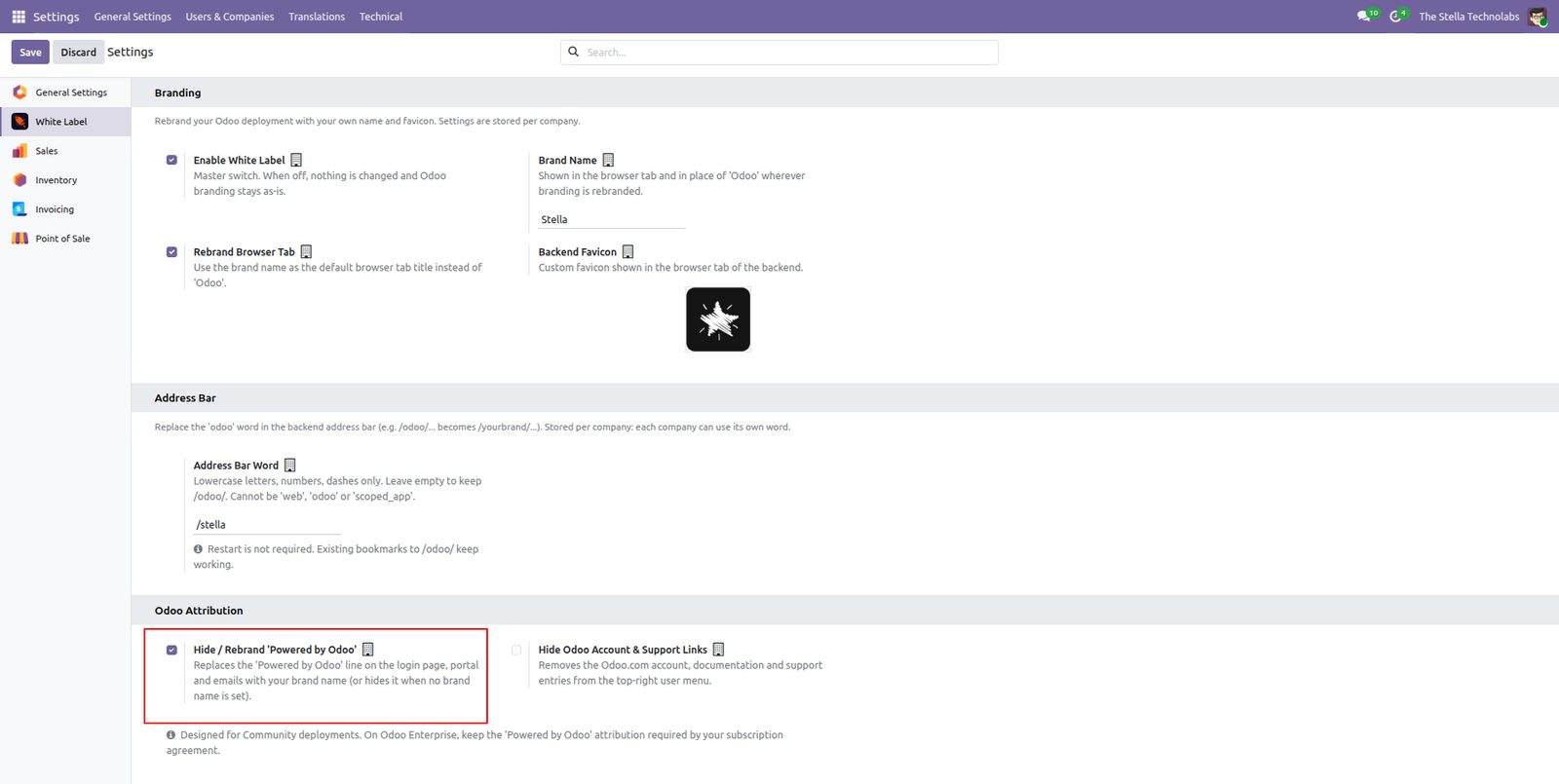
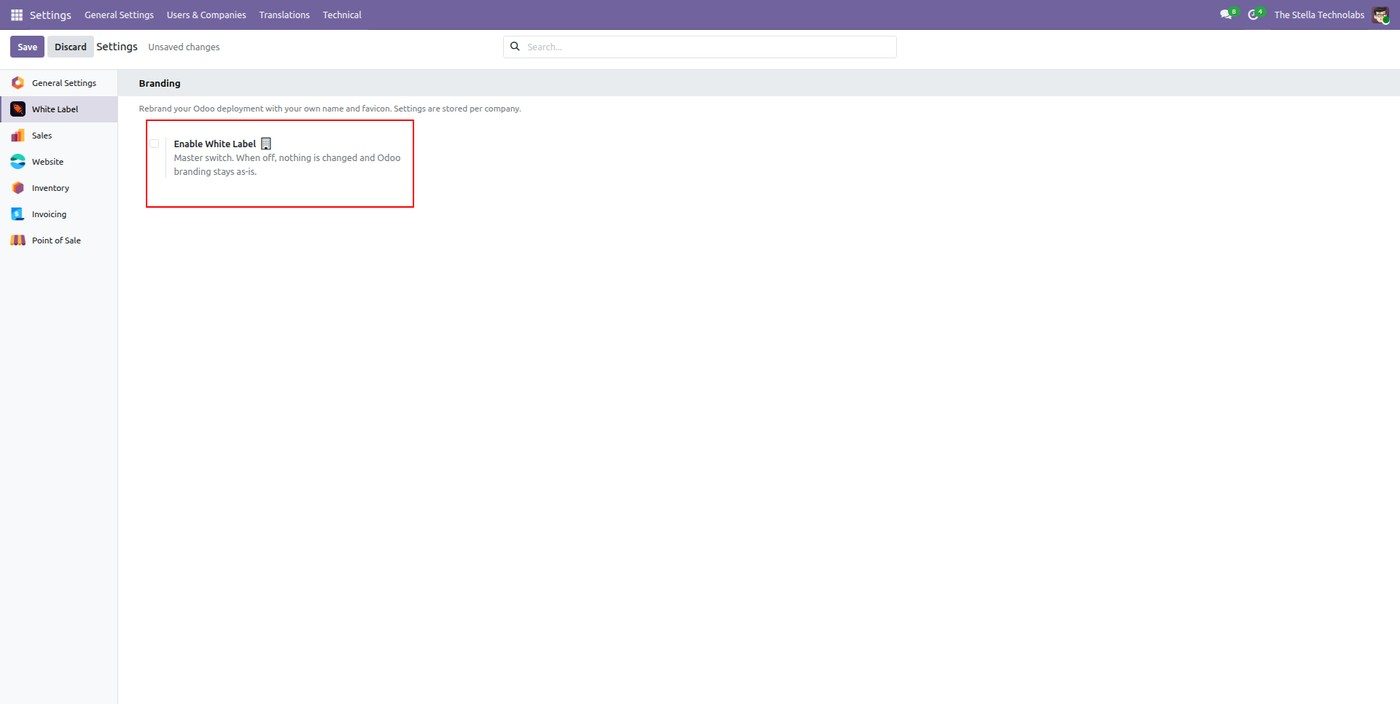
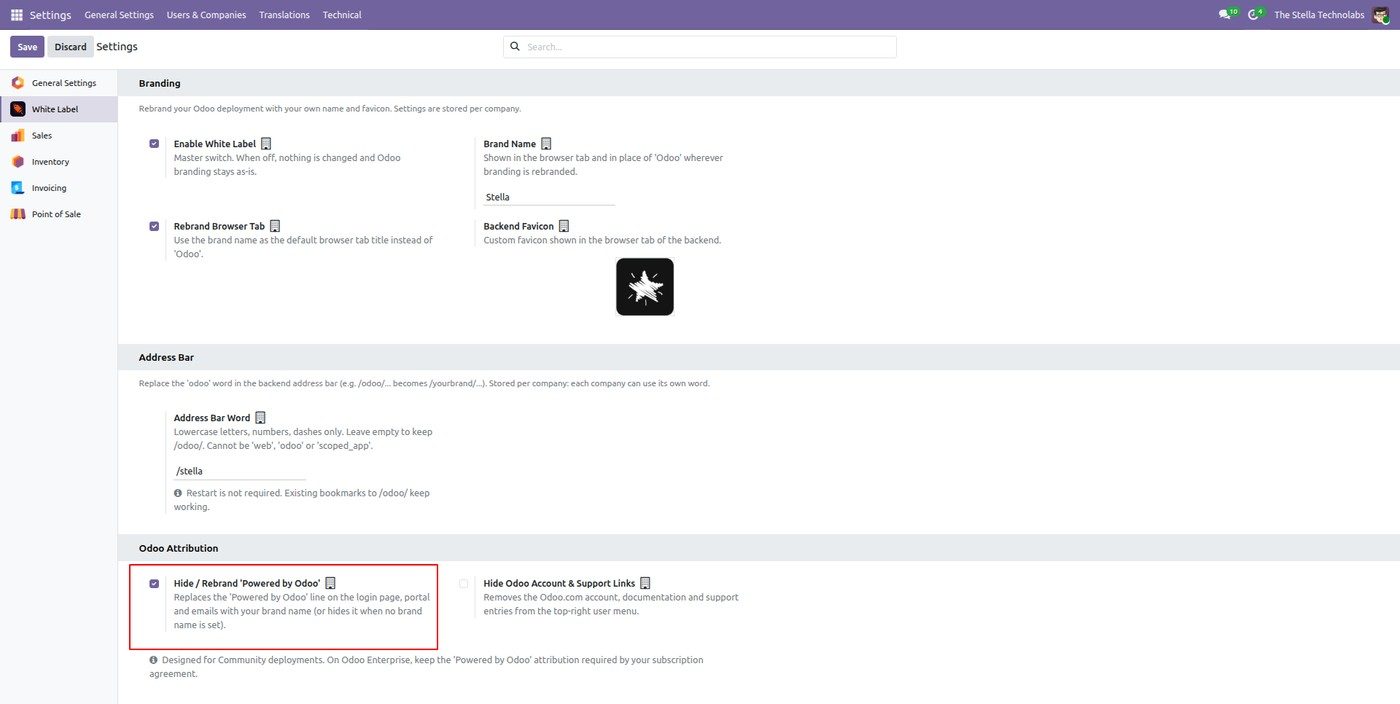
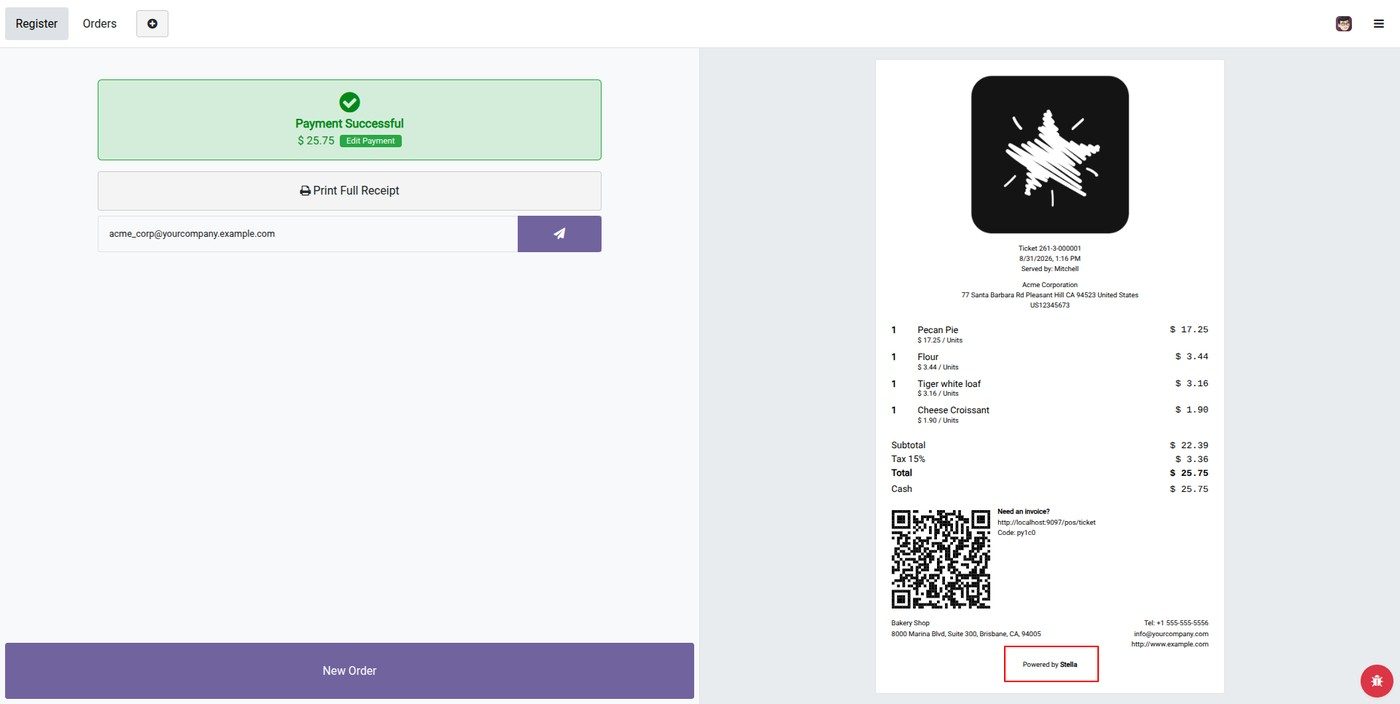
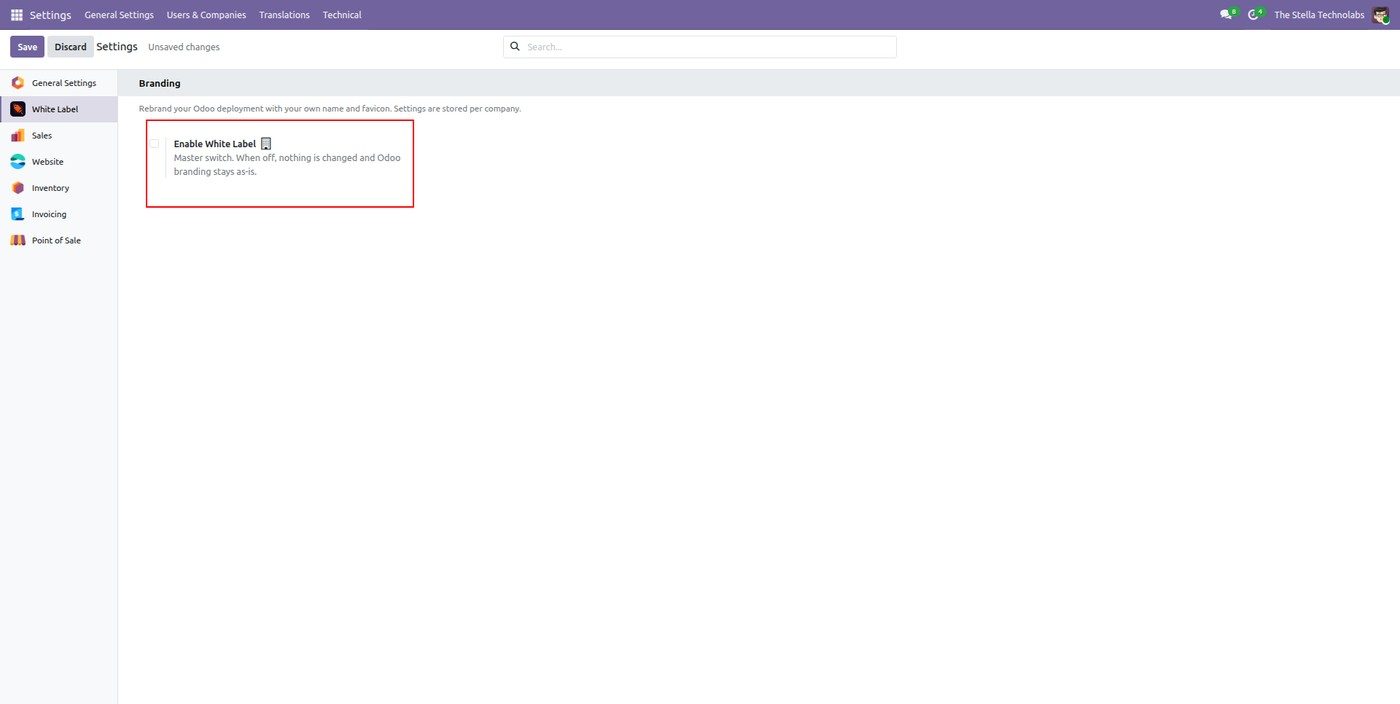
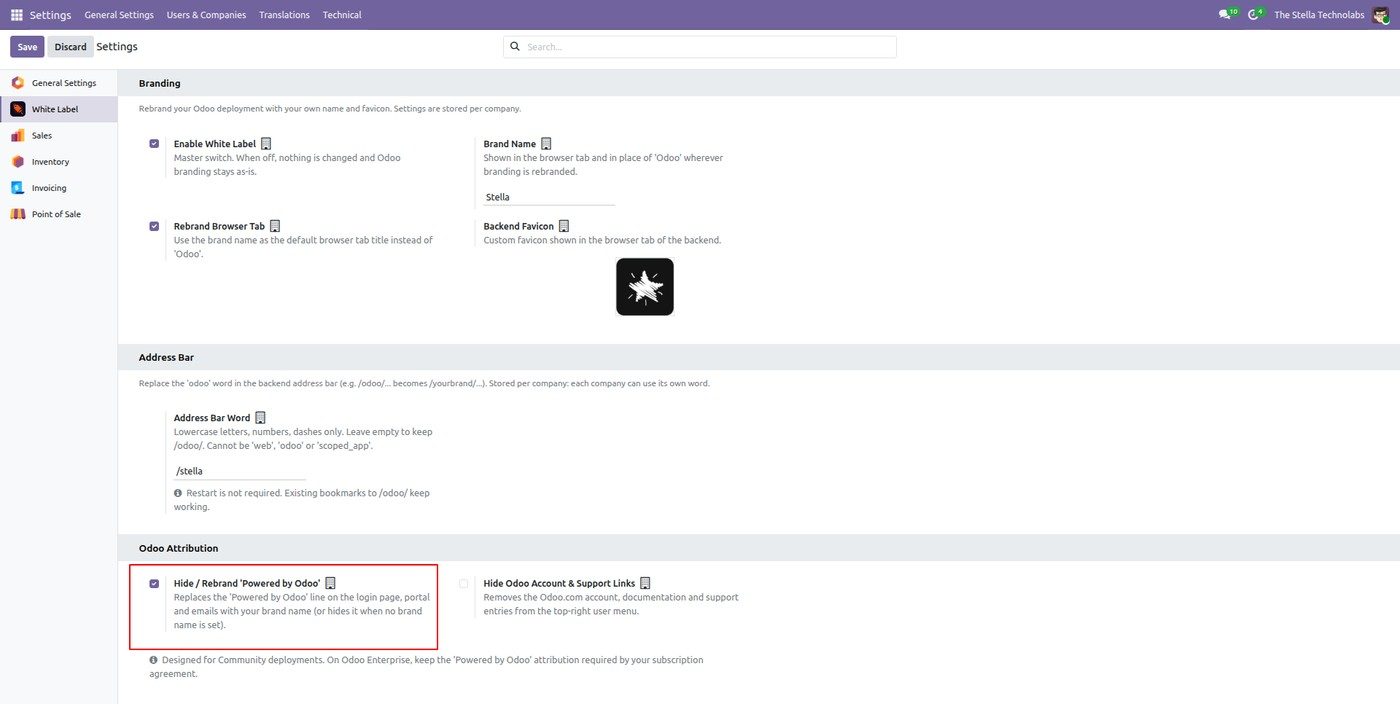
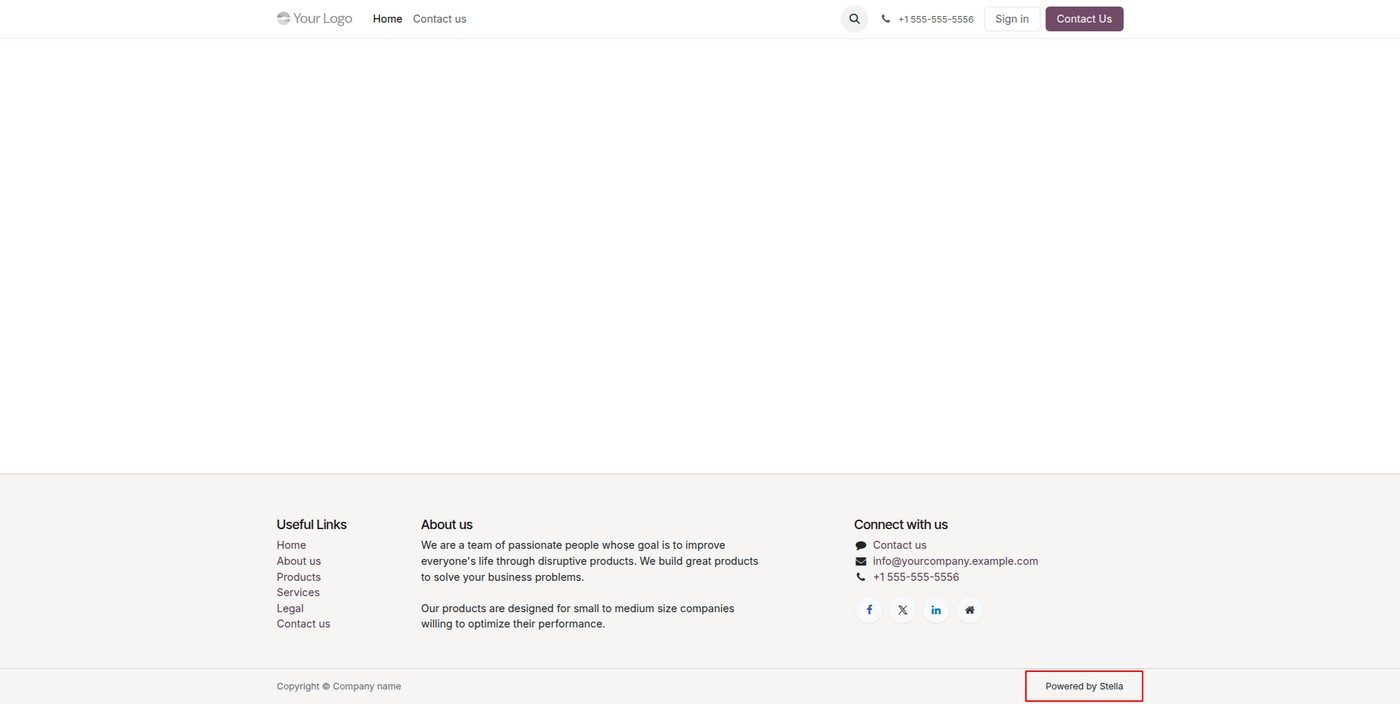
Six screens from the base module, then three from the Point of Sale add-on and three from the Website add-on.
Who it is for
Businesses that want their own ERP to carry their own name, agencies and resellers who deliver branded systems to their clients on Community or self hosted instances, and groups that run several companies in one database, each with its own brand.
Tested on the standard, unmodified editions of Odoo Community and Enterprise. The base module depends on the standard General Settings, Web and Discuss modules. The Point of Sale add-on also depends on Point of Sale, and the Website add-on on Website. If your login screen, web client, email layouts, POS receipt template or website layout has been changed by another developer or a custom theme, some branding may not apply as expected. Please contact us before buying if you run a heavily customised instance. Runs on Odoo.sh and your own server; Odoo Online does not allow custom modules. These modules are for branding your own deployment and are intended for Community and self hosted instances. On Odoo Enterprise, please keep the "Powered by Odoo" attribution required by your subscription agreement and use the modules to brand only the places you are entitled to change. You remain responsible for how you brand your instance. Odoo is a trademark of Odoo S.A. These modules are not made or endorsed by Odoo S.A.
Ready to put your name on your ERP
Questions before you buy, help with setup, or a change for your company? Our team is happy to help before and after purchase.
Questions, answered
Do I need all three modules?
No. The base module does the main branding on its own. Add the Point of Sale add-on for your receipts and the Website add-on for your public site, only if you use those apps. Both add-ons need the base module.
Will old links and bookmarks still work after I change the address word?
Yes. Direct links, refreshes and bookmarks keep working, and existing bookmarks to the old address still open. No restart is needed.
Can each company have its own brand?
Yes. Every setting is stored per company, so each company in a multi company database can carry its own brand name, favicon and address word.
Can I hide the Powered by line completely?
Yes. If you turn on the option and leave the brand name empty, the line is hidden. If you enter a brand name, it reads "Powered by" your brand.
Does it change Odoo's own files?
No. No core files are touched, and the module installs and uninstalls cleanly. Turn the master switch off and everything goes back to standard.
Can I use it on Enterprise?
The modules are tested on Community and Enterprise. On Enterprise, please keep the "Powered by Odoo" attribution your subscription requires and use the modules only for the places you are entitled to change. You remain responsible for how you brand your instance.