Your Odoo data in Power BI. No gateway, no exports.
A secure OData feed that Power BI connects to directly, with ready made tables for sales, invoices, journals, stock and purchases. Your Odoo access rules are respected, refresh is incremental, and finished Power BI reports can be shown back inside Odoo.
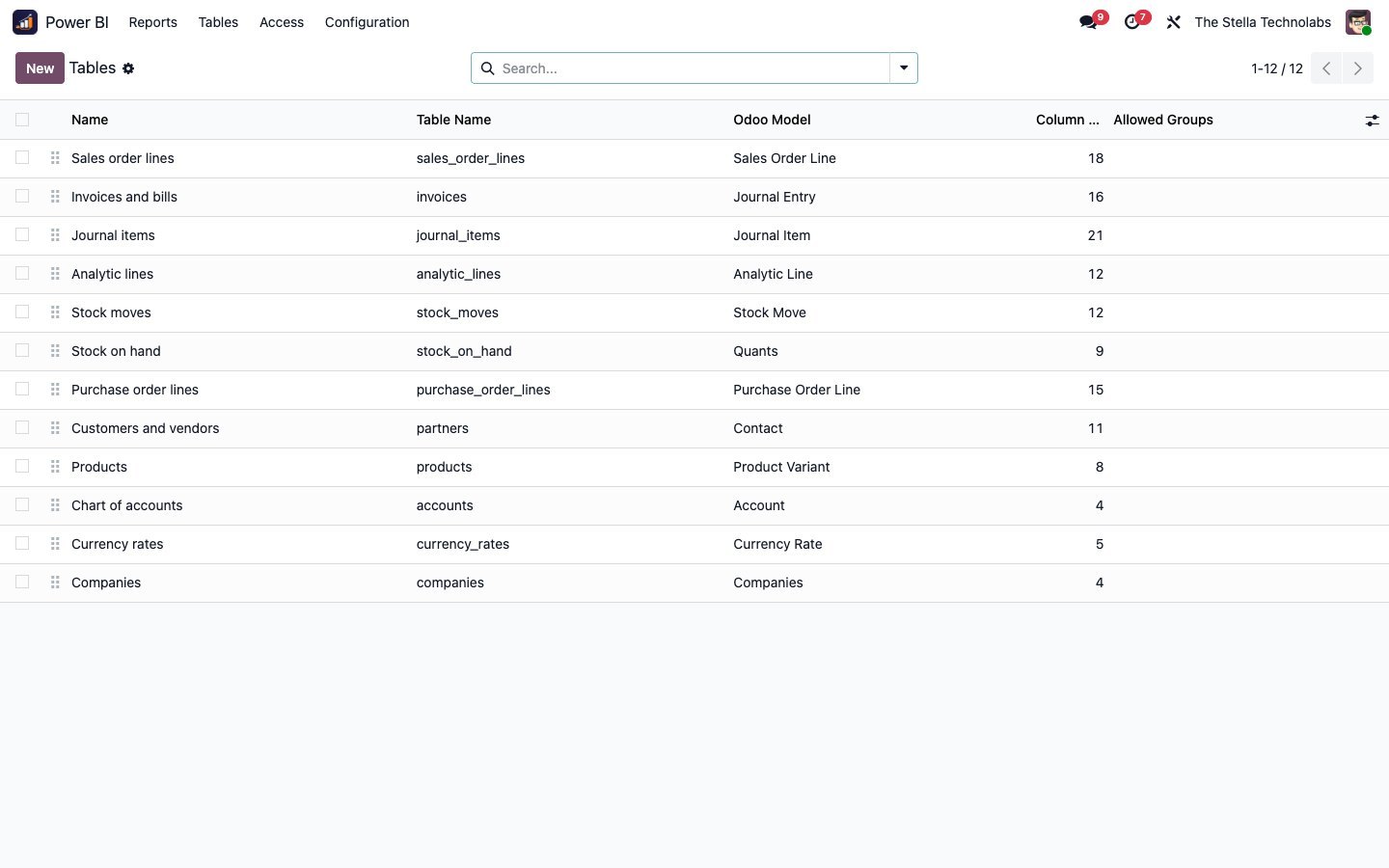
Prepared tables for sales order lines, invoices and bills, journal items, analytic lines, stock moves, stock on hand, purchase order lines, partners, products, accounts, currency rates and companies.
Getting Odoo into Power BI the hard way
Most teams get Odoo data into Power BI the hard way: nightly CSV exports, a custom script, or an on-premises data gateway to babysit. Each one goes stale, breaks, or needs a person.
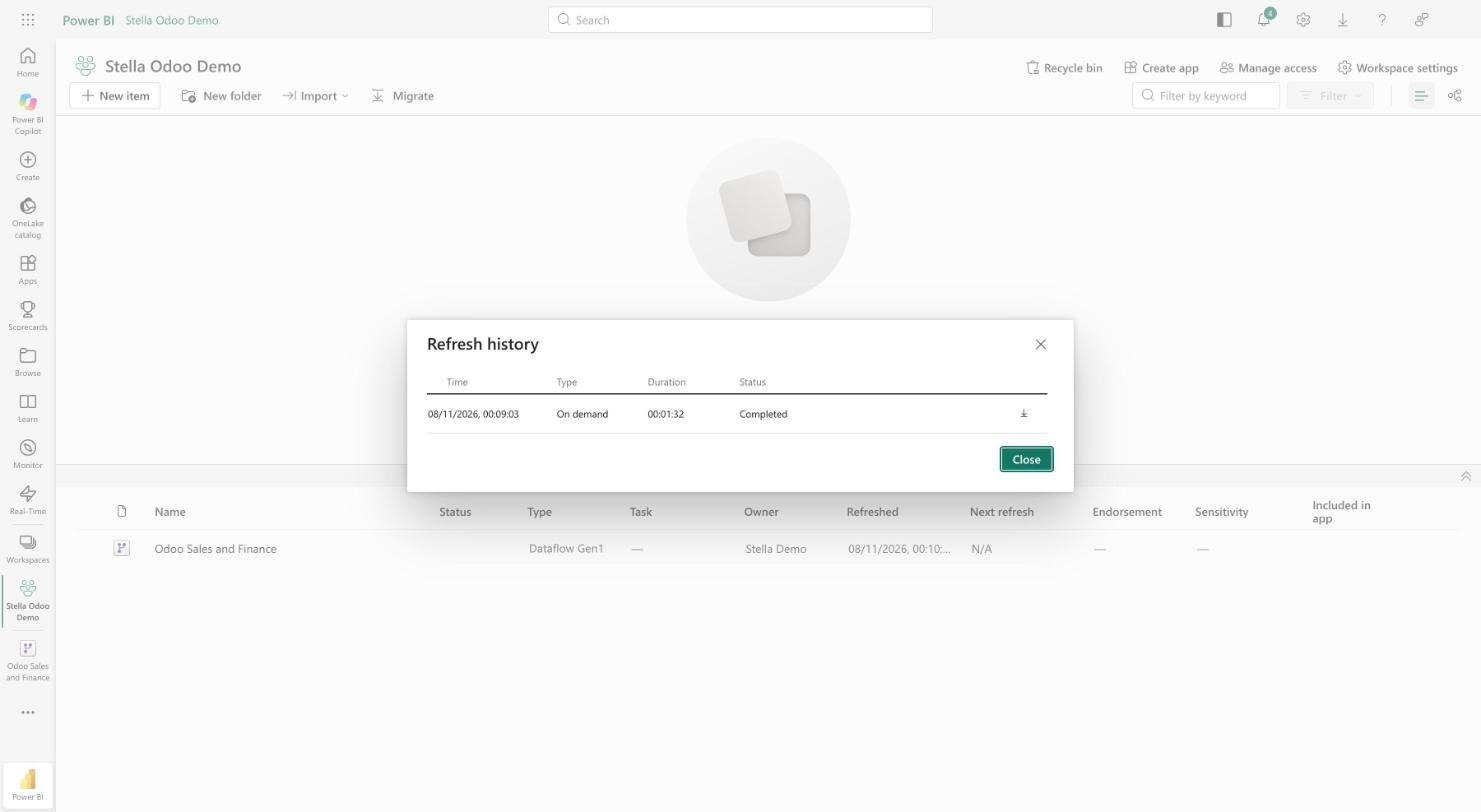
This connector gives Power BI a direct, secure line into Odoo. Power BI connects to an OData feed, pulls the tables you choose, and refreshes on its own. No gateway to install, no export to schedule, and the same Odoo permissions that protect your data in Odoo protect it in the feed.
A direct line, not another pipeline
No gateway, no exports
Power BI connects straight to the OData feed over https. There is nothing to install on a server and nothing to export by hand.
Ready made tables
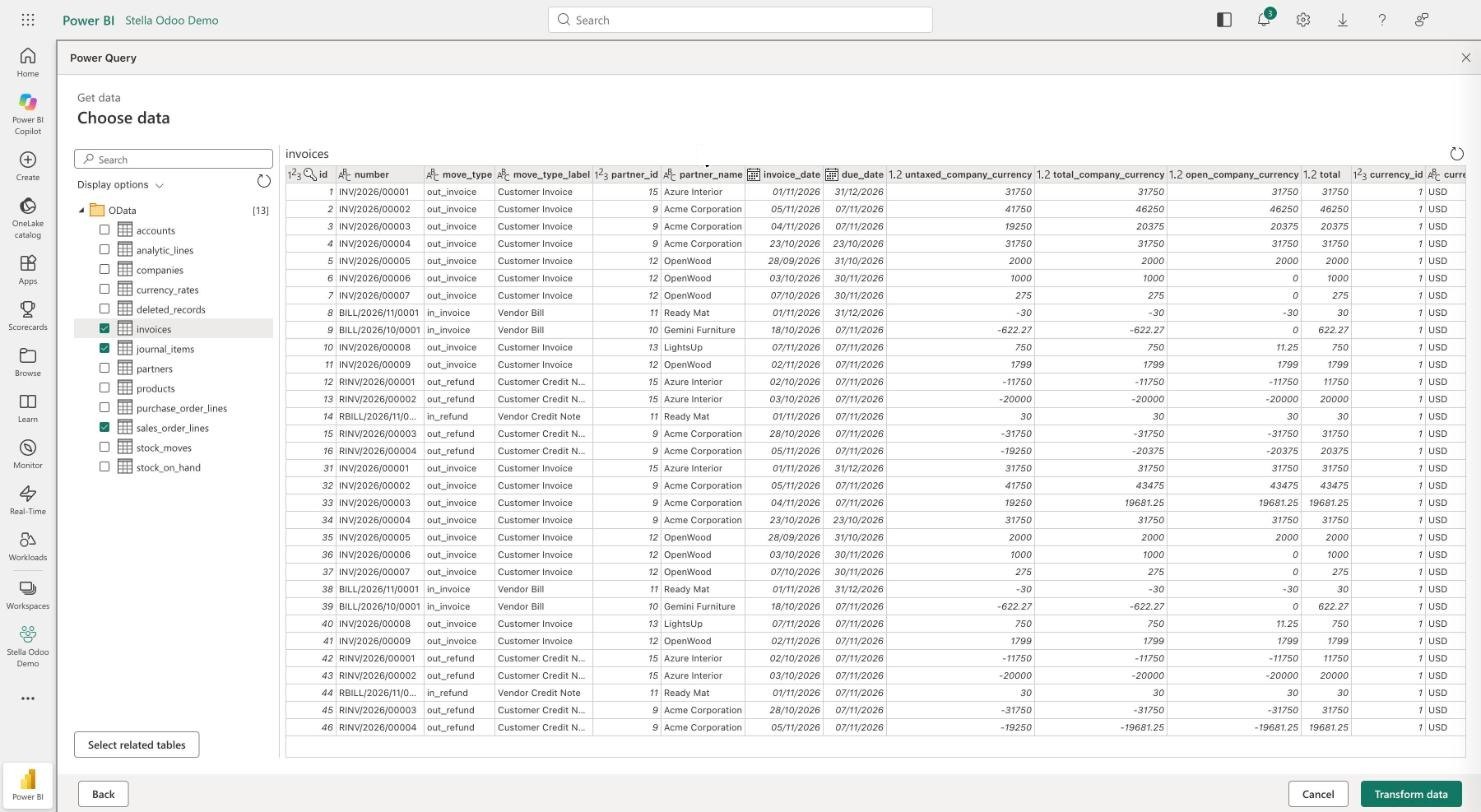
Sales, invoices, journal items, stock, purchases, partners, products and more come as prepared tables, so you are building a report in minutes, not modelling raw Odoo tables first.
Your permissions, respected
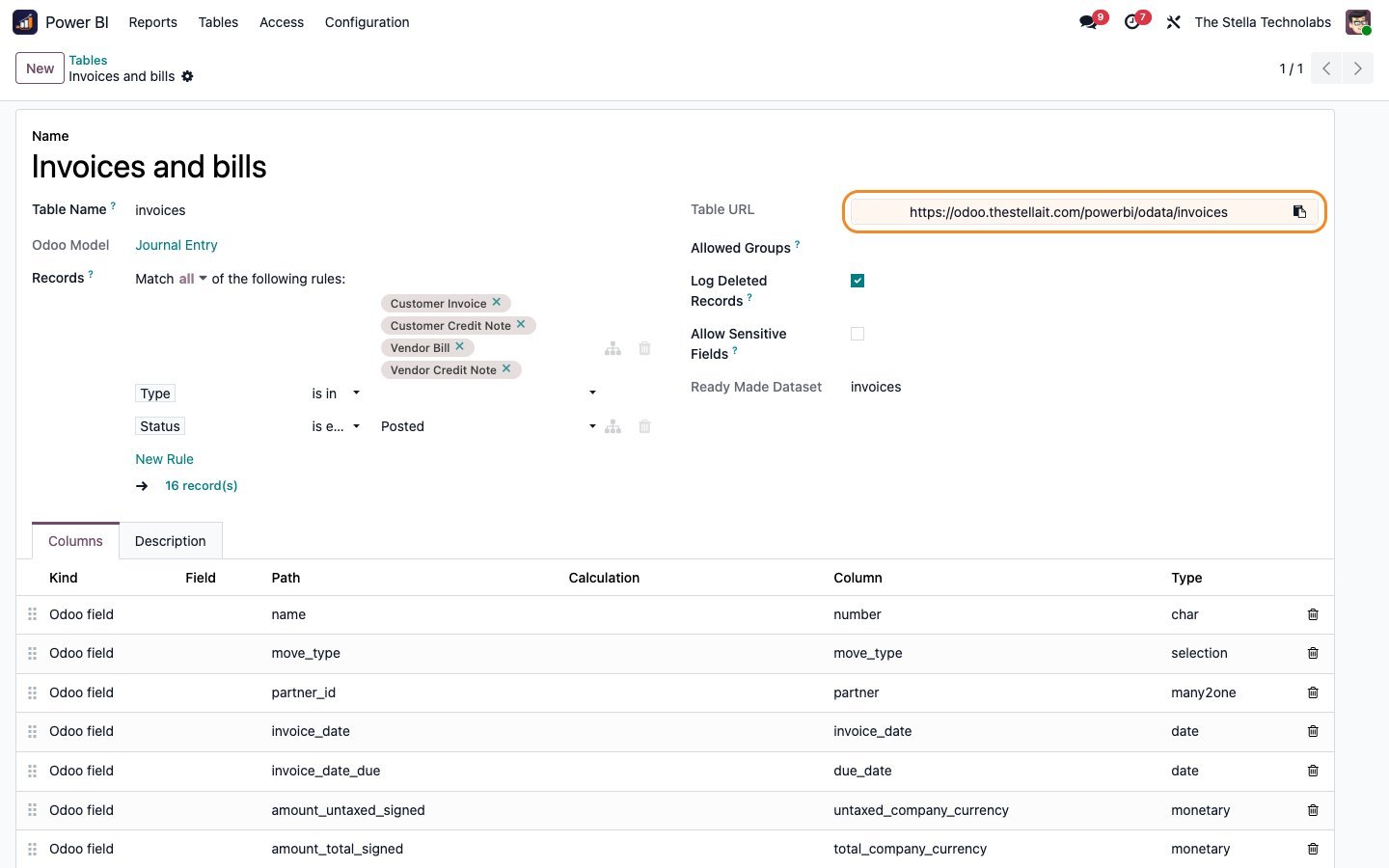
Access is by revocable key, and each table can be limited to the Odoo user groups you choose, so the feed never exposes more than the person is allowed to see in Odoo.
Reports both ways
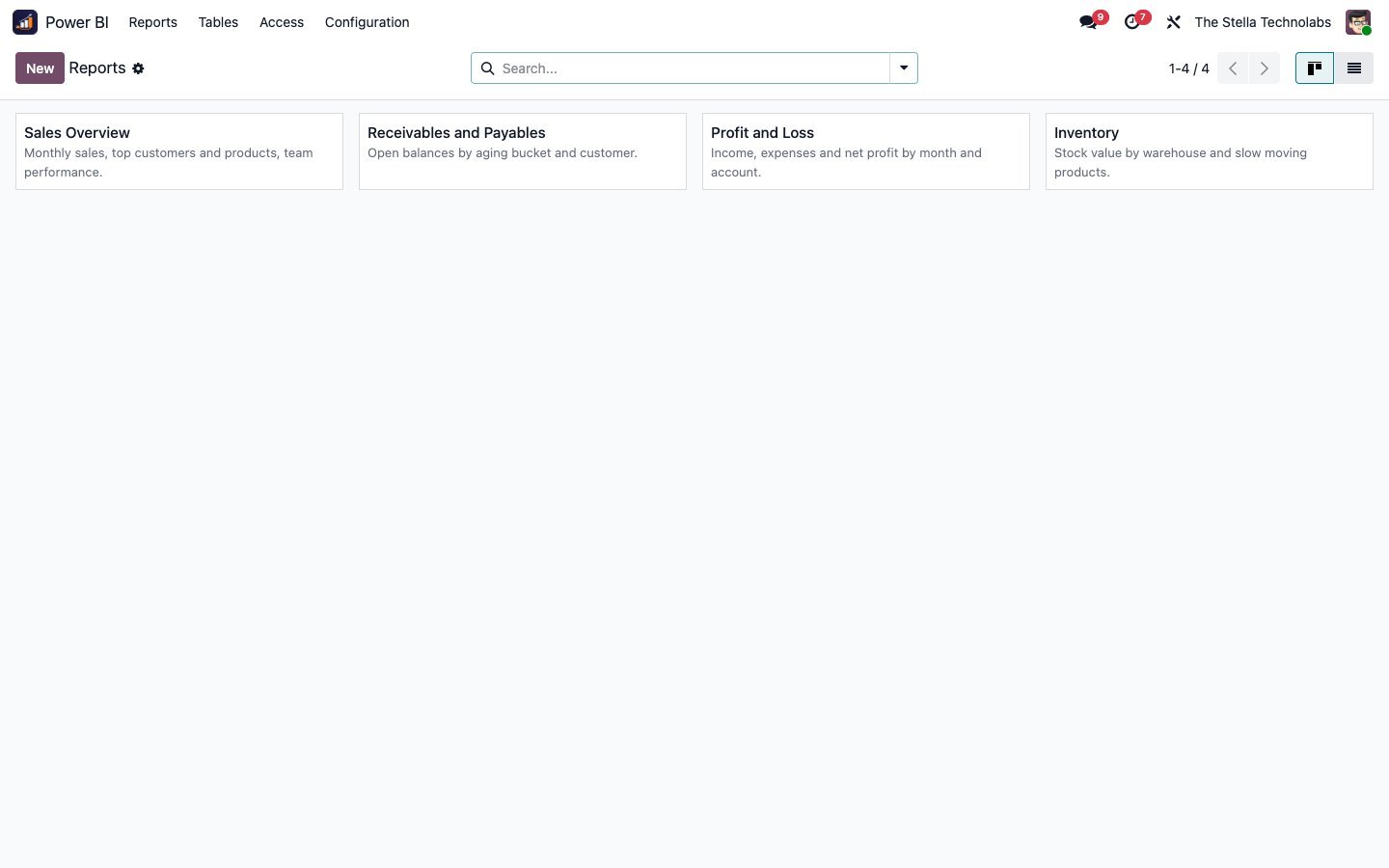
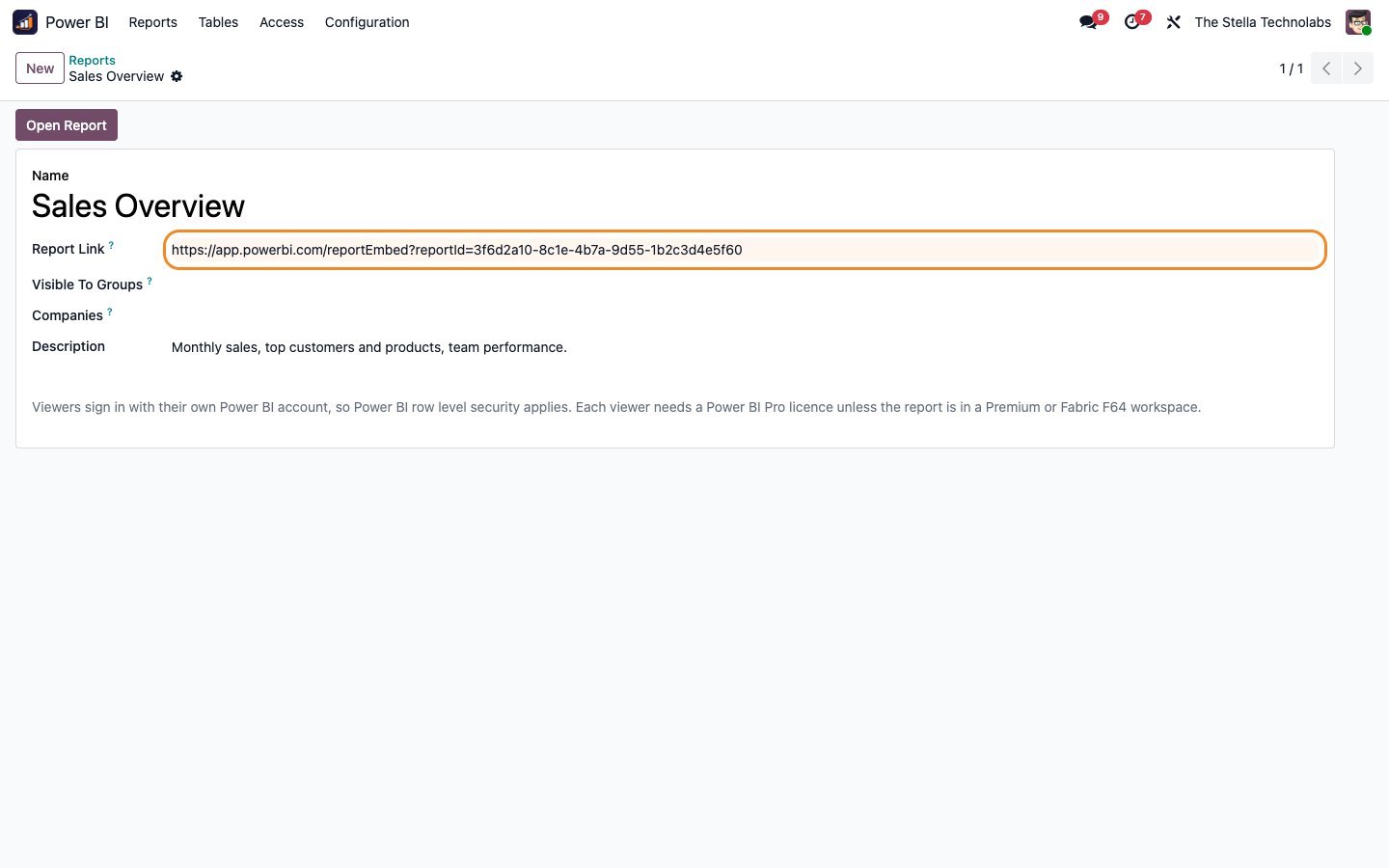
Push data out to Power BI, and show the finished Power BI report back inside Odoo, so your team reads it where they already work.
Everything the connector does
Secure OData feed
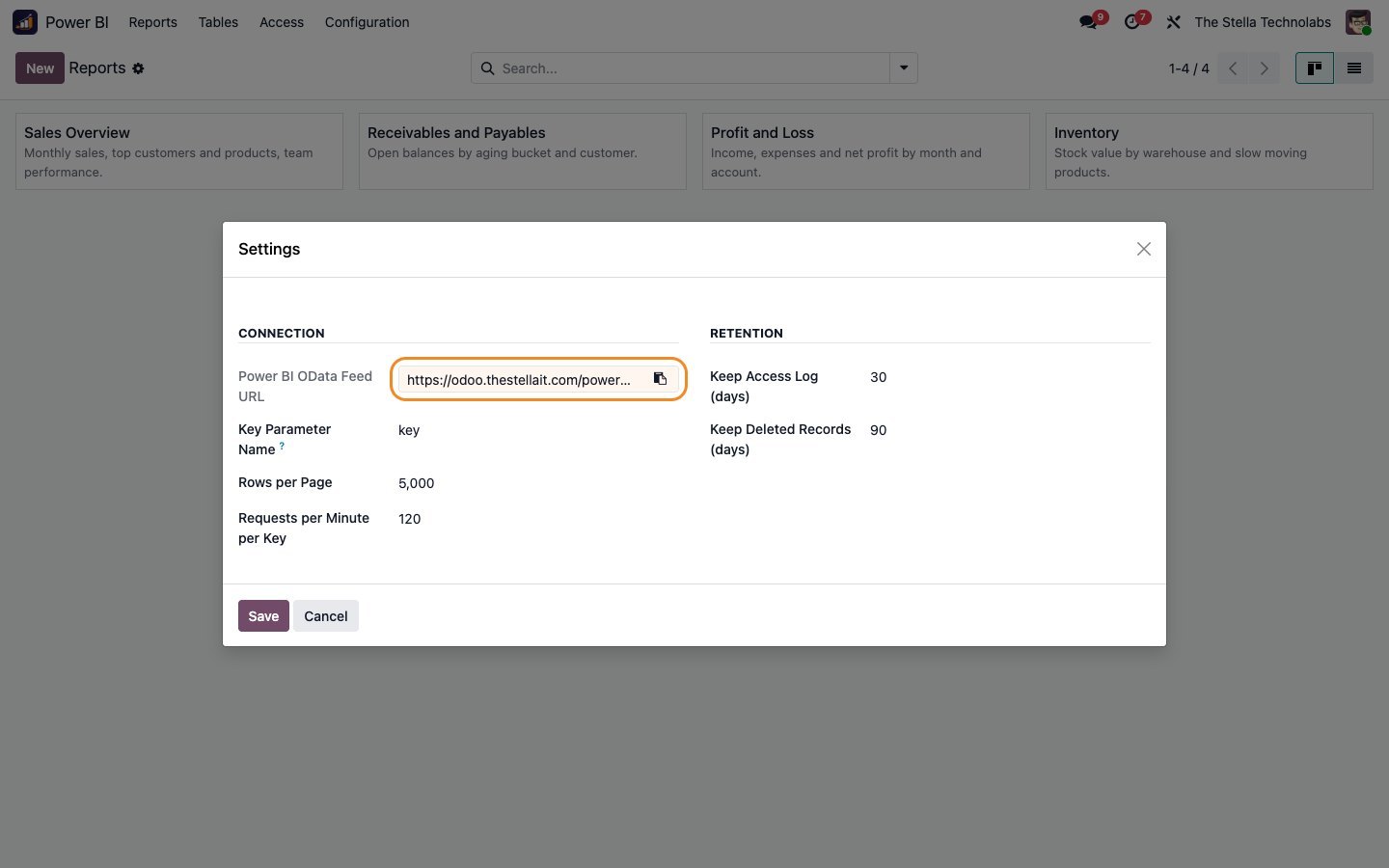
A standard OData endpoint Power BI understands natively. Connect, authenticate with an access key, and pull.
Ready made data tables
Prepared tables for sales order lines, invoices and bills, journal items, analytic lines, stock moves, stock on hand, purchase order lines, partners, products, accounts, currency rates and companies, each with a clear name and a sensible set of columns.
Choose your columns
Keep each table to the fields you need, so the feed stays lean and the model in Power BI stays simple.
Odoo access rules respected
Limit a table to specific Odoo user groups. A key only returns what its user is allowed to see, so reporting never becomes a back door to your data.
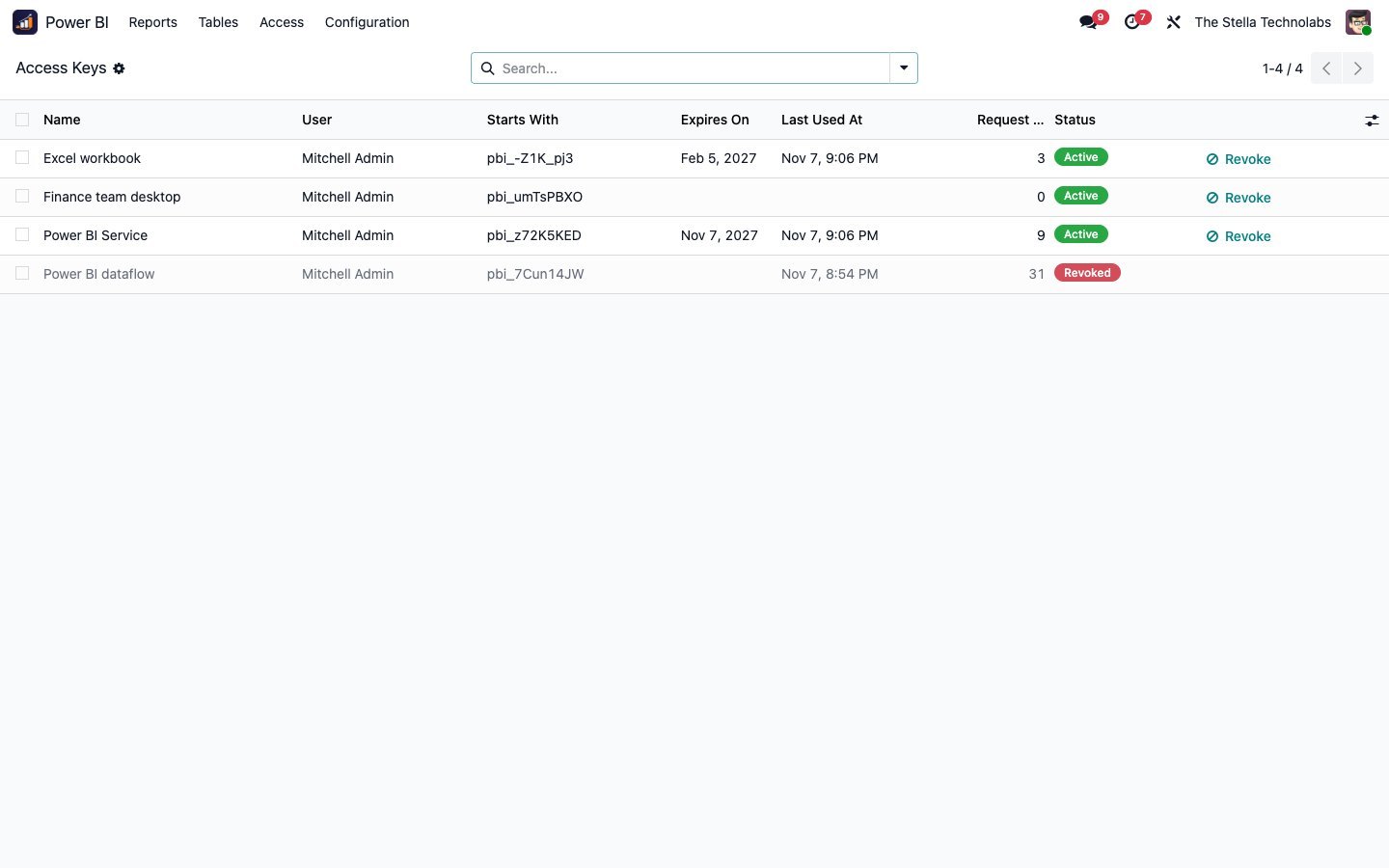
Access keys you control
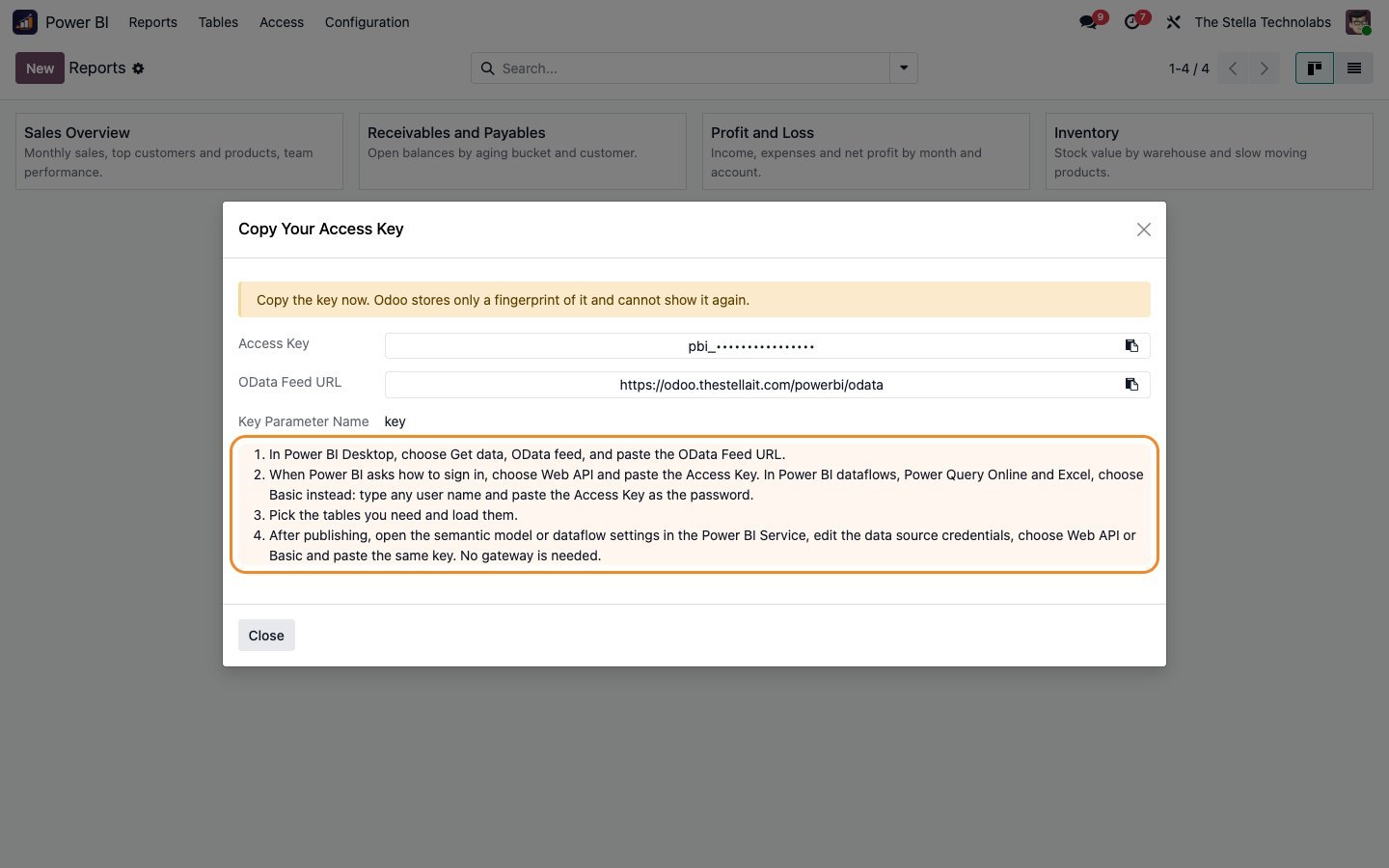
Issue a key for Power BI, see it used, and revoke it when you need to. Keys are created by authorised users only.
Incremental refresh
Refreshes bring across what changed, including deletions, so large tables stay quick and your reports stay accurate.
Power BI reports inside Odoo
Paste a Power BI report link and show the report on a page inside Odoo, so the numbers live next to the records they come from.
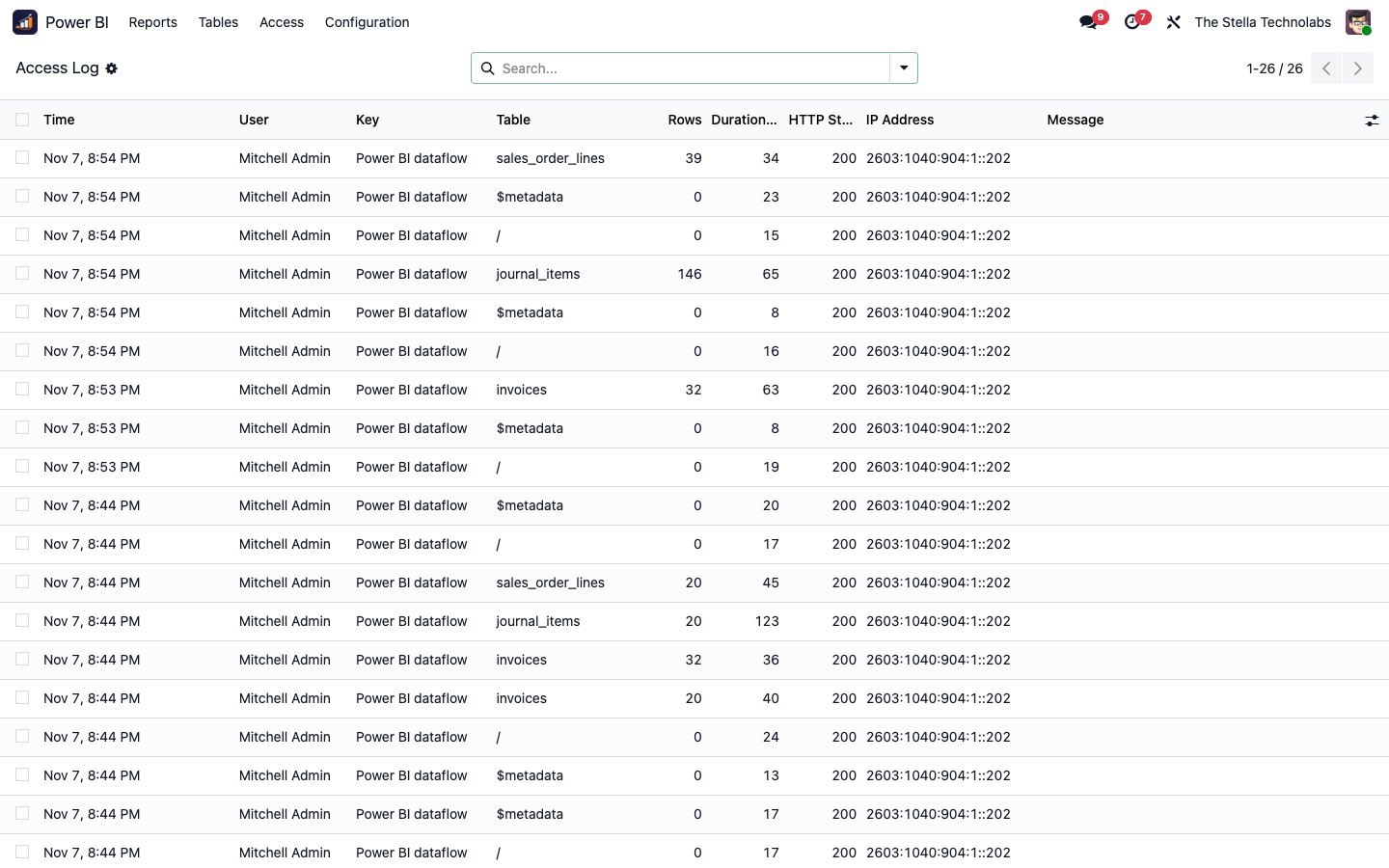
Access log
Every pull is recorded with the key, the table, the row count, the duration and the result, so you can see exactly what Power BI is reading and how it performs.
Housekeeping built in
A scheduled job clears old access-log and change-tracking entries on its own, so nothing piles up.
A Power BI area in Odoo, and an OData source in Power BI
The connector adds a Power BI area to Odoo where you define the tables, issue the keys and watch the access log. It reads your existing Odoo data in place and serves it through the OData feed; it changes nothing about how your records are entered or stored. In Power BI, you add an OData source, point it at the feed, sign in with your key, and build.
Prepared tables, scoped to your rules
Prepared tables out of the box:
- Sales order lines
- Invoices and bills
- Journal items
- Analytic lines
- Stock moves
- Stock on hand
- Purchase order lines
- Partners
- Products
- Accounts
- Currency rates
- Companies
Each table can be restricted to chosen Odoo user groups, and the access key only returns what its user may see.
A closer look
Click any screen to open it full size.
Teams that run their reporting in Power BI
Teams that run their reporting in Power BI and want live Odoo data behind it, without a data gateway, an export routine or a custom pipeline, and without handing Power BI more access than Odoo itself would allow.
This module adds a secure OData feed and a reporting area on top of standard Odoo. It does not replace or debrand any native feature and it reads your data in place. Power BI and Microsoft are trademarks of Microsoft Corporation, and this module is not made or endorsed by Microsoft.
Ready to put Odoo data behind your Power BI reports?
Get it on the Odoo Apps Store, or talk to us first about the tables and permissions you need.