Run your store on Shopify. Keep the books and the stock in Odoo.
Every Shopify order becomes a confirmed sale order with its invoice and payments, every refund a credit note, and every Shopify Payments payout a set of bank statement lines with the fees split out. Nothing is posted unless it matches Shopify to the cent.
Orders, refunds, order edits and cancellations, Shopify Payments payouts, products and variants, stock levels and delivery tracking, with a sync queue for anything that needs a look.
Selling on Shopify, accounting in Odoo
Storefront and ledger drift apart when orders are rekeyed, payouts are a single lump sum and stock is counted twice. This connector closes that gap in one module, with no extra engine to buy.
Orders arrive as real documents
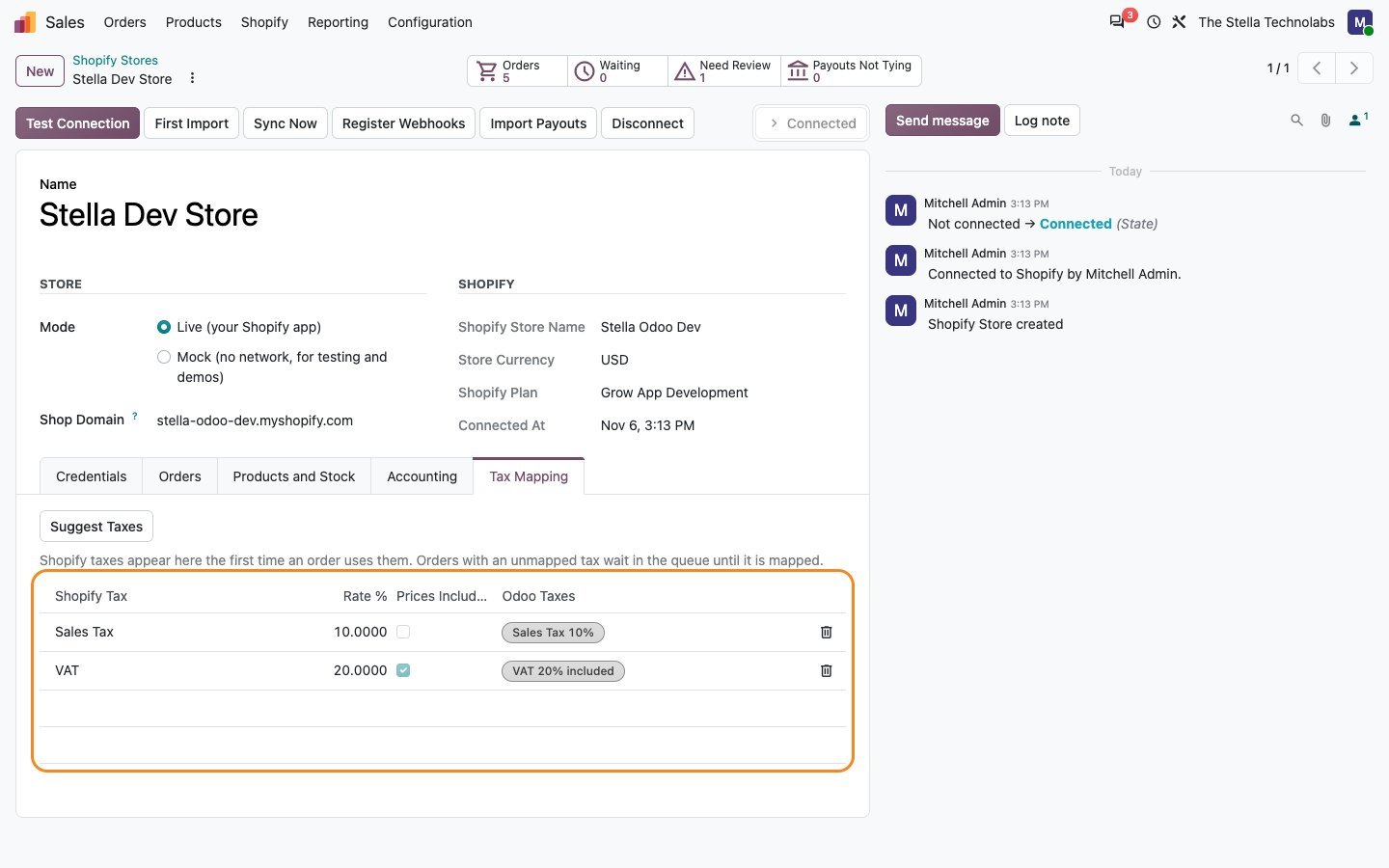
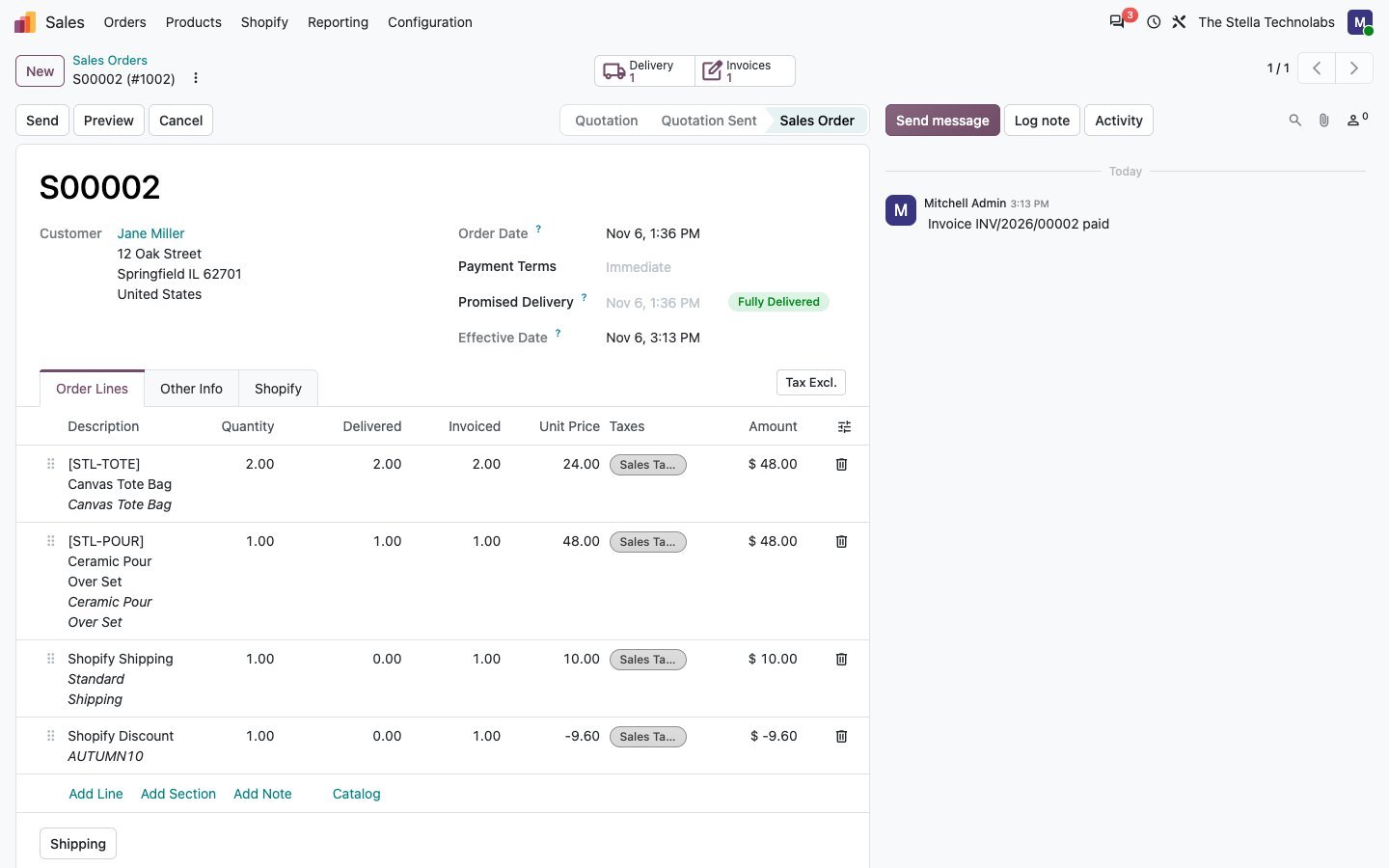
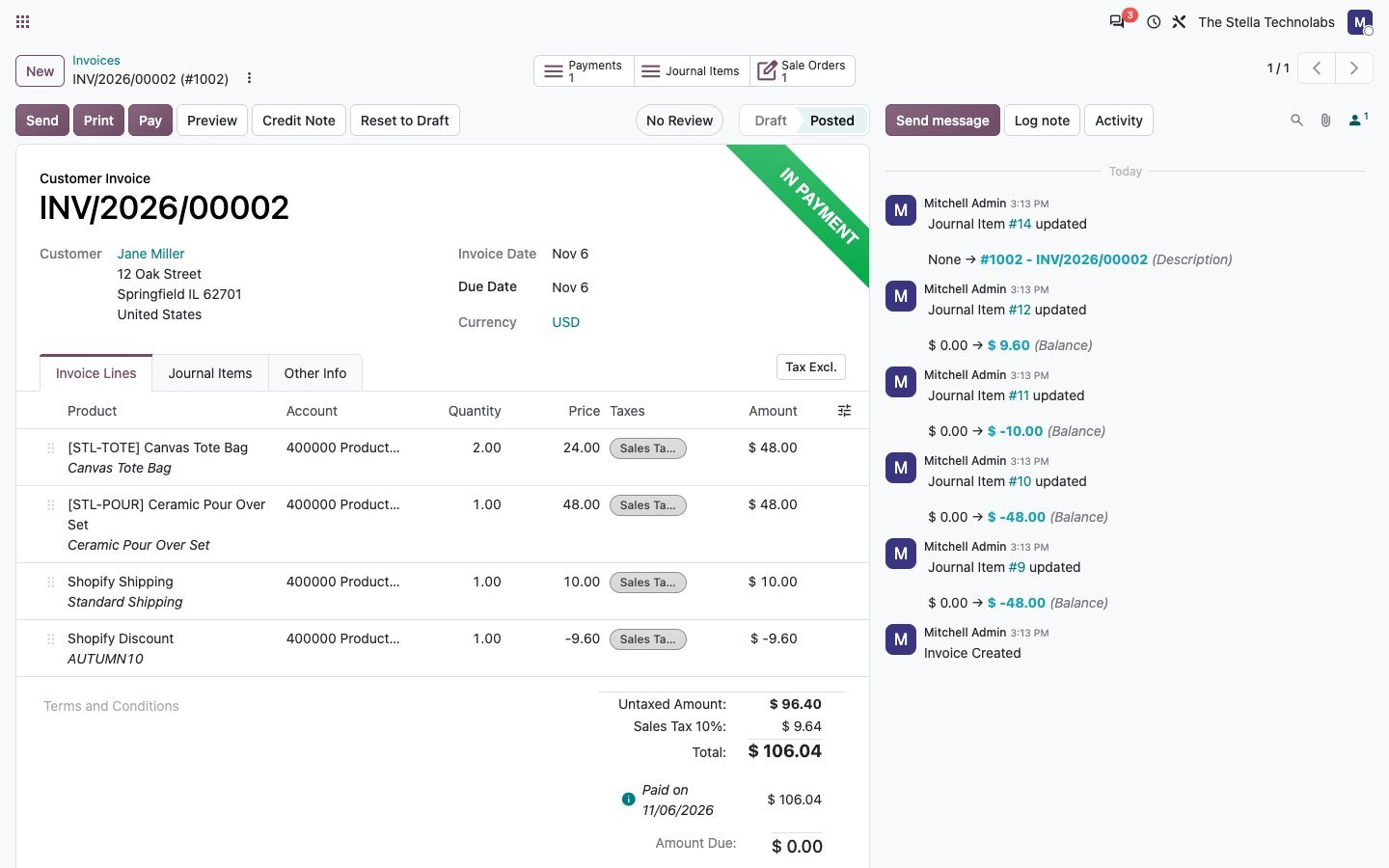
Each Shopify order lands as a confirmed sale order with its invoice and payment, carrying taxes, discounts, shipping and duties, so nothing is typed in a second time.
Nothing posts unless it ties out
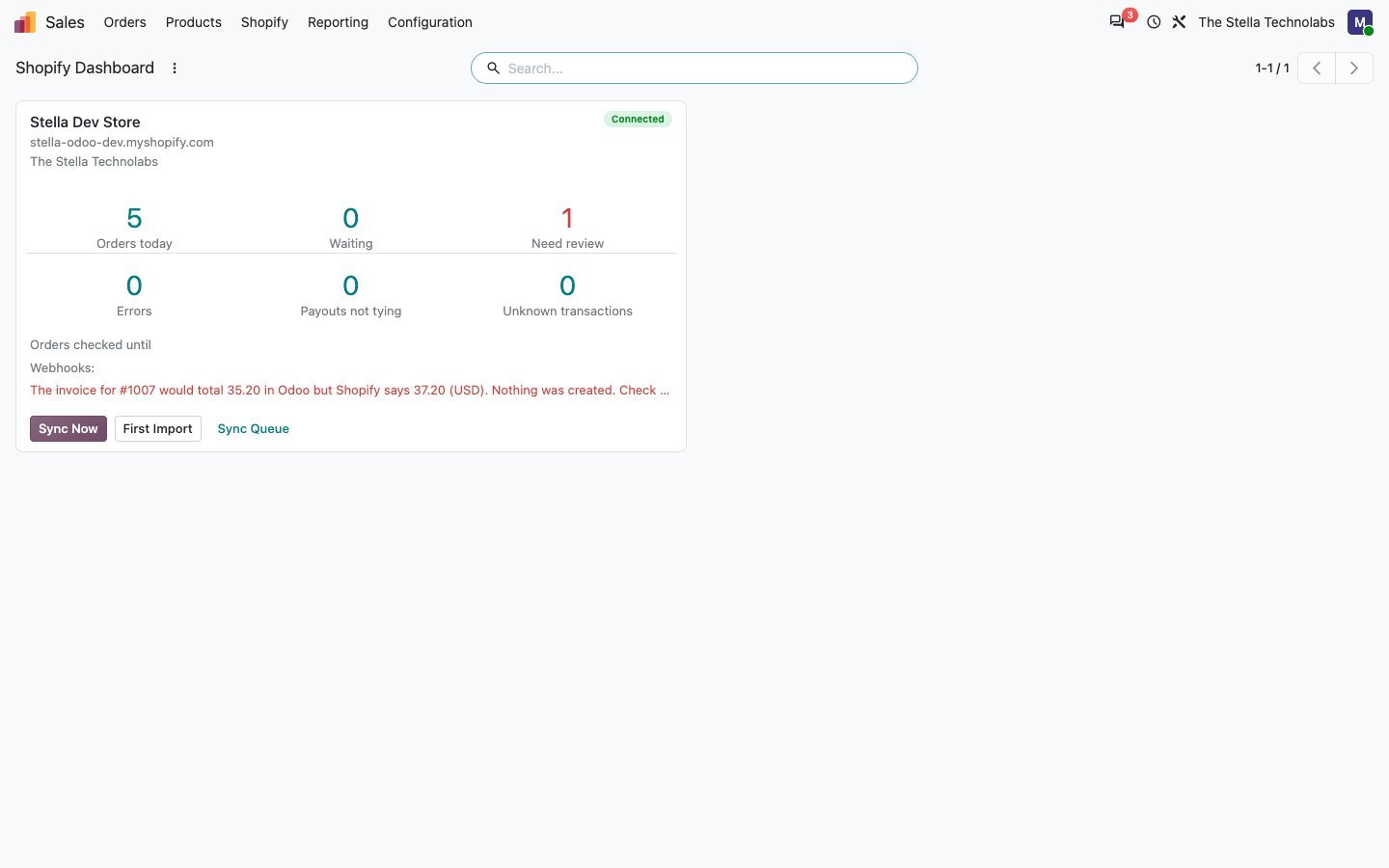
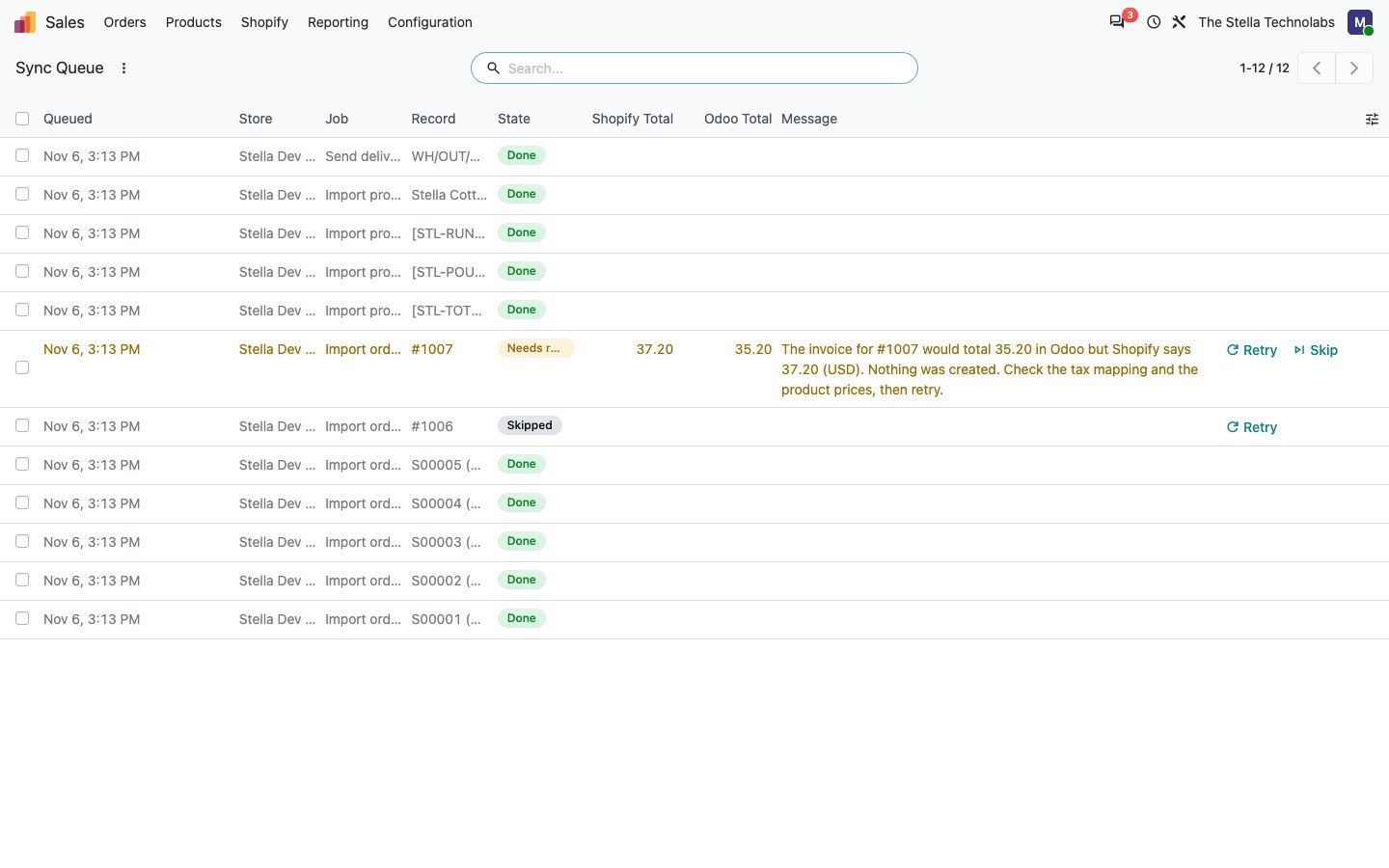
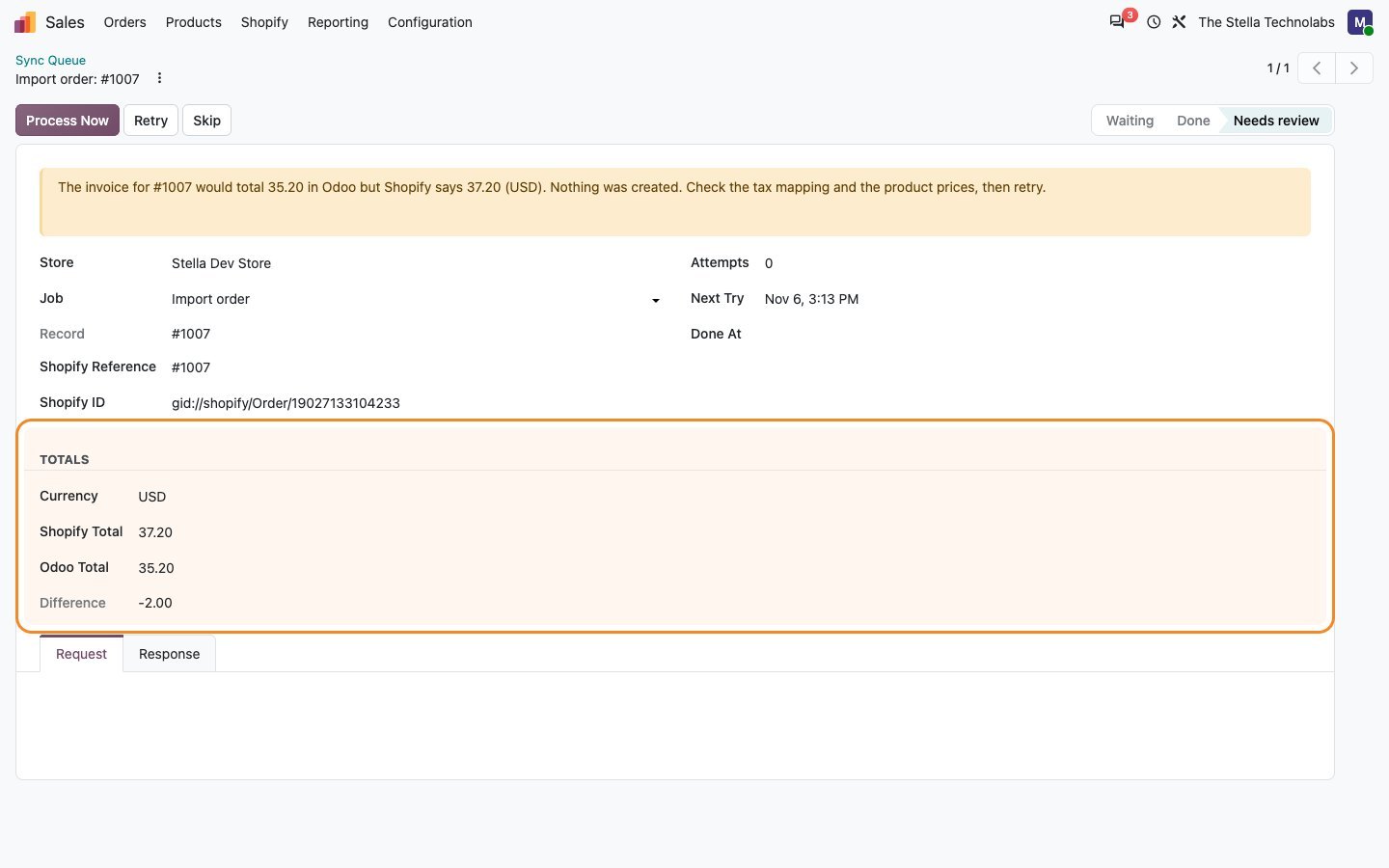
Every document is checked against the Shopify total before it is posted. Tax rounding is corrected, and a real difference waits in the queue with both totals shown rather than being created wrong.
The bank actually reconciles
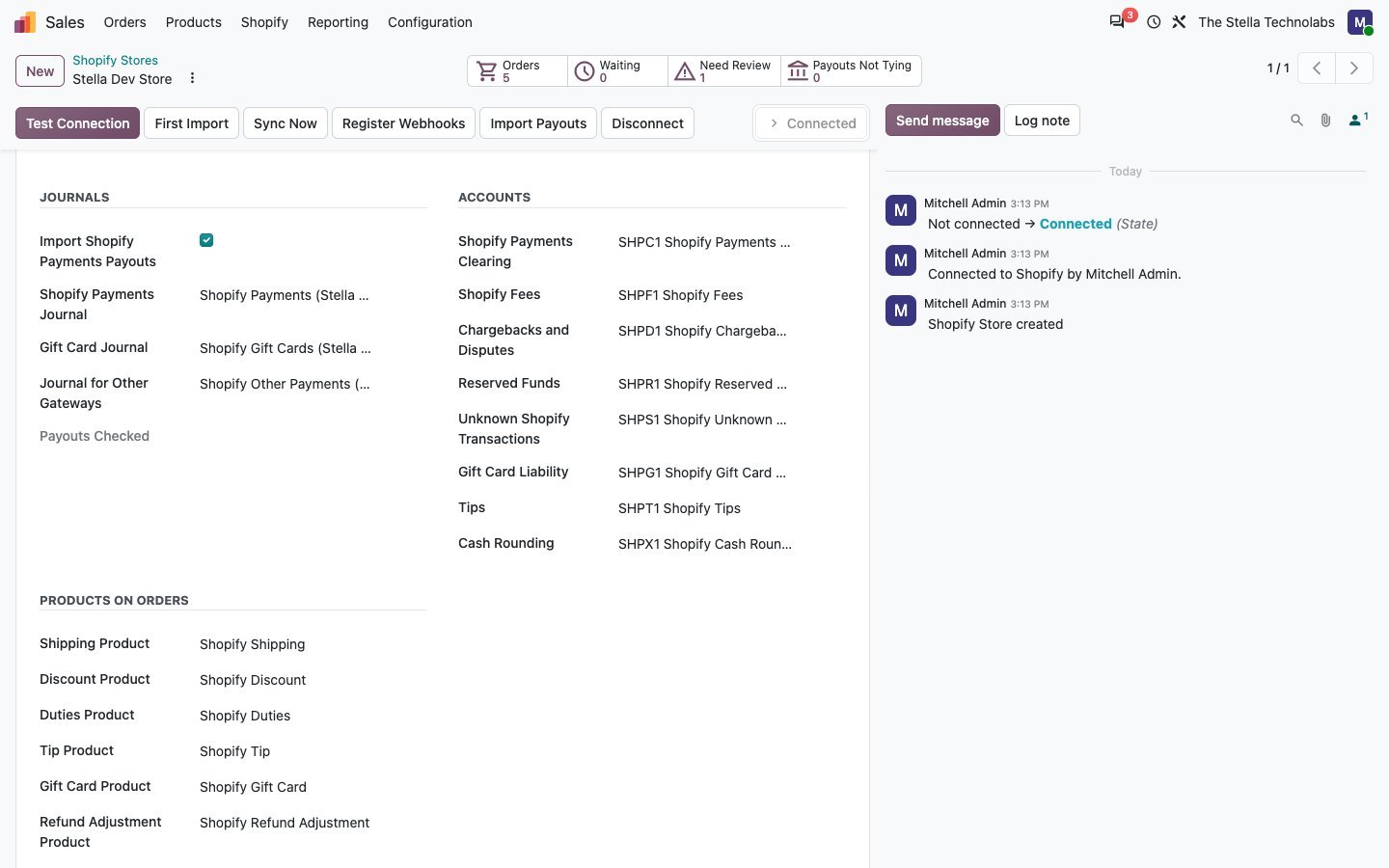
Shopify Payments transactions and payouts become bank statement lines with the fees split out and matched to the order payments, so the payout in your bank ties to the orders behind it.
Everything the connector does
Each item below is a capability of the published module.
Orders, invoiced and paid
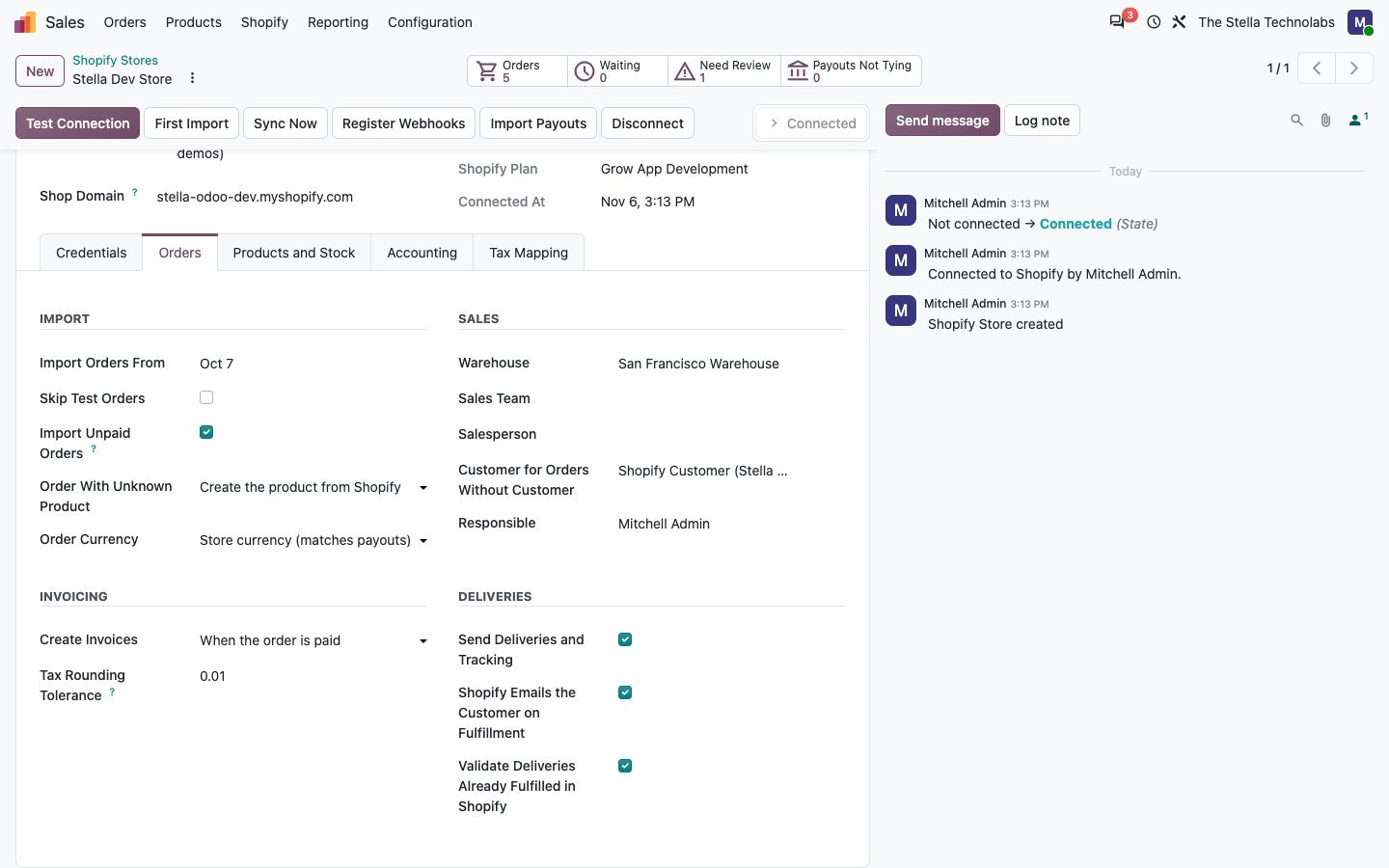
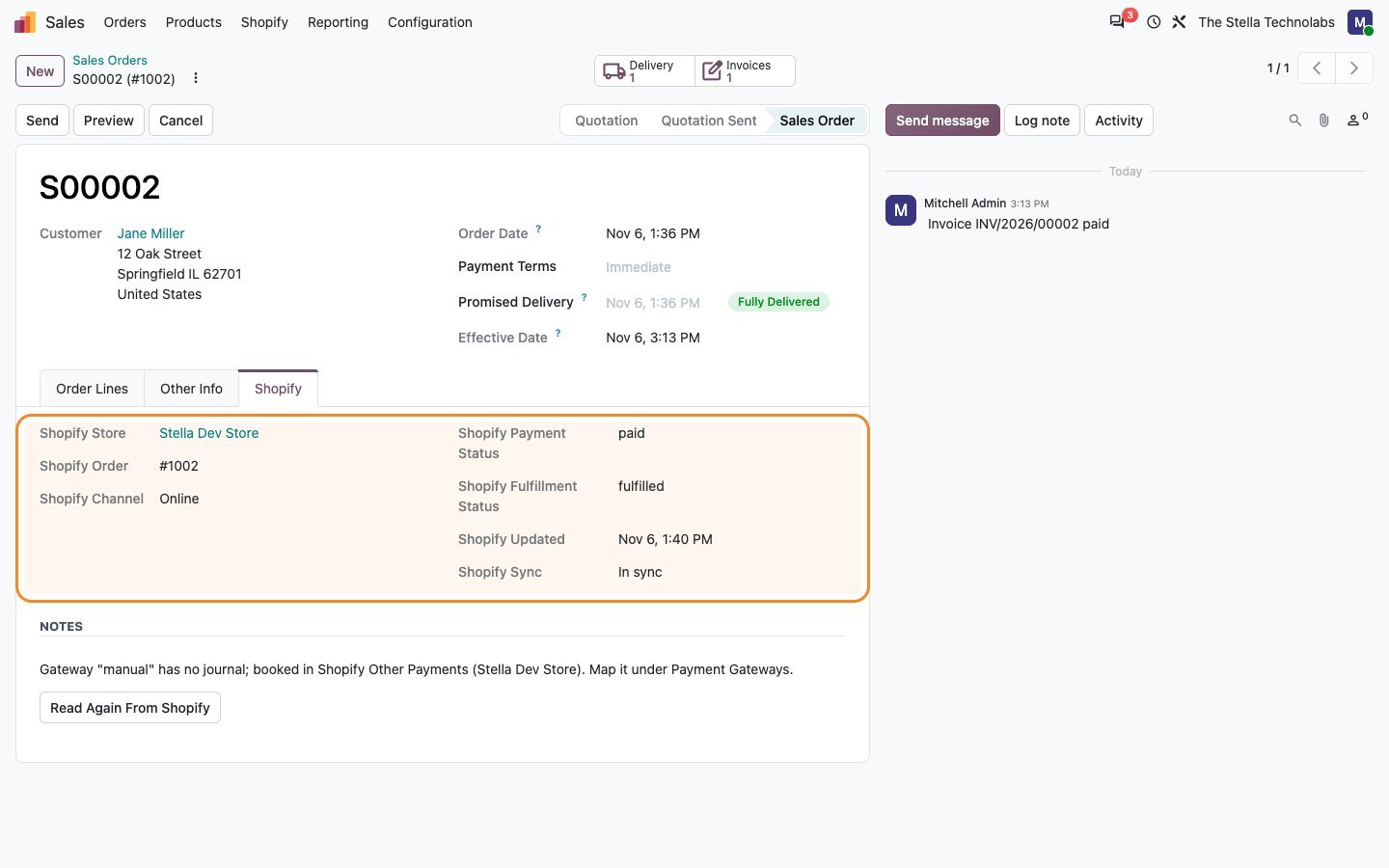
Shopify orders are imported as confirmed sale orders, invoiced and paid, with taxes, discounts, shipping and duties carried across.
A totals check before posting
Odoo totals are compared against Shopify. Tax rounding is corrected automatically, and any genuine difference is held with both amounts visible instead of posting.
Refunds as credit notes
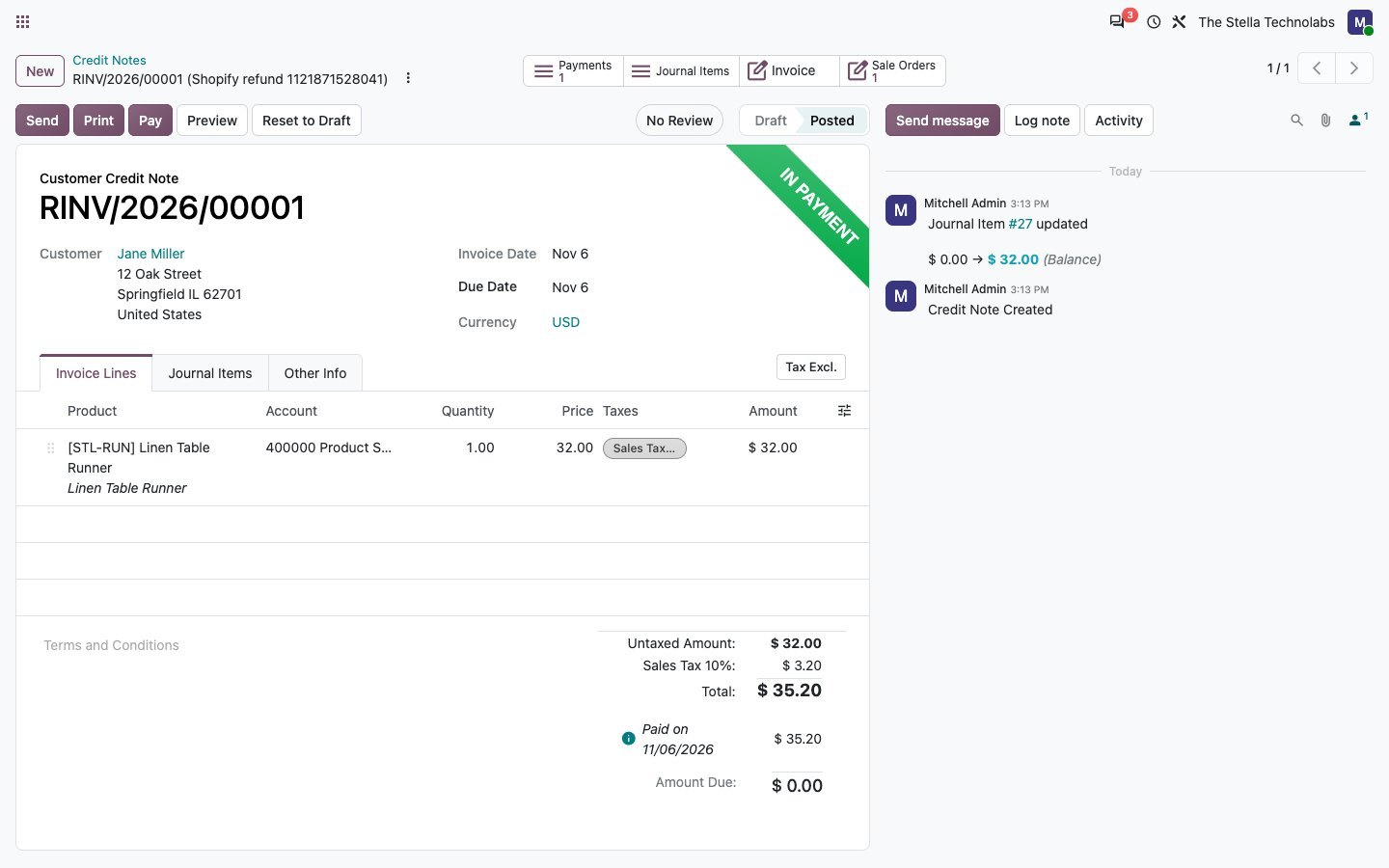
Refunds come in as credit notes with the stock returned, refunded shipping handled and refund adjustments accounted for.
Order edits and cancellations followed
When an order is edited or cancelled in Shopify, the matching documents in Odoo are brought back into line.
Payouts as bank statement lines
Shopify Payments transactions and payouts post as bank statement lines, matched to the payments on the orders they came from.
Fees, chargebacks and reserves
Fees, chargebacks and reserved funds post to their own accounts. Any transaction type the connector does not recognise is flagged rather than guessed at.
Gift cards, tips and rounding
Gift cards are booked as a liability, tips go to their own account, and cash rounding is applied for Shopify point of sale.
Shopify point of sale by location
Point of sale orders are handled per retail location, each with its own warehouse and cash journal.
Store or customer currency
Documents can be kept in the store currency or the currency the customer paid in, at the rate Shopify used.
Products, variants and images
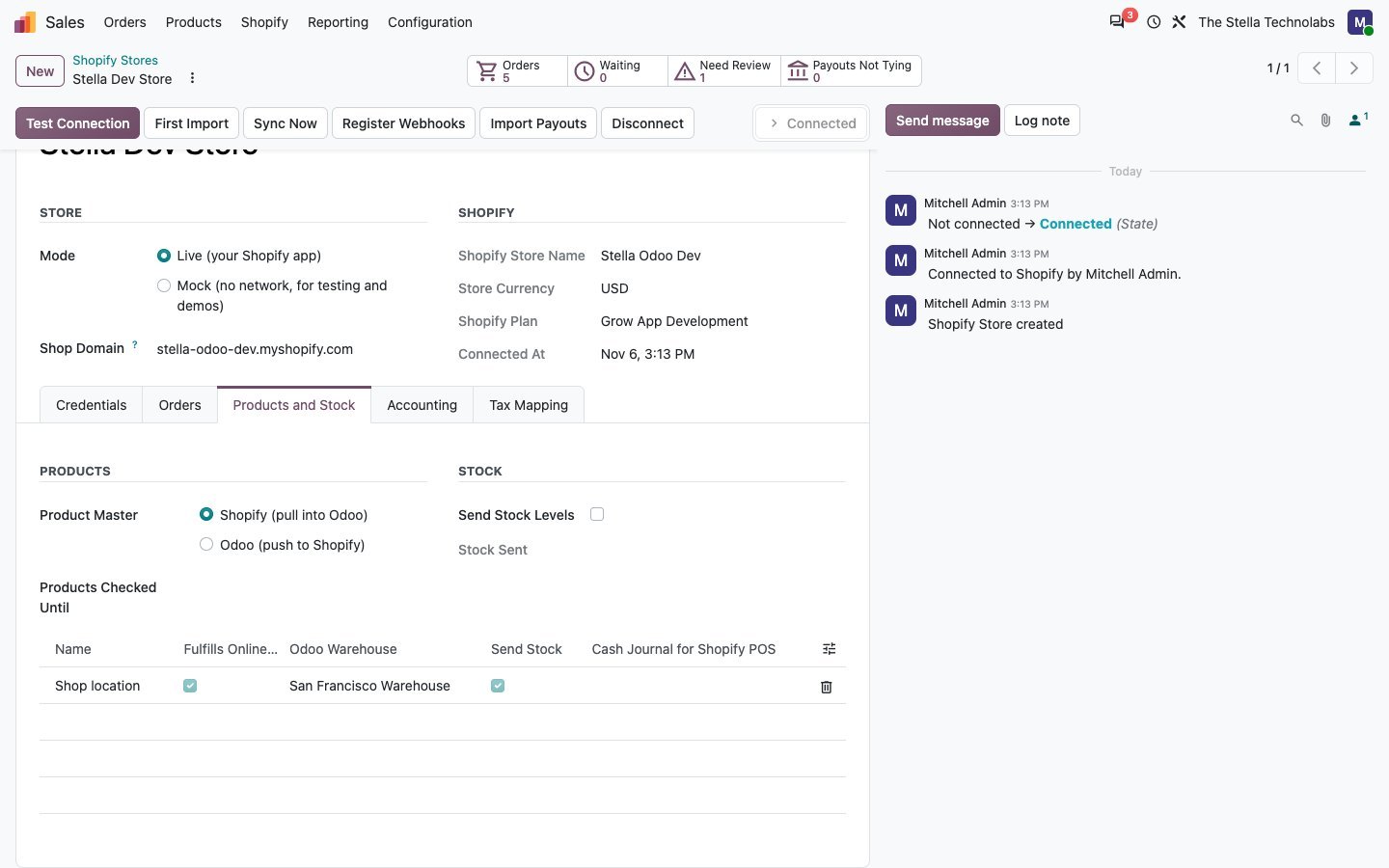
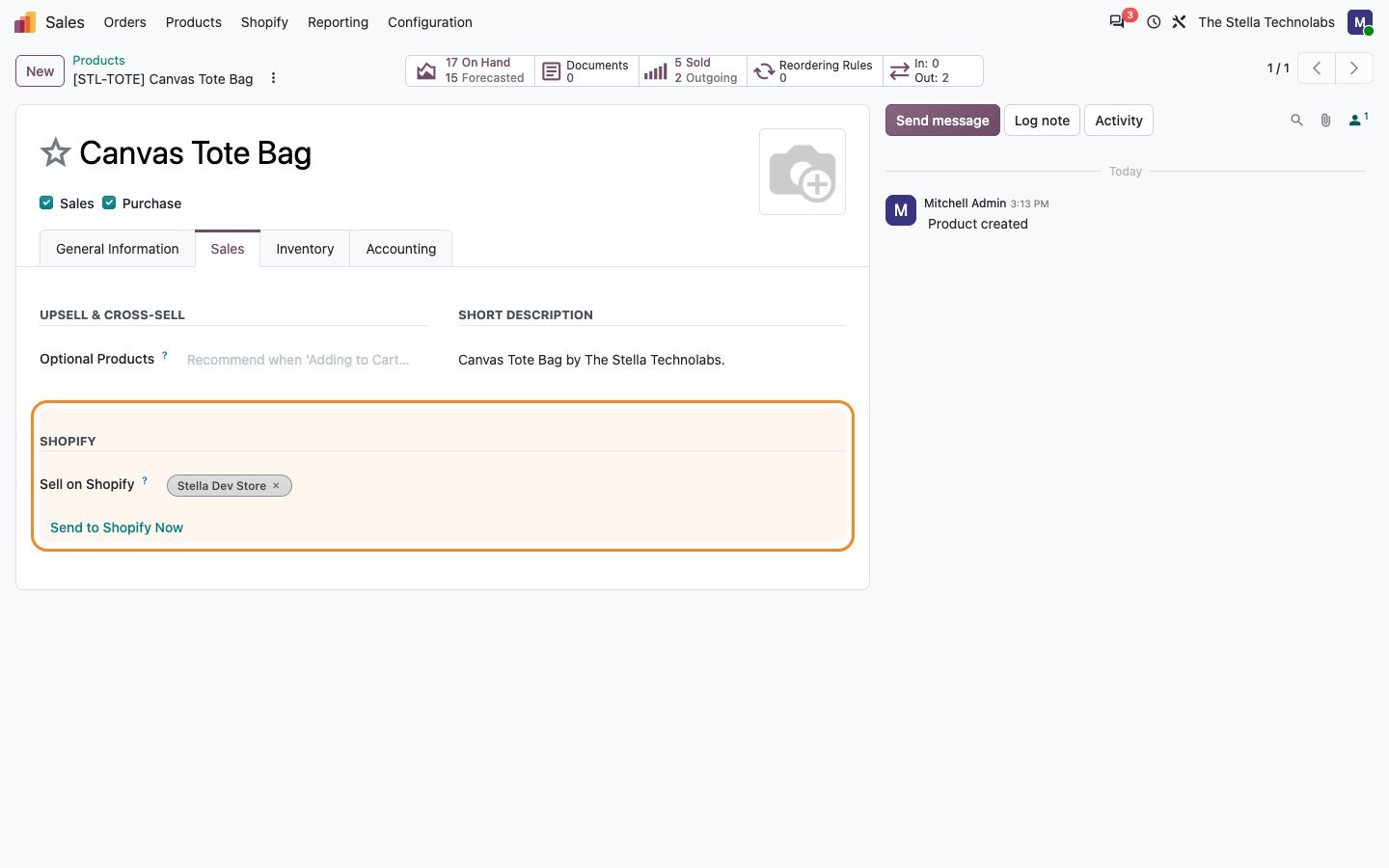
Products and variants are matched by SKU or barcode, with images, and can be created from Shopify or published from Odoo.
Stock out, tracking back
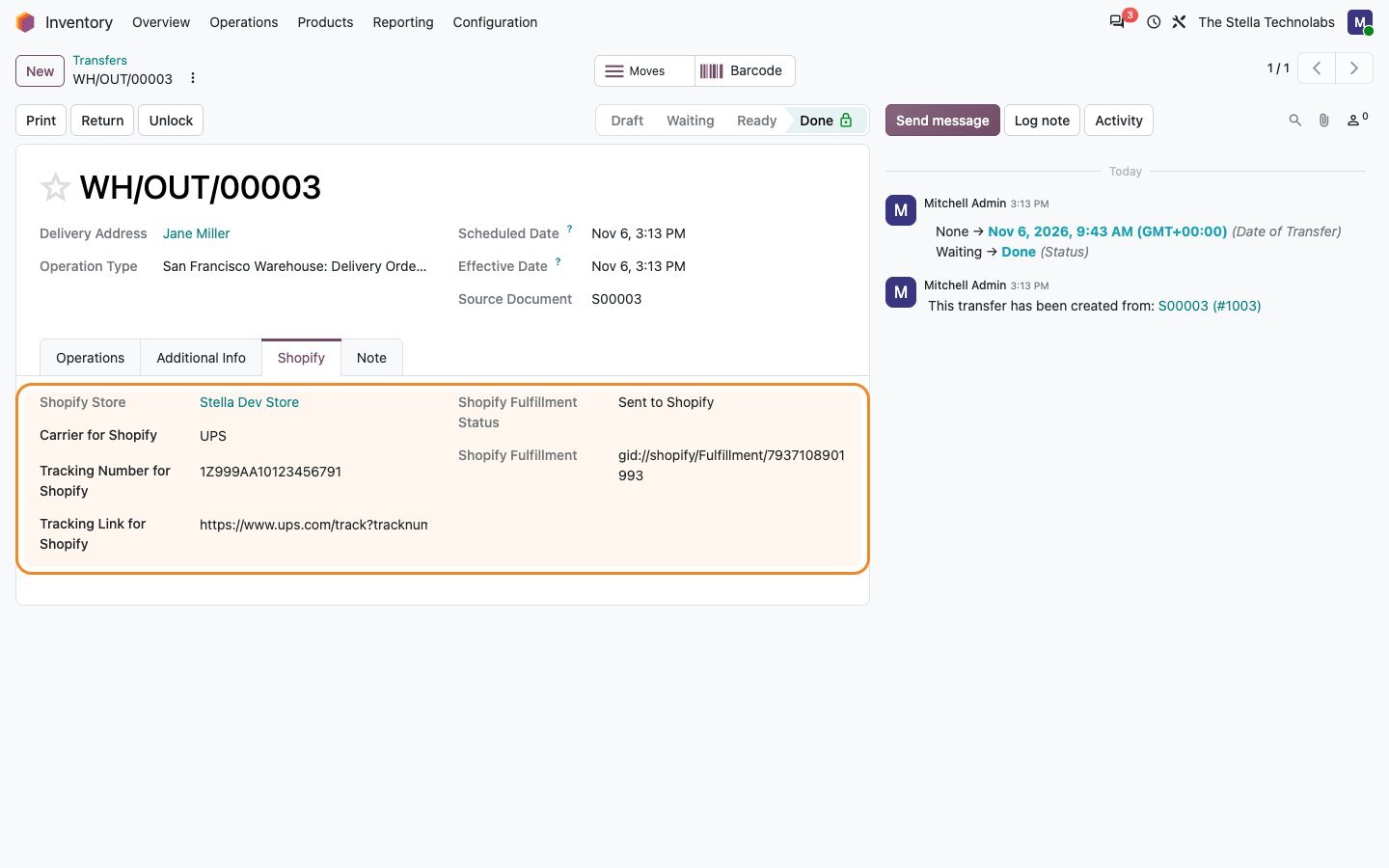
Stock levels are sent per Shopify location from the mapped warehouse, and deliveries go back with carrier, tracking number and tracking link.
Webhooks plus a scheduled check
Signed webhooks keep things current, backed by a check every fifteen minutes, with a bulk first import of your existing history.
Both directions, and what moves each way
Shopify stays the storefront. Odoo stays the system of record for stock and the books.
Shopify into Odoo
- Orders, with taxes, discounts, shipping and duties
- Customers and their addresses
- Payments against each order
- Refunds, returned stock and refunded shipping
- Order edits and cancellations
- Shopify Payments transactions and payouts
- Fees, chargebacks and reserved funds
- Gift card sales, tips and cash rounding
Odoo out to Shopify
- Products and variants, matched by SKU or barcode
- Product images
- Prices from your Odoo price list
- Stock levels, per Shopify location
- Deliveries, with carrier and tracking number
- Tracking links back onto the order
- Fulfilment status as orders are shipped
- New products published from Odoo
From a Shopify order to a reconciled bank line
Connect the store once, bring in your history, then let the connector keep up on its own.
Connect your store
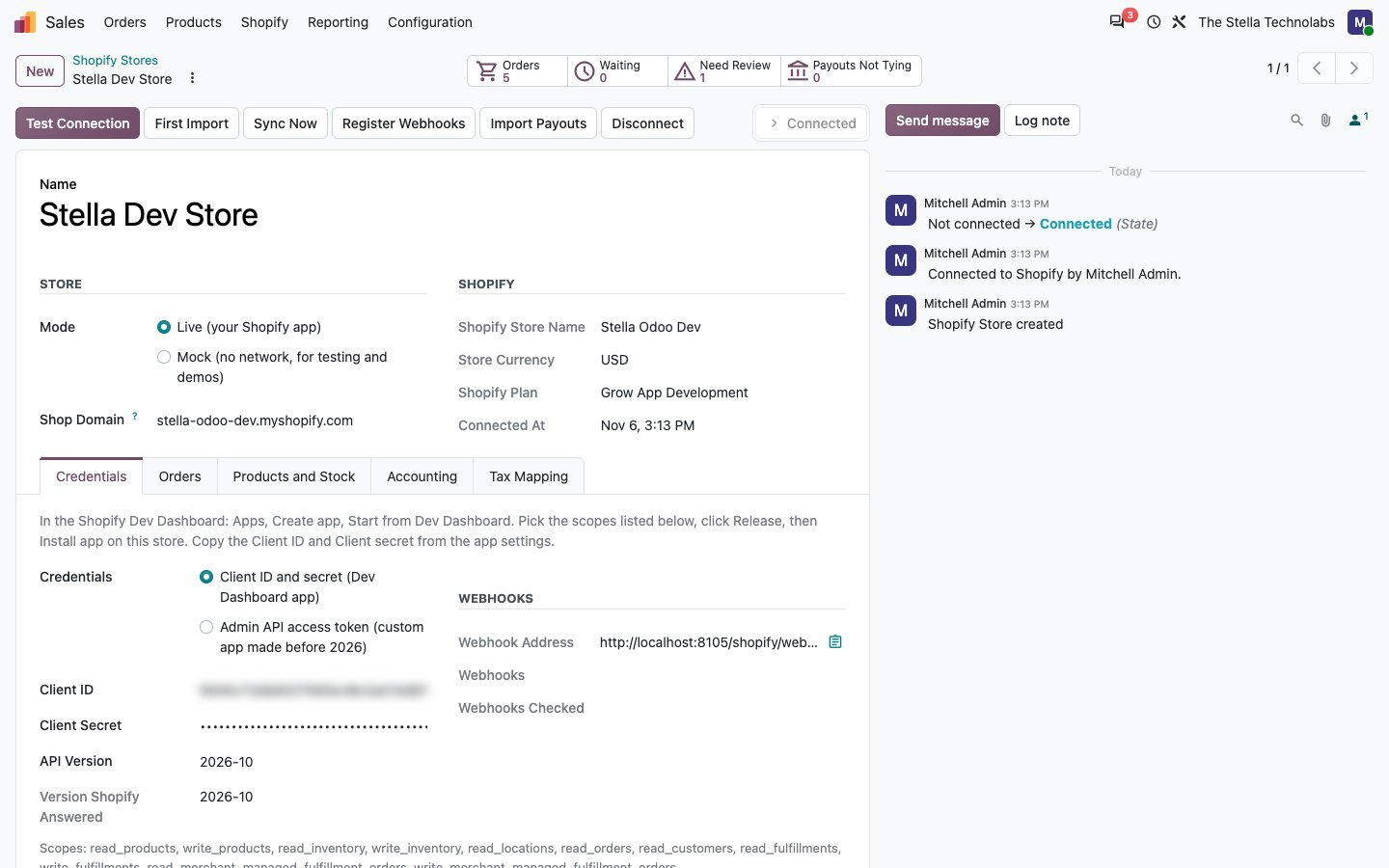
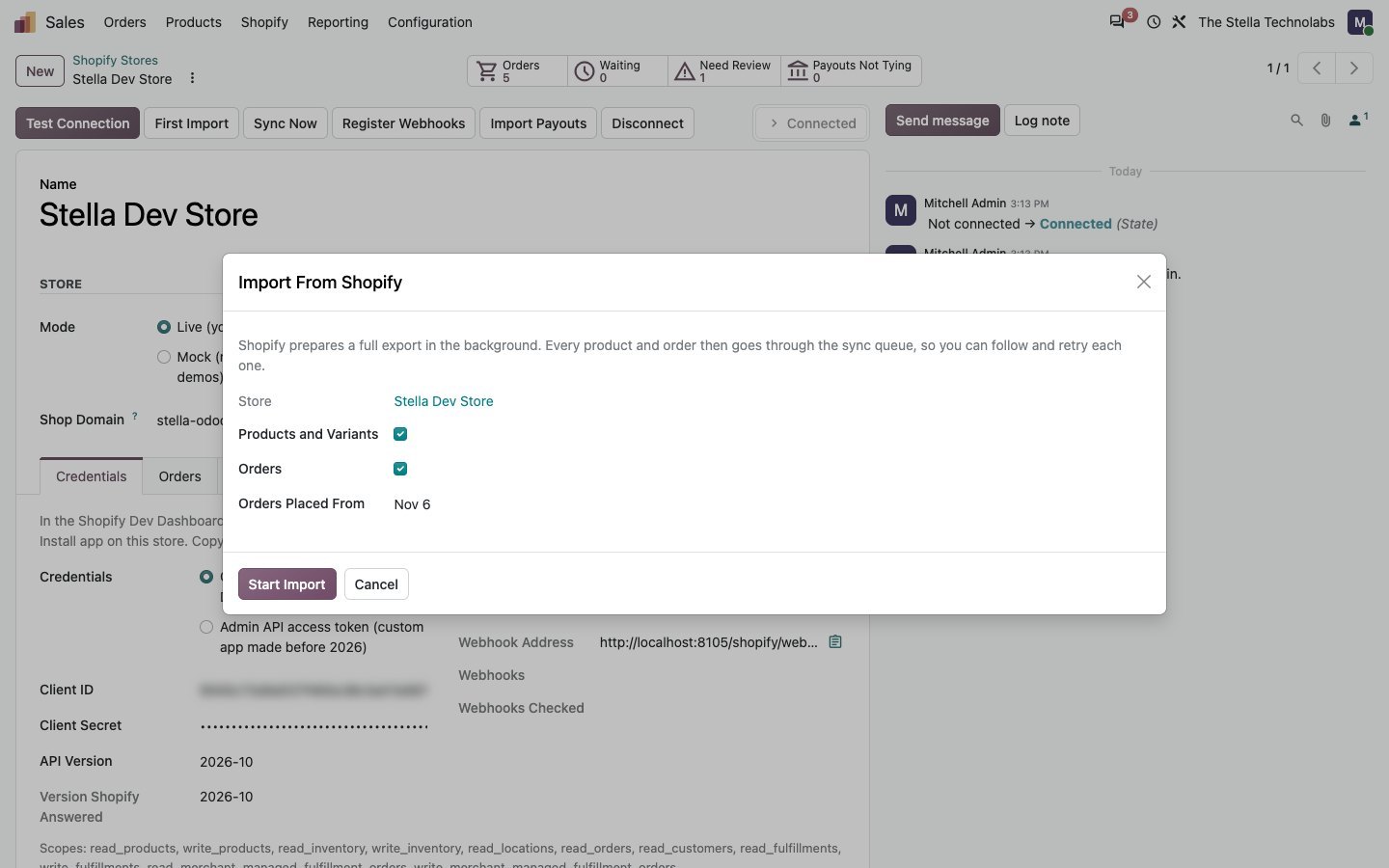
Create an app in the Shopify dashboard and paste its credentials into Odoo. The connector reads your locations, payment methods and currencies.
Bring in your history
Run the bulk first import to pull existing orders, customers and products, so Odoo starts from where your store already is.
Orders arrive and are checked
New orders come in through signed webhooks. Each one is totalled against Shopify before anything is posted.
Refunds and edits follow
Refunds become credit notes with stock returned. Edited and cancelled orders are brought back into line.
Payouts reconcile the bank
Shopify Payments transactions and payouts arrive as bank statement lines with fees split out and matched to their payments.
Stock and tracking go back
Stock levels are pushed per Shopify location, and deliveries are sent back with carrier and tracking details.
Clean books, no surprises
The connector is built so a retry never doubles anything up, and so you always see what is waiting.
- A dashboard showing what is waiting, sent, in error or reconciled, with one click to sync now
- A sync queue holding anything that needs review, with retry and skip on each line
- Idempotent writes, so running a sync again never posts the same document twice
- Several stores per company, each connecting with its own credentials
- Multi company, with each company mapped to its own store, warehouse and journals
- Per company defaults for cost of goods journals and session summaries
- A Mock mode for demos and testing, which needs no Shopify store at all
- Built on the current Shopify client credentials app model and the Admin GraphQL API
A closer look
Click any screen to open it full size.
Built for teams selling on Shopify and running on Odoo
The connector suits any operation where the storefront and the ledger need to agree.
Direct to consumer brands
High order counts arrive on their own, invoiced and paid, so nobody spends the morning rekeying yesterday.
Finance teams closing the month
Payouts reconcile against the orders behind them, with fees and chargebacks in their own accounts.
Merchants holding real stock
Stock is counted once in Odoo and pushed to the right Shopify location, so the storefront is not selling what the warehouse does not have.
Retailers with physical stores
Shopify point of sale orders are handled per location, each with its own warehouse and cash journal.
Cross border sellers
Duties, multi currency and presentment currency are handled at the rate Shopify used.
Groups with several stores
Each company connects its own store with its own credentials, mapped to its own journals and warehouses.
Shopify Connector Pro extends standard Odoo Sales and Accounting, and Point of Sale when it is installed. It does not replace or debrand any native feature. It brings your Shopify orders, refunds and payouts into the accounting you already keep. Shopify is a trademark of Shopify Inc. and this module is not made or endorsed by Shopify.
Ready to tie Shopify and Odoo together?
See the order flow and the payout reconciliation in a quick demo, or tell us about your stores and we will map it out with you.
Questions, answered
Does it sync both ways?
Yes. Orders, customers, refunds, order edits, cancellations and Shopify Payments payouts come into Odoo. Products with their variants and images, stock levels per location, and delivery tracking go back out to Shopify.
What happens when the totals do not match?
The document is not posted. Tax rounding differences are corrected automatically. Anything left over waits in the sync queue showing both the Odoo total and the Shopify total, so you can see the difference and decide, rather than finding a wrong invoice in your books later.
Does it use the old custom app model or the current one?
The current one. It is built on the Shopify client credentials app model and the Admin GraphQL API, with signed webhooks. Writes are idempotent, so a retry never posts the same thing twice.
How are Shopify Payments payouts handled?
Transactions and payouts arrive as bank statement lines, with fees, chargebacks and reserved funds posted to their own accounts and charges matched to the payments on the orders they came from, so the bank reconciles. Unrecognised transaction types are flagged rather than guessed at.
Can I connect more than one store?
Yes. You can run several stores per company, and in a multi company database each company connects its own store with its own credentials, warehouse and journals.
Can I try it before connecting a live store?
Yes. Mock mode runs the whole flow with sample data and needs no Shopify store, so you can see how orders, refunds and payouts behave before you connect anything real.