Push Odoo orders to Tookan and sync every delivery back
A two way Tookan integration for Odoo Sales and Inventory. Confirmed orders create a Tookan dispatch task, edits keep it in sync, and driver, status, tracking link and proof of delivery come back onto the order over a signed webhook.
One click task creation, live status on the order and the delivery, a signed webhook, a retrying queue and clean uninstall.
Odoo and Tookan, kept in step
The order you confirm in Odoo becomes a dispatch task in Tookan, and everything the driver does comes straight back to the same order, with no copy and paste.
Dispatch from Odoo
Confirm a sale order and a Tookan task is created with the recipient, address, products and schedule, from the backend or the website.
Status that comes back
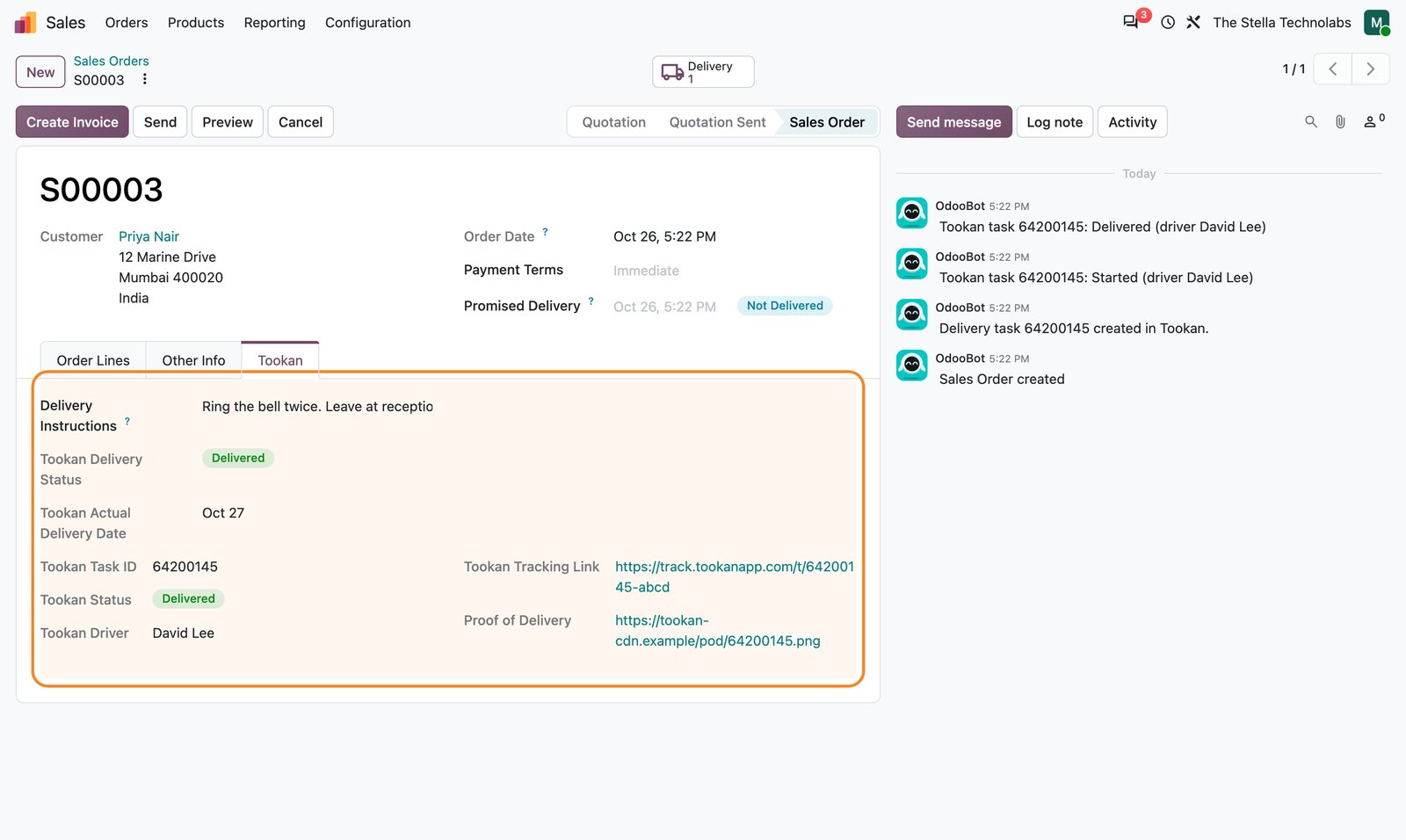
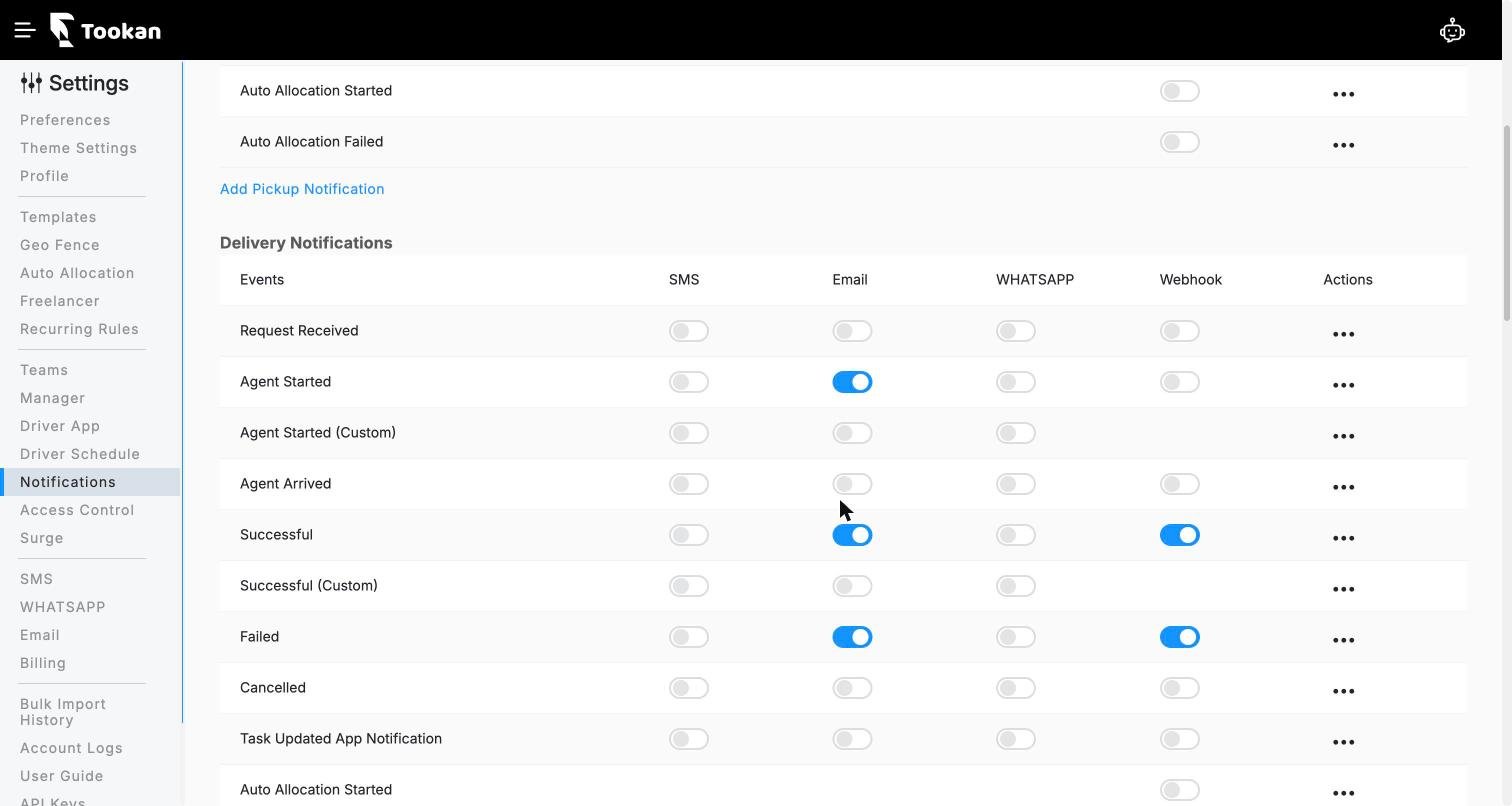
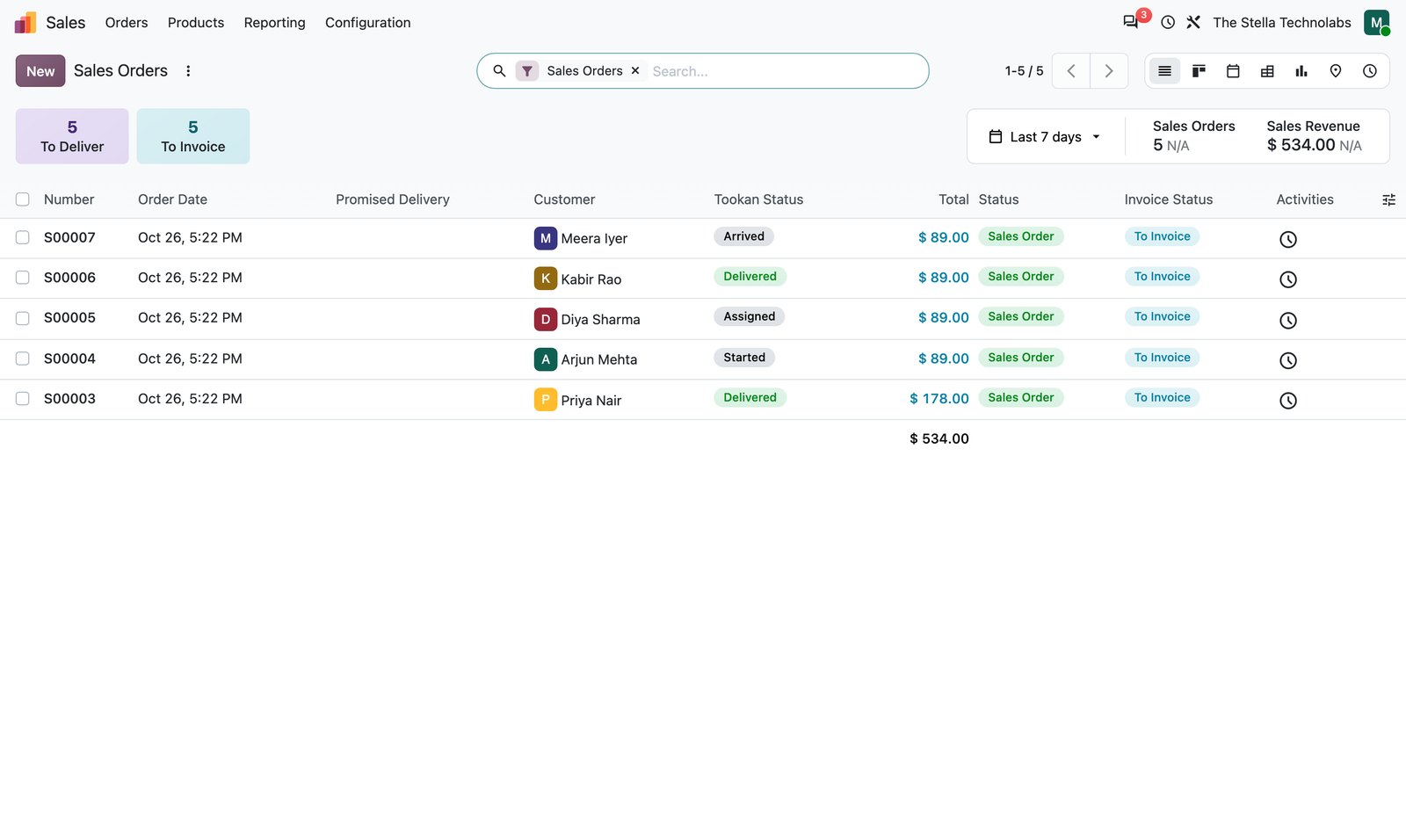
Tookan sends Started, Delivered and Failed events back over a signed webhook, with the driver, tracking link and proof of delivery.
Built to be reliable
A row lock queue with retries means a Tookan outage never blocks an order, and a duplicate guard reuses an open task for the same order.
Everything the connector does
Every capability below is in the published app, nothing added.
One click task creation
Create a Tookan task on sale order confirmation, from the backend or the website, with the recipient, address, products and schedule.
Status on the order
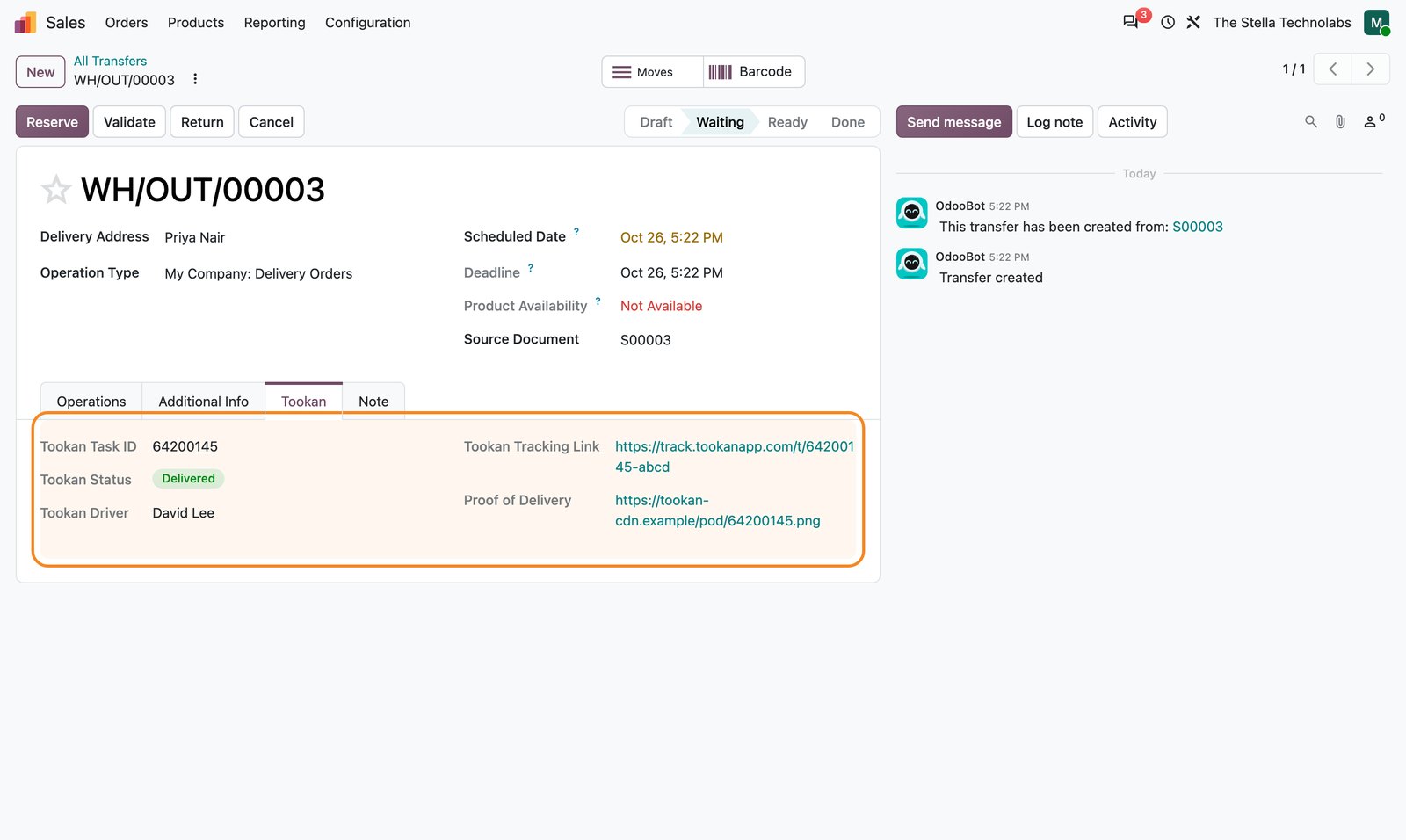
A live status badge, driver name, tracking URL and proof of delivery link appear on the sales order and the same panel on the delivery order.
Signed webhook
A signed webhook endpoint for Started, Delivered and Failed events, verified with a shared secret HMAC compare.
Auto validate picking
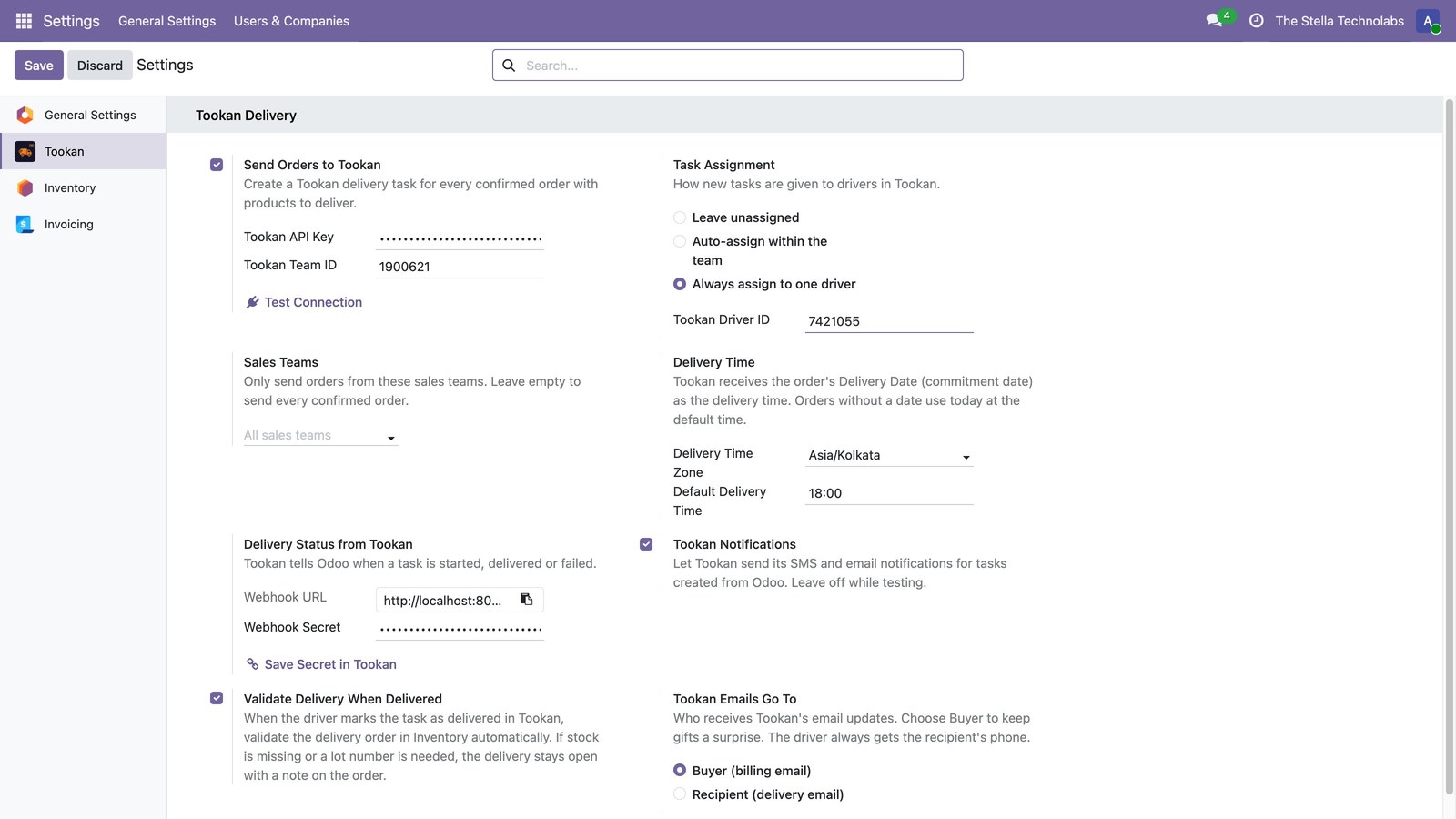
Optionally auto validate the outgoing picking when Tookan marks the task delivered.
Duplicate guard and queue
A smart duplicate guard reuses an open task for the same order reference, and a row lock queue with retries keeps confirmation safe during outages.
Full control of dispatch
Settings for API key, team, assignment, fleet and time zone, a sales team filter, notification and recipient email control, and staging aware references so test traffic never touches live tasks.
From confirmed order to delivered
The dispatch happens where the order lives, so your team never leaves Odoo.
Confirm the order
A confirmed sale order queues a Tookan task with the recipient, address, products and schedule.
Dispatch in Tookan
Tookan assigns the task to a driver by your chosen rule: unassigned, auto or a single driver.
Track on the order
The order and the delivery show the live status, the driver, the tracking link and the proof of delivery.
Close the loop
On delivery the connector can auto validate the outgoing picking, and each subscription renewal queues a fresh task.
Dispatch you can trust
The connector is built so a Tookan hiccup never gets in the way of taking an order.
- Create the task from the backend or straight from the website.
- Keep the task in sync when the order is edited.
- Reuse an open task for the same order instead of creating duplicates.
- Keep confirmation safe with a retrying queue during Tookan outages.
- Send test orders as staging references so they never reach live tasks.
For any Odoo shop that dispatches deliveries
If you hand parcels to drivers, the connector keeps Odoo and Tookan as one.
Online retail
Dispatch website and backend orders to Tookan the moment they confirm.
Food and grocery
Send fast local deliveries with a live driver and tracking link on the order.
Subscriptions
Each renewal queues a fresh delivery task for the next period.
Tookan Delivery Connector extends standard Odoo Sales and Inventory. It does not replace or debrand any native feature. It adds Tookan dispatch, live delivery status and proof of delivery on top of the orders and deliveries you already use.
Ready to dispatch from Odoo?
Tell us about your delivery flow and we will show you the connector, set up a tailored demo and plan your rollout.
Questions, answered
Does it work from the website and the backend?
Yes. A task can be created on sale order confirmation from either the Odoo backend or the website checkout.
What comes back from Tookan?
Over a signed webhook the order receives the live status, the driver name, the tracking URL and the proof of delivery link, on both the sale order and the delivery.
What happens if Tookan is down?
Order confirmation is never blocked. A row lock queue with retries holds the task and sends it when Tookan is back, and a duplicate guard avoids creating a second task.
Can test orders reach live drivers?
No. On a staging database the connector sends staging task references, so test traffic cannot touch your live Tookan tasks.
Who builds and supports it?
The Stella Technolabs. We build the connector and support you through setup and beyond.