Sell on WooCommerce. Run stock, invoicing and accounting in Odoo.
Orders and refunds arrive in Odoo matching WooCommerce to the cent, gateway fees are posted, and stock, products and tracking go back to your store. One module, nothing else to buy.
Orders, refunds, gateway fees, WooPayments deposits, stock from your warehouses, products both ways, tracking numbers and a queue you can retry.
WooCommerce sells. Odoo runs the business.
WooCommerce is where you sell, and Odoo is where you run the business. Keeping the two in step usually means exports, manual invoices and a month end that never quite balances.
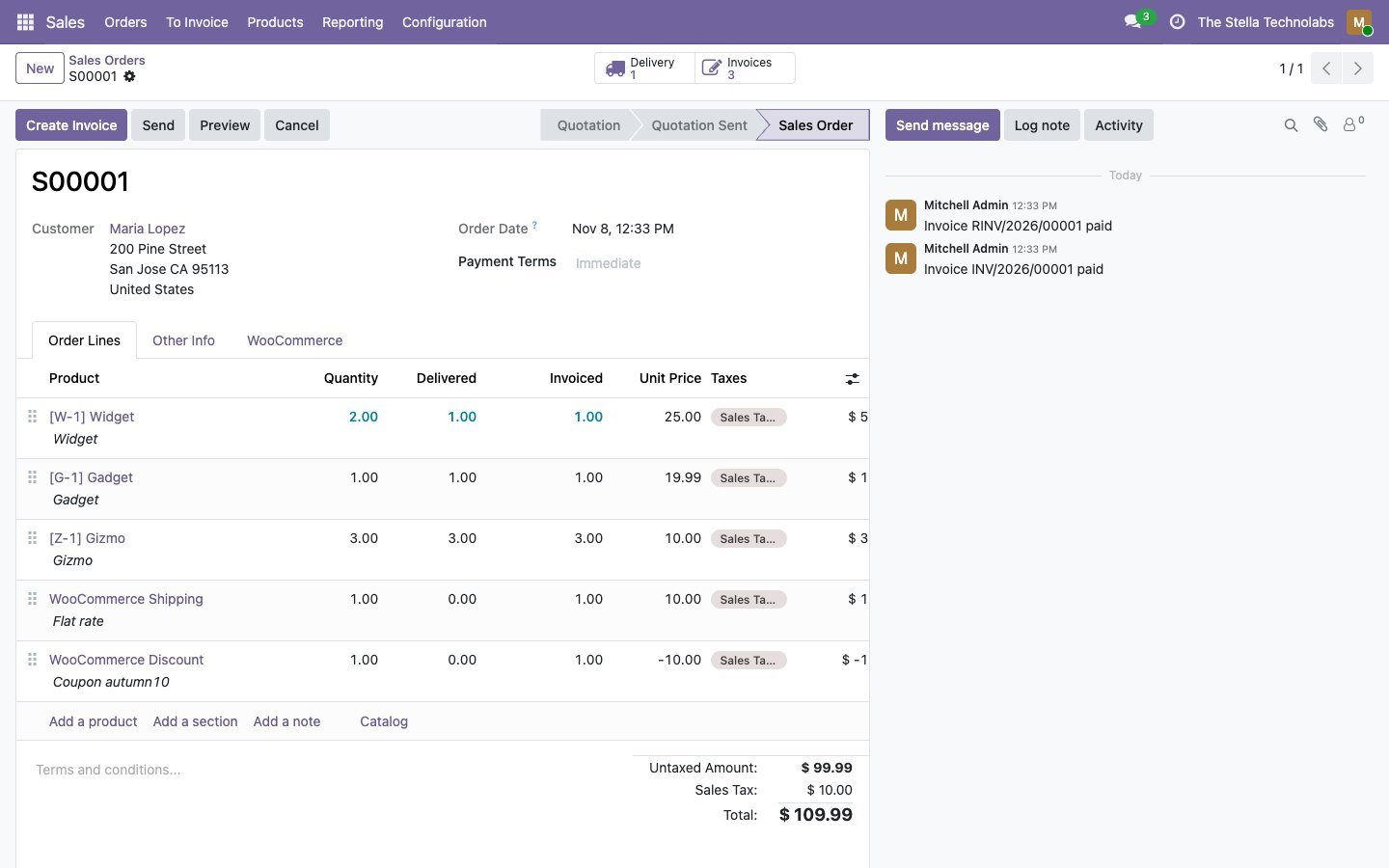
This connector does it for you, in both directions. Every WooCommerce order becomes a confirmed sale order with its invoice and payment, refunds become credit notes, and the fees your payment gateway keeps are posted where they belong. Stock, products and tracking numbers flow back to the store. And before anything is posted it is checked against WooCommerce, so your books match your shop.
One module, and books that agree
One module, nothing else to buy
Many WooCommerce connectors need a separate base module or engine before they work. This one is complete on its own.
Ties to the cent
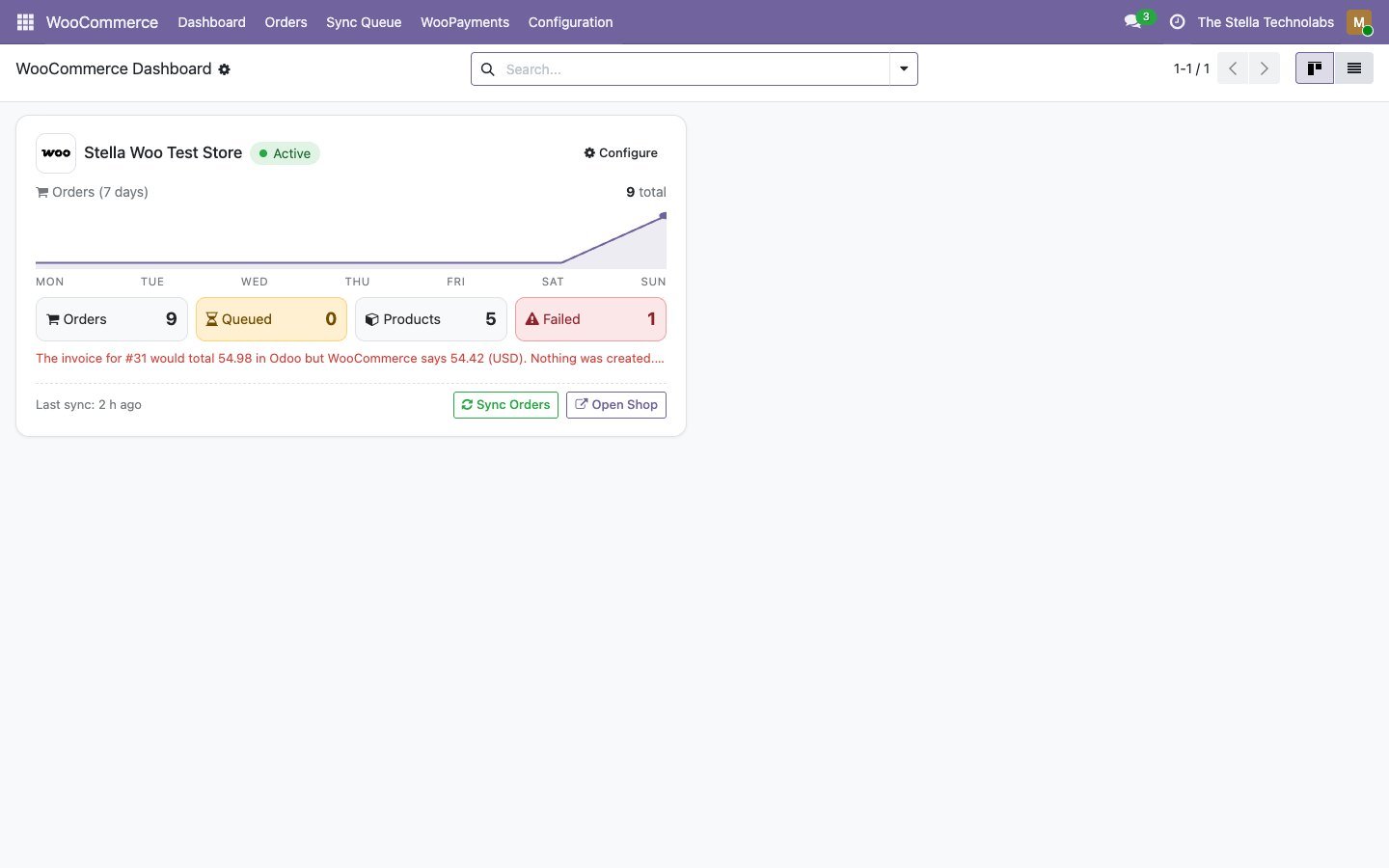
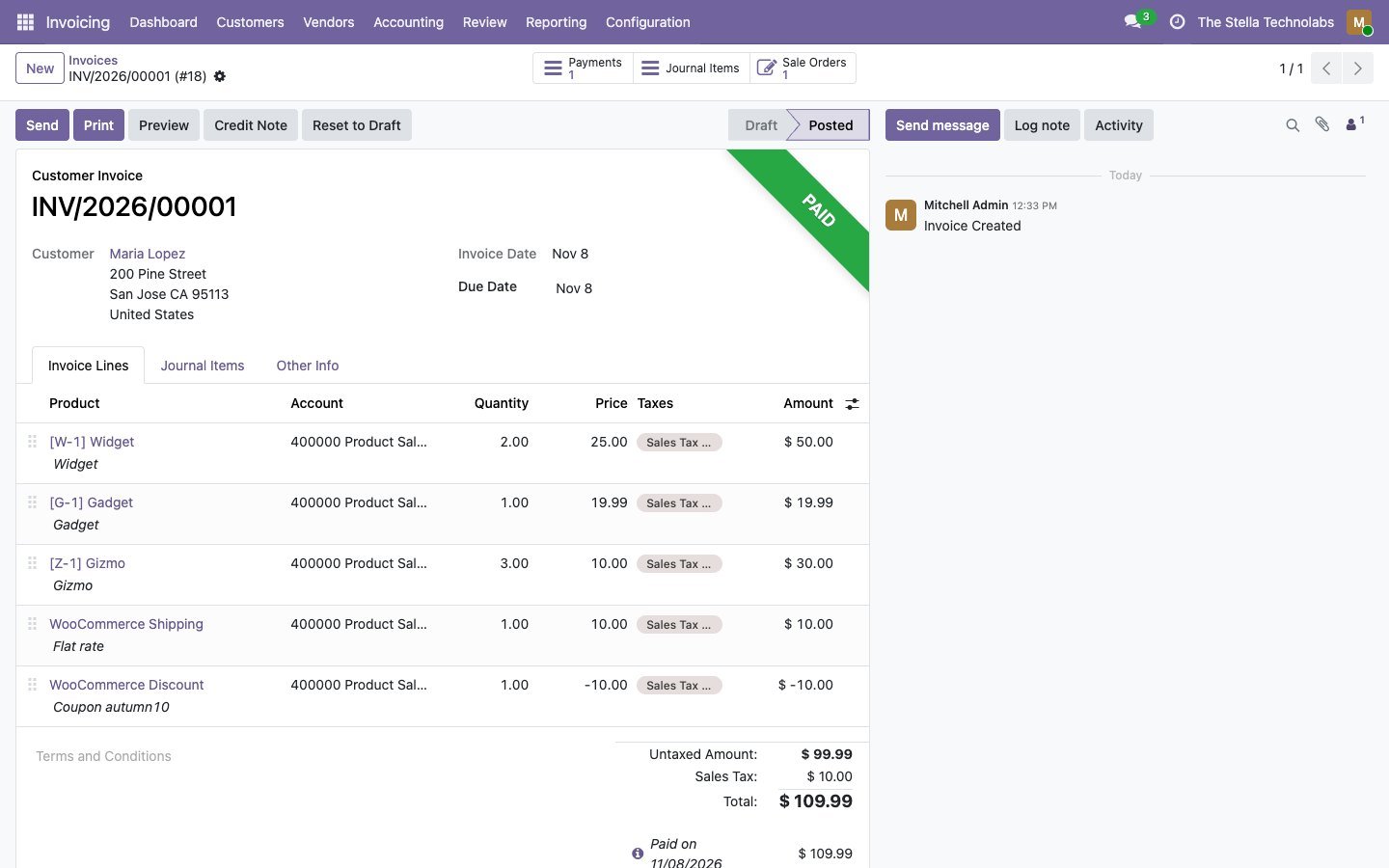
Each invoice is compared with WooCommerce before it is posted. A one cent tax rounding is corrected automatically; a real difference waits in a queue with both totals, and nothing is created.
Taxes are never guessed
Every WooCommerce tax rate is mapped to an Odoo tax, with a suggestion. An unmapped rate holds the order instead of quietly creating a new tax.
Built for real hosting
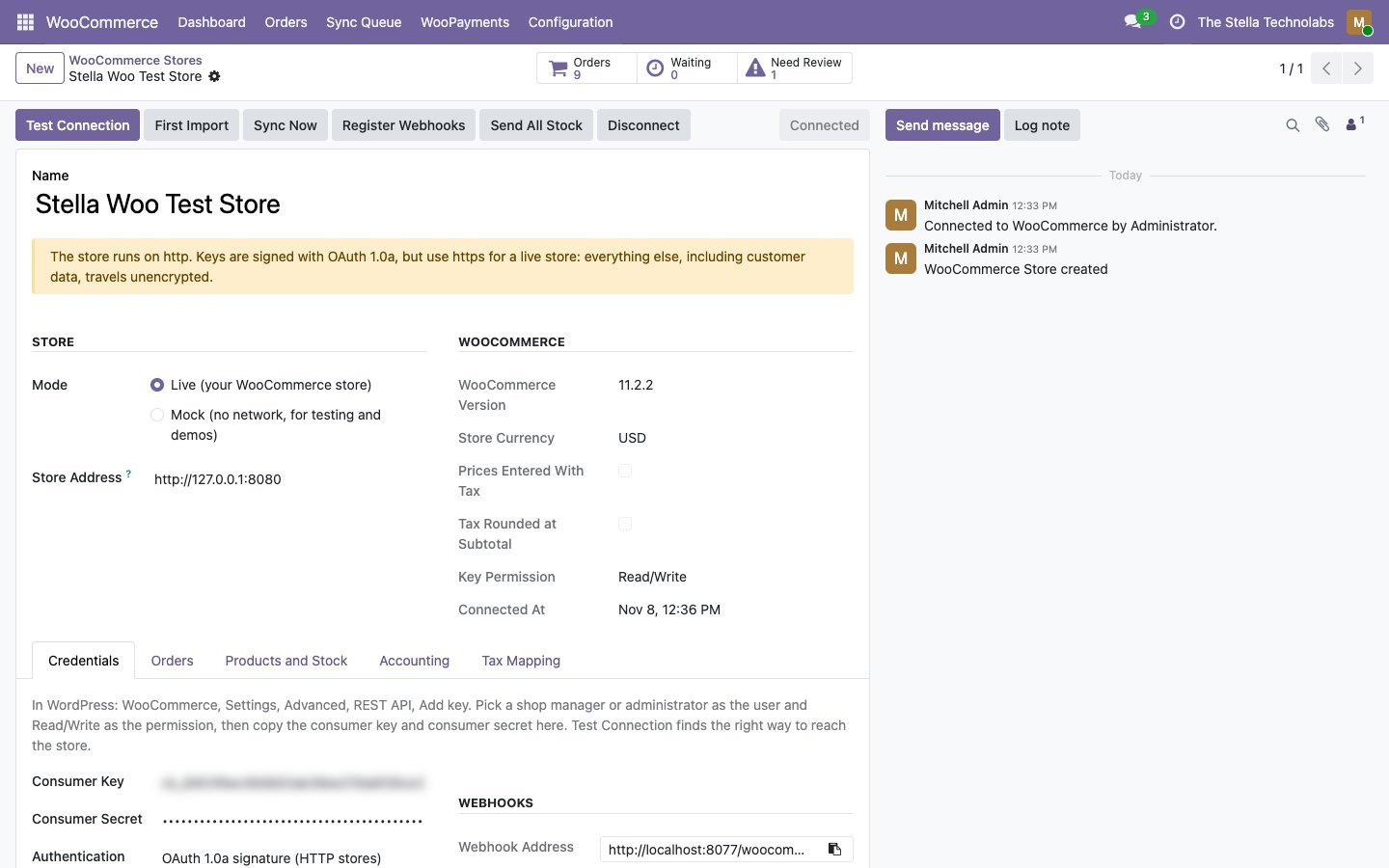
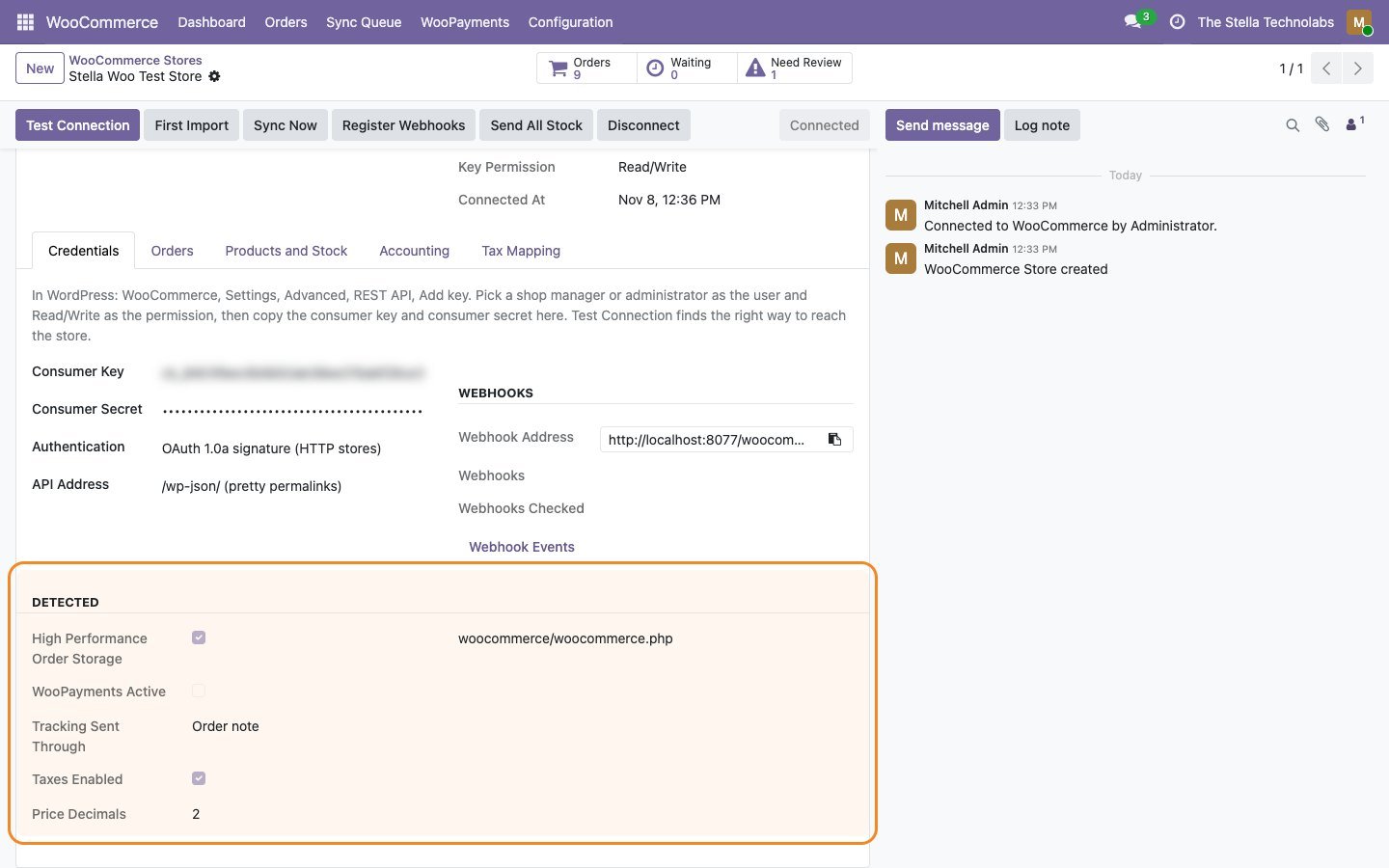
Test Connection spots the common hosting problems, a dropped Authorization header, plain permalinks, http stores and firewalls, and tells you in plain words what to change.
Everything the connector does
Each item below is a capability of the published module.
Orders, invoiced and paid
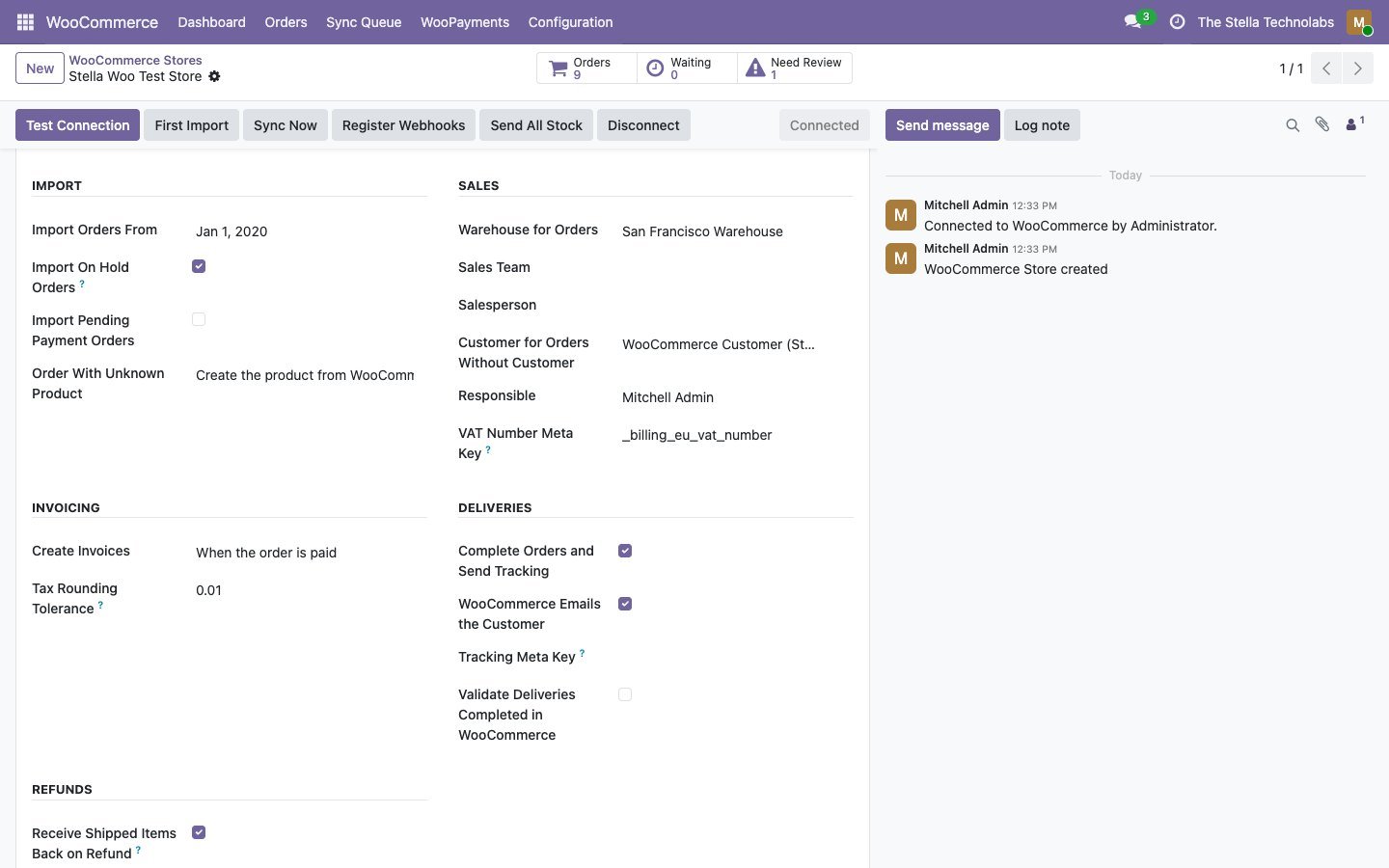
Every WooCommerce order becomes a confirmed sale order with its invoice and payment, with products, coupons, fees and shipping on their own lines, taxed per WooCommerce rate.
Ties to the cent
Invoices are checked against WooCommerce before posting. Rounding is fixed, real differences are held with both totals.
Taxes mapped, never guessed
Each WooCommerce rate maps to an Odoo tax. Prices with or without tax both work.
Refunds as credit notes
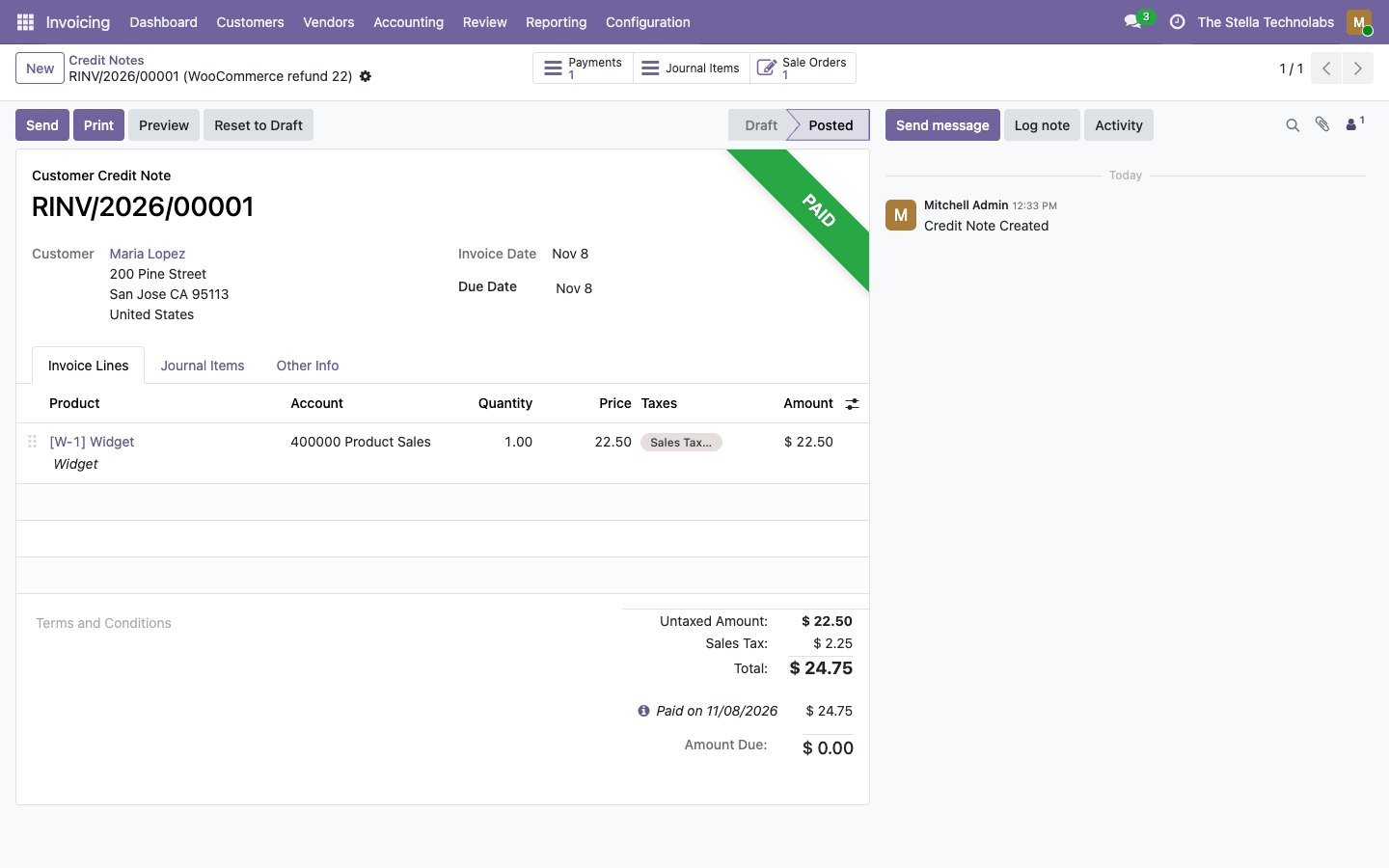
Refunds become credit notes with the refunded lines, shipping and fees, plus the refund payment. Unshipped refunded items leave the open delivery; shipped ones come back.
Gateway fees posted
The fee WooPayments, Stripe or PayPal Payments kept is posted to your fees account, so the clearing account holds what will really be paid out.
WooPayments deposits
WooPayments deposits become bank statement lines, ready to reconcile.
Refund from Odoo, your choice
Optionally refund a credit note in WooCommerce, choosing each time whether the gateway returns the money or the refund is only recorded. Odoo checks what is still refundable first.
Stock from your warehouses
The free quantity of one or more Odoo warehouses is sent to WooCommerce after stock moves, in batches, plus a full send every night. Kits included.
Completed with tracking
Validating the Odoo delivery completes the WooCommerce order and sends the tracking number and link.
Products both ways
Simple and variable products matched by SKU or barcode, with attributes, categories and images. Choose WooCommerce or Odoo as the master.
Webhooks that stay on
Signed webhooks for instant updates. When WooCommerce disables a webhook after failed deliveries, the connector turns it back on, and a fifteen minute check catches anything missed.
Customers and guests
Customers are matched by account, then email; guest orders get a contact from the billing address and VAT number.
Queue, retry and mock mode
Every exchange is logged with the request and the answer. Items can be retried or skipped, and mock mode runs without a store for demos and training.
Its own app in Odoo, on top of what you already use
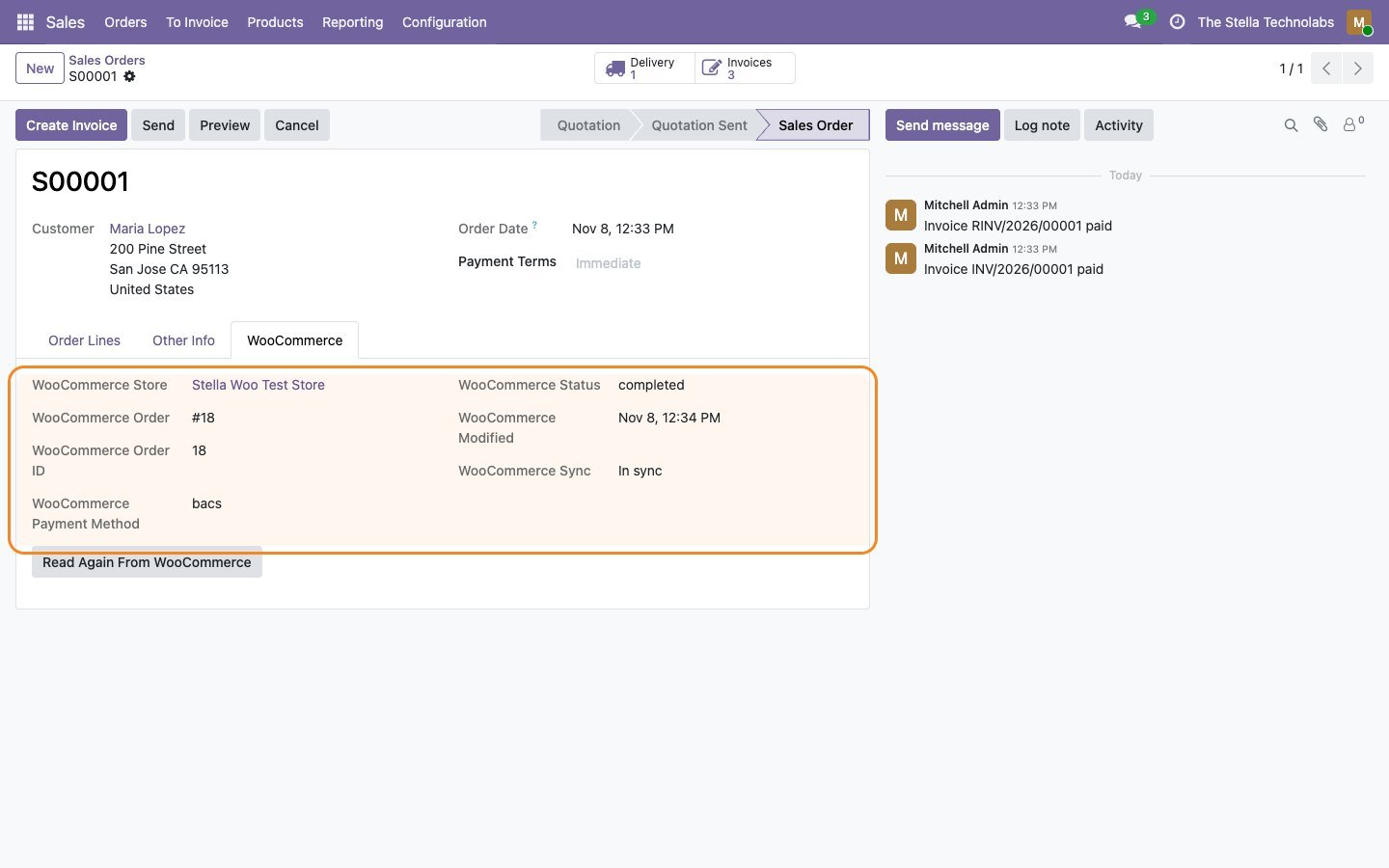
The connector adds its own WooCommerce app to Odoo, with a dashboard card per store showing orders over the last seven days, what is queued and what failed. It works on top of standard Odoo Sales, Inventory and Invoicing: orders, deliveries and invoices are ordinary Odoo records, so your team keeps working the way it already does.
A closer look
Click any screen to open it full size.
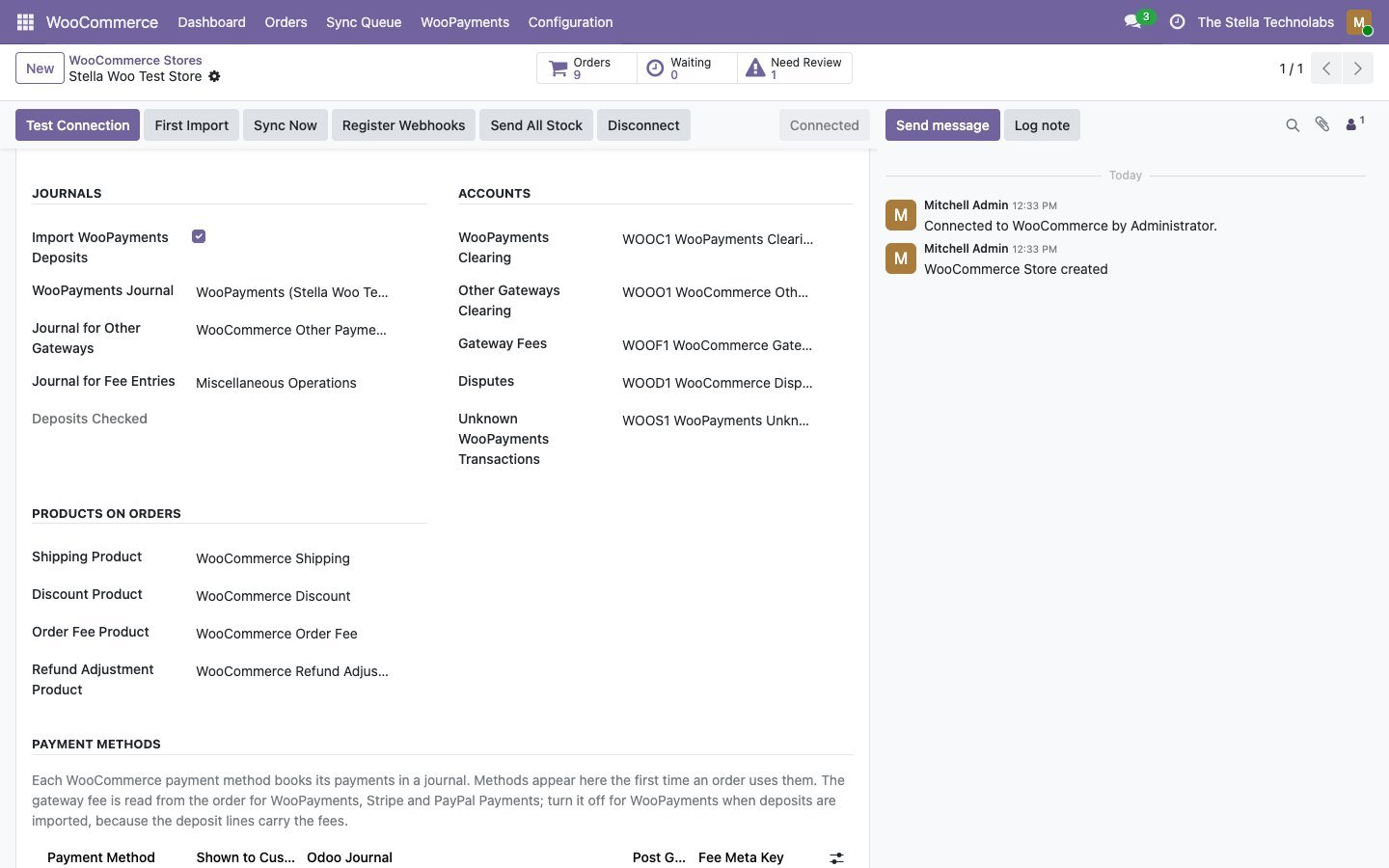
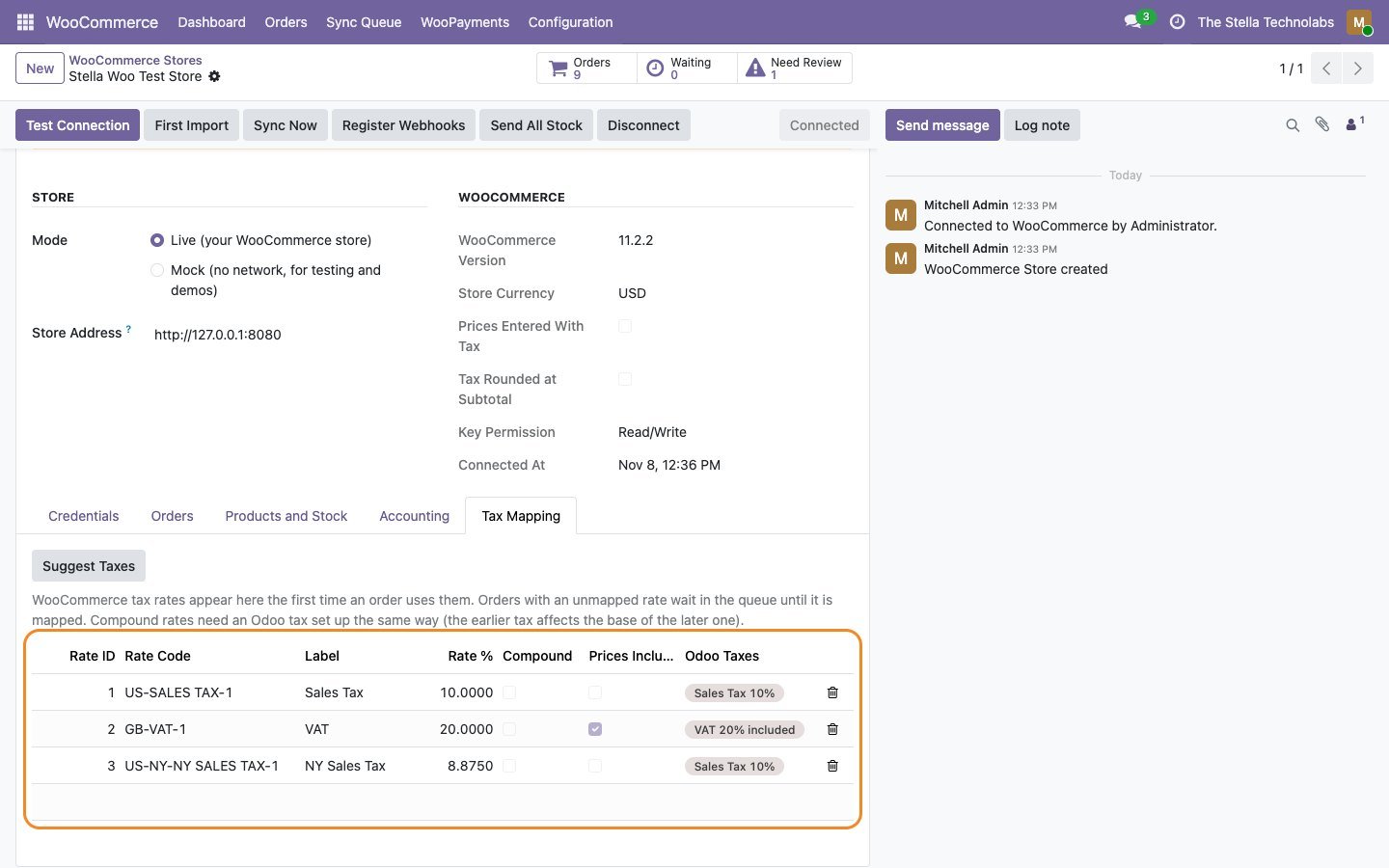
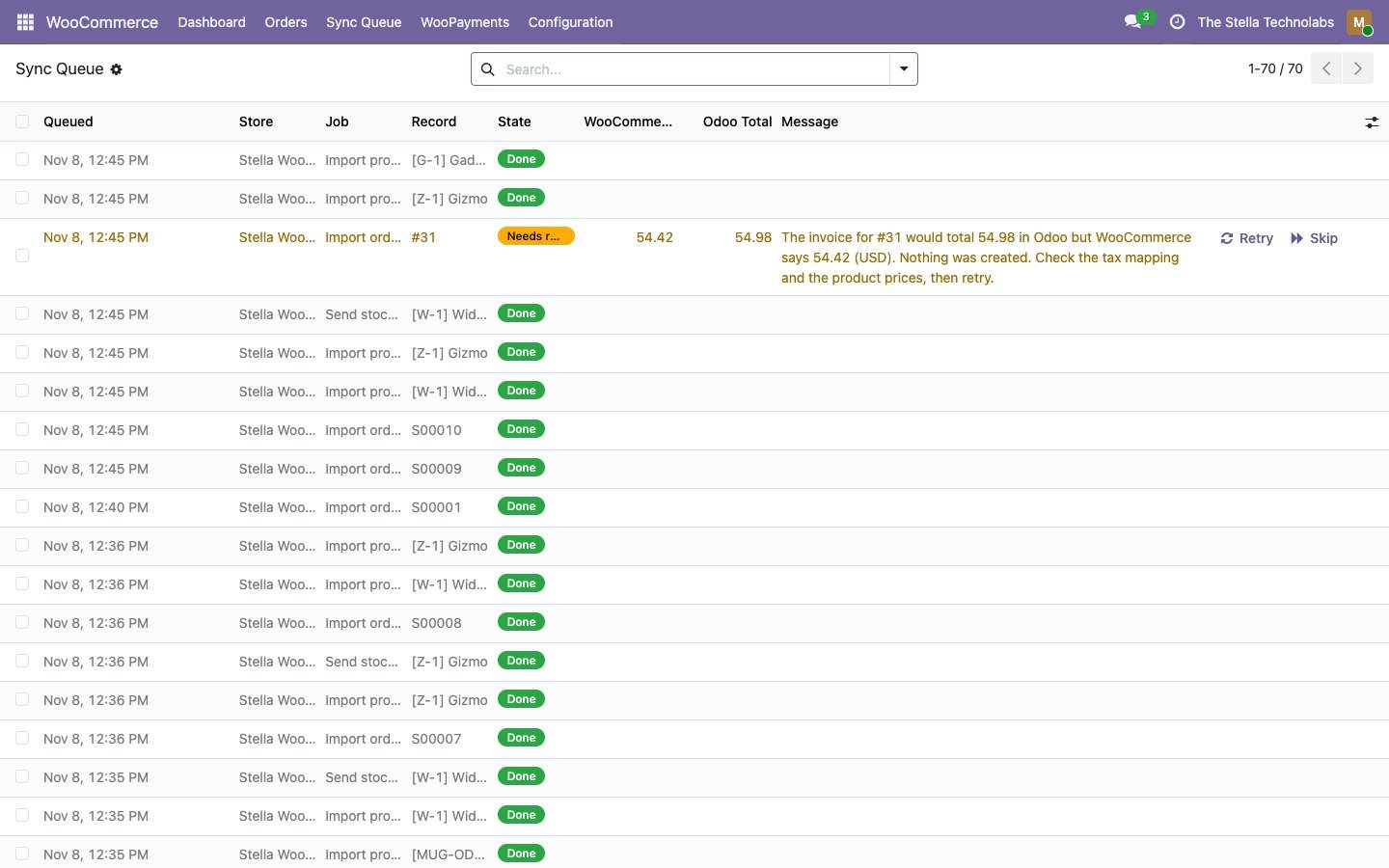
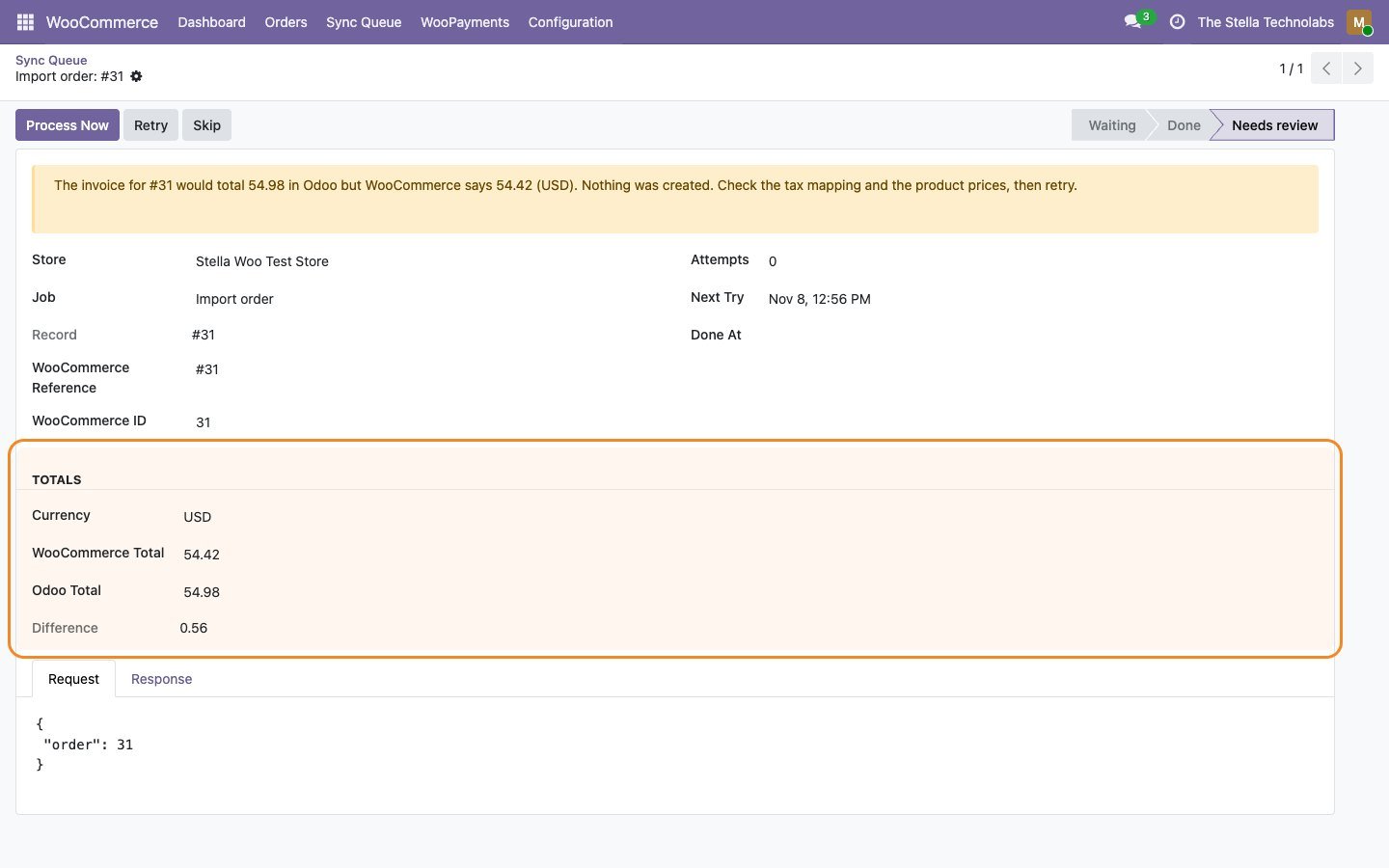
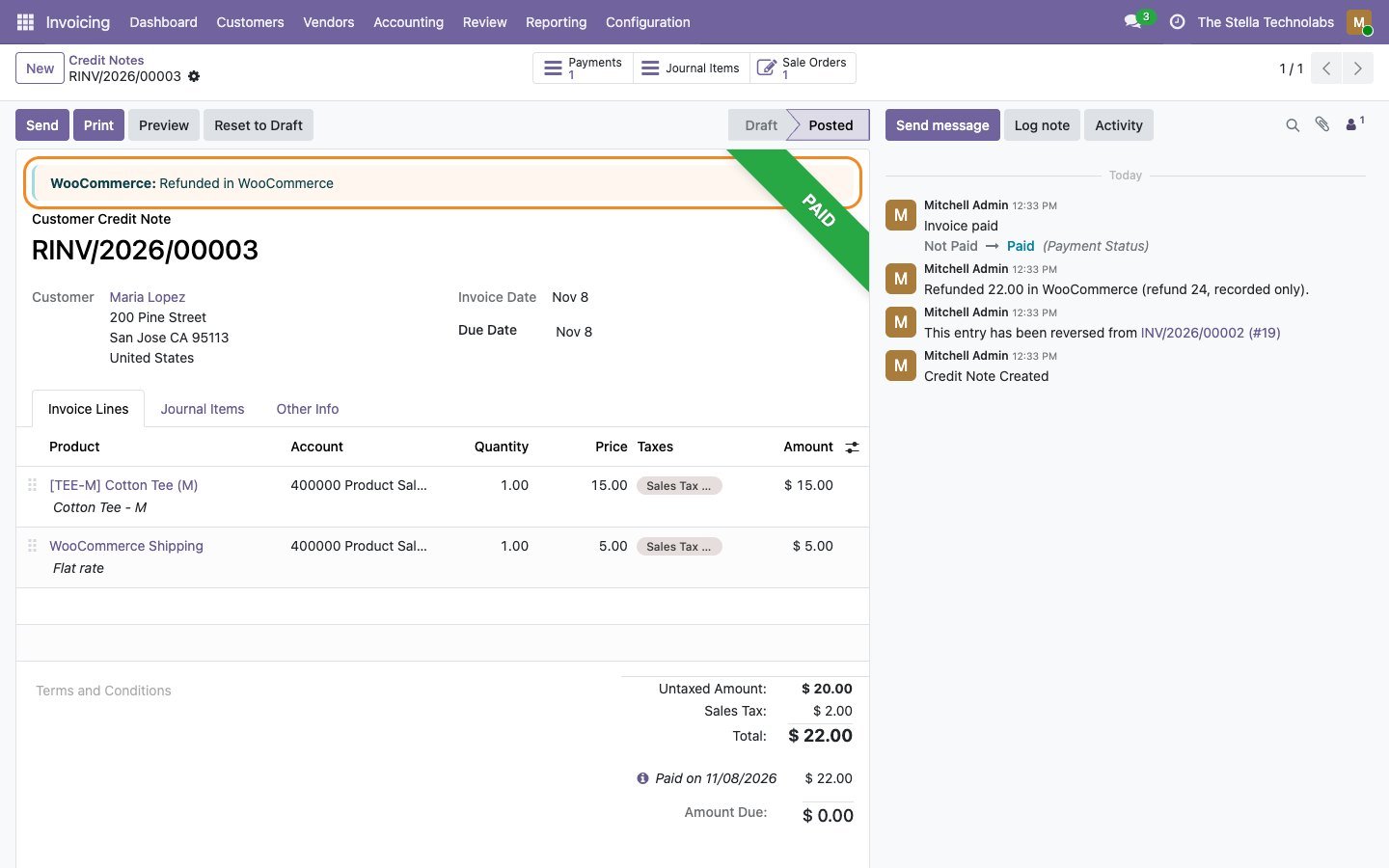
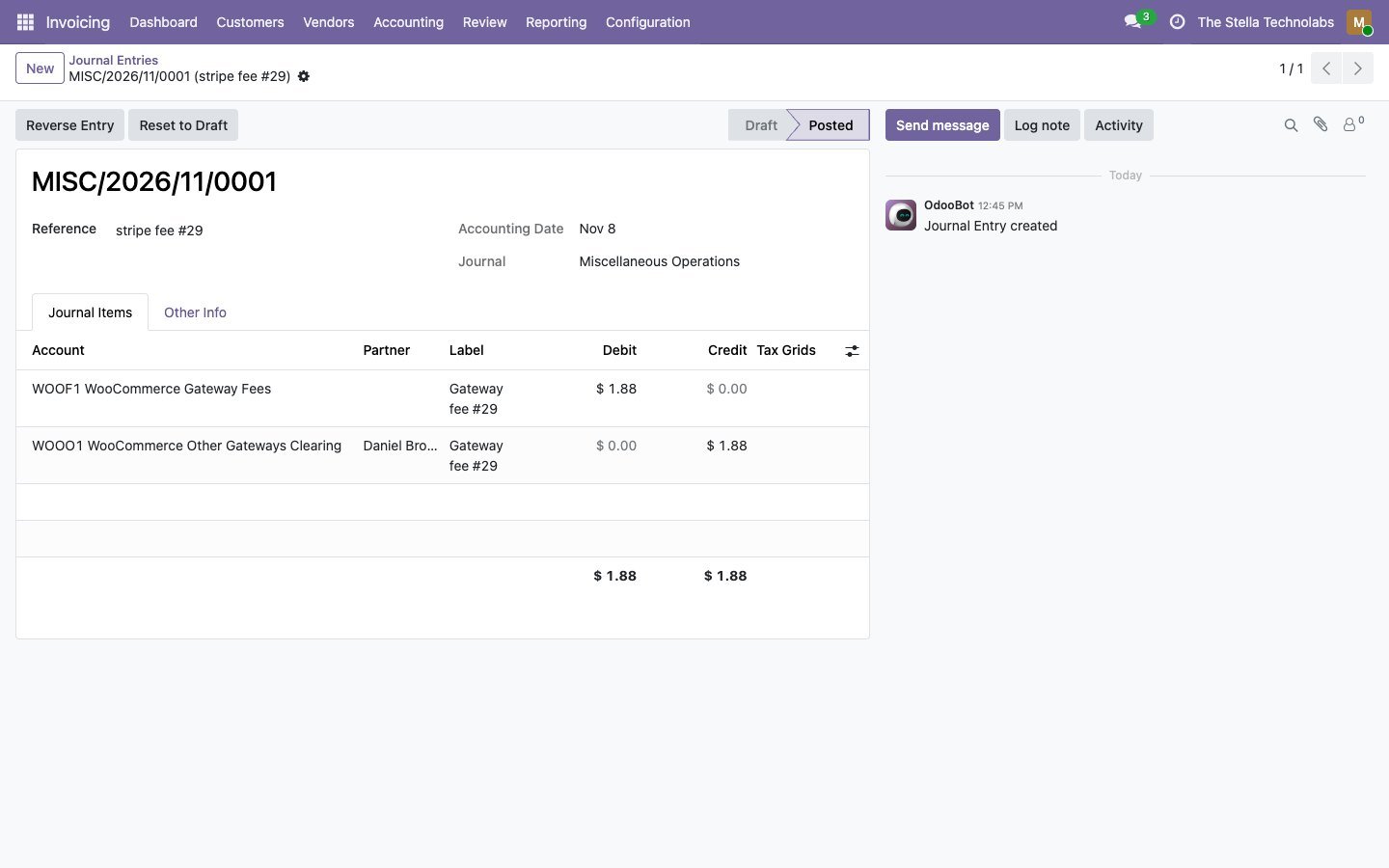
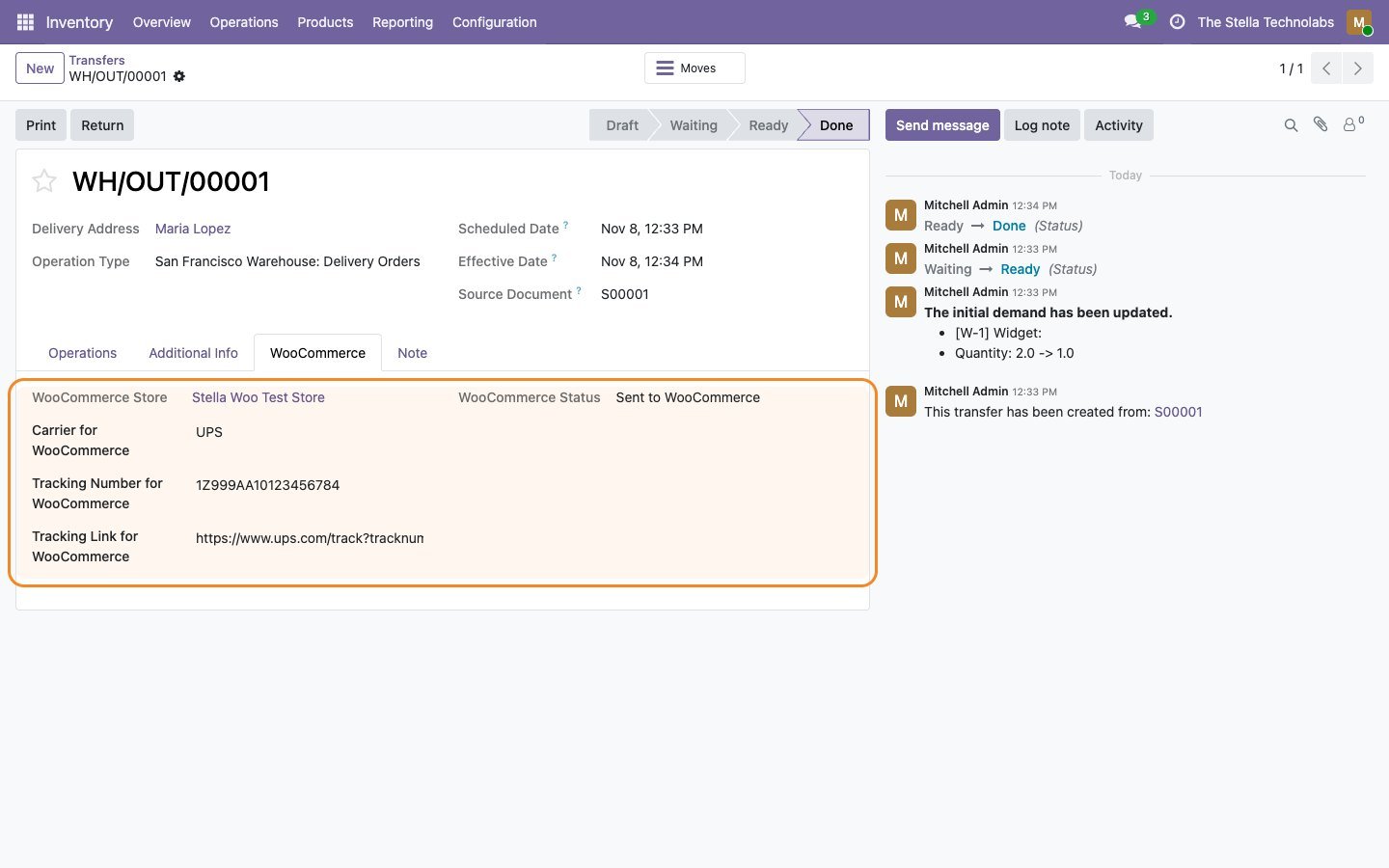
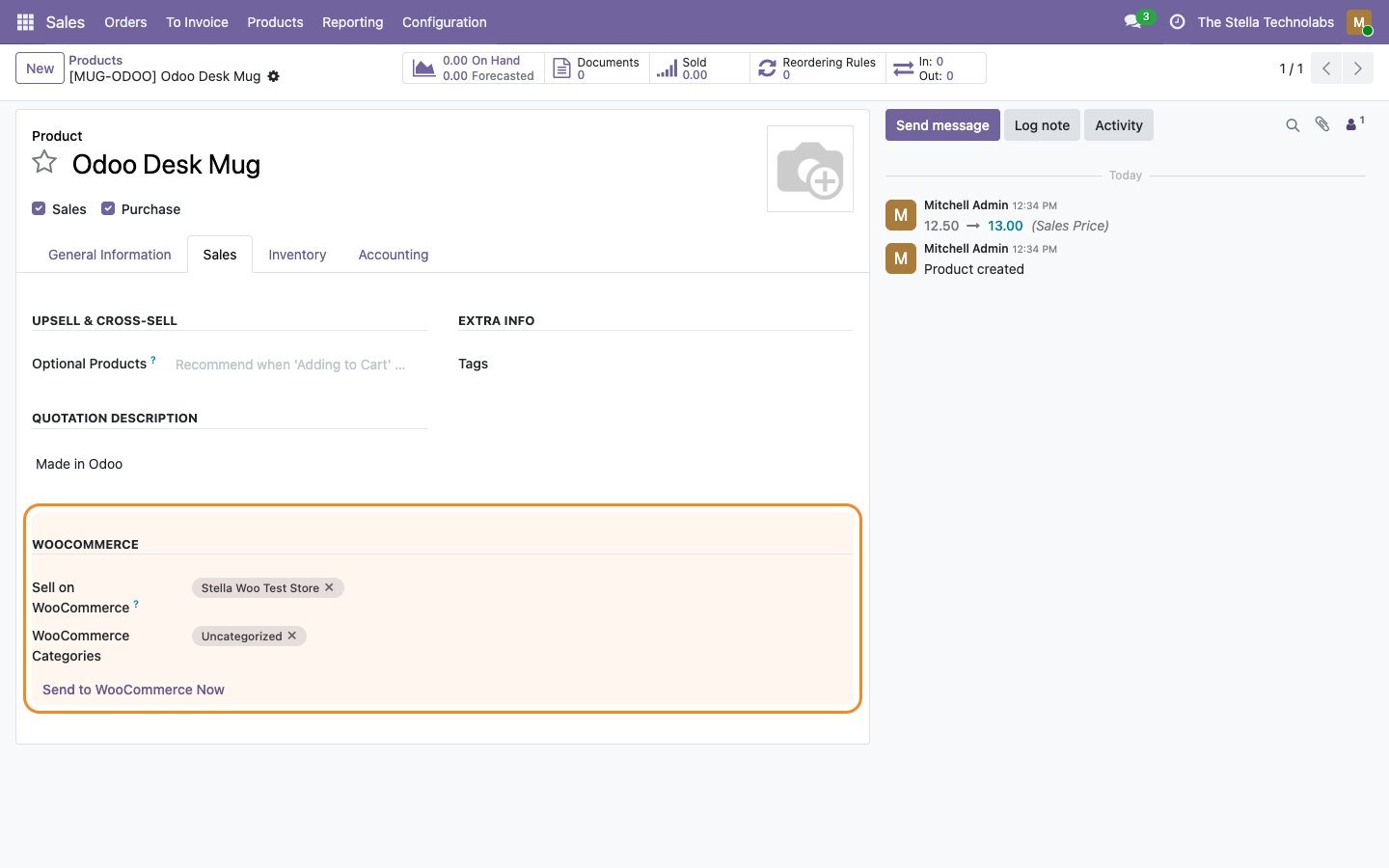
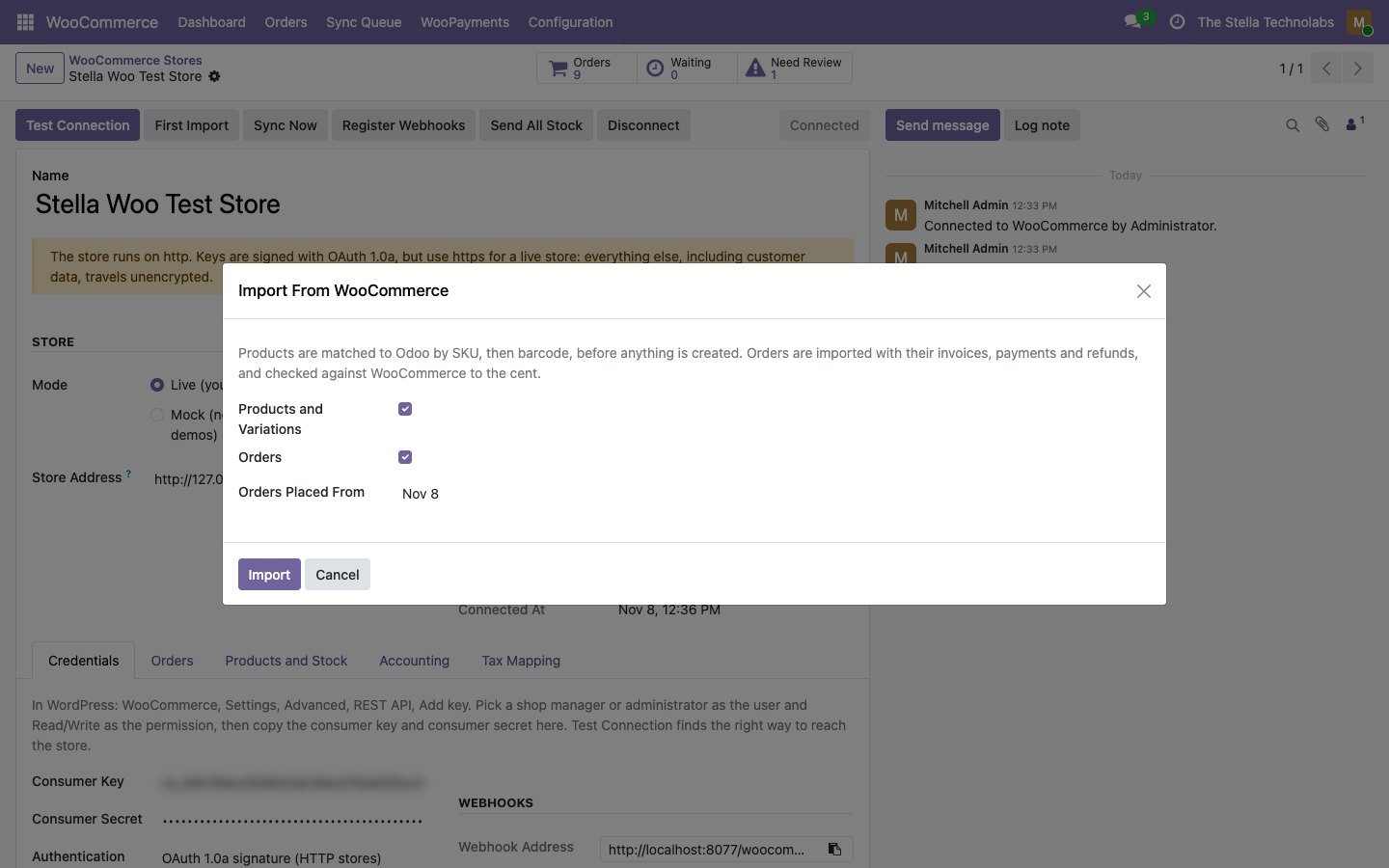
Shops selling on WooCommerce, running on Odoo
Shops that sell on WooCommerce and run stock, invoicing and accounting in Odoo, and want the two to agree without exports or manual entry.
This module extends standard Odoo Sales, Inventory and Invoicing. It does not replace or debrand any native feature. WooCommerce and WordPress are trademarks of their respective owners, and this module is not made or endorsed by them.
Ready to tie WooCommerce and Odoo together?
Get it on the Odoo Apps Store, or talk to us first about your taxes, gateways and warehouses.
Questions, answered
Do I need another module or engine to make it work?
No. Many WooCommerce connectors need a separate base module or engine before they work. This one is complete on its own, and it is one module with nothing else to buy.
What happens when the totals do not match?
Each invoice is compared with WooCommerce before it is posted. A one cent tax rounding is corrected automatically. A real difference waits in the queue with both totals shown, and nothing is created.
How are taxes handled?
Every WooCommerce tax rate is mapped to an Odoo tax, with a suggestion offered. An unmapped rate holds the order rather than quietly creating a new tax. Prices with or without tax both work.
What happens to the fee my payment gateway keeps?
The fee kept by WooPayments, Stripe or PayPal Payments is posted to your fees account, so the clearing account holds what will really be paid out. WooPayments deposits arrive as bank statement lines, ready to reconcile.
Can I refund from Odoo rather than from the store?
Yes, optionally. You can refund a credit note in WooCommerce and choose each time whether the gateway returns the money or the refund is only recorded. Odoo checks what is still refundable first.
Can I try it before connecting a live store?
Yes. Mock mode runs without a store, so you can use it for demos and training. Every exchange is logged with the request and the answer, and items can be retried or skipped.