Keep Odoo and Xero in sync, to the cent
Run sales, stock, manufacturing and the point of sale in Odoo while your accountant keeps the books in Xero. This connector sends your Odoo accounting into Xero the way an accountant expects it, and nothing is sent unless it ties to the cent.
Invoices, bills and credit notes, payments and allocations, cost of goods sold journals and point of sale sessions, with guided mapping and a sync queue.
Your Odoo books, the way Xero expects
The connector sends each document with the right accounts and tax rates, and holds anything that would not reconcile, so your Xero stays clean.
Everything that matters
Invoices, bills and credit notes, every payment and allocation, and the entries Xero never sees on its own such as cost of goods sold and stock valuation.
Only when it ties out
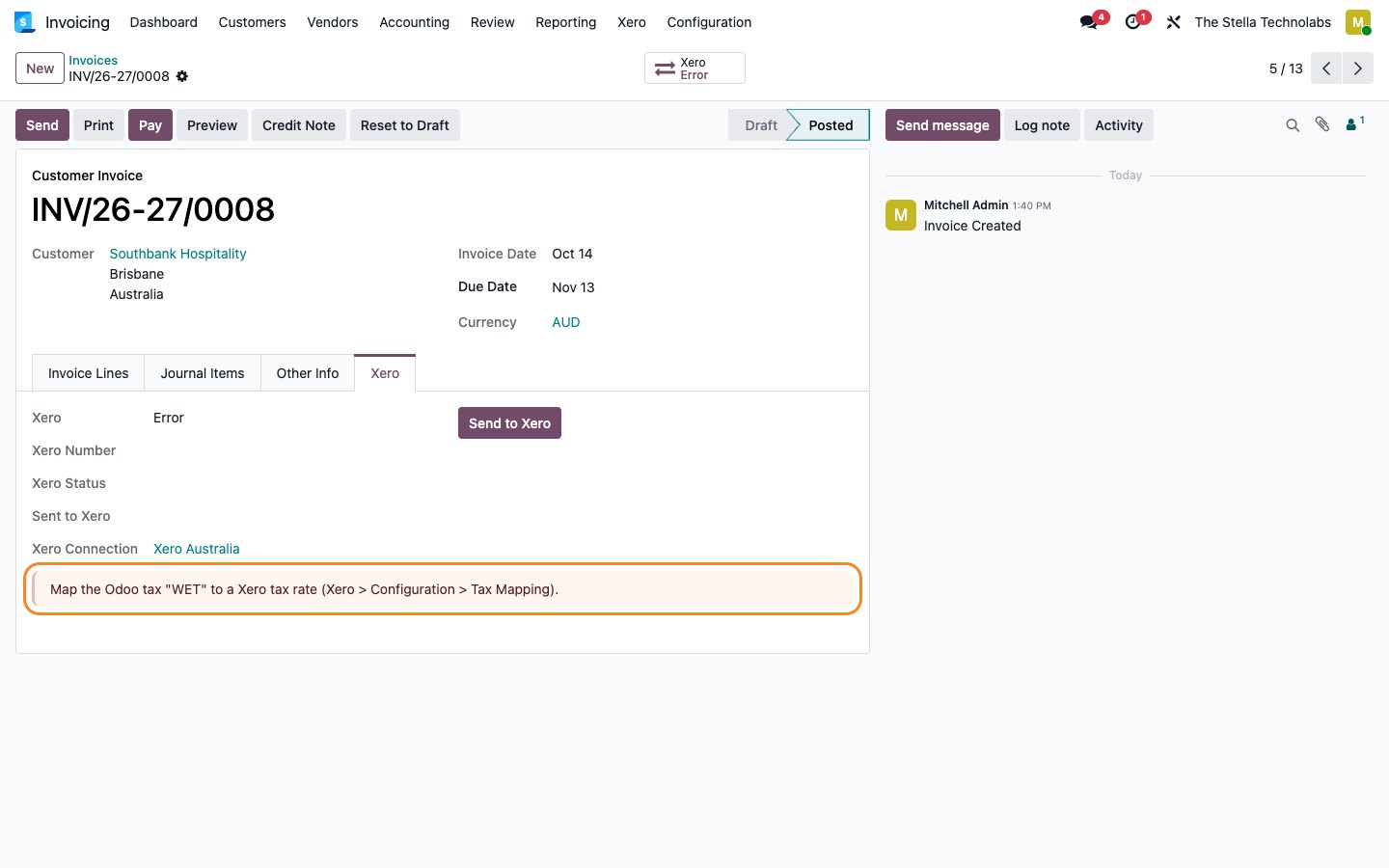
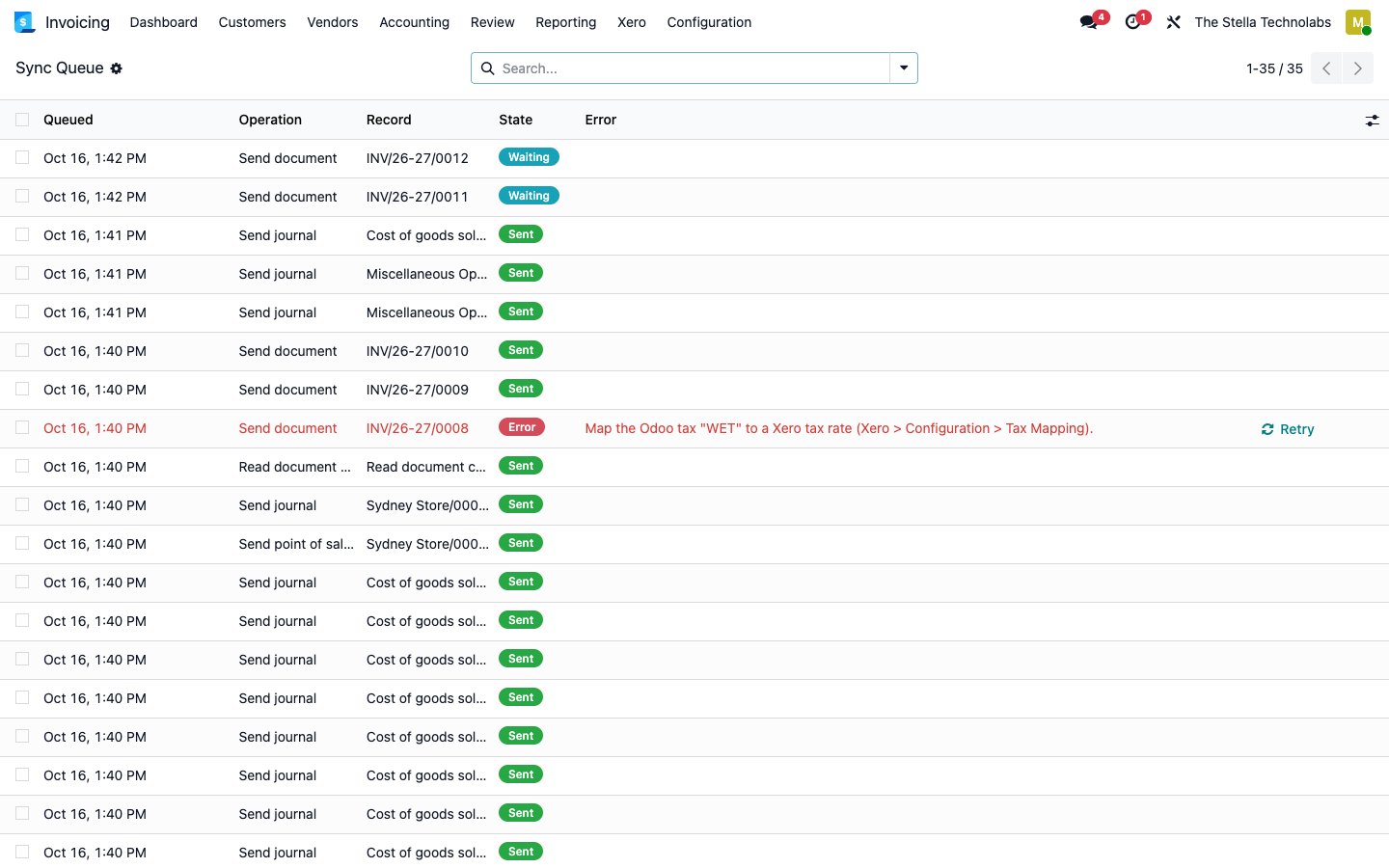
Nothing is sent unless it totals the same in Xero. If a document would differ, it waits in the sync queue with a clear message.
Built for a clean connection
OAuth with granular scopes and Xero Custom Connections, signed webhooks, rate limit awareness and a mock mode for training.
Everything the connector does
Every capability below is in the published app, nothing added.
Invoices, bills and credit notes
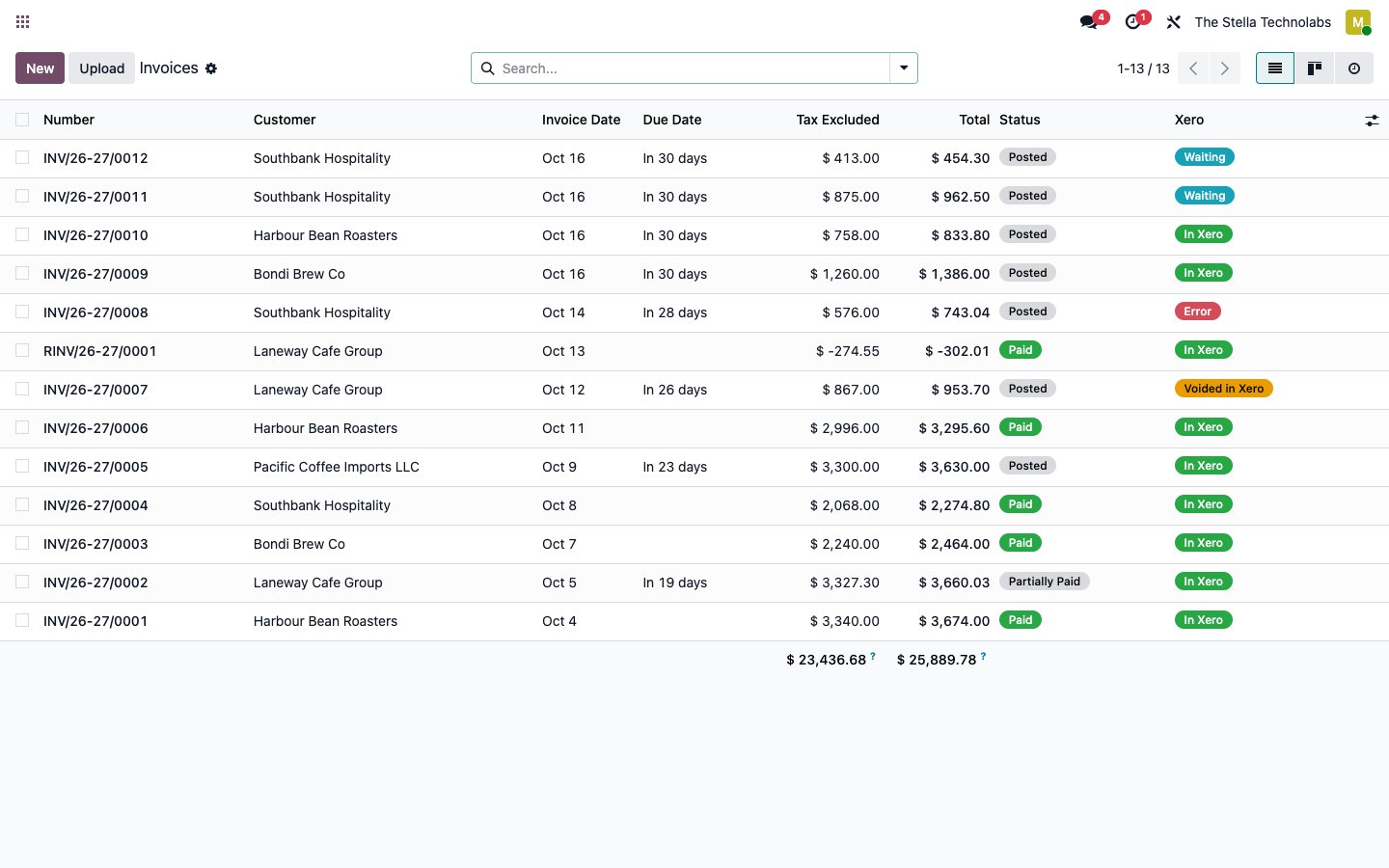
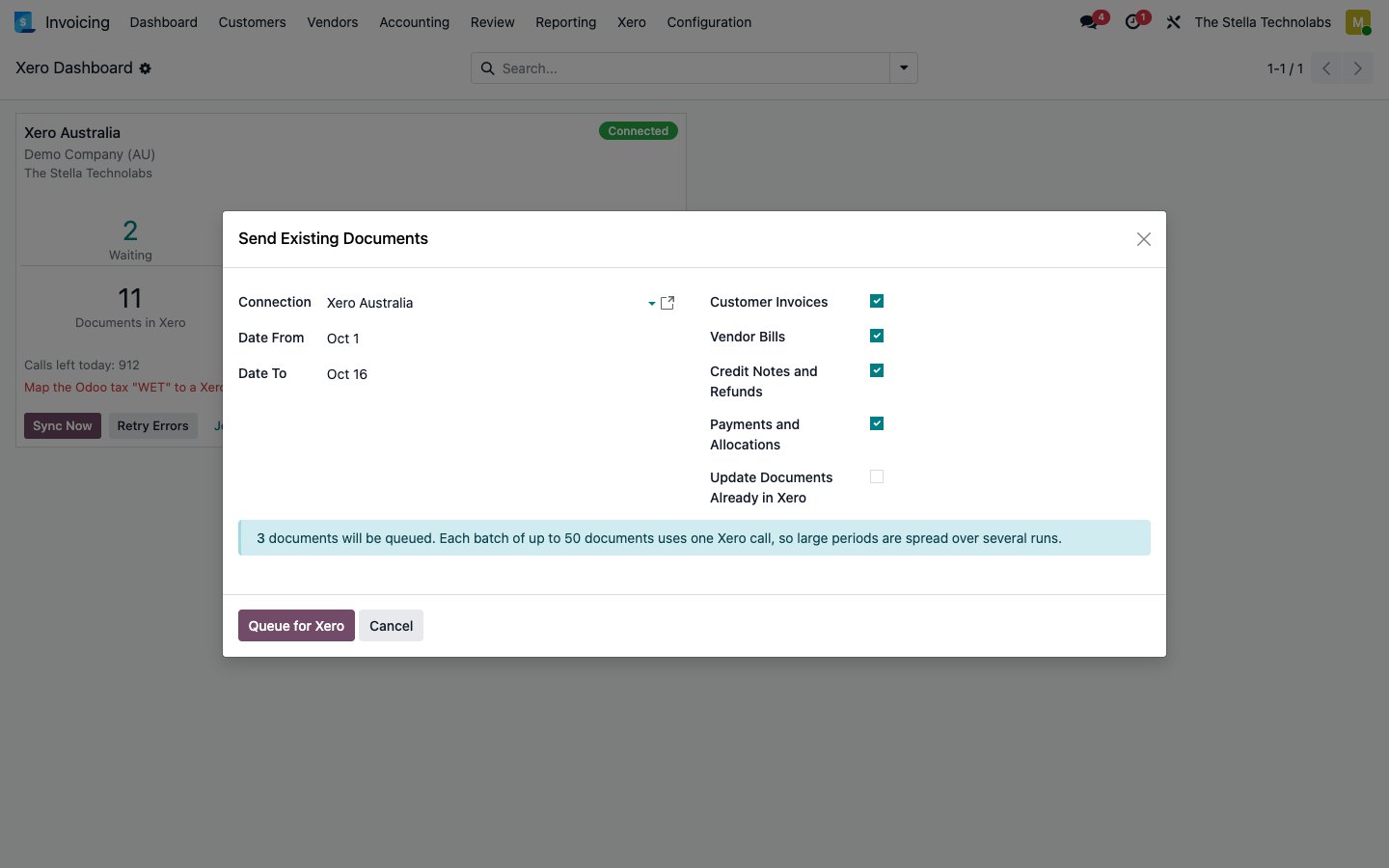
Customer invoices, vendor bills and credit notes sent when posted, in batches, with the right accounts and tax rates.
Payments both ways
Payments, partial payments, payments across several invoices and credit note allocations. Payments entered in Xero come back and reconcile the invoice in Odoo.
Cost of goods sold journals
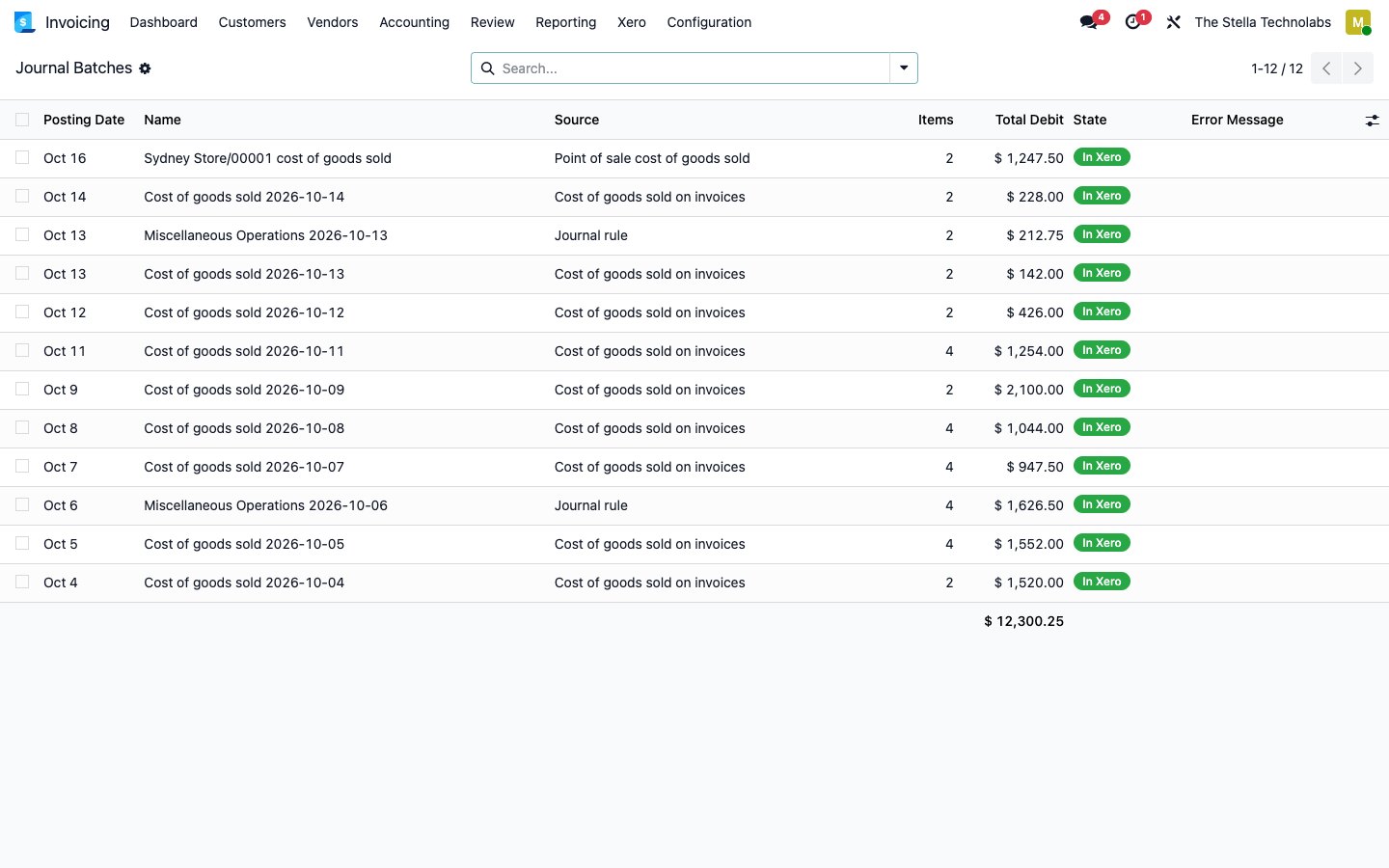
Cost of goods sold and any miscellaneous journal, such as inventory valuation, manufacturing, depreciation and payroll, sent as daily or monthly Xero manual journals.
Point of sale sessions
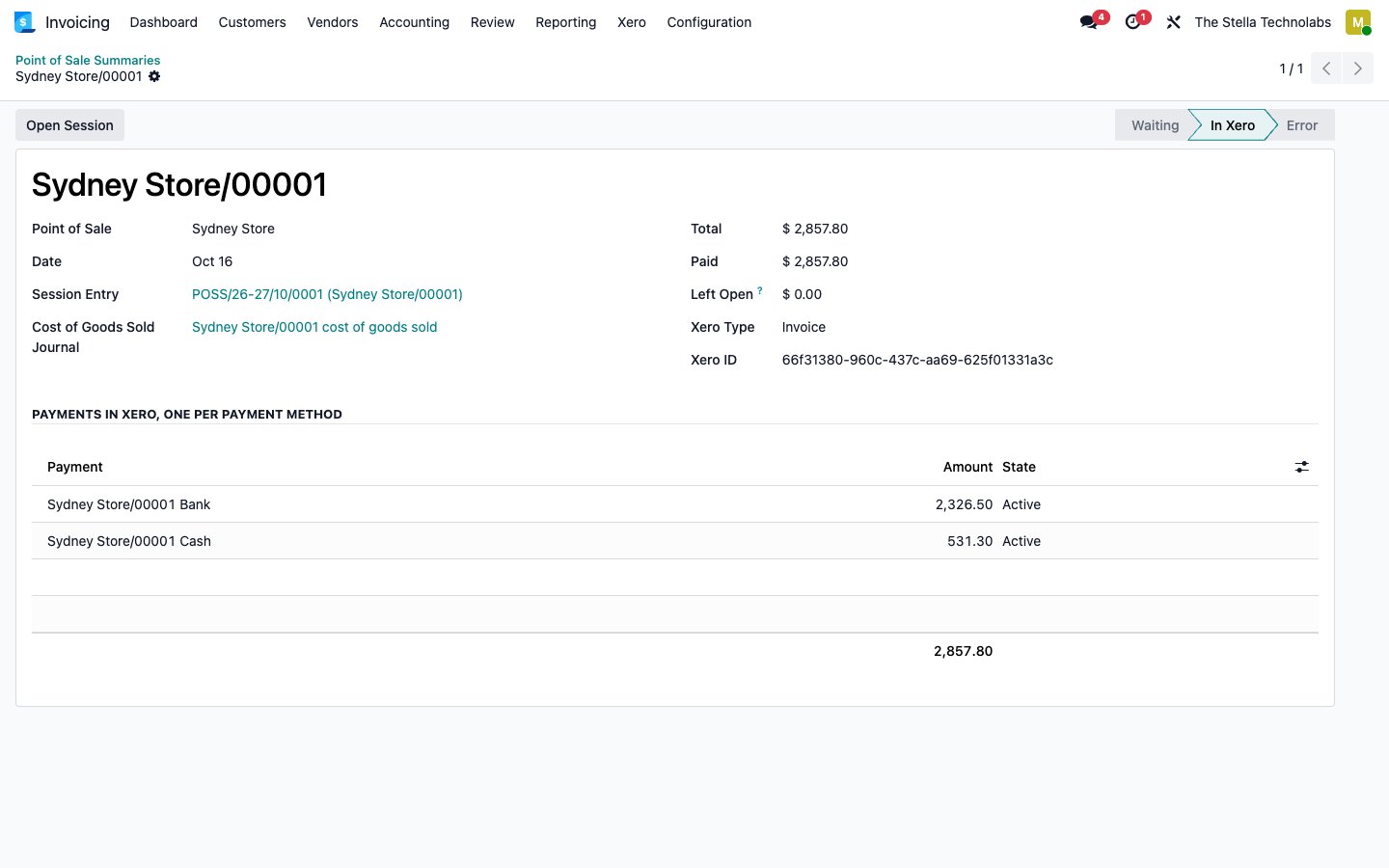
Each session summarised as one Xero invoice with one payment per payment method, so every payment matches the bank deposit.
Guided mapping
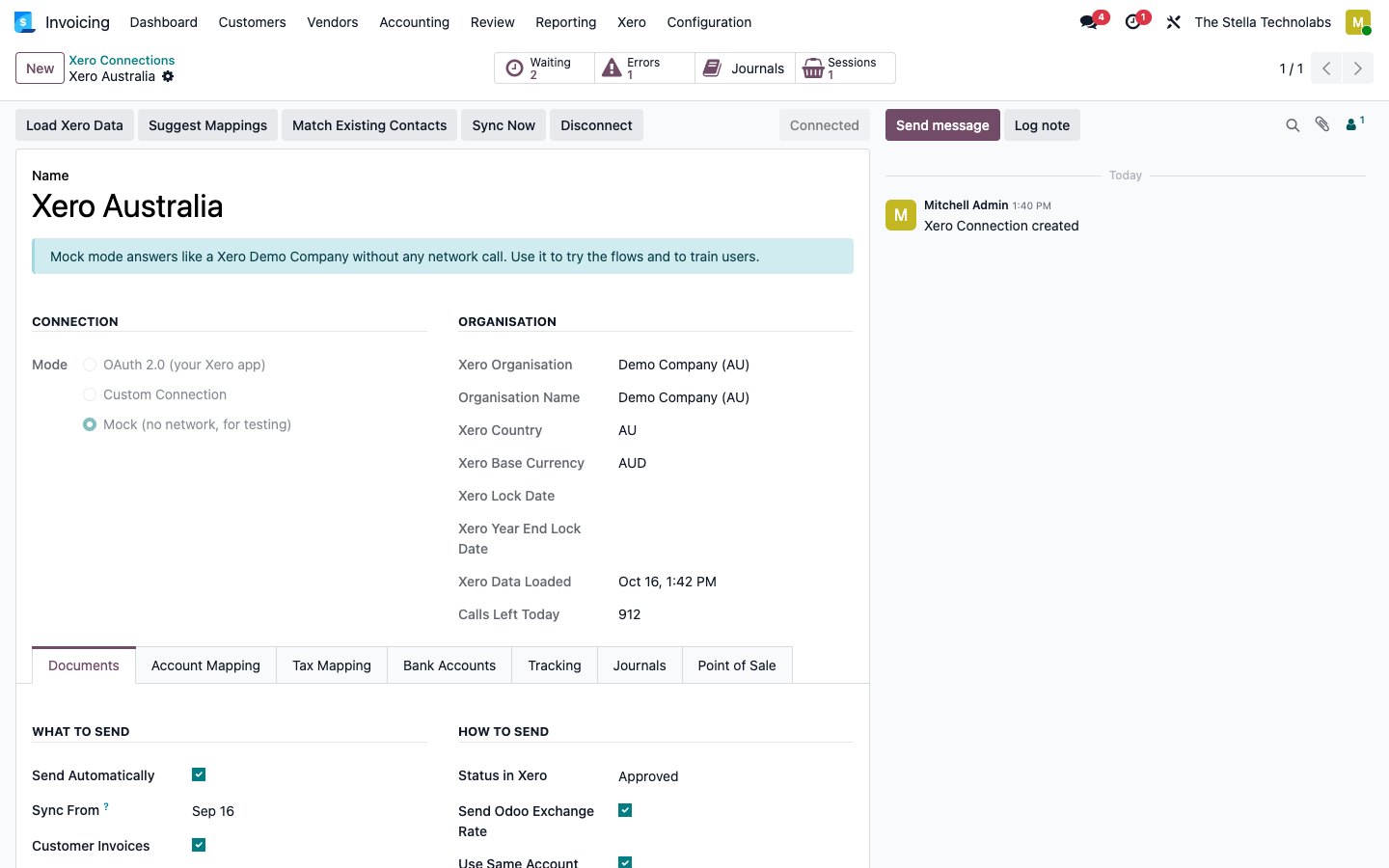
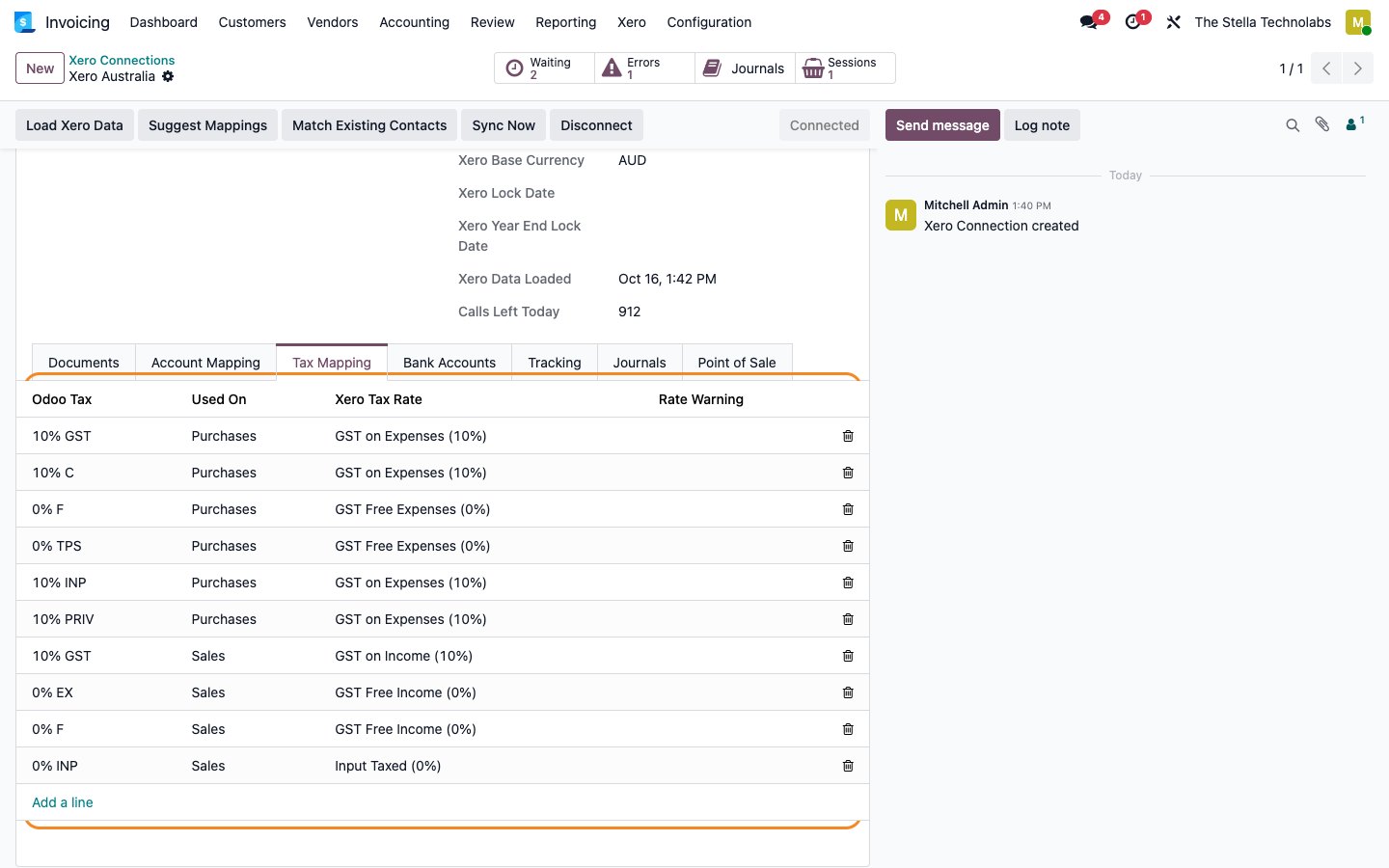
Map accounts, tax rates, bank accounts and up to two analytic plans to Xero tracking categories, with suggestions for Australia, New Zealand and the United Kingdom.
Sync queue and lock date
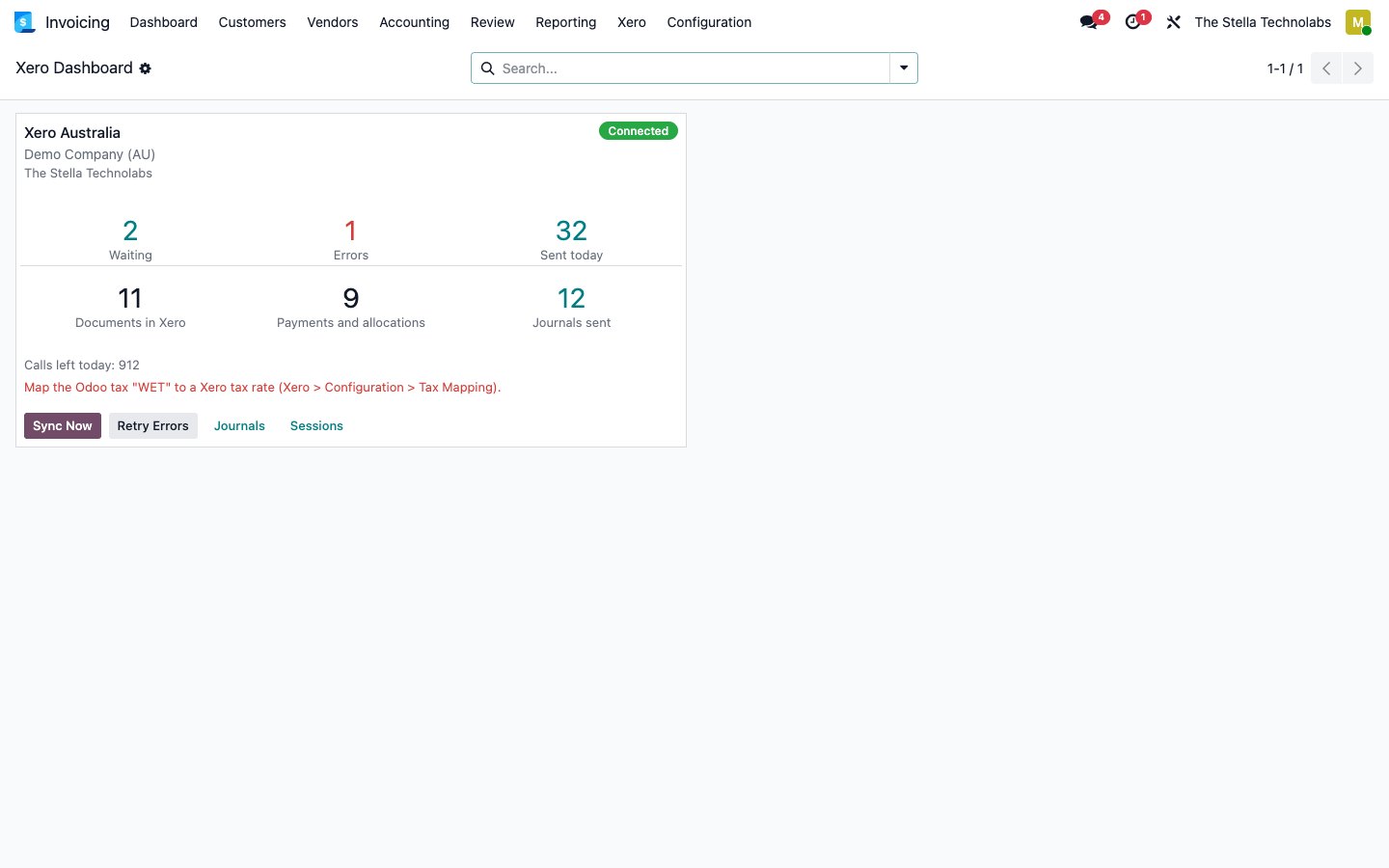
A sync queue with status, Xero response, retry and skip and a dashboard per organisation. The connector respects the Xero lock date and reports or moves the entry to the first open day.
From posted document to reconciled in Xero
You keep working in Odoo. The connector carries the accounting across and keeps it tied out.
Connect and map
Connect with OAuth and map your accounts, tax rates, bank accounts and analytic plans, with suggestions for your region.
Post in Odoo
Post an invoice, bill, credit note or close a point of sale session as you normally would.
Send when it ties
The connector sends it to Xero only when it totals the same, and holds anything that would not reconcile with a clear message.
Reconcile both ways
Payments made in Xero come back into Odoo and reconcile the invoice, and the sync queue shows the status of everything.
Clean books, no surprises
The connector is built so your accountant trusts every figure that lands in Xero.
- Send each document with the right accounts and tax rates.
- Hold anything that would not reconcile, with a clear reason.
- Respect the Xero lock date, reporting or moving to the first open day.
- Follow Xero rate limits and the daily call budget of the free tier.
- Keep one Xero organisation per Odoo company, with multi currency.
A closer look
Click any screen to open it full size.
For teams on Odoo whose books live in Xero
Especially tuned for Australia, New Zealand and the United Kingdom.
Retail and eCommerce
Push sales, point of sale and stock accounting into Xero accurately.
Manufacturing and stock
Send cost of goods sold, valuation and manufacturing journals as clean summaries.
Accountant led businesses
Let your accountant keep Xero while your operations run in Odoo.
Xero Accounting Connector extends standard Odoo Accounting and Point of Sale. It does not replace or debrand any native feature. It sends your invoices, payments, journals and point of sale sessions to Xero on top of the accounting you already keep.
Ready to tie Odoo and Xero together?
Tell us about your accounts and your Xero setup and we will show you the connector, set up a tailored demo and plan your rollout.
Questions, answered
Which regions is it tuned for?
The guided mapping includes account and tax suggestions for Australia, New Zealand and the United Kingdom, and it works with any Xero organisation.
What if a document would not reconcile?
It is not sent. It waits in the sync queue with a clear message, for example a tax that is not mapped, so your Xero never goes out of balance.
Do payments sync both ways?
Yes. Payments and allocations go from Odoo to Xero, and payments entered in Xero come back into Odoo and reconcile the invoice.
How are point of sale and cost of goods sold handled?
Point of sale sessions become one Xero invoice with one payment per method, and cost of goods sold and other journals are sent as daily or monthly Xero manual journals.
Does it respect the Xero lock date?
Yes. It stops and reports, or moves the entry to the first open day, so it never posts into a locked period.