Design labels in Odoo. Print them as ZPL or PDF.
Build your own product, lot, package and shipping labels with drag and drop, then print the same design as ZPL on thermal label printers or as a PDF on any printer. No outside designer, no API key to hand over, no online converter.
Text, fields, barcodes, QR codes and DataMatrix on a canvas at the real label size, previewed with real records.
Labels that fit your products, not a developer queue
Every warehouse needs labels, and Odoo's standard ones rarely fit. Changing them usually means a developer editing report templates, or exporting data to an outside label tool and hoping the barcodes come out right.
Label Designer puts the whole job inside Odoo. You draw the label at its real size, drop in fields from any record, add barcodes and QR codes, and preview it with real data. The same design prints as ZPL for Zebra and other thermal printers, or as a PDF for office printers and A4 sheets of labels.
What you see is what prints
What you see is what prints
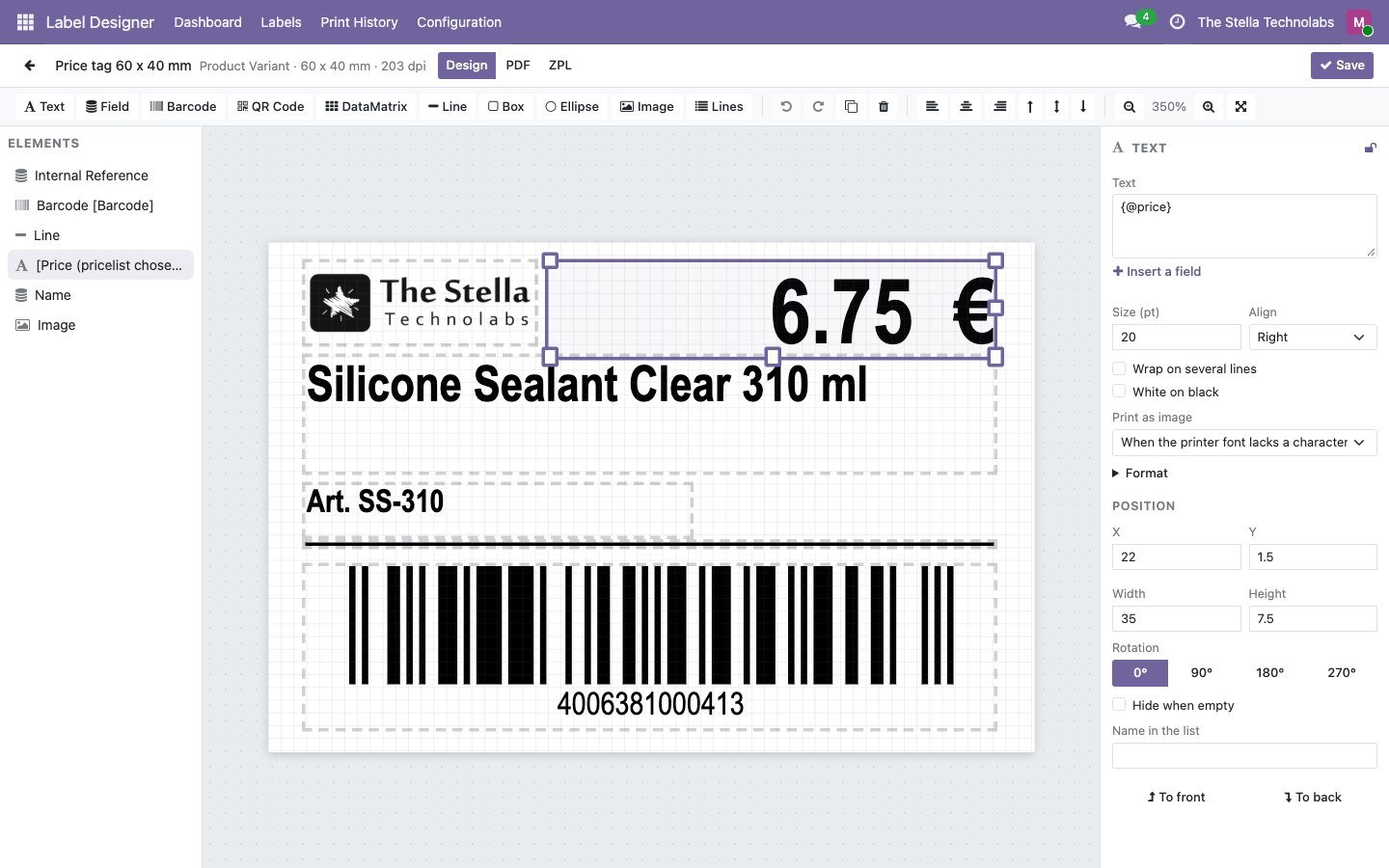
The canvas is drawn by the same engine that prints, using the values of a record you pick. No surprises on the printer.
One design, two outputs
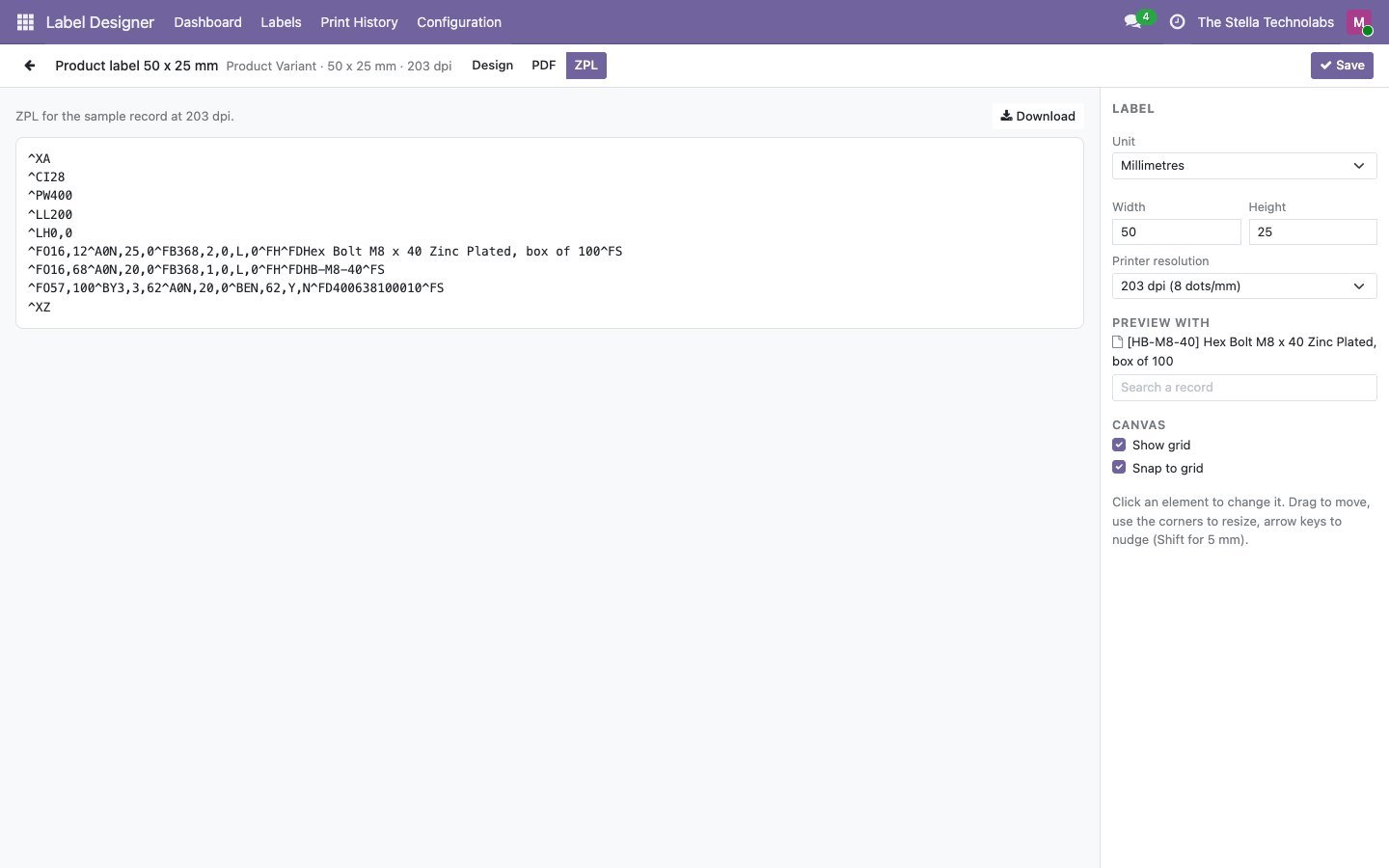
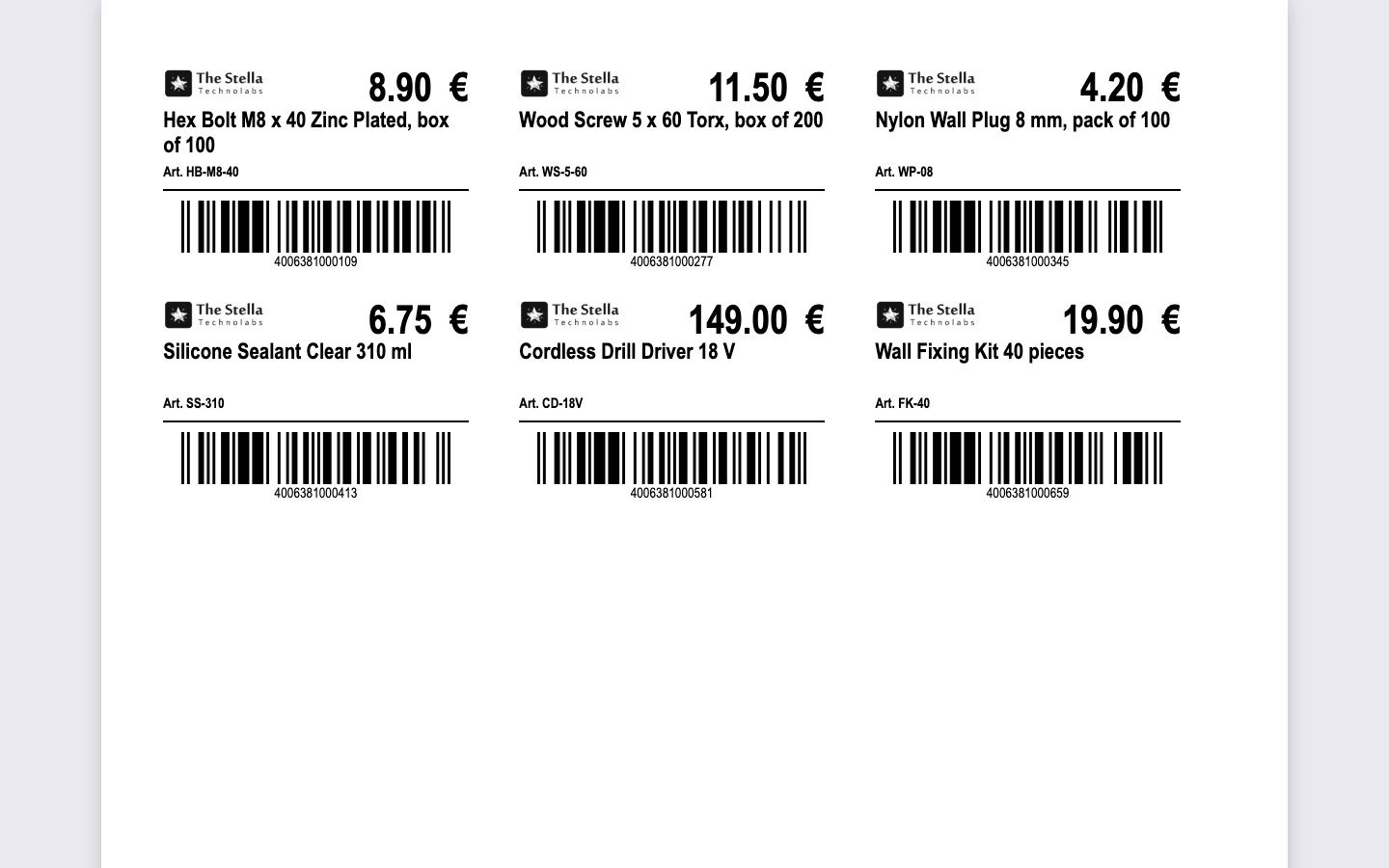
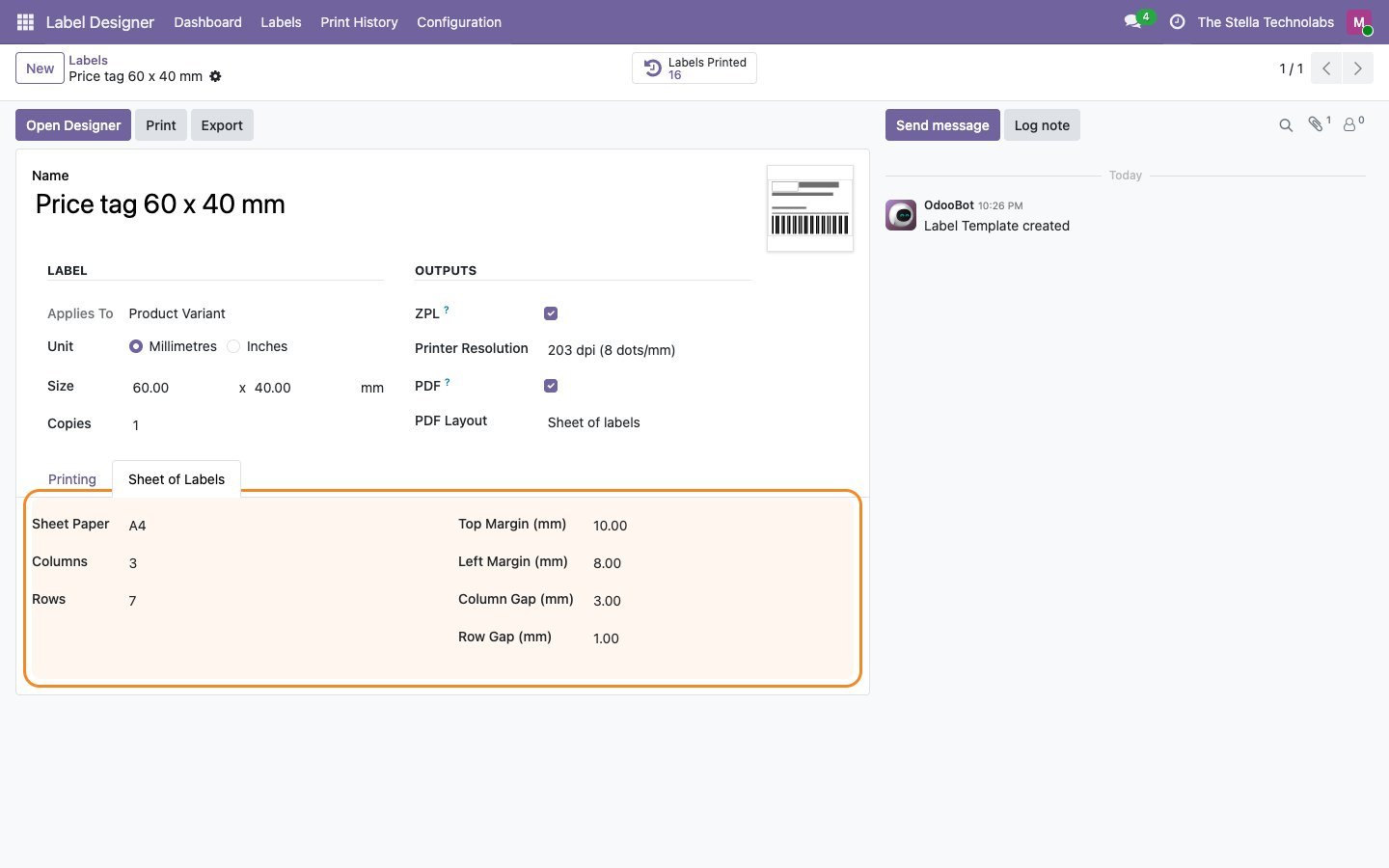
Each label prints as ZPL at 152, 203, 300 or 600 dpi, or as a PDF, one label per page or on sheets of labels.
Barcodes that are checked
Check digits are added and invalid values are flagged before printing, so a wrong value never prints a wrong barcode.
Everything stays in Odoo
No outside service, no data leaving your database, no per label fees.
Everything the designer does
Each item below is a capability of the published module.
Drag and drop designer
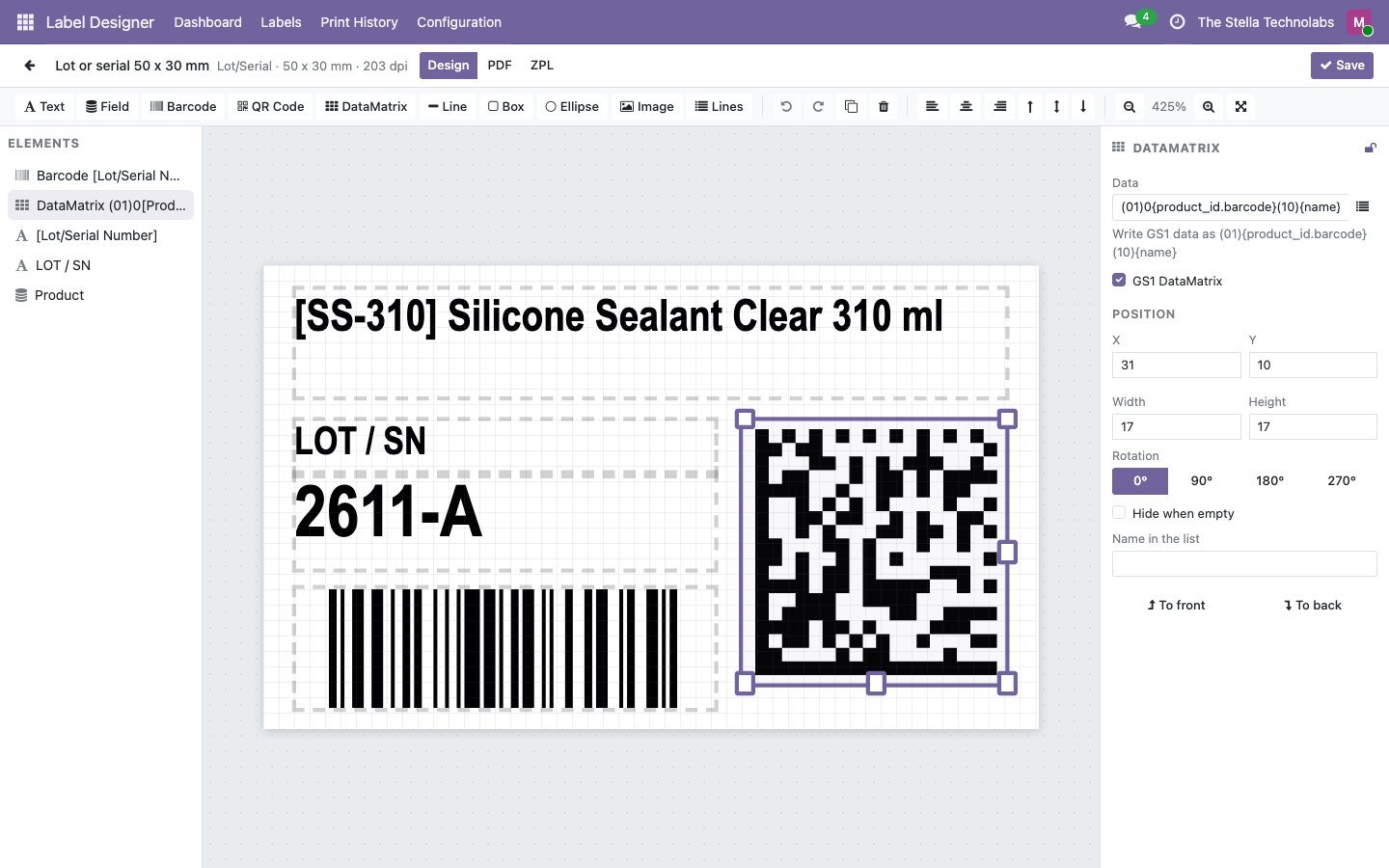
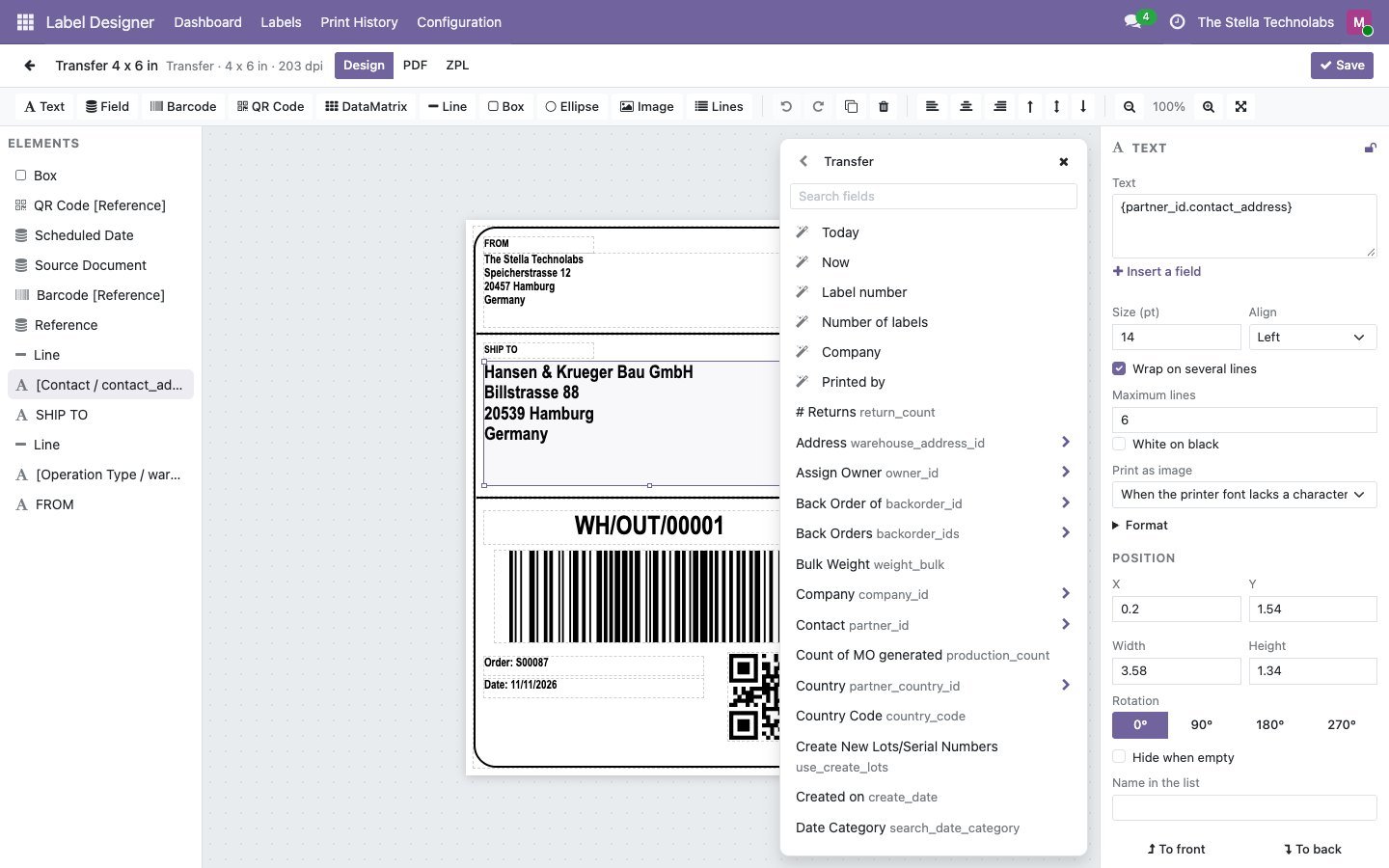
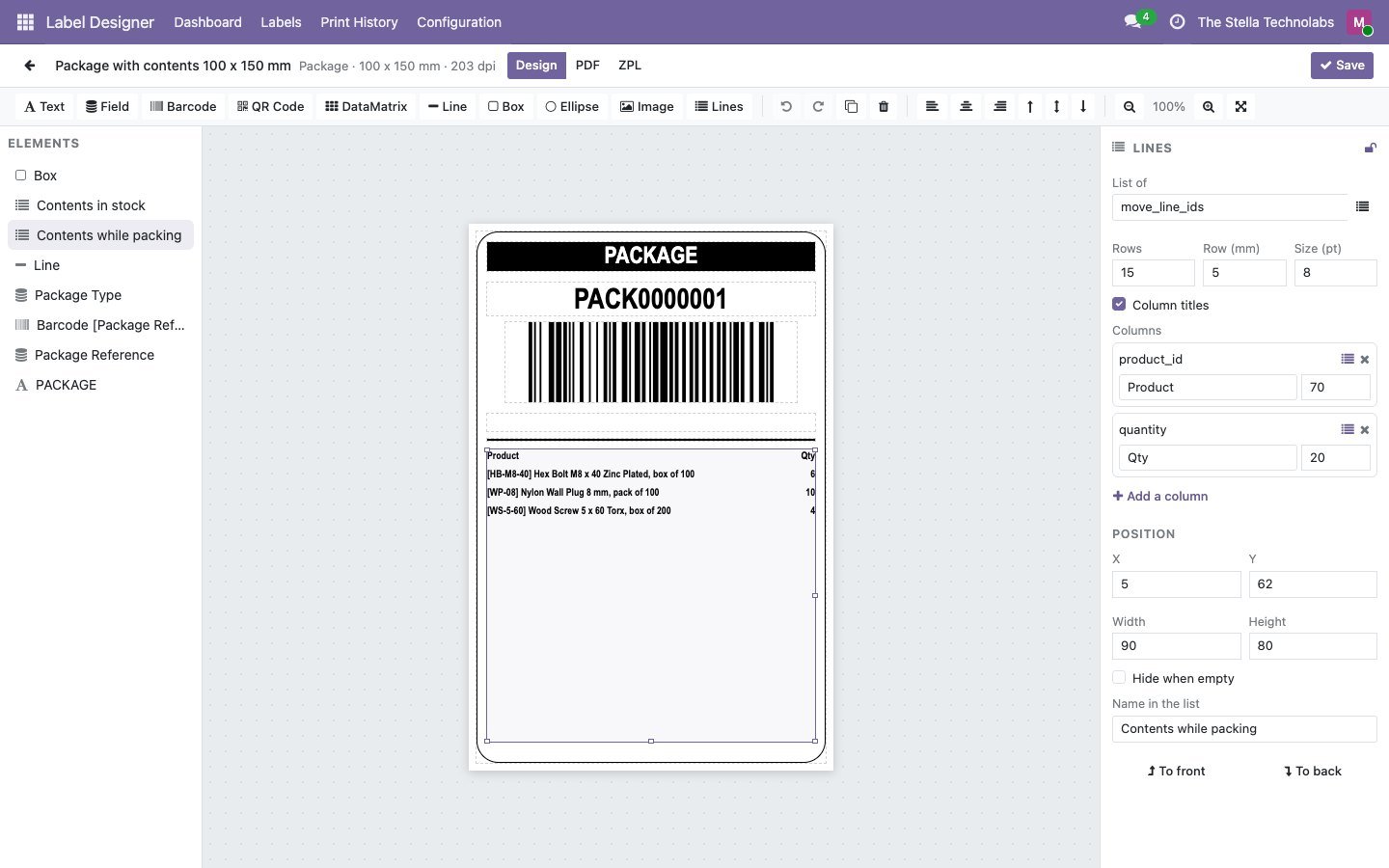
Text, record fields, barcodes, QR codes, DataMatrix, lines, boxes, ellipses and logos on a canvas at the real label size, with grid, snap, align, undo and redo.
Preview with real records
See the label filled with the values of a record you choose before printing.
ZPL and PDF from one design
ZPL for thermal label printers at 152, 203, 300 or 600 dpi, and PDF one label per page or on A4 and Letter sheets.
All the barcodes you need
Code 128, EAN-13, EAN-8, UPC-A, Code 39, GS1-128, QR code, DataMatrix and GS1 DataMatrix.
Formats without code
Decimals, currency, dates and time zones, upper case, prefixes and suffixes, length limits and text when empty, set per element.
Any language
Characters the printer font does not have, such as Cyrillic, Greek, Arabic or Hebrew, are sent as an image, with your own font if needed.
Labels for any record
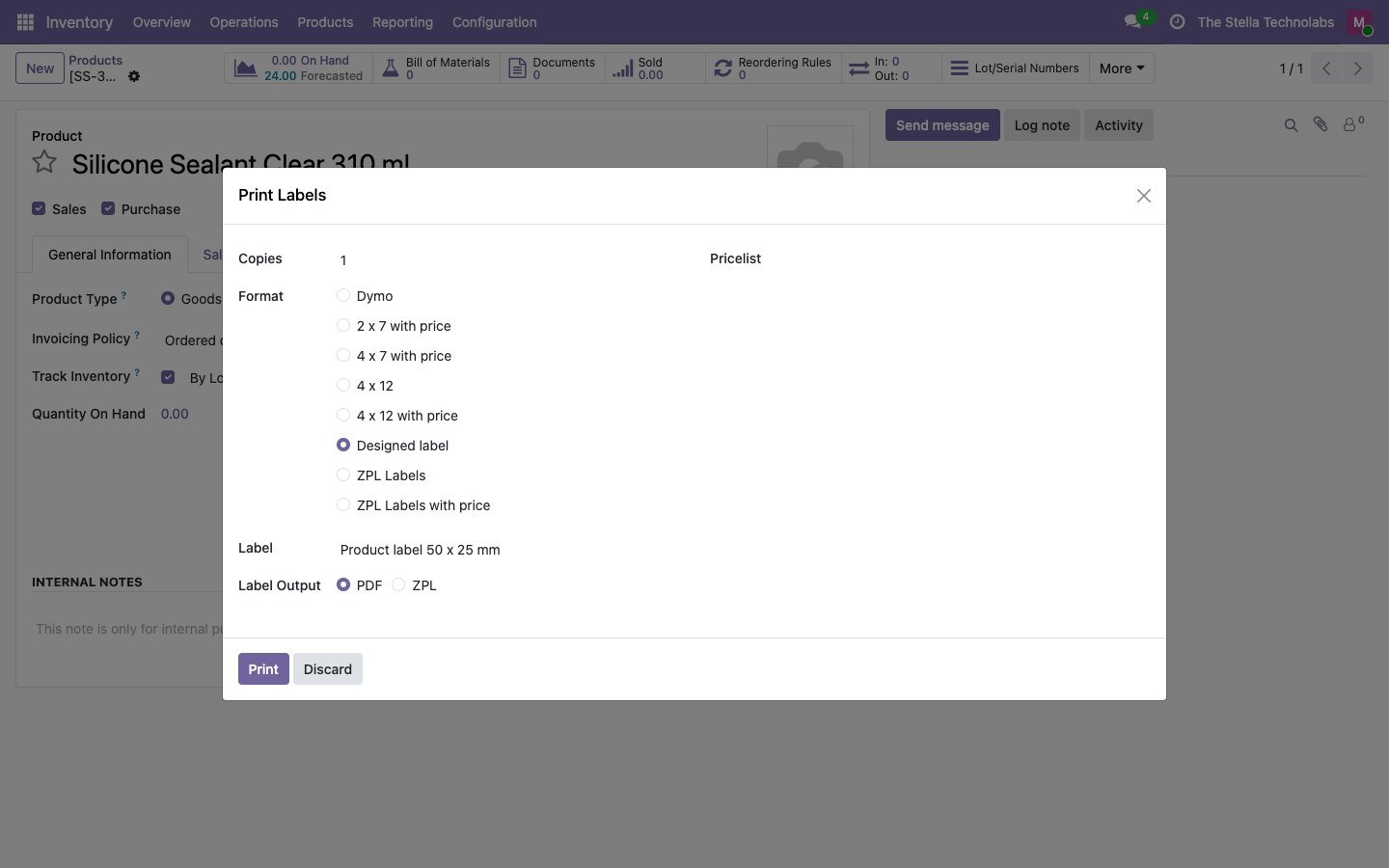
Products, lots, packages, locations, transfers, manufacturing orders, contacts or any other model, shown in its Print menu.
Lines on the label
List the contents of a package or the lines of an order, with the columns and row count you choose.
Ready templates
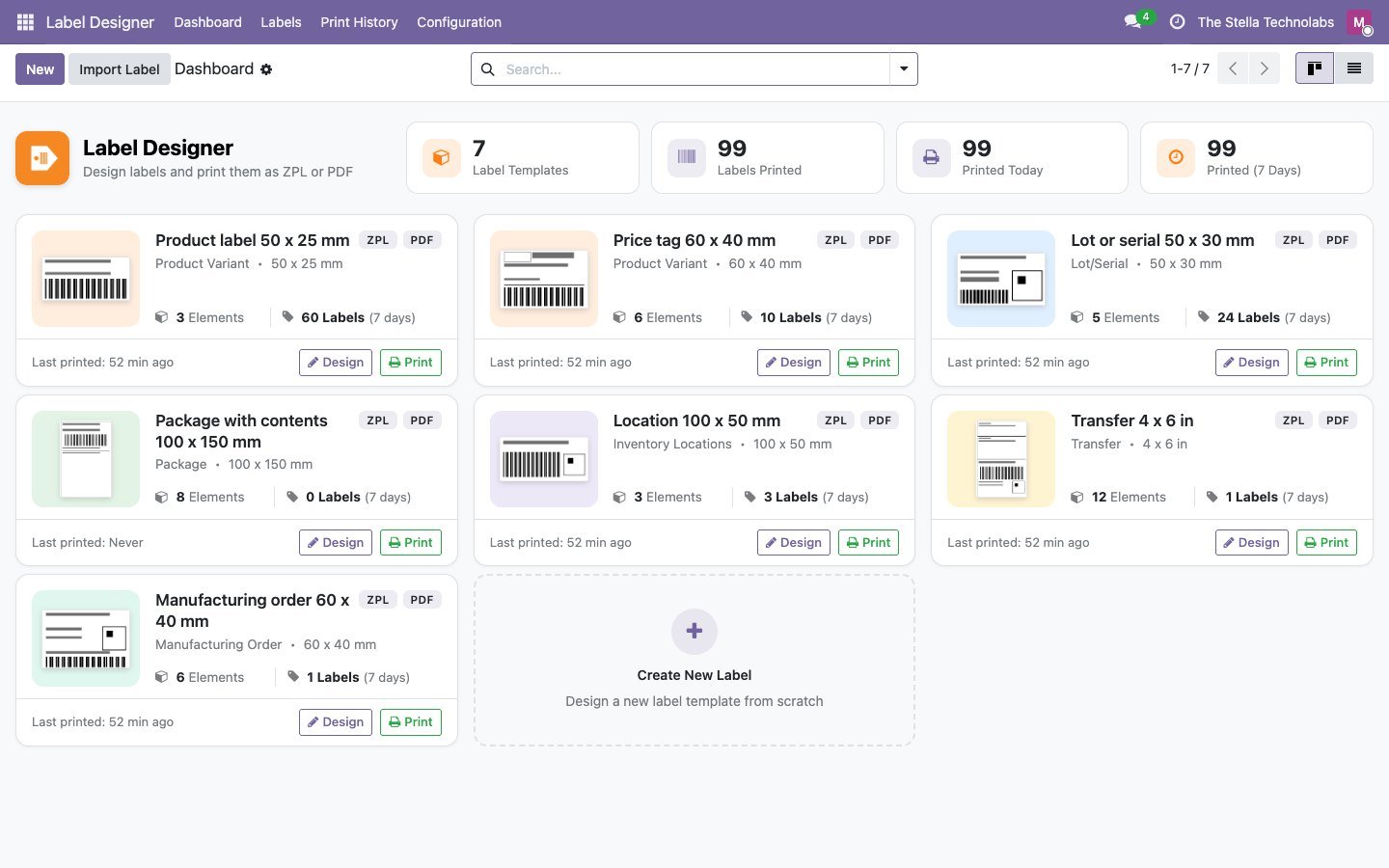
Product label, price tag, lot label with GS1 DataMatrix, package with contents, location label, 4 x 6 transfer label and manufacturing order label.
Built into Odoo printing
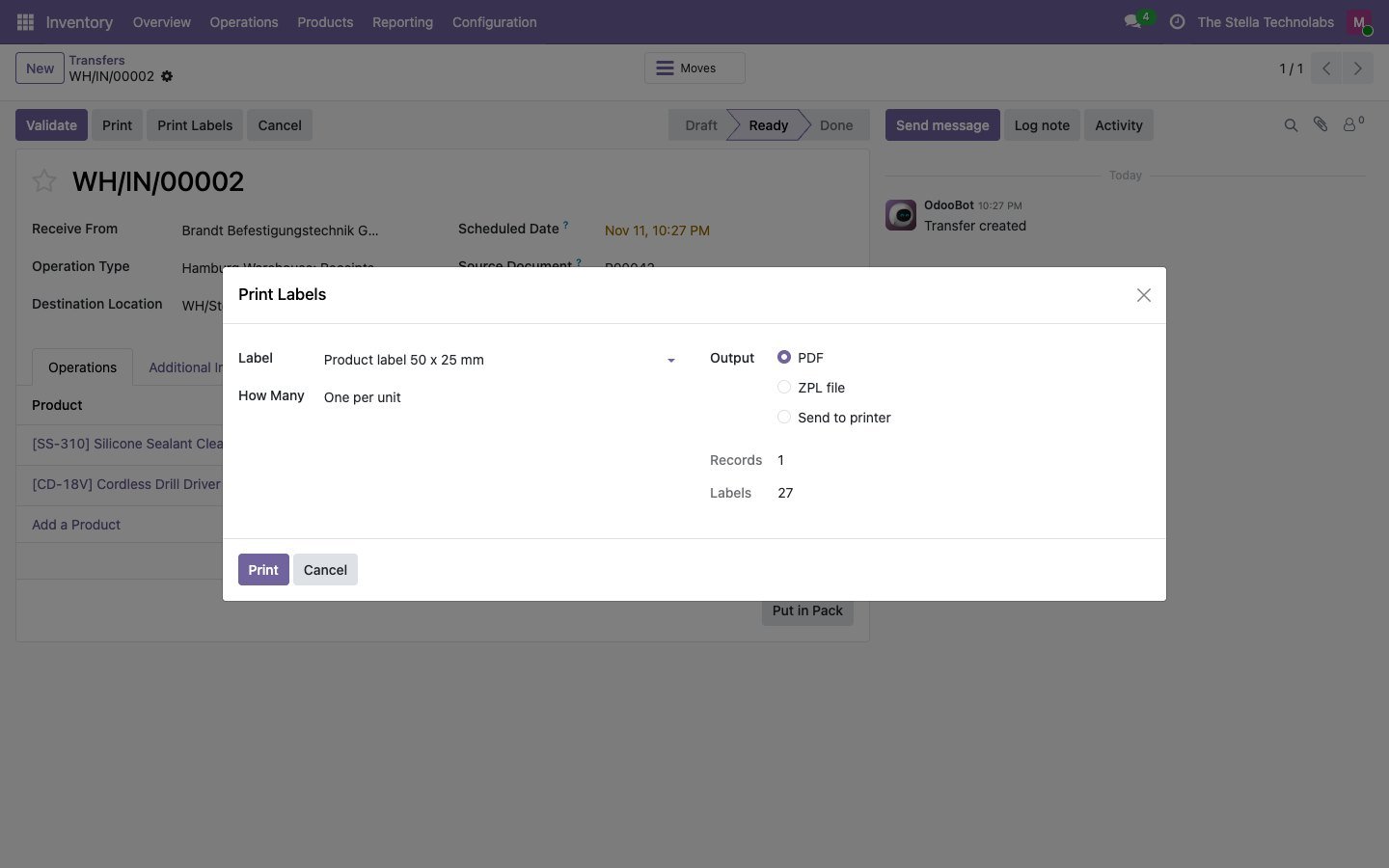
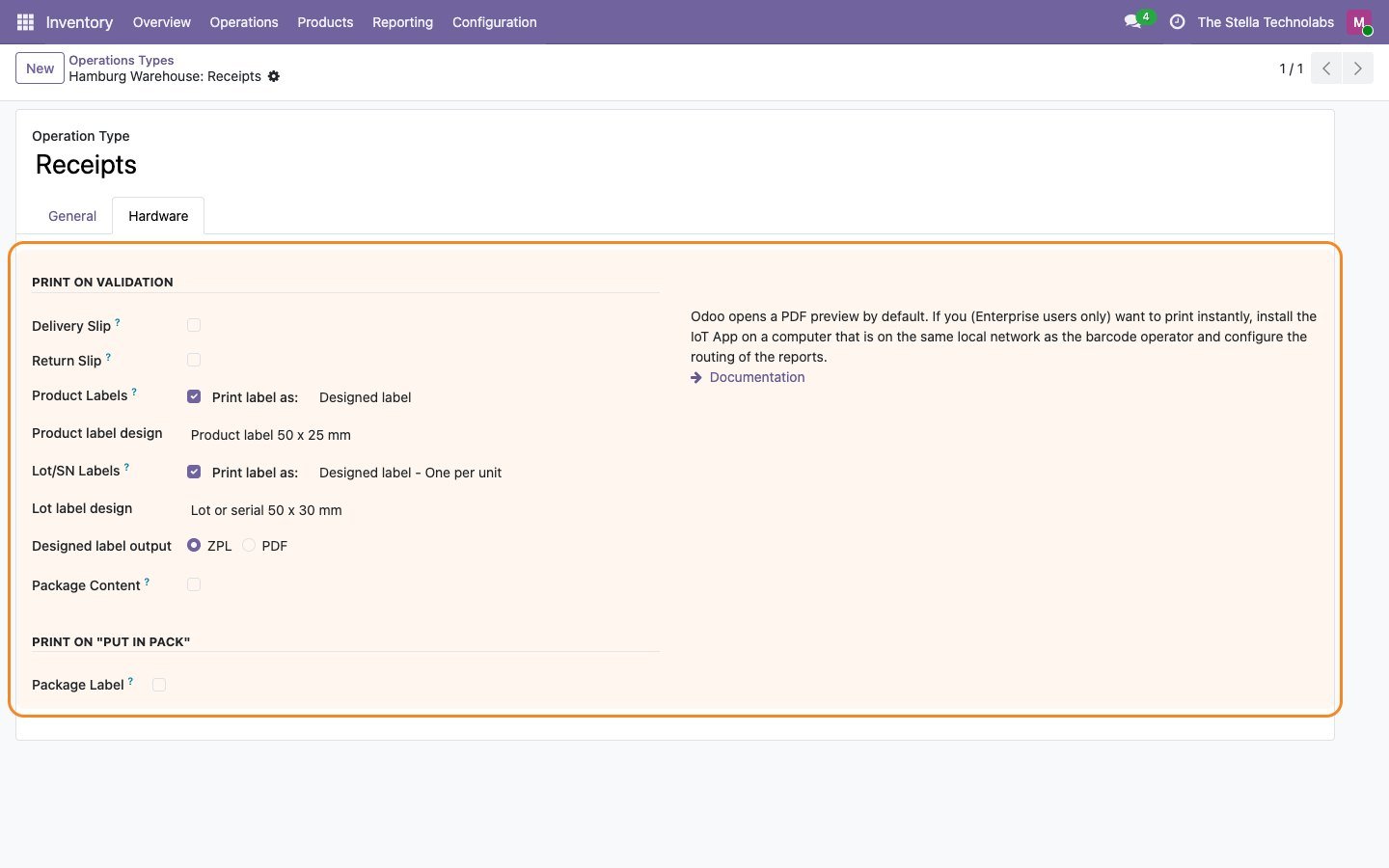
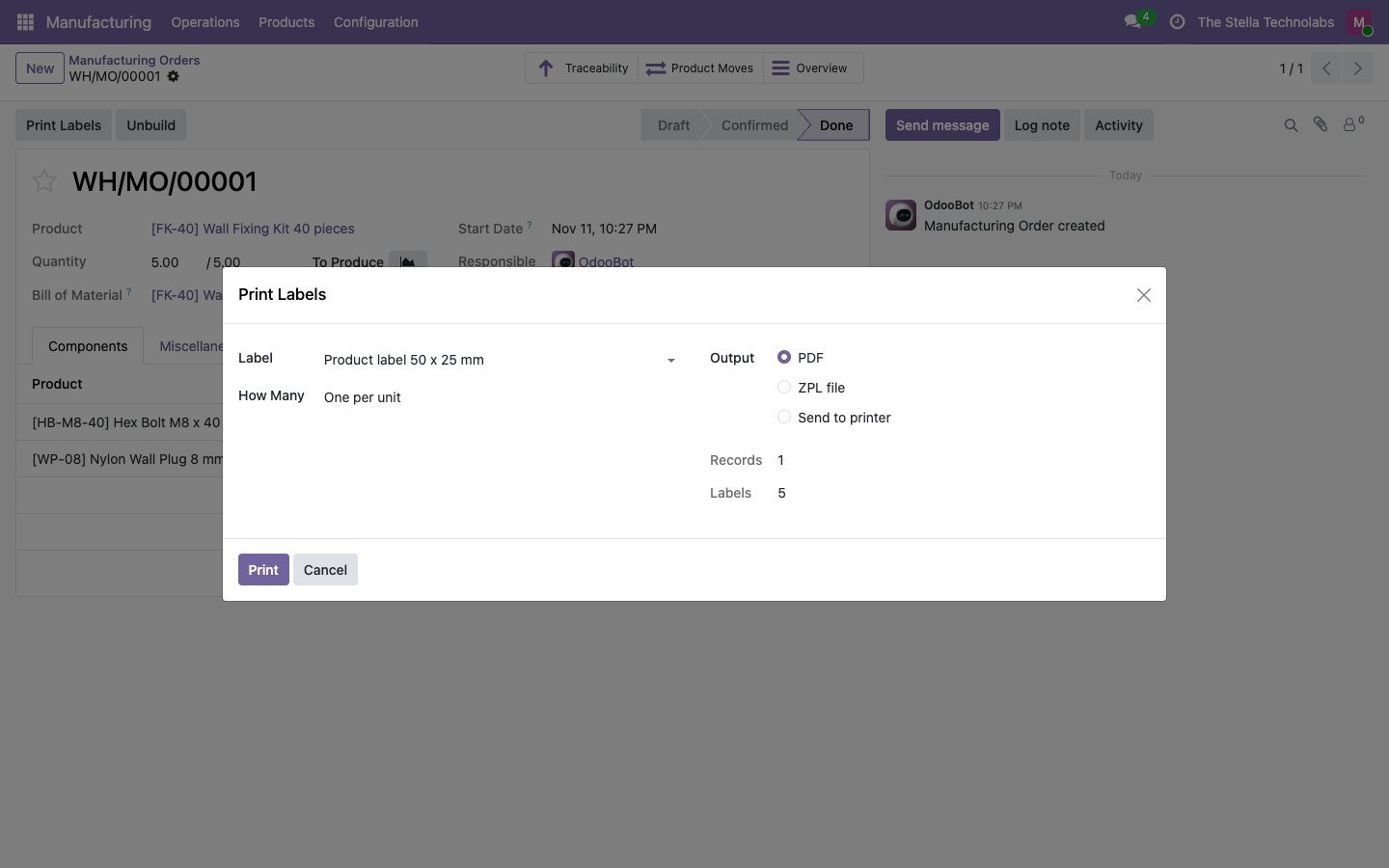
Designed labels appear in Odoo's own Print Labels wizard, in the labels Odoo prints when a transfer is validated, and on Put in Pack.
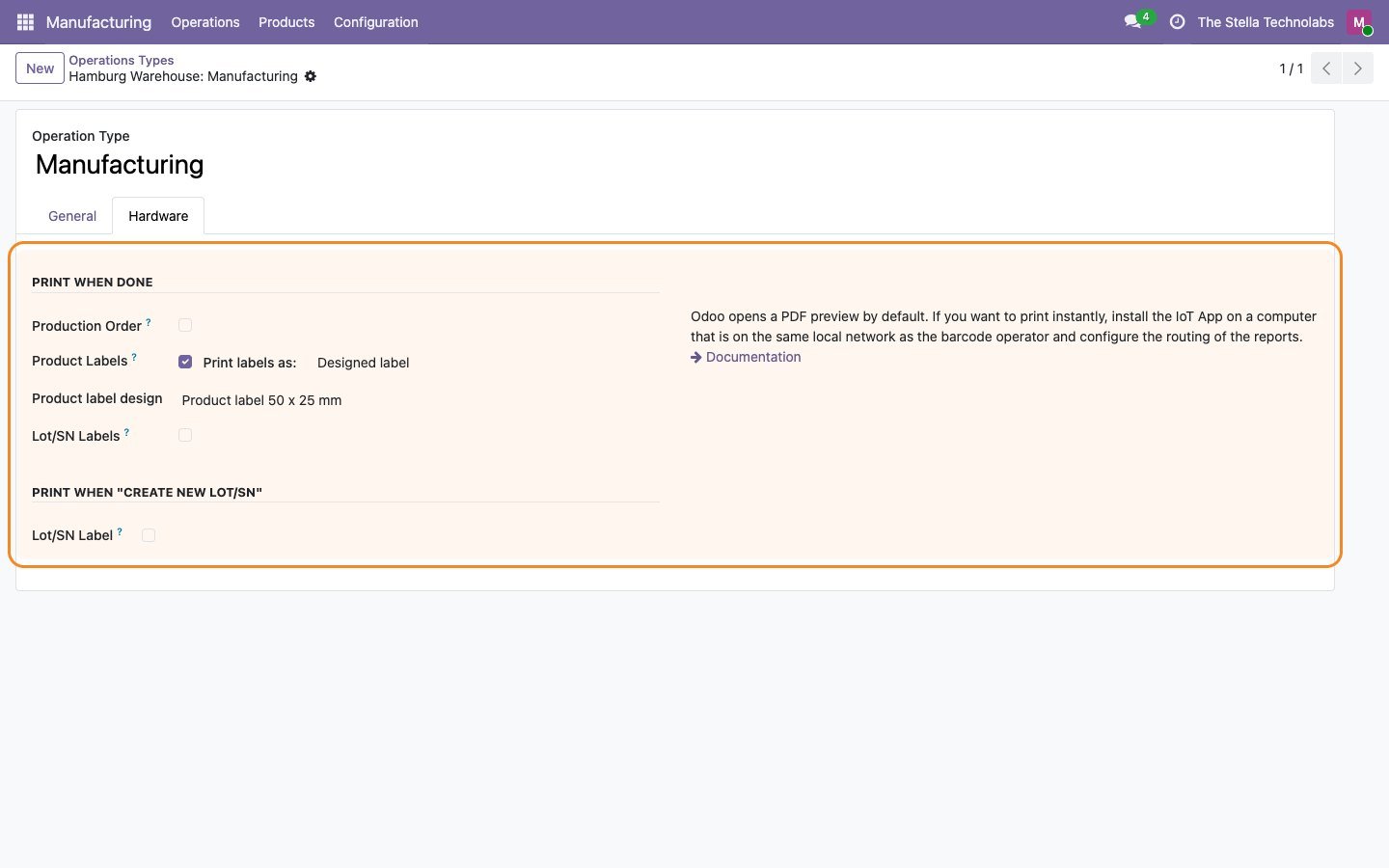
Transfers and manufacturing orders
Print one label per unit, per line, per lot or per package, and labels when a manufacturing order is done.
Automation rules
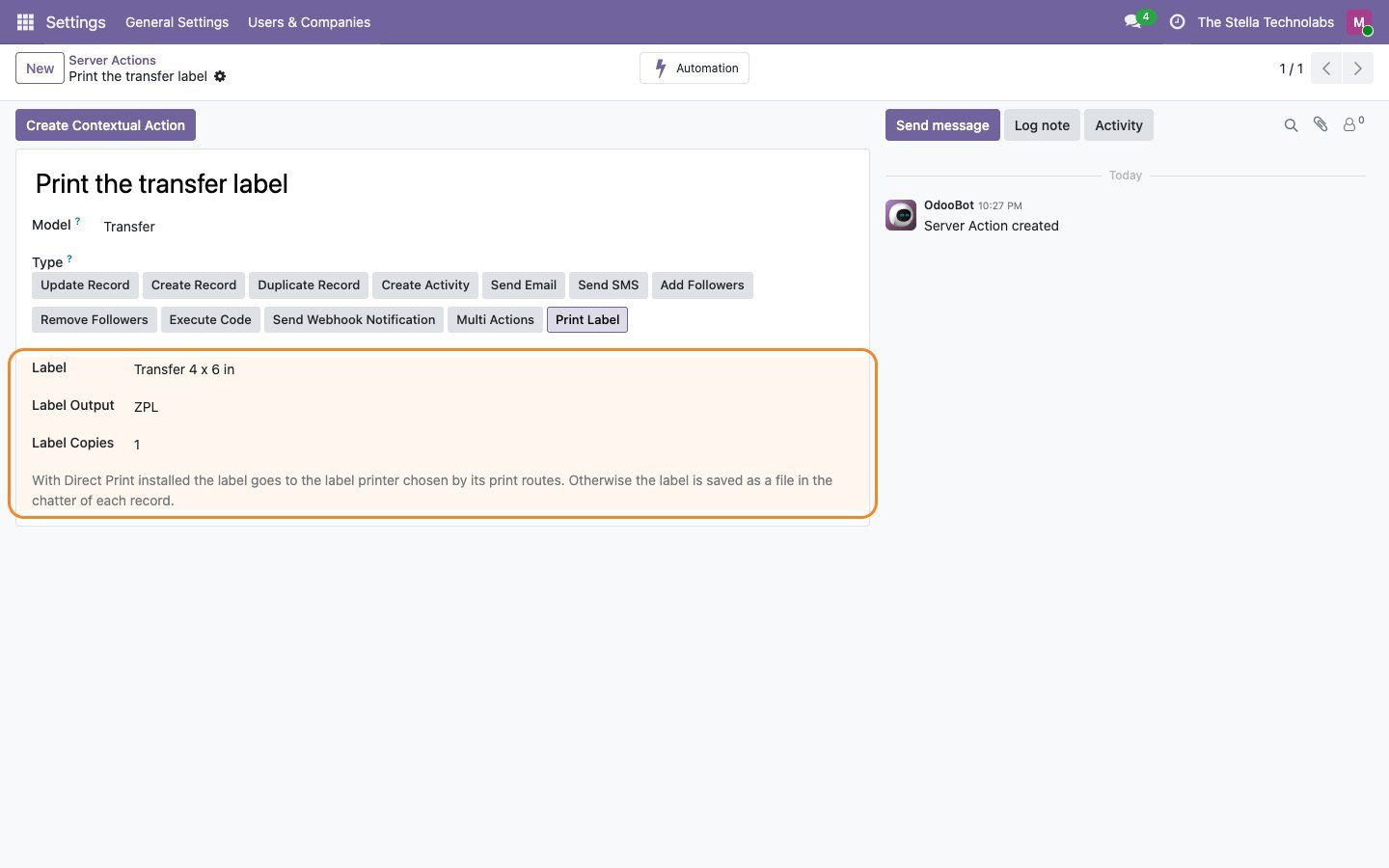
A Print Label action for Odoo Automation Rules, on any model and trigger.
Dashboard and history
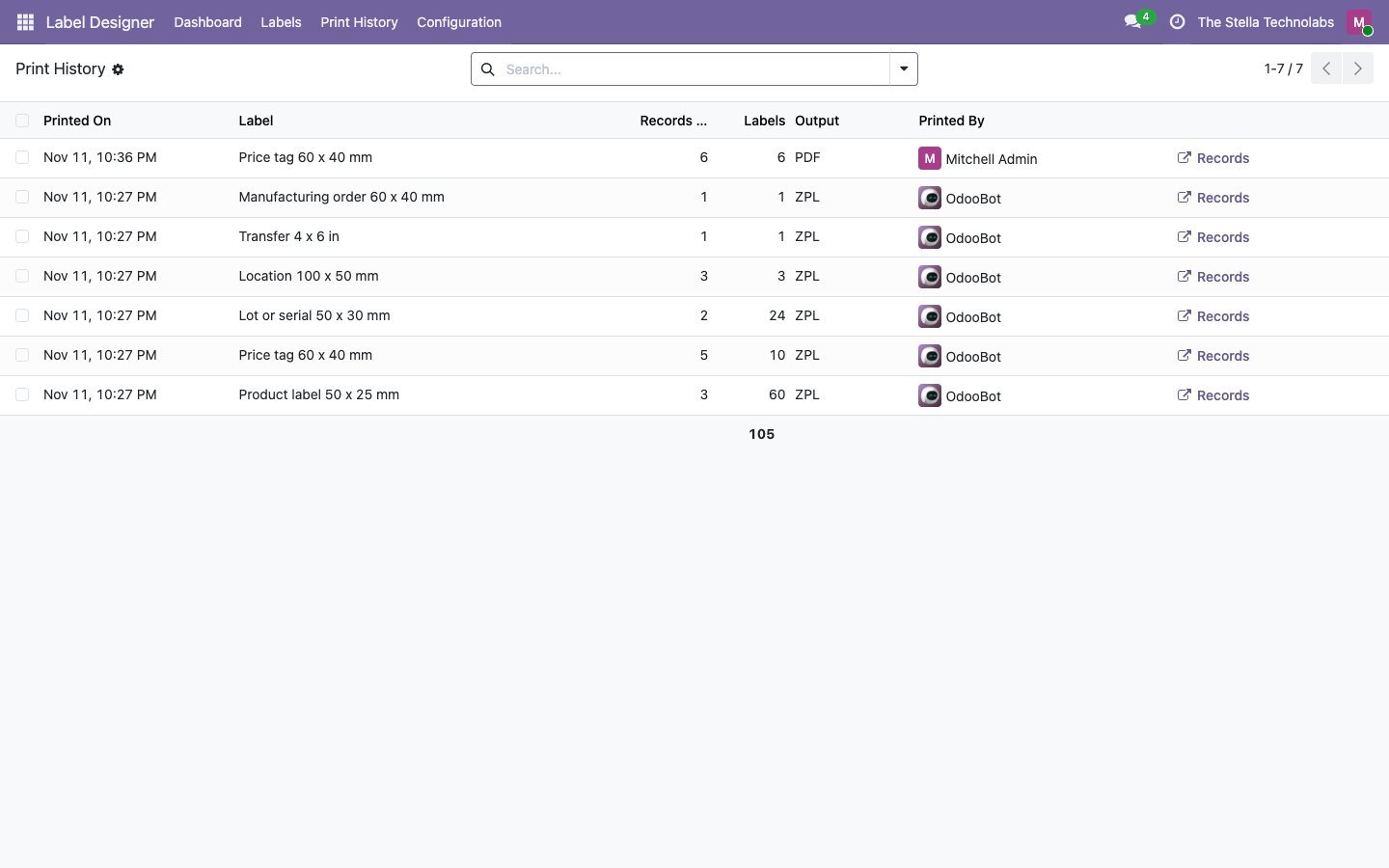
Labels printed today and this week, a card per label with a preview, and a print history of who printed what.
Export and import
Move a label, logo included, to another database as one file.
A Label Designer app, and ordinary Odoo reports
The module adds a Label Designer app with a dashboard, the designer, and a print history. Designed labels are ordinary Odoo reports, so they print wherever Odoo prints: from the Print menu, the Print Labels wizard, automatic printing on receipts and deliveries, manufacturing orders and automation rules.
Works on its own. Better with Direct Print.
Label Designer works on its own: labels download as ZPL or PDF files. Add Stella Direct Print to Local Printers and the same labels go straight to the right printer, ZPL to the label printer and PDF to the office printer, through Direct Print routes. No bridge module is needed between the two.
See Direct Print to Local PrintersA closer look
Click any screen to open it full size.
Teams that want labels matching their products
Warehouses, manufacturers and wholesalers running Inventory and Manufacturing in Odoo who want labels that match their products and their printers, designed by their own team rather than a developer.
This module extends standard Odoo Inventory and Manufacturing, which it installs if they are not already there. It does not replace or debrand any native feature; Odoo's own labels keep working alongside your designs.
Ready to design your own labels?
Get it on the Odoo Apps Store, or talk to us first about your labels, printers and templates.
Questions, answered
Do I need a developer to change a label?
No. You draw the label at its real size on a canvas, drop in fields from any record, and add barcodes, QR codes and logos with drag and drop. Grid, snap, align, undo and redo are all there.
Will the printed label match what I designed?
Yes. The canvas is drawn by the same engine that prints, using the values of a record you pick, and you can preview the label filled with real data before printing.
Can one design print on both a thermal printer and an office printer?
Yes. Each label prints as ZPL at 152, 203, 300 or 600 dpi for thermal label printers, or as a PDF, one label per page or on A4 and Letter sheets.
Which barcode types are supported?
Code 128, EAN-13, EAN-8, UPC-A, Code 39, GS1-128, QR code, DataMatrix and GS1 DataMatrix. Check digits are added and invalid values are flagged before printing.
What about languages the printer font does not have?
Characters such as Cyrillic, Greek, Arabic or Hebrew are sent as an image, and you can supply your own font if you need one.
Do I need Direct Print as well?
No. Label Designer works on its own and labels download as ZPL or PDF files. If you add Direct Print to Local Printers, the same labels go straight to the right printer through its routes, with no bridge module between the two.